AI

🚀 Free AI Course for Beginners – Class 6
Welcome to Class 6 of our FREE Artificial Intelligence Course, where we learn about Google Gemini and one of its most exciting models — Nano Banana, explained in the simplest and most beginner-friendly way.
👉🏻AI Course Playlist: https://youtube.com/playlist?list=PLTukPelH6ee59Kt9WLEcR5Yea9uFZTuiO&si=8wlF0FMweB3j7YSt
👨🎓 Who Should Watch This Class?
Absolute beginners in AI
Students & college learners
Content creators
Freelancers & professionals
Anyone curious about Google AI tools
👉 No coding required
👉 No prior AI knowledge needed
📅 Free AI Course Progress
📍 Class 1: What is AI?
📍 Class 2: Large Language Models (LLMs)
📍 Class 3: Machine Learning & Algorithms
📍 Class 4: How to Write Better Prompts
📍 Class 5: How to Use ChatGPT
📍 Class 6: Google Gemini & Nano Banana (This Video)
👍 Like the video if Gemini feels easy now
📌 Subscribe for daily AI classes
📤 Share this with friends starting AI
🔍 SEO Keywords (Beginner & High-Search)
google gemini explained
nano banana model
google gemini for beginners
what is nano banana ai
google ai tools
gemini ai tutorial
free ai course
ai for beginners
Music : Epidemic Sound : https://share.epidemicsound.com/3qnmDP
SFX: Multiple Sources
🙏Huge thanks to all the Creative Artists for the inspiration and also for the Stocks 😊
✅Follow me on Instagram
https://www.instagram.com/rajp....hotoeditingmuchmore/

Master the process of building a complete AI storybook using Google Gemini with this direct, step-by-step tutorial designed for creators of all levels. From generating high-concept plot lines and character beats to creating professional-grade illustrations, you'll learn the exact prompts and workflows needed to go from a blank page to a finished book in record time.
As mentioned, check out the guide
The Ultimate Guide To Infographics For Teachers
Check out my product! https://www.teachtraveltriumph.....com/product-page/th
12 Ways to use NotebookLM:
https://youtu.be/j3FObGgTjtE
Edtech Empowered
https://www.teachtraveltriumph.....com/product-page/ed
CHALKIE Affiliate code: Thomas20 for a discounted first couple of months. https://chalkie.ai
Affiliate links:
TPTC: Thomas15
https://thepositiveteachercomp....any.co.uk/?sca_ref=5
Trading 212: https://www.trading212.com/invite/1BjFE75hmW
https://refer.tella.com/thomas-blakemore
Opus:
https://www.opus.pro/?via=07b0cf
NordVPN;
https://go.nordvpn.net/aff_c?offer_id=30&aff_id=107869
--------------------------------------
CHECK OUT MY TEACHING GUIDE
► 80+ FREE TEACHER WEBSITES: http://bit.ly/4r9ukt1
►GET A JOB TEACHING IN DUBAI GUIDE- bit.ly/3VfqnCi
►MOVING TO DUBAI GUIDE- bit.ly/3XjqJJW
►GET YOUR FIRST ECT JOB- http://bit.ly/3i056OB
--------------------------------------
CONTACT ME
►EMAIL-
teachtraveltriumph@outlook.com
------------------------------------------
FOLLOW ME
►INSTAGRAM - https://instagram.com/thomasblakemore...
►TIKTOK - https://vm.tiktok.com/ZSe9k4kSW/
►FACEBOOK-
►TWITTER - https://twitter.com/thomasblakemore
►LINKEDIN - bit.ly/3V7jFOq
Timestamps
[00:32] Accessing Google Gemini and finding the "Gems" menu.
[01:02] Selecting the Storybook Experiment gem, which uses pre-designed prompts to help generate stories.
[01:29] Examples of prompts: helping a child cope with sleepovers, funny stories about roommates, or anime-style adventures.
[02:10] Using "Thinking Mode" (Nano Pro) for higher-quality images and better prompt adherence.
[03:11] How to use the Listen feature to have Gemini read the story back in different voices.
[04:43] Creating a story for a specific age group (Year 3) focused on spelling rules like "tion" and "cion."
[07:37] Important tip: Specify UK Spelling in your prompt if you want to avoid default US spelling.
[08:50] Customising characters using your own photos (with a warning about consent in schools).
[10:53] Using NotebookLM to pull inspiration from existing literature (like Julia Donaldson) for rhyming couplets.
[13:11] Creating a story about a family pet (Kizzy the Dachshund) and refining the character's appearance and names.
[15:15] Final thoughts on how these personalised books can support children with additional needs.
🚀 Free AI Course for Beginners – Class 6
Welcome to Class 6 of our FREE Artificial Intelligence Course, where we learn about Google Gemini and one of its most exciting models — Nano Banana, explained in the simplest and most beginner-friendly way.
👉🏻AI Course Playlist: https://youtube.com/playlist?list=PLTukPelH6ee59Kt9WLEcR5Yea9uFZTuiO&si=8wlF0FMweB3j7YSt
👨🎓 Who Should Watch This Class?
Absolute beginners in AI
Students & college learners
Content creators
Freelancers & professionals
Anyone curious about Google AI tools
👉 No coding required
👉 No prior AI knowledge needed
📅 Free AI Course Progress
📍 Class 1: What is AI?
📍 Class 2: Large Language Models (LLMs)
📍 Class 3: Machine Learning & Algorithms
📍 Class 4: How to Write Better Prompts
📍 Class 5: How to Use ChatGPT
📍 Class 6: Google Gemini & Nano Banana (This Video)
👍 Like the video if Gemini feels easy now
📌 Subscribe for daily AI classes
📤 Share this with friends starting AI
🔍 SEO Keywords (Beginner & High-Search)
google gemini explained
nano banana model
google gemini for beginners
what is nano banana ai
google ai tools
gemini ai tutorial
free ai course
ai for beginners
Music : Epidemic Sound : https://share.epidemicsound.com/3qnmDP
SFX: Multiple Sources
🙏Huge thanks to all the Creative Artists for the inspiration and also for the Stocks 😊
✅Follow me on Instagram
https://www.instagram.com/rajp....hotoeditingmuchmore/


Try i10x: https://i10x.ai?fpr=paul53
Save 15% with code "PJL15"
💎 All The Prompts From This Video: https://pauljlipsky.com/gems.html
Gemini Gems let you build custom AI assistants inside Gemini — here are 7 use cases that make them way more powerful than most people realize.
🔗 This video is sponsored. Some product links are affiliate links which means if you buy something we'll receive a small commission.
0:00 Intro
0:25 On-Brand Infographics
1:29 Setting Up a Gem
4:14 Customer Support Assistant
5:39 Prompt Engineer
7:30 Stupidity Checker
8:31 Wellness Support
10:02 i10x Sponsor
11:52 NotebookLM + Google Drive Bridge
13:30 Travel Assistant
14:34 Pre-Made Gems by Google
15:13 Outro


Overview of Gemini's Notebook LM tool for teachers. #edtech #gemini #notebooklm
04:14 Studio Output Deep Dive
07:18 Nano Banana Overview
09:22 Sharing
10:41 Use with Google Classroom

Creating presentations from mind maps usually requires manual structuring, organizing ideas, and designing slides. But with AI tools, the entire process can now be done much faster.
In this video, you’ll learn how to convert mind maps into complete presentations for free using NotebookLM and Google Gemini.
This AI workflow helps you transform brainstorming ideas, research notes, and mind maps into structured presentation slides in just a few minutes.
In this tutorial, you’ll learn how to:
• Convert a mind map into structured content
• Use NotebookLM to organize ideas and insights
• Generate presentation-ready content using Gemini
• Transform brainstorming notes into slide outlines
• Create clear and structured presentations quickly
This workflow is perfect for students, teachers, researchers, educators, and professionals who want to turn ideas into presentations without spending hours organizing content.
If you're looking for a fast and free way to convert mind maps into presentations using AI, this tutorial will show you the complete step-by-step process.
#NotebookLM #GeminiAI #AIPresentations #MindMapping #AITools

Google Gemini se educational video kaise banaye? YouTube par education video banane ka sahi tarika
Agar aap YouTube par Educational Video banana chahte ho to Google Gemini aapka best AI partner ban sakta hai! 🚀
Aaj ke is video me aap step-by-step सीखोगे ki Google Gemini AI ka use karke professional educational videos, tutorials, reels aur shorts kaise banaye jaate hain 🔥
👉 Topics covered in this video:
• What is Google Gemini & how it works for content creators
• Gemini se Educational Video script kaise likhein
• AI tools ke through thumbnail aur video ideas kaise generate karein
• SEO tips for Gemini-based content
• Viral video banane ke secret formulas 🎯
Ye video un sab logon ke liye hai jo AI se padhai aur teaching ko next level par le jaana chahte hain!
Agar aap bhi apne channel ko grow karna chahte hain to ye video end tak zarur dekhiye.
💡 Like 👍 | Share 🔁 | Subscribe 🔔
Aur comment me batayein: Next AI tool kis par video chahiye?
#GoogleGemini #GeminiTutorial #EducationalVideo #AIforEducation #YouTubeTips #GeminiAI #FutureLearning #AIinEducation #GoogleAI #aivideocreation
google gemini tutorial, gemini ai video creation, ai educational video, google ai tools 2025, youtube educational video kaise banaye, ai video bana kar paise kaise kamaye, ai tools for teachers, ai se video kaise banaye, gemini hindi tutorial
youtube par educational video kaise banaye
educational video kaise banaye
youtube par video kaise banaye
youtube growth tips 2025
educational content creation
youtube par padhai ka video kaise banaye
viral educational video tips
how to make educational videos in hindi
trending educational content 2025
youtube seo tips hindi
youtube video ideas 2025 hindi
mobile se educational video kaise banaye
youtube par teaching video kaise banaye
best youtube niche 2025 hindi
youtube algorithm tips hindi
education channel kaise start kare
youtube par views kaise badhaye
engaging educational video tips
study video kaise banaye
viral video kaise banaye youtube
----------------------------------
GRENARO Mic for YouTube Wireless:
https://amzn.to/4mVej6S
Wireless Keyboard and Mouse
https://amzn.to/41h2cbX
DIGITEK LED Ring Light with Remote🔥
https://amzn.to/3bXlXeY
My Laptop
https://amzn.to/4oTHvx4
----------------------------------
Copyright Disclaimer Under Section 107 of the Copyright Act 1976, allowance is made for 'Fair Use'
for purposes such as criticism, comment, news reporting, teaching, scholarship, and research,
Fair use is a permitted by copyright statute that might otherwise be infringing,
Non-profit, educational or personal use tips the balance in favor of fair use.

Spice up your lessons with music! In this tutorial, learn how to use AI for Teachers: Turn Lessons into Songs with Gemini and Suno. Transform your lesson plans into engaging, AI-generated songs that make learning fun and memorable!
Watch as we create a Coretta Scott King tribute song using AI—showcased in the webinar, The AI Educator Brain on Unconscious Bias in Grading: Can AI Be the Solution?
Try it yourself, and let us know what you create!
Watch the full webinar on demand: https://sharemylesson.com/webi....nars/unconscious-bia
Access the Gemini 90s pop lyrics system instructions: https://sharemylesson.com/teac....hing-resource/create
💡 Why Use AI-Generated Songs in the Classroom?
✅ Boost student engagement with music
✅ Reinforce key concepts through rhythm and melody
✅ Customize songs for any subject or grade level
✅ Make learning more interactive and fun!
🔔 Subscribe for more AI-powered teaching ideas and the AI and Education community here: https://sharemylesson.com/ai

Tired of spending hours crafting lesson plans? Discover how Google Gemini can revolutionize your teaching experience! In this video, I'll show you step-by-step how to use AI to generate engaging and effective lesson plans for you to tailor to your student needs. From brainstorming ideas to creating assessments, Gemini can assist you every step of the way. Save time, enhance your curriculum, and meet the needs of your students with the latest AI technology. Watch now and learn how to use Gemini to transform your classroom!
#teaching #classroom #teacher #curriculum #googledocs #googlegemini #AI #education #lessonplan #technology #edtech
CHAPTERS
00:00 Intro
00:28 Google Gemini Overview
01:00 Google Gemini In Google Docs
01:24 The PARTS Model
02:22 Sample Prompt
02:47 Sample Prompt Breakdown With PARTS Model
03:45 Gemini’s Output
04:44 Modifying With The 80/20 Rule
05:36 Outro
Connect With Gabriel Carrillo
- EdTech Bites Website: https://edtechbites.com/
- EdTech Bites Twitter: https://twitter.com/edtechbites
- EdTech Bites Instagram: https://instagram.com/edtechbites
- EdTech Bites Threads: https://www.threads.net/@edtechbites
- EdTech Bites Facebook Page: https://facebook.com/edtechbites
- EdTech Bites YouTube Channel: https://www.youtube.com/@edtechbites
Purchase My Book Here
📘 COOKING UP EXPERIENCES IN THE CLASSROOM: FOCUS ON EXPERIENCES, NOT JUST LESSONS: https://a.co/d/bH5kpwg

Tired of spending hours building quizzes and assessments? In this video, you’ll learn how to use Gemini in Google Workspace to quickly create high‑quality assessments directly in Google Forms—saving time while improving clarity and consistency.
✅ What you’ll learn:
How Gemini helps generate questions automatically
Creating quizzes, tests, and formative assessments in minutes
Tips for customizing AI‑generated questions
Best practices for teachers, trainers, and instructional designers
Whether you’re an educator, trainer, or school leader, this workflow will help you focus less on setup and more on teaching and learning.
📌 Perfect for:
Teachers & educators
Professional development & training
Google Workspace for Education users
Anyone looking to work smarter with AI
👍 If this video helps you, don’t forget to like, subscribe, and share!
#AIinEducation #GoogleForms #GeminiAI #EdTech #TeacherTips #Productivity #GoogleWorkspace
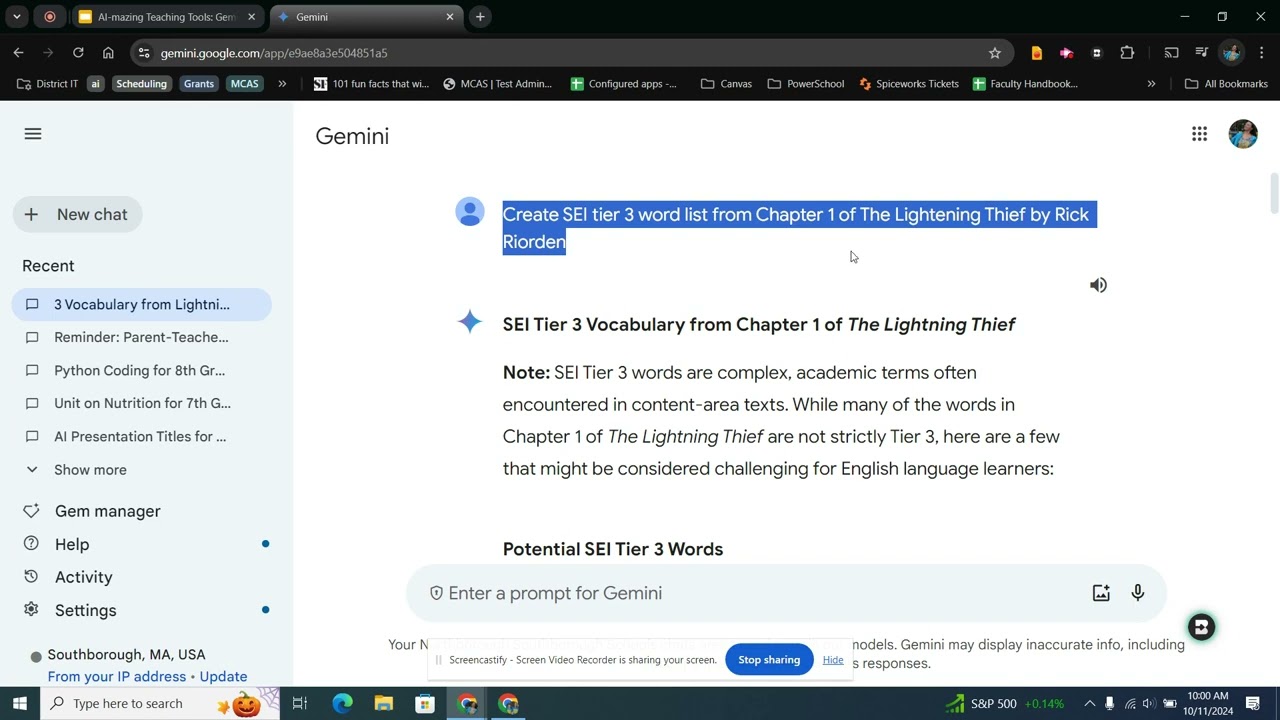
This module of the AI-Mazing Teaching Tools Overviews Gemini's potential to save teachers time and (maybe) preserve their sanity.

Learn how to copy and paste math equations from Gemini to Microsoft Word without breaking formatting.
Useful Links:
AI Chat to Word extension-https://chromewebstore.google.....com/detail/ai-chat-t
If you’ve ever tried copying equations from Gemini into Word and faced symbol changes, broken formulas, or lost formatting — this tutorial shows the correct one-click solution.
In this quick demo, you’ll see how to export math equations, symbols, and formulas directly from Gemini into a properly formatted Word document using an extension — no manual copy-paste required.
This method works perfectly for students, teachers, researchers, engineers, and professionals who work with mathematical content in Microsoft Word.
What You’ll Learn:
✅ Why copying math equations from Gemini to Word breaks formatting
✅ How to install the Gemini export extension
✅ How to export a single math equation to Word
✅ How to export all math equations into one Word document
✅ How to exclude user prompts and export only Gemini responses
✅ How equations stay intact — symbols, structure, and layout
✅ How to avoid copy-paste errors when working with formulas
Why Use This Method?
Accurate Equations – No symbol changes or broken formulas
One-Click Export – No manual fixing inside Word
Professional Output – Clean, editable Word documents
Time-Saving – Export single or multiple equations instantly
Perfect for Academic Work – Assignments, research papers, reports
Share Your Thoughts:
Have you faced formatting issues when copying equations before?
Tell us in the comments!
If this tutorial helped you, like the video and subscribe for more Gemini, Word, and productivity tutorials.
#GeminiAI #MathEquations #MicrosoftWord #ProductivityTips
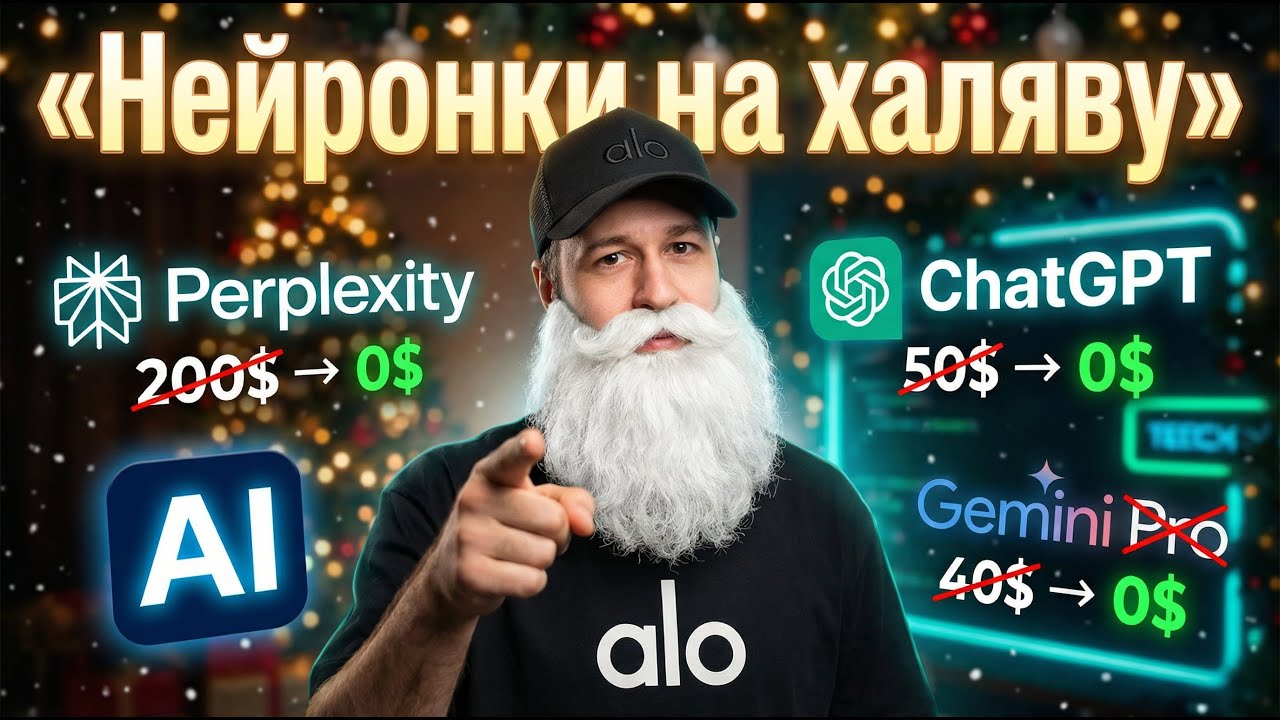
В этом видео я показываю очень крутую тему, как получить тариф Gemini Business и бесплатный chatgpt для учителей совершенно бесплатно и без каких-либо сложностей. Этот метод позволяет использовать функционал ai и других ai tools без ограничений, что делает его отличной альтернативой для тех, кто ищет возможности использования gemini vs chatgpt без вложений. Все делается буквально в пару кликов. Насколько я смог протестировать, у Gemini нет лимитов вообще. Всем приятного просмотра!
=======================
🔗 Инструкция в ТГ-канале - https://t.me/yaskocrypto
🔗 По всем вопросам https://t.me/Pro_ai_assistant

Learn to create your own personal AI teacher assistant in just 60 minutes! In this hands-on webinar, educators will learn how to build custom Gems 💎 that can brainstorm lesson ideas, draft differentiated activities, or give instant feedback—on demand. Google now provides Gems at no cost in all Google Workspace for Education accounts (participants must be 18 +, so we will focus on teacher use only). You’ll walk away ready to create, save, and reuse your own built for purpose teaching assistants.

SchoolAi can make an instant deck. Here’s how https://youtu.be/V4qOQVArdfM So can Gemini. Working from nothing more than a learning standard, you can have a deck in a sec, ready to edit.
All of my help videos: https://docs.google.com/docume....nt/d/1lVxUw0wpiv-18M
Subscribe to my Channel: https://www.youtube.com/channe....l/UChQpjyIIwog8bgQuX
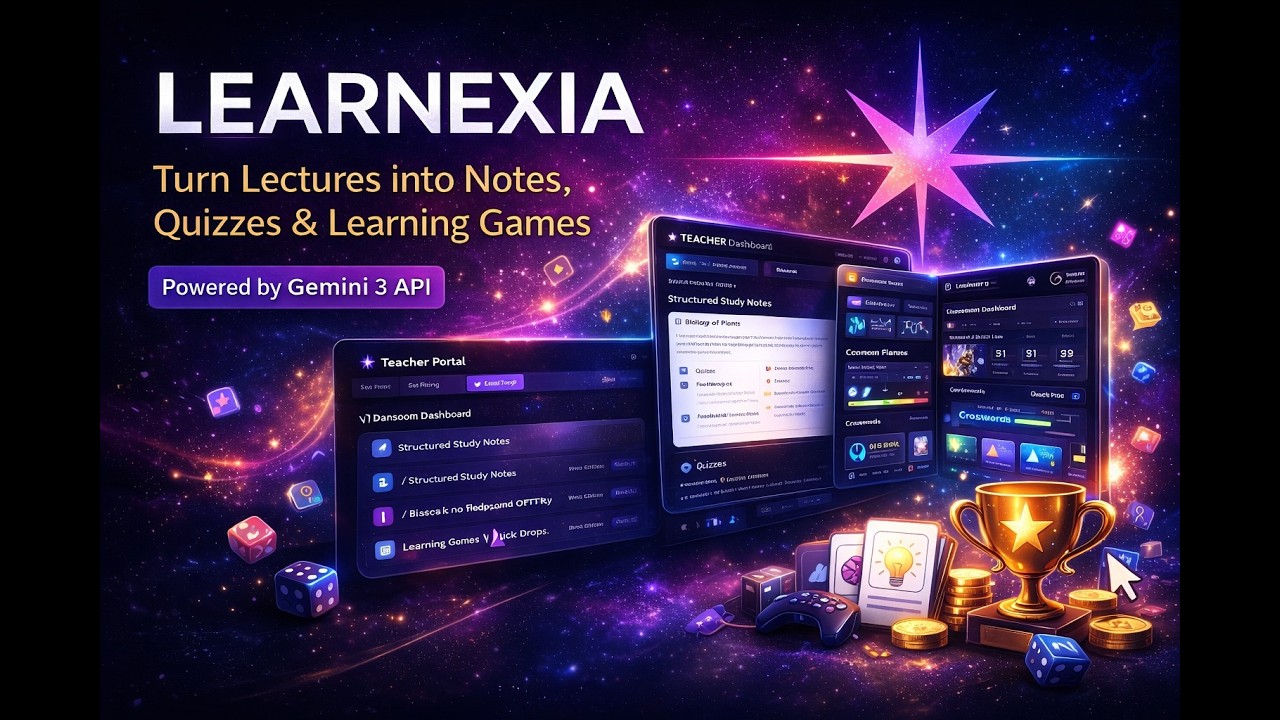
Learnexia is an AI-powered classroom platform (powered by Gemini 3 API) that transforms lectures into interactive learning experiences.
In this demo, you’ll see how a teacher can create a lecture and instantly generate:
Study notes
Flashcards
Quizzes
Learning games
AI-driven behavior insights
Students then learn through games, quizzes, and spaced repetition — while teachers save hours of manual preparation.
Powered by: Google Gemini 3 API
Demo shows: Teacher Portal + Student Portal + AI Features + Games + Behavior Tracking

Google's AI Gemini is moving so fast. It's it's a lot. But the real question is how can you as a teacher actually use it like right now this year in your classroom? That's exactly what we're going to break down. Let's get into it. Okay, so picture this. What if you had a teaching assistant who literally never gets tired? No coffee breaks, no sick days, just ready to go 247, helping you brainstorm lesson plans, whip up creative content, and even give your students extra support. I know it sounds like a dream, right? Well, that's pretty much the promise of what we're talking about today. And that partner, it's Google Gemini. You just go to gemini.google.com to get started. Honestly, at its heart, it's just a chat. You ask, it answers. It's that simple. So, like an English teacher could just type in, "Hey, give me five Socratic discussion questions for chapter 3 of The Great Gatsby." And boom, instantly you've got a list ready for your next class. It really is that easy. All right, so here's our game plan for this explainer. First, we're going to talk about getting started securely. Super important. Then the fun stuff, creative content generation. After that, we'll dig into its more advanced research and writing tools. Then we'll see how it fits right into your classroom. And finally, we'll wrap up with how you can start your own Gemini journey. Okay, section one, getting started securely. And trust me, this might sound a little basic, but how you log in is a huge deal. It makes a world of difference for your privacy and the features you get access to. All right, listen up because this is probably the most important tip in this whole thing. Always, always use your school's Google Workspace for Education account, not your personal Gmail. Why? Well, two massive reasons. First, your school account just unlocks more powerful features, stuff made just for teachers. But the second reason is the big one, privacy. When you use your school account, Google guarantees that none of your data and more importantly, none of your students data will ever be used to train their models or for ads. It's a safe walled off garden just for education. And just a quick heads up here as we go through all these cool features, if you log in and don't see one of them, don't freak out. It's not broken. Your school's IT administrator is the one holding the keys. They control what gets turned on for teachers and for students. So, if something's missing, you know who to talk to. All right, now that we've got the security stuff down, let's get to the really exciting part, the creative side. This is where Gemini stops being just a chatbot and turns into your personal multimedia assistant for the classroom. You know, making an image is way easier than you think. Let's stick with our Great Gatsby example. You could literally just type create an image of a huge lavish 1920s party at a mansion and make sure you can see a green light across the water. The cool thing is the more detail you feed it, the better the picture you get back. It's an incredible way to make custom visuals for your slides or handouts. But wait, it gets better. It's not just still images. There's this tool called VO that lets Gemini create short videos with sound. Now, full disclosure, it's a premium feature right now, but what it can do is just wow. You can take an old black and white historical photo, upload it, and ask Gemini to bring it to life. So, for our Gatsby mansion, just imagine seeing those old cars actually pulling up the driveway, maybe hearing the faint jazz music from the party. It's such a cool way to create a hook for a lesson. Okay, so creating images and videos is awesome, but Gemini also has these really powerful specialized modes that make it an incredible partner for the heavy lifting like curriculum development. The first one is called Canvas. And the best way to think about it is like having a co-author. So instead of Gemini just spitting out a wall of text, Canvas gives you this collaborative space kind of like a Google doc where you and the AI can work side by side. You ask for a lesson plan and poof, it shows up right there in this editable document. But here's where the magic really happens. It's all about editing and refining. Let's say you don't like one of the activities in the lesson plan. You can just highlight that part and tell it, "Hey, change this for a class that doesn't have a Smartboard, and it'll just rewrite that one section for you. Then, when you're happy with it, one click, and the whole thing gets exported right into your Google Docs." So seamless. Now, for those times when you need to go really, really deep on a topic, there's a mode called deep research. This isn't for your quick what's the capital of Nebraska questions. No, this is for when you need a full-blown report. You could tell it create a detailed report on the economic causes of the American Civil War targeted for a high school history class.

Learn how to create and export quizzes in Google Classroom using Gemini! This quick guide walks you through each step—from quiz setup to exporting in Google Forms. Perfect for teachers looking to save time and boost student engagement!
#googleclassroomquiz
#googleforms
#gemini
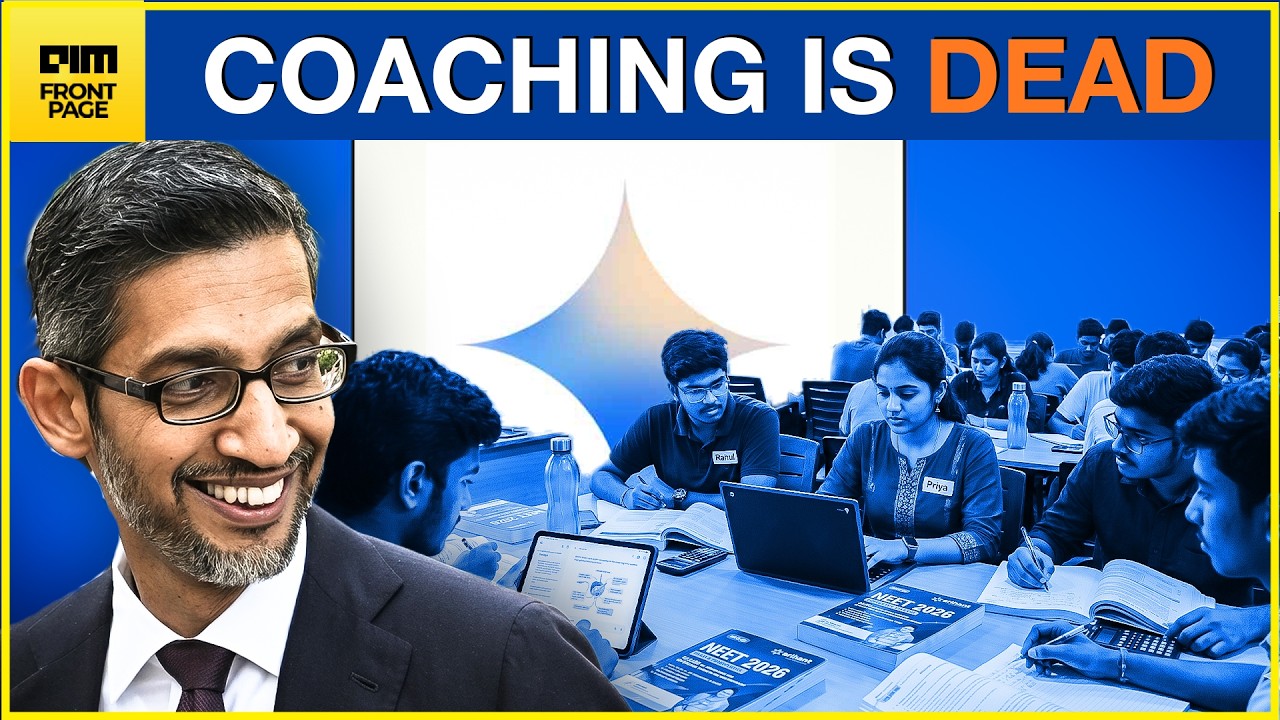
Google is addressing a critical gap in NEET preparation by launching an AI coach on Gemini. This initiative brings full-length NEET mock test experiences and AI in education to millions of students. With personalized learning and feedback, Google aims to democratize quality education across India, making it accessible even in remote areas. This is a significant AI News development for students.
#Google #NEET #AINews #Education #AIMNetwork
------------------------------------------------------------------------------------------
👋 ABOUT AIM NETWORK
AIM Network is India's leading voice on the intersection of AI, Technology, and Business. We bring you sharp analysis, breaking news, and original perspectives on everything from Generative AI breakthroughs to geopolitical market shifts.
🔔 Subscribe for daily insights: https://www.youtube.com/@aimme....diahouse?sub_confirm
📺 WATCH OUR POPULAR SERIES:
- Front Page (Daily Tech News): https://www.youtube.com/playli....st?list=PL9Kc1zSa46O
- Tech Talks (Podcast): https://www.youtube.com/playli....st?list=PL9Kc1zSa46O
-Simulated Reality (Podcast) - https://www.youtube.com/playli....st?list=PL9Kc1zSa46O
📰 STAY UPDATED:
Website: https://analyticsindiamag.com/
LinkedIn: https://in.linkedin.com/compan....y/analytics-india-ma
Twitter/X: https://x.com/Analyticsindiam
Instagram: https://www.instagram.com/aim.media.house/
------------------------------------------------------------------------------------------
Tired of Gemini’s math equations breaking when you put them into a Google Doc? 😫
We’ve all been there: you generate a perfect lesson plan or worksheet, but the LaTeX formatting leaves you with a jumble of symbols that no student can read. In this tutorial, I’m sharing a simple, "no-headache" workaround to export your Gemini-generated math expressions into a clean, professional PDF—preserving every fraction, square root, and exponent perfectly.
In this video, you will learn how to:
Identify why Google Docs struggles with Gemini’s native math formatting.
Use a quick Save-as-PDF workflow to keep equations intact.
Format worksheets and quizzes so they are classroom-ready in seconds.
Easily import questions from a pdf into Google Practice Sets
Save hours of manual re-typing and formatting.
As K-12 teachers, our time is our most valuable resource. By mastering this workaround, you can leverage the power of Gemini to create high-quality materials without the formatting issue. Whether you are a middle school math teacher or a high school physics instructor, this hack is a game-changer for your digital toolkit!
Found this helpful?
Hit that Like button so other teachers can find this fix!
🔔 Subscribe for more EdTech shortcuts designed specifically for busy educators.

My first video make with Google Vids
