AI

Complete training in advanced features in Google Gemini Storybooks for Teachers
Russell's website
https://www.teachertrainingvideos.com/
Join Russell's newsletter
https://forms.aweber.com/form/61/763053361.htm
Russell's Patreon
https://www.patreon.com/Teache....rTrainingVideos?view
Russell's Course in collaboration with NILE ( click for information)
https://www.nile-elt.com/produ....ct?catalog=Technolog
00:00 Advanced Google Gemini Storybooks
01:55 Generate a storybook
03:09 Let's look at the book
03:43 Share your Gemini Storybook
05:12 Complete Advanced Storybooks
11:56 Another useful video
12:39 Study with Russell
Unlock the full potential of Google Gemini Storybooks for advanced language teaching with this comprehensive training video. Go beyond the basics as we guide language educators through a step-by-step masterclass in creating and leveraging custom storybooks to build complete, engaging lesson plans.
In this advanced tutorial, you will first learn how to precisely control every element of your Gemini Storybook generation, including setting the exact language proficiency level (e.g., A1, B2, C1), defining the context and genre, and even specifying the desired visual illustration style. See how to generate the storybook and then share it with students via a simple link, utilize the read-aloud narration feature, and prepare a printable version.
The video then unveils a powerful, game-changing workflow for advanced content creation. Discover the strategy of generating the story text first within the main Google Gemini chat interface. This unique method allows you to then instantly copy the text back into the chat to generate a visually complete storybook. Crucially, by keeping the original text in the main chat, you can seamlessly prompt Gemini to produce a rich array of supplementary, tailored learning materials:
Targeted Comprehension Questions
Forced-Choice Questions
Curated Vocabulary Lists
Gap-Fill Exercises
This technique automates the tedious task of lesson planning, transforming a single custom story into a complete, ready-to-use lesson package. This is the ultimate guide to mastering Gemini Storybooks to create personalized, high-quality, and level-appropriate content for any language classroom. Perfect for language teachers seeking to integrate advanced AI tools into their teaching practice and maximize student engagement and measurable proficiency gains.

If you're a teacher using the free or paid ChatGPT versions — or just curious about how AI can actually help with your workload — this video is for you.
Google has finally made a move with Gemini 2.0, and it includes a few free AI tools for teachers that are surprisingly useful in school life. In this video, I walk through how you can use Google Gemini for teachers as a practical ChatGPT alternative to save time and reduce stress.
✅ Create a Shareable App
Use Gemini Canvas to build classroom games or revision activities — no coding needed. Perfect for quick AI lesson planning.
✅ Create a Shareable Podcast
Turn any document into a short audio summary — great for CPD, planning, or commuting.
✅ Create Your Own Personalised Report Writer
Use Gems to write school reports with AI that sound like you — fast, personal, and totally ethical.
These tools are designed as teacher productivity tools and all you need is a Google account — no subscriptions, no add-ons.
Let me know in the comments if you’ve tried Google Gemini or are still using ChatGPT in your classroom.
CHAPTERS
00:00 Why Teachers Should Try Google Gemini
01:44 Create a Shareable App (Canvas)
06:55 AudioNotes & Deep Research
09:30 Build Your Own Report Writer (Gems)
Discover how educators are transforming classrooms with Google Gemini! In this exclusive video, I connect with Jennie Magiera, Global Head of Education Impact at Google and author of Courageous Edventures, to explore 10 powerful Gemini tips you can start using today. From lesson planning to personalized feedback, gamifying learning, creating newsletters, and even building podcasts—these tips are packed with real classroom applications.
Whether you're new to Gemini or looking for fresh ideas, this video is full of time-saving strategies that boost creativity and student engagement.
⏱️ Timestamps:
0:00 Introduction
1:31 Learning Science Principles
2:03 Generate a new lesson & Differentiate existing
2:53 Create assessments based on lesson
4:10 Give tailored feedback to students
5:03 Synthesize information
6:46 Learning Coach Gem
7:37 Gems to Gamify
8:40 Create PD content
9:15 Draft an agenda
9:47 Create a newsletter
11:12 Create a podcast
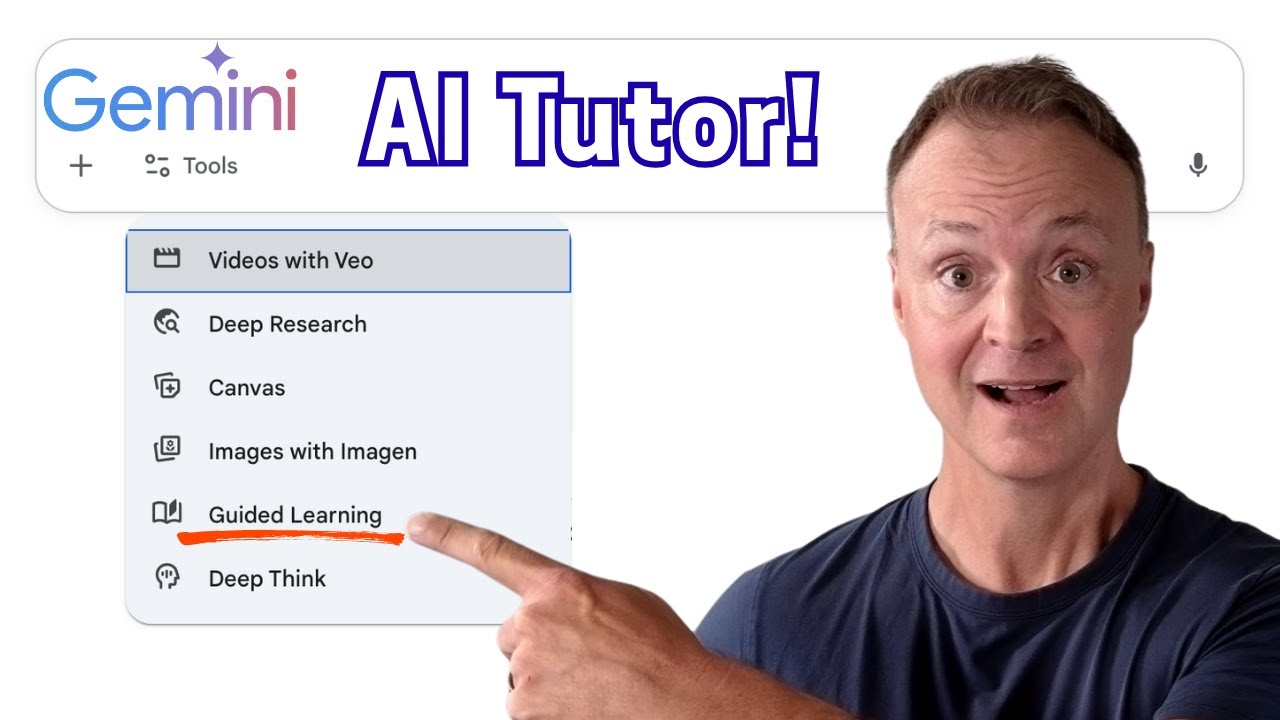
How to use Guided Learning in Gemini. Is AI the future of education? After getting an early look at Google Gemini's brand new "Guided Learning" feature, I'm convinced it's a massive leap forward. This isn't just another AI that gives you answers—it's a personal AI learning companion designed to help you truly UNDERSTAND complex topics.
In this video, I give you a first look at Guided Learning, inspired by the official announcement from Google. We'll explore what makes this tool different and I'll demo how it works as a personal tutor in three completely different subject areas.
Read the official announcement here:
https://blog.google/outreach-i....nitiatives/education
▶️ WATCH NEXT:
🎓 The Ultimate Teacher's Guide to Google Gemini: https://youtu.be/8FxB9haKmiU
📚 The Ultimate Guide to NotebookLM: https://youtu.be/FOs4RDTC52Q
🔔 Subscribe to Teachers Tech for more on AI in education and the tools that are changing the way we learn!
Let me know in the comments: What subject would YOU use Guided Learning for first?
0:00 - Intro: A Game-Changing AI Tool for Learning
0:40 - What is Guided Learning & How Does it Work?
1:44 - Demo 1: Science (Understanding Enzymes)
5:14 - Demo 2: Social Studies (Exploring Complex Topics)
7:21 - Demo 3: Creative Skills (Mastering Photography)
#GoogleGemini #EdTech #AIinEducation #GuidedLearning #FutureOfLearning #TeachersTech
Most people are using Google Gemini completely wrong—here's how to set it up and use every feature the right way to finally get the results you've been missing.
🤔 Have a question about Gemini? Drop it in the comments!
0:00 Intro
0:25 Accessing Gemini
0:54 Pricing Plans
1:49 Settings Setup
2:01 Custom Instructions
3:20 Personal Intelligence
4:42 Connected Apps
5:33 Navigation
6:02 Temporary Chat
7:06 My Stuff
7:25 Chat History
7:52 Using Gemini
8:23 Microphone Input
8:54 Model Selection
10:26 Tools Overview
10:33 Deep Research
11:53 Canvas
14:04 Study Guides
15:19 Infographics
16:41 Files in Chat
17:25 Guided Learning
18:21 Visual Layout
20:15 Create Videos
20:32 Add Files
20:52 Notebook LM
22:18 Gems
27:07 Gems from Labs
28:39 Image Editing
29:22 Image to Video
30:26 Using Connected Apps
31:10 Scheduled Actions
32:03 Mobile App
32:58 Live Chat
34:20 Outro

Check out how to create Handwritten Study Notes with Google Gemini in seconds.
These notes weren't written in hand. They were generated with Nano Banana and in this video, I’ll show you the exact prompt and settings to turn boring text into visual aids for any topic.
Whether you're a student trying to save time or a teacher looking for better materials, this Google Gemini tutorial is for you!

Welcome to the Gemini Quiz using Canvas AI 🎉
In this video, we explore how you can create interactive and engaging quizzes with the power of Gemini + Canvas AI. Perfect for teachers, students, and anyone who wants to make learning fun and dynamic.
👉 What you’ll see in this video:
✔️ How Gemini AI works with Canvas
✔️ Creating a quiz step by step
✔️ Tips to make quizzes more interactive
✔️ A live demo of a Gemini-powered quiz
If you’re an educator or learner looking to transform the classroom experience with AI tools, this video is for you! 🚀
Don’t forget to like, share, and subscribe for more AI in education content.
#GeminiAI #CanvasAI #AIinEducation #QuizWithAI #InteractiveLearning

Google Classroom, Gemini for Education, AI for teachers, and free AI tools—learn how to use Google’s new Gemini AI safely in your classroom and save hours every week.
Explore how teachers can use Google’s free AI tools—now built directly into Google Classroom: lesson planning, translations, rubrics, re-leveling text, and more.
In this tutorial, I’ll walk you through how to use the Gemini tab in Google Classroom to access over 30 powerful AI tools designed specifically for education. These tools are completely free with Google Workspace for Education and safe for students, with built-in privacy protections.
📌 What you’ll learn in this video:
00:00 Intro
00:36 What is Gemini for Education?
00:50 Using AI Prompts in Google Classroom
01:22 Quickly creating detailed lessons plans with assessments
04:50 Re-leveling Text for Student Needs
06:17 Creating Rubrics with AI
07:32 Drafting Parent Emails
✅ Gemini helps you:
– Plan lessons in seconds
– Adapt content for different reading levels
– Translate instructions and emails
– Create rubrics automatically
– Save hours of time—safely and effectively
🎓 Built on Gemini 2.5 Pro and optimized for schools, this tool is a game-changer for educators looking to save time and personalize instruction.
#GoogleGemini #GoogleClassroom #AIforTeachers #EdTech #TeacherTools #GeminiForEducation #LessonPlanning #EdTechTips

Learn how to use Google Gemini AI and Google Forms to create auto-graded quizzes in seconds! If you're tired of manual grading, this AI for teachers workflow is the ultimate time-saver.
Whether you're a primary school teacher or a university professor, this "AI for Teachers" workflow will change the way you assess your students. You’ll learn how to prompt Gemini to generate high-quality questions and then easily port them into a Google Form that autocorrects itself, giving your students instant feedback and a grade the moment they hit submit.
In this video, you will learn:
✅ How to prompt Google Gemini for quiz questions and answers.
✅ The step-by-step process of setting up a self-grading Google Form.
✅ How to ensure students see their grades immediately (Immediate Corrective Feedback).
✅ Tips for making your quizzes "No-Correction" zones to reclaim your weekend!
Watch the sample quiz here:
https://docs.google.com/forms/....d/e/1FAIpQLSdO7mXAPN
RESOURCES MENTIONED:
Google Gemini: https://gemini.google.com/
Google Forms: https://forms.google.com/
How Google Gemini 3 can help teachers and learners to learn and teach languages.
Ed Cafe link (if you buy Ed Cafe you will get 10% discount for ever)
https://www.edcafe.ai/?via=rs
Join Russell's newsletter
https://forms.aweber.com/form/61/763053361.htm
Russell's website
https://www.teachertrainingvideos.com/
Russell's Patreon
https://www.patreon.com/Teache....rTrainingVideos?view
Russell's Course in collaboration with NILE ( click for information)
https://www.nile-elt.com/produ....ct?catalog=Technolog
00:00 Google Gemini 3 for Language Learning
01:17 Geting started with Gemini free version
02:54 Making a quiz
04:12 Sharing the Canvas
05:45 Amazing Storybooks
10:39 Edcafe is so useful
11:23 Studying with Russell
Stop wasting time creating quizzes and start teaching! Discover how Google Gemini 3 is revolutionizing language learning and lesson planning.
In this must-watch tutorial, I, a language teacher and dedicated learner, demonstrate the powerful features of Gemini 3 designed specifically to save you hours. Learn how to transform any YouTube video into a complete lesson with instant transcripts, vocabulary lists, comprehension questions, and shareable flashcards. This is the ultimate toolkit for modern language teachers and self-study students.
Watch now to unlock: Quizzes, Flashcards, Video Transcripts, and Storybooks!
In this video, we dive deep into the recent updates for Google Gemini 3, focusing entirely on features that make learning and teaching languages easier, faster, and more engaging than ever before. Whether you teach Spanish, English, French, or any other language, Gemini can be your most versatile teaching assistant.
What you will learn in this Language Learning Tutorial:
Video-to-Lesson Conversion: See how to create a canvas, paste a YouTube link, and immediately generate a full video transcript, key vocabulary, and comprehension questions. No more manual transcription!
Instant Resource Creation: The fastest way to generate custom quizzes and flashcards based on any text or video content.
Sharing for Teachers: A breakdown of how the recent updates allow you to share your beautiful, custom-made quizzes and activities with ANY student, even those without a Gmail account, making resource distribution simple and universal.
The Storybooks Feature: A look at how to use Gemini’s story generation capability to create engaging, level-appropriate reading material for your learners, complete with translations and glossary prompts.
#Gemini3 #LanguageLearning #AiforTeachers #LanguageTeacher #LessonPlanning #GoogleGemini #EFL #ESL #EdTech #LanguageQuiz #Flashcards #TeacherTools #GeminiAI

"This is revolutionary." See how educators in Sweden are embracing AI to transform their classrooms. From saving time and personalizing learning to ensuring data is secure and protected, tools like Gemini are empowering both teachers and students. Discover how a responsible approach to AI is helping staff be more efficient and productive, proving it's not a question of if or when, but how this technology is shaping the future of education.
Sign up to try Gemini for Education: https://edu.google.com/intl/AL....L_us/ai/gemini-for-e

🔥Prompt to make Great INFOGRAPHICS with Gemini: https://youtu.be/3IDl1Gxonxo
Google Gemini just made creating sketchnotes ridiculously easy!
In this short tutorial, I show you how to use Google Gemini to turn any topic, video or PDF into impressive sketchnotes that will help you learn anything! Whether you are a teacher, learning designer or content creator, this guide is a must-see.
You’ll learn:
1) How to set up Gemini
2) The prompt to get a clear, audience-specific explanation
3) The follow-up prompt that converts the text into a sketchnote
Prompts are in the pinned comment. Credits to @HeyAbhishek for sharing his second prompt on X👇
Chapters
00:00 - 01:19 Text to Sketchnotes
01:20 Video to Sketchnotes

🎓 Upgrade your teaching toolkit. Get the practical prompts and activity guides for NotebookLM, and more in my new ebook: 📘 AI Lesson Planner | Practical AI for the Classroom: https://charlieslessons.com/pr....oduct/the-ai-teacher
Stop struggling with complex coding and start building! In today’s video, I’m showing you how to use the incredible new Google Gemini Canvas feature to create custom apps and interactive games for your students in just a few minutes—even if you have zero coding experience.
We’ll walk through how to build a custom Student Name Roulette Wheel from scratch and a set of Interactive Environment Flashcards (B2 level). You’ll see how I use simple natural language to add sound effects, "remove student" logic, and even AI-powered study quizzes with one click.
What you’ll learn in this video:
How to access Gemini Canvas for free using a basic Google account.
Building a functional classroom tool (Roulette Wheel) using only text prompts.
How to ask Gemini to add sounds, change logic, and refine your app.
Using the "Add Gemini Features" tool to generate instant quizzes and deep dives.
How to share your finished app with students or colleagues via a simple link.
Join this channel to get access to perks:
https://www.youtube.com/channe....l/UCk-S5z3RNhx9a8UUz
Timestamps:
0:00 - Introduction to Gemini Canvas
0:45 - Accessing Gemini & Enabling Canvas
1:10 - Demo 1: Creating a Student Name Roulette Wheel
2:50 - Refining your app: Adding sounds & logic
4:00 - My AI Teacher's Toolkit Ebook
4:40 - How to share your apps with others
5:30 - How to copy/paste and export code
6:10 - Demo 2: Building Interactive Vocabulary Flashcards
7:15 - Using "Add Gemini Features" for Instant Quizzes
8:20 - Closing Thoughts & Next Steps

👉JOIN THE COMMUNITY https://trainingsites.io/join
Everyone's talking about Google's new Gemini 3, but most course creators and educators have no idea what it actually means for their business. In this live demo, I'm putting my own $500 course lesson to the test - can Gemini 3 really create a mini app that replaces traditional course content? Watch as I take one of my most popular lessons and see if Google's newest AI can destroy it in under 3 minutes.
Links: https://aistudio.google.com
https://youtu.be/aAKeoOizHqQ - Gemini 3 Demo
https://youtu.be/JXaz_Rk6OQg - Gemini 3 Overview
⚡ Skip the course chaos — and meet your new AI team.
https://trainingsites.io/profitable-skill
https://trainingsites.io/education-skill-creator/
🎯 Perfect for: Teachers, Educators, Course creators, coaches, consultants, and experts who to start, build and grow their education business.
👉 Don’t forget to like, comment, and subscribe for more tips on creating and teaching online effectively."
#ChatGPT #chatgptatlas #ContentCreation #OnlineCourses #DigitalEducation #YouTubeCreators #AIAgents #FutureOfContent #OnlineEducation #CourseCreators
Category: Education / Tech News
👉 Watch now to see how to future-proof your education business.
👉 Subscribe for weekly strategies on building your own AI Campus.
✨FOLLOW US ON SOCIAL MEDIA✨
Facebook: https://www.facebook.com/trainingsites
LinkedIn: https://www.linkedin.com/company/trainingsites/
Twitter: https://x.com/aitrainingsites
YouTube: https://youtube.com/@trainingsites
📲LINKS & RESOURCES
Campus Toolkit: https://trainingsites.io/resources/
FREE Courses: https://trainingsites.io/members/
Disclaimer: Some of the links contain affiliate links, meaning I will earn a small commission when you purchase through my link at no additional cost to you.
Learn how to turn PDFS and information into interactive dashboards and websites instantly with Google Gemini's new Dynamic View.
In this video, I’m showing you a massive upgrade to Google Gemini called Dynamic View. Unlike the standard "chat" interface we are used to, Dynamic View builds interactive custom user interfaces like charts, timelines, and mini-apps.
I’ll show you how to take a simple file such as a PDF and have Gemini visualize it instantly, so you can spot trends and key information

Ready to get back 5 hours this week? In this ultimate guide, I'll show you how to use Google's Gemini app to revolutionize your classroom. We'll move beyond the hype and dive into practical, real-world strategies that every K-12 teacher can use immediately to save time, differentiate instruction, and create amazing learning experiences for their students.
First, we'll address the most important topic: security. Learn how Gemini for Education provides enterprise-grade data protection, ensuring a safe and private environment for you and your students. Then, we'll master the "PARTS" framework—the secret to getting perfect results from Gemini every time.
From planning lessons and creating assessments to generating custom images, videos, and even interactive learning apps, this masterclass covers it all. I'll also show you how the Gemini mobile app and the "Live" feature can turn you into a teaching superhero on the go!
How to Use Gemini in Google Classroom: https://youtu.be/vePQJsZ0pyE
The Ultimate Guide to NotebookLM: https://youtu.be/QqFctOUEAjk
⏰ TIMESTAMPS:
0:00 Intro: Your New 24/7 Teaching Assistant
1:20 The Secret to Perfect Prompts: The "PARTS" Framework
3:18 Pro vs. Flash: Which AI Model Should You Use?
4:04 Section 1: Planning & Creating Materials
10:06 Section 2: Assessment & Differentiation
14:47 Section 3: For STEM & Project-Based Learning
16:46 Section 4: Empowering Your Students
19:28 Section 5: Advanced Desktop Capabilities
24:02 Section 6: Gemini on the Go!
Complete training in using Google Gemini to learn languages for both students and teachers.
TurboScribe
https://youtu.be/p3eAgOfHnfo
Storybooks
https://youtu.be/p3eAgOfHnfo
Join Russell's newsletter
https://forms.aweber.com/form/61/763053361.htm
Russell's website
https://www.teachertrainingvideos.com/
Russell's Patreon
https://www.patreon.com/Teache....rTrainingVideos?view
Russell's Course in collaboration with NILE ( click for information)
https://www.nile-elt.com/produ....ct?catalog=Technolog
00:00 Learning languages with Google Gemini
01:49 Creating Grammar Lessons with Google Gemini
06:08 Studying from YouTube Videos
11:34 Generating reading material
14:42 Study with Russell
In this video, I take you through a complete masterclass on learning languages with Google Gemini. I specifically focus on how to use the guided learning features to turn Gemini into a personalized, 24/7 language tutor. This workflow is a game-changer for both independent students and language teachers looking for innovative classroom activities.
The video is divided into three comprehensive sections to help you master any language:
Part 1: Grammar and Interactive Activities We start with the foundations. I show you how to use Gemini’s guided learning to explain complex grammar rules in a way that actually makes sense. Instead of just giving you a definition, Gemini acts as a tutor, breaking down the mechanics of the language. I then demonstrate how it sets interactive activities and quizzes to test your understanding in real-time, ensuring you have truly grasped the concept before moving on.
Part 2: YouTube Integration and Vocabulary Extraction Next, I show you how to use authentic content to boost your fluency. You will see how to connect a YouTube video to Gemini to instantly extract key vocabulary and idiomatic expressions used by native speakers. I also show how to use the AI to check your listening comprehension by generating targeted questions based specifically on the video’s content. This turns passive watching into an active learning experience where you can verify exactly what you understood.
Part 3: Connected Learning and Reading Comprehension In the final section, I demonstrate how to tie everything together for maximum retention. I show you how to take the specific vocabulary and themes from the YouTube video you just studied and use Gemini to generate a custom reading comprehension passage. This creates a powerful connected learning loop where you move from grammar and listening to reading and context, reinforcing the same set of words and rules across different skills.
By the end of this tutorial, you will have a clear, repeatable system for learning languages with Google Gemini that goes far beyond simple translation. This is an essential guide for anyone looking to use AI to reach fluency faster.
#GoogleGemini #LanguageLearning #AITutor #LearnLanguages #GeminiGuidedLearning #EdTech #LanguageTeaching #StudyWithAI

👉JOIN THE COMMUNITY https://trainingsites.io/join
Everyone's talking about Google's new Gemini 3, but most course creators and educators have no idea what it actually means for their business. In this live demo, I'll show you how Gemini 3 can replace any lessons using just a single image.
Links: https://aistudio.google.com
https://youtu.be/aAKeoOizHqQ - Gemini 3 Demo
https://youtu.be/JXaz_Rk6OQg - Gemini 3 Overview
⚡ Skip the course chaos — and meet your new AI team.
https://trainingsites.io/profitable-skill
https://trainingsites.io/education-skill-creator/
🎯 Perfect for: Teachers, Educators, Course creators, coaches, consultants, and experts who to start, build and grow their education business.
👉 Don’t forget to like, comment, and subscribe for more tips on creating and teaching online effectively."
#ChatGPT #chatgptatlas #ContentCreation #OnlineCourses #DigitalEducation #YouTubeCreators #AIAgents #FutureOfContent #OnlineEducation #CourseCreators
Category: Education / Tech News
👉 Watch now to see how to future-proof your education business.
👉 Subscribe for weekly strategies on building your own AI Campus.
✨FOLLOW US ON SOCIAL MEDIA✨
Facebook: https://www.facebook.com/trainingsites
LinkedIn: https://www.linkedin.com/company/trainingsites/
Twitter: https://x.com/aitrainingsites
YouTube: https://youtube.com/@trainingsites
📲LINKS & RESOURCES
Campus Toolkit: https://trainingsites.io/resources/
FREE Courses: https://trainingsites.io/members/
Disclaimer: Some of the links contain affiliate links, meaning I will earn a small commission when you purchase through my link at no additional cost to you.

Want to make money and save time with AI? Join here 👉 https://juliangoldieai.com/07L1kg
Get a FREE AI Course + Community + 1,000 AI Agents + video notes + links to the tools: 👉 https://juliangoldieai.com/5iUeBR
Google just released over 150 new AI features for education that most teachers don't know exist. This video breaks down how Gemini for Education is now free across 1,000+ US colleges reaching 10 million students, with teachers reporting 10+ hour weekly time savings. Learn about guided learning that tutors students instead of giving answers, Notebook LM's Gemini 3 upgrade with flashcards and video overviews, the 30+ free AI tools now in Google Classroom, new Chromebook management features, and enterprise-grade privacy protections. Includes step-by-step workflows showing exactly how educators are transforming their classrooms.
0:00 - Introduction: The AI tool upgrade educators are missing
0:34 - Gemini for Education scale: 1,000+ colleges, 10M students, completely free
0:53 - Real results: 10 hours saved per week, 20 minutes vs full weekend
1:14 - Training stats: 1M+ educators trained, 100K+ certifications
1:44 - Guided learning: AI tutor vs answer machine
2:16 - LearnLM: Science-backed AI designed for education
2:39 - How students use guided learning in Google Classroom
2:55 - Notebook LM with Gemini 3 upgrade explained
3:11 - Student use: Flashcards, quizzes, personalized study guides
3:26 - Teacher use: Lesson plans and differentiated activities
3:40 - Audio overviews: Podcast-style learning content
3:58 - Video overviews feature
4:09 - Data tables for research organization
4:32 - Mind maps for visual learning
4:47 - Notebook LM now available to students under 18
5:05 - AI Profit Boardroom community mention
5:33 - Gemini in Google Classroom: 30+ free AI tools
6:04 - Chat-like refinement and direct assignment
6:17 - Gemini Canvas: Personalized practice quizzes
6:37 - Creating custom gems for courses
7:10 - Chromebook Class tools: Real-time classroom management
7:58 - Quick insert & text capture features
8:34 - Google Classroom analytics & learning standards tracking
8:51 - Read Along flexibility for literacy
9:02 - Privacy & security: FERPA/COPPA compliance
9:30 - Practical workflow example: Science teacher use case
10:08 - AI Profit Boardroom recommendation
10:34 - AI Success Lab mention
10:51 - Conclusion & call to action

This video focuses on 3 advanced language learning features in Gemini that many teachers and students don't know about.
Ed Cafe Free Option link (if you buy Ed Cafe you will also get 10% discount for ever with this link)
https://www.edcafe.ai/?via=rs
Join Russell's newsletter
https://forms.aweber.com/form/61/763053361.htm
Russell's website
https://www.teachertrainingvideos.com/
Russell's Patreon
https://www.patreon.com/Teache....rTrainingVideos?view
00:00 3 hidden language features in Gemini
00:45 Interactive Quiz Tool in Gemini
04:42 The Canvas Tool is Amazing
10:32 Storiybook with text, pictures and audio
15:13 Study with Russell
Welcome to this comprehensive guide on using Advanced Google Gemini for language learning and teaching in 2026. This video is designed specifically for educators and students who want to move beyond basic prompts and leverage the most powerful AI tools available to master a new language or create world-class teaching materials.
In this tutorial, we dive deep into the three most transformative features within Google Gemini that are changing the landscape of language education. Whether you are teaching a classroom of students or studying a language like Spanish, French, or Japanese on your own, these workflows will save you hours of work while providing high-quality, interactive content.
What we cover in this video:
Google Gemini Storybooks
We explore the incredible Storybook feature. You will learn how to generate fully illustrated, 10-page stories in any language. I demonstrate how to control the specific language level (from A1 to C2), customize the plot and vocabulary, and utilize the built-in audio narration and imagery. This is a game-changer for creating engaging reading and listening practice that is perfectly tailored to a learner's interests.
The Gemini Canvas Feature
Next, we look at Gemini Canvas—an interactive workspace where you can build complete, professional language worksheets in seconds. I show a practical example in Spanish, taking a raw text and transforming it into a structured learning document. You will see how to instantly add vocabulary lists, grammar explanations, and comprehension questions that are ready for the classroom.
Guided Learning and Interactive Quizzes
The third focus is the Guided Learning mode. I demonstrate how to use this feature to generate interactive quizzes from any source, specifically showing how to pull in a YouTube video. By sharing a video directly into Gemini, you can create a scaffolded learning experience where the AI generates questions based on the video content. These quizzes can then be shared with students to track their understanding in real-time.
This training is optimized for those looking for the best AI for language learning in 2026. We focus on advanced features like Gemini 3 and Gemini Pro to ensure you are using the most accurate and capable models.
Who is this video for?
Language Teachers looking for innovative ways to create lesson plans and worksheets.
ESL and EFL instructors needing high-quality audio-visual content.
Students and self-learners aiming for fluency using AI-powered study guides.
Education professionals interested in the latest Google Workspace and Gemini updates.
By the end of this video, you will have a complete toolkit to use Google Gemini as your personal language tutor or teaching assistant.
If you found this tutorial helpful, please like the video and subscribe for more deep dives into AI for education and language acquisition.

Gemini, Google’s incredible AI tool, is changing FAST! Here’s everything you need to know to use Gemini in the classroom.
Want to become a Gemini Certified Educator? Download my FREE study guide to help you prepare: chrm.tech/gemini-exam
Table of Contents:
0:00 Intro
0:42 Use your school account!
1:42 Creating images
2:11 Creating video (premium)
3:08 Using canvas in Gemini
4:20 Deep research with Gemini
6:23 Creating audio summaries with Gemini
6:56 Guided learning with Gemini
8:27 Gemini Gems
9:40 Gems in Google Classroom
10:18 Gemini Educator Certification
Additional Resources:
* Gemini Study Guide: chrm.tech/gemini-exam
* Is Gemini advanced worth it for educators: https://youtu.be/bPwAB2uUtaU
* Advanced Gemini features for educators: https://www.chrmbook.com/advanced-gemini-features/
* Lesson planning with Gemini Gems: https://www.chrmbook.com/ai-lesson-planning-gems/
-------------
John R. Sowash is a former HS biology teacher and principal who helps teachers use technology to improve instruction. You can pick up a copy of his book, read his blog, or invite him to come and visit your school.
✏️ Blog: http://Chrmbook.com
📕 Podcast: http://Chrmbook.com/podcast
🎙️ Book: http//:Chrmbook.com/book
🤝 Speaking and Consulting: http://SowashVentures.com/contact

This is a short taken from the eighteenth class of the Spring 2026 semester. The original live stream, which was broadcast at Penn State’s University Park Campus is available here: https://www.youtube.com/watch?v=smftnhfHcWs
📓Join Office Hours every Wednesday at 3pm ET.
Join SOC 119 every Tuesday and Thursday (ET):
🏖️ August to 🍂 December: 1635-1750 (435-550pm).
☃️ January to 🌷 May: 1505-1620 (305-420pm).
🧑🏫Spring 2026 Full Lectures:
https://www.youtube.com/playli....st?list=PL9EkWAQ2KMI
📌Spring 2026 Office Hours:
https://www.youtube.com/playli....st?list=PL9EkWAQ2KMI
📺Spring 2026 Shorts:
https://www.youtube.com/playli....st?list=PL9EkWAQ2KMI
STAY IN TOUCH!
🎥Watch live: https://www.youtube.com/soc119/live
🖥️Learn more about the class: https://www.soc119.org/about
📱Listen on Spotify and Apple Podcast: https://www.soc119.org/podcast
Facebook: https://facebook.com/soc119
Twitter: https://twitter.com/soc119
Instagram: https://instagram.com/soc_119/
#SOC119 #AI #Education

नमस्ते साथियों! ✨
स्वागत है आपका एआई एजुकेशन बॉट चैनल पर। क्या आप इतिहास को कहानियों के माध्यम से हमेशा के लिए याद करना चाहते हैं? इस "Master One Shot" वीडियो में हमने NCERT कक्षा 7 इतिहास (हमारे अतीत-II) की पूरी किताब को एक ही क्लास में कवर किया है।
यह वीडियो स्कूली परीक्षाओं के साथ-साथ UPSC, State PCS, SSC CGL, Railway और CTET जैसी सभी प्रतियोगी परीक्षाओं के लिए NCERT + Standard स्तर की तैयारी सुनिश्चित करेगा।
📚 NCERT HISTORY में हम क्या-क्या देखेंगे?
🟢 Chapter 1: प्रारंभिक कथन: हज़ार वर्षों के दौरान हुए परिवर्तनों की पड़ताल
इतिहास के नक्शों में बदलाव, नई और पुरानी शब्दावली, अभिलेखागार (Archives) और मध्यकाल में आए बड़े सामाजिक परिवर्तनों का अध्ययन।
🟢 Chapter 2: नये राजा और उनके राज्य
सातवीं सदी के बाद नए राजवंशों का उदय, चोल साम्राज्य का प्रशासन, उनकी भव्य मूर्तियाँ और विश्व प्रसिद्ध मंदिर स्थापत्य।
🟢 Chapter 3: दिल्ली: बारहवीं से पंद्रहवीं शताब्दी
दिल्ली के सुल्तानों का उदय, रज़िया सुल्तान का शासन, खिलजी और तुगलक वंश का विस्तार और उनकी प्रशासनिक चुनौतियां।
🟢 Chapter 4: मुगल: सोलहवीं से सत्रहवीं शताब्दी
मुगल साम्राज्य की स्थापना, अकबर की 'सुलह-ए-कुल' नीति, मनसबदारी व्यवस्था और औरंगजेब के समय तक साम्राज्य का विस्तार।
🟢 Chapter 5: जनजातियाँ, खानाबदोश और एक जगह बसे हुए समुदाय
जनजातीय समाजों का इतिहास, गोंड और अहोम राज्यों की शासन व्यवस्था और उनके समाज का क्रमिक विकास।
🟢 Chapter 6: ईश्वर से अनुराग
भक्ति आंदोलन की लहर (नयनार और अलवार), सूफी मत का प्रभाव और कबीर, बाबा गुरु नानक व मीराबाई जैसी महान विभूतियों की शिक्षाएं।
🟢 Chapter 7: क्षेत्रीय संस्कृतियों का निर्माण
क्षेत्रीय भाषाओं का विकास (मलयालम), जगन्नाथी संप्रदाय, राजपूतों की वीरता, कत्थक नृत्य और चित्रकला की विभिन्न शैलियाँ।
🟢 Chapter 8: अठारहवीं शताब्दी में नए राजनीतिक गठन
मुगल साम्राज्य का पतन और नए क्षेत्रीय राज्यों (मराठा, सिख, जाट, अवध, बंगाल और हैदराबाद) का उदय।
⏳ NCERT CHAPTERS TIMESTAMPS:
📍 00:00 - परिचय (Intro)
📍 00:19 - 🟢 Chapter 1: प्रारंभिक कथन: हज़ार वर्षों के दौरान हुए परिवर्तनों की पड़ताल
📍 12:12 - 🟢 Chapter 2: नये राजा और उनके राज्य
📍 24:54 - 🟢 Chapter 3: दिल्ली: बारहवीं से पंद्रहवीं शताब्दी
📍 37:56 - 🟢 Chapter 4: मुगल: सोलहवीं से सत्रहवीं शताब्दी
📍 50:00 - 🟢 Chapter 5: जनजातियाँ, खानाबदोश और एक जगह बसे हुए समुदाय
📍 01:00:35 - 🟢 Chapter 6: ईश्वर से अनुराग
📍 01:14:32 - 🟢 Chapter 7: क्षेत्रीय संस्कृतियों का निर्माण
📍 01:27:20 - 🟢 Chapter 8: अठारहवीं शताब्दी में नए राजनीतिक गठन
🔍 Your queries:-
NCERT Class 7 History Full Course One Shot Revision 2026
Medieval History of India for UPSC Prelims
Complete Delhi Sultanate and Mughal Empire in Hindi
Chola Empire Administration and Art NCERT
Bhakti and Sufi Movement Principles and Philosophy
Rise of Maratha, Sikh and Jat Powers NCERT
Regional Cultures and Language Development
Class 7 History All Chapters Marathon Revision
UPSC Foundation History NCERT Class 7
Medieval India One Shot for SSC CGL and Railway
CTET Paper 2 Social Science History Preparation
History Syllabus for State PSC Foundation
Ncert History Class 7 Complete in One shot
ncert History marathons 2026
Madhyakalin Bharat ka Itihas Full Video
AI Education Bot History Series
🔗 Important Links
📌 Free PDF & Study Material (Telegram): https://t.me/AiEducationBot2
📌 Instagram : https://www.instagram.com/aied....ucationbot?igsh=MXcx
📌 NCERT History class 6 Video Link 🔗👇:
https://youtu.be/Y_OnpPyJ3Zo?si=TFm4PhjPZp_yQPJ9
#NCERTClass7 #OurPasts2 #History #UPSC #MedievalIndia #OneShot #Education #MughalEmpire #DelhiSultanate #BhaktiMovement #CholaEmpire #AIEducationBot #IAS #HistoryInHindi #ncertclass7Completemarathon #SSC #CTET #2026Exams
🔔 Subscribe करें और हमारे साथ इतिहास को आसान बनाएं!
👍 वीडियो पसंद आए तो Like और Share जरूर करें।

Global race for AI integration in school syllabus is accelerating rapidly! Countries like USA, China, and India are transforming education systems with Artificial Intelligence.
In this video, we explore:
How AI is being introduced in schools
Which countries are leading the race
Impact on students and future jobs
Is this the future of education?
AI in education is not just a trend — it's a revolution. Are schools ready for this massive shift?
👉 Watch till the end and don’t forget to follow for more trending global updates!

Episode 181: Navigating the Future of Dentistry: AI, Education, and Staffing Challenges with Kevi...
https://youtu.be/hCgzxWJp7RI?si=MT-PAJXy1GKPgE7k
In the latest episode of the Jameson Files, host Carrie Weber engages with Kevin Henry, a notable figure in dental journalism and the founder of Dental Assistant Nation. The conversation highlights the evolving landscape of dentistry, detailing significant themes that influence practitioners today, from technological advancements to changes in continuing education and staffing challenges.
The AI Revolution in Dentistry
Artificial Intelligence is at the forefront of discussions in dental circles, a trend that shows no signs of slowing down. Kevin Henry shares that AI is rapidly transforming the dental industry, notably in radiographic analysis and insurance processing. Despite its potential benefits, the proliferation of AI platforms necessitates a cautious approach. For dental practices, selecting the right AI solutions and understanding their implementation is becoming increasingly critical.
As AI continues to shape content consumption, Henry reflects on its influence in journalism, where AI-generated summaries are altering how content is delivered and engaged with. There's a growing need for unique, human-driven content that stands out amidst AI-generated material, emphasizing the importance of authenticity in written works.
Continuing Education: Embracing Change
The landscape of continuing education in dentistry is shifting towards more niche and focused learning opportunities. Smaller, topic-focused gatherings are gaining popularity, potentially challenging the status quo of larger traditional meetings. Both Weber and Henry note that education paradigms are changing as new generations prefer consuming information through digital channels. Consequently, practices must carefully choose educational opportunities that align with their goals and adapt to hybrid formats that blend online and in-person learning experiences.
Staffing Challenges: The Ever-Present Concern
Staffing remains a critical issue within the dental industry. The shortage of clinical team members, particularly hygienists and assistants, persists with little immediate relief in sight. Henry underscores the importance of fostering a positive workplace culture to retain existing staff. In an industry where qualified professionals are in high demand, practices must prioritize maintaining staff satisfaction and engagement to ensure stability.
Conclusion: Preparing for the Future
This episode underscores the need for dental professionals to stay informed and adaptable amid rapid industry changes. From integrating AI thoughtfully into practice and selecting strategic educational opportunities to addressing staffing challenges, the discussion advocates for proactive measures to navigate the evolving landscape of dentistry. In an era where technological advancements and shifting educational preferences converge, practices are encouraged to embrace change to thrive amid industry transformations.
