Film & Animatie

A concave mirror curves inward in the center. In this video, I use a laser to demonstrate ray of incidence, the ray of reflection,focal point,center of curvature, and the vertex

The Equinox is the date in which the day and night are equal. The Solstice is the longest day of the year? Because the Earth is tilted at a 23.5 degrees angle and also rotates and revolves around the earth the length of the day varies though out the year
During each equinox, both hemispheres receive almost equal amounts of sunlight
12 hours of daylight and 12 hours of nighttime.
Questions answered in this video?
What are the dates of the vernal equinox and the autumn equinox?
What are the dates of the summer solstice and the winter solstice?
What is the equilux?
When is the shortest day of the year?
When is the longest day of the year?

Have you ever wondered how you catch a cold? I discuss 5 ways microorganisms spread.
These include direct contact, indirect contact, airborne, oral route, insects and pests.
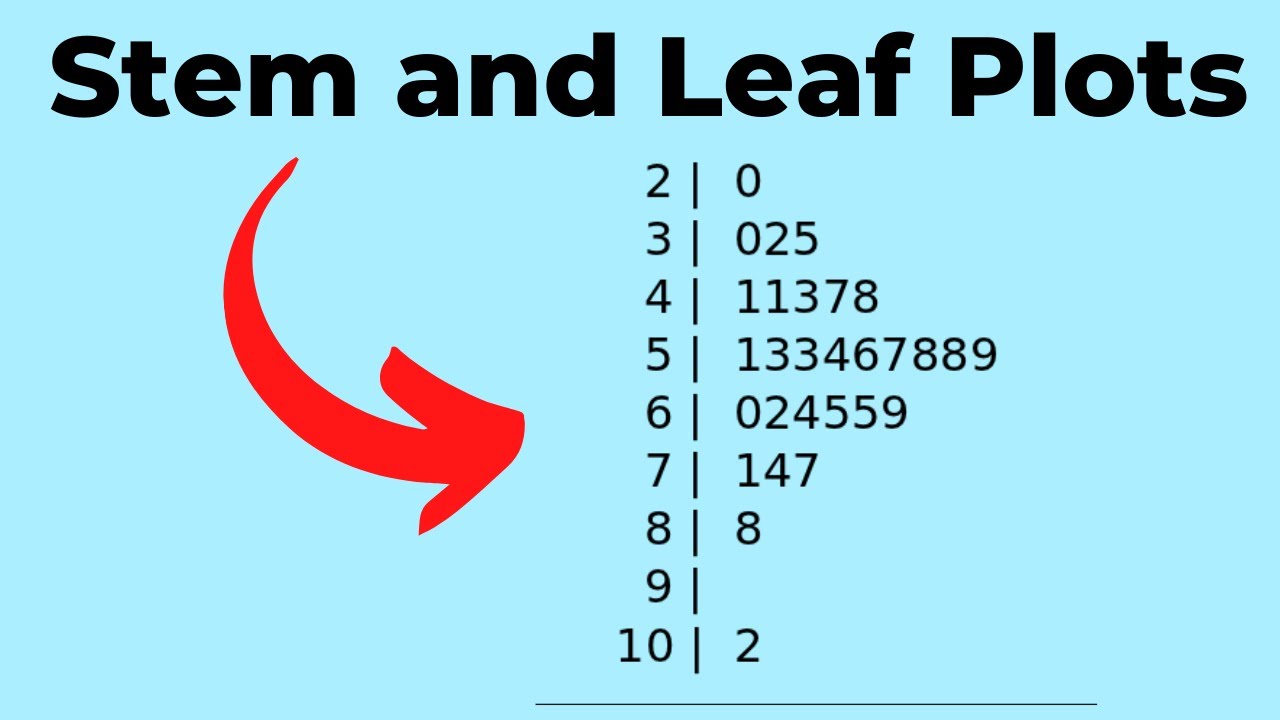
Learn how to create a stem and leaf plot. A stem and leaf plot is another method for organizing data so you can see patterns.
Draw the Stem and Leaf Chart
Identify the Stem
Sort your data and divide the numbers into a stem and a leaf
Provide a key

Mountain and Valley Breezes occur when the slopes of the mountain and the valley heat up and cool off at different rates. Valley breezes occur during the day and mountain breezes occur at night.

What happens during metaphase?
In this video, I would like to talk about the stage of mitosis called metaphase.
Mitosis consists of four stages and I always remember mitosis using PMAT
For Prophase Metaphase Anaphase Telophase
During metaphase the sister chromatids align in the middle of the cell.
However for this to happen a couple of things need to happen during prophase
During prophase the chromatin condenses into x shaped chromosomes.
Each half of the x is a sister chromatid and identical copies of the DNA
The two sides of the x shaped chromosome are attached at the centromere.
During metaphase spindle fibers appear These fibers create something called the spindle apparatus.
It consists of spindle fibers, centrioles, and another fiber called aster fibers
In plants, the centrioles are missing.
These spindle apparatus move to the poles of the cell.
The spindle fibers attach to the centromeres of the sister chromatids at the kinetochore.
After the spindle fiber is attached at the kinetochore the sister chromatid is pulled along the spindle apparatus and eventually end up in the middle of the cell.
Metaphase is the shortest stage of mitosis but is important because it helps ensure that new cells have correct copies of the chromosomes.
Take a journey to the cell
https://www.youtube.com/watch?v=QS274gwv_Sc

Learn the basics of Lichen and Moss. In many places on Earth, you will find Lichen and Moss living beside each other. Although they may look similar they are very different. Lichen are actually a symbiotic relationship between fungi and cyanobacteria. Moss are nonvascular plants.

Learn how to easily memorize the global winds.
Polar easterlies, westerlies, and trade winds.
Memorize the location, name, and direction that that flow.
Includes the tropical easterlies.
Use the mnemonic device Every wind together in order to help remember the global winds.
This video on Global Winds may help
https://www.youtube.com/watch?v=oCdqGkn-B1E
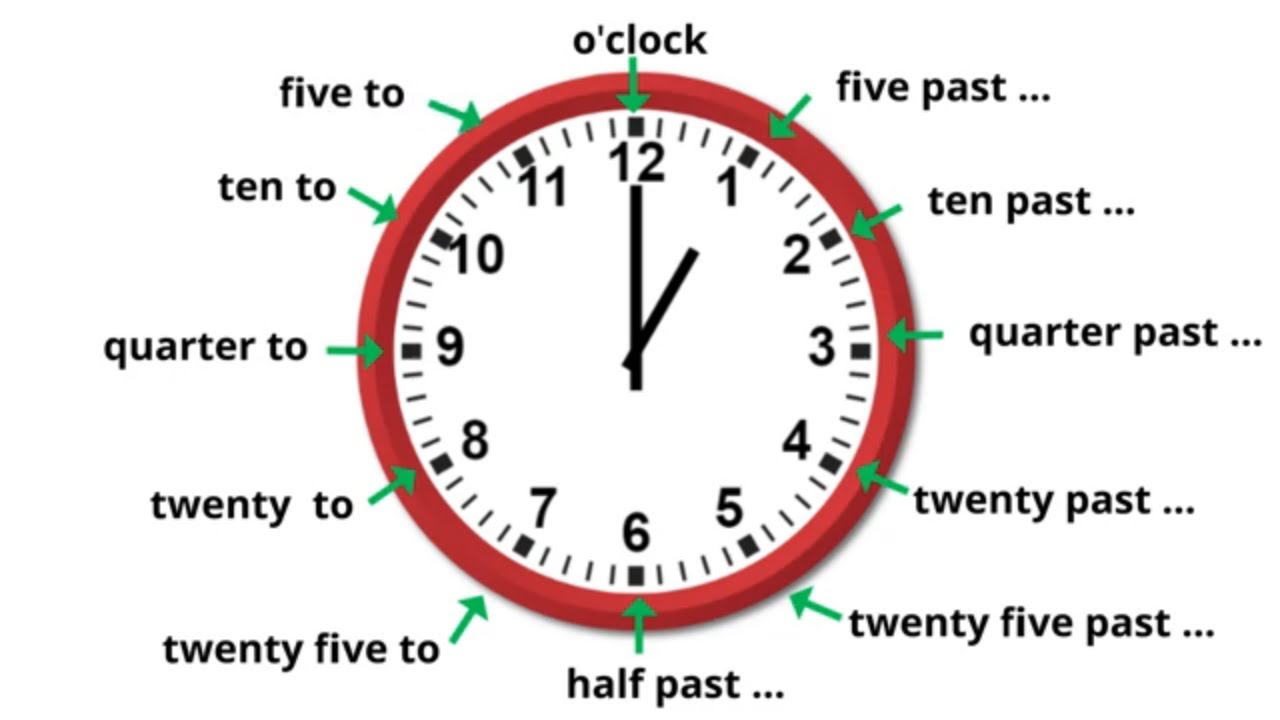
When telling time there are different ways you can tell someone what time it is.
For example, when the small hand is on the three and the large hand is on the five could be called 3:05 o five past three.
In this video, I go over common phrases used when telling time.

Diffraction is the bending of light as it passes around the edge of an object or through a slit.
Refraction is the bending of a wave when it enters a medium where its speed is different.
When a wave passes through a slit it spreads out in waves as it passes through the slit.

Learn about the arctic and alpine tundra.
The tundra is a very cold and dry biome.The arctic tundra is found in North America, Asia, and Europe and circles the arctic ocean and stretches southward down to the taiga.The alpine tundra occurs at any latitude and is found at high elevations of 10,000 feet and
above.
The alpine tundra is found above the tree line and does not have any trees
Because of the high elevation, the alpine tundra has a climate and rainfall similar to the arctic tundra.

Let’s take a look at the difference between specular reflection and diffuse reflection.
Specular reflection reflects all light that arrives from a given direction at the same angle, whereas diffuse reflection reflects light in many different directions.
I also review the law of reflection and the difference between the incident ray and reflective ray.
Picture of spheres
https://en.wikipedia.org/wiki/....Specular_reflection#
Transcript
http://www.moomoomathblog.com/....2020/07/specular-and
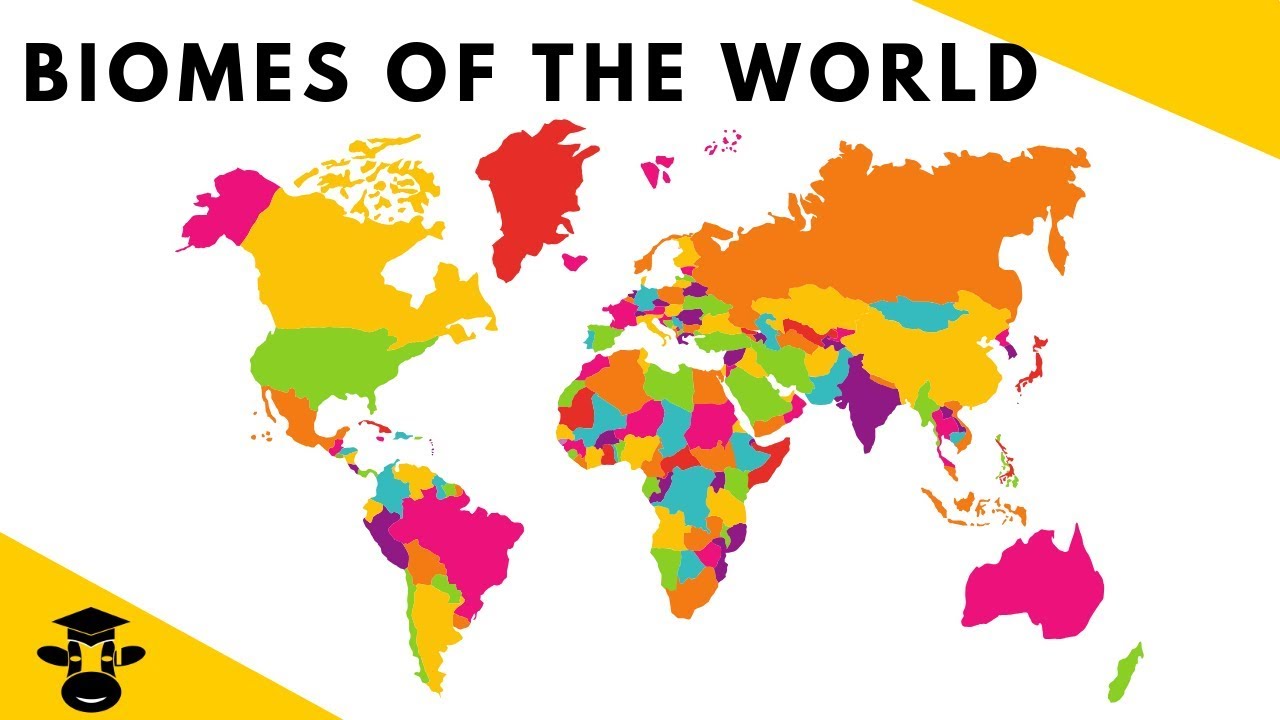
This video is about biomes of the world. I include great video and pictures of the following biomes, Desert, Rainforest, Taiga, Deciduous Forest, Grasslands, Savana and the Tundra.
0:24 Desert Biome This tundra can be hot or cold but what it has in common is the small amount of rainfall this biome receives.
3:46 Tropical Rainforest This biome is the complete opposite of the desert because of the amount of rainfall this biome receives.It has a very large diversity of plants and animals.
7:01 Taiga The taiga is cold and contains coniferous trees.
9:42 Deciduous forest This biome contains trees that drop their leaves.
11:50 Temperate Grassland The grassland has lots of grass and very few trees.
14:06 Savanna The savanna is home to very large animals like an elephant and giraffe.
16:19 Tundra The tundra is cold and is found near the arctic circle.
MooMooMath and Science upload a new Math and Science video every day.
You may also enjoy ....
Introduction to Biomes
https://youtu.be/cXo9YczQBo4

In this video I would like to talk about physical and chemical changes. Physical changes are changes in appearance only.
A new substance is not created and new chemical bonds are .not formed or broken.
For example, take this stack of paper, and wading it into smaller pieces is a physical change.It still has the same properties as the original paper.
Cutting someone's hair is a physical change.
The hair has the same properties as the original hair.
Phase changes are physical changes.
When ice goes to solid,liquid ,then a gas and back it is a physical change.
Most mixtures are a physical change.
Mixing salt and water is a physical change because you can separate it later.
Chemical changes on the other hand create a new substance.
It involves breaking or making new chemical bonds.
between atoms.
Chemical changes leave behind clues or indicators of a chemical change.
Here are 5 indicators of a chemical change.
First if you see burning or fire it is a chemical change.
A temperature change without heating or cooling is a chemical change.
An explosion is a chemical change. They are also pretty cool.
A change in color is a chemical change.
A change in odor is a chemical change and anytime you have bubbles of fizzing you have a chemical change.
Thanks for watching physical and chemical changes,, MooMooMath and Science uploads a new Math and Science video everyday.
Updated video Physical and Chemical Changes
https://youtu.be/W5tifZPNo_Y
More on Physical and Chemical Changes
http://www.moomoomathblog.com/....2017/03/physical-and
Physical and Chemical Properties
http://www.moomoomathblog.com/....2023/01/physical-and
What is a chemical Reaction?
https://moomoomath.com/what-is....-a-chemical-reaction
-~-~~-~~~-~~-~-
Please watch: "Study Skills Teacher's Secret Guide to your Best Grades"
https://www.youtube.com/watch?v=f3bsg8gaSbw
-~-~~-~~~-~~-~-
*
*
For more Life Science videos and summaries see,
http://www.moomoomath.com/Midd....le-School-Science-an
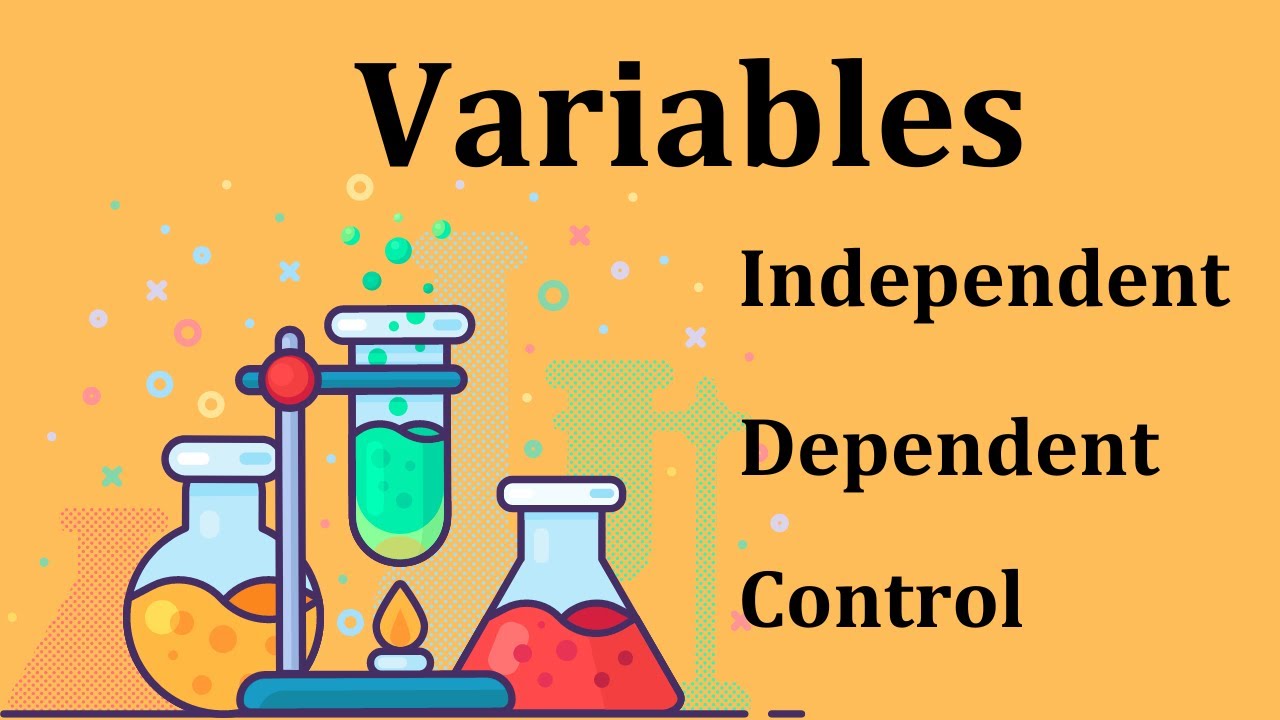
Confused about Science variables? In this video, I use 5 experiments in order to help you gain an understanding of Science variables. For example, which car cooler is the coolest temperature in the summer. The different colors are your independent variable and what you are measuring which is temperature is your dependent variable. Your control variables would be same location, measuring the temperature the same way.
Does eating bananas lower your blood pressure? What would be your variables in this experiment?

An outlier is a number in a data set that is much smaller or larger than the other numbers in the data set.
Transcript
Welcome to MooMooMath where we upload a new Math video everyday. In this video I would like to talk about what an outliers and how the affect measure of center.
An OUTLIER is when one data value is much greater
or much less than the rest of the data values in the
set.
An OUTLIER may affect a measure of center.
Determine how the outlier affects the median and the mean in the
following quiz scores.
55, 88, 90, 93, 94
Indentify the outlier yes it is 55
Next Find the median
Determine how the outlier affects the median by finding the median WITHOUT the outlier included.
MEDIAN = WITHOUT THE OUTLIER
Is as follows.
Did the median change? By how much? 1.5
Next, Calculate the mean
Determine how the outlier affects the mean by finding the mean
WITHOUT the outlier included.
MEAN = WITHOUT THE OUTLIER
Did the mean change? yes By how much? 7.25
Which measure of center changed MORE with the outlier?
The mean
WHEN THERE IS AN OUTLIER, IT IS BEST TO USE THE
MEDIAN
No outlier use mean when finding the measure of center
of comparing the measure of center
Thanks for watching MooMooMath uploads a new Math video everyday
|what is an outlier in math | what does outlier mean in math|
For more middle school videos see..
http://www.moomoomath.com/middle-school-math.html
-~-~~-~~~-~~-~-
Please watch: "Study Skills Teacher's Secret Guide to your Best Grades"
https://www.youtube.com/watch?v=f3bsg8gaSbw
-~-~~-~~~-~~-~-
Cenozoic EraIn this video I would like to talk about the Cenozoic era on the geologic time scale.
The Cenozoic era is the most recent era and is part of the Phanerozoic Eon along with the Paleozoic and Mesozoic eras.
The Cenozoic era lasted roughly 65 million years.
The Cenozoic era is most often described as the “ age of mammals” but could also be called the
“Age of flowering plants” or the age of insects.
Let’s hit several highlights of this era
Although the first mammals appear in the Mesozoic era they begin to thrive during the Cenozoic era and spread throughout the world.
Birds become more diverse and becoming more diverse.
In addition flowering plants also begin to thrive and spread to all corners of the Earth
Along with insects.
Apes and Humans also appear
During this era, the Earth is cooler and ice ages occur and the formation of glaciers.
In addition, the continents have moved into their modern location and several mountain ranges including the Alps, Himalayas, and the Rocky mountains
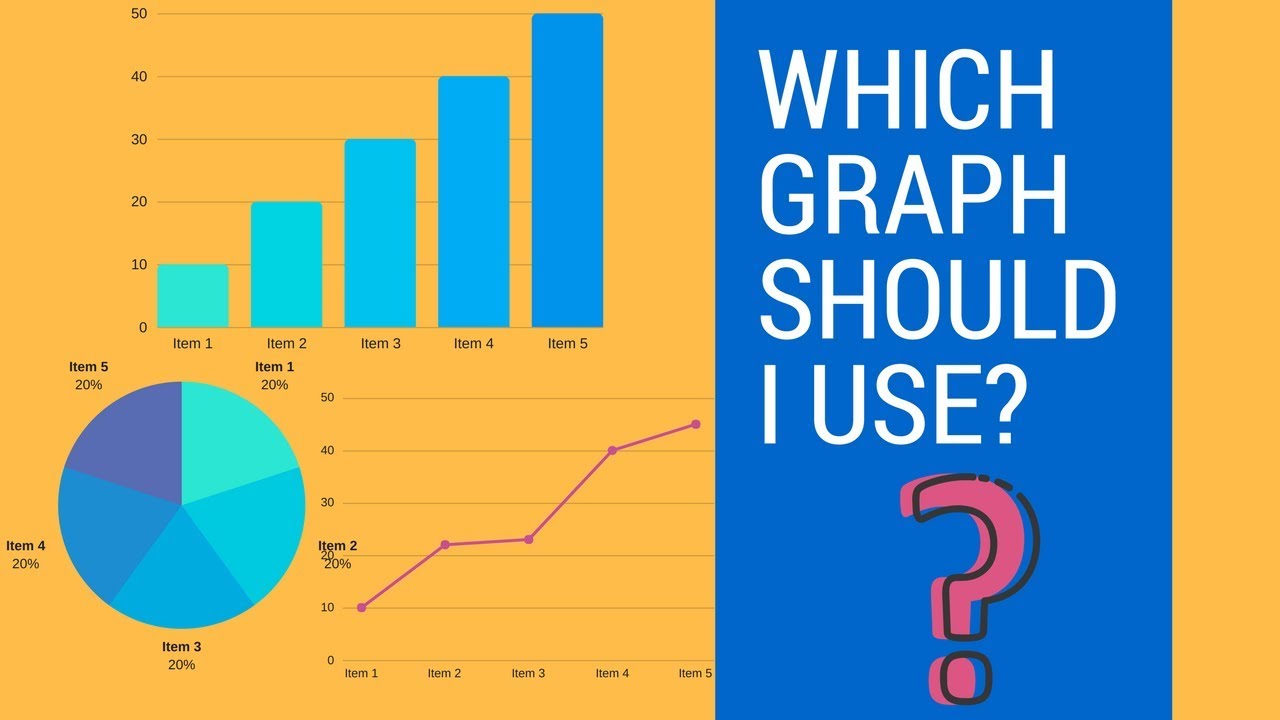
In this video I cover different types of graphs and when they should be used.
For example, a bar graph is best or putting numbers in categories..
A Circle Graph is best to show different parts of the whole.
A Double bar Graph
can be used when you have two or more sets of data.
A Box Whiskers Plot is great to measures of variation
A histogram can show the frequency of data divided into intervals
A line Graph can graph change over time.
A line Plot can be used to show the frequency data on a number line
Video Guide
00:00 Introduction to types of graphs
1:01 When to use a Bar Graph
1:14 Line Graph can show data over time
1:26 A Circle graph shows parts of a whole.
1:43 Double bar graph is used to compare objects
2:03 When to use a histogram.
2:28 When to use a box and whiskers plot. It is helpful to show variation.
2:48 When to use a line plot.

Ocean stratification results when ocean water with different densities forms layers due to their properties. In this video, I show how differences in salinity can create ocean stratification which may result in ocean currents.
In the salinity demonstration, I have a container divided into two halves. On one side I have fresh water and the other I have very salty water. The two types of water are separated by a divider. When I lift the divider the salty water flows under the warm water and creates a current.

Learn how to calculate the volume of a hemisphere. You basically take the formula for the volume of a sphere and divide it by 2. The formula for volume is 4/3 pi radius cubed.

The kingdom fungi are made up of lichen, yeast, mushrooms, and molds.
Table Contents the Fungi Kingdom
0:10 Introduction Kingdom Fungi
0:23 Fungi Facts
0:52 How Fungi are different than plants
1:17 Hyphae
1:36 Anatomy of Fungi
2:02 Types of Fungi Zygomycota
2:15 Sac Fungi
2:21 Club Fungi
2:40 Imperfect Fungi
Updated Video on Fungi
https://youtu.be/ao1SM_YH9Ws
-~-~~-~~~-~~-~-
Please watch: "Study Skills Teacher's Secret Guide to your Best Grades"
https://www.youtube.com/watch?v=f3bsg8gaSbw
-~-~~-~~~-~~-~-
*
*
For more Life Science videos and summaries see,
http://www.moomoomath.com/Midd....le-School-Science-an

Learn how to calculate the surface area of a square pyramid.

Learn about the tiny organelles of a cell that work together to keep the cell alive. I cover the following organelles.
Cell membrane
itochondria
Ribosomes
ER
Golgi Apparatus
Lysosomes
Nucleus
Vacuole
Cytoplasm
0:00 Introduction
0:10 Cell Membrane
0:24 Mitochondria
0:39 Ribosomes
0:52 Endoplasmic Reticulum
1:11 Golgi Apparatus
1:36 Nucleus
1:49 Vacuole
Updated Versions Parts of the Cell
https://youtu.be/v9vhfI2DP8s
25 Facts about the Nucleus
http://www.moomoomathblog.com/....2016/11/25-facts-abo

Kingdom Monera-Bacteria-Archaebacteria
The kingdom monera consists entirely of single cell organisms. Members of the kingdom are found just about everywhere on earth. They are located in popular springs,cow's stomach, and nearly every surface on earth.
All members of the kingdom don't have a nucleus or membrane bound organelles. Accordingly, they are categorized as prokaryotes.
They have a cell wall, genetic material, cytoplasm, and ribosomes.
Bacteria get their energy in lots of different methods.
Some get strength from sunlight,others get strength from chemicals like CO2, while some break down organic and natural material
This kingdom is split into two groups.
Archaebacteria and bacteria
Archaebacteria is found in extreme environments.
For instance, some are in the tummy of a cow, hot springs, the dead sea, and swamps or marshes.
They have a different type of cell wall than bacteria and so are antibiotic resistant.
Bacteria are found just about everywhere.
They are very important to life on earth.
Although some cause disease, virtually all are extremely helpful to us.
They break down food inside our stomach, help the nitrogen cycle, and actually help make a few of our food like sauerkraut.
We could not survive without bacteria.
Bacteria could be classified by their shape.
Coccus includes a sphere shape
Spirillum have a good spiral shape
Bacillus have a good rod shape.
Most organisms of monera kingdom reproduce asexually in an activity called binary fission, however, many reproduce sexually in an activity called conjugation.
http://www.moomoomath.com/kingdom-fungi.html.
-~-~~-~~~-~~-~-
Please watch: "Study Skills Teacher's Secret Guide to your Best Grades"
https://www.youtube.com/watch?v=f3bsg8gaSbw
-~-~~-~~~-~~-~-
*
*
For more Life Science videos and summaries see,
http://www.moomoomath.com/Midd....le-School-Science-an
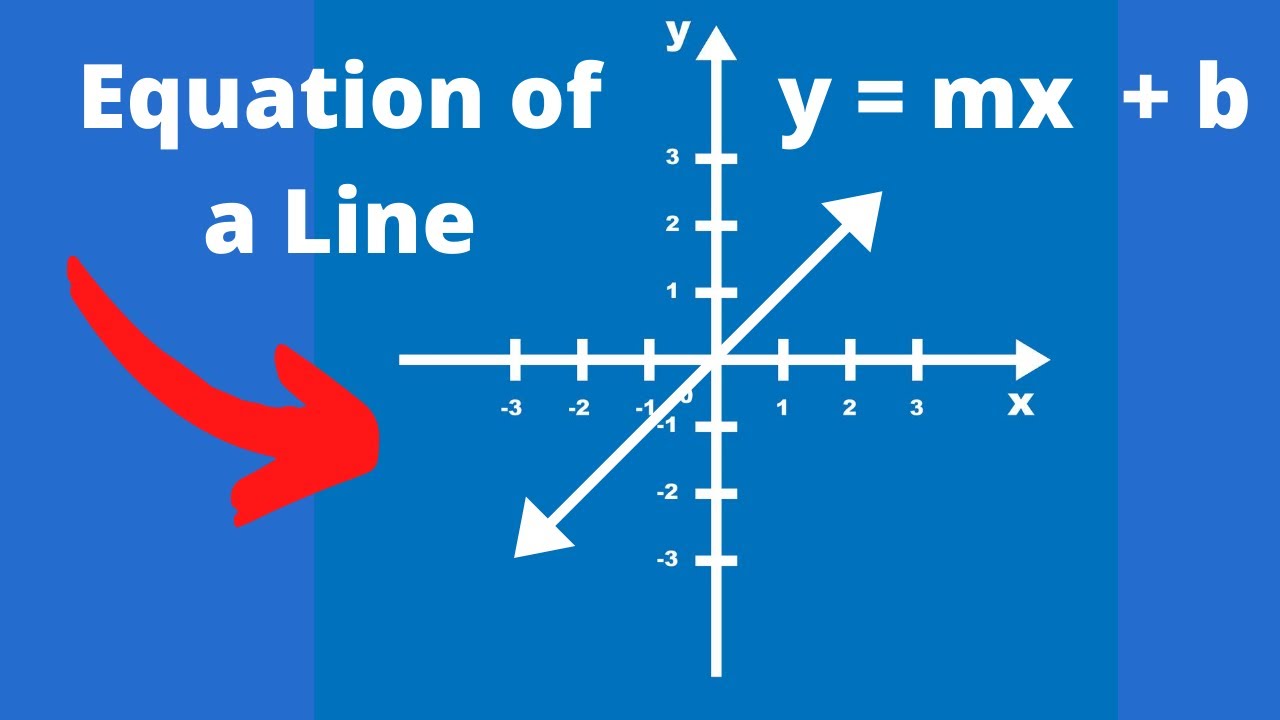
Learn how to write an equation f a line using y = mx+ b and this will allow you to write the equation slope intercept form.
