Latest videos

AI Study and Learning modes are trying to provide learners with a way to build their knowledge in an interactive way - but are they any good? And if they are, which is better - ChatGPT 5 or Gemini Pro?
In this video, I use ChatGPT 5 Study Mode and Gemini Learning mode to teach me how to subnet an Class 4 IPv4 network - an important networking skill. Did they help me? Which one was better? Can AI help in education and will these tools be used to help students learn?
🏗️ My Skillshare Course on Microsoft Whiteboard: https://skl.sh/3VP4Eni
✍️ BLOG: https://www.summittechacademy.com
🔉 PODCAST: https://thelearningmindset.buzzsprout.com
🧠 The Learning Mindset: https://learningmindset.ca
🛒 My Amazon Stores:
📦 US Store https://www.amazon.com/shop/le....arningandtechnologyw
📦 Canada https://www.amazon.ca/shop/lea....rningandtechnologywi
* some of the links may support the channel as affiliate links
Some of my Favourite Software and Tools for Teaching (some with discounts!)
🏫iSpring
Create amazing courses as easy as you create PowerPoint slides
https://www.ispringsolutions.c....om/#a_aid=64cbca402b
🌥️Sync.com
Secure, powerful Cloud storage like no other
sync.com/frank
🧑🎓Coursera
Learn something new every day
https://imp.i384100.net/qzVZrb
🎥TechSmith
Create content using powerful tools
https://techsmith.z6rjha.net/zxRkv7
🐧Linux Foundation
Get trained and certified in Linux
https://shareasale.com/r.cfm?b=734319&u=3535572&m=59485&urllink=&afftrack=
🎙️Switcher Studio
Your iPad as a broadcast Studio
https://start.switcherstudio.c....om/57bchxe66v9p-30j0
📝Scrintal
The playground for your mind - take notes, and more
https://scrintal.com/?utm_source=YT&utm_medium=PNS&utm_campaign=A10826
#aiineducation #chatgpt5 #geminiaipro
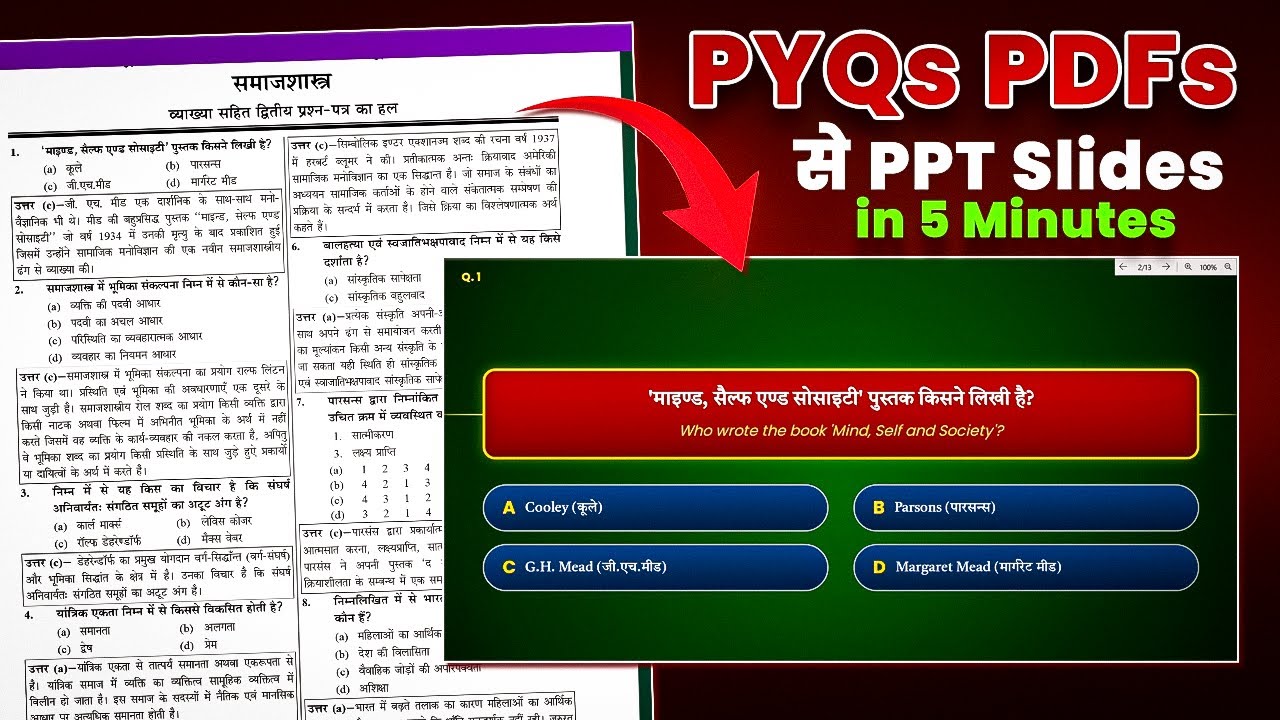
How to Make PYQ PPT in 2026 using NotebookLM and Gemini AI.
2026 में PYQ PDFs से PPT बनाना एक Hidden Art है! क्या आप घंटों मेहनत करते हैं? अब नहीं! इस Automatic Guide में मैंने NotebookLM और Gemini AI का इस्तेमाल करके सिर्फ़ 5 मिनट में Previous Year Questions (PYQ) PDF को शानदार PowerPoint Presentation (PPT) में बदलने का Secret तरीका बताया है.
Students, Teachers और Creators के लिए यह Best 2026 AI Technique है. यह AI Workflow आपको 100x Productivity देगा और आपका precious time बचाएगा. इस Step-by-Step ट्यूटोरियल को देखकर आप अपनी पढ़ाई और कंटेंट क्रिएशन को Automatic मोड पर ले जा सकते हैं!
Dear Friend.
You can download my awesome PowerPoint Template from here:
Download Link: https://creatorclassroom.myinstamojo.com
Join Our Telegram Channel for AI Prompts and Practice Files: Link: https://t.me/CreatorClassroom
It's effortless to use, saving you valuable time. 🌟
Online Teaching के लिए मेरा बना बनाया हुआ PowerPoint Template अपनाएं और अपना कीमती समय बचाएं !
दोस्तों Educational YouTube चैनल शुरू करने की जानकारी लेना हो या कोई Desgin Work करना हो जैसे की- LOGO, Banner, Course Banner, Social Media Post, PPT, PDF, E-Book, THUMBNAIL etc. या Live Classes के लिए OBS Setup, MS Office, Video Editing के लिए Camtasia Software Install करना हो या किसी तरह की Technical सहायता चाहिए तो आप मुझे कॉल कर सकते हैं !
TALK WITH US AT
GET IN TOUCH: https://linktr.ee/creatorclassroom
Contact us at: creatorclassroomhelp@gmail.com
WhatsApp: +91-8877583535
Don’t forget to subscribe!
Product Link जो मई use करता हूँ
लैपटॉप :https://ekaro.in/enkr20231020s38728410
Mic:https://ekaro.in/enkr20231020s38728608
ग्राफ़िक्स पेंनटेब: https://ekaro.in/enkr20231020s38728686
वेबकैम :https://ekaro.in/enkr20231020s38728811
Ringlight:https://ekaro.in/enkr20231020s38728859
कुछ खास वीडियो लिंक्स:
1st. पावरपॉइंट में क्विज़ एनिमेशन कैसे बनाएँ: https://youtu.be/x23ATk5fyaM
2nd. YouTube पर पढ़ाने के लिए बेस्ट PDF कैसे बनाएँ: https://youtu.be/NeMZo2n5s_g
3rd. पीडीएफ से PPT बनाने का आसान तरीका : https://youtu.be/YRwOOCia7VI
4th. OBS Studio से स्क्रीन रिकॉर्डिंग कैसे करें: https://youtu.be/5QElMPQPPgg
5th. एजुकेशनल चैनल बनाने का आसान तरीका : https://youtu.be/sYIbnxvngdg
6th YouTube पर videos अपलोड करने का आसान तरीका : https://youtu.be/IKwwDaYcf7E
7th: आपके जैसा YOUTUBE पर Videos बनाने के लिए क्या करना पड़ेगा? : https://youtu.be/k9wK6sQl9SI
#CreatorClassroom #PowerPointTemplate #OnlineTeaching #TeachingSkills #TeacherTraining #TeachingResources #TeachingTechniques #TeachingMethods #TeachingTools #EngagingVideos #AnimatedQuiz #MCQPPT #ऑनलाइनटीचिंग #यूट्यूबटीचर #पावरपॉइंटटिप्स #OBSStudio #टीचिंगटूल्स
Disclaimer:-
Copyright Disclaimer Under section 107 of the Copyright Act of 1976, allowance is made for “fair use” for purposes such as criticism, comment, news reporting, teaching, scholarship, education, and research. Fair use is permitted by copyright statutes that might otherwise be infringing.

Stai ancora scrivendo lo stesso prompt ogni volta? C’è un modo molto più intelligente per farlo!
In questo video ti mostriamo 5 GEM (assistenti personalizzati) che puoi creare con Google Gemini per risparmiare tempo e migliorare le tue lezioni. Se sei un insegnante che cerca soluzioni pratiche per la didattica quotidiana, questo è per te.
-------------------------------
SEGUICI ANCHE SU...
Se il video ti è piaciuto, ISCRIVITI AL CANALE e attiva la campanella 🔔 cliccando qui:
https://www.youtube.com/@danybiancardi
Iscriviti alla nostra Newsletter: 👉🏼 https://bit.ly/2QVrtqD
-------------------------------
RINGRAZIAMENTI
Un ringraziamento speciale a questi abbonati:
Claudia Dagostini
-------------------------------
HASHTAG DELLA PUNTATA
#aaq2 #GoogleGemini #Gem #GemAI #IntelligenzaArtificiale #AIperInsegnanti #ScuolaDigitale #DidatticaInnovativa #TeacherTools #EduTech #FormazioneDocenti

Let's be honest—staring at a blank Google Slide is the worst part of making a presentation. You waste so much time on formatting, themes, and finding images before you even write the content.
But what if AI could do 80% of the grunt work for you?
In this video, I show you exactly how to use the new "Canvas" mode in Gemini to generate a complete, beautifully designed Google Slides presentation from a single prompt. We'll even generate a full talk track to go with it!
From the initial idea to a fully editable deck, this new feature is an absolute game-changer.
CHAPTERS:
(00:00) Intro: The Problem & The Solution
(01:08) Access "Canvas" & Generate a Presentation
(04:09) Advanced Tip: Uploading Files
(05:49) Review Draft & Generate a Talk Track
(08:07) Export to Google Slides & Final Polish
(11:02) Final Thoughts
#GoogleSlides #Gemini #AITutorial #Productivity #GenerativeAI #GoogleWorkspace #techtutorial
Music from #Uppbeat
https://uppbeat.io/t/sky-gienger/a-peaceful-day
Stop wasting hours creating detailed rubrics! In my previous video I showed how to create this rubric. This game-changing tutorial shows you how to seamlessly import and use them in Google Classroom.
This is the ultimate AI teacher hack to drastically cut down on your grading time and provide better, targeted feedback. Whether your goal is efficient grading or giving feedback to support student learning, this process is essential for any teacher aiming to beat burnout.
In this Step-by-Step Tutorial, you will learn:
✅ How to use Gemini to prompt and instantly create a detailed, custom rubric tailored to your assignment.
✅ The exact steps to save and edit your AI-generated rubric for perfect alignment with your lesson goals.
✅ The quick, simple method to import the rubric directly into Google Classroom assignments.
✅ Strategies for using the rubric for either rapid, accurate grading or meaningful, instructional feedback.
Ready to reclaim your time? This workflow revolutionizes how you assess and give feedback.
Hit the LIKE button if this hack saves you time, and SUBSCRIBE for more practical AI and EdTech strategies from a veteran educator!
#Gemini #GoogleClassroom #AIforteachers #Rubrics #GradingHacks #TeacherBurnout #EdTech #Tutorial #AIinEducation

⚠️ AI is replacing jobs faster than ever — are we ready? ⚠️
In this video, we uncover how AI automation is destroying livelihoods across the world, and why India must act NOW before it’s too late. From call centers to classrooms, millions are at risk — even skilled workers.
👉 South Korea has already prepared by giving prepaid cards to citizens so local businesses survive. But in India, our Parliament is still debating guidelines, while jobs vanish every day.
This is not just about technology. It’s about our future economy, our families, and our survival. AI doesn’t buy groceries, clothes, or food — we do. Without AI laws and protections, millions of Indians could be left behind.
🚨 What you’ll learn in this video:
How AI is replacing call center workers and even teachers
Why small shops, grocery sellers, and local businesses are struggling
What South Korea did to protect people from automation
Why India must pass AI regulations to protect jobs & livelihoods
How leaders like PM Modi and Parliament can ensure AI works for the people, not against them
🔥 Your role: Share this video, speak up, and ask your MP to support AI laws before it’s too late. Together, we can shape a future where technology helps everyone.

Google Gemini — это мощный чат-бот, разработанный Google. Чтобы начать пользоваться, вам понадобится только зарегистрированная почта Google. Возрастное ограничение 18+.
Ссылка: https://gemini.google.com/app
Как использовать?
Gemini работает так же, как и другие чат-боты: вы задаёте вопросы, а он отвечает. Но у него есть важное преимущество:
Почему Gemini лучше, чем некоторые другие чат-боты?
В отличие от многих других моделей, которые имеют ограниченный доступ к информации (например, только до определённой даты, как старая энциклопедия), у Gemini информация более свежая.
Например, если вы хотите узнать о встрече президентов, которая состоялась вчера, лучше спросить у Gemini. Это потому, что Gemini подключён к поисковой системе Google и может искать информацию в реальном времени. Он не просто использует загруженные "массивы информации", а активно ищет её в интернете, что делает его данные актуальными.
Реальные примеры использования для уроков:
1. Генерация текста
Gemini может писать тексты на самые разные темы: от простых объяснений до творческих рассказов, стихов, сценариев или электронных писем.
Пример: Вы хотите легко объяснить, что такое фотосинтез, используя имена ваших учеников, чтобы им было интереснее.
Ваш запрос: "Напиши мне, что такое фотосинтез, чтобы моим ученикам в пятом классе было понятно, а чтобы было ещё интереснее, используй их имена, например: Айгуль, Кайрат, Денис, Мария."
Вот что Gemini может вам выдать:
Давайте представим, что мы с вами, Айгуль, Кайрат, Денис и Мария, отправляемся в удивительное путешествие в мир растений! Сегодня мы узнаем о самом главном секрете растений — фотосинтезе.
Что такое Фотосинтез?
Представьте, что растения — это маленькие, но очень умные повара. Только они готовят не обычную еду, как ваши мамы и папы, а особенную — сахар, который даёт им энергию для роста.
Для своего "блюда" растениям нужны всего три ингредиента:
Солнечный свет: Это их главная "плита", которая даёт тепло и энергию.
Вода: Представьте, что это "вода из-под крана", которую растения пьют корнями из земли.
Углекислый газ: Это такой невидимый газ, который есть в воздухе, и мы его выдыхаем. Для растений это как "специи".
И вот что происходит:
Айгуль, ты когда-нибудь видела маленькие листочки на дереве? В этих листочках есть крошечные зелёные частички, как будто маленькие зелёные фабрики. Их называют хлоропласты, и именно там происходит всё волшебство!
Кайрат, помнишь, как ты поливаешь цветы дома? Растение втягивает воду своими корнями из земли. Эта вода поднимается по стеблю прямо в листочки.
Денис, а ты знаешь, что когда мы дышим, мы выдыхаем углекислый газ? Растения очень любят этот газ! Они забирают его из воздуха через специальные маленькие "рот" на своих листьях, которые называются устьица.
Мария, а теперь самое интересное! Когда солнечный свет попадает на листья, эти зелёные фабрики (хлоропласты) используют его энергию, чтобы смешать воду и углекислый газ. И "вуаля"! Получается сахар — еда для растения! И ещё один очень важный "побочный продукт" — кислород!
Почему Фотосинтез так важен для нас?
Так вот, Айгуль, Кайрат, Денис и Мария, подумайте: что мы делаем, когда дышим? Мы вдыхаем кислород! А кто даёт нам этот кислород? Правильно, растения!
Значит, благодаря фотосинтезу, растения не только готовят себе еду, но и производят для нас самый важный газ — кислород, без которого мы просто не смогли бы жить. Это как растения делятся своим "подарком" со всем миром!
Вот почему так важно беречь деревья и растения, ведь они — наши главные поставщики чистого воздуха! Интересно, правда?
Вы только что придумали интересный способ, как рассказать про фотосинтез, не выдумывая ничего самому, а детям стало гораздо интереснее!
2. Суммирование информации
Gemini может взять большой текст и выделить из него главные идеи, сделав его короче и понятнее.
Пример: Вы можете загрузить фото страниц учебника и попросить составить короткий конспект или выписать главные идеи. Например, вы загружаете скачанный учебник по всемирной истории за 8 класс и просите объяснить Французскую революцию.
На видео показать как я загружаю учебник и делаю это все
3. Идеи и мозговой штурм
Вы можете задавать Gemini вопросы, чтобы получить креативные идеи для ваших уроков:
"Какое дать креативное домашнее задание, которое ученики не смогут полностью списать с помощью искусственного интеллекта, но которое поможет проверить их понимание темы восстаний Сырыма Датова?"
"По каким критериям оценивать групповую работу учеников? Составь рубрику в виде таблицы."
"Какие слова нужно использовать в аргументативном эссе? Составь список слов-шпаргалку для моих учеников."
И так далее!
4. Планирование и организация
Gemini может помочь составить расписание, спланировать мероприятие или организовать информацию.
Пример: Вы можете объяснить Gemini вашу систему обучения, какие цели обучения и какие темы нужно пройти, и он поможет составить расписание уроков и дать план на каждый урок.

👉 Join the fastest-growing AI education platform! Try it free and explore 20+ top-rated courses in AI: https://bit.ly/skill-leap
I go step by step to show how I tested Google’s new Gemini 3 Pro AI model. I’ve been using it for a few days now and share demos that highlight how good it really is. Gemini 3 Pro has a 1 million token context window, and it’s great at reasoning, coding, writing, and making interactive dashboards.
I try prompts like writing SEO blog posts, building games like Galaga, and creating tools like mortgage calculators and revenue tables. I also test its image reasoning with visual puzzles and even have it analyze video clips without audio. It works well with Google AI Studio and Canvas, and it’s already showing up in Search and other Google apps.
If you want to see how Gemini 3 Pro handles complex prompts, builds tools with just one input, and writes clean code, this video walks through it all. I also show some of its limits and where it still needs work. Gemini 3 is now the default model at gemini.google.com, even for free users, so it’s worth checking out.

This is quick video I made for teachers on how to use Gemini (Google's AI) to draft a year long instructional goal as part of the Professional Development Plan teachers use for evaluation each year. It's a more "proof of concept" than 'how to". Enoy AI Test Drive 12/10/25
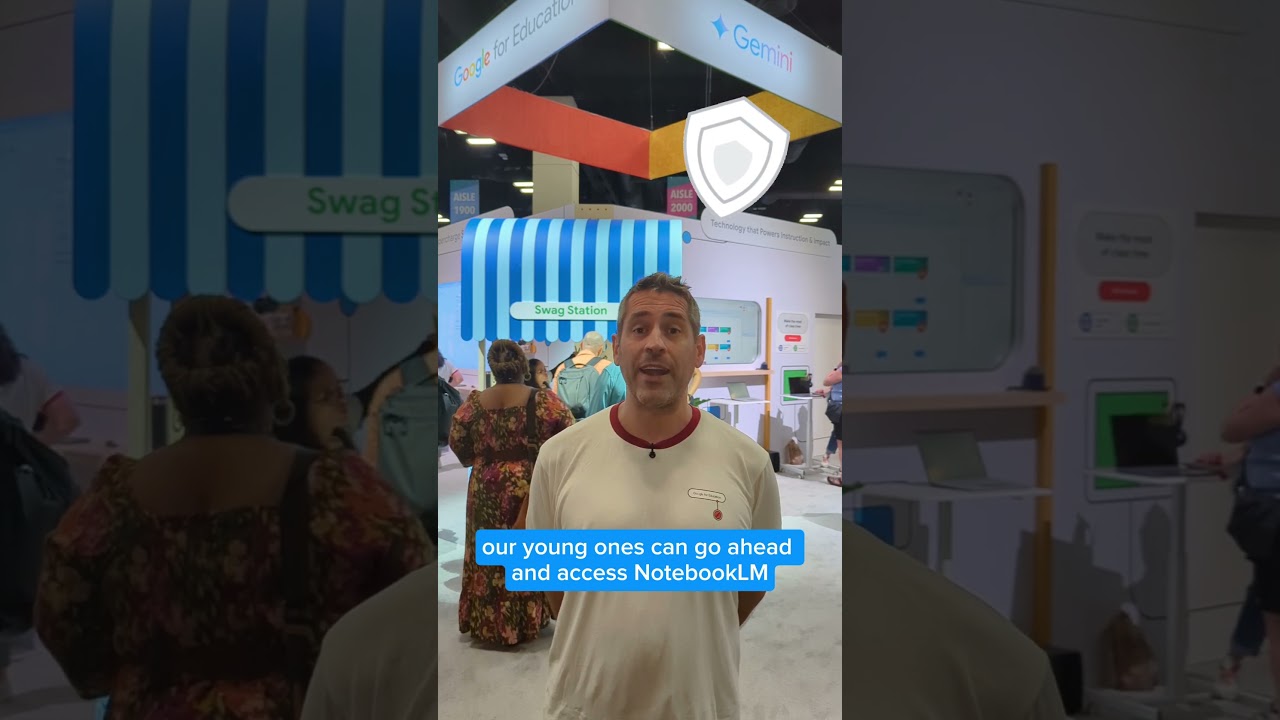
Join Google Solutions Engineer Clay Smith as he walks you through the latest updates and exciting features for Gemini and NotebookLM, plus how you can integrate them into Google Classroom.

In this episode, we introduce educators to Google Gemini and its powerful, free feature—Gems—which allows teachers to create custom AI assistants tailored to their students’ needs. We walk through how this tool can support lesson planning, differentiation, and personalized learning, all without needing a paid subscription.
We emphasize the value of starting with free tools like Gemini and the importance of consistency in exploring AI in the classroom. Teachers are encouraged to experiment independently and use these tools as professional support, while also seeking administrative approval before incorporating student-specific data.
Additionally, we highlight how Gemini provides clear communication resources for educators to share with administrators, parents, and students about how the tool collects, stores, and uses data. These resources help ensure transparency and support responsible, informed use of AI in education.
AI Study and Learning modes are trying to provide learners with a way to build their knowledge in an interactive way - but are they any good? And if they are, which is better - ChatGPT 5 or Gemini Pro?
In this video, I use ChatGPT 5 Study Mode and Gemini Learning mode to teach me how to subnet an Class 4 IPv4 network - an important networking skill. Did they help me? Which one was better? Can AI help in education and will these tools be used to help students learn?
🏗️ My Skillshare Course on Microsoft Whiteboard: https://skl.sh/3VP4Eni
✍️ BLOG: https://www.summittechacademy.com
🔉 PODCAST: https://thelearningmindset.buzzsprout.com
🧠 The Learning Mindset: https://learningmindset.ca
🛒 My Amazon Stores:
📦 US Store https://www.amazon.com/shop/le....arningandtechnologyw
📦 Canada https://www.amazon.ca/shop/lea....rningandtechnologywi
* some of the links may support the channel as affiliate links
Some of my Favourite Software and Tools for Teaching (some with discounts!)
🏫iSpring
Create amazing courses as easy as you create PowerPoint slides
https://www.ispringsolutions.c....om/#a_aid=64cbca402b
🌥️Sync.com
Secure, powerful Cloud storage like no other
sync.com/frank
🧑🎓Coursera
Learn something new every day
https://imp.i384100.net/qzVZrb
🎥TechSmith
Create content using powerful tools
https://techsmith.z6rjha.net/zxRkv7
🐧Linux Foundation
Get trained and certified in Linux
https://shareasale.com/r.cfm?b=734319&u=3535572&m=59485&urllink=&afftrack=
🎙️Switcher Studio
Your iPad as a broadcast Studio
https://start.switcherstudio.c....om/57bchxe66v9p-30j0
📝Scrintal
The playground for your mind - take notes, and more
https://scrintal.com/?utm_source=YT&utm_medium=PNS&utm_campaign=A10826
#aiineducation #chatgpt5 #geminiaipro
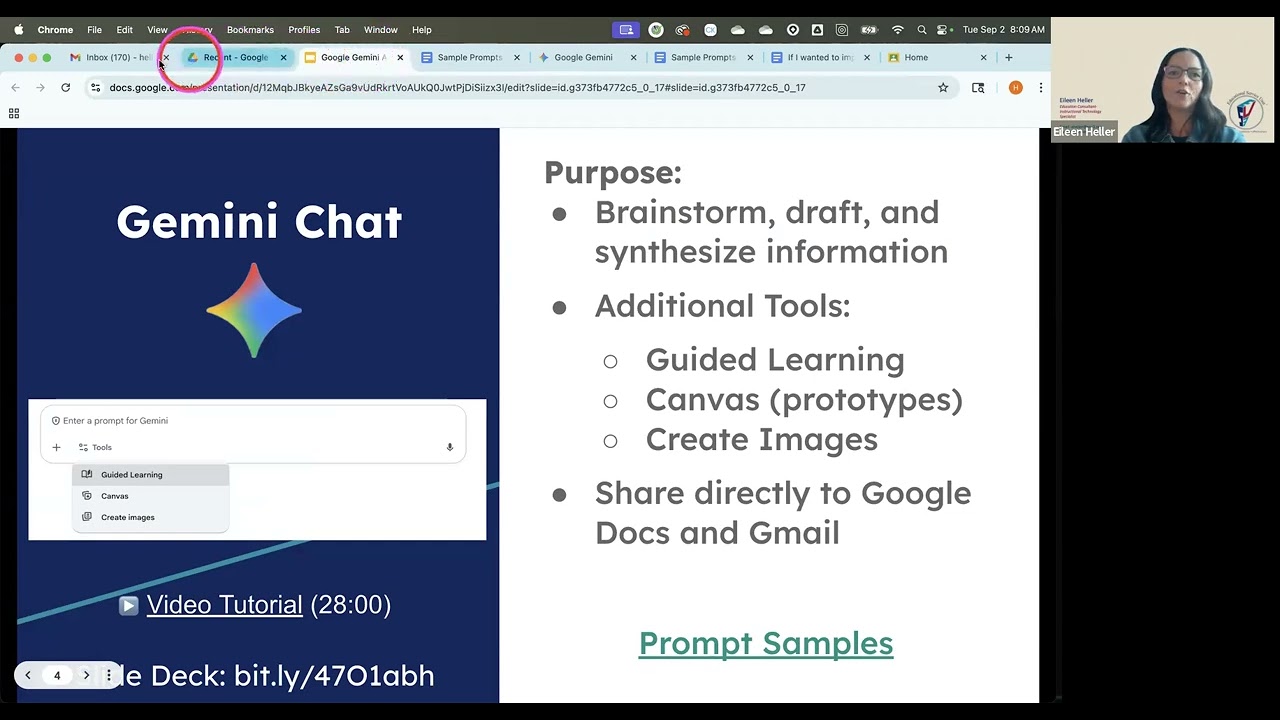
Learn how you can utilize Gemini Chat and Gems to support your productivity and efficiency at work. This session covers how to construct a chat, add attachments, construct prototype visuals, and how to design a custom chat "gem" for your most common requests. A preview of the Gemini interface integrated into Google Classroom for teachers is included at the end. Click for Slide Deck: https://docs.google.com/presen....tation/d/12MqbJBkyeA

My Keynote presentation at IATEFL Poland on using Google Gemini for Advanced Language Teaching Ideas
ELi Publishing Links
https://elipublishing.pl/
https://elionline.com/
Russell's website
https://www.teachertrainingvideos.com/
Join Russell's newsletter
https://forms.aweber.com/form/61/763053361.htm
Russell's Patreon
https://www.patreon.com/Teache....rTrainingVideos?view
Russell's Course in collaboration with NILE ( click for information)
https://www.nile-elt.com/produ....ct?catalog=Technolog
00:00 Using Google Gemini in language teaching
01:15 Theory behind the ideas
03:29 Idea one description or interpretation
07:07 Idea two- Generating great questions with Google Gemini
09:20 Thanks to Eli
09:49 Different level texts
12:38 Study with Russell
14:39 Useful playlist
Unlock advanced language teaching ideas using Google Gemini with this comprehensive video guide designed specifically for creative language teachers looking to elevate their practice. This detailed tutorial demonstrates three powerful ways to leverage Gemini for deeper engagement with visual content and explicit language analysis.
The first strategy explores how Google Gemini can transform picture description into sophisticated text interpretation. Instead of merely describing what they see, teachers can task Gemini to generate full textual interpretations of a single image from diverse critical standpoints—be it political, social, moral, or philosophical. These ready-made, high-level texts then become invaluable resources for advanced reading comprehension targeted vocabulary acquisition and the analysis of complex discourse structures enabling a much richer exploitation of visual prompts in the language classroom. This approach maximizes teacher creativity and provides authentic material for advanced language teaching ideas using Google Gemini.
Next we delve into the power of generating truly interpretive questions. The video illustrates how teachers can move past simple descriptive questions about a picture and use Google Gemini to generate a suite of discussion prompts that focus explicitly on the meaning implication and broader context of the image. This method encourages students to engage in higher-order thinking fostering critical discussion skills and advancing their ability to articulate nuanced interpretations rather than just surface-level observations. We show how Gemini shifts the focus from 'what is in the picture' to 'what does the picture mean'.
Finally the third advanced technique focuses on language differentiation and explicit stylistic analysis. Learn how to prompt Google Gemini to generate two descriptions of the same image at distinctly different proficiency levels—for example a B1/B2 level text and a corresponding C1/C2 level text. By comparing and contrasting the two outputs teachers and students can systematically analyze the language features that differentiate an intermediate description from an advanced one pinpointing complex vocabulary sophisticated grammatical structures and stylistic variations essential for achieving advanced fluency. This video offers practical ready-to-use advanced language teaching ideas using Google Gemini to enhance teacher creativity and student proficiency in a measurable and engaging way.

Want Google Gemini to create a fully illustrated storybook—with pages and read-aloud audio—in about a minute? In this tutorial, you’ll learn how to use the Storybook Gem in Google Gemini, how to add photos/files for more personal stories, and how to regenerate versions until the book is exactly what you want.
You’ll learn how to:
Find Gems → Storybook (or Explore Gems and search “Storybook”)
Write strong storybook prompts using: character, setting, problem, tone, illustration style
Add files (photos, documents, kid drawings) to personalize stories
Revise by iterating in chat (change tone, reading level, art style, ending, dialogue)
Use Listen for read-aloud narration + change the voice
Share/export/download your final storybook
⚠️ Data privacy reminder for educators: Avoid uploading real photos of students.
Classroom ideas
Storybook is great for:
Explaining complex concepts as a narrative (ex: photosynthesis as a hero’s journey)
Language practice with level targets
Student-centered stories with clear requirements
✅ Pro tip: Plan → Prompt → Revise with feedback.
Chapters
0:00 Storybook in under a minute (illustrations + audio)
0:22 Where to find the Storybook Gem
0:39 What to include in great prompts
0:53 Example prompt (robot on the moon)
1:14 Generate the book (about 10 pages)
1:42 Add files (photos/docs/drawings) + privacy note
2:01 Revise by iterating (tone/level/art/ending/dialogue)
2:43 Read-aloud audio + voice options
2:50 Share/export/download
3:02 Educator use cases + workflow tip

#Digital Leadership
#Designing Science project with Gemini Al
dth.class6@ciet.nic.in
to
dth.class12@ciet.nic.in
&
diksha.training@ciet.nic.in
#Hemant Bhalla
Regional Manager Google for Education
#Hema Saggar
Google Champion, Manager, Education Solutions Learning Links Foundation
https://docs.google.com/docume....nt/d/191u4Mrl7pnSvS1
MANODARPAN an Initiative of Ministry of Education for Psychosocial Support and Mental Well-being of Student.. at 2:30PM - 4:00PM every Friday....
The viewers may send feedback, queries and suggestions through Above Mail ID
Toll Free - 8800440559 ask Question to Expert on During LIVE Class
Upper Primary, Primary, Secondary and Senior Secondary classes on C - For Class 1 - 12th Educational Channels ….every Class has one Channel all over national TV available .
Click to see the schedule PM eVidya
https://ciet.nic.in/pages.php?id=pmev...
Watch LIVE on You tube Channel ncertofficial and PM eVidya DTH TV Mon - Saturday .
Special Live also on 12pm - 12:30pm (MON - FRI)
Teaching Learning Interventions for Inclusive Classrooms- Ask the Expert
Day Class Timings
Monday 1 2-3pm
Monday 2 3-4 pm
Tuesday 3 2-3 pm
Tuesday 4 3-4pm
Wednesday 5 2-3pm
Wednesday 6 3-4pm
Thursday 7 2-3pm
Thursday 8 3-4 pm
Friday 9 2-3pm
Friday 10 3-4pm
Saturday 11 2-3 pm
Saturday 12 3-4 pm
Webinar on ICT Mon- Fri 4-5pm
Sahyog Session
Mon-Fri 5-5.30pm
MANODARPAN an Initiative of Ministry of Education for Psychosocial Support and Mental Well-being of Student.. at 2:30PM - 4:00PM every Friday....
The programs can be viewed on:
1. DD Free dish channel 2022 to 2033 ( PM eVidya Class 1 to PM eVidya Class 12)
2. Zee Dish TV Channel 950
3. Jio TV App
4. ‘NCERT OFFICIAL’ YouTube Channel
The viewers may send feedback, queries and suggestions through
PM eVidya TV Program Schedule.
https://ciet.nic.in/pages.php?id=pmev...
SWAYAM Prabha App
(https://play.google.com/store/apps/de...)
Social Media Platforms of CIET & NCERT (YouTube, Facebook, Twitter)

How to Make a Test Retake with Google Gemini AI, FOR MATH TEACHERS - Use old tests to make new ones!
In this video, I review the process by which I take previously created tests and upload them to AI to generate new versions of the tests that I use for reassessments.
For math teachers. Save time and energy.

This 21-part course teaches you how to use top AI platforms—ChatGPT, Meta AI, Claude, Gemini, and Perplexity—to create and edit professional, classroom-ready content. Learn a practical workflow to plan lessons, draft rubrics, research faster, build visuals, and improve clarity while comparing tools to get the best results for your students.
Start crafting better lessons in less time.
👉 Enroll now: https://2252d7.myshopify.com/i....t/products/ai-platfo
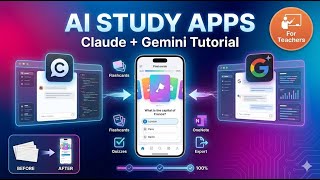
In this tutorial, I demonstrate how to combine multiple AI tools to create an interactive learning resources for students. Using Google's Gemini AI and Claude Code together, I show you step-by-step how to build a comprehensive study app that engages students while giving teachers valuable insights into their progress.
What you'll learn:
-How to use Google's AI (Gemini) to create initial interactive flashcard and quiz apps
-Using Claude Code to enhance and refine AI-generated educational resources
-Creating multi-level differentiated content (Foundation, Intermediate, Advanced)
-Implementing student progress tracking and answer export features
-Enabling students to download their work to OneNote or Obsidian as markdown files
Key Features of the Final App:
-Interactive flashcards with AI-powered explanations using analogies
-Progressive quiz system (must complete foundation level first)
-Self-reflection tools for student answers
-Export functionality to OneNote and Obsidian
-Teacher-friendly answer tracking system
-Differentiated learning paths for various ability levels
Starting with a simple markdown file from a textbook resource, I walk through the iterative process of prompting, testing, and refining the code between both AIs. This approach ensures accuracy (based on your actual teaching materials) while creating genuinely useful tools that students will actually engage with.
Perfect for teachers looking to create custom, interactive study materials that go beyond static PDFs and worksheets. No coding experience necessary!
0:00 - Introduction and app overview
1:36 - Starting with Google's AI (initial prompt)
2:32 - Bringing code into Claude Code for improvements
3:38 - Iterative refinement process
5:17 - Adding export functionality
6:06 - Final app demonstration
6:53 - Student quiz results and OneNote integration

Books या Handwritten Notes से YouTube पर कैसे पढ़ाएं? AI Full Course for Teachers
नमस्ते शिक्षक साथियों! 🙏
क्या आप भी ऑनलाइन पढ़ाना चाहते हैं लेकिन आपके पास डिजिटल बोर्ड नहीं है? क्या आपको टाइपिंग करने में बहुत समय लगता है? तो यह वीडियो खास आपके लिए है!
आज के इस "AI Full Course" में मैं आपको सिखाऊंगा कि कैसे आप अपनी किताबों (Books) और हाथ से लिखे नोट्स (Handwritten Notes) को Artificial Intelligence (AI) की मदद से मिनटों में डिजिटल क्लासरूम में बदल सकते हैं।
इस वीडियो में आप सीखेंगे:
✅ Notebook LM और Google Gemini का इस्तेमाल कैसे करें।
अपने पुराने नोट्स से बिना टाइप किए Google Slides कैसे बनाएं।
✅ Note 3 Software में इन स्लाइड्स को खोलकर एक प्रो टीचर की तरह कैसे पढ़ाएं।
अब आपको घंटों टाइपिंग करने की ज़रूरत नहीं है। बस अपनी कॉपी उठाएं और पढ़ाना शुरू करें!
Dear Friend.
You can download my awesome PowerPoint Template from here:
Download Link: https://creatorclassroom.myinstamojo.com
Join Our Telegram Channel for AI Prompts and Practice Files: Link: https://t.me/CreatorClassroom
It's effortless to use, saving you valuable time. 🌟
Online Teaching के लिए मेरा बना बनाया हुआ PowerPoint Template अपनाएं और अपना कीमती समय बचाएं !
दोस्तों Educational YouTube चैनल शुरू करने की जानकारी लेना हो या कोई Desgin Work करना हो जैसे की- LOGO, Banner, Course Banner, Social Media Post, PPT, PDF, E-Book, THUMBNAIL etc. या Live Classes के लिए OBS Setup, MS Office, Video Editing के लिए Camtasia Software Install करना हो या किसी तरह की Technical सहायता चाहिए तो आप मुझे कॉल कर सकते हैं !
TALK WITH US AT
GET IN TOUCH: https://linktr.ee/creatorclassroom
Contact us at: creatorclassroomhelp@gmail.com
WhatsApp: +91-8877583535
Don’t forget to subscribe!
Product Link जो मई use करता हूँ
लैपटॉप :https://ekaro.in/enkr20231020s38728410
Mic:https://ekaro.in/enkr20231020s38728608
ग्राफ़िक्स पेंनटेब: https://ekaro.in/enkr20231020s38728686
वेबकैम :https://ekaro.in/enkr20231020s38728811
Ringlight:https://ekaro.in/enkr20231020s38728859
कुछ खास वीडियो लिंक्स:
1st. पावरपॉइंट में क्विज़ एनिमेशन कैसे बनाएँ: https://youtu.be/x23ATk5fyaM
2nd. YouTube पर पढ़ाने के लिए बेस्ट PDF कैसे बनाएँ: https://youtu.be/NeMZo2n5s_g
3rd. पीडीएफ से PPT बनाने का आसान तरीका : https://youtu.be/YRwOOCia7VI
4th. OBS Studio से स्क्रीन रिकॉर्डिंग कैसे करें: https://youtu.be/5QElMPQPPgg
5th. एजुकेशनल चैनल बनाने का आसान तरीका : https://youtu.be/sYIbnxvngdg
6th YouTube पर videos अपलोड करने का आसान तरीका : https://youtu.be/IKwwDaYcf7E
7th: आपके जैसा YOUTUBE पर Videos बनाने के लिए क्या करना पड़ेगा? : https://youtu.be/k9wK6sQl9SI
#CreatorClassroom #OnlineTeaching #HandwrittenNotes #AIToolsForTeachers #RajeevCreatorClassroom #NotebookLM #TeachOnline #DigitalTeacher #PowerPointTemplate #OnlineTeaching #TeachingSkills #TeacherTraining #TeachingResources #TeachingTechniques #TeachingMethods #TeachingTools #EngagingVideos #AnimatedQuiz #MCQPPT #ऑनलाइनटीचिंग #यूट्यूबटीचर #पावरपॉइंटटिप्स #OBSStudio #टीचिंगटूल्स
Disclaimer:-
Copyright Disclaimer Under section 107 of the Copyright Act of 1976, allowance is made for “fair use” for purposes such as criticism, comment, news reporting, teaching, scholarship, education, and research. Fair use is permitted by copyright statutes that might otherwise be infringing.

Tired of endless hours grading writing? Wish you had a consistent, smart partner for feedback? This video shows teachers how to use Google Gemini to create your own AI writing grader!
Discover how Gemini helps you:
⚡ Slash marking time: Get instant, detailed feedback on grammar, structure, and content.
🎯 Ensure consistent grades: Train Gemini to follow your rubrics, guaranteeing fair feedback every time.
🤝 Facilitate collaborative marking: Use AI insights to align standards and discuss grades with colleagues.
📈 Provide targeted student feedback: Give students actionable advice to improve their writing faster.
Stop drowning in papers! Let Gemini be your teaching assistant, transforming your grading process and giving you more time for what matters: teaching.
Looking for the best AI tools for teachers in 2025? This video breaks down Microsoft 365 Copilot, ChatGPT, and Google Gemini — what they cost, how they work, and which one is right for your teaching style. Whether you're creating lesson plans, grading, differentiating content, or organizing your classroom workflow, these AI tools can save you hours every week.
In this teacher-friendly guide, you’ll learn:
✔️ The difference between Copilot, ChatGPT, and Gemini
✔️ How each tool fits into Google or Microsoft school systems
✔️ What teachers can do with AI to save planning time
✔️ Which tool is best for YOUR daily routine
If you're new here, my channel saves teachers time by breaking down the best tech and AI tools to make your workload lighter. Subscribe for more videos on teacher-tech, AI tips, and classroom productivity!
#teachertech #aitoolsforteachers #teachertips #copilot

In this video, we are exploring one of the coolest new features for educational technology fans: the create music tool in Gemini.
I’ll show you exactly how to navigate the tools menu to find music generation and how to write prompts that result in high-quality, 30-second audio tracks for your students. We’ll look at:
✅Creating custom songs for specific subjects like science and social studies.
✅Using music genre templates to match your students' interests.
✅Downloading your tracks as an MP3 or MP4 with subtitles.
✅Creative ways to use these songs for lesson hooks, warm-ups, and lyric analysis.
If you want to stay ahead of the curve with teacher tech tips and professional development, using AI to create multi-sensory lessons is a great place to start.
Make sure to check if you have access through your Education Workspace and start remixing your curriculum! Don't forget to tell me in the comments how you'll be using this with your students.
🔔SUBSCRIBE & SHARE🔔
Check out more at http://linktr.ee/Edtechlori
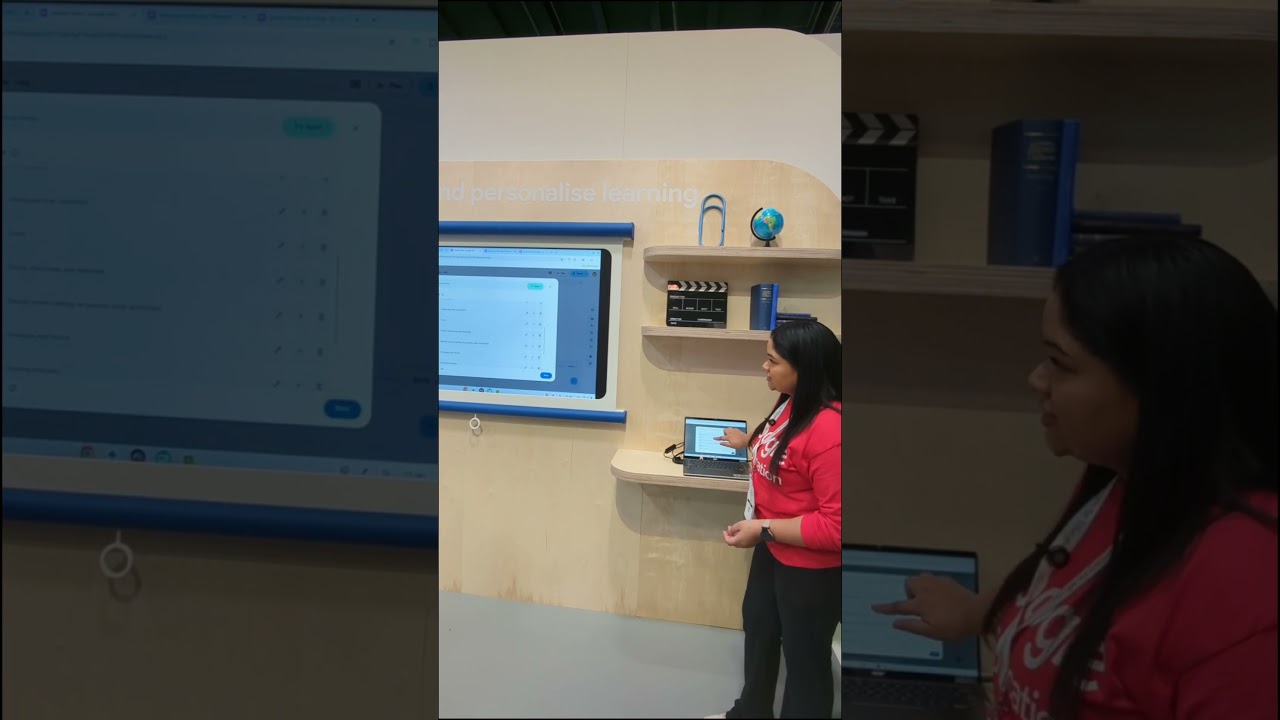
Hear from Google Trainer Dharmini as she demonstrates how Gemini Education users can easily create professional-quality videos with Google Vids.
Learn how to bring your ideas to life with just a few clicks! https://blog.google/outreach-i....nitiatives/education
Don’t miss our blog post highlighting all the exciting updates we shared at Bett 2025: https://blog.google/outreach-i....nitiatives/education

AI Tools for Teachers| #tech #aiineducation #chatgpt #gemini #notebooklm #aitools #aihacks #teaching
Follow me on:
LinkedIN- https://www.linkedin.com/in/sania-ayushi/
Instagram- https://www.instagram.com/taughtfortheday/
Book a 1:1 Consultation with me-
ECE/NZ Services
--30 mins video call: ECE Teaching in NZ on Google Meet
https://topmate.io/saniaayushi/1591737
--30 mins video call: Living and Studying in NZ on Google Meet
https://topmate.io/saniaayushi/1591737
--Priority DM: Ask me anything about ECE in NZ and get a response within 3 days.
https://topmate.io/saniaayushi/1591803/pay
UX Writing Services
--30 mins video call: Curious? Get to know about UX Writing
https://topmate.io/saniaayushi/1591799
