Latest videos

Tired of repeating yourself to AI? Meet Gemini Gems. In this episode, we show you how to "program" custom versions of Gemini for specific tasks like grading rubrics, Socratic tutoring, or even role-playing as historical figures. Create it once, use it forever, and save hours of planning time every week.
Follow us on Socials
✅ Web - https://www.cruxlearning.com.au
✅ Bluesky - https://bsky.app/profile/cruxlearning.com.au
✅ LinkedIn - https://www.linkedin.com/company/crux-learning/
#cruxlearning #chrisbetcher #edtech #googleforeducation #geminiai

#Gemini #Gems #IAenEducación #Docentes #GoogleWorkspace #DeepResearch #Canvas #EdTech #InnovaciónEducativa #EdTrainerTV
¿Cada vez que abres Gemini tienes que empezar de cero? Curso, nivel, tema, metodología… otra vez.
En este vídeo te enseño qué son las Gems de Gemini y cómo usarlas para convertir la IA en un asistente docente con contexto, que trabaja contigo con criterio, continuidad y enfoque pedagógico.
Aprenderás a crear tu primer Gem paso a paso, usando el método PARTS para que responda con precisión, y verás 5 casos de uso reales para el aula: investigación con Deep Research, edición con Canvas, tutorías con Aprendizaje Guiado, generación de vídeos y creación de recursos visuales.
✅ Recomendación importante: para trabajo docente, lo ideal es usar Google Workspace for Education (la cuenta del centro), por privacidad, control y entorno educativo.
📌 Además, en la descripción tienes enlazada mi serie: “100+ usos de Gemini en educación” (5 vídeos) para llevarlo al siguiente nivel.
🎯 Lo que vas a conseguir con Gems
Preparar clases más rápido sin repetir contexto en cada chat
Generar actividades, rúbricas y materiales alineados con tu evaluación y normativa
Crear tutores que guían sin dar la respuesta (enfoque socrático)
Traer contenido actualizado y verificado con Deep Research
Construir un “equipo de especialistas” de IA para tu etapa: K12, FP o universidad
⏱️ Capítulos
00:00 Intro: el problema de empezar de cero
01:49 Guía paso a paso: cómo crear tu primer Gem
04:27 Casos de éxito: Inspírate
09:41 Tu Gem, tu ventaja pedagógica
Curso gratuito: 100+ Formas de usar Gemini en Educación: https://www.youtube.com/playli....st?list=PLcEAZvNGhvm
☕️ Cada vez que haces clic en estos enlaces es como invitarme a un café para seguir creando vídeos y recursos gratuitos.
Para ti el precio es el mismo, pero para el canal es un impulso enorme.
🚀 Empieza por aquí: prueba Gamma gratis
👉 https://try.gamma.app/dqhojohsvv2f
Crea presentaciones y recursos visuales en minutos con IA. Si la pruebas desde este enlace, apoyas directamente al canal.
🧑🏫 Formación personalizada para tu centro educativo
👉 www.edtrainerplace.com
Agenda una sesión formativa —presencial o virtual— con Luis Alfonso Ruiz,
Google Innovator, Google Trainer y especialista en transformación digital educativa.
➡️ No te pierdas los últimos videos publicados: https://youtube.com/playlist?list=PLcEAZvNGhvm6bnPE0-lt4u8KMSiIE6ktG&si=xOcXCqt1pt1SjFPA
➡️ Activa el doblaje automático en Youtube: https://youtu.be/7vFpovkrcs0?si=HTct89uF8RaMolIE
Mira también:
🔷Google AI AHORA GRATIS en Workspace – ¡Todas las funciones explicadas! https://youtu.be/6sSrx4Bv0Jo?si=4LaP9sTOU0-z6pjZ
🔷ChatGPT Revoluciona Todo! Aprende a organizar Tareas Automáticas con GPT 4. https://youtu.be/v06jDsRca44?si=D_fo9WY47WjzbH6e
🔷¡Cómo Usar Notas de Video en WhatsApp y Sorprender a Todos 🚀 (Guía Completa 2025). https://youtu.be/kot6DSZI_LE?si=haJP883zlSdhkb1o
🔷🌍 ¡YouTube ROMPE FRONTERAS con el DOBLAJE AUTOMÁTICO por IA! 🚀 Cómo Activarlo y Usarlo HOY.https://youtu.be/7vFpovkrcs0?si=aTfZqaHrZHYvFxey
🔷Tecnología vs Libros: ¿Por qué NO debemos elegir? Tecnología vs Libros: ¿Por qué NO debemos elegir? https://youtu.be/n0KlWzZcVZM?si=6SZebeCc_jfvRWIy
🔷Novedades Google Classroom Education Plus. https://youtu.be/kUk9WPoA_l8?si=VIfyTpqyhMxZeOTd
Conviértete en miembro de este canal para disfrutar de ventajas:
https://www.youtube.com/channe....l/UCcmqdDvs1VX-9R1H9
Conviértete en miembro de este canal para disfrutar de ventajas:
https://www.youtube.com/channe....l/UCcmqdDvs1VX-9R1H9
Conviértete en miembro de este canal para disfrutar de ventajas:
https://www.youtube.com/channe....l/UCcmqdDvs1VX-9R1H9
Tired of spending hours on admin, emails, and lesson prep? This 5-minute video introduces Gemini, your new AI Teaching Assistant, and shows you how to use it immediately to save time and streamline your workflow. Perfect for teachers new to Generative AI!
(What You Will Learn - Use bullet points for scannability)
In This Video, You Will Learn:
✅ What Gemini is (and what it isn't—it won't replace your expertise!)
⏰ How to save time on differentiation, quiz creation, and parent communication.
💬 The 'Secret' to using AI: Writing simple, conversational prompts.
🔒 Crucial privacy information regarding your school account and data security.
🚀 3 quick, practical tasks you can try today to get started.
(Call to Action & Example Prompts)
Try it Today!
Gemini is designed to make your life easier. Stop staring at a blank page and start a conversation. Here is the list of prompts that I used in the video: https://tinyurl.com/2bcctxck
Try these simple prompts:
"Draft a polite reminder to parents about field trip forms."
"Rewrite this science text at a 7th-grade reading level."
"Brainstorm 4 creative project ideas for a unit on ancient Egypt."
Ready to reclaim your time? Watch now and start experimenting!

In this Technology Tuesdays supplemental episode, I walk through how educators can create custom AI tutors using Google Gemini GEMs.
This video is not about hype. It’s about practical implementation.
Instead of letting students interact with open AI chat, teachers can design GEMs that include instructional guardrails, reinforce academic reasoning, and align directly with course standards.
In this episode I demonstrate how to build three different classroom GEMs:
• A Math 3 EOC Strategic Conditioning Coach
• An English II EOC Analytical Reading Coach
• A Healthy Living Performance Coach that reinforces Math and English skills through physical education content
Along the way, I explain how to:
• Upload standards and released test materials
• Design prompts that require reasoning instead of answer-giving
• Mirror EOC question structure
• Build simulation modes for retrieval practice
• Integrate cross-curricular reinforcement across departments
The goal is not to replace teaching.
The goal is to design AI tools intentionally so they reinforce thinking rather than bypass it.
Technology Tuesdays is about helping educators navigate artificial intelligence with clarity, confidence, and care.
If you are curious about how AI might responsibly support learning in your classroom, this is a practical place to start.
Here is a link to the files I used:
https://drive.google.com/drive..../folders/1a0rEx84D7A

If you’re a K–12 teacher wondering what ChatGPT, Gemini, or Claude can actually do in the classroom, this video is for you.
In less than 5 minutes, you’ll get a quick demo, real classroom examples, and a preview of how AI tools can help with:
Lesson planning
Grading
Parent communication
Student activities
And more!
🎯 What You’ll Learn:
What ChatGPT is and how it compares to other tools like Gemini and Claude
Why AI matters for teachers today
A simple way to try AI in your classroom this week — no tech skills required
📚 This is Video 1 of a practical AI series for teachers:
Lesson Planning in Seconds
Writing Parent Emails
Grading with Rubrics
Student Engagement Prompts
Time-Saving Hacks for Teachers
✅ Subscribe and follow along — whether you’re using ChatGPT, Gemini, Claude, or all three, this series is built to save you time and support your students.

Tired of static AI stories? Discover how to breathe life into your Google Gemini outputs using BookCreator! In this tutorial, we look into the workflow of transforming Gemini AI-generated narratives into interactive digital books that are perfect for reading, writing, and speaking practice.
Learn how to leverage the power of AI and EdTech tools like BookCreator to boost language skills through digital storytelling. Perfect for teachers looking for innovative classroom activities!

This video simplifies how efficient Gemini can make your classroom.
Welcome to What’s Poppin' in AI — your micro-roundup from The Intersect Show host Cory Corrine!
This week, we’re talking about AI private schools without teachers, Google’s Gemini Nano Banana 3D figurine generator and viral TikToks about AI firing employees...but is it real?
#TheIntersect #AInews #TechTrends #AIeducation #FutureOfWork

Unlock the power of Google Gemini AI Educator Hub with this easy step-by-step tutorial! 🚀 Whether you’re a teacher, student, or education enthusiast, this guide will show you how to use Gemini AI tools to make teaching and learning more engaging, efficient, and creative.
In this video, you’ll learn:
✅ What the Google Gemini AI Educator Hub is all about
✅ How to access and navigate the platform
✅ Practical ways teachers can use Gemini AI in the classroom
✅ Tips to maximize AI for smarter learning experiences
With Gemini AI, you can create lesson plans, spark creativity, and bring innovation into your classroom. Don’t miss out on this future of education!
💡 Perfect for: Teachers, educators, students, and anyone interested in AI in education.
If you found this video helpful, make sure to LIKE 👍, SHARE 🔄, and SUBSCRIBE 🔔 to Beautyedutech for more tutorials on AI tools, EdTech, and digital learning hacks.
📌 Stay connected:
#GoogleGemini #GeminiAI #EdTech #AIinEducation #TeacherTools
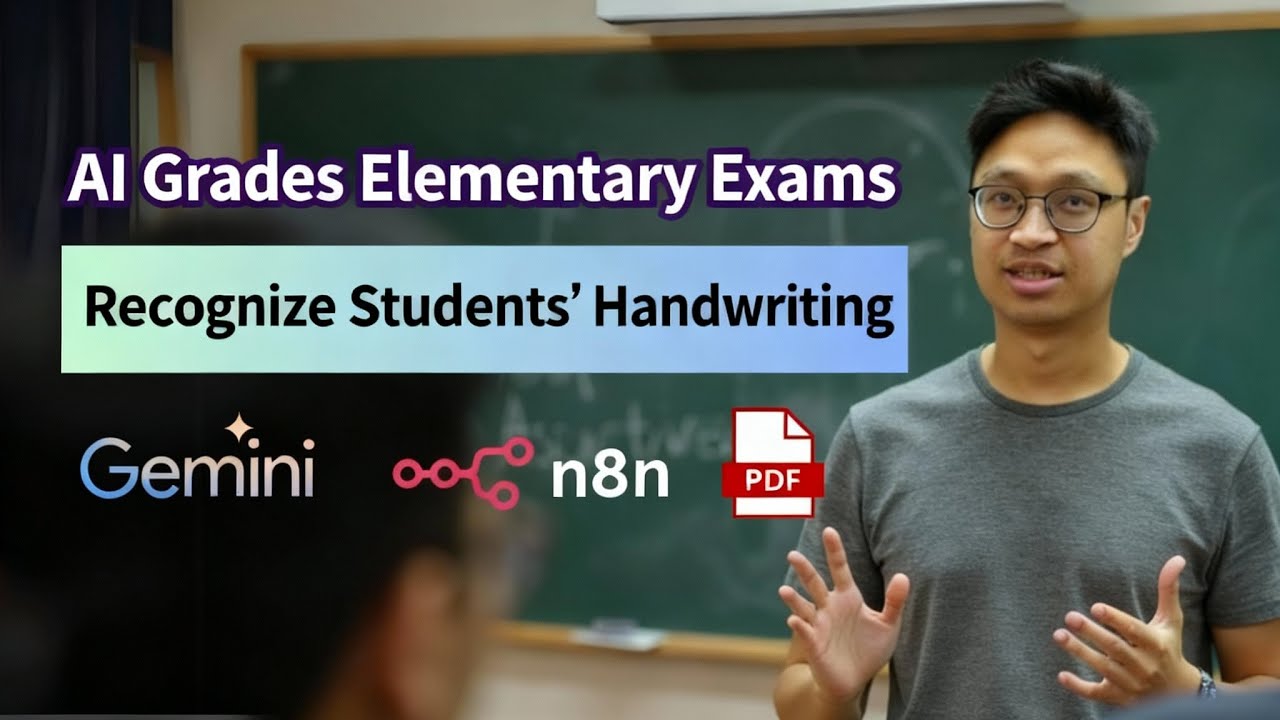
In this video I test AI grading on elementary school exam papers. I found Gemini’s handwriting recognition to be superior to GPT-5, and I use n8n to build an automated grading workflow.
Free download — "100 Useful AI Tools": https://omp.asia/ai-tool
n8n One-Day Course — Build your first Workflow and AI Agent from scratch:
https://omp.to/n8nworkshop
AI Upgrade & Transformation One-Day Course — Learn ChatGPT, Gemini, NotebookLM and more:
https://omp.to/aiworkshop
00:00 Video intro and overview of AI grading
00:41 AI model accuracy test: math questions (Gemini AI vs ChatGPT)
02:51 Gemini AI test results and advantages (including coordinate output)
03:59 ChatGPT test results and challenges
05:49 Automated grading workflow explained (n8n Workflow)
06:06 PDF.co API intro and how it’s used in grading
07:44 Gemini AI prompt design and grading format (Correct/Wrong, color coding)
08:42 Workflow demo and optimization suggestions (graded PDF shown)
09:27 Upcoming events and course information
Contact:
- If your company needs internal training
- If you’re an SME and can form a class (minimum 5 people) for a 3-month Zoom group
Notes and tools mentioned:
• This video’s AI-generated subtitles use formal written language. YouTuber AI tool: https://youtuber.ai/
• Receipt OCR and automated bookkeeping tool: https://bookkeep4u.com/
• Cantonese AI voice tool: https://audiodub.ai/
Did you watch the video?
☑ Watched!
☐ Liked?
☐ Subscribed?
Learn AI tools and digital marketing — become an OMP member: https://omp.to/online
One-on-one coaching / consulting: https://omp.to/1to1
My book "Marketing Rules" is available at major Hong Kong bookstores (call ahead for stock). Buy print: https://www.signer.com.hk/prod....uct/sku/978-988-8716
Ebook: https://play.google.com/store/....books/details?id=Hjf
My recommended tools:
• n8n cloud platform: https://n8n.partnerlinks.io/detail
• Email automation tool I recommend: https://www.sosomarketing.com/emailtool
• CRM I recommend: https://www.sosomarketing.com/crm
• WordPress plugin I recommend: https://www.sosomarketing.com/wordpress-lp
• Advanced popup tool: https://feature--sslcheckout.t....hrivecart.com/cb-lif
• USB mic I use for YouTube recording: https://amzn.to/3tVsBKf
• My recommended software: https://www.onlinemarketingplayer.com/有用工具/
• My digital marketing blog: https://omp.to/myBlog
• My Facebook page: http://fb.com/sosoMarketing
Free online classes:
• For SMEs who want to build their own marketing system: https://omp.to/yt-FreeClass
• If you want to create online courses: https://arshek.com/建立線上課程/
• If you want to grow a YouTube channel: https://arshek.com/youtube-marketing/

In this video, I cover how Google has finally caught up with OpenAI by launching two groundbreaking AI models, Gemini 3 and Nano Banana. These models excel in creating advanced viual outputs, multi-modal understand, both things that make them an invaluable tool for content creators, entrepreneurs, and marketers.
If you enjoyed this video, the best way to support the continuation of more videos is by liking, sharing and subscribing to my channel.
I really appreciate the support and I'll see you for the next one!
Have an app idea but don't know where to begin or have limited time?
I highly recommend trying out Vibecode App. Me and my cofounders have been working hard on this tool for most of 2025 and we want to enable 1M people to build software without writing a single line of code.
Try building your first mobile app completely for free here: https://vibecode.go.link/fNyxn
➡️use promo code GOOGLE to get your first app build for free!
My Socials:
https://x.com/rileybrown
https://www.linkedin.com/in/riley-brown-7441b1101/
https://www.instagram.com/realrileybrown/
https://x.com/learn2vibe
https://x.com/vibecode_edu
TIME STAMPS
00:00 Introduction
01:05 Deep Dive into Gemini 3
01:50 Real World Examples of Gemini 3
04:33 Step by Step For Creating with Gemini 3
06:33 Building a Landing Page with Gemini 3
09:17 Using Gemini 3 in Cursor
10:47 Interactive Water Cycle Simulation
12:30 Exploring Google Gemini's Capabilities
13:53 Introduction to Nano Banana
15:37 Creating Infographics with Nano Banana
19:08 Everything You Need to Know About Krea Nodes
23:41 Future of AI Models

Email: kane@learnaiquickly.com
Bought to you by: https://learnaiquickly.com/
Join the Facebook group to ask questions and share learnings. https://www.facebook.com/share/g/1GWJeMZMQv/
In this episode of Teachers AI Cafe, Kane explores how teachers can personalize ChatGPT and Google Gemini for their specific classroom needs. Discover step-by-step instructions on setting up personalized memory features and custom instructions in both AI platforms. Learn how these customization tools can improve your efficiency, create consistency, and offer tailored educational support in your classroom. Whether you're drafting lesson plans, marking essays, or writing parent emails, make your AI assistant work smarter for you!
00:00 Introduction: The Monday Morning Struggle
00:30 Personalizing AI for Your Classroom
01:37 Deep Dive: Customizing ChatGPT
05:18 Advanced Features and Tips for ChatGPT
10:53 Exploring Google Gemini
12:20 Recap and Final Thoughts
13:43 Closing Remarks and Call to Action
Subscribe the the newsletter for podcast cheatsheets (https://yugen-learning.kit.com/a028a6f4f4)
Find the YouTube version of this here (https://www.youtube.com/playli....st?list=PLf_k_to1rig
Go to this Facebook group (https://www.facebook.com/group....s/learnaiforteachers to access the cheatsheet
https://www.facebook.com/group....s/learnaiforteachers
Email: kane@learnaiquickly.com
Bought to you by: https://learnaiquickly.com/
In this video we explore the "Guided Learning" feature in Google Gemini. Rather than just giving an answer, Guided Learning works a learner through the learning process with questions and multimedia content, adapting to the user’s needs.
You can get more details in my blog post here:
https://www.controlaltachieve.....com/2025/08/guided-l
And check out the MIT study referenced in the video here:
https://www.media.mit.edu/publ....ications/your-brain-
Stay connected and access all of my other resources - https://bit.ly/caa-connect
🧰 Eric’s EdTech blog - https://www.controlaltachieve.com
📧 Email - ericcurts@gmail.com
▶️ YouTube - https://youtube.com/ericcurts
📮 Join the "Control Alt Achieve" email discussion group - https://bit.ly/caa-emailgroup
💬 Join the "Control Alt Achieve" Facebook group - https://bit.ly/caa-fb
📰 Sign up for my weekly email newsletter - https://bit.ly/curts-news
🔔 Get new blog posts automatically through email - https://follow.it/control-alt-achieve?leanpub
📗 "Control Alt Achieve" book - https://bit.ly/curts-books
🏫 Bring me to your school, organization, or conference with over 70 PD sessions to choose from - https://bit.ly/curts-pd

Kane from the Teacher’s AI Cafe reviews Gemini’s latest updates and explains why it fits school workflows by sitting inside Google Workspace for Education with an emphasis on privacy and institutional controls. He shares 10 practical classroom uses: uploading and referencing Drive files to generate quizzes and prompts; connecting to Google apps for calendar-aware planning; using a phone camera to start prompts from worksheets or text; exploring Guided Learning mode to support student understanding; using Canvas mode to edit long documents like unit plans and newsletters; creating and editing images (with a warning to double-check accuracy); using Gemini within Google Classroom to draft instructions, rubrics, and differentiated resources; creating and sharing custom Gems for recurring teaching tasks; producing deep research briefs with cited sources that must be verified; and generating audio summaries to improve accessibility for reluctant readers and busy families. He also mentions the Gemini Certified Educator course and recommends building one repeatable workflow.
00:00 Welcome to AI Cafe
00:22 Why Gemini Now
01:02 Gemini in Google Schools
02:07 Feature 1 File Uploads
03:11 Feature 2 App Connections
04:05 Feature 3 Camera Prompts
04:41 Feature 4 Guided Learning
05:28 Feature 5 Canvas Mode
06:07 Feature 6 Image Generation
07:33 Feature 7 Classroom Integration
08:17 Feature 8 Custom Gems
09:14 Feature 9 Deep Research
09:48 Feature 10 Audio Summaries
10:40 Certification and Guardrails
11:09 Build a Repeatable Workflow
11:35 Wrap Up and Goodbye
Subscribe the the newsletter for podcast cheatsheets (https://yugen-learning.kit.com/a028a6f4f4)
Find the YouTube version of this here (https://www.youtube.com/playli....st?list=PLf_k_to1rig
Go to this Facebook group (https://www.facebook.com/group....s/learnaiforteachers to access the cheatsheet
https://www.facebook.com/group....s/learnaiforteachers
Email: kane@learnaiquickly.com
Bought to you by: https://learnaiquickly.com/

AI is moving faster than ever—and the last few days alone prove it. From Google launching free AI-powered classrooms and Microsoft’s medical AI diagnosing patients better than doctors, to robots playing soccer and Elon Musk building a power plant for xAI, the future is unfolding at record speed.
In this video, we cover 11 of the most jaw-dropping AI breakthroughs happening right now. You'll see how AI is reshaping education, medicine, video editing, personal assistants, and even the way we use browsers. We’re talking real-time animation from a single sketch, IVF success thanks to astrophysics-inspired sperm-tracking AI, and the rise of AI-native operating systems.
Whether you’re into tech, curious about what’s next, or wondering how AI will change your job—this is the update you don’t want to miss.
#google #ai #gemini #freeschool
Looking for free, ready-to-use Google Gemini Gems for education? In this tutorial, I’ll show you EduGems, a site curated by Eric Curts with a growing collection of Gemini Gems (task-specific chatbots you can use in your classroom workflow).
You’ll learn how to:
Browse EduGems categories to quickly find the right Gem
Open a Gem to read its purpose and how it works
Click Use the Gem to add it to your Gemini Gems library
Copy a Gem into your own account so you can rename it, edit the instructions, and customize it
Use the preview/test area to iterate on your instructions
Add a knowledge base (upload files) to guide outputs (ex: your lesson plan template)
EduGems is especially helpful if you’re still building confidence with prompt writing, because many Gems guide you with the right questions and structure.
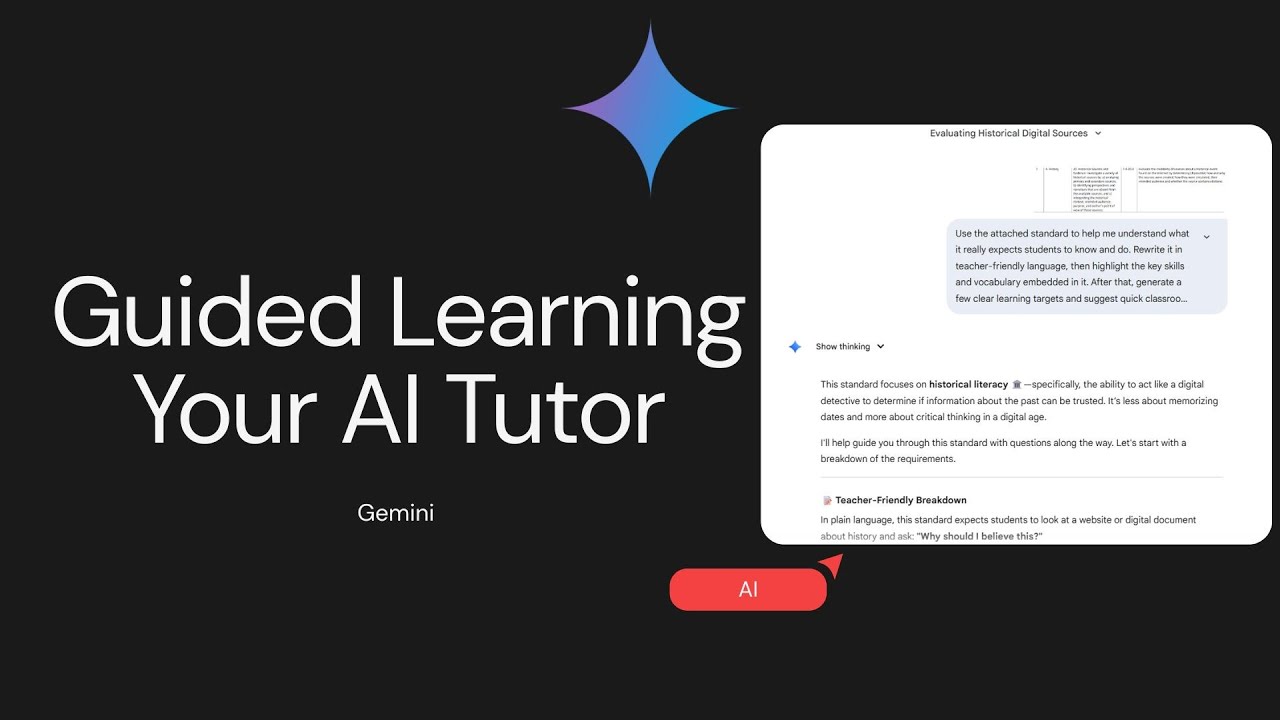
In this Tech in 10 tutorial, learn how to use Guided Learning in Google Gemini to turn AI into a step-by-step teaching partner instead of an answer generator. Guided Learning is ideal when you want Gemini to teach like a tutor—asking questions, checking understanding, and adapting instruction as you go.
You’ll see a practical classroom example using CER (Claim, Evidence, Reasoning) writing in middle school science, along with a powerful workflow for uploading standards and having Gemini unpack them into teacher-friendly language, learning targets, and quick formative checks.
This approach helps educators slow down AI, keep thinking at the center, and design instruction that actually supports learning—not shortcuts.
Perfect for lesson planning, standards analysis, and instructional coaching.
What if you could turn a boring textbook page into a fully interactive lesson — in just minutes? In this video, I'll show you how I used Google's Gemini 2.5 Pro to create an interactive simulation of Strawberry DNA Extraction.
Here's how it came together:
🔹 I used Gemini 2.5 Flash to generate clear, science-based instructions.
🔹 Then, I brought those instructions to life using Gemini 2.5 Pro’s Interactive Canvas.
🔹 After a few quick rounds of refining, I had a complete, interactive experience ready to go!
✨ The future is near — soon, you might be able to create entire interactive lessons with just one prompt!
What this means for teachers:
✅ Create highly engaging, interactive lessons — no coding experience needed.
✅ Save massive amounts of lesson prep time.
✅ Bring complex topics to life in ways students will love.
Potential uses for educators:
➔ Build interactive timelines with multimedia.
➔ Create dynamic quizzes and study games.
➔ Develop visual explorers for complicated concepts.
➔ Even demo coding-based projects in non-CS subjects!
If you're ready to revolutionize your lesson planning — this is the perfect place to start. 🌟

Learn how to create a charming interactive children's storybook using Google Gemini and custom Gemini Gems. This step-by-step tutorial walks you through the process using the ai story generator gems feature. It's a simple and effective way to design engaging children's books with ease, enhancing your storybook design skills.
In this step by step tutorial, I'll show you how to create story book for kids using a custom Google Gemini Gem. By the end of this video you will be able to create any kind of story book using ai, whether it's for your classroom, or for your own children.

Teachers, meet your new favorite classroom time-savers! 🍎💡
In this short “Tips & Tricks” video, you’ll discover the Top 3 Gemini Gems designed specifically for K–12 educators — practical AI prompts that make teaching smoother, smarter, and more engaging.
💎 Lesson Lifesaver – Simplify your daily routines and grading with quick classroom hacks.
💎 Student Spark Starter – Boost engagement with fun, low-prep ways to get students thinking and talking.
💎 Tech Tamer – Tackle classroom tech with confidence using simple Google and Chromebook shortcuts.
Whether you’re lesson planning, managing devices, or trying to keep students engaged, these Gems give you real wins — no extra prep, no fluff.
🎒 Perfect for: K–12 teachers, tech coaches, and instructional specialists exploring practical AI in education.
📘 Inspired by: Gemini Gems That Work: High School Edition — available now on Amazon.

Learn how to create effective listening tasks using AI tools in minutes.
In this tutorial, I show a step-by-step workflow to design a grammar interpretation listening lesson using Claude, Gemini, and ElevenLabs. The focus is on helping students notice patterns, interpret meaning, and learn grammar inductively through listening.
You will see how to:
Generate natural, level-appropriate audio scripts with AI
Design listening tasks that promote guided discovery
Use AI voices to create engaging classroom audio
Build a complete TALI-style lesson (meaning → noticing → interpretation)
This approach is practical, time-saving, and directly applicable to ESL classrooms.

Want more tips like this? Join our newsletter, C3's Monthly Download, to get tech tips, resources, strategies and more delivered right to your inbox ➡️ https://c33.myflodesk.com/email

Discover how to use Gemini’s hidden gem—Canvas—to create interactive, engaging content for your classroom! In this video, you'll learn how to build a fun, Thanksgiving-themed digital escape room using Gemini’s coding canvas and easily embed it into a Google Site. Perfect for early finishers or review activities, this tool lets you customize HTML-based games and resources with ease. Whether you're in a Google district or just love using Google tools, this walkthrough is packed with tips to help you get started. Great for teachers looking to add creativity and interactivity to their lessons—no advanced coding skills required!

What if your school used an AI smarter than your topper friend?
Meet Gemini 2.0 – Google’s most advanced AI that’s redefining education as we know it. From personalized learning to superhuman teachers and accessibility tools that level the playing field, Gemini is transforming classrooms across the world.
In this video, we break down the Top 5 ways Gemini 2.0 is revolutionizing learning, share Sara’s real-life transformation, and explore how AI is empowering both students and teachers.
Attention educators, students, and edtech entrepreneurs—this is not just the future. It’s already here.
Timestamps:
0:01 – Introduction
0:16 – The Problem: Why We Need This
0:41 – Storytime: Meet Sara
1:01 – #1: Learning Tailored to Your Brain
1:27 – #2: Understands Everything, Not Just Text
1:58 – #3: Teachers Become Superhuman
2:23 – #4: Makes Learning Fair for Everyone
2:55 – #5: It’s Smart, But Also Safe
3:40 – Sara’s Transformation
4:00 – Conclusion + What You Can Do Next
Drop your thoughts in the comments:
Would you trust an AI like Gemini to help you learn?
Let us know, and don’t forget to like, share, and subscribe for more future-of-learning content!
#Gemini2 #AIinEducation #EdTech #FutureOfLearning #GoogleGemini #EducationReform #AIRevolution #SmartClassrooms #TechForGood #StudentLife #TeachersOfTomorrow #PersonalizedLearning #AIinSchools #DigitalLearning #GeminiAI
The Education Magazine is one of the best digital platforms in the education sector that cater to the needs of 21st-century students by partnering with the largest universities and bringing forth the most innovative education courses for students. Over the years, it has lived up to its commitment to acquainting students with the best academic and career growth opportunities with its neatly depicted magazine issues.
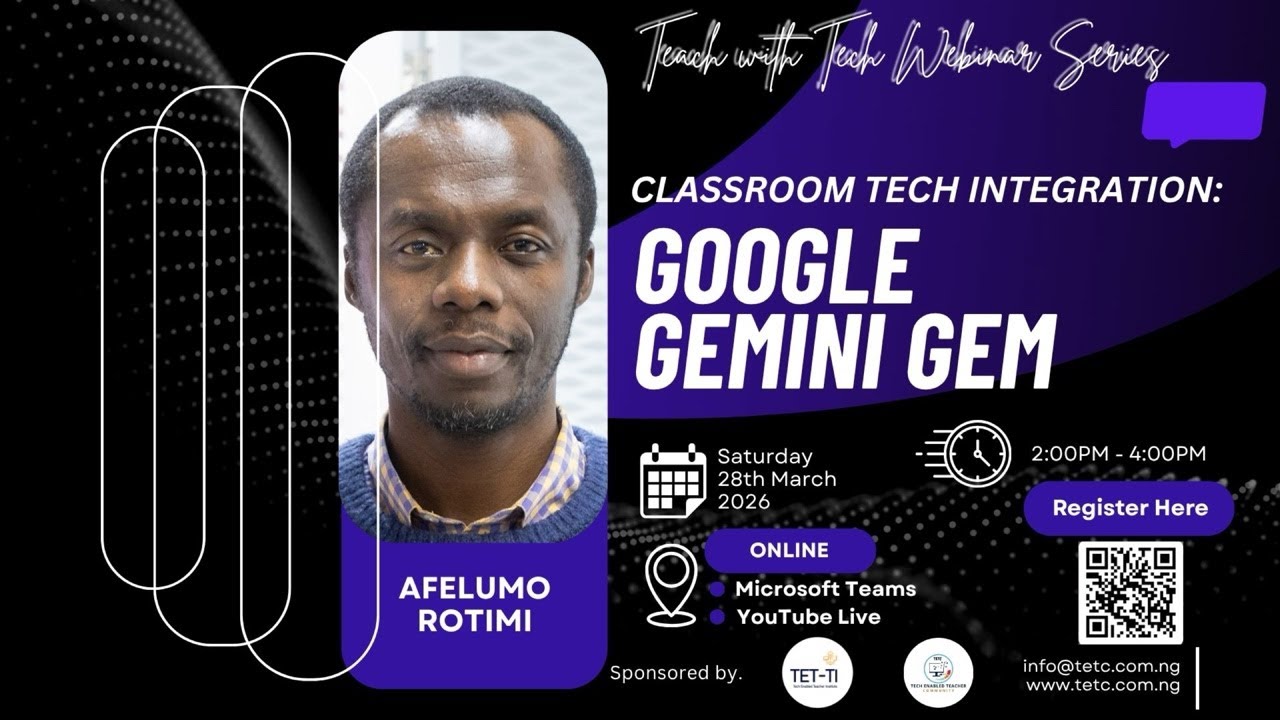
Join us LIVE for an insightful session in the Teach with Tech Webinar Series as we explore how AI is transforming education! 🚀
In this webinar, Afelumo Rotimi will walk you through practical ways to integrate Google Gemini into your classroom to enhance teaching, streamline lesson planning, and boost student engagement.
🗓 Date: Saturday, 28th March 2026
⏰ Time: 2:00 PM – 4:00 PM
📍 Streaming LIVE on YouTube
🔍 What you’ll learn:
- How to use Google Gemini for lesson planning
- Creative ways to engage students using AI
- Time-saving strategies for teachers
- Real classroom integration examples
👩🏾🏫 Who should attend:
- Teachers (all levels)
- School leaders & administrators
- EdTech enthusiasts
- Anyone interested in AI in education
👉 Don’t forget to LIKE, SUBSCRIBE, and turn on notifications so you don’t miss this and future sessions!
💬 Drop your questions in the live chat—we’ll be answering them in real time.
