أحدث مقاطع الفيديو
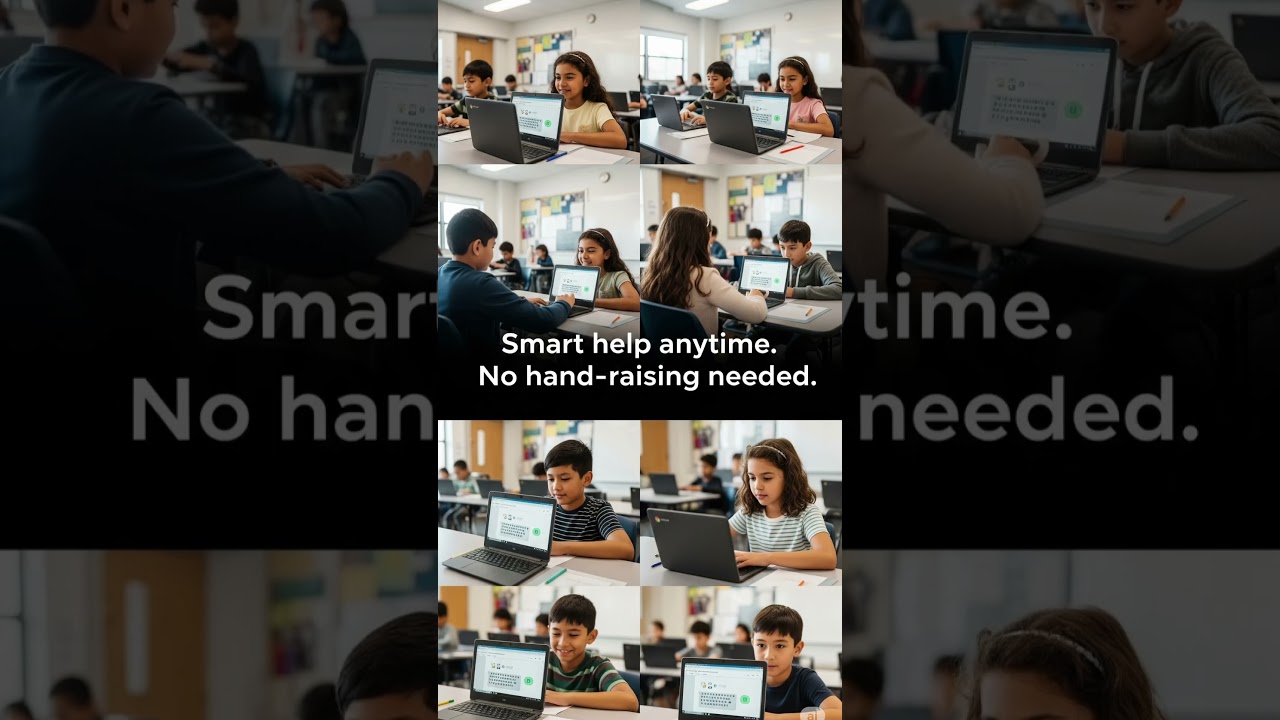
Google just dropped a game-changer at ISTE 2025—Gemini for Education! 🚀
Over 30 AI tools are now integrated into Google Workspace for Education, helping teachers build quizzes, lesson plans, rubrics, and even AI-powered study guides. With features like custom teacher bots (Gems), NotebookLM summaries, and enterprise-grade security, classrooms are getting smarter, safer, and more engaging. And yes—it’s FREE.
Watch to see how AI is changing the way students learn and teachers teach.
📚💡This is the future of education… and it’s already here.
🔔 Subscribe for more AI updates!
#ISTE2025 #GoogleGemini #AIinEducation
Teachers Just Got a SECRET AI Weapon?! 🤯 Google's Gemini is Wild!
Hold up! Google's new Gemini AI is officially invading schools, and teachers are getting a serious upgrade. Think AI lesson plans, auto-generated quizzes, and custom "Gems" that are basically AI experts for students. Will this make learning easier or just weirder? Tune in to find out!
Source: TechCrunch
#AIEducation #GoogleGemini #GenZAI #EdTech #FutureOfLearning #AIChatbots #SchoolLife #TechNews #StudentLife #TeacherTech #AIinClassroom #DigitalLearning #Innovation #StudyHacks #EduAI #GoogleForEducation #SmartClassroom #NextGenEd #AIRevolution #ClassroomTech #GeminiTools #TechTrends #EducationInnovation #StudentVibes #LearnWithAI #AICommunity #TechTalk #loveislandusa #fyp #mustwatch #

"Get ready for a revolution in education! Google is bringing its powerful Gemini AI tools directly into classrooms, promising to transform how teachers teach and students learn.
In this video, we explore the exciting new features of Gemini for Education and Gemini in Classroom:
For Teachers: How AI can draft lesson plans, create differentiated materials, generate quizzes, and streamline administrative tasks – saving hours of work!
For Students: Personalized learning experiences, on-demand homework help, custom study guides, and even interactive diagrams to deepen understanding.
But it's not all about efficiency. We'll also discuss the important safeguards Google is implementing, like enterprise-grade data protection and AI literacy tools for students. Yet, critical questions remain about AI's long-term role in critical thinking and digital equity.
Join us as we weigh the potential benefits against the risks of AI in the classroom. What do YOU think about AI teaching your kids?
#GoogleAI #Gemini #Education #AIinEducation #FutureOfLearning #Teachers #Students #ClassroomTech #EdTech #GoogleForEducation #AIImpact #LearnWithAI #GoogleClassroom"
Move beyond traditional lesson plans and discover how to use Gemini to create dynamic, visually-rich content for your classroom. This hands-on session will demonstrate how to leverage Gemini's image generation feature to produce custom visuals for presentations, worksheets, and class projects. You'll then explore the Canvas feature, transforming your text and images into engaging, interactive materials like custom websites, infographics, and study guides. Walk away with practical skills to integrate AI tools into your daily workflow, saving you time and empowering your students with creative, digital-first learning experiences.
Descubre el flujo de trabajo más potente para educadores hoy: NotebookLM + Gemini. En este video, desglosamos cómo combinar la capacidad de anclaje de datos de NotebookLM con la potencia de programación de Gemini.
Muchos usan estas herramientas por separado, pero la verdadera magia ocurre cuando las conectas. Te enseñaré a usar NotebookLM para "leer" y procesar documentos técnicos complejos (eliminando alucinaciones) y luego usar Gemini para transformar esa información en una aplicación web funcional.
Este flujo de trabajo te permitirá crear recursos didácticos de alta calidad, interactivos y personalizados, sin escribir una sola línea de código manualmente.
🛠️ En este tutorial del Flujo de Trabajo:
Fase 1 (NotebookLM): Carga de documentos (PDFs técnicos) y creación del "Contexto Seguro".
Fase 2 (El Puente): Cómo extraer el prompt técnico perfecto usando la IA.
Fase 3 (Gemini): Uso de Meta-prompting para que Gemini programe la aplicación en HTML.
Resultado: Un recurso educativo digital listo para usar en el aula.
🔗 Herramientas del Flujo:
NotebookLM: https://notebooklm.google.com/
Gemini: https://gemini.google.com/app
📲 Conecta con Profe IA:
Instagram: @Profeiaenelaula
TikTok: @Profreiaenelaula
Email: profeiaenelaula@gmail.com
#notebooklm #gemini #google #flujodetrabajo #workflow #inteligenciaartificial #educacion #tecnologiaeducativa #productividad #docentes #herramientasdigitales #ia
💡 ¿Quieres conocer otros flujos de trabajo combinando herramientas de Google? Suscríbete y comenta "GOOGLE" para el próximo tutorial. 👇
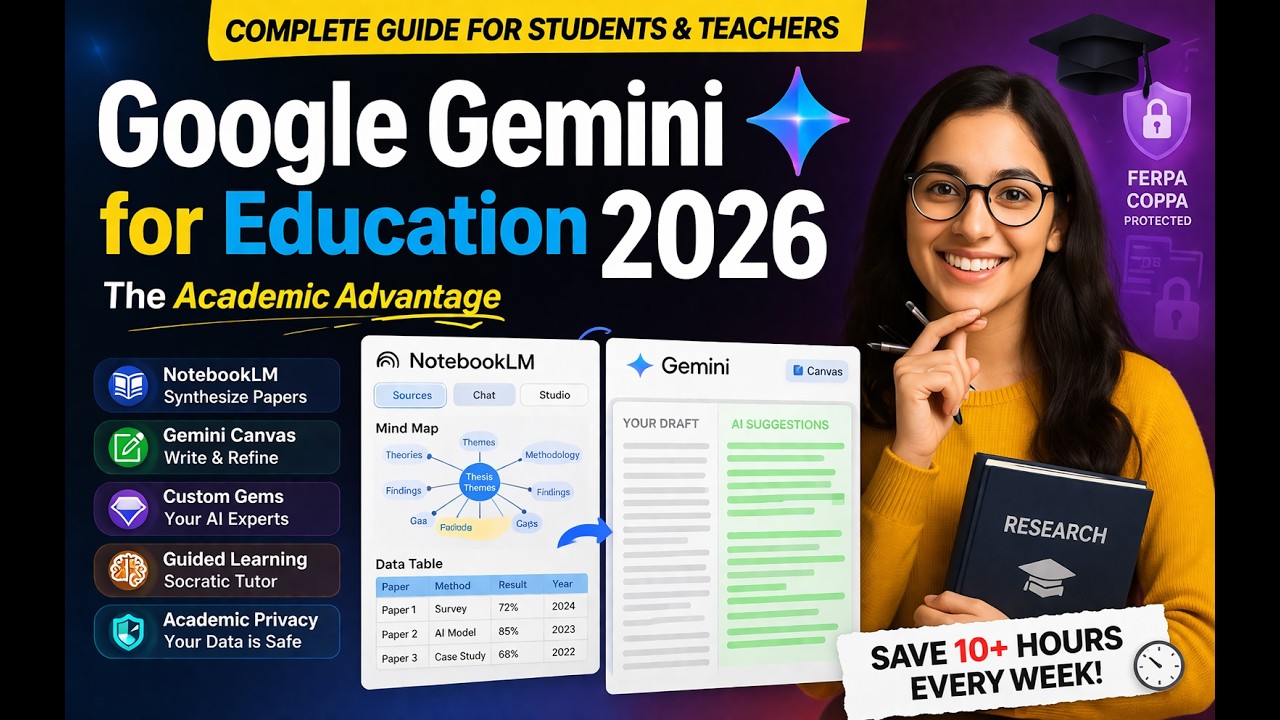
Stop drowning in research papers! Are you a PhD, MPhil, or postgraduate student struggling to keep up with the "academic wall" of literature? In this video, we dive deep into The Academic Advantage provided by Google’s latest updates. We investigate how Mastering Google Gemini and NotebookLM for Advanced Research can save you up to 10 hours of administrative busy work every week
.
Google has recently dropped over 150 new features for education, grounded in LearnLM—a model designed by neuroscientists to prioritize genuine learning over quick answers
. We’ll show you exactly how to use these tools for your thesis, assignments, and research papers.
What you will learn in this video:
NotebookLM for Synthesis: How to turn hundreds of PDFs into structured Data Tables and visual Mind Maps
.
Gemini Canvas: How to use the interactive side-by-side editor to refine your academic writing in real-time
.
Custom Research "Gems": How to build your own AI experts trained on your department’s specific SOPs and guidelines
.
Guided Learning: Mastering the Socratic tutor mode that helps you understand complex theoretical frameworks
.
Academic Privacy: Understanding the enterprise-grade data protections (FERPA/COPPA) that keep your research secure
.
Whether you are conducting a literature review or drafting a grant proposal, these Advanced Research workflows are designed to help you work smarter.
#GoogleGemini #NotebookLM #AcademicResearch #PhDLife #PostGrad #ResearchTools #GoogleForEducation #ThesisWriting #AIForAcademics
Primary Keywords (From Title): The Academic Advantage, Mastering Google Gemini, NotebookLM, Advanced Research, Google Gemini for Research, NotebookLM for Students.
Secondary Keywords (Academic & Tool Specific): Literature Review AI, PhD productivity tools, Gemini Canvas for writing, Guided Learning LearnLM, Custom AI Gems for research, Google for Education 2025 updates, AI data protection for students, Synthesis of research papers, Graduate school AI tools, NotebookLM data tables, Mind mapping for thesis

How to use Google Stitch 2.0. Google just dropped Stitch 2.0, and it’s a game-changer for developers, designers, and founders. Powered by Gemini 3.0 Pro, this AI agent doesn't just generate images—it builds production-ready React and Tailwind code, editable Figma designs, and clickable prototypes.
In this video, I’ll show you how to turn a text prompt into a mobile app, use the new "Heatmap" feature to predict user attention, and even how to turn a messy napkin sketch into a working login screen.
🔗 Try Google Stitch 2.0 here: https://stitch.withgoogle.com
In this video:
0:00 - Introduction: From Napkin to Code
0:42 - Who is this for?
1:15 - Text-to-UI: Building a Crypto Dashboard
3:29 - Edit Theme and Create Variations
5:31 - View Code, Export & Download
6:40 - Creating a Website: SaaS Landing Page Demo
8:19 - Image-to-UI: Turning a Sketch into an App
8:45 - Pro Features: Attention Heatmaps & Prototypes
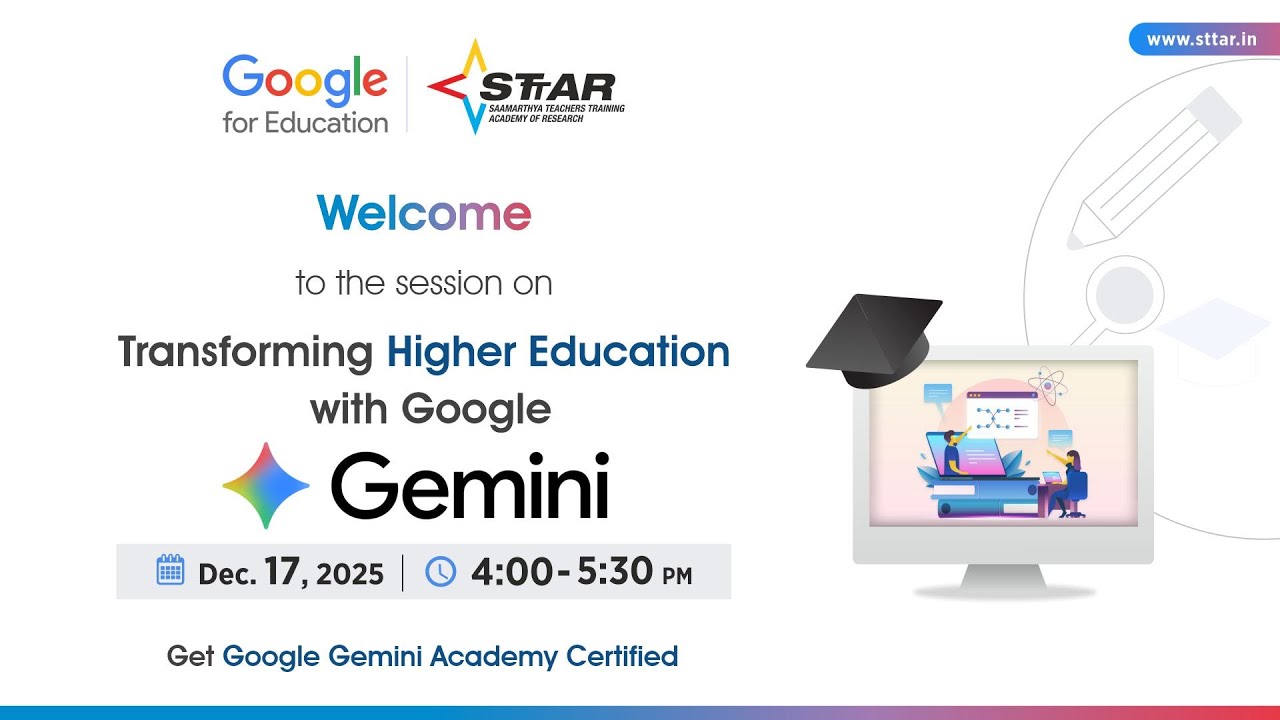
Transforming Teaching & Learning in Higher Education with Google Gemini
📅 17 December 2025 | 🕓 4–5.30 PM
📍 Online | Free Registration
Join us for a power-packed session designed exclusively for higher education institutions. Discover how Google Gemini can elevate teaching, learning, and academic operations with AI-driven tools and workflows.
In this 2-hour learning experience, you will learn how to:
✅ Enhance learning outcomes using AI
✅ Integrate AI into daily academic workflows
✅ Build strong analytical & critical-thinking capabilities in learners
✅ Design personalized and innovative learning experiences with Gemini
🎓 Google Participation Certificate provided
Feedback Form link: https://forms.gle/kf3fZGcPpmjAG5KX6
Brought to you by Google for Education in collaboration with STTAR – Samaarthya Teachers Training Academy of Research.
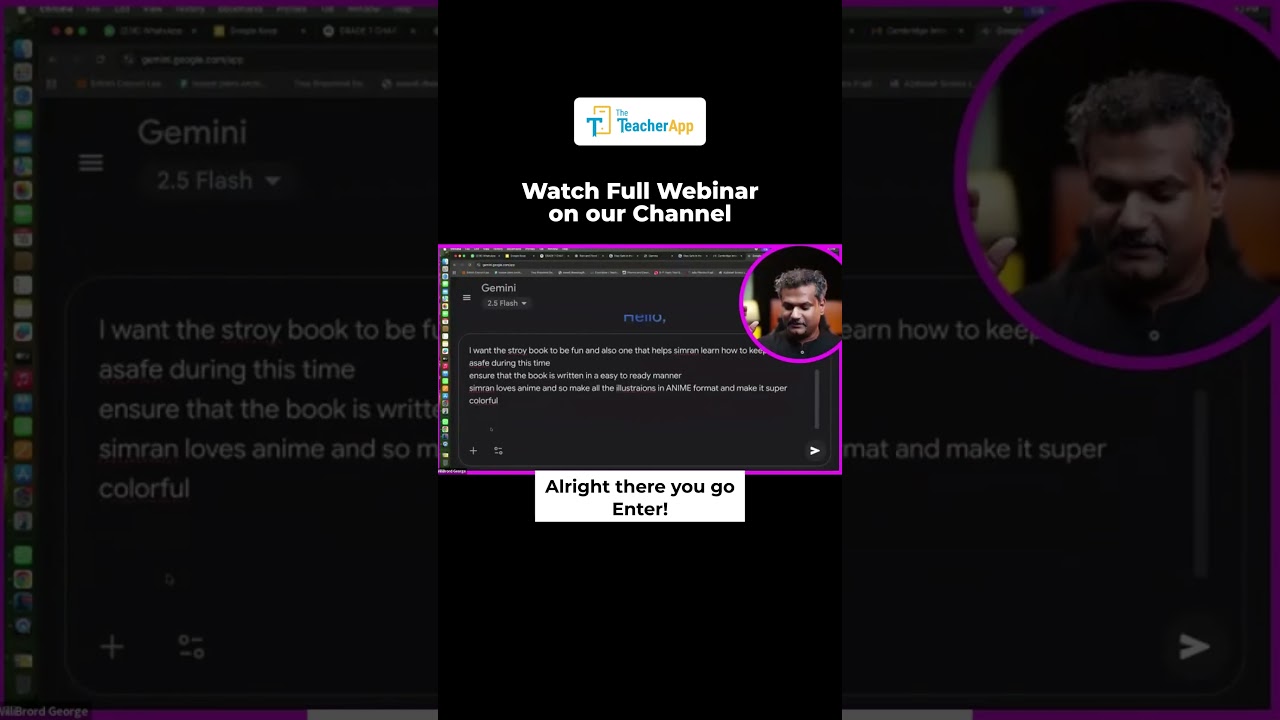
Learn to create engaging educational storybooks for kids using Gemini AI! This short video takes you through the process: teachers simply type a prompt, and Gemini instantly generates a custom story for students. Discover how AI can help personalize learning, make lessons memorable, and simplify teaching for educators everywhere.
Perfect for teachers, parents, and anyone interested in innovative edtech tools. Try Gemini AI to make classroom stories and resources in minutes!
#GeminiAI #AIStorybook #EdTech #TeacherTips #SafetyLesson #Shorts
Subscribe for more classroom tech ideas and AI teaching hacks!

This source outlines an asynchronous professional development module designed to help secondary English teachers utilize Gemini AI for classroom instruction. The curriculum focuses on text leveling, allowing educators to adjust the complexity of literature to better serve multilingual learners and diverse reading levels. Teachers learn to generate language scaffolds, such as tiered vocabulary lists, side-by-side translations, and culturally relevant prompts. By integrating these AI-driven strategies, instructors can facilitate deeper close reading through automated annotations and visual supports. The module ultimately aims to streamline lesson planning for complex works like Shakespeare while ensuring high-quality accessibility for every student.

Discover how to connect Notebook LM with Gemini to create accurate, personalized, and customized educational materials. This video walks educators through building curriculum-grounded content, including summaries, differentiated handouts, and editable presentations. Learn how to ensure AI outputs stay aligned with your curriculum your learners by harnessing the power of NotebookLM inside of Gemini. Enhance your teaching with secure, efficient, and collaborative tools designed for classroom use!
Questions: TechTips@hdsb.ca
Essential Considerations When Using AI: https://docs.google.com/docume....nt/d/1wfdLGlVnVFP9Y4
Searchable Doc for Past Videos: https://docs.google.com/docume....nt/d/1fd1RaNpOXePefc
Student Permission Form: https://docs.google.com/docume....nt/d/1sdH3b77vdDBd1L

A demo of how Google Gemini can save teachers valuable time and improve outputs.

Join us as we explore the groundbreaking AI Works Education pilot, a people-first skills initiative designed to revolutionise how we approach AI adoption in the workplace, specifically within education. This video delves into the heart of the pilot program, focusing on how AI can be a powerful tool to save teachers valuable time.
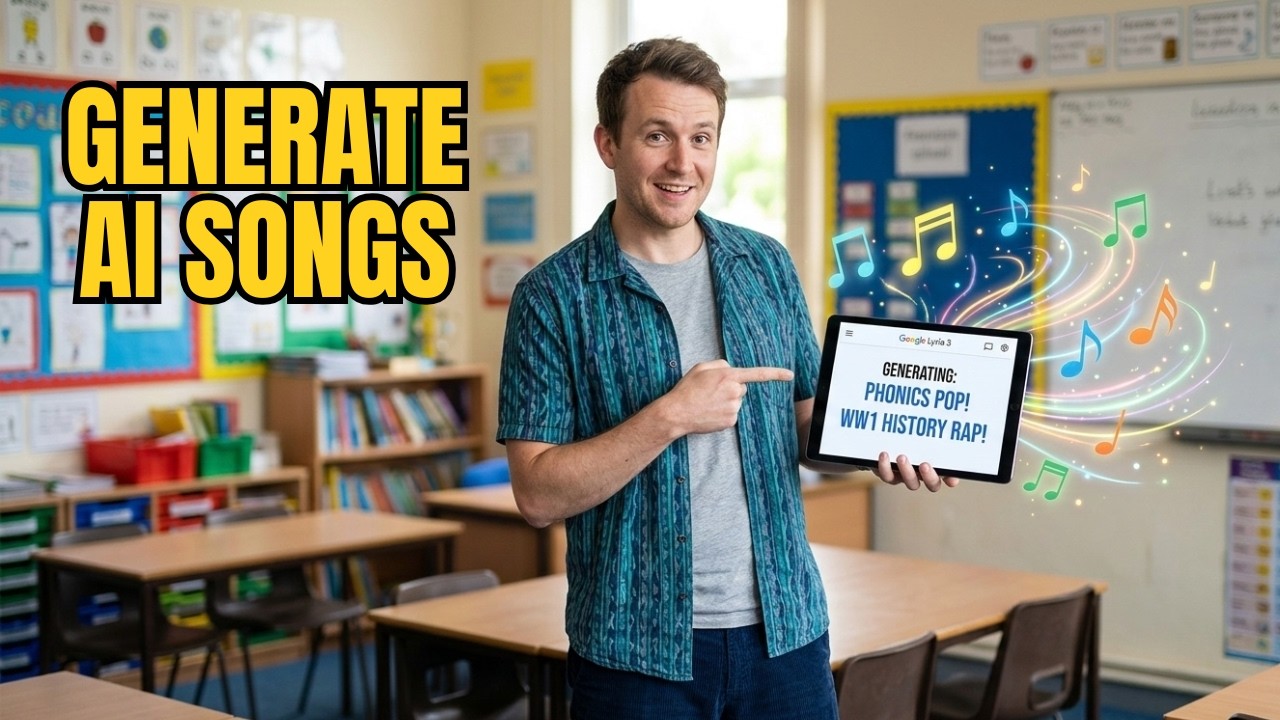
Stop wasting hours searching for the "perfect" classroom song that doesn't quite fit your lesson. In this video, I’m showing you how to use Google Gemini’s revolutionary new tool, Lyria 3, to generate bespoke, high-quality educational music in seconds.
Whether you are a primary teacher looking for catchy phonics mnemonics or a secondary teacher needing a gritty hip-hop track to hook students into a history lesson, Lyria 3 is a game-changer for classroom engagement and lesson planning.
In this tutorial, you’ll learn:
✅ What Google Lyria 3 is and how to access it within Gemini.
✅ How to write specific prompts for primary school songs (e.g., phonics and routines).
✅ How to create "cool" genre-specific tracks for secondary students (e.g., WWI Hip-Hop).
✅ The "magic" feature: How to turn images and photos into atmospheric classroom soundscapes.
✅ The practical limitations (and workarounds) for the 30-second clip limit.
Read more, and get the prompts here: https://www.whiteboardblog.co.....uk/2026/03/this-ai-t
Artificial Intelligence for teachers isn't just about grading or writing emails—it’s about boosting creativity and making your lessons resonate. If you’ve been looking for a way to use AI in the classroom that actually excites your students, this is it.
This recorded workshop was designed to help Icahn School of Medicine at Mount Sinai educators integrate Google Gemini and NotebookLM into their teaching practice. Attendees attending or watching this session will learn to identify classroom scenarios where these tools enhance learning, design responsible AI-assisted assignments or case studies, and model ethical, transparent AI use for their students.
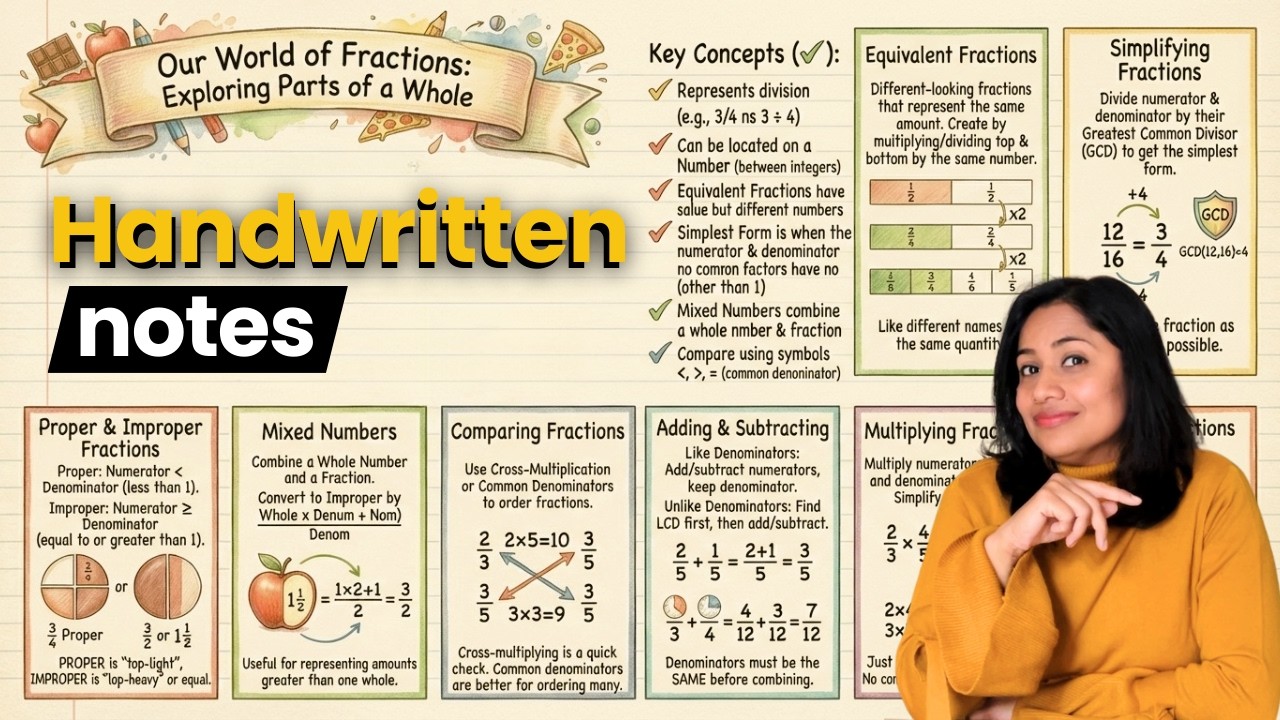
⚡️Teachers can join our YouTube Mastery Program: https://courses.drnidhimishra.....com/learn/fast-check
See Course Details here👉 https://youtu.be/h9Xhykj444s
⭕️ Have doubts related to online teaching or starting a YouTube channel? Want me to personally help you? Book your Google Meet call- https://topmate.io/nidhi
🔵 Start your online digital store- https://superprofile.bio?referralCode=gikpCL&referralType=creatorReferral&source=referralPage
-----------------------------
Prompt- Create an educational infographic on Fractions for 6th-grade students. Use a student handwriting font on notebook paper with a 9:16 ratio. Do not skip any important topic or point. The visual aesthetic must use realistic, detailed colored-pencil and watercolor textures for illustrations and small doodles, alongside neat handwritten text. Design the page with a decorative title banner at the top, followed by definitions/concept explanation with colourful illustrations. Below this, organize key concepts into a bulleted list section using stylized checkmark icons, and divide the remaining lower half of the page into a modular grid of distinct rectangular boxes, with each box containing a specific topic explanation and a labeled diagram explaining the concept, each with its own descriptive caption.
-----------------------------
🔴 My recording gear ✨
🎙️Mic- https://amzn.to/3LbiwpZ
🌟Overhead recording setup- https://amzn.to/4jxJNzm
✍️Writing pad (Pen tablet)- https://amzn.to/4qg723r
👉Complete kit for video recording- https://amzn.to/45R0sZ4
🌟Video Light Panel- https://amzn.to/49pzEjy
❇️ Studio Lights- https://amzn.to/4pH2RNh
📸 Full HD 1080P Webcam- https://amzn.to/4qhoULj
-----------------------------
🚨 Disclaimer- Do not rely on AI-created notes; always read the books and create your own notes after studying the topic. The tips shown in the video are useful to create visual representations only. Do not depend on these notes for your studies.
#AIHandwrittenNotes #GeminiAI #FreeAITools #madewithgemini
-------------------------
My pen tablet recommendation for teachers- Deco M- https://amzn.to/3unc3vQ
🔺🔻Use Coupon code- XPMathsByNidhi to GET 5% discount on XP Pen store price- https://xp-pen.co.in/collectio....ns/deco-series-table
-----------------------------
⭕️ Join our Instagram community 🙋♀️ https://www.instagram.com/nidhimishraofficial/
Links contain affiliates. Subscribe for more AI tutorials and educational content!
Topics covered-
AI se Handwritten Notes 📝 banaye 🔥 FREE AI Tool for Handwritten Notes⚡️ Free AI tool for handwritten notes. This beginner-friendly Gemini tutorial on How to generate handwritten notes with Gemini AI for students and teachers is perfect for making study materials, assignments, or personal notes with the Best prompts for realistic handwritten text.
how to create handwritten notes with Gemini AI, free handwritten notes generator for students, convert typed notes to handwritten format, AI handwriting generator tutorial in Hindi

👉JOIN THE COMMUNITY https://trainingsites.io/join
Static online courses are dead — and Google just buried them.
In this video, I’ll show you how NotebookLM, Google’s AI-powered note-taking and teaching assistant, is transforming the way online educators teach, share, and scale content in 2026.
Video Mentioned: https://www.youtube.com/watch?v=uuoY0qChCFQ
⚡ Skip the course chaos — and meet your new AI team.
https://trainingsites.io/profitable-skill
https://trainingsites.io/education-skill-creator/
https://trainingsites.io/competitor-message/
🎯 Perfect for: Teachers, Educators, Course creators, coaches, consultants, and experts who to start, build and grow their education business.
👉 Don’t forget to like, comment, and subscribe for more tips on creating and teaching online effectively."
#ChatGPT #chatgptatlas #ContentCreation #OnlineCourses #DigitalEducation #YouTubeCreators #AIAgents #FutureOfContent #OnlineEducation #CourseCreators
Category: Education / Tech News
👉 Watch now to see how to future-proof your education business.
👉 Subscribe for weekly strategies on building your own AI Campus.
✨FOLLOW US ON SOCIAL MEDIA✨
Facebook: https://www.facebook.com/trainingsites
LinkedIn: https://www.linkedin.com/company/trainingsites/
Twitter: https://x.com/aitrainingsites
YouTube: https://youtube.com/@trainingsites
📲LINKS & RESOURCES
Campus Toolkit: https://trainingsites.io/resources/
FREE Courses: https://trainingsites.io/members/
Disclaimer: Some of the links contain affiliate links, meaning I will earn a small commission when you purchase through my link at no additional cost to you.

Discover how to bring the power of Google AI into your classroom! In this beginner-friendly training, educator Jessica Stuivenberg introduces Gemini in Google Workspace for Education. Learn what AI is, how it works in tools you already use (like Gmail and Google Maps), and how to use it safely and responsibly. You'll also explore prompt-building strategies using the PARTS framework to get the most from Gemini. Perfect for teachers looking to save time, enhance lessons, and engage students with AI. Watch now and start your journey with Google AI in education!
🚀 Create Comprehensible Input with Google Gemini
In this video, I show you how to use Google Gemini to create comprehensible input for language learning and content creation. You’ll learn how to prompt Gemini effectively so it generates clear, level-appropriate, and engaging text that learners can actually understand.
Whether you’re a language teacher, self-learner, or content creator, this method will help you:
Simplify complex language without losing meaning
Adjust difficulty levels (A1–C1)
Create stories, dialogues, and explanations fast
Save time while improving learning outcomes
📌 What you’ll learn in this video:
What comprehensible input really means
How Google Gemini can generate it
Example prompts you can reuse
Practical use cases for classrooms and self-study
✅ Perfect for ESL, language learning, AI-assisted teaching, and productivity.
👍 If this helps you, like the video and subscribe for more tips on AI tools, language learning, and teaching with technology.
#ComprehensibleInput #GoogleGemini #LanguageLearning #AIAssistedLearning #ESL #AIForTeachers
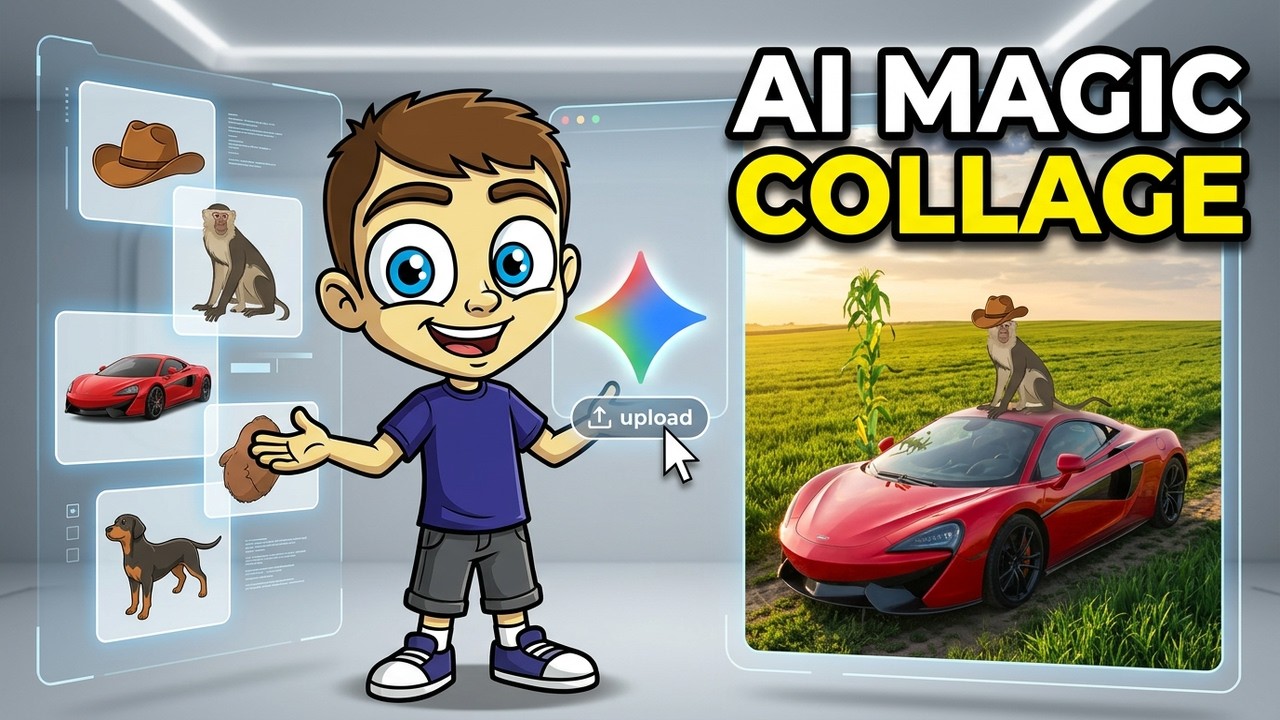
Learn how to use Google Gemini to combine multiple images or other visual elements that you provide to Gemini. The result is a kind of AI collage. Check out this powerful feature!
Join this channel to get access to perks:
https://www.youtube.com/channe....l/UCYUPLUCkMiUgiyVul
***Consider supporting Technology for Teachers and Students on Patreon***: https://www.patreon.com/techno....logyforteachersandst Here's my entire AI playlist: https://bit.ly/artificialintelligenceplaylist Please say "Thanks" by clicking the Thanks button below the video. #ai #artificialintelligence #gemini #chatgpt #chatgptsora #sora #aivideos #aivideo #gemini #googlegemini #collage #aicollage

ChatGPT and Gemini have both introduced powerful new educational features: 'Study and Learn' mode and 'Guided Learning.'
In this comprehensive analysis, Abran breaks down what these tools actually do, their limitations, and how educators can use them responsibly.
What this video covers:
✅ How ChatGPT and Gemini have integrated educational prompting into these updates
✅ The role of Socratic questioning in AI tutoring
✅ Why these tools excel at personalized learning
✅ Understanding limitations and responsible use
✅ Privacy considerations for educational settings
Key Insights:
🔍Both platforms have integrated educational best practices into their core training
🔍The focus is on self-guided, responsible learning with AI assistance
🔍Special value for students needing accommodations and personalized paths
🔍These aren't anti-cheating solutions—they're learning enhancement tools
🔍Important privacy differences between free and paid educational accounts
🎯 Perfect for:
- K-12 administrators planning AI integration
- Teachers exploring AI-assisted learning
- Education technology coordinators
- Students interested in AI study tools
- Anyone curious about personalized learning and the future of AI in education
TIMESTAMPS:
0:00 - Introduction to New AI Study Features
3:03 - Using These Tools for Personalized Learning
4:29 - Understanding Limitations and Responsible Use
7:17 - Hallucinations and Bias
8:40 - Privacy & Data Considerations
10:03 - Final Thoughts
🎓 Ready to implement AI in education responsibly?
Explore our AI for K-12 School Leaders course: https://aiu.courses/p/ai-for-k-12-school-leaders
📱 Connect with The AIU:
Instagram: @aiu_coursesondemand
Facebook: https://www.facebook.com/profi....le.php?id=6157638569
LinkedIn: https://www.linkedin.com/company/the-aiu
Website: https://aiu.courses
💭 Questions about AI in your educational setting? Let's discuss in the comments. We read and respond to every thoughtful question!
#AIEducation #ChatGPT #StudyMode #EducationalTechnology #ResponsibleAI #PersonalizedLearning #K12Education #AIForEducators #EdTech #LearningInnovation

Get FREE access to Google‘s Gemini, but using my dissertation and other focused YouTube education stuff! #notebooklm #teachers

Need a fresh perspective for your classroom? Watch as Google Champion Laurie Guyon shares three easy ways you can use Gemini as a thought partner to support your teaching goals!
Laurie shows us how she uses Gemini to:
Create fun new lessons and activities for the classroom.
Repurpose old lessons with fresh ideas to increase participation.
Get fresh perspectives to solve complex problems.
Watch more: https://www.youtube.com/playli....st?list=PLP7Bvyb3ap4

The 6-month long, C2k-run pilot using Gemini for Education in Northern Ireland has found that teachers can save up to 10 hours per week. This video takes you through firsthand experiences of how AI is empowering teachers and saving them valuable time, enabling them to deepen connections with their students and rediscover their passion for teaching.

Using Google Gemini brings a fresh approach to accessing texts for teaching writing. This AI tool allows educators to quickly generate text excerpts tailored to specific skills. These custom texts offer models for writing when a published text may not be accessible or when more options are needed.
Using mentor texts to teach the Six Traits of Writing gives students clear examples of what good writing looks like—exactly what we want them to emulate. For instance, a well-chosen text can demonstrate how a writer organizes ideas or uses vivid word choice to bring a story to life. Students can then turn around and apply these techniques in their own writing, learning firsthand how to implement the traits of writing.
Upcoming workshops💡👩🏫
→https://www.smekenseducation.com/get-started/
🔔 Subscribe to this channel: https://bit.ly/3rwOQHD
💡 Learn more about this topic: https://www.smekenseducation.c....om/teaching-with-tec
There are plenty of recommended mentor texts for teaching writing. However, the recommendations may not cater to individual teaching needs or be readily available. This is one instance where the integration of technology in education has opened up avenues for creating customized instruction.
Google Gemini along with other generative AI tools, such as ChatGPT, offer the advantage of customization and adaptability to specific instructional points, providing the flexibility that published texts may not. Most texts can show a skill, but the skill may not always be obvious, making it difficult for students to recognize. The ideal passage is concise but packed with solid examples. Teaching with technology, such as AI tools to create text excerpts, can help teachers better achieve this balance.
Pinpoint the instructional purpose of the mentor text
Using Google Gemini to create customized mentor texts is straightforward and user-friendly. The method for producing a mentor text, whether for reading or writing, follows the same steps (check it out here). The highlighted difference lies in the content.
When looking for a specific mentor text for teaching writing, educators typically examine texts to understand the author’s craft and the traits demonstrated. However, with Google Gemini, teachers do not have pre-existing texts to browse for these attributes. Instead, they need to provide these expected features to the AI tool. By specifying the desired genre, tone, target skills, and other relevant criteria, teachers guide Gemini to generate a mentor text that aligns with their instructional goals.
For this tech tool to be effective, the prompt has to be specific and detailed. If it is too vague, the mentor text might not showcase the skill as intended. The challenge is figuring out exactly which details to specify for Gemini.
While the 6 Traits are common across all types of writing, each mode—argumentative/persuasive, informative, and narrative—has unique characteristics that define its specific purpose and style. For instance, while the trait focus might be on ideas, the skill focus might differ—creating a plot for a narrative versus identifying a topic and position for persuasive writing.
Because several skills fall within each trait, it is best practice to rely on the skills outlined in the standards to guide instruction. Teachers can refer to the wording in the standards to direct Gemini in crafting texts that highlight these skills.
The prompt guide, skills organized by the traits, and sorted standards take the guesswork out of identifying which skills fit each trait and mode. Once the instructional purpose is clear, just follow the outline on the prompt guide to write the prompt for Gemini.
With the right prompt, Google Gemini can quickly generate a tailored mentor text that aligns with the instructional goals. If the initial text doesn’t hit the mark, it is simple to tweak the prompt and generate a new version. Fine-tune the prompt and the resulting mentor text until the resulting text perfectly aligns with the teaching objectives.
Using mentor texts in the classroom
With the mentor text on hand, there are plenty of ways to use it for teaching writing. Teachers can use the mentor text in mini-lessons to illustrate what good writing looks like. During small-group sessions, students can revisit the mentor text to work on their writing with support, using it as a model to practice the skill. It’s also valuable during writer-process conferences, where it can serve as a concrete example for teachers to reference to give feedback and guidance.
Learn more from Smekens: https://www.smekenseducation.com/
Free Teacher Tools: https://www.smekenseducation.com/teacher-tools-signup/
