סרטונים אחרונים
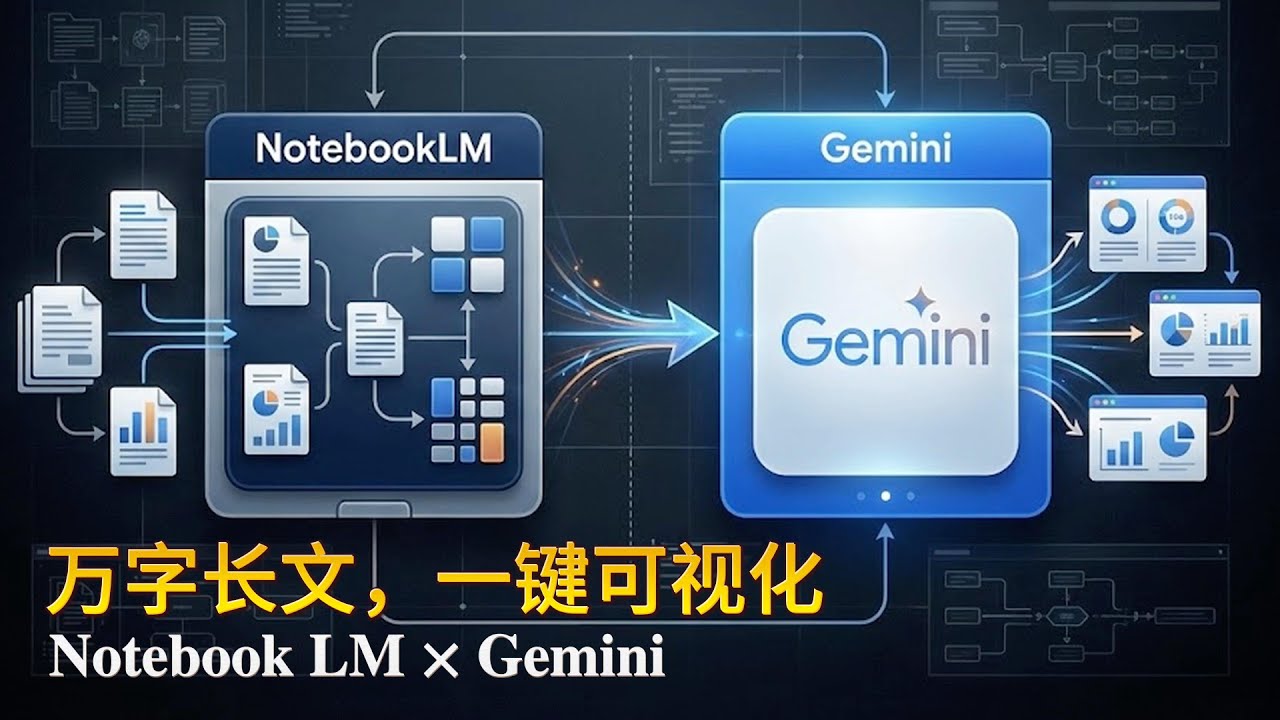
你是不是也有这种状态?
📄 文件越看越乱
📊 数据越整理越崩
📑 PPT 写着写着就卡住
明明 AI 在手,效率却没真正起来。
这期视频,我用 3 个真实案例,
完整演示一套已经被我反复验证的——
Notebook LM × Gemini 双核工作流。
不是技巧合集,
而是一条可以反复复用的生产线。
📦 本期你能学到什么?
✅ 信息 → 结构的正确打开方式
用 Notebook LM
一次性吞掉政策文件、行业数据、研究资料,
直接得到稳定、可复用的结构,而不是碎片总结。
✅ 结构 → 成果的高效输出方式
把整理好的结构交给 Gemini,
生成专业信息图、动态图表、完整演示文稿,
✅ 案例一|33 页国家战略 → 一张结构化信息图
克制、可信、符合正式文件气质,
不是“好看”,而是“能用”。
✅ 案例二|2010–2025 AI 行业数据 → 动态趋势图
从零散资料到可视化结论,
一眼看清哪些行业已经进入深度使用阶段。
✅ 案例三|AI 未来研究 → 可直接上台讲的 PPT
Notebook LM 负责研究中枢,
Gemini 负责表达输出,
真正把“研究”和“制作”拆开。
👀 这期视频特别适合你,如果你是:
经常要处理 长文档 / 数据 / 报告 / PPT
已经在用 AI,但总觉得“还差点意思”
想把 AI 变成稳定生产力,而不是灵感玩具
想建立一套 长期可复用的工作方法

主題:「AI 數位觀課新革命:用 Gemini 與 NotebookLM 打造你的『自動化議課助教』」
1.看見看不見的數據 (數位學習足跡)
2.讓 AI 替你寫工具 (Gemini 賦能)
3.一鍵生成議課報告 (NotebookLM 應用)
4.科技輔助教學診斷 (實戰演示)
今でもAI活用の仕方がわからない人🤦や、Gemini触ったけど微妙でやめた人も必見!
🚨無料期間限定🚨で
✨YouTubeでは出せない みずたろうのAI時短ノウハウ✨
👩💻コピペで使える!Gems指示文&NotebookLM質問フレーズ」をLINEで受け取れます!
このテンプレで、メール・議事録・資料・企画書が一気にラクになります。
【自由時間⏫UP⏫】と【収入⏫UP⏫】を狙う人は、まずこれ受け取ってください。
現在、期間限定でしかも無料配布しているので、興味ある方はぜひ!
↓↓↓
https://utage-system.com/line/open/Qft0bDoaNYof
ーーーーーーーーーーーーーー
🎁コピペで使える!Gems指示文&NotebookLM質問フレーズ」
【⬇️無料登録はこちら⬇️】
https://utage-system.com/line/open/Qft0bDoaNYof
※期間限定プレゼントの案内が届かない人は、LINEで「特典届かない」と送ってください!
━━━━━━━━━━━━━━━━━━
↓↓本日紹介したツールはこちら↓↓
【Gemini】
https://gemini.google.com/
【NotebookLM】
https://notebooklm.google/?hl=ja
#gemini #notebooklm #ai活用
PROMPTS: https://drive.google.com/file/....d/1cUqs7ZpjpC1k50uvY
HTML viewer: https://html.onlineviewer.net/
De HTML a PDF: https://www.sejda.com/es/html-to-pdf
00:00 - Introducción y optimización de flujos de trabajo
00:44 - ¿Qué es Perplexity y por qué usarlo como motor de búsqueda?
01:21 - Primer flujo: Búsqueda en Perplexity + importación a NotebookLM
03:59 - Exportación de fuentes y enlaces a NotebookLM
05:58 - Instrucciones personalizadas (System Prompt) en NotebookLM
08:00 - Análisis transversal y tablas comparativas automáticas
09:52 - Creación de infografías interactivas con Gemini y Canvas
13:00 - Cómo convertir código HTML a PDF local
15:20 - Segundo flujo: Integración directa de NotebookLM en Gemini
18:42 - Tercer flujo: Creación de aplicaciones interactivas con tarjetas didácticas
20:25 - Cómo crear una "App almacenadora" para organizar múltiples proyectos
21:55 - Conclusión y recursos adicionales de IA

こんにちは、AI経営者のK社長です!
今回の動画は、Googleが提供する最強AI連携、「NotebookLM×Gemini」の活用術について徹底解説します。
「Geminiも長文読めるよね?」
「NotebookLMもチャットできるよね?」
「何が違うの?」
確かにそうですが、**決定的な違いは“得意分野”**です。NotebookLMは情報の整理役、正確さ、ソースベースの回答に優れており、Geminiは0→1を生み出す万能なクリエイターとして推論、発想、アイデア出し、コーディングに超一流の力を発揮します。
この2つが合体したことで、単に機能が増えたレベルではなく、仕事の次元が変わるポテンシャルが生まれました。今回は煽り抜きで、この連携がどうやばいのか、明日からの仕事をどう変えるのか、冷静にかつ実用的に深掘りしていきます。
動画内では、具体的なハックとして「議事録革命」と「リサーチ革命」の2つの連携活用法をハンズオンで解説します。さらに、AIを「知っている人」から「使いこなしている人」になり、圧倒的な成果を出すための小さな一歩についても触れます。
ぜひ最後まで見て、次世代のAI活用スキルを手に入れてください!
━━━━━━━━━━━━━━━━
■公式LINEで限定コンテンツ配布中!
━━━━━━━━━━━━━━━━
今ならキーワード「プレゼント」と入力するだけで、AI活用を加速させる豪華3大特典を無料で差し上げています。ここだけの非公開情報も配信していくので、必ず登録しておいてください。
▼登録はこちらから▼
https://lin.ee/rG9CbqJ
━━━━━━━━━━━━━━━━
■チャプターリスト(目次)
━━━━━━━━━━━━━━━━
0:00 オープニング:最強AI連携「NotebookLM×Gemini」
00:49 脳内整理:それぞれの得意分野と違い
03:00 連携活用法・ハンズオン解説
10:42 エンディング:小さな一歩から
━━━━━━━━━━━━━━━━
■SNSでの発信
━━━━━━━━━━━━━━━━
最新の生成AIトレンドや活用術、私のAI経営者としての日常を発信しています。フォローして情報の波に乗り遅れないようにしてください!
X (旧Twitter): https://x.com/k_kojikoji00
Instagram: https://www.instagram.com/k_bunkei_ai/
Threads: https://www.threads.com/@k_bunkei_ai/
━━━━━━━━━━━━━━━━
■お問い合わせ
━━━━━━━━━━━━━━━━
https://lin.ee/rG9CbqJ
動画の感想や質問など、何でもお気軽にメッセージください!コメント欄でも構いません☺️
#生成AI #NotebookLM #Gemini #GoogleAI #神連携 #業務効率化 #K社長 #AIツール #AI活用 #参謀AI
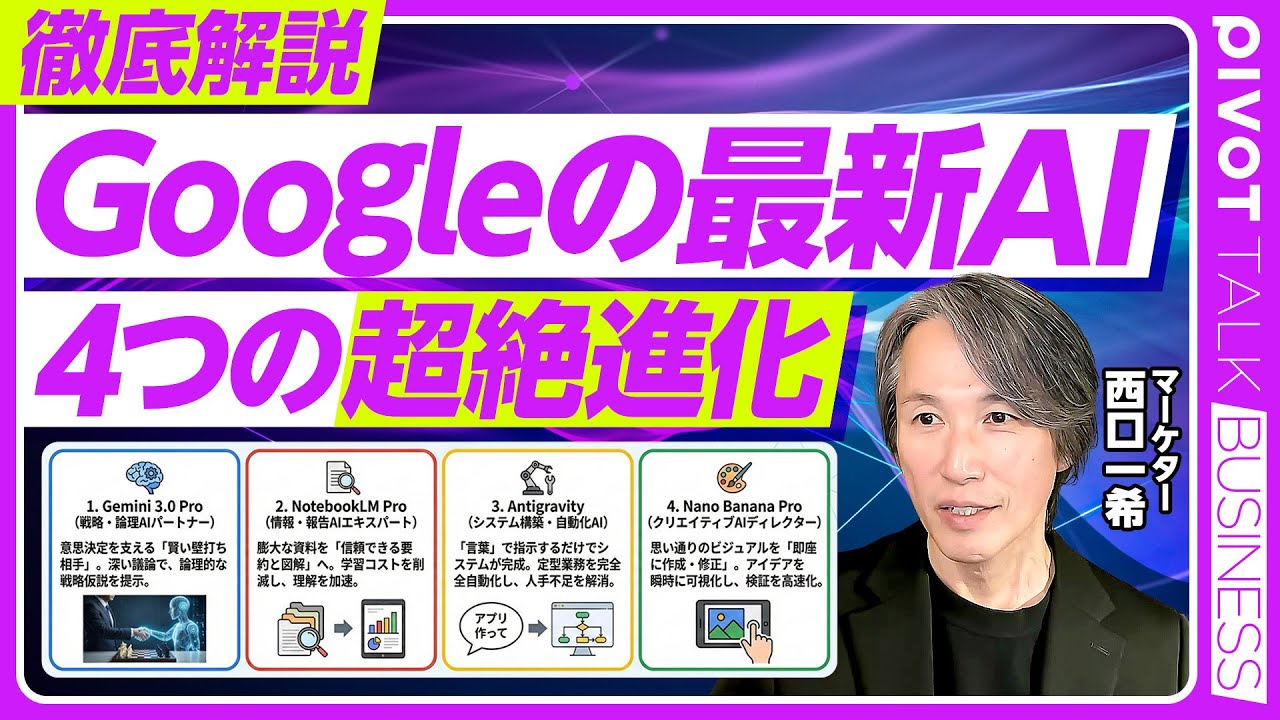
収録日:11月25日 11時
▼動画の概要が3分で分かる「要点まとめ記事」はこちら
https://pivotmedia.co.jp/launch_app?path=movie/13687&display_type=article&override=true
▼PIVOTアプリなら「バックグラウンド再生」「ダウンロード機能」「音声モード再生」が無料。 アプリダウンロードはこちら↓(無料)
https://pivot.go.link/?adj_t=1u1ivgni&redirect=https://pivotmedia.co.jp/movie/13687
視聴ごとにマイルが貯まり、Amazonギフト券などの特典と交換できます。
▼プロフィール
西口一希|Strategy Partners 社長
P&Gマーケティング本部を経て、2006年ロート製薬に転じ、執行役員マーケティング本部長として「肌ラボ」などをヒットに導く。スマートニュースの日米マーケティングなどを経て、2019年にStrategy Partners、2024年にWisdom EvolutionCompany設立。
<目次>
00:00 Google AIの最新進化
03:36 Google AI 4つの新ツール
07:09 画像生成AIの実力
14:11 AIエージェントが変える仕事
21:53 AIエージェントが創る未来
28:15 Google vs OpenAIの覇権争い
36:12 AI時代に問われる価値
サムネイル
写真:iStock
#Google #グーグル #Gemini #ジェミニ #AI #AIエージェント #OpenAI #NotebookLM #最新 #PIVOT #ピボット

Ready to become an expert on anything you want?
With the right tools, you can expand your knowledge on any topic you can dream of. And this becomes even easier with the right AI tools.
In this video, I break down how you can use Gemini's latest 'Deep Research' model, along with NotebookLM (another one of Google's AI tools) to become in expert in almost ANYTHING.
Don’t miss out on these easy tips to level up your knowledge!
📋KEY MOMENTS
00:00 Intro
00:43 Gemini's Deep Research Model
01:14 What is NotebookLM?
02:09 How to Use Gemini Deep Research
03:56 Creating New Sources in NotebookLM
05:35 Creating and Saving Notes in NotebookLM
-----
▶ Gemini Deep Research Model: https://gemini.google/advanced/
▶ Try NotebookLM: https://notebooklm.google.com/
🎤 MY TOOLS & GEAR 📹
▷ Shure MV7 Microphone: https://amzn.to/41dsUS7
▷ Sony a6400: https://amzn.to/3EwUEt6
▷ Neewer Lighting: https://amzn.to/4hRICsx
▷ Stream Deck: https://amzn.to/41a6138
▷ OBS: https://obsproject.com/
▷ Timebolt: https://nickninefivetofreedomc....om--timebolt.thrivec
Links mentioned in this video description may contain affiliate links. If you choose to purchase products through those provided links I may earn a small commission at no cost to you.
昨日、速報で動画をアップしましたが、想像以上に早くGeminiのフォルダ管理機能「ノートブック」機能が使えるようになっていました!(Google AI proプラン)
なので、今回は実際にGeminiの「ノートブック」機能の画面をお見せしながら解説しています!これ、NotebookLMとの連携が期待していた以上に便利ですよ〜!!😆
【目次】
0:00 導入:Geminiに待望の「ノートブック(フォルダ管理)」機能が登場!
0:45 ノートブック機能の基本:チャットをフォルダで整理する
1:31 プロジェクトごとの管理と参照ファイル(PDF/Drive)の活用
2:02 ノートブック専用の「カスタム指示」で回答ルールを固定
2:41 【驚愕】NotebookLMとの完全同期!双方向のデータ連携がすごい
3:36 実演:新しいノートブックの作成方法(関西弁テスト)
4:44 カスタム指示の設定手順と「ノートメモリー」のオンオフ
5:57 検証:設定したカスタム指示は正しく反映されるか?
7:02 既存のバラバラなチャット履歴をノートブックに整理する方法
9:15 活用術:Gem(ジェム)機能をノートブックに置き換えるメリット
11:27 ソース(情報源)の追加方法と、Gemとの使い分けのコツ
12:54 NotebookLMの情報源をGeminiチャットで直接参照する
16:33 Canvasで作ったWebアプリの履歴管理が劇的に楽になる
18:24 チャット履歴を横断分析!NotebookLMでの高度な活用方法
21:53 成功パターンの「ソース化」:開発効率を最大化するワークフロー
26:50 まとめ:Gemini × NotebookLMの連携がもたらす新しい可能性

Descubre cómo uso NotebookLM junto a Gemini para transformar un simple texto en una página web interactiva y funcional. Esta combinación de herramientas de inteligencia artificial automatiza tareas y multiplica tu productividad. ¡Una revolución en la creación de contenido digital!
#NotebookLM #GeminiAI #IA #CodigoAutomatico #ShortsEducativos #WebInteractiva

Если Gemini, NotebookLM или другие сервисы Google перестали нормально работать в России, это видео для тебя.
Ссылка на изменение страны аккаунта: https://policies.google.com/co....untry-association-fo
Показываю несколько актуальных методов на 2026 год:
– работа с аккаунтами
– очистка browsing data
– нюансы, о которых редко говорят
Все на личном опыте. Без магии, просто практика.
Telegram с апдейтами и обсуждением — https://t.me/ArtFrost
это видео полезно, если ты ищешь:
как обойти блокировки Google в России
как зайти в Gemini из России
как пользоваться Google Gemini в 2026 году
как использовать NotebookLM в России
как зайти в NotebookLM
как открыть Google AI Studio из России
как обойти ограничения Google AI

Ⓜ️NotebookLM PDF轉PPT可編輯 - PDNob PDF編輯器:https://bit.ly/4t6U1eH
Ⓜ️LightPDF 官方網站 ➤ https://lightpdf.com/tw/referral?apptype=chn-meiko&invite_people=85529259&invite_name=Mei
Ⓜ️加入Meiko會員享有特別福利:https://www.youtube.com/channe....l/UCEdLxhMDvG93XoF7z
Ⓜ️Manus註冊連結 (可以額外獲得1000點):https://manus.im/redeem?c=nwezn2j
Ⓜ️Monica AI註冊連結 ➤ https://fas.st/t/DSV2tnzM
Ⓜ️Gamma AI簡報➤ https://try.gamma.app/pt665975k4wx
Ⓜ️Meiko教學文章➤ https://vocus.cc/user/@meiko
Ⓜ️頻道筆記區➤https://reurl.cc/RWGpV9
Ⓜ️FlexClip➤https://tidd.ly/457rD1C
Ⓜ️Meiko微課Discord頻道:https://discord.gg/qY6UQz9kXY
🔽Meiko的線上課程專區
---------------------------------------------------------
課程主題:從Excel到Power BI數據視覺化(緯育線上課程)
課程連結 : https://bit.ly/3Xxkt3u
優惠代碼 : 【meiko200】 優惠折扣 : NT$200 元
🔽購書優惠區
---------------------------------------------------------
博客來➤https://www.books.com.tw/produ....cts/0010980787?loc=P
旗標知識講堂➤https://www.facebook.com/flagforum
旗標蝦皮商城➤ https://shopee.tw/flag23311033(其他期間折扣碼請由頻道筆記內查詢)
.2025 第四季折扣碼:FLAGM0012 折扣:8.4折
🔽單元說明
---------------------------------------------------------
00:00 單元說明
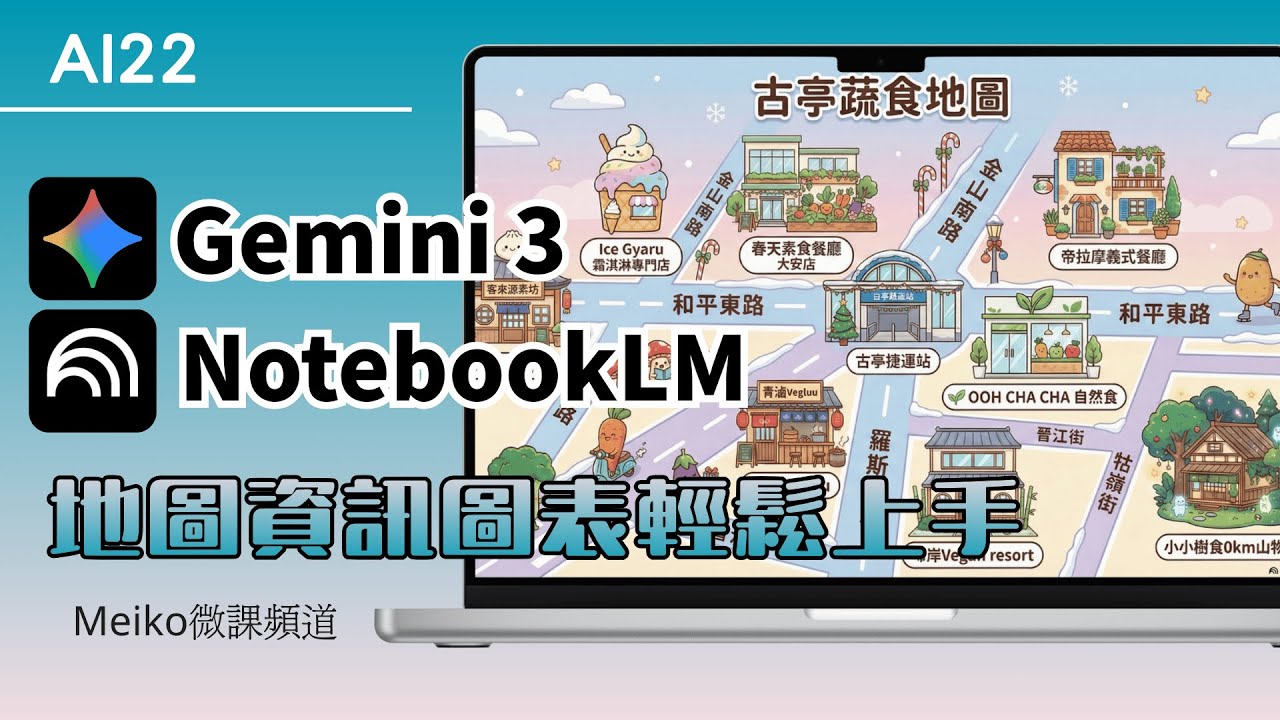
02:12 使用Gemini 3生成資訊圖表
06:27 使用NotebookLM生成資訊圖表
🔽Prompt
PS.AI生成出來還是會有可能發生錯誤與幻覺唷~
---------------------------------------------------------
依據來源資料,生成一張地圖型資訊圖表,底層是類似Google的地圖,中心點圍繞著台灣古亭捷運站,地圖配色為馬卡龍配色(只要顏色配置就好),需要顯示重要的道路名稱(路名請勿自創,需與Google地圖上的名稱位置一致)以及比較重要的建築物,地標為來源的各個素食餐廳,顯示餐廳的名稱,餐廳用可愛的建築物呈現,在建築物下方用白色圓角矩形,對比顏色標示店家名稱,街道上有些具有表情的蔬菜正在生活著,整體以卡通風格配置。
🔽歡迎訂閱與分享
---------------------------------------------------------
請留下一個 喜歡 並分享這個視頻
訂閱我的 YouTube 頻道以獲取更多視頻並點擊小鈴鐺,這樣您就不會錯過我的任何視頻
如果您訂閱並打開通知鈴,我會很高興🧡
🔽用一杯咖啡的費用,支持Meiko創作
Ⓜ️於影片下方點按「超級感謝」
Ⓜ️Paypal:https://paypal.me/meikochang
Ⓜ️Buymeacoffee:https://www.buymeacoffee.com/meikochang
#ai #Meiko微課頻道 #gemini3 #gemini3pro

NotebookLM vs Gemini AI 🔥 Mind Maps Ka Real Truth! (2026 Update)
Why NotebookLM Mind Maps Fail? Gemini AI Ka Game-Changing Upgrade! 🚀
Gemini AI Beats NotebookLM? Mind Mapping Ka Future Yaha Hai! 😱
Kya NotebookLM ke Mind Maps sach me itne weak hain? 🤔
Is video me hum karenge deep comparison between NotebookLM vs Gemini AI, jahan aap dekhenge ki kaise Gemini AI ne mind mapping, knowledge visualization aur research workflow ko completely transform kar diya hai! 🚀
Agar aap students, content creators, researchers, ya YouTubers ho, to ye video aapke liye game-changer hone wala hai.
👉 Is video me aap seekhenge:
NotebookLM mind maps ki real problems & limitations
Gemini AI ka advanced mind mapping system
Kaise Gemini better hai in visual thinking & idea generation
Real-life use cases for study, research & content creation
2026 ke best AI tools for productivity & learning
💡 Agar aap apni productivity boost karna chahte ho aur smarter tarike se kaam karna chahte ho, to ye video end tak zaroor dekho!
https://youtu.be/K1loMb_EqEY
https://youtu.be/v-NA-Ig1k_I
https://youtu.be/2HrHFh8Pf7U
https://youtu.be/c_4mrwafQDg
https://youtu.be/Hr0h1zKjkmc
https://youtu.be/ob2bVaA5t60
https://youtu.be/OMfsirz_Kq4
https://youtu.be/VfS_mz7dVO8
https://youtu.be/J95USOXvch0
https://youtu.be/VtecLcQo1C0
https://youtu.be/TSImb1BHjqc
https://youtu.be/ubAsl2aFzdw
https://youtu.be/_n7su7s2QrI
https://youtu.be/ObB-p50wnoo
https://youtu.be/zQbMJL33Pi8
https://t.me/technicalfaiyaz/799
----------------------------------
Copyright Disclaimer Under Section 107 of the Copyright Act 1976, allowance is made for 'Fair Use'
for purposes such as criticism, comment, news reporting, teaching, scholarship, and research,
Fair use is a permitted by copyright statute that might otherwise be infringing,
Non-profit, educational or personal use tips the balance in favor of fair use.
#GeminiAI
#NotebookLM
#AITools
#MindMapping
#ProductivityHacks
#AIForStudents
#TechTrends
#AIVsAI
#DigitalLearning
#sarawesiwan

¿Sigues perdiendo horas buscando información en tus propios archivos? La era de la lectura pasiva ha muerto. 💀
En este video, te revelo cómo la integración de Gemini + NotebookLM está redefiniendo la productividad profesional. No se trata solo de chatear con una IA; se trata de construir un Ecosistema de Conocimiento "Grounded" donde tú tienes el control total de las fuentes y la IA actúa como tu socio de pensamiento estratégico.
Como experto en IA, he visto cómo el gran obstáculo para las empresas es la "alucinación" de los modelos. Hoy, te enseño a eliminar ese riesgo integrando tus cuadernos de investigación directamente en el flujo de trabajo de Gemini.
Únete a la conversación en:
@soylideria en todas las redes sociales
#InteligenciaArtificial #NotebookLM #GoogleGemini #IAAgéntica #Productividad #HaroldCombita #EdTech #AnalisisDeDatos #lideria

How I do everything 10x faster than it would usually take me in my earlier years.
https://arbhunters.xyz
Tools:
https://notebooklm.google.com/
https://gemini.google.com/app
https://ankiweb.net/
Get my reading list for free:
https://untalkedblueprint.com/
Instagram:
https://www.instagram.com/oddschemist/
Technology is great. Possibilities are endless nowadays. Make sure you take advantage of this opportunity.

今日は、Googleの最新AI・Gemini LiveとNotebookLMを使って「自分専用のパーソナル英語コーチ」を召喚する方法をご紹介します。
パーソナルコーチって人間の先生にお願いすると、とにかく高額ですよね...
でも、AIなら個人個人に合わせた「分析」や「メニュー作成」をして、24時間365日いつでもレッスン可、しかも無料から始められます!
🪄 専属英語コーチを呼び出す魔法の呪文(プロンプト)
Geminiをコーチに変身させる指示文です。以下の【ここから】〜【ここまで】をコピーして使ってくださいね。
【ここからコピー】あなたは、世界一親切で、かつ鋭い分析力を持つ「パーソナル英語コーチ」です。以下のルールに従って、私と英会話レッスンを行ってください。
1. レッスンの開始: まず、今日の会話のトピックを1つ提案してください(例:週末の予定、好きな食べ物、最近のニュースなど)。私が答えたら、自然な相槌を打ちつつ、さらに質問を続けて会話を広げてください。
2. レッスンの進行: 会話の最中は、私の言いたいことを温かく汲み取り、会話を続けることを優先してください。
3. レッスンのまとめ: 私が 「レッスンのまとめをしてください」 と言ったら、それまでの会話を一旦終了し、今日のレッスンの私の会話について、・英文法・英単語・英語表現についてフィードバックをしてください。【ここまでコピー】
✨レッスン終了後: 会話終了後のチャット画面で、今日の会話の分析レポートを作ってもらいましょう。
【ここからコピー】以下の「3つの分析レポート」を詳細な日本語で作成してください。
「3つの分析レポート内容」
① 今日のGOODポイント: 具体的によかった表現や単語。
② 今日の改善ポイント: 文法の間違いと、より自然な言い換え。
③ 明日への宿題: 今日学んだ表現を定着させるための練習フレーズ。【ここまでコピー】
📋 NotebookLM活用分析プロンプト
会話ログが溜まってきたら、会話ログをまとめて分析してもらいましょう!
【ここからコピー】このノートにある全ての会話ログを分析して、私の「パーソナル英語コーチ」として以下の3点を日本語で報告してください。
1. 英語の成長(褒めて伸ばしてもらう!)
2. 繰り返している弱点(改善アドバイス)
3. これからの重点テーマ(次へのステップ)【ここまでコピー】
⏰ 目次
00:00 オープニング
01:25 Geminiを自分専用「英語コーチ」にしよう
13:09 NotebookLMで「学習カルテ」に
18:40 「学習カルテ」をGeminiで分析
25:45 エンディング
【関連動画】
https://youtu.be/ios6npe234k
https://youtu.be/MMsmvfiO4pc
https://youtu.be/2ldh26hc5x4
https://youtu.be/lrRGGuVn1hY
https://youtu.be/c4NBDMP1OyM
https://youtu.be/0ysSW30KqLw
#英語学習
#Gemini
#NotebookLM
#AI英会話
#英会話初心者
#chatgpt #gemini #ai活用
━━━━━━━━━━━━━━━━━━
🏢企業様向けのAI研修のお問い合わせはコチラから🏢
https://jiso-ai.com/contact/
今AI活用やマネタイズの仕方がわからない人🤦やAI初心者の人も必見!
🚨無料期間限定🚨で
✨Youtubeでは出せないさきのAI最新情報✨&
👩💻AIノウハウ100大特典🎁を勉強会参加後にLINEで受け取れます!
AIスキルを身につけて【社内評価⏫UP⏫】や【収益化💰】
業務効率化🗒️できるココでしか手に入らない情報を
現在期間限定でしかも、無料配布しているので興味ある方は是非!!
↓↓↓
https://info.opt--in.com/p/cCQ....Yo5AUNsJh?ftid=ejeGI
ーーーーーーーーーーーーーー
約8000人以上の人が登録中!
⬇️さきのAI最新情報公式LINE⬇️
https://info.opt--in.com/p/cCQ....Yo5AUNsJh?ftid=ejeGI
ーーーーーーーーーーーーーー
🎁”LINE登録者限定"のAI特別セミナー開催
🎁”LINE登録者限定"のAI勉強会
🎁”勉強会参加者限定"のAI豪華100大特典配布
🎁”勉強会参加者限定"の特別な案内
【⬇️無料登録はこちら⬇️】
https://info.opt--in.com/p/cCQ....Yo5AUNsJh?ftid=ejeGI
━━━━━━━━━━━━━━━━━━
↓↓本日紹介したツールや動画こちら↓↓
【Gemini】
https://share.google/nWQmg0yjvZhIFzPJQ
【NotebookLM】
https://notebooklm.google.com
━━━━━━━━━━━━━━━━━━
◾️目次
00:00 OP
01:32 NotebookLMの基本説明
03:58 NotebookLM神機能解説
07:39 NotebookLM効率化機能
08:36 NotebookLM神機能活用①
10:23 NotebookLM神機能活用②
11:36 NotebookLM神機能活用③
13:09 NotebookLM神機能活用④
━━━━━━━━━━━━━━━━━━

GeminiのチャットでNotebookLMのノートブックが直接添付できるようになりました!
GoogleがついにGeminiとNotebookLMを本格統合。
研究・学習・業務の生産性が大幅に向上する画期的な新機能です。
📌 この動画でわかること
✅ GeminiとNotebookLM統合機能の詳細
✅ 実際の使い方(添付方法・操作手順)
✅ この統合で得られる3つの大きなメリット
✅ 具体的な活用シーン(研究・学習・業務)
この新機能により、大量の資料を一括管理しながら
Geminiの強力な生成能力を活用できるようになりました。
現在、主にGemini Advancedユーザーから段階的にロールアウト中。
まだ届いていない方も、近日中に利用可能になる予定です。
今後もAIの最新情報をわかりやすくお届けしていきますので、
チャンネル登録と高評価をよろしくお願いします!
#Gemini #NotebookLM #Google #AI統合 #生産性向上

这期视频我实测“NotebookLM 笔记本”是否已出现在 Gemini 聊天入口:一边对比 Pro 账号与未升级账号的功能差异,一边演示把 NotebookLM 的来源资料一键添加进对话,让它完成总结、继续追问,并尝试生成思维导图,同时也提醒你可能会遇到次数/额度限制与工具能力边界。
时间戳:
00:00 功能曝光
00:44 导入笔记
02:30 额度限制
#tutorial #notebooklm #gemini #howto #how #update

哈喽,大家好,我是Alpha,我手把手带大家用AI提升自己工作、生活效率,提升个人竞争力以及用AI赚钱!加入AI 实战派,让AI听你安排!
一起做AI时代的主导者,而不是在焦虑中被AI淘汰!
本期视频介绍:NotebookLM生成PPT翻车被骂?我用这套“AI邪修”工作流,重新定义PPT生成(精准可控)#aigc #AI PPT #PPT #简报 #AI工具 #AI做PPT

🚀Obtén Todas mis Plantillas: 👉https://www.skool.com/creando-con-la-ia-5907/about
--------------
¿Te imaginas convertir una carpeta llena de documentos, PDFs y notas en un sitio web profesional y funcional en menos de 10 minutos? La mayoría de la gente usa NotebookLM solo para resumir textos aburridos, pero hoy te voy a enseñar el secreto para transformarlo en tu propio equipo de desarrollo web.
Vamos a usar el 'Deep Research' de NotebookLM para crear una base de conocimiento brutal y luego conectarlo con el modo **Canvas de Gemini** para que la IA diseñe, escriba el código y anime una web que parece costar miles de dólares. Y lo mejor: no vas a escribir ni una sola línea de código. Prepárate, porque este flujo de trabajo va a cambiar la forma en la que creas proyectos para siempre.
👉 https://notebooklm.google/
👉 https://gemini.google.com/app?hl=es
---------------
🚀 Agenda una Consultoría GRATUITA y potencia tu negocio con IA:
👉 https://creandoconlaia.com
--------------
Redes Sociales:
📱TikTok: https://www.tiktok.com/@creando.con.la.ia
📸Instagram: https://www.instagram.com/jhonny.rivera.palma
👨🏻💻 Únete al canal GRATUITO de WhatsApp:
📲https://whatsapp.com/channel/0....029VbAds2JFcowBBo3nw
🟢¿COLABORAMOS?
Si eres empresa, te dejo mi email: jhonny7994@gmail.com
#websconia #notebooklm #gemini

Build a website in seconds with Hostinger AI website builder. Try it here: https://hostinger.com/skill
Use coupon code "SKILL" and get additional 10% off
Google has released one of the most impressive updates inside Google Gemini called Deep Research.
Let me show you exactly how it works, and then I’ll combine it with NotebookLM for one of my favorite AI workflows.
Master Google NotebookLM with our in-depth course! Enroll now: https://bit.ly/SL-NotebookLM

✅片中用到的提示詞、對話指令、視覺識別系統、真人發音單字卡app連結:
https://101studio.kit.com/justtakepictures
只要拿起手機拍照,AI 就能把枯燥的英文課本,瞬間轉化為 24 小時在線的專屬 AI 家教!本片將示範如何利用 Google NotebookLM、Gemini 與 AI Studio,在短短一小時內將英文課文照片轉化為 8 大項高品質多媒體教材。不管你是要準備大考的學生、學生家長,還是想提升教學效率的老師,這套 AI 學習工作流絕對會徹底改變你的自主學習模式!
🚀本片重要時刻: (生成 8 大 客製化學習教材)
00:00- 簡介
00:40- 0. 建立知識庫。
01:33- 1.學霸筆記:自動分析「倒裝句」與「倍數法」等必考重點。
02:35- 2.互動式單字學習卡:支援真人發音,重點單字一網打盡。
04:06- 2.5 製作視覺識別系統 : 讓教材有一致的視覺風格。
05:00- 3.新粗獷主義學院風簡報:邏輯與美感兼具的學習簡報 。
05:59- 4.速記海報:適合手機存檔,零碎時間高效複習。
06:34- 5.教學影片:聚焦英文學習,數位助教帶你掃描考點。
08:01- 6.模擬測驗題:依照 114 年學測命題邏輯自動出題。
08:46- 7.男女對談 Podcast 有聲書:利用睡前記憶法,用聽的鞏固記憶。
10:45- 8.專屬有聲單字學習卡 App:不用會寫程式,出一張嘴讓 AI 幫你開發完成!
12:07- 結語
✅片中用到的AI工具:
NotebookLM: https://notebooklm.google.com/
AI Studio: https://aistudio.google.com/
Gemini: https://gemini.google.com/

Have you been waiting for a better way to use your NotebookLM Notebooks in Gemini?
Google just launched a Notebooks feature inside Gemini that creates a live, bi-directional sync with your NotebookLM studio. But there’s a catch: depending on your account tier, you might not even see the button yet.
I'll break down how to find this new workflow, how the sync actually behaves, and why this finally gives Gemini the Project folders we've been waiting for.
The Gemini-Notebook Sync Blueprint:
- Locate the Tab: Expand the left-hand sidebar at Gemini.google.com to find the new "Notebooks" option (Tier-dependent).
- Source Parity: Add a file in Gemini and watch it populate in NotebookLM within 30 seconds.
- Memory Management: Use the "Notebook Settings" to toggle chat memory on or off, preventing old conversations from polluting new research.
- Custom Instructions: Set a persistent tone (like "Keep it concise" or "Explain like I'm 5") that applies to the entire container.
- Creative Layering: Use Gemini’s native image and video generation tools on top of your grounded NotebookLM sources.
I'll share my thoughts:
- Plus is a tier down from Pro, and I don't have this feature on my Pro account. If you're on a high-level Workspace/Pro account, you might be ironically locked out of this feature while Free or Plus users get to play with it (for now, anyway).
- The Refresh Lag: The sync isn't always instant. If a new source doesn't appear, you’ll need to hit the refresh on the page to force the connection between the two platforms.
✨ Join the cohort at the next NotebookLM Masterclass → https://maven.com/thoughts-bre....wing-llc/learn-noteb
🌟 Request a video: https://thoughtsbrewing.com/en....-us/youtube-video-re
#GeminiNotebooks #NotebookLM #GeminiAI #AIQuickTips #ThoughtsBrewing
➡️ Next-Level AI Workshops: https://thoughtsbrewing.com/en....-us/next-level-ai-wo
➡️ SUBSCRIBE: https://www.youtube.com/@thoughtsbrewingllc
➡️ Follow the Blog: https://thoughtsbrewing.com/en....-us/blog-subscriptio
Timestamps
0:00 - What is the new Gemini Notebooks feature?
2:19 - How do Gemini Notebooks compare to Claude Projects?
4:00 - Does the sync between Gemini and NotebookLM work in real-time?
5:00- How do you set custom instructions for a Gemini Notebook?
6:00 - Can you add sources to NotebookLM from inside Gemini?
9:00 - What are the advantages of the NotebookLM/Gemini sync?
9:28 - Recap: Using Notebooks in Gemini
Keywords
Gemini Notebooks tutorial, NotebookLM sync Gemini, Google Gemini feature update 2026, AI research workflow, Gemini Plus vs Pro features, how to use Gemini Notebooks, NotebookLM sources in Gemini, AI project management, Google AI workspace, Thoughts Brewing, AI Quick Tips, Damien Griffin, Gemini tips, Notebooks in Gemini, NotebookLM Notebooks in Gemini, Organize Gemini, Google Gemini, Google AI, NotebookLM Gemini Integration, Gemini Notebooks
