סרטונים אחרונים

Master Prompt to Convert Pdf to Handwritten Note in Gemini and NoteBooklm Free
Aaj ki is video mein main aapko dikhaunga ek MASTER PROMPT jiska use karke aap
📄 kisi bhi PDF ko handwritten notes mein convert kar sakte ho — bilkul FREE mein 🔥
Chahe aap:
📚 Student ho
✍️ Competitive exam ki tayari kar rahe ho
🧠 Short notes banana chahte ho
📑 Long PDF ko easy handwritten form mein chahte ho
👉 Gemini AI aur NotebookLM Free ke through aap:
✔ PDF se handwritten-style notes bana sakte ho
✔ Notes ko NotebookLM / Google Slides / PDF format mein export kar sakte ho
✔ Pages ka control rakh sakte ho (100 pages PDF → 10–15 handwritten pages)
✔ Exam-ready, clean aur readable notes pa sakte ho
🔥 Is Video Mein Aap Seekhenge:
Master Prompt ka exact use
Gemini mein handwritten notes kaise generate kare
NotebookLM Free ka best use
Long PDFs ko short handwritten notes mein kaise convert kare
Free tools se professional notes banana
💡 Best For:
Students | Teachers | UPSC | SSC | NEET | JEE | School | College | Self Study
📌 Video ko LIKE 👍 karein
📌 Friends ke saath SHARE 🔁 karein
📌 Channel ko SUBSCRIBE 🔔 karein – aise aur AI hacks ke liye
Things i used
Nikon d5300 -https://amzn.to/2YHUUww
Boya Mic -https://amzn.to/2PdLaXD
Tripod -https://amzn.to/35hwHj4
ringlight -https://amzn.to/2taScDY
#youtubeseo
#youtubeseokaisekare
Our some other videos Playlist -
Our Social Links-
Youtube - https://www.youtube.com/channe....l/UCYQkMvhBUIHUjPjOj
Facebook- https://.facebook.com/abhishek2411
Twitter- https://twitter.com/iamytguruji
instagram- https://www.instagram.com/ytgurujiofficial/

🎁 Cộng đồng Skool (miễn phí): https://www.skool.com/ai-work-....system-design-3931/a
🧑🎓 Khoá học Ứng dụng AI tạo sinh vào công việc văn phòng: https://www.udemy.com/course/g....enai-cho-van-phong/?
🎯 Tham khảo Sản phẩm và dịch vụ của Duyên nhé: https://theofficeai.net/san-pham-dich-vu
Video này chia sẻ về những cập nhật mới nhất trong các công cụ AI của Google, bao gồm Gemini App, Notebook LM và Google AI Studio.
Timestamp:
00:00 Giới thiệu
00:23 Gemini App
04:48 Notebook LM
08:22 Google AI Studio
10:53 Cập nhật tính năng Vibe Code (Google AI Studio)
-----------------
Xem thêm các nội dung hữu ích khác trên The Office AI:
- Hướng dẫn dùng ChatGPT: https://shorturl.at/nHdZt
- Hướng dẫn dùng Gemini: https://shorturl.at/5WNfZ
- Hướng dẫn dùng NotebookLM: https://shorturl.at/HSh1f
- Hướng dẫn dùng Google AI Studio: https://shorturl.at/J0KxJ
- Prompt Engineering: https://shorturl.at/CLYaV
----------------
Follow Duyên trên:
- Facebook: https://www.facebook.com/thuyduyen2012
- Substack: https://theofficeai.substack.com/
Nội dung thuộc bản quyền của The Office AI - Vui lòng không REUP!
#theofficeai #ai #gemini #notebooklm #googleaistudio

「NotebookLMフル活用プロンプト」をもらいたい方はこちら
↓↓ ※キーワードは「リサーチ」の4文字
https://lin.ee/jckcnkw
◆━━━━━━━━━━━━━━━━━━◆
①法人の方
・AIを使った業務効率化を進めたい
・会社にAIを導入したいけど、何から始めればいいかわからない
といった会社様向けに無料相談をしています。
LINE公式からお申し込みください。
◆LINE公式
https://lin.ee/jckcnkw
◆━━━━━━━━━━━━━━━━━━◆
②会社員/フリーランスの方
・AIを使って社内でキャリアアップしたい
・AIで業務効率化をしたい
・社外でのキャリアアップも図りたい
といった個人の方向けにAIキャリアアップスクールを開講しております。
興味ある方はLINEからお問い合わせください。
◆LINE公式
https://lin.ee/jckcnkw
◆━━━━━━━━━━━━━━━━━━◆
#notebooklm
#Google
#gemini

🎁本気でAIを使いこなす【豪華9大特典】をLINEで無料プレゼント中🎁
https://liberalai.ai/line/naoya_yt/
(↑ここから受け取る)
【プレゼント詳細】
✅ AI副業をゼロから始めたい方へ
✅ 仕事の生産性を劇的に向上させたい方へ
✅ 最新のAIツールを使いこなし、現状を抜け出したいあなたへ
プロが使うChatGPTの思考法&実践テクニックに加え、
最新のGoogle AIや仕事術まで詰め込んだ「完全版パッケージ」です。
① 日本一分かりやすいChatGPTの始め方
② AI副業ゼロイチロードマップ
③ 99%が知らない日常生活での活用術
④ プロが使う正しいプロンプト設計術
⑤ あなたにあう副業とは?AI副業図鑑
⑥ 明日からラクになる!ChatGPT仕事術大全
⑦ 新たな検索のカタチ Google AIモード完全攻略ガイド
⑧ AI情報整理ツール NotebookLM完全ガイド
⑨ NanoBanana Proプロンプトガイド
これら全てを【無料】で受け取れます👇
https://liberalai.ai/line/naoya_yt/
▼ 目次
00:00 オープニング
00:58 大事なお知らせ
01:28 連携するメリット
02:50 具体的な連携手順
06:32 Gemini上で実演
08:27 連携機能の活用法
10:30 本日の動画まとめ
▼ X(旧Twitter)でも最新情報を発信中⚡️
https://x.com/naoya_LiberalAI
▼ チャンネル登録で、AIを“最高の相棒”にする第一歩を!
https://www.youtube.com/@naoya...._ai?sub_confirmation
【関連リンク】
▼LIBERAL AI|AI副業ブログ記事まとめ
https://liberalai.ai/news/
▼「LIBERAL AI(リベラルエーアイ)」とは?
初心者でも安心して始められるAI副業スクールを徹底解説
https://liberalai.ai/1235/
#gemini #notebooklm #ai活用
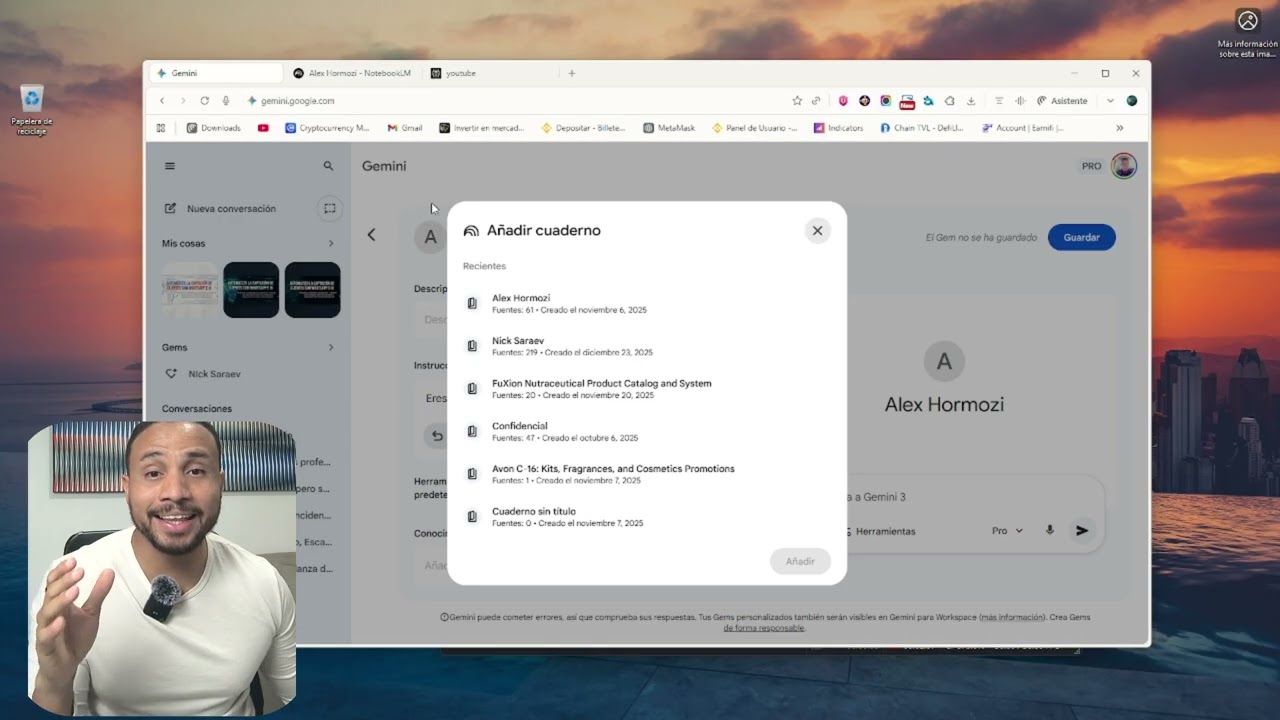
¡Por fin ha llegado! Google ha integrado Gemini Gems con NotebookLM y esto abre un mundo de posibilidades para nuestra productividad. En este video te explico exactamente cómo funciona esta nueva función y cómo puedes conectar tus documentos y fuentes de NotebookLM directamente a tus Gems personalizados.
Si querías crear un asistente de IA experto en TUS propios datos, este tutorial es lo que estabas buscando.
✅ Qué es la nueva integración de Gems y NotebookLM
✅ Paso a paso: Cómo conectar una libreta (Notebook) a una Gem
✅ Ejemplo real: Creando un asistente de estudio/trabajo con esta función ✅ Por qué esto es mejor que usar ChatGPT o Claude para tus documentos
Các ứng dụng được đề cập trong video:
🔹 Sử dụng Gemini tại: https://gemini.google.com/
🔹 Bạn có thể truy cập NotebookLM tại đây: https://notebooklm.google.com/
🔹 Tinh chỉnh với Canva tại đây: https://www.canva.com/
🌟 Bạn có thể xem video dạng blog ngay tại đây: https://www.skillsbridge.vn/bl....ogs/all-posts/quy-tr
👉 Khoá học Gemini Productivity Ưu đãi Tết Giảm 28% ngay tại đây: https://bit.ly/Gemini_ep65
👉 Khám phá combo khoá học AI khác Giảm đến 50% ngay tại: https://bit.ly/Collections_ep65
-----------------
🔥 10.000+ người đã nhận những tin AI mới nhất và thành công áp dụng AI để thay đổi sự nghiệp của mình.
👉 Hãy đăng ký bản tin Làm Bạn Với AI để trở thành người tiếp theo tại: https://bit.ly/YouTube-LBVA
-----------------
🔥 Các bạn hãy tham gia nhóm Zalo Làm Bạn Với AI Skills Bridge để cập nhật những tin tức mới nhất về AI và Khám phá cách làm chủ công nghệ nhe 😉
✅ Link tham gia: https://beacons.ai/thaivanlinh
Vì cả 3 nhóm đều nhận cùng một thông tin nên bạn chỉ cần tham gia một nhóm thôi. Nếu nhóm đó đã đầy, hãy vào nhóm còn lại nhé! 😉
-----------------
AI có thể tạo slide trong 5 phút. Tuy nhiên, vấn đề là: thuyết trình không phải là chuyện có bao nhiêu slide, hay tạo slide trong bao lâu. 🤷♀️
Điều quan trọng hơn hết là: làm sao để dùng AI tạo ra một bộ slide có thể sử dụng được, chính xác với điều mình muốn nói, và đủ linh hoạt để tinh chỉnh đến từng chi tiết nhỏ.
Và sau khi xem xong video hôm nay, Linh tin chắc rằng bạn sẽ làm được điều đó chỉ với 2 bước cực kỳ đơn giản:
(1) Sử dụng NotebookLM tạo slide thuyết trình
(2) Tinh chỉnh bộ slide bằng Canva
Xem ngay để cùng Linh tạo ngay bộ slide chuyên nghiệp với bộ ba NotebookLM, Gemini, và Canva AI nha! 👇
#thaivanlinh #taoslideAI #NotebookLM #Gemini
====
⏰ Timecodes ⏰
00:00 Giới thiệu
01:12 Tổng quan quy trình
01:35 Bước 1: Tạo slide thuyết trình bằng NotebookLM
02:01 Tải tài liệu lên NotebookLM
03:18 Tạo slides
07:44 Bước 2: Điều chỉnh slide theo ý muốn bằng Canva
07:52 Chuyển PDF hành PPT
08:23 Điều chỉnh màu chủ đề
09:02 Điều chỉnh nội dung
10:34 Thêm hình ảnh minh hoạ
11:08 Xuất file PPT
11:35 Tổng kết
====
Skills Bridge là công ty đào tạo cung cấp các chương trình phát triển kỹ năng cho các bạn trẻ. Doanh nghiệp vừa và nhỏ cùng các công ty đa quốc gia. Linh thành lập công ty với mục tiêu sử dụng 25 năm kinh nghiệm của mình cùng các chuyên gia khác trong nhiều lĩnh vực để hỗ trợ các bạn trẻ thành công trong sự nghiệp.
Để biết thêm chi tiết về các chương trình đào tạo và phát triển đa dạng hiện có của Skills Bridge. Hãy truy cập: https://bit.ly/dao-tao-doanh-nghiep-yt
🌟 Bộ 3 khóa học cho nhà quản lý (miễn phí): https://bit.ly/free-course-cho-quan-ly
---
🔔 Bạn có thể nghe bản Podcast tại các kênh:
▶️ Spotify Podcast: https://spoti.fi/3TT78Oz
▶️ Apple Podcast: https://podcasts.apple.com/be/....podcast/learn-with-t
♥ Theo dõi Linh trên cách kênh mạng xã hội ♥
Facebook: www.facebook.com/linhthaiofficial
Instagram: www.instagram.com/linhthaiofficial
Youtube: https://www.youtube.com/c/LinhThaiOfficial
Tiktok: https://www.tiktok.com/@linhthaiofficial
LinkedIn: https://www.linkedin.com/in/linhthaiofficial
Website: https://www.thaivanlinh.com
-----------------------------------
© Bản quyền thuộc về Thái Vân Linh Skills Bridge - Vui lòng không REUP ©

What if your research notes could automatically turn into a fully interactive website?
In this video, I show you how to combine NotebookLM and Google Gemini to transform your material into an interactive website for learning, teaching, or presenting information.
This powerful AI workflow allows you to convert documents, research notes, and study materials into structured content that can be turned into interactive web pages.
In this tutorial, you’ll learn how to:
• Organize information using NotebookLM
• Extract structured insights from your documents
• Use Gemini to generate website content
• Convert learning materials into an interactive site
• Create structured pages for better understanding
This workflow is perfect for teachers, students, researchers, and content creators who want to present information in a more interactive and engaging format.
If you want to turn your research, notes, or course materials into a structured interactive website using AI, this tutorial will show you the complete process.
#NotebookLM #GeminiAI #AIWebsites #AITools #AIWorkflow
Step-by-step guide to master any topic in minutes with a Deep Research + NotebookLM AI workflow.
Only have 30 minutes to understand a complex subject? No problem. Here's how to learn anything instantly with AI.
Google's Deep Research combined with NotebookLM takes your from newbie to expert in 5 steps:
1/ Choose your topic: anything you want to learn, but don't want to research.
2/ Open Gemini 2.5 Pro (or o3 pro or Opus 4 or Grok 3 or Perplexity Pro)
3/ Hit the "Deep Research" button and enter your prompt
4/ Upload research report to Google's NotebookLM
5/ Inject knowledge directly into your brain
This is a godsend for anyone studying anything or just curious about any subject whatsoever.
Here's how I used it to learn about the impact of a 4-day work week on productivity and employee well-being.
Let me know what you think.
Creating clear and engaging infographics from research can be time-consuming, but with the right AI workflow, the process becomes incredibly efficient. In this video, you’ll learn how to combine ChatGPT, Gemini, and NotebookLM to create powerful infographics from research documents and notes.
Each tool plays a specific role in the workflow:
• ChatGPT helps structure and simplify complex information
• Gemini assists with generating visuals, layouts, and design ideas
• NotebookLM analyzes research documents and extracts key insights
By combining these three powerful AI tools, you can transform long research materials into clear, visually structured infographic content suitable for presentations, reports, educational materials, and social media posts.
In this tutorial, you’ll learn how to:
• Extract insights from research using NotebookLM
• Structure infographic content with ChatGPT
• Generate visual layouts and designs with Gemini
• Combine everything into a professional infographic
This workflow is perfect for students, researchers, educators, content creators, and professionals who want to communicate complex ideas visually and efficiently.
#ChatGPT #GeminiAI #NotebookLM #AIInfographics #AITools

Günler sürecek pazar araştırmasını 20 dakikaya nasıl düşürürsünüz? Bu videoda Gemini Deep Research + NotebookLM ile derin araştırma yapmanın tüm adımlarını gösteriyorum.
Ben Şule Pasin Hogburn, İngiltere'de global bir ilaç firmasında Web Teknolojileri Direktörüyüm. Bu yöntemi geçtiğimiz yaz yazılım ekibimle bir AI hackathon'da kullandık ve inanılmaz sonuçlar aldık.
İÇİNDEKİLER:
0:00 - Giriş
1:00 - Derin Araştırma Nedir?
2:00 - Örnek: E-Ticaret Pazar Araştırması
3:00 - PRO TİP: Meta-Prompt Tekniği
4:00 - Gemini Deep Research Demo (Adım Adım)
7:00 - NotebookLM ile Podcast Dönüşümü
10:00 - Gerçek Hikaye: Hackathon'daki Deneyimim
11:30 - Sonuç ve Sonraki Video
KULLANILAN ARAÇLAR (Ücretsiz):
- Gemini Deep Research: https://gemini.google.com/deep-research
- NotebookLM: https://notebooklm.google.com
ÜCRETSİZ KAYNAKLARI İNDİR:
- Prompt Şablonları ve Komutlar:
- Örnek Rapor ve Podcast:
BU VİDEODA ÖĞRENECEKLERİNİZ:
✅ Derin araştırma nedir ve nasıl yapılır?
✅ Meta-prompt tekniği ile daha iyi sonuçlar alma
✅ Gemini'da kaynak kontrolü nasıl yapılır?
✅ 14 sayfalık raporu 27 dakikalık podcast'e çevirme
✅ E-ticaret pazar araştırması örneği (Türkiye)
✅ Ekip çalışmasında kullanım senaryoları
SONRAKİ VİDEO:
ChatGPT vs Claude vs Gemini: Hangisi Daha İyi Derin Araştırma Yapıyor? (Karşılaştırmalı Test)
ABONE OLUN: Yapay zeka araçları ve iş hayatında verimlilik üzerine haftada 1-2 video paylaşıyorum.
💬 SORULARINIZ MI VAR?
- Bu yöntemi hangi projelerinizde kullanabilirsiniz?
- Kendi sektörünüzde nasıl uyarlayabilirsiniz?
Yorumlarda paylaşın, hep birlikte öğrenelim!
#GeminiDeepResearch #NotebookLM #YapayZeka #PazarAraştırması #AITools #DerinAraştırma #Verimlilik #İşHayatı #Türkiye #PromptMühendisliği #GoogleAI #PodcastOluşturma
⚠️ ÖNEMLI NOT:
Gemini Deep Research ve NotebookLM'in kaynakları mutlaka kontrol edin. Video'da gösterdiğim gibi, her raporda kaynak listesi olacak - bunları güvenilirlik açısından gözden geçirmeyi unutmayın.
Bu video eğitim amaçlıdır. Kendi projelerinizde uygularken içeriği ve sonuçları her zaman doğrulayın.

Descubre cómo crear miniaturas de YouTube con IA de forma totalmente gratuita y en segundos. En este tutorial paso a paso, te enseño a programar tu propio "Gem" en Gemini, apoyado por la investigación de NotebookLM, para diseñar miniaturas virales.
Si eres creador de contenido, sabes que el CTR (Click Through Rate) es la métrica más importante; sin una buena imagen, el algoritmo no recomendará tus vídeos. Por eso, hoy te muestro cómo dejar de pagar a diseñadores y usar la inteligencia artificial semántica de 2026 para crear miniaturas profesionales, con alto contraste y usando tus propias fotos.
🚀 Beneficios de este método:
• Crea imágenes de alta retención usando tu propio rostro y expresiones.
• Ahorra cientos de horas de edición compleja en Photoshop.
• Incrementa tus impresiones, clics y, en consecuencia, dispara tus suscriptores.
00:00 Hook: El problema de las miniaturas caras (Y la solución IA)
00:41 Paso 1: Usar NotebookLM como tu cerebro estratega
01:20 El Prompt maestro para investigar miniaturas virales
02:39 ⚠️ Una advertencia rápida e importante
03:13 Creando el informe estructurado paso a paso
04:43 Paso 2: Configurando tu "Gem" personalizado en Gemini
06:36 El truco experto: Extensión Kortex (Descarga el informe rápido)
06:57 Entrenando a la IA con el informe y TUS fotos
07:56 Prueba de fuego: Generando una miniatura en vivo
08:48 Análisis: ¿Por qué esta miniatura tiene un CTR brutal?
09:38 Modificando elementos específicos con un solo clic
10:33 Final: Tu nuevo flujo de trabajo (CTA Estratégico)
👇 ENLACES Y RECURSOS UTILIZADOS:
[El prompt completo y los recursos los tienes en el PRIMER COMENTARIO FIJADO]
🚀 Extensión kortex para NotebookLM— Descuento 10% (DAVID10): https://chromewebstore.google.....com/detail/kortex-no
🔔 Si quieres seguir dominando el algoritmo de YouTube y las herramientas de IA, ¡suscríbete y activa la campanita! Suscríbete al futuro aquí:https://www.youtube.com/@NextG....en_IA_YT?sub_confirm
🗣️ ¡Hablemos! ¿Cuánto tiempo tardas actualmente en diseñar una miniatura? ¿Has probado ya a crear Gems personalizados para tu canal? ¡Te leo en los comentarios!
EMAIL COLABORACIONES:
📩 nextgeniahub@gmail.com
📩 hammer31_73@gmail.com
#MiniaturasConIA #NotebookLM #GeminiIAi #ia

Descubre cómo NotebookLM puede potenciar tu aprendizaje. Esta innovadora aplicación, que utiliza inteligencia artificial, no es un chatbot convencional. Permite a los usuarios investigar y estudiar utilizando fuentes personalizadas, como documentos y notas. A través de su interfaz, puedes crear proyectos y organizar información de manera eficiente. Además, ofrece funciones útiles como resúmenes de audio y vídeos, mapas mentales, y tarjetas didácticas. Este video te mostrará cómo aprovechar al máximo NotebookLM y mejorar tus habilidades de estudio. No te lo pierdas. #NotebookLM #InteligenciaArtificial #Aprendizaje #LoAprendisteEnEDteam
¡Esta navidad regálate un futuro mejor aprendiendo programación e inteligencia artificial en EDteam. Ve a https://ed.team y aprovecha el último descuento del año ¡No te lo pierdas!
Timeline ⌚
00:00 Introducción
02:14 Cómo funciona NotebookLM?
04:13 Descubrir fuentes
08:36 Modo Chat
13:29 Notas en NotebookLM
14:40 NotebookLM alucina?
16:06 Modo studio
20:16 Infografías
24:20 Video y audio
26:39 Mapa mental
27:14 Presentaciones
27:54 Otras funciones
29:04 Diferencias entre capa gratuita y pro
- 🧑🎓👩🎓 ¿Eres estudiante? Postula a las becas de EDteam: https://edy.to/estudiantes-yt
- 🎁 ¡Accede a 9 cursos GRATIS de tecnología! https://edy.to/cursos-gratis-yt
- 🧑🏫 Dicta un curso en EDteam: https://edy.to/profesores-yt
- ⭐ Sube a premium y accede a cientos de cursos: https://edy.to/premium-yt
- 💻 Mira todos nuestros cursos en: https://edy.to/cursos-yt
-----
Síguenos en:
🔰 LinkedIn: https://edy.to/linkedin-yt
🔰 Instagram: https://edy.to/instagram-yt
🔰 TikTok: https://edy.to/tiktok-yt

Gemini, NotebookLM, and Google Workspace for Education are evolving rapidly with continuous improvements and new features being added constantly. Taking a moment to catch up helps you better understand what is already available and explore the pedagogical possibilities of upcoming updates.
This one-hour webinar provides an overview of recent changes in Gemini, NotebookLM, and Google Workspace for Education and their practical applications in a school setting. The focus will be on pedagogical uses for both educators and students, as well as a look at new features in other favourite tools.

全网独家工作流,给你的AI注入灵魂,让它不再写废料!
提示词在这里:https://www.notion.so/AI-31c33....1e4ded780019854cd32c
00:00 写不出稿子的绝望
00:48 为AI注入灵魂:3个核心资料库
01:10 个人风格库
02:38 脚本框架库
03:39 信息资料库
04:47 1小时出稿工作流
06:44 一键产出视频素材
08:12 “三角法则”引爆频道
如果你想通过AI+自媒体实现财务自由,别忘了订阅我的频道。
我们一起顺势而为,抓住时代的红利 !
#Gemini #NotebookLM #GoogleAI #AI工具 #一人公司 #自媒体运营 #新手教程 #提示词 #AI工作流

#gemini #notebooklm #ai活用
━━━━━━━━━━━━━━━━━━
今AI活用やマネタイズの仕方がわからない人🤦やAI初心者の人も必見!
🚨無料期間限定🚨で
✨Youtubeでは出せないさきのAI最新情報✨&
👩💻AIノウハウ豪華100大特典🎁を勉強会参加後にLINEで受け取れます!
AIスキルを身につけて【社内評価⏫UP⏫】や【収益化💰】
業務効率化🗒️できるココでしか手に入らない情報を
現在期間限定で、し・か・も、無料配布しているので興味ある方は是非!!
↓↓↓
https://info.opt--in.com/line/....open/qLCgzWgyqI0n?mt
ーーーーーーーーーーーーーー
約3000人以上の人が登録中!
⬇️さきのAI最新情報公式LINE⬇️
https://info.opt--in.com/line/....open/qLCgzWgyqI0n?mt
ーーーーーーーーーーーーーー
🎁”LINE登録者限定"のAI特別セミナー開催
🎁”LINE登録者限定"のAI勉強会
🎁”勉強会参加者限定"のAI豪華特典配布
🎁”勉強会参加者限定"の特別な案内
【⬇️無料登録はこちら⬇️】
https://info.opt--in.com/line/....open/qLCgzWgyqI0n?mt
※AI×SNS爆伸びノウハウ17大特典は期間限定のため配布終了しました
━━━━━━━━━━━━━━━━━━━
↓↓本日紹介したツールや動画こちら↓↓
【Gemini】
https://share.google/nWQmg0yjvZhIFzPJQ
【 NotebookLM】
https://share.google/K7hmk7WW0x42HzS4Z
━━━━━━━━━━━━━━━━━━
◾️目次
00:00 OP
00:17 NotebookLMとGeminiの特徴
05:01 NotebookLM×Gemini神連携①
07:25 NotebookLM×Gemini神連携②

Prueba Seedance 2.0 en Higgsfield:
https://higgsfield.ai/s/seedan....ce-2-0-miguebaenaia-
¿Llevas tiempo viendo vídeos de IA pero sigues sin saber qué hacer con ello? 👉 Entra aquí: https://futuro-digital.base44.app/
👉 Crea tu web con IA en minutos con HostGator: https://www.hostgator.la/7530.html
📧 CONTACTO 🫱🏼🫲🏽
Sugerencias, dudas o colaboraciones: lepetoi@icloud.com
📱 Sígueme en Instagram: https://www.instagram.com/miguebaenaia/
📱 Sígueme en TikTok: https://www.tiktok.com/@migue.baena
0:00 Introducción
1:54 Qué es NotebookLM
3:35 La interfaz
4:47 Crear un cuaderno
7:21 Encontrar buenas fuentes
8:45 3 Prompts imprescindibles
10:21 Higgsfield: Seedance 2.0
12:21 Configurar el cuaderno
13:54 Studio
15:02 Informes
17:10 Presentaciones
19:36 Infografías
20:52 Mapas mentales
22:02 Cuestionarios y tarjetas didácticas
23:11 Resúmenes de audio
24:33 Resúmenes de vídeo
25:32 Tablas de datos
26:41 Integración con Gemini y Gems
28:18 Cómo usar NotebookLM de verdad
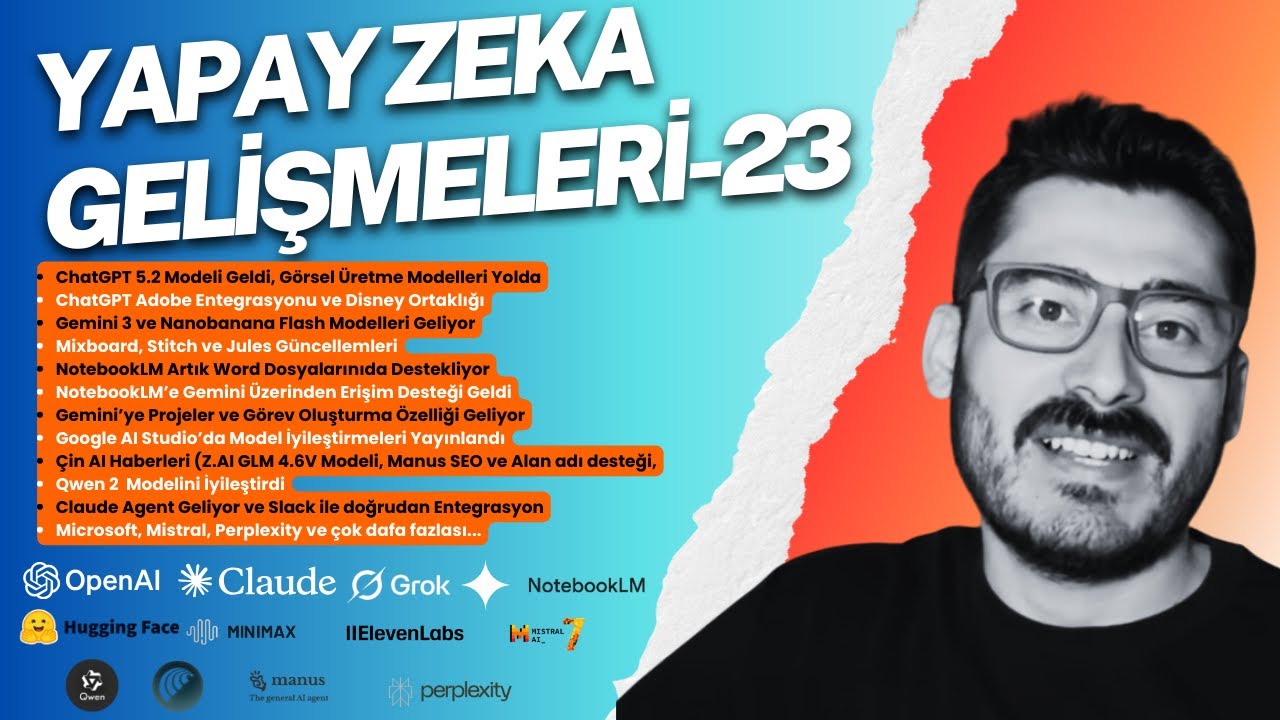
Yapay zeka dünyasında bu hafta adeta zincirleme bir etki yaşandı.
OpenAI, Google, Anthropic, Çinli modeller ve Avrupa merkezli yapay zekalar arka arkaya çok kritik güncellemeler duyurdu.
Yapay Zeka Serüveni – 23. hafta bölümünde, bu gelişmelerin tamamını tek bir videoda derledim.
🔥 Bu videoda neler var?
OpenAI ve ChatGPT
• ChatGPT 5.2 modeli yayınlandı
• Önümüzdeki hafta gelmesi planlanan yeni görsel üretme modelleri
• Adobe entegrasyonu. Adobe ürünleri artık ChatGPT bağlayıcıları üzerinden entegre çalışabiliyor
• Disney ortaklığı. Sora 2 modeli Disney projelerine destek verecek
Google ve Gemini Ekosistemi
• Gemini 3 ve Nano Banana Pro Flash modelleri geliyor
• Daha düşük maliyetle, aynı kaliteye yakın performans hedefi
• Mixboard, Stitch ve Jules güncellemeleri
• NotebookLM artık Word dosyalarını destekliyor
• NotebookLM için doğrudan Gemini üzerinden erişim
• Gemini’ye projeler ve görev oluşturma özelliği
• Google AI Studio’da model iyileştirmeleri
• Live yani canlı kullanımda ekran paylaşımı sonrası daha doğal etkileşim ve yüzde 21 performans artışı
Çin Yapay Zeka Ekosistemi
• Z.AI GLM 4.6v modeli
• Manus için SEO ve alan adı destekleri
• Qwen, iki modelinde ciddi iyileştirme yaptı
Anthropic Claude
• Claude Agent özelliği geliyor
• Slack entegrasyonu ile proje yönetimi, yazılım ve geliştirici desteği
• Slack içinde Claude eklendiğinde doğrudan kod ve proje desteği
Diğer Gelişmeler
• Microsoft Copilot yenilikleri
• Mistral güncellemeleri
• Perplexity ve daha birçok yapay zeka gelişmesi
Bu bölüm, yalnızca yeni özellikleri değil, yapay zekanın nereye gittiğini ve ekosistemlerin nasıl birbirine bağlandığını görmek isteyenler için kapsamlı bir rehber niteliğinde.
👇 Videoyu izledikten sonra yorumlarda şunu merak ediyorum:
Bu haftanın en büyük kırılma noktası sence hangisi?
Link:
https://docs.google.com/presen....tation/d/1aSrP4Pojh7
00:00 Giriş
00:29 ChatGPT Gelişmeleri
11:00 Google-Gemini-NotebookLM Gelişmeleri
24:57 Claude Gelişmeleri
29:32 Z.AI, Manus ve Qwen Gelişmeleri
33:58 Mistral Gelişmeleri
34:36 Perplexity Gelişmeleri
35:30 Microsoft AI Gelişmeleri
36:50 Genel Yapay Zeka Gelişmeleri
#yapayzeka #gemini #chatgpt #grok #claude #nanobananapro #ai #artificialintelligence #perplexity #google #anthropicai #microsoft #technews #harunseyhan #veo3 #googleaistudio #qwen #manusai #genspark #mistralai #kumru #samaltman #code #vibecode #vibecoding #aiupdates #sora2

Google just announced a massive integration between Gemini and Notebook LM! 🚀 In this short, I show you how to create a Notebook, add resources from Google Drive, and chat and watch as NotebookLM turns your conversations into cited sources. This is the future of organized research!
Subscribe for more AI tips and tech updates! 🔔
企画やリサーチの効率を爆上げしたいなら必見です!あなたはAIをどう使い分けていますか?
🔑 結論: Web全体の膨大な知識から自由な発想やトレンドを探すならジェミニ(創造性重視)。 自分の手元のクローズドな資料から正確な答えと整理を求めるならNotebookLM(正確性重視)。
使い分けの戦略があなたの制作効率を大きく左右します!
信頼性と得意なタスクに応じて賢く使い分け、あなたの仕事を「爆上げ」させましょう!🚀
皆さんはどちらをよく使っていますか?コメントで教えてね👇
--------------------------------------------------------------------------------
#AI活用戦略 #仕事効率化 #AIツール #ジェミニ #Gemini #NotebookLM #ノートLM #AIの裏技 #インフルエンサー思考 #リサーチ術 #企画職
En este vídeo te enseño cómo uso NotebookLM para crear Gems personalizadas en Gemini, aplicándolo a un flujo de trabajo real, paso a paso y sin teoría innecesaria.
No es una demo aislada, es un workflow completo que puedes reutilizar para documentación, negocio, automatización o análisis avanzado con IA.
Además, te regalo los prompts exactos que uso en el vídeo para que puedas replicarlo desde hoy mismo.
⌛ MARCAS DE TIEMPO:
00:00 Introducción
00:35 Descubrir fuentes con la búsqueda avanzada con IA
02:36 Prompt NotebookLM + Gems
03:01 Paso 1: Crear el índice
04:31 Paso 2: Crear y desarrollar el contenido
06:26 Cómo crear un buen prompt para Gems en Gemini
08:19 Estructura prompt usando Gemini
10:52 Probando la Gema en Gemini
🚀 Qué aprenderás en este tutorial:
✔️ Cómo estructurar NotebookLM para trabajar con conocimiento propio.
✔️ Cómo transformar ese conocimiento en Gems personalizadas dentro de Gemini.
✔️ Cómo crear un flujo de trabajo reutilizable y escalable.
✔️ Cómo ahorrar horas usando IA de forma estratégica (no solo “preguntarle cosas”).
🎁 PROMPTS GRATIS + COMUNIDAD.
Accede a los prompts que uso en el vídeo y a más recursos prácticos en mi comunidad gratuita:
👉 Únete aquí: https://whop.com/boca-boca-digital/
📚 TUTORIALES RELACIONADOS.
🔹 Tutorial completo de NotebookLM:
👉 https://youtu.be/oxa2hLljQUk
🎓 ¿QUIERES APRENDER MÁS SOBRE IA Y AUTOMATIZACIÓN?
Si quieres ir más allá y aprender inteligencia artificial aplicada a negocio, automatización y workflows reales, tienes todos mis cursos aquí:
👉 Cursos de Inteligencia Artificial: https://www.soyjuanjodigital.com/cursos
Si este tipo de flujos te ayudan:
👍 Dale like.
💬 Déjame en comentarios qué workflow te gustaría ver.
🔔 Suscríbete para más vídeos sobre IA aplicada de verdad.
#notebooklm #gems #gemini #productividad

NotebookLM is a specialized research assistant. It acts as an expert on user-uploaded content, providing verifiable, source-grounded answers for academic or professional analysis of specific documents.
Google Gemini is a versatile, general-purpose chatbot. It has access to real-time web information and multimodal capabilities (text, images, audio). It is suitable for quick answers, brainstorming, and creative tasks.
ChatGPT is a flexible and widely used general-purpose AI. It is known for its conversational abilities and content creation features, with a strong ecosystem of integrations and custom versions (CustomGPTs).
Use NotebookLM for in-depth analysis of your own data with high accuracy. Use Gemini or ChatGPT for broader questions, creativity, and general tasks.
#chatgpt #gemini #ai活用 #claude #claudecode
━━━━━━━━━━━━━━━━━━
🏢企業様向けのAI研修のお問い合わせはコチラから🏢
https://jiso-ai.com/contact/
今AI活用やマネタイズの仕方がわからない人🤦やAI初心者の人も必見!
🚨無料期間限定🚨で
✨Youtubeでは出せないさきのAI最新情報✨&
👩💻AIノウハウ100大特典🎁を勉強会参加後にLINEで受け取れます!
AIスキルを身につけて【社内評価⏫UP⏫】や【収益化💰】
業務効率化🗒️できるココでしか手に入らない情報を
現在期間限定でしかも、無料配布しているので興味ある方は是非!!
↓↓↓
https://info.opt--in.com/p/cCQ....Yo5AUNsJh?ftid=NfYhT
ーーーーーーーーーーーーーー
約10,000人以上の人が登録中!
⬇️さきのAI最新情報公式LINE⬇️
https://info.opt--in.com/p/cCQ....Yo5AUNsJh?ftid=NfYhT
ーーーーーーーーーーーーーー
🎁”LINE登録者限定"のAI特別セミナー開催
🎁”LINE登録者限定"のAI勉強会
🎁”勉強会参加者限定"のAI豪華100大特典配布
🎁”勉強会参加者限定"の特別な案内
【⬇️無料登録はこちら⬇️】
https://info.opt--in.com/p/cCQ....Yo5AUNsJh?ftid=NfYhT
🧑💻企業様向けのAI研修のお問い合わせはこちらから🧑💻
https://jiso-ai.com/contact/
━━━━━━━━━━━━━━━━━━
↓↓本日紹介したツールや動画こちら↓↓
【NotebookLM】
https://notebooklm.google.com/
【Gemini】
https://gemini.google.com/
【Claude】
https://claude.ai/
━━━━━━━━━━━━━━━━━━

免费 AI 文本可视化神器,文字瞬间变流程图、图表 https://bit.ly/3XTcCfy
🚀 NotebookLM×Gemini:AI工作流的"核武器"!效率暴涨10倍的秘密武器
你可能用过 NotebookLM,也知道 Gemini 很强。
但你绝对没体验过它们组合后的杀伤力!
NotebookLM负责吸收世界,Gemini负责把知识变成成果。
两者接力后,你能做到:
✅ 500页资料压缩成一张专业信息图
✅ Deep Research直接生成咨询级PPT
✅ 技能趋势自动变成交互式星座图
✅ 企业战略看板一键生成、可直接开会用
这些案例会让你真正理解——
为什么 NotebookLM × Gemini 是目前个人创作者最强的AI工作流!
━━━━━━━━━━━━━━━━━━━━━━
📚 本期内容
- NotebookLM 三大关键升级解析
- 四个实战案例完整演示
- 从资料收集到成果输出的完整工作流
- 适合个人创作者、研究者、教师、自由职业者
━━━━━━━━━━━━━━━━━━━━━━
⏱️ 视频时间轴
00:00 为什么NotebookLM×Gemini才是真正的超级工作流
00:40 NotebookLM最新三项关键升级
01:40 案例一:500页资料压缩成一张专业信息图
03:33 案例二:从Deep Research到咨询公司级PPT
04:04 案例三:AI技能趋势→交互式技能星座图
05:20 案例四:小型企业的AI战略看板,一键生成
06:14 总结:一个读懂世界,一个呈现思考,个人能力直接升维
06:32 互动结尾
━━━━━━━━━━━━━━━━━━━━━━
🎁 免费福利
需要视频中所有Prompt模板?
👇 评论区留言"NotebookLM×Gemini prompt"
我会免费发送给你!(记得关注后私信我邮箱📧)
━━━━━━━━━━━━━━━━━━━━━━
🔥 四大实战案例
【案例1】学术资料可视化
500页英文学术论文 → 一张专业信息图
工具流程:NotebookLM提取核心 + Gemini生成信息图
【案例2】研究报告到演示文稿
Deep Research收集资料 → 咨询公司级PPT
工具流程:NotebookLM结构化大纲 + Gemini自动排版
【案例3】技能趋势可视化
AI技能列表 → 交互式星座图
工具流程:NotebookLM思维导图 + Gemini交互式可视化
【案例4】战略决策看板
企业趋势分析 → 实时AI战略看板
工具流程:NotebookLM数据整理 + Gemini动态仪表板
━━━━━━━━━━━━━━━━━━━━━━
💡 核心价值
这不是两个工具的简单叠加,而是一条完整的知识工作流:
📥 NotebookLM = 知识输入端
- Deep Research自动浏览数百网站
- 支持图片识别和分析
- 自定义视频概览
- 智能提取核心洞见
📤 Gemini = 成果输出端
- Canvas模式可视化呈现
- 专业级信息图生成
- 交互式图表制作
- 商务级文档输出
🔄 组合后 = 超级工作流
个人创作者瞬间拥有"小型团队级战斗力"!
━━━━━━━━━━━━━━━━━━━━━━
🛠️ 适用人群
✓ 个人创作者 - 快速产出高质量内容
✓ 学术研究者 - 高效处理海量文献
✓ 教师教育者 - 制作专业教学材料
✓ 自由职业者 - 提升项目交付效率
✓ 创业者 - 快速生成商业文档
✓ 知识工作者 - 优化信息处理流程
━━━━━━━━━━━━━━━━━━━━━━
🔗 相关资源
🌐 NotebookLM官网:notebooklm.google.com
🌐 Gemini官网:gemini.google.com
→ [效率革命 · AI Tools] :https://www.youtube.com/playli....st?list=PL7lFIdL7tKT
→ [智造洞察 · AI Insight] :https://www.youtube.com/playli....st?list=PL7lFIdL7tKT
→ [零构智能 · AI Build] :https://www.youtube.com/playli....st?list=PL7lFIdL7tKT
→ [神器宝典 · Mac Essentials] :https://www.youtube.com/watch?v=nqoqxM-arJA&list=PL7lFIdL7tKT7l_WEshElKboTVaG7LwpZT
━━━━━━━━━━━━━━━━━━━━━━
💬 互动区
你最想用这套工作流做什么?
- A. 处理学术论文
- B. 制作工作汇报
- C. 内容创作
- D. 其他(评论告诉我)
想看更多内容?留言告诉我:
🔹"NotebookLM深度研究技巧"
🔹"Gemini做爆款视觉内容终极指南"
评论区打出「来一期」!
━━━━━━━━━━━━━━━━━━━━━━
🏷️ 标签
#NotebookLM #Gemini #AI工作流 #效率工具 #人工智能
#生产力提升 #AI教程 #深度研究 #信息可视化 #内容创作
#知识管理 #ChatGPT #AI应用 #职场技能 #自媒体运营
━━━━━━━━━━━━━━━━━━━━━━
📢 关于频道
嗨,我是嗯哌!
专注分享实用AI工具与工作流技巧
帮你用AI真正提升效率,而不是被AI淹没
🔔 订阅频道,不错过每一个效率神器
👍 点赞支持,让更多人看到这个宝藏工作流
💬 评论交流,说说你的使用场景
让AI成为你的超级助手,而不是替代品!
━━━━━━━━━━━━━━━━━━━━━━
⚖️ 免责声明
本视频仅供学习交流使用
所有工具和服务的商标归其各自所有者
视频内容基于录制时的功能特性,实际使用以官方最新版本为准
━━━━━━━━━━━━━━━━━━━━━━
📅 发布日期:2024年[月份]
🎬 制作:嗯哌
📧 商务合作:[你的邮箱]
感谢观看!下期见!🚀
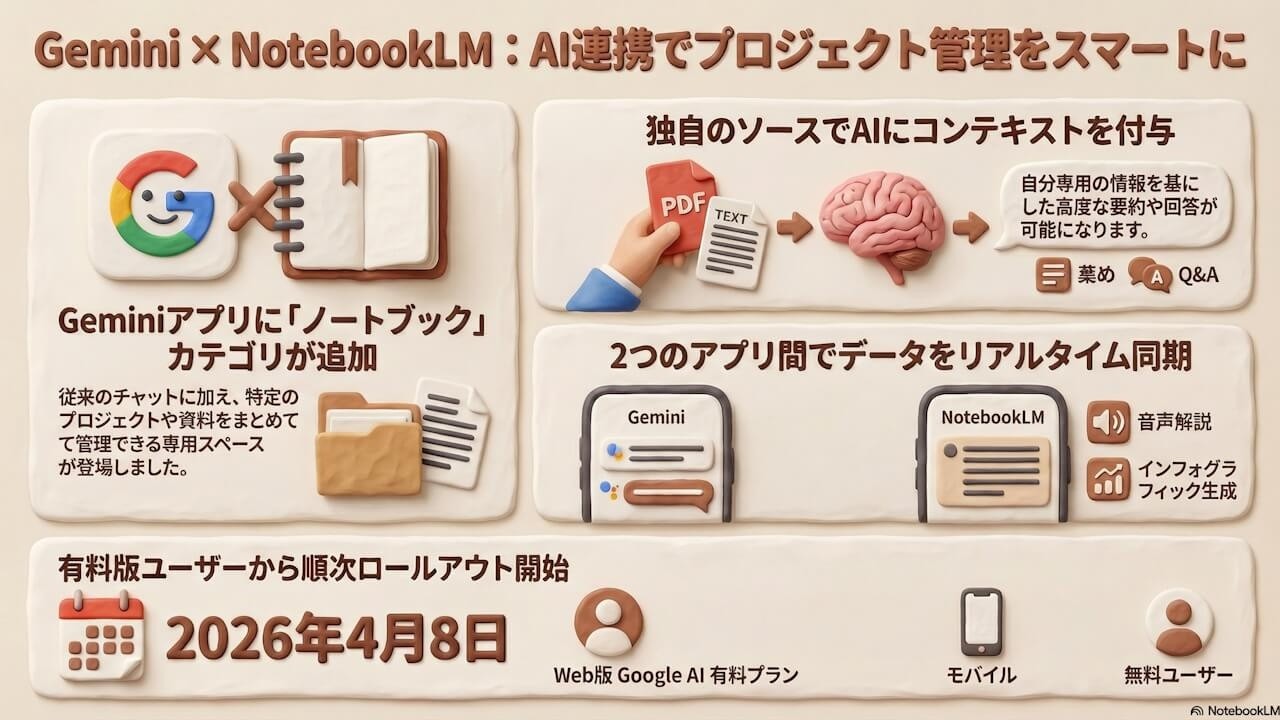
https://jetstream.blog/2026/04..../09/gemini-notebooks
Google、「Gemini」アプリへの「NotebookLM(Google NotebookLM)」統合を発表。なんと「Gemini」アプリ上で「NotebookLM」機能を利用可能に。「Gemini」アプリ内の「Gem」「チャット」に加えて新しいカテゴリ「ノートブック」が追加。

#chatgpt #gemini #ai活用
━━━━━━━━━━━━━━━━━━
🏢企業様向けのAI研修のお問い合わせはコチラから🏢
https://jiso-ai.com/contact/
今AI活用やマネタイズの仕方がわからない人🤦やAI初心者の人も必見!
🚨無料期間限定🚨で
✨Youtubeでは出せないさきのAI最新情報✨&
👩💻AIノウハウ100大特典🎁を勉強会参加後にLINEで受け取れます!
AIスキルを身につけて【社内評価⏫UP⏫】や【収益化💰】
業務効率化🗒️できるココでしか手に入らない情報を
現在期間限定でしかも、無料配布しているので興味ある方は是非!!
↓↓↓
https://info.opt--in.com/p/cCQ....Yo5AUNsJh?ftid=2h28i
ーーーーーーーーーーーーーー
約10,000人以上の人が登録中!
⬇️さきのAI最新情報公式LINE⬇️
https://info.opt--in.com/p/cCQ....Yo5AUNsJh?ftid=2h28i
ーーーーーーーーーーーーーー
🎁”LINE登録者限定"のAI特別セミナー開催
🎁”LINE登録者限定"のAI勉強会
🎁”勉強会参加者限定"のAI豪華100大特典配布
🎁”勉強会参加者限定"の特別な案内
【⬇️無料登録はこちら⬇️】
https://info.opt--in.com/p/cCQ....Yo5AUNsJh?ftid=2h28i
🧑💻AI研修のお問い合わせはこちらから🧑💻
https://jiso-ai.com/contact/
━━━━━━━━━━━━━━━━━━
↓↓本日紹介したツールや動画こちら↓↓
【Gemini】
https://gemini.google.com/
【NotebookLM】
https://notebooklm.google.com/
━━━━━━━━━━━━━━━━━━
