Latest videos

🔗 Join our WhatsApp Community
Get the latest AI updates, tips, and insights straight to your inbox:
https://join.switchit.app/YT2
This free Google tool just replaced Gamma for presentations and Canva for infographics. I'll show you exactly how.
NotebookLM now creates custom infographics and slide decks but everyone's outputs look identical. Same colors. Same layouts. Same template energy. In this tutorial, I'll show you the Gemini trick that lets you steal ANY visual style from the internet, plus two new features that just shipped: brand guidelines (skip Gemini entirely) and single-slide revisions (fix one slide without regenerating everything).
NotebookLM (free): https://notebooklm.google.com
Gemini (free): https://gemini.google.com
--------
To Know More,
Follow Vaibhav Sisinty On ⤵︎
Instagram @VaibhavSisinty
https://www.instagram.com/vaibhavsisinty
Twitter @VaibhavSisinty
https://twitter.com/VaibhavSisinty
Facebook @VaibhavSisinty
https://www.facebook.com/vaibhavsisinty/
LinkedIn - Vaibhav Sisinty
https://www.linkedin.com/in/vaibhavsisinty
🤯 Join i10x (Access ChatGPT, Claude, Gemini, Grok, for $8): https://i10x.ai?fpr=paul53
Most people are using NotebookLM completely wrong—here's my 3-step system that will unlock results you didn't think were possible with this free AI tool.
0:00 Introduction
0:30 Accessing NotebookLM
1:02 Why It's Unique
1:58 Step 1: Curate
2:53 Common Mistakes
4:13 Adding Sources
5:32 Voice Files
6:08 Google Drive
6:22 Copied Text
7:09 Web Search
8:52 Step 2: Learn
9:12 Configure Settings
10:07 Using Chat
10:46 Citations
11:40 Save Notes
12:27 Source Selection
13:27 Gemini Integration
14:15 Limitations
14:52 I10X Sponsor
17:47 Studio Panel
18:25 Audio Overviews
20:23 Podcast Comparison
21:21 Interactive Mode
22:26 Download Podcasts
23:06 Video Overviews
24:52 Mindmaps
26:05 Reports
27:14 Flashcards
27:51 Quizzes
28:35 Infographics
29:24 Slide Decks
31:16 Data Tables
31:38 Step 3: Act
32:30 Sharing Options
33:12 Layout Customization
33:42 Changing Icons
34:08 Conclusion
🔗 This video is sponsored. Some product links are affiliate links which means if you buy something we'll receive a small commission.

Most people use Gemini like a chat tool.
But when you combine **Gemini + Gems + NotebookLM** intentionally, it stops being a chatbot and becomes a system.
In this video, I show how to design a 3-layer AI workflow where:
- NotebookLM holds stable knowledge
- Gem holds thinking rules
- Gemini handles execution
Using a fictional product example, I walk through how to build a source-of-truth notebook, design a reusable Gem, and run multiple tasks without rebuilding context each time.
This is about reliability, not prompts.
Relevant Video:
🆕 Google AI Ecosystem Explained: How 40+ Google AI Products Connect: https://youtu.be/Uo3RMkuBTRs
3 Ways to Design Gemini Gems: https://youtu.be/cIH-iS0J0b4
10 Practical Gem Ideas for Everyday Work: https://youtu.be/irSKKXp3zx8
Master NotebookLM in 16 Minutes: https://youtu.be/5Tnc6hQDbvE
Gemini Deep Dive (Workspace + Visual features): https://youtu.be/aFG2es9M9VI
➡️ Subscribe for more AI thinking and product intelligence to build your AI brain.
00:00 Hook — From Chatting to Systems
00:39 The Three Thinking Layers
02:07 Two Design Principles
02:44 Set up Projects: NotebookLM & Gem
06: 58 Scenario 1 → Same notebook & gem + simple task
08:07 Scenario 2 → Same notebook & gem + enriched session
11:05 Scenario 3 →Two notebooks, same gem, expanded system
14:58 Final Thoughts

👩🏻🏫 Learn full-stack & AI with Scrimba - Start FREE and get 20% OFF Pro: https://scrimba.com/?via=UniverseofAIz
Most people use NotebookLM and Gemini separately — but connecting them creates something completely different. In this video I'm introducing the NotebookLM Gemini Agent: a persistent, grounded AI specialist built on your own knowledge base. I'll show you how it works and build one live.
🔗 NotebookLM: https://notebooklm.google.com
🔗 Gemini Gems: https://gemini.google.com
00:00 - Intro
00:28 - What a NotebookLM Gemini Agent is
03:38 - Step 1: Knowledge Base
5:29 - Step 2: Gemini Agent Creation
8:11 - Step 3: Testing It Out
11:26 - Outro
For hands-on demos, tools, workflows, and dev-focused content, check out World of AI, our channel dedicated to building with these models: @intheworldofai
🔗 My Links:
📩 Sponsor a Video or Feature Your Product: intheuniverseofaiz@gmail.com
🔥 Become a Patron (Private Discord): /worldofai
🧠 Follow me on Twitter: https://x.com/UniverseofAIz
🌐 Website: https://www.worldzofai.com
👩🏻🏫 Learn to code with Scrimba – from fullstack to AI https://scrimba.com/?via=UniverseofAIz (20% OFF)
🚨 Subscribe To The FREE AI Newsletter For Regular AI Updates: https://universe-of-ai.beehiiv.com/
NotebookLM,Gemini Agent,NotebookLM Gemini Agent,Gemini Gems,Google NotebookLM,Google Gemini,NotebookLM tutorial,Gemini Gems tutorial,NotebookLM Deep Research,AI agents,Google AI,AI workflow,AI productivity,AI tools 2026,artificial intelligence,Google AI tools,NotebookLM workflow,Gemini workflow,build AI agent,custom AI assistant,AI knowledge base,Google Gems,AI tutorial 2026,NotebookLM update,Gemini update
#notebooklm #aiagents #googleai #GeminiGems #aitools #aiworkflow #artificialintelligence #GeminiAgent
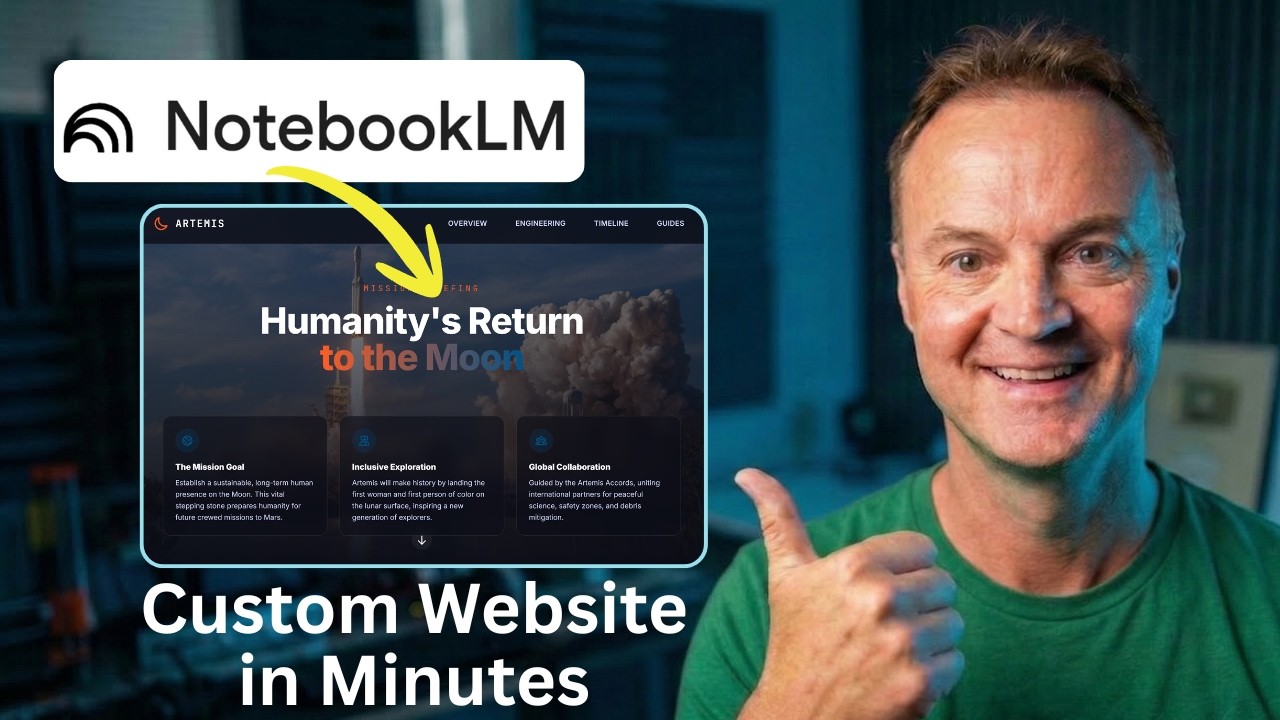
We all know Google's NotebookLM is incredible for organizing research and summarizing dense documents. But what if those insights shouldn't just stay in a notebook?
In this tutorial, I’ll show you how to take a stack of complex research (using NASA's Artemis Missions as an example) and turn it into a stunning, interactive, single-page website using Gemini. The best part? We are going to build it, add functional download links, export the file, and publish it live on the internet for free—all without writing a single line of code.
Whether you are building a resource hub for your classroom, organizing project files, or just want to present information in a more professional way, this AI workflow will change how you use your research.
👇 Links Mentioned in the Video:
Google NotebookLM: https://notebooklm.google/
Gemini: https://gemini.google.com/
Netlify Drop: app.netlify.com/drop
Test it with my NotebookLM: https://notebooklm.google.com/....notebook/422742fa-72
Artemis SLS Specs Demo PDF: https://drive.google.com/file/....d/11-j1pxhoyPvwNNkRM
🤖 Prompts Used in This Video:
Prompt 1: The Blueprint
Act as an expert UX designer and educational technologist. Analyze the attached NotebookLM research and design the architecture for a single-page educational hub about the NASA Artemis Missions. Break the content into logical sections: a compelling 'Mission Overview' hero banner, a 'Deep Dives & Technical Data' section for payloads and engineering specs, and a 'Launch Timeline'. For each section, dictate the heading, the core takeaways to extract from the research, and suggest a specific visual layout. Suggest a space-inspired, modern color palette.
Prompt 2: The Code Generation
Take the structural blueprint we just agreed upon and generate the complete single-page website in a single HTML file. Use Tailwind CSS via CDN. The design language should be clean and technical—deep space blues, stark white text, soft rounded corners, and vibrant accent buttons. Implement a sticky top navigation bar with smooth scrolling to sections. Use responsive CSS flexbox/grid for the technical data cards, and ensure interactive hover states.
Prompt 3: Adding Interactive Elements
Let's make this more interactive. Add a new section just above the footer called 'Downloadable Mission Guides.' Generate a responsive CSS grid of project cards based on the research. Each card needs a placeholder for an icon, a bold title, a brief description, and a high-contrast 'Download PDF' button with a subtle pulse animation on hover.
Prompt 4: Fixing the Download Links
Update the download button for the Space Launch System (SLS) specs. Change the href link destination to this exact URL: https://drive.google.com/file/....d/11-j1pxhoyPvwNNkRM. Keep all the existing Tailwind CSS classes, layout, and hover animations exactly the same.
⏱️ Video Chapters:
0:00 - The Ultimate AI Web Workflow
0:33 - Step 1: Organizing Research in NotebookLM
1:05 - Step 2: The Architect Prompt (Gemini Pro)
2:39 - Step 3: Generating Code with Gemini Canvas
4:21 - Step 4: Adding Interactive Downloads
4:52 - Step 5: Fixing Links (Google Drive Integration)
7:30 - Step 6: Exporting the Code (Windows Notepad Trick)
9:07 - Why You Shouldn't Use the Gemini Share Link
9:44 - Step 8: Hosting for Free with Netlify Drop

Ever wonder how to create Gemini Gems that actually produce high-end results? Today, I’m pulling back the curtain on my personal Gemini Gem workflow. I’ll show you how to use Gemini Gems alongside a deep-dive NotebookLM tutorial to build a "Creative Director" that handles your heavy lifting.
We aren't just writing basic prompts; I’m showing you how to use NotebookLM to find viral AI ads and using JSON prompting to make sure our output is professional every time. This Google NotebookLM strategy is a game-changer for anyone into AI video generation with Kling 3.0 or veo3.1 (seedance 2.0 or any ai video models) or creating stunning visuals with Nano Banana 2 and Nano Banana Pro.
I’ll also show you Claude AI to audit our instructions so your AI video ads look like they cost thousands to make.
Gemini said
Key Moments
0:00 – The Secret to High-Converting AI Ads
0:15 – Bright & Playful: The Gemini Gem in Action
1:21 – Step 1: Gathering Inspiration with NotebookLM
2:38 – Step 2: Building the "Creative Director" Persona
3:35 – Step 3: Creating Your Custom Gem from Scratch
4:22 – The Secret Refinement Loop: Gemini + Claude
5:10 – The 4-Step Blueprint Summary
5:25 – Final Results with Kling 3.0
5:45 – Outro: Your Turn to Build!
my prompts:
https://docs.google.com/docume....nt/d/11F7xlYZVbDC7xE
https://docs.google.com/docume....nt/d/1zHcnPEJdbOaPgC
#GeminiGems #NotebookLM #ClaudeAI #AIVideo #NanoBanana #AIVideoAds

Want to make money and save time with AI? Get AI Coaching, Support & Courses 👉 https://www.skool.com/ai-profit-lab-7462/about
Get a FREE AI Course + 1000 NEW AI Agents 👉 https://www.skool.com/ai-seo-w....ith-julian-goldie-15
Want to know how I make videos like these? Join the AI Profit Boardroom → https://www.skool.com/ai-profit-lab-7462/about
Get a FREE AI SEO Strategy Session: https://go.juliangoldie.com/st....rategy-session?utm=j
Need help with GEO? Order here → https://orders.goldie.agency/order/geo
Create Professional Slides in Seconds with 2 FREE AI Tools
Learn how to combine Google Gemini and Notebook LM to build high-quality presentations in under five minutes. This step-by-step tutorial reveals a powerful, free workflow to turn research into professional slides for any business use case.
00:00 - Intro: The Ultimate AI Combo
00:52 - Understanding Google Gemini
01:29 - What is Notebook LM?
01:49 - Step 1: Research with Gemini
03:03 - Step 2: Organizing in Notebook LM
04:07 - Step 3: Building Slide Structures
05:41 - Best Tools for Slide Design
09:12 - Why This Combo Beats ChatGPT

Want to make money and save time with AI? Join here: https://juliangoldieai.com/784-sH

Google ha lanzado nuevos nuevos avances en gemini 3 y NotebookLM que al combinarlos hacen que sean el doble de poderosos, capaz de automatizar nuestro flujo de trabajo
Prueba Clerk y profesionaliza tus apps facilmente: https://go.clerk.com/XRTLmcx
🔥 NUEVO curso de IA, con limite de 25 personas, para que tengas una formación real y cercana: https://academiartificial.com/curso-ia/
🔗 Enlaces:
- Doc con Prompts: https://bit.ly/combigoogle
- Stitch: https://stitch.withgoogle.com/
- Gemini: https://gemini.google.com/
- NotebookLM: https://notebooklm.google.com/
00:00 IA de google combinada
01:00 Stitch con Gemini 3
01:53 Caso 1: Prototipado
07:27 Escalar app
08:38 Caso 2: Asistente personal
14:20 Caso 3: Cursos a medida
18:50 Caso 4: Visualizaciones interactivas
23:00 Caso 5: Infografías como saas
🚀 Conoce mi academia: https://academiartificial.com/
📩 Suscríbete a mi newsletter: https://bit.ly/newsletter-alejavi
📲 Sígueme en mi Instagram (subo contenidos más resumidos): https://www.instagram.com/alejavirivera
❤️ ¿Te gustó el vídeo?
Compártelo, suscríbete y déjame un me gusta, me ayudarás muchísimo 🙏🏼
🫱🏼🫲🏽 ¿Colaboramos?
Si eres empresa, te dejo por aquí mi email: alejavi.colaboraciones@gmail.com

Want to make money and save time with AI? Join here: https://juliangoldieai.com/07L1kg
Get a FREE AI Course + Community + 1,000 AI Agents + video notes + links to the tools 👉 https://juliangoldieai.com/5iUeBR
Want to know how I make videos like these? Join the AI Profit Boardroom → https://juliangoldieai.com/07L1kg
ChatGPT + Gemini + NotebookLM: The Ultimate AI Workflow
Discover how to combine the real-time research of Gemini, the organization of NotebookLM, and the writing power of ChatGPT to supercharge your productivity. Learn the exact step-by-step process for creating data-driven content, email sequences, and social media strategies that actually convert.
00:00 - Intro to the Triple AI Stack
01:01 - Real-Time Research with Gemini
01:24 - Organizing Insights in NotebookLM
01:48 - High-Converting Writing with ChatGPT
02:22 - The Step-by-Step AI Workflow
04:18 - Creating Research-Backed Emails
05:16 - Social Media Strategy that Wins
06:23 - Product Research & Feature Planning
Want to make money and save time with AI? Get AI Coaching, Support & Courses 👉 https://www.skool.com/ai-profit-lab-7462/about
Get a FREE AI Course + 1000 NEW AI Agents + Video Notes 👉 https://www.skool.com/ai-seo-w....ith-julian-goldie-15
Want to know how I make videos like these? Join the AI Profit Boardroom → https://www.skool.com/ai-profit-lab-7462/about
Get a FREE AI SEO Strategy Session: https://go.juliangoldie.com/st....rategy-session?utm=j
Get the AI Client Acquisition Engine: https://www.skool.com/the-content-clone-9266/about
NotebookLM + Gemini 3.1 Pro: Build Landing Pages in Minutes!
Discover the powerful new workflow that connects Google's NotebookLM and Gemini 3.1 Pro to automate research and design. Learn how to go from raw data to a fully coded landing page without any manual design or development work.
00:00 - Intro: The New AI Workflow
01:13 - Step 1: Automated AI Research
02:10 - Step 2: Refining Your Data
03:03 - Step 3: Connecting to Gemini
04:33 - Step 4: Designing Visual Assets
05:30 - Step 5: Building the Full Page
06:36 - Step 6: Shipping & Recap

➡️ Grab my free AI Toolkit: https://academy.jeffsu.org/ai-toolkit?utm_source=youtube&utm_medium=video&utm_campaign=170
Put simply, #NotebookLM is perfect for professionals working with large amounts of documentation who need reliable information synthesis.
In this video I go through how to leverage NotebookLM effectively for analyzing documents, PDFs, and video content across multiple formats.
Let’s get started!
*TIMESTAMPS*
00:00 When to use NotebookLM
00:36 NotebookLM Basics
02:56 Step-by-step Workflow
06:00 Focused Knowledge Retrieval
08:09 Project Context Engine
09:46 Targeted Insights Studio
11:33 Beyond the Basics
*RESOURCES MENTIONED*
My insanely actionable newsletter: https://www.jeffsu.org/newsletter/?utm_source=youtube&utm_medium=video&utm_campaign=170
*BE MY FRIEND:*
📧 Subscribe to my newsletter - https://www.jeffsu.org/newsletter/?utm_source=youtube&utm_medium=video&utm_campaign=description
📸 Instagram - https://instagram.com/j.sushie
🤝 LinkedIn - https://www.linkedin.com/in/jsu05/
*MY FAVORITE GEAR*
🎬 My YouTube Gear - https://www.jeffsu.org/yt-gear/
🎒 Everyday Carry - https://www.jeffsu.org/my-edc/
*MY TOP 3 FAVORITE SOFTWARE*
❎ CleanShot X - https://geni.us/cleanshotx
✍️ Skillshare - https://geni.us/skillshare-jeff
💼 Teal - https://get.tealhq.com/jeffsu
#AI #productivity

Google just merged NotebookLM and Gemini — and it completely changes how you use both tools. I'll show you the new notebooks feature, how the memory system works, and how I built an AI sales researcher using it.
For hands-on demos, tools, workflows, and dev-focused content, check out World of AI, our channel dedicated to building with these models: @intheworldofai
🔗 My Links:
📩 Sponsor a Video or Feature Your Product: intheuniverseofaiz@gmail.com
🔥 Become a Patron (Private Discord): /worldofai
🧠 Follow me on Twitter: https://x.com/UniverseofAIz
🌐 Website: https://www.worldzofai.com
👩🏻🏫 Learn to code with Scrimba – from fullstack to AI https://scrimba.com/?via=UniverseofAIz (20% OFF)
🚨 Subscribe To The FREE AI Newsletter For Regular AI Updates: https://universe-of-ai.beehiiv.com/
NotebookLM,Gemini,NotebookLM update,Gemini update,Google AI,NotebookLM Gemini merge,Gemini notebooks,AI research tool,NotebookLM tutorial,Gemini tutorial,Google NotebookLM,AI productivity,NotebookLM new features,Gemini new features,AI workspace,NotebookLM 2026,Gemini 2026,AI sales tool,AI tools,Google AI update,NotebookLM memory,Gemini projects,Google Gemini,artificial intelligence,AI note taking,AI organization,NotebookLM sources,AI workflow
#notebooklm #gemini #googleai
0:00 - Intro
1:14 - NEW Features!
8:14 - Workflow DEMO!
10:58 - Outro

This Gemini 3 + NotebookLM Workflow Makes Your AI Visuals Actually Useful
Tenorshare PDNob (https://bit.ly/4b5JNEK) Convert PDF to Editable Text Alternative with OCR after Using NotebookLM
About this Video:-
In this video, I’ll show you a simple, powerful workflow that connects Google Gemini 3 and NotebookLM so you can turn raw ideas and data into clear, story driven visuals you can actually use.
You’ll see how to go from scattered content and basic charts to compelling:
• Infographics
• Data visualizations
• Constellation / concept maps
• Strategy and planning boards
—all powered by a connected AI workflow instead of a dozen disconnected apps.
Timestamps:-
0:00 – Introduction
00:55 –Constellation Map
3:22 – Data Visualization
05:10 – Strategy Board
07:15 – Infographics
08:56 – Ending
Follow Us:-
👉https://www.facebook.com/gurrutechsolutions/
👉https://www.linkedin.com/in/pervaiz-durrani/
Business Email - gurrutechsolutions@gmail.com
Contact us via WhatsApp#: +923555183536
We Provide the Following Services:
-Academic Writing Services
-Accounting and Bookkeeping Services
-Turnitin & Digital Tool Services

Scopri come utilizzare Gemini e NotebookLM di Google per gestire progetti complessi: dalla ricerca approfondita alla creazione di ebook, pagine web e sistemi di raccolta email, automatizzando il flusso con strumenti di intelligenza artificiale specializzati.
Capitoli
00:00 - Introduzione e obiettivi
01:00 - Importanza del contesto e della strategia
02:00 - Ruolo di Gemini come orchestratore
03:00 - Creazione assistente per migliorare i prompt
05:00 - Attivazione della Deep Research di Gemini
07:00 - Realizzazione e esportazione del report
09:00 - Passaggio a NotebookLM per guida
12:00 - Creazione assistente copywriter
15:00 - Trasformazione in guida dettagliata
17:00 - Costruzione della landing page
20:00 - Integrazione immagine di riferimento
22:00 - Test e presentazione della landing page
24:00 - Creazione sistema raccolta email con Zapier
26:00 - Configurazione invio email automatizzato
27:30 - Conclusioni e prospettive future sull’uso integrato AI
-
🚀 Abbonati al livello Cadetto o Ranger e sblocca subito tutti i video extra https://www.youtube.com/channe....l/UC48TBX2UC_tF_yxVi
-
🔗 Risorse utili:
📹 Corsi completi e gratuiti AI https://l.iapertutti.it/r.php?s=corsi-gratis-dy
✉️ Newsletter (prompt, tool e news ogni settimana) https://l.iapertutti.it/r.php?s=newsletter-dy
🆓 Risorse gratis https://l.iapertutti.it/r.php?....s=risorse-gratis-sit
🫂 Forum Telegram https://l.iapertutti.it/r.php?s=forum-telegram-dy
📰 WhatsApp (Gruppo News) https://l.iapertutti.it/r.php?s=gruppo-whatsapp-dy
📰 Telegram (Gruppo News) https://l.iapertutti.it/r.php?s=gruppo-telegram-dy
👔 LinkedIn (tutorial e news AI lavoro/produttività) https://l.iapertutti.it/r.php?....s=profilo-linkedin-d
Want to make money and save time with AI? Get AI Coaching, Support & Courses 👉 https://www.skool.com/ai-profit-lab-7462/about
Get a FREE AI Course + 1000 NEW AI Agents + Video Notes 👉 https://www.skool.com/ai-seo-w....ith-julian-goldie-15
Want to know how I make videos like these? Join the AI Profit Boardroom → https://www.skool.com/ai-profit-lab-7462/about
Get a FREE AI SEO Strategy Session: https://go.juliangoldie.com/st....rategy-session?utm=j
Sponsorship inquiries:
https://docs.google.com/docume....nt/d/1EgcoLtqJFF9s9M
How to Use NotebookLM & Gemini to Create SEO Content Fast
Discover how the brand-new integration between Google NotebookLM and Gemini can revolutionize your SEO content workflow. This three-step process transforms raw research into high-ranking content in minutes instead of days.
00:00 - Intro: NotebookLM + Gemini
00:24 - The Massive Google Update
01:43 - Why This Integration Saves Time
02:47 - Step 1: Gathering Research
03:12 - Step 2: Refining for SEO
04:41 - Step 3: Generating Gemini Prompts
05:15 - Creating the Final Content
06:04 - NotebookLM vs ChatGPT & Claude

Want to make money and save time with AI? Get AI Coaching, Support & Courses 👉 https://www.skool.com/ai-profit-lab-7462/about
Get the video notes + links to the tools → https://www.skool.com/ai-profit-lab-7462/about
Get a FREE AI Course + 1000 NEW AI Agents 👉 https://www.skool.com/ai-seo-w....ith-julian-goldie-15
Want to know how I make videos like these? Join the AI Profit Boardroom → https://www.skool.com/ai-profit-lab-7462/about
Get a FREE AI SEO Strategy Session: https://go.juliangoldie.com/st....rategy-session?utm=j

Most people try to get better at prompting. More frameworks. More structure. More context.
That's exhausting. And it doesn't scale.
I was walking my wife through one of my prompt workflows — the structure, the layers, the sequencing. She listened. Then she said: "Yeah that's great Craig, but I'm never going to remember all that. Can't you just do it for me?"
So I built something that does.
In this video I'm showing you a two-file workflow I built in NotebookLM and Gemini that takes any messy, half-baked idea you throw at it and turns it into a clean structured prompt — automatically, every time, for any topic.
I'll show you exactly how it works, why the combination of JSON and a chain-of-thought layer is what makes it consistent, and how to build the whole thing in under ten minutes.
📌 Drop a comment with the first messy idea you tested it on — I want to see what people are getting with this.
👍 If this saves you time hit the like button so more people find it.
✅ The full system instructions, example pairs, and Gem setup are all in the Notion doc below. Everything you need is already written. Just copy, paste, and build.
https://www.notion.so/Stop-Try....ing-to-Write-Better-
0:00 - Intro
1:07 - Boring but Important
4:53 - Step 1
5:49 - System Instructions
7:20 - Example Pairs
8:36 - Gemini Setup
9:41 - Gem Creation
10:31 - Demo
12:29 - Outro
#notebooklm #gemini #aiprompts #promptengineering #aitools #artificialintelligence #prompttips #aitips #chatgpttips #aiforbeginners #learnai #prompthack #aihacks #notebooklmtutorial #googlegemini #worksmarternotharder #techtips #productivityhacks #aiworkflow #techlife #contentcreator #aigenerator #chatgpt #claude #promptoptimizer

This week’s biggest AI updates (and rumors) you actually need to know. From a huge Gemini Live upgrade to a slick new NotebookLM feature, plus the latest Claude Cowork and Siri rumors.
Heads up, these updates may not be available worldwide yet. Just because I have access to them doesn't mean you will yet.
Related videos mentioned:
- Claude Projects video: https://youtu.be/aY-i_5QVKtI
- Claude Computer Use video: https://youtu.be/dwYfNQzHQuY
⚒️ Tools I Use Everyday:
- 🎙️ Wispr Flow (voice-to-text that actually cleans up your speech): https://ref.wisprflow.ai/l6qEejY
- 🧠 Kortex (the best Chrome extension for NotebookLM power users): https://kortex-notebooklm.com/ — Use code PAUL10 for 10% off
🔗 This video is not sponsored. Some product links are affiliate links which means if you buy something we'll receive a small commission.
0:00 Intro
0:45 NotebookLM Update
1:50 Gemini Updates
7:36 Claude Updates
11:47 Siri Rumor
13:03 OpenAI Sora Shutdown
14:36 Wrap Up
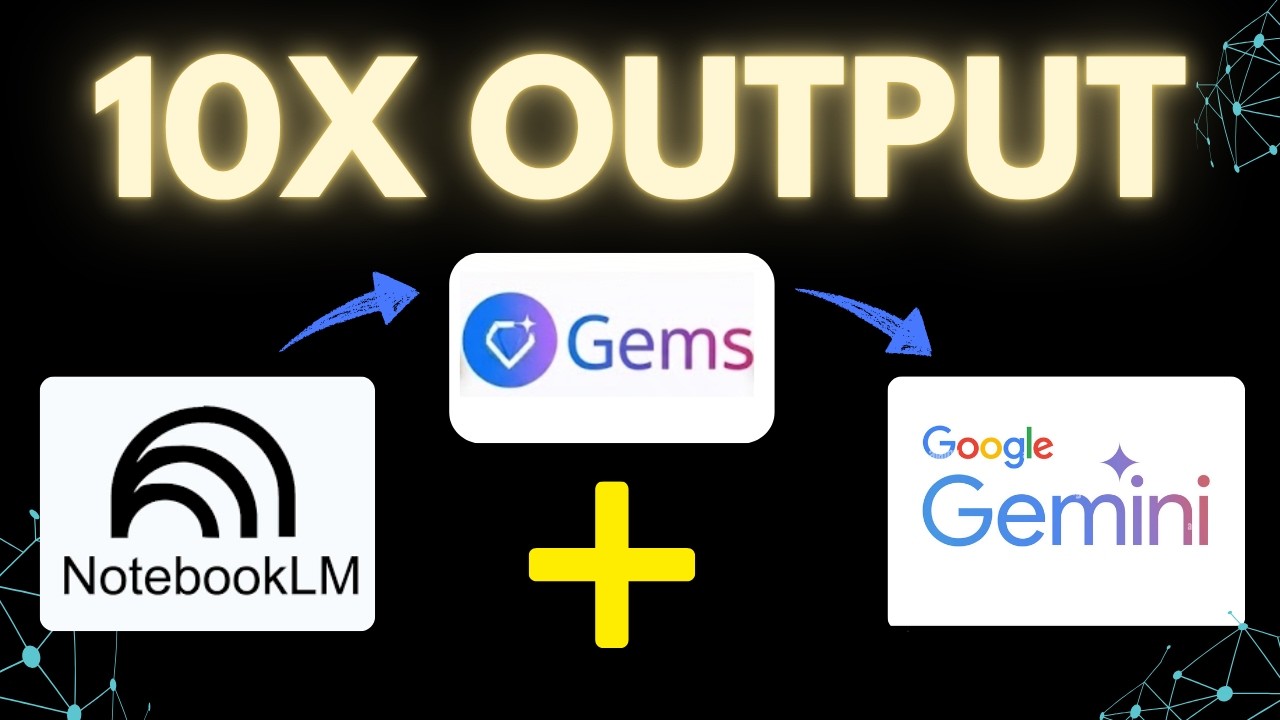
Most people are still using AI like a chat tool, asking questions, getting answers, and starting from scratch every time.
In this video, I show you a simple workflow using NotebookLM, Gems, and Gemini that turns AI into a structured system you can reuse.
Instead of relying on prompts alone, you’ll learn how to:
• Build a focused knowledge base in NotebookLM
• Define a consistent way of thinking using Gems
• Run different tasks in Gemini without losing structure or quality
This means better outputs, more consistency, and a workflow you can actually rely on.
Subscribe for more practical AI workflows:
www.youtube.com/@AIandTechforE....ducation?sub_confirm
#AI #AItools #NotebookLM #Gems #Gemini #GeminiAI #GoogleAI #AIworkflow #AIproductivity #AIToolsForWork #AIforBusiness #AIforStudents #AIresearch #DigitalProductivity #WorkSmarter

👉 In this video, I will show you how to use the new NotebookLM integration inside Gemini so you can chat with any notebook you already created and pull those research notes straight into Gemini. This makes it way easier to turn your curated sources into things like websites, apps, images, and videos without copying content back and forth between tools. If you’ve been searching for how to connect NotebookLM to Gemini, use NotebookLM notebooks in Gemini chat, or build creative projects from NotebookLM inside Gemini, this walkthrough will help you get started.
❤️ Subscribe: https://www.youtube.com/@asapg....uide?sub_confirmatio

Get started with Manus: https://manus.im
More from Futurepedia:
👉 Join the fastest-growing AI education platform! Try it free and explore 20+ top-rated courses in AI: https://bit.ly/futurepediaSL
Summary:
Google dropped an insane amount of updates this month across their entire ecosystem. Nano Banana 2, Gemini 3.1 Pro, Pomelli Photoshoot, Auto Browse, Edit Slide Decks, Cinematic Video Overviews, and much more.
In total I cover 15 of the most important updates you should know.
Chapters
0:00 Intro
0:32 Cinematic Video Overviews
3:33 Infographic Style Presets
4:17 Edit Slide Decks
5:22 Generate from Chat
6:21 Lyria 3
7:36 Producer AI
12:58 Manus
15:44 Nano Banana 2
18:55 Pomelli
20:59 Nano Banana in Chrome
21:33 Auto Browse
22:44 Google Doc Audio Summary
23:07 Flow
23:55 Google Workspace Studio
24:16 Opal
24:44 Gemini 3 Deep Think
25:08 Gemini 3.1 Pro

Você já perdeu horas preparando aulas e pensou: "Eu precisaria de um assistente"?
Talvez você já tenha um — e ainda não saiba usar direito.
Neste vídeo, eu te mostro como integrar NotebookLM, Google Docs e Gemini para transformar o Google em um verdadeiro assistente pedagógico, capaz de pesquisar, rascunhar e co-criar materiais com você. Produtividade em alta escala.
Você vai aprender:
*Como usar o NotebookLM como assistente de pesquisa para preparação de aulas
*Como carregar conteúdos e construir uma base de conhecimento personalizada
*Como configurar o Gemini Gems para atuar como coautor dos seus materiais
*Como usar o Google Workspace para organizar tarefas e ganhar tempo real
*Como parar de improvisar e começar a trabalhar com método e inteligência
A diferença entre o professor sobrecarregado e o professor produtivo não está na carga de trabalho — está nas ferramentas que ele escolhe dominar.
Inteligência Artificial aplicada à educação não é tendência futura — é vantagem competitiva agora.
Se você é professor, coordenador, gestor educacional ou criador de conteúdo didático, este vídeo vai mudar a forma como você trabalha.
=================================
RECOMENDADOS PARA VOCÊ
📙 Google NotebookLM passo a passo • https://youtu.be/uehcTmGJmnE
💣NotebookLM: crie mapas mentais e infográficos com IA • https://www.youtube.com/watch?v=QduvyLrU-UY
🎙Do texto ao podcast: explore a aba de áudios do Google NotebookLM • https://youtu.be/pwnOkJdr0bI
⚠️ Configurações avançadas do Google NotebookLM: deixe a IA com a sua cara • https://youtu.be/YADeSDOfVoQ
💻 Gemini 3 - É tudo isso mesmo? • https://youtu.be/77NyYCt69gU
📩 Minha newsletter com conteúdos exclusivos sobre IA aplicada e produtividade está no link abaixo.
📌 https://substack.com/@jeffersonbarbosa1
📩 Contato profissional para palestras, publicidade, cursos, aulas, dicas, sugestões e afins:
jeffersonfbarbosacontato@gmail.com
Interessado em aprofundar mais em Engenharia de Prompts, Gemini e NotebookLM? Segue o link para o nosso curso Conversação com IAs.
📌https://hotmart.com/pt-br/mark....etplace/produtos/cur
#NotebookLM #EngenhariaDePrompt #InteligenciaArtificial #NanoBananaPro #PromptEngineering #IAAplicada #Produtividade #IAparaCriadores #veo3
// SOBRE MIM
Eu me chamo Jefferson Barbosa. Sou gerente de projetos, cientista de dados, pesquisador e doutor em Ciência da Computação. Sempre em movimento.

My wife and I run several YouTube channels together. A little while back she found an image she loved and spent over an hour trying to recreate it with AI. Different every time. Close sometimes. Never actually right.
So she asked if I could help.
What I tried first is probably exactly what you would have tried too. It helped a little. But it was still inconsistent and still not what she wanted. That is when I connected a dot from a completely different workflow I was already using, and it solved everything.
Consistent results. Looked like what she actually wanted. First try.
In this video I walk you through the full system. Four files, one setup, works in Gemini, NotebookLM, Claude, and ChatGPT. Set it up once and you can have it working in about two minutes from now.
And yes, you can have the whole thing for free.
📌 Already using AI image tools and getting inconsistent results? Drop a comment and let me know which tool you are working with. I read every one.
👍 If this helped, a like goes a long way. It helps more people find it.
✅ All four files plus full setup instructions are in the free Notion doc below. Two minutes to set up.
https://www.notion.so/This-Not....ebookLM-Gemini-AI-Wo
#notebooklm #geminiai #aiimages #aitools #imagegenerator #aiprompts #artificialintelligence #promptengineering #grok #fluxai #aiworkflow #notebooklmtips #geminiapp #aiforbeginners #aicontentcreation #aiimagegeneration #jsonprompt #aiphotography #googleflow #imagenai #craigdoesai #twofilesoneclik #aiproductivity #learnai #aiimagetools

NotebookLM just crossed a major milestone.
It’s now built on Gemini 3 and integrated directly with the Gemini app — changing how research turns into creation.
In this video, I walk through:
• NotebookLM’s new Gemini integration
• How notebooks can now be used inside Gemini
• Slide creation from research and rough notes
• What’s live today vs what’s still evolving
• Why this matters for research, work, and productivity
This isn’t just a feature update. It’s a shift in how Google is connecting its AI tools into a single workflow.
For hands-on demos, tools, workflows, and dev-focused content, check out World of AI, our channel dedicated to building with these models: @intheworldofai
🔗 My Links:
📩 Sponsor a Video or Feature Your Product: intheuniverseofaiz@gmail.com
🔥 Become a Patron (Private Discord): /worldofai
🧠 Follow me on Twitter: /intheworldofai
🌐 Website: https://www.worldzofai.com
🚨 Subscribe To The FREE AI Newsletter For Regular AI Updates: https://intheworldofai.com/
notebooklm,google notebooklm,deep research mode,data tables,google ai,artefact system,notebooklm update 2025,ai productivity,research automation,ai tools,ai for students,ai for researchers,ai for business strategy,chatgpt alternative,google ai tools 2025,ai note taking,google labs,what is notebooklm,how to use notebooklm,notebooklm tutorial,notebooklm use cases,notebooklm for note taking,notebooklm research,gemini notebooklm,gemini integration
#NotebookLM #GoogleAI #Gemini #Gemini3 #AItools #AIProductivity #AIResearch
#GoogleGemini #NotebookLMUpdates #AIWorkflow #AIExplained #UniverseOfAI
0:00 - Intro
0:28 - Gemini 3 Upgrade
1:00 - Gemini Integration
1:59 - How to use NotebookLM in Gemini
4:21 - Data Tables are Here!
5:42 - NotebookLM Slides
8:46 - outro
