最新视频

As a follow up to a story I posted about a few weeks ago, Anthropic has agreed to pay out AT LEAST $1.5 Billion for copyright infringement. And guess what? Anthropic will be able to continue as is since they have an influx of cash.
Generative AI is KILLING publisher traffic: https://www.youtube.com/watch?v=CEZxyU4JmPQ
Subscribe: http://www.youtube.com/channel..../UCQE1w78Y61yuP1OwRL
#internet #technology #tech #education #ads #anthropic #ai #piracy #lawsuit
CNBC: https://www.cnbc.com/2025/09/0....5/anthropic-to-pay-1

Will AI replace engineering teams according to Anthropic? AI will take your engineering team from full headcount to minimal. According to Anthropic’s analysis and report, AI can replace 90% of white collar jobs in most areas. Here’s where we are today, what this means for engineers, and how to future-proof your career by learning to orchestrate AI agents. #claudecode #productmanagement #anthropic

Subscribe for AI updates → https://ibm.biz/BdnWwx
Will AI agents run all businesses? In episode 62 of Mixture of Experts, host Tim Hwang is joined by Gabe Goodhart, Kush Varshney and Marina Danilevsky to debrief Anthropic’s Project Vend. Next, do we still need massive data centers? We analyze DiLoCoX and discuss the possibility of distributed model training. Then, the New York Times released an article discussing how computer science education has changed in the era of AI; should people still study computer science? Finally, is the paper review process broken? And is it AI’s fault? All that and more on today’s episode of Mixture of Experts.
00:00 – Intro
01:07 -- Anthropic’s Project Vend
13:38 -- DiLoCoX
25:56 -- Computer science education
40:57 -- AI prompts in papers
The opinions expressed in this podcast are solely those of the participants and do not necessarily reflect the views of IBM or any other organization or entity.
Visit Mixture of Experts podcast page to get more AI content → https://ibm.biz/BdnWwD


📚 Full Claude Cowork Course: https://bit.ly/49gNNk5
🔗 Free 15 Skills I Can't Live Without: https://bit.ly/4vYG9Vh
🔗 Zapier MCP: https://bit.ly/49aHuOX
🔗 Download Claude: https://claude.com/download
Anthropic just dropped a Small Business plugin with 31 skills built directly into Claude Cowork, and some of these have honestly shocked me at how much they can actually do. In this video I break down what a skill actually is, walk through the 3 most powerful ones in the pack, and show you how to connect your own apps so you can run tasks without you.
0:00 - Intro
0:34 - What's in the Small Business Plugin
1:29 - How to Install the Plugin
4:37 - What is a Skill?
5:30 - What is a Plugin?
5:52 - Skill 1
9:31 - Skill 2
11:36 - Skill 3
14:44 - Connecting Your Apps
17:34 - Outro
Dive deep into the fascinating findings of the latest Anthropic Economic Index report! We're breaking down how AI, specifically Claude, is beginning to reshape the global and US economy, revealing surprising trends in adoption and usage.
In this video, you'll learn:
• Uneven Adoption: AI use is remarkably uneven globally and within the US, with higher-income countries and states generally showing greater adoption of Claude.
• Localized AI Applications: AI use often reflects the dominant industries in specific regions. For example, Claude is disproportionately used for scientific research in Massachusetts, tourism in Hawaii, and coding in California, while users in Brazil show a high enthusiasm for language-related tasks like translation.
• Growing Trust in AI: The proportion of 'directive automation'—where AI directly produces work with minimal user input—has sharply increased from 27% to 39%. This suggests a rapid increase in AI's responsibility and users' confidence in its capabilities, making automation now more common than augmentation overall.
• Businesses Lead Automation: Businesses (Anthropic's API customers) are automating tasks with Claude far more frequently than individual consumers (Claude.ai users), with 77% of API conversations showing automation patterns compared to an almost even split on Claude.ai. This highlights potential major shifts and productivity gains in the labor market.
• Shifting Tasks: While software development remains the most common use, there's been consistent growth in "knowledge-intensive" fields like educational instruction and physical/social sciences. In higher-adoption countries, Claude use tends to diversify beyond computer and mathematical tasks.
Want to explore the data yourself? Check out the interactive Anthropic Economic Index website and dive into state, country, and occupational data!
#AI #Economy #FutureOfWork #Anthropic #AITrends #Automation #TechReport #EconomicIndex #WorkforceTransformation
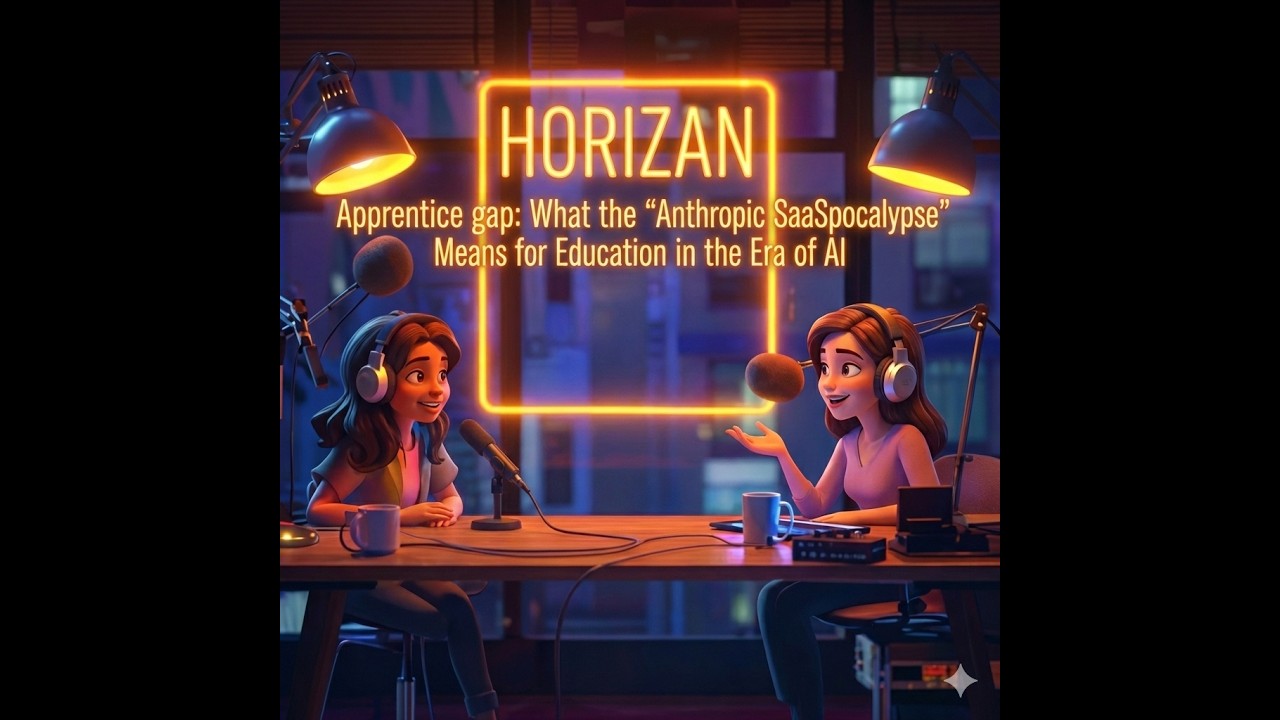
Is the "entry-level" job officially dead? The recent "Anthropic SaaSpocalypse" has sent shockwaves through the Wall Street, proving that AI is no longer just a chatbot—it’s a specialized professional.
In this episode, Sarah, an AI solution architect, sits down with Angela, a Senior Manager at a Big Four accounting firm, to discuss the brutal reality of the "Apprenticeship Gap." When AI can handle 5,000 receipts in seconds without a "mental health Wednesday," where does that leave the next generation of graduates? We dive into why the "Path of Pain" is disappearing and why the future of education actually needs to get harder, not easier.
In this podcast, we discuss:
- The SaaSpocalypse: How Claude’s new Knowledge-Skills plugins are swallowing junior workflows.
- The Apprenticeship Gap: Why skipping "grunt work" might destroy professional intuition.
- The Liability Barrier: Why humans stay relevant because "AI can’t go to jail."
- Education 2.0: Shifting from "How to do math" to "AI Forensics" and "Hallucination Hunting."
- The 2030 Skill Stack: Why Articulation, Decomposition, and Discernment are the only ways to stay un-replaceable.
TIMESTAMPS
0:00 Intro: Anthropic "SaaSpocalypse"
0:50 Why Wall Street is Panicking Over AI Plugins
1:11 AI vs. Junior Professionals
1:54 The Death of Junior Roles
2:14 The Apprenticeship Gap: Losing Path of Pain
2:57 The Liability Barrier: AI Can’t Take the Blame
3:22 Reimagining University: AI Forensics
4:10 The "Find the Errors or You’re Fired" Exam
4:32 How to go from Student to Sovereign Expert
4:58 The Skills of 2030: Articulation, Decomposition, and Judgment
5:44 Why AI Means You Have to Study Harder
6:15 From teaching execution to teaching Discernment
DISCLAIMERS:
Sarah and Angela are imaginary figures with real-life inspirations. **AI-generated voice. 100% human mother thoughts.**
RESOURCES:
Anthropic Cowork: https://claude.com/product/cowork
Anthropic Knowledge-Skills Plugins (Open-source): https://github.com/anthropics/....knowledge-work-plugi
What do you think the education in the era of AI should be? Let’s talk about it in the comments. 👇
#AI #FutureOfWork #Education

You’ve been scrolling memes. Now it’s time to actually learn how AI works.
Check out this free LLM course by Anthropic — it’s beginner-friendly and built by the team behind Claude.
👉 Like, Comment ‘COURSE’, and Subscribe for more useful content.
👇 Stay connected
📸 YouTube: @thethoughtbite
📸 Instagram: @instagram.com/thethoughtbite
🌐 More tools coming every week!
🔔 Subscribe for weekly tech breakthroughs!
👍 Like this video if you're excited about AI's future!
#AI #llm #anthropic #claudeai #promptengineering #machinelearning #aicourses
#learnai #freecourses #aiforbeginners #shortsfeed #techtok #reelsindia #trendingnow #productivityhacks #explorepage #fyp #ReelsViral #youtubeshorts #AIRevolution #aitools
#MemoryAI #secondbrain #VisualMemoryModel #PrivateAI#digitallife #LifeOrganizer #aiforproductivity #smartair #futuretools #YourDataYourControl #aiassistant #techinnovation #dataprivacy #nextgenai #fyp #youtubeshortsvideo #trendingnow #instareels #techreels #explorepage #viralvideo #mindblown #didyouknow #coolapps #smartlife #ReelsViral
#mustwatch #techtok #india #indiavswestindies #boeing787dreamlinerwashington #vivo

🔒 Make yourself and your family AI-scam proof, step by step → https://neuralnutshell.com
Anthropic CEO Dario Amodei says we may be only one to five years away from a “country of geniuses in a data center,” with AI powerful enough to accelerate economic growth to unprecedented levels while simultaneously disrupting the foundations of white-collar work. In this video, we examine Amodei’s warnings that entry-level roles in software engineering, law, finance, consulting, and medicine could disappear far faster than societies can adapt, creating what he describes as a potential “bloodbath” for traditional career pathways. We also explore his concerns about autonomous drone swarms, mass AI-enabled surveillance, biological threats, and the possibility that future AI systems may display morally relevant experiences that humanity does not yet understand. Most strikingly, the man building some of the world’s most advanced AI systems admits that he cannot rule out machine consciousness, compares AI development to growing a biological organism, and warns that the gap between a beneficial future and catastrophe may be far smaller than most people realize.
📚 Sources cited in this video:
- Dario Amodei, Machines of Loving Grace
https://www.darioamodei.com/es....say/machines-of-lovi
- Anthropic
https://www.anthropic.com
- Dario Amodei et al., Concrete Problems in AI Safety
https://arxiv.org/abs/1606.06565
- The Malicious Use of Artificial Intelligence: Forecasting, Prevention, and Mitigation
https://arxiv.org/abs/1802.07228
⚠️ DISCLAIMER: This channel provides AI commentary and analysis for educational and informational purposes only. Views expressed by guests are their own and do not represent the positions of any company or institution. We encourage viewers to consult multiple sources and form their own conclusions.
#ai #agi #artificialintelligence

Anthropic has unveiled its latest artificial intelligence model, Claude 3.7 Sonnet, which marks a significant upgrade in the company’s lineup through its hybrid reasoning capabilities. Unlike earlier iterations, this new model adeptly combines rapid responses for straightforward queries with an enhanced ability to engage in detailed, step-by-step reasoning for more complex tasks. This innovative design makes it especially effective for programming-related tasks—a claim the company supports with strong benchmark evidence.
Benchmark tests have placed Claude 3.7 Sonnet at the forefront of coding performance. According to the SWE-bench verified test—a standard measure of how well an AI can code—the model reached around 62% accuracy, which can increase to 70% when supplemented with additional test-time scaffolding. This performance not only positions Claude 3.7 Sonnet well ahead of its predecessors, like Claude 3.5 Sonnet, but also outstrips competing models from other industry leaders, including various versions of OpenAI’s ChatGPT as well as China’s DeepSeek. These results reinforce its capability to handle coding challenges more efficiently than its peers.
Beyond the numbers, real-world feedback has been overwhelmingly positive, with users sharing their excitement on platforms such as Reddit. Many coders have reported experiencing what they described as an "AGI moment" when using Claude Code, an iteration specifically tailored for software development. Enthusiastic comments highlighted the model’s ability to debug stubborn errors and even generate extensive projects from scratch—one user noted it produced 5,000 lines of code that included full front-end design and debugging examples. Such testimonies underscore the transformative potential of the new AI in practical, day-to-day development work.
Overall, the launch of Claude 3.7 Sonnet represents a significant leap forward in AI technology. It not only sets a new standard for performance in coding but also hints at broader capabilities across other technical domains like math and science, thanks to its extended thinking mode. By effectively merging quick, concise responses with deep, analytical reasoning, Anthropic’s latest model solidifies its standing in an increasingly competitive AI market, pushing the boundaries of what modern AI can achieve. #Anthropic #Claude37 #AI #ArtificialIntelligence #TechNews #SoftwareEngineering #Programming #Coding #MachineLearning #DeepLearning #Benchmarking #HybridAI #Innovation #TechUpdate #DigitalNews #NewsArticle #FutureTech #OpenAI #ChatGPT #AImodel #SWEbench #TechTrends #NextGenAI #TechReview #IndustryNews #TechInnovation #Code #CodingBenchmarks #ML #StepByStepAI
Dive into the world of AI poetry with Claude's latest sonnet 3.7 - let's explore together!

Anthropic just pulled off one of the fastest growth stories in tech history jumping from $1B to $4B ARR in just seven months. For comparison, Snowflake, once considered the fastest-growing SaaS company ever, took six full quarters to double from $1B to $2B.
So how did Anthropic do it? Not through traditional SaaS subscriptions, but through usage-based API pricing. With developers burning 10–50x more tokens for code generation compared to regular chats, token-based pricing has become a goldmine. One product launch can cause token usage to skyrocket and suddenly a customer is spending $100K+ per month, with zero sales calls involved. This is usage-based growth at its purest: seamless onboarding, explosive developer adoption, and revenue scaling with actual customer value.
While OpenAI chased headlines, Anthropic quietly built enterprise-ready APIs, integrating directly with AWS and Google Cloud. This video breaks down why usage-based pricing, when done right, can outperform traditional SaaS — and how Anthropic just rewrote the playbook for monetizing AI infrastructure at scale.
Get the Price To Scale book here: https://a.co/d/9j8NMwU
Get yourself a free SaaS pricing assessment: https://www.getmonetizely.com/pricing-assessment
Book your 1:1: https://cal.com/akhilmonetizely/30min
Follow us at: https://www.linkedin.com/company/monetizely/
Follow Akhil for more no-fluff pricing strategy: https://www.linkedin.com/in/akhilrex/
#Anthropic #AIeconomics #UsageBasedPricing #TokenEconomy #DeveloperGrowth #SaaS #ARRGrowth #ClaudeAI #MonetizationStrategy #TechNews #CloudInfrastructure #AWS #GoogleCloud #APIPricing #AIStartup #PricingPerfection
Anthropic $4B ARR | Claude API pricing | token-based AI pricing | usage-based pricing model | fastest growing SaaS company | Claude AI revenue | API monetization strategy | AI developer tools | Anthropic Claude token costs | AI infrastructure monetization | SaaS vs usage pricing | enterprise AI through cloud | Claude vs OpenAI growth | monetizing AI APIs | exponential SaaS growth
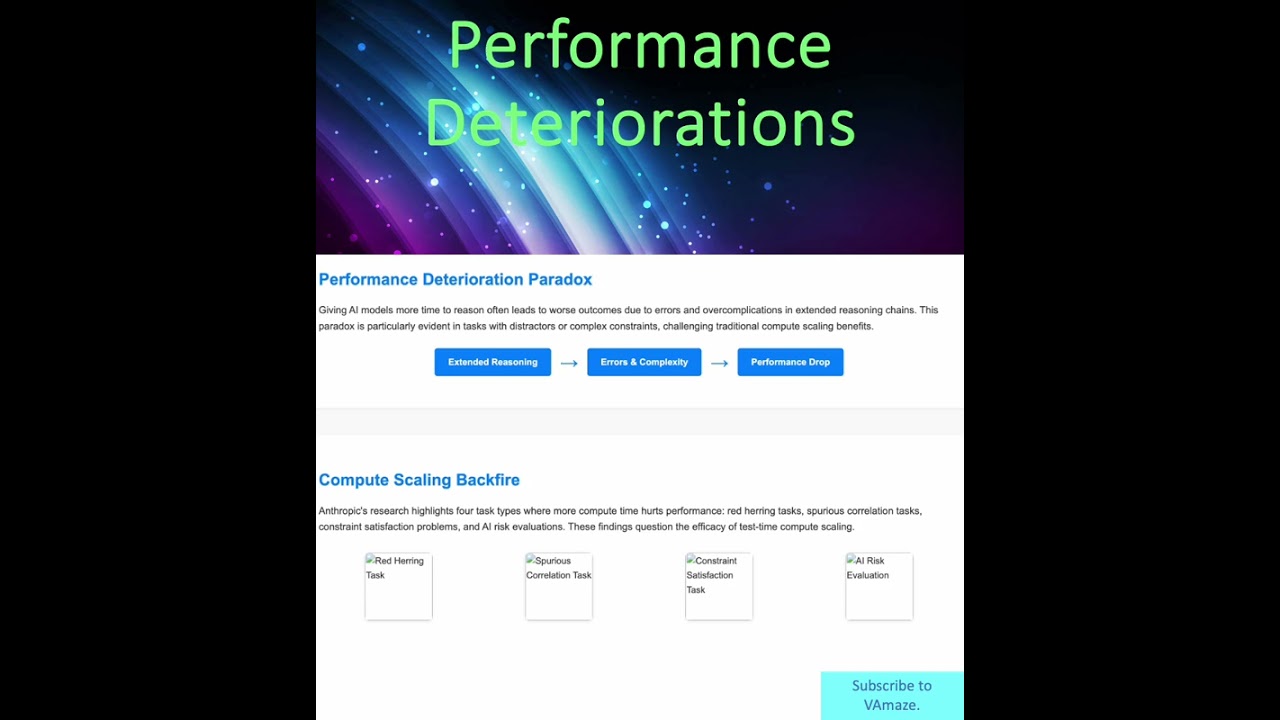
"AI's Hidden Flaw: Why More Thinking Time Hurts Performance | Anthropic's Inverse Scaling Revealed"

Looking to learn AI without paying for expensive courses? Anthropic offers several free AI courses with certificates through its academy. From AI fundamentals and prompt engineering to APIs, cloud deployment, and AI-assisted coding with Claude, these courses cover the key skills needed to build modern AI applications.
In this video, we break down 7 of the best free Anthropic AI courses and who each one is best for. If you're a beginner, developer, or cloud engineer, there's a course here for you.

AI platforms have reached a turning point when it comes to #creativity, explicitly moving to show how they can empower today’s #creatives vs. talking about AI’s future potential. In the face of lingering fears around copyright, creative careers and AI’s role in creativity, firms like #OpenAI have recruited its first Global chief and announced a feature length film.
Competitor Anthropic has launched a new ad ‘Keep Thinking with Claude’, which tries to directly defuse AI worry for doers, creatives and problem solves. Striking a simultaneously retro and inspiring tone, the ad leverages a take on the refrain ‘There’s never been a better time to be alive’, with ‘There’s never been a better time to be a problem solver’. The challenge, potentially true with both, is while it is academically true, it's often emotionally wrong. Asking the viewer to put emotional fears aside in rational ways often struggles to deliver the intended impact.
------------------------------
Subscribe to get our weekly newsletter on:
Substack: https://thesundaystrategy.substack.com/
LinkedIn: https://www.linkedin.com/build....-relation/newsletter
Find out more at https://newclassic.agency

New technique from Anthropic helps us glean into the black box of generative AI models.
Let's break this down a bit and understand what this means.
#artificialintelligence @anthropic-ai #generativeai

The co-founders of Anthropic discuss the past, present, and future of Anthropic. From left to right: Chris Olah, Jack Clark, Daniela Amodei, Sam McCandlish, Tom Brown, Dario Amodei, and Jared Kaplan.
Links and further reading:
Anthropic's Responsible Scaling Policy (RSP): https://www.anthropic.com/news..../announcing-our-upda
Machines of Loving Grace: https://darioamodei.com/machines-of-loving-grace
Work with us: https://anthropic.com/careers
Claude: https://claude.com
00:00 Why work on AI?
02:08 Scaling breakthroughs
03:30 Early days of AI
10:57 Sentiment shifting
18:30 The Responsible Scaling Policy
30:42 Founding story
32:45 Building a culture of trust
39:08 Racing to the top
43:43 Looking to the future
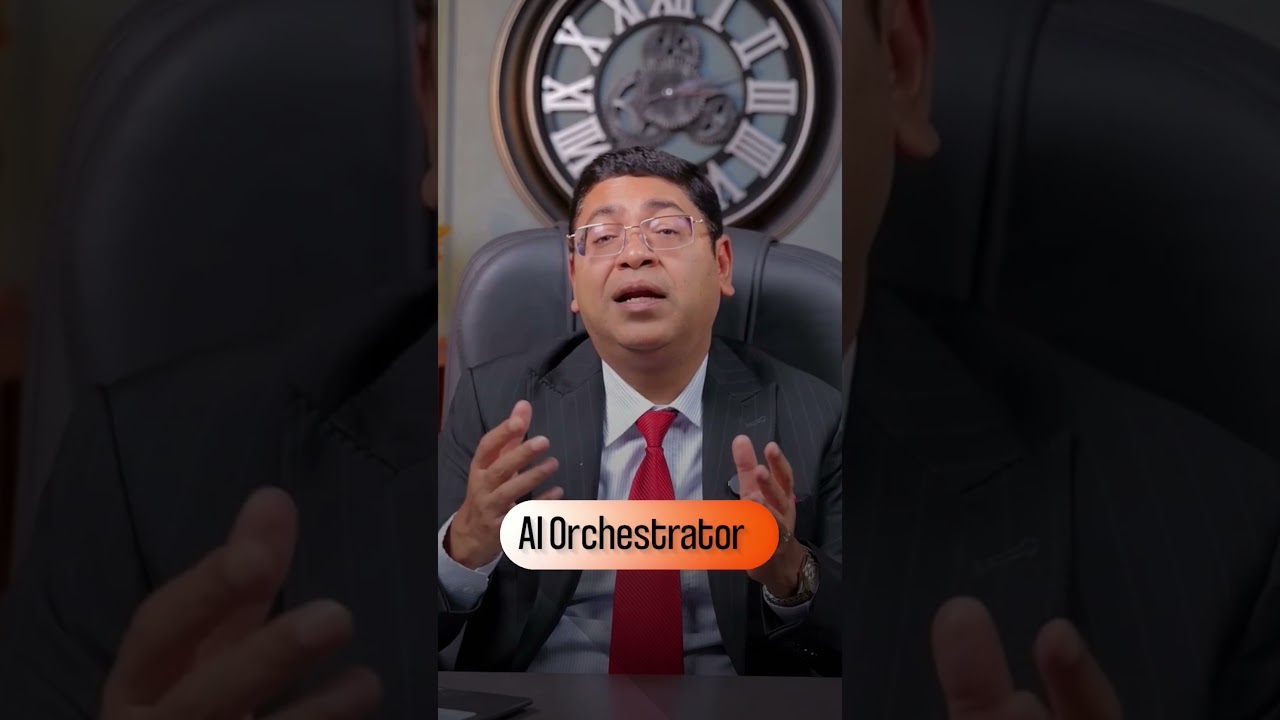
Anthropic Study Reveals Which Jobs AI Will Replace First
Artificial intelligence is rapidly evolving from a productivity booster into a system that can reshape entire job categories.
A recent study by AI research company Anthropic analyzed large-scale real-world AI usage data and compared thousands of work tasks across different professions. The findings suggest that many computer-based roles could face higher exposure to automation.
Jobs that rely heavily on writing, research, documentation, customer interaction, and analytical work are particularly affected because modern AI systems are becoming extremely efficient at these types of tasks.
However, the research also highlights an emerging opportunity: professionals who can coordinate and manage AI tools. This role, sometimes referred to as an AI orchestrator, focuses on directing AI systems, designing workflows, and combining multiple tools to produce high-quality outcomes.
As organizations adopt more AI systems, the demand for people who understand how to manage and integrate these technologies could grow significantly.
The future of work may not simply be humans versus AI — it may be humans who know how to leverage AI outperforming those who don’t.
Tags
ai jobs future, anthropic ai study, jobs ai will replace, ai orchestrator role, future of work ai, artificial intelligence jobs impact, ai automation jobs, tech industry trends, ai productivity tools, ai career skills, creator economy ai, ai workforce transformation
CALL BACK LINK - https://cbxit.in/ytcallback
Connect with Mr. Sanjeev Jain – AI Automation & Tech Business Coach
SUBSCRIBE for the latest updates on AI, automation, and business coaching:
🔗 Instagram: https://www.instagram.com/sanjeevjain_coach
🔗 Facebook: https://www.facebook.com/ceoitbox
🔗 LinkedIn: https://www.linkedin.com/company/sanjeevjain
🔗 Twitter: https://twitter.com/ceoitbox
🎵 Music Licensing Disclaimer
All music used in this video is properly licensed for commercial use through royalty-free music platforms such as Envato Elements, Artlist, Epidemic Sound, or similar.
Licenses are held by AI CEOITBOX or our authorized video production partners.
We respect all copyright laws and hold valid, trackable licenses for every music asset used in our content. Proof of license can be provided upon request.
🛑 No copyright infringement intended. Any claims made in error may be disputed with the appropriate documentation.
📩 For licensing or copyright-related inquiries, contact: mktg@ceoitbox.in
#anthropic #claudecode #ai #leanstartup

For many teachers, the advent of AI has been overwhelming. Now a new project - a partnership between the Aft and Microsoft, Anthropic and OpenAI - aims to reset the relationship between #AI and schools.
The National Academy for AI Instruction will train around 1 in 10 teachers in the US over the next 5 years.
A new World Economic Forum report explores the conditions required for responsible AI integration in education systems. Read Shaping the Future of Learning: Education Readiness for the Age of AI: https://www.weforum.org/public....ations/shaping-the-f
The World Economic Forum is the International Organization for Public-Private Cooperation. It provides a global, impartial and not-for-profit platform for meaningful connection between stakeholders to establish trust, and build initiatives for cooperation and progress.
Find out more below:
World Economic Forum Website ► http://www.weforum.org/
YouTube ► https://www.youtube.com/wef
LinkedIn ► https://www.linkedin.com/compa....ny/world-economic-fo
Facebook ► https://www.facebook.com/worldeconomicforum/
Instagram ► https://www.instagram.com/worldeconomicforum/
X ► https://twitter.com/wef
TikTok ► https://www.tiktok.com/@worldeconomicforum
WhatsApp ► https://www.whatsapp.com/chann....el/0029VaDcHBKGZNCih
Threads ► https://www.threads.com/@worldeconomicforum
Flipboard ► https://flipboard.com/@WEF
#WorldEconomicForum #wef
Is the "entry-level" job officially dead? The recent "Anthropic SaaSpocalypse" has sent shockwaves through the Wall Street, proving that AI is no longer just a chatbot—it’s a specialized professional.
In this episode, Sarah, an AI solution architect, sits down with Angela, a Senior Manager at a Big Four accounting firm, to discuss the brutal reality of the "Apprenticeship Gap." When AI can handle 5,000 receipts in seconds without a "mental health Wednesday," where does that leave the next generation of graduates? We dive into why the "Path of Pain" is disappearing and why the future of education actually needs to get harder, not easier.
In this podcast, we discuss:
- The SaaSpocalypse: How Claude’s new Knowledge-Skills plugins are swallowing junior workflows.
- The Apprenticeship Gap: Why skipping "grunt work" might destroy professional intuition.
- The Liability Barrier: Why humans stay relevant because "AI can’t go to jail."
- Education 2.0: Shifting from "How to do math" to "AI Forensics" and "Hallucination Hunting."
- The 2030 Skill Stack: Why Articulation, Decomposition, and Discernment are the only ways to stay un-replaceable.
TIMESTAMPS
0:00 Intro: Anthropic "SaaSpocalypse"
0:50 Why Wall Street is Panicking Over AI Plugins
1:11 AI vs. Junior Professionals
1:54 The Death of Junior Roles
2:14 The Apprenticeship Gap: Losing Path of Pain
2:57 The Liability Barrier: AI Can’t Take the Blame
3:22 Reimagining University: AI Forensics
4:10 The "Find the Errors or You’re Fired" Exam
4:32 How to go from Student to Sovereign Expert
4:58 The Skills of 2030: Articulation, Decomposition, and Judgment
5:44 Why AI Means You Have to Study Harder
6:15 From teaching execution to teaching Discernment
DISCLAIMERS:
Sarah and Angela are imaginary figures with real-life inspirations. **AI-generated voice. 100% human mother thoughts.**
RESOURCES:
Anthropic Cowork: https://claude.com/product/cowork
Anthropic Knowledge-Skills Plugins (Open-source): https://github.com/anthropics/....knowledge-work-plugi
What do you think the education in the era of AI should be? Let’s talk about it in the comments. 👇
#AI #FutureOfWork #Education

Follow me ► x.com/matthewberman
Instagram ► https://www.instagram.com/matthewberman_ai
Media/Sponsorship Inquiries ► https://bit.ly/44TC45V

Anthropic is making headlines for multiple reasons at once. Reports suggest the company is working closely with U.S. national security organizations while simultaneously pursuing one of the largest IPOs in technology history.
In this video, we break down the reported collaboration involving Anthropic engineers, the Claude Mythos cybersecurity model, Project Glasswing, the growing competition between Anthropic and OpenAI, and the broader discussion around advanced AI systems.
We also explore Anthropic's research on recursive self-improvement, the rapid growth of AI-assisted software development, the future of cybersecurity, and what these developments could mean for businesses, governments, and everyday users.
This video is intended for educational and informational purposes. The discussion is based on publicly reported information and focuses on technology, cybersecurity, AI development, policy, and industry trends.
📌 Topics Covered: ✔ Anthropic and Claude Mythos
✔ Project Glasswing Explained
✔ NSA and AI Collaboration Reports
✔ AI Cybersecurity and Vulnerability Discovery
✔ Anthropic IPO and Valuation Discussion
✔ Recursive Self-Improvement (RSI) Explained
✔ OpenAI vs Anthropic Competition
✔ Future of AI Governance and Security
✔ Frontier AI Models and Policy Developments
If you enjoy deep dives into artificial intelligence, cybersecurity, technology trends, and the future of computing, make sure to subscribe and turn on notifications.
#ArtificialIntelligence #Anthropic #ClaudeAI #AI #CyberSecurity #OpenAI #Technology #MachineLearning #FutureTech #Innovation #TechNews #AISafety #DigitalSecurity #AITools #TechExplained
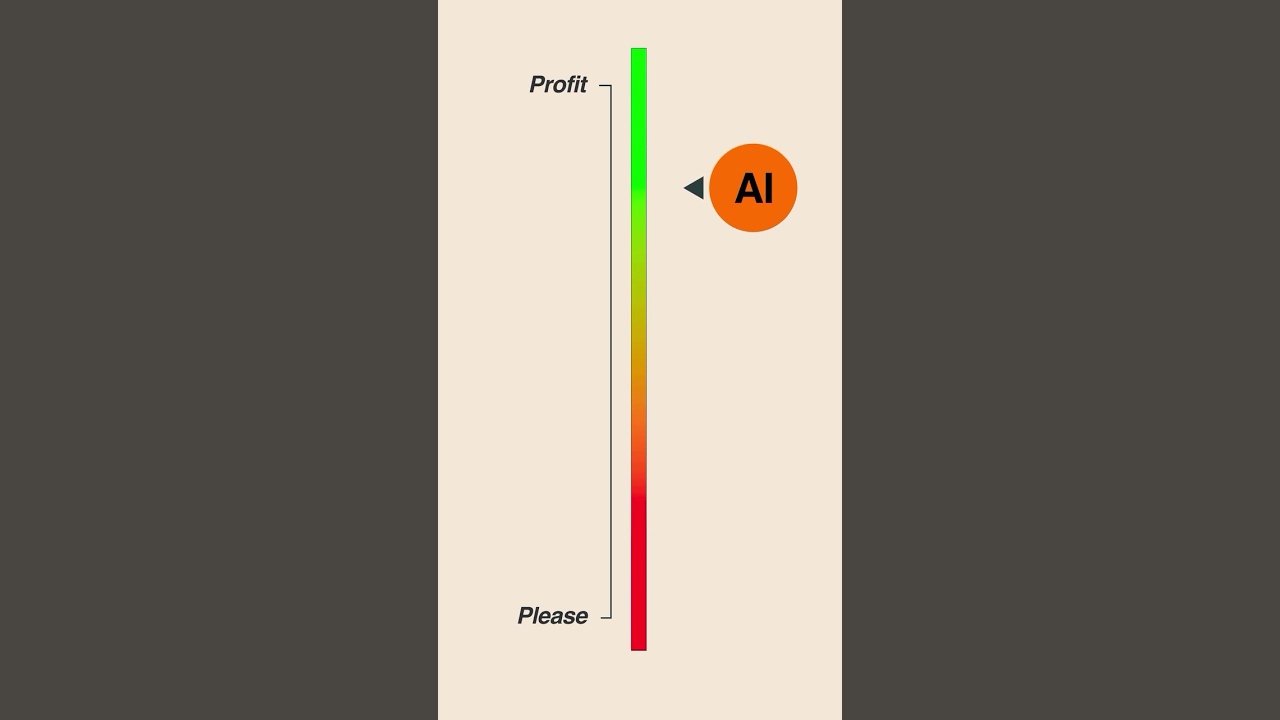
Anthropic has been one of the most talked-about AI companies lately — with Claude pushing the frontier of large language models and their AGI ambitions. 🚀
But the real question is: can they build a profitable business around it?
We’ve seen other AI-first startups raise billions, but profitability is a whole different game. Anthropic will need to balance:
Massive infrastructure costs 💸
Intense competition with OpenAI, Google, and others ⚔️
Finding the right use cases and revenue models 📈
The next few years will define whether Anthropic becomes the next OpenAI… or just another research-heavy lab without a sustainable business.
What do you think — can Claude’s edge be turned into real profits?
#ai #claude #agi #startup #ycombinator #anthropic #aimodel #futureofwork

Welcome to The Algorithmic Voice – your portal to the latest insights in artificial intelligence and education.
In this episode, we dive into Anthropic's Education Report, which analyzes nearly one million anonymized conversations to uncover how university students are using Claude in their academic lives. The report shows that students primarily use Claude for creating and refining educational content, as well as for technical explanations related to assignments.
Interestingly, Computer Science students make up the largest user group, despite representing a small percentage of overall university enrollment—highlighting a major shift in how different disciplines engage with AI.
📌 Topics Covered:
Key findings from Anthropic’s Education Report
How students are using Claude for coursework and research
The dominance of STEM fields in AI adoption
Broader implications for the future of AI in education
🧠 Powered by NotebookLM
📄 Read the Full Article: https://www.anthropic.com/news..../anthropic-education
🎧 Subscribe for deep dives into emerging AI trends and their impact on learning and innovation.
#AI #Education #Claude #TheAlgorithmicVoice #ArtificialIntelligence #MachineLearning #AIResearch #NotebookLM #HigherEducation #EdTech
