Top videos

In this video we learn all about comets for kids. Students will learn where comets come from, how comets are formed, what comets are made of and many other fun and interesting facts about comets.
We learn that a comet in the outer parts of the Solar System is too small to be seen from Earth. You can think of a comet as a large snowball filled with or covered by dust, metal, and debris. They have an icy core, covered by a layer of black dust. The center is mainly composed of water and gases, frozen and mixed together with bits of rock and metal. The nickname for a comet can be a “dirty snowball”.
When a comet gets closer to the Sun, the ice melts and changes into a gas. Dust particles spread out around the nucleus in a cloud called a coma, and the Sun causes them to glow. The coma of an average comet is sixty thousand miles across, but it is also very thin. Radiation and the solar wind drive the gases of the coma away causing it to form a straight tail. The tail may grow to ninety-million miles in length.
Do you want to learn more about Comets? Download our free comprehensive lesson plan packed with more content, activities, worksheets and more (Build for grades 4th-6th): https://learnbright.org/lesson....s/science/asteroids-
What is in the video?
0:00 Introduction to Comets
1:37 What is a Comet?
2:16 Comet Tails (Dust Tail and Ion Tails)
2:48 How are Comets Formed?
3:17 Where do Comets Come From?
3:45 Famous Comets (Halley's and Hale Bopp)
Thank you for watching and learning with us! We’re constantly releasing new content and videos, so click that “Subscribe” button and you’ll get notified.
Find and Follow Us Online:
Facebook: https://www.facebook.com/LearnBright/
Instagram: https://instagram.com/LearnBrightEducation
Pinterest: https://pinterest.com/LearnBrightEducation
YouTube: https://www.youtube.com/LearnBright
Website: https://learnbright.org/
*Teachers and Parents! Did you know? In addition to these great videos, we have also created a library of high quality and engaging lessons for your elementary aged student(s). Visit us, sign up for a free account, and instantly you'll have access to thousands of lesson plans, learning materials, teaching instructions, activities, and assignments that your kids will really enjoy! We hope to see you soon!
Browse our entire collection of Science lesson plans: https://learnbright.org/lessons/?filter_subject=science
#ASL
#Comets
#CometsForKids
#WhatIsAComet

Atoms for kids is an introduction video that helps students learn all about atoms. We answer questions like "What is an Atom?", "What is an Atom made of?", and "What do Atoms do?". We explore protons, electrons and neutrons and give a brief overview of the periodic table of elements. But don't stop at this video! You can also download our FREE lesson plan that has many activities and worksheets about atoms that will help engage and reinforce the learning.
Download the Atoms Lesson Plan here: https://learnbright.org/lessons/science/atoms/
Thank you for watching and learning with us! We’re constantly releasing new content and videos, so click that “Subscribe” button and you’ll get notified.
Find and Follow Us Online:
Facebook: https://www.facebook.com/LearnBright/
Instagram: https://instagram.com/LearnBrightEducation
Pinterest: https://pinterest.com/LearnBrightEducation
YouTube: https://www.youtube.com/LearnBright
Website: https://learnbright.org/
*Teachers and Parents! Did you know? In addition to these great videos, we have also created a library of high quality and engaging lessons for your elementary aged student(s). Visit us, sign up for a free account, and instantly you'll have access to thousands of lesson plans, learning materials, teaching instructions, activities, and assignments that your kids will really enjoy! We hope to see you soon!
Browse our entire collection of Science lesson plans: https://learnbright.org/lessons/?filter_subject=science
#ASL
#AtomsForKids
#Atoms

Photosynthesis for Kids is a great science video aimed to teach 1st to 3rd grade students learn about Photosynthesis and how plants are able to make their own food!
In this video we teach that plants and animals are living things. Both need the food and energy to live. Animals get their energy from the plants and animals they eat. Plants, however, do not have a mouth and cannot eat like animals.
The food-making process for plants is called photosynthesis. It might be a big word, but photosynthesis is used by plants to make their own food as well as produce oxygen for other living creatures.
Without plants making their own food through photosynthesis, living things could not survive. People and animals eat the food that comes from plants, but also take in the oxygen released by the plants. The air you breathe in has oxygen which came from plants.
So we learn that Photosynthesis is important not only for plants but for all living things! Come learn more in the video!
If you're looking for more photosynthesis resources check out our 100% FREE comprehensive lesson plans complete with activities, worksheets, assignments and more! The free lesson can be found at: https://learnbright.org/lesson....s/science/photosynth
Thank you for watching and learning with us! We’re constantly releasing new content and videos, so click that “Subscribe” button and you’ll get notified.
Find and Follow Us Online:
Facebook: https://www.facebook.com/LearnBright/
Instagram: https://instagram.com/LearnBrightEducation
Pinterest: https://pinterest.com/LearnBrightEducation
YouTube: https://www.youtube.com/LearnBright
Website: https://learnbright.org/
*Teachers and Parents! Did you know? In addition to these great videos, we have also created a library of high quality and engaging lessons for your elementary aged student(s). Visit us, sign up for a free account, and instantly you'll have access to thousands of lesson plans, learning materials, teaching instructions, activities, and assignments that your kids will really enjoy! We hope to see you soon!
Browse our entire collection of Science lesson plans: https://learnbright.org/lessons/?filter_subject=science
#ASL
#Photosynthesis

Did you know that carbon is the fourth-most abundant element in the universe? Did you know it also is essential to life on Earth? Every living thing on the earth needs energy to survive. The main source of energy comes from the sun, but only a few living things can use sunlight directly as a source of energy. Animals like us need help. That's where carbon comes in!
Carbon comes in two forms: diamond and graphite. Carbon contributes to the process of photosynthesis to help plants create food and give off oxygen. That oxygen let's us breathe and live. Not to mention, eating those plants provide food to keep us alive as well. Without carbon, there is no photosynthesis. Without photosynthesis there's no food!
The carbon cycle involves the exchange of carbon between organic and inorganic elements. Just like all the earth's cycles, there isn't a starting or ending point. It's a continuous process with several steps. Carbon moves from the atmosphere to plants, from plants to animals, plants and animals to the ground, living things to the atmosphere, fossil fuels to the atmosphere, and the atmosphere to the oceans. That's a lot of steps!
When carbon dioxide releases into the atmosphere, it acts as a greenhouse gas that helps keep the earth warm. However, there's an imbalance to this system, and too much carbon is being released into the atmosphere. Not enough is being absorbed, so Earth is warmer than it should be. There are ways to help slow the effects of climate change though, such as planting more trees and cutting fewer trees down.
We hope you and your student(s) enjoyed learning about this essential element! If you want to learn even more, head over to our website and download one of our many free lesson plans about landforms, full of activities, worksheets, and more!
What you will learn in Carbon Cycle for Kids:
0:00 Introduction to carbon
0:33 Why carbon is vital to life on Earth
1:22 How carbon contributes to photosynthesis
2:17 What the carbon cycle is and does for the planet
3:42 Solutions for helping climate change
4:11 Review of the facts
Thank you for watching and learning with us! We’re constantly releasing new content and videos, so click that “Subscribe” button and you’ll get notified.
Find and Follow Us Online:
Facebook: https://www.facebook.com/LearnBright/
Instagram: https://instagram.com/LearnBrightEducation
Pinterest: https://pinterest.com/LearnBrightEducation
YouTube: @LearnBright
Website: https://learnbright.org/
*Teachers and Parents! Did you know? In addition to these great videos, we have also created a library of high-quality and engaging lessons for your elementary aged student(s). Visit us, sign up for a free account, and instantly you'll have access to thousands of lesson plans, learning materials, teaching instructions, activities, and assignments that your kids will really enjoy! We hope to see you soon!
Browse our entire collection of Science lesson plans: https://learnbright.org/lessons/?filter_subject=science
#Carbon
#CarbonCycle

Do you recognize the story, The Tortoise and the Hare? This story is called a fable. In Fables for Kids, you will learn about this unique type of story and the elements that must be included. Can you think of any of those elements off the top of your head?
All fables have five specific characteristics. They must be fictional, meaning that it is an imaginary story. Generally, these stories are fairly short. The element you probably knew already is that fables teach a moral lesson. "Slow and steady wins the race," for example, is the lesson we learn from The Tortoise and the Hare. In all fables, the main characters are always animals that act like humans. Finally, the setting of a fable is always outside.
Where did fables come from? Aesop, a slave of African decent who lived in ancient Greece, had a collection of fables that we now call Aesop's fables. Historians are still unsure whether he wrote all the stories himself or simply gathered them from other sources. Even though he lived a long time ago, his stories were passed down to the present day!
We hope you and your student(s) enjoyed learning about this special genre of stories! If you want even more practice, head over to our website and download one of our many free lesson plans about reading, full of activities, worksheets, and more!
https://learnbright.org/lessons/reading/fables/
https://learnbright.org/lesson....s/language-arts/fabl
What you will learn in Fables for Kids:
0:00 Introduction to fables and what they are
0:39 Characteristics or elements required for fables
1:32 Origins of our most famous fables—Aesop
2:13 Examples of Aesop's fables
2:48 "The Lion and the Mouse"
3:46 Lessons to learn from the story
4:09 Review of the facts
Thank you for watching and learning with us! We’re constantly releasing new content and videos, so click that “Subscribe” button to get notified of any new content.
Find and Follow Us Online:
Facebook: https://www.facebook.com/LearnBright/
Instagram: https://instagram.com/LearnBrightEducation
Pinterest: https://pinterest.com/LearnBrightEducation
YouTube: @LearnBright
Website: https://learnbright.org/
*Teachers and Parents! Did you know? In addition to these great videos, we have also created a library of high-quality and engaging lessons for your elementary aged student(s). Visit us and sign up for a free account, and you will instantly have access to thousands of lesson plans, learning materials, teaching instructions, activities, and assignments that your kids will really enjoy! We hope to see you soon!
Browse our entire collection of Reading lesson plans: https://learnbright.org/lessons/?filter_subject=reading
#Fables
#Aesop
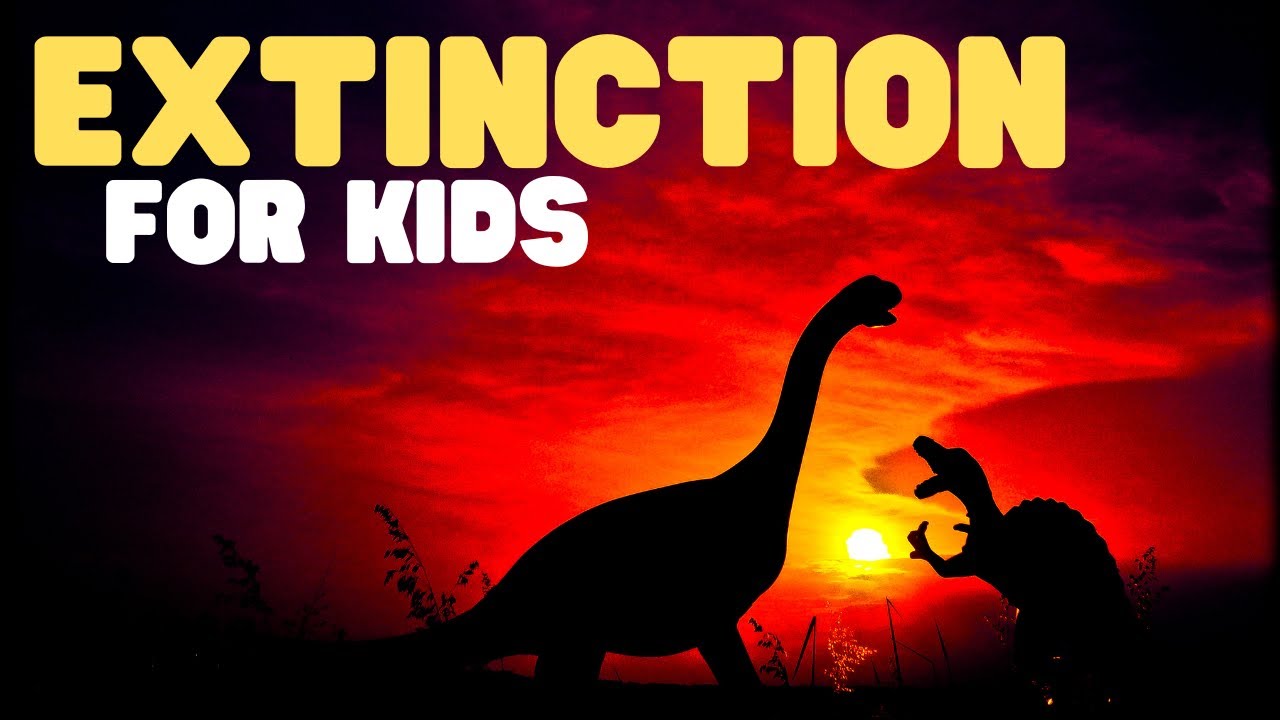
Have you ever wondered why there are no dinosaurs anymore? In Extinction for Kids, you will learn why dinosaurs no longer roam the planet. You will also learn about some other species that likewise died off. Believe it or not, plants can become extinct too, and the process happens more quickly than it does for animals.
Most of the time, extinction happens over a long period of time. When certain animals can no longer reproduce, they begin to die off. Or when animals can't adapt to their changing environment, this can also lead them to extinction. In cases of mass extinction, many species of plants and animals die out very quickly. Many scientists believe that this is what happened to the dinosaurs and other plants and animals that were on the planet millions of years ago. An asteroid may have collided with the surface of the earth and caused these species to die.
Humans can also contribute to the possibility of extinction for various species through things like overhunting, destroying habitats, or introducing nonnative species to areas where they are not usually found. In fact, have you ever heard of the dodo bird? When animals like pigs and cats were introduced to the dodo bird's environment, the bird became prey to the pigs and cats. As a result, they eventually became extinct because they could not adapt quickly enough to survive.
We hope you and your student(s) enjoyed learning about how animals and plants become extinct! If you want to learn even more, head over to our website and download one of our many free lesson plans about extinction, full of activities, worksheets, and more!
https://learnbright.org/lesson....s/science/extinct-an
https://learnbright.org/lesson....s/science/extinction
https://learnbright.org/lessons/science/dinosaurs/
https://learnbright.org/lessons/science/fossils/
What you will learn in Extinction for Kids:
0:00 Introduction to extinction and why species go extinct
1:17 What happened to the dinosaurs and other reasons species die out
1:56 How humans can cause extinction
3:11 Animals in danger of becoming extinct
3:38 Ways to help prevent extinction
4:01 Review of the facts
Thank you for watching and learning with us! We’re constantly releasing new content and videos, so click that “Subscribe” button and you’ll get notified.
Find and Follow Us Online:
Facebook: https://www.facebook.com/LearnBright/
Instagram: https://instagram.com/LearnBrightEducation
Pinterest: https://pinterest.com/LearnBrightEducation
YouTube: @LearnBright
Website: https://learnbright.org/
*Teachers and Parents! Did you know? In addition to these great videos, we have also created a library of high-quality and engaging lessons for your elementary aged student(s). Visit us, sign up for a free account, and instantly you'll have access to thousands of lesson plans, learning materials, teaching instructions, activities, and assignments that your kids will really enjoy! We hope to see you soon!
Browse our entire collection of Science lesson plans: https://learnbright.org/lessons/?filter_subject=science
#ExtinctionForKids
#Extinction

What is the difference between "extinct" and "endangered"? Animals and other living things that no longer exist are extinct, and those that are in danger of becoming extinct are endangered. In this video, you and your kids will learn about some of the things that cause living organisms to die out. You will also learn how to help protect endangered species!
You probably already know about dinosaurs and that there are no more on the earth today. That is because they are extinct. They're not the only ones, though. Animals like woolly mammoths and dodo birds used to exist. However, due to certain natural causes and to human interaction, they no longer do. There are several reasons a species might die out. For the dinosaurs, scientists believe an asteroid collided with earth and caused a mass extinction.
On the other hand, woolly mammoths lost their habitats, and the climate changed drastically enough that they couldn't adapt to their new surroundings. Similarly, the dodo bird became extinct because of overhunting and the destruction of its habitat. Not all animals that go extinct existed thousands or millions of years ago. The passenger pigeon died out much more recently, and for the same reasons as the dodo.
What about endangered animals? For the most part, human causes are the reason most animals and other species are in danger of dying out. Animals you may be familiar with that are on the endangered species list include black rhinos, orangutans, Bengal tigers, blue whales, and sea lions. The video explains several causes, many of which are the same as those you already learned about.
While you can't do anything about extinct species, there are a few ways to help protect endangered animals and plants. You can recycle, save energy, and plant a garden. These will all help improve the environment. In addition, you can even sponsor an endangered animal!
We hope you and your student(s) enjoyed learning about animals that are extinct or endangered! If you want to learn even more, head over to our website and download one of our many free lesson plans, full of activities, worksheets, and more!
https://learnbright.org/lesson....s/science/extinct-en
https://learnbright.org/lesson....s/science/extinction
https://learnbright.org/lessons/science/dinosaurs/
https://learnbright.org/lessons/science/fossils/
What you will learn in Extinct and Endangered Animals for Kids:
0:00 Introduction to what "extinct" and "endangered" mean
1:36 What causes extinction
2:23 Main reasons extinction occurs: natural occurring
3:15 Main reasons extinction occurs: human interaction
4:02 What endangered means and examples of endangered animals
5:20 Ways to help protect endangered animals
5:50 Review of the facts
Thank you for watching and learning with us! We’re constantly releasing new content and videos, so click that “Subscribe” button and you’ll get notified.
Find and Follow Us Online:
Facebook: https://www.facebook.com/LearnBright/
Instagram: https://instagram.com/LearnBrightEducation
Pinterest: https://pinterest.com/LearnBrightEducation
YouTube: @LearnBright
Website: https://learnbright.org/
*Teachers and Parents! Did you know? In addition to these great videos, we have also created a library of high-quality and engaging lessons for your elementary aged student(s). Visit us, sign up for a free account, and instantly you'll have access to thousands of lesson plans, learning materials, teaching instructions, activities, and assignments that your kids will really enjoy! We hope to see you soon!
Browse our entire collection of Science lesson plans: https://learnbright.org/lessons/?filter_subject=science
#Extinction
#EndangeredAnimals
Learn More at mathantics.com
Visit http://www.mathantics.com for more Free math videos and additional subscription based content!

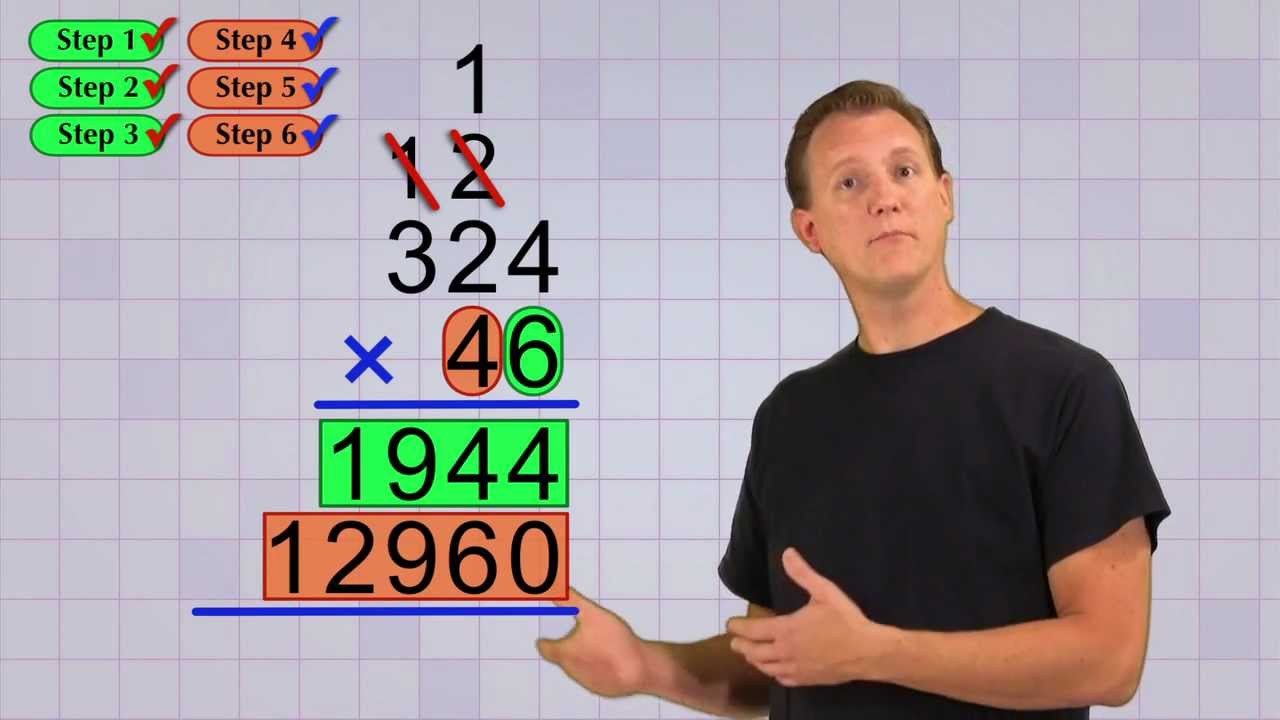
This video introduces students to polynomials and terms.
Part of the Algebra Basics Series:
https://www.youtube.com/watch?v=NybHckSEQBI&list=PLUPEBWbAHUszT_GebJK23JHdd_Bss1N-G
Learn More at mathantics.com
Visit http://www.mathantics.com for more Free math videos and additional subscription based content!
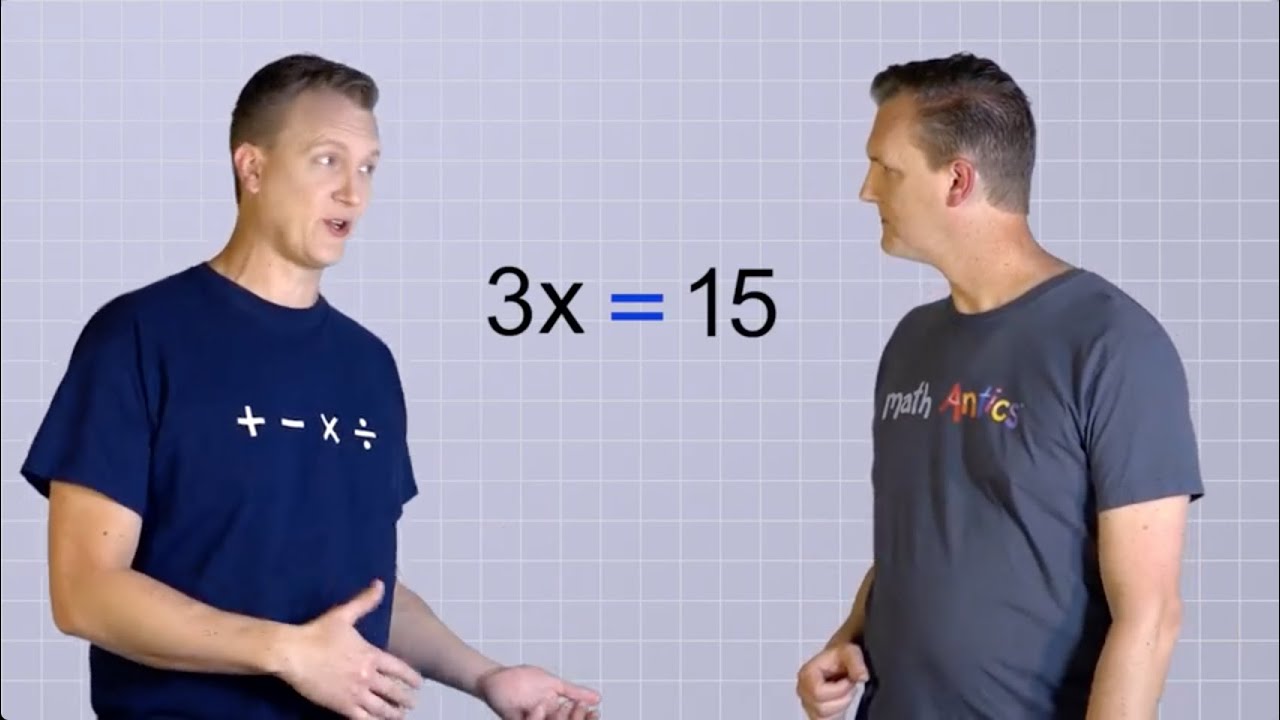
This video shows students how to solve simple 1-step Algebra equations involving only multiplication or division.
Part of the Algebra Basics Series:
https://www.youtube.com/watch?v=NybHckSEQBI&list=PLUPEBWbAHUszT_GebJK23JHdd_Bss1N-G
Learn More at mathantics.com
Visit http://www.mathantics.com for more Free math videos and additional subscription based content!
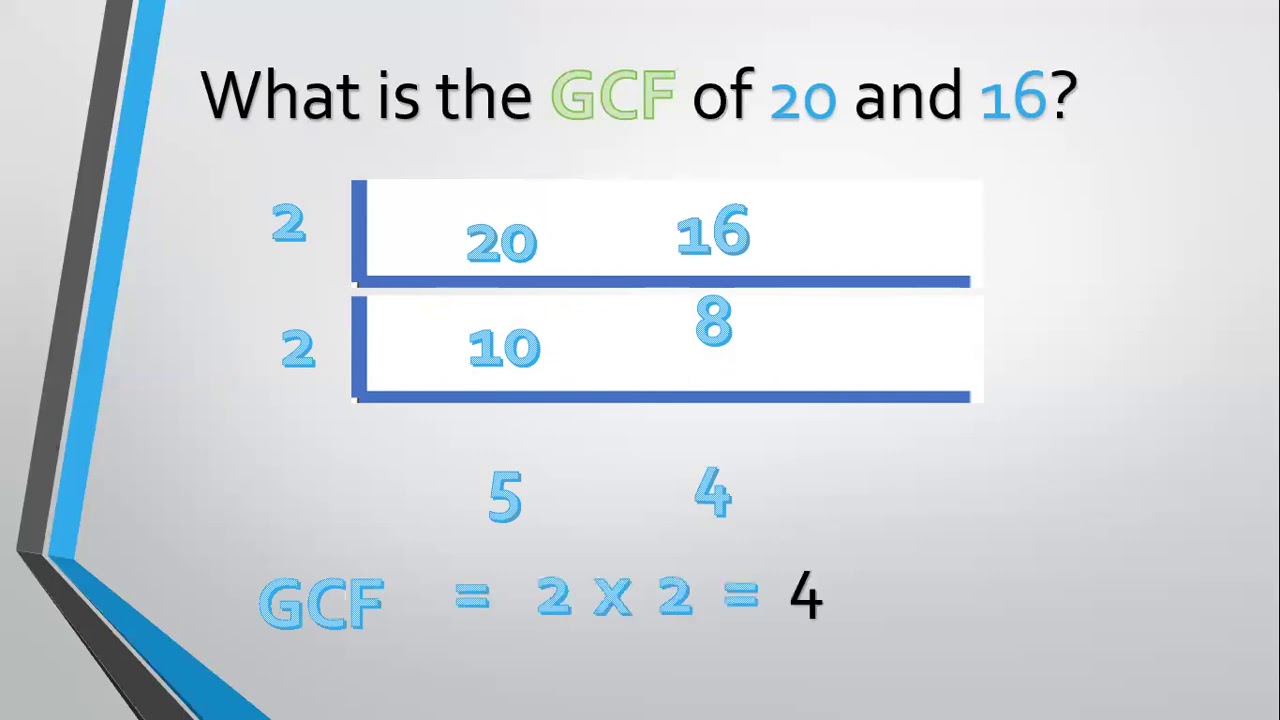
Helpful for Grade 4 and 5 pupils.
K - 12: GRADE 5 - GREATEST COMMON FACTORS (GCF)

Get the Gemini Masterclass : https://www.skool.com/ai-profit-lab-7462/about
Want to make money and save time with AI? Join here: https://www.skool.com/ai-profit-lab-7462/about
Video notes + links to the tools 👉 https://www.skool.com/ai-profit-lab-7462/about
Get a FREE AI Course + Community + 1,000 AI Agents 👉 https://www.skool.com/ai-seo-w....ith-julian-goldie-15
Get a FREE AI SEO Strategy Session → https://go.juliangoldie.com/st....rategy-session?utm=j
Get 200+ Free AI SEO Prompts → https://go.juliangoldie.com/chat-gpt-prompts
NEW Google Gemini Update: This Thinking Mode Changes Everything!
Google just dropped a massive Gemini update featuring a brand-new look and a game-changing 'Thinking Selector' for deeper AI reasoning. Discover how these new features turn Gemini into a professional AI workspace and how to leverage them to save hours of work.
00:00 - Intro: The Insane Gemini Update
00:36 - The New Gemini Design & UI
01:54 - How the Thinking Selector Works
02:29 - Profit Boardroom Examples of New Thinking Mode
03:59 - The Hidden Usage Limits Tab
04:49 - Gemini Integration Everywhere
06:28 - My Final Take on Gemini's Future
Want to make money and save time with AI? Join here: https://www.skool.com/ai-profit-lab-7462/about
Video notes + links to the tools 👉 https://www.skool.com/ai-profit-lab-7462/about
Get a FREE AI Course + Community + 1,000 AI Agents 👉 https://www.skool.com/ai-seo-w....ith-julian-goldie-15
Get a FREE AI SEO Strategy Session → https://go.juliangoldie.com/st....rategy-session?utm=j
Get 200+ Free AI SEO Prompts → https://go.juliangoldie.com/chat-gpt-prompts
Google Gemini’s Insane New Updates: 6 Features You Must Try!
Google just revolutionized Gemini with six major updates that transform it from a chatbot into a complete AI operating system. Learn how to generate full songs, create personalized AI images, and integrate your digital life into a powerful second brain.
00:00 - Intro: Gemini’s New Evolution
00:45 - Notebook Integration & Research
01:32 - Personalized Image Generation
02:42 - Your AI Second Brain
04:21 - AI Music Generation: LIA 3 Pro
05:25 - The Native Mac App Upgrade
05:59 - Interactive Visual Learning
06:33 - Gemini: The AI Operating System


As a teacher, your bag is more than just an accessory—it's a lifeline that carries everything you need to succeed in the classroom. 📝📚 The Gemini Convertible Backpack offers ample space for your lesson plans, laptop, and all the essentials you need to keep your day running smoothly. The bag’s thoughtfully designed pockets mean that your pens, planners, and even your Stanley has a dedicated spot. 🤩❤️
#whiteelmbags #totebag #workbag #mombag #backpack #travelbag #sustainablefashion #trending #bags #veganleather #womenownedbusiness #womeninbusiness #backtoschool #teacher #teacherbag #school
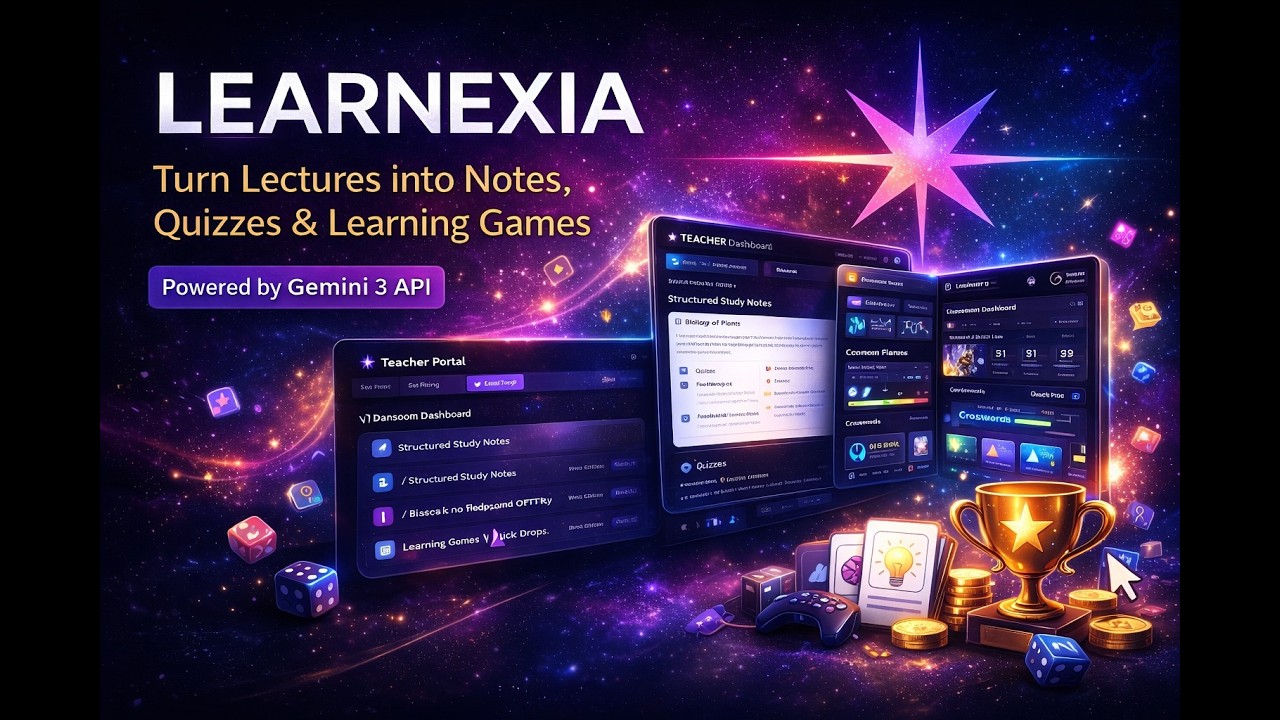
Learnexia is an AI-powered classroom platform (powered by Gemini 3 API) that transforms lectures into interactive learning experiences.
In this demo, you’ll see how a teacher can create a lecture and instantly generate:
Study notes
Flashcards
Quizzes
Learning games
AI-driven behavior insights
Students then learn through games, quizzes, and spaced repetition — while teachers save hours of manual preparation.
Powered by: Google Gemini 3 API
Demo shows: Teacher Portal + Student Portal + AI Features + Games + Behavior Tracking
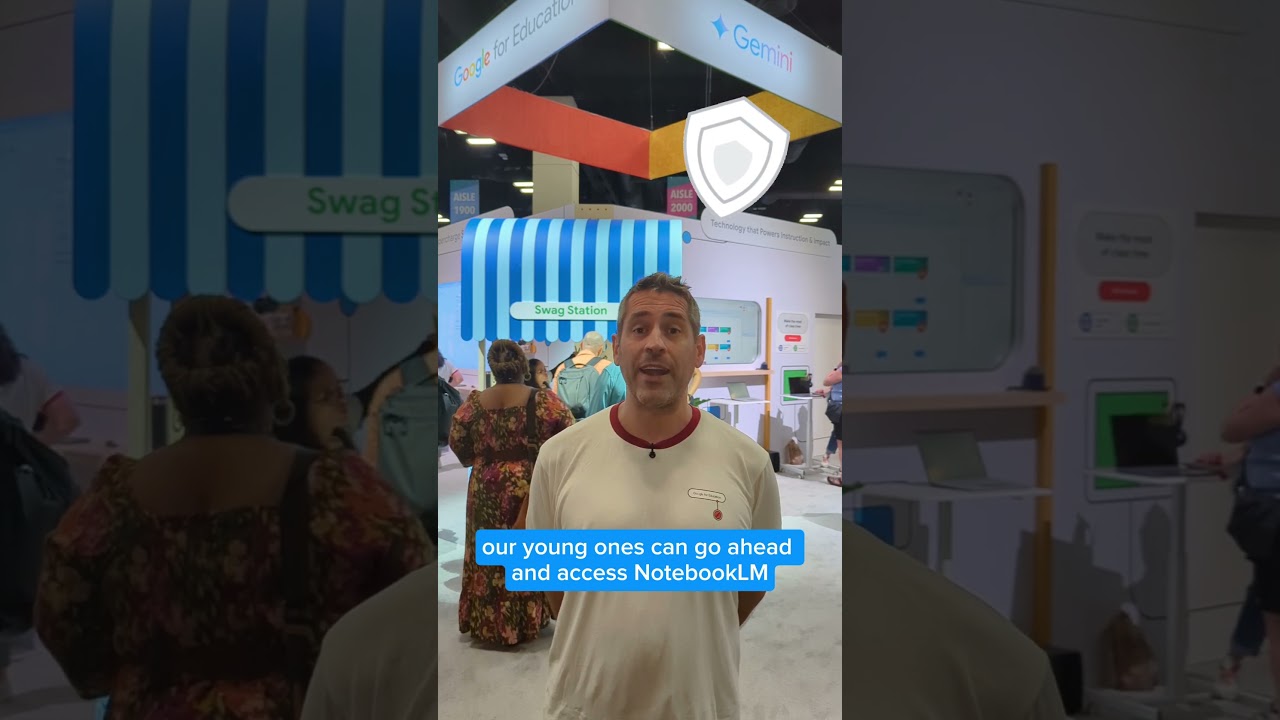
Join Google Solutions Engineer Clay Smith as he walks you through the latest updates and exciting features for Gemini and NotebookLM, plus how you can integrate them into Google Classroom.

#Gemini #Gems #IAenEducación #Docentes #GoogleWorkspace #DeepResearch #Canvas #EdTech #InnovaciónEducativa #EdTrainerTV
¿Cada vez que abres Gemini tienes que empezar de cero? Curso, nivel, tema, metodología… otra vez.
En este vídeo te enseño qué son las Gems de Gemini y cómo usarlas para convertir la IA en un asistente docente con contexto, que trabaja contigo con criterio, continuidad y enfoque pedagógico.
Aprenderás a crear tu primer Gem paso a paso, usando el método PARTS para que responda con precisión, y verás 5 casos de uso reales para el aula: investigación con Deep Research, edición con Canvas, tutorías con Aprendizaje Guiado, generación de vídeos y creación de recursos visuales.
✅ Recomendación importante: para trabajo docente, lo ideal es usar Google Workspace for Education (la cuenta del centro), por privacidad, control y entorno educativo.
📌 Además, en la descripción tienes enlazada mi serie: “100+ usos de Gemini en educación” (5 vídeos) para llevarlo al siguiente nivel.
🎯 Lo que vas a conseguir con Gems
Preparar clases más rápido sin repetir contexto en cada chat
Generar actividades, rúbricas y materiales alineados con tu evaluación y normativa
Crear tutores que guían sin dar la respuesta (enfoque socrático)
Traer contenido actualizado y verificado con Deep Research
Construir un “equipo de especialistas” de IA para tu etapa: K12, FP o universidad
⏱️ Capítulos
00:00 Intro: el problema de empezar de cero
01:49 Guía paso a paso: cómo crear tu primer Gem
04:27 Casos de éxito: Inspírate
09:41 Tu Gem, tu ventaja pedagógica
Curso gratuito: 100+ Formas de usar Gemini en Educación: https://www.youtube.com/playli....st?list=PLcEAZvNGhvm
☕️ Cada vez que haces clic en estos enlaces es como invitarme a un café para seguir creando vídeos y recursos gratuitos.
Para ti el precio es el mismo, pero para el canal es un impulso enorme.
🚀 Empieza por aquí: prueba Gamma gratis
👉 https://try.gamma.app/dqhojohsvv2f
Crea presentaciones y recursos visuales en minutos con IA. Si la pruebas desde este enlace, apoyas directamente al canal.
🧑🏫 Formación personalizada para tu centro educativo
👉 www.edtrainerplace.com
Agenda una sesión formativa —presencial o virtual— con Luis Alfonso Ruiz,
Google Innovator, Google Trainer y especialista en transformación digital educativa.
➡️ No te pierdas los últimos videos publicados: https://youtube.com/playlist?list=PLcEAZvNGhvm6bnPE0-lt4u8KMSiIE6ktG&si=xOcXCqt1pt1SjFPA
➡️ Activa el doblaje automático en Youtube: https://youtu.be/7vFpovkrcs0?si=HTct89uF8RaMolIE
Mira también:
🔷Google AI AHORA GRATIS en Workspace – ¡Todas las funciones explicadas! https://youtu.be/6sSrx4Bv0Jo?si=4LaP9sTOU0-z6pjZ
🔷ChatGPT Revoluciona Todo! Aprende a organizar Tareas Automáticas con GPT 4. https://youtu.be/v06jDsRca44?si=D_fo9WY47WjzbH6e
🔷¡Cómo Usar Notas de Video en WhatsApp y Sorprender a Todos 🚀 (Guía Completa 2025). https://youtu.be/kot6DSZI_LE?si=haJP883zlSdhkb1o
🔷🌍 ¡YouTube ROMPE FRONTERAS con el DOBLAJE AUTOMÁTICO por IA! 🚀 Cómo Activarlo y Usarlo HOY.https://youtu.be/7vFpovkrcs0?si=aTfZqaHrZHYvFxey
🔷Tecnología vs Libros: ¿Por qué NO debemos elegir? Tecnología vs Libros: ¿Por qué NO debemos elegir? https://youtu.be/n0KlWzZcVZM?si=6SZebeCc_jfvRWIy
🔷Novedades Google Classroom Education Plus. https://youtu.be/kUk9WPoA_l8?si=VIfyTpqyhMxZeOTd
Conviértete en miembro de este canal para disfrutar de ventajas:
https://www.youtube.com/channe....l/UCcmqdDvs1VX-9R1H9
Conviértete en miembro de este canal para disfrutar de ventajas:
https://www.youtube.com/channe....l/UCcmqdDvs1VX-9R1H9
Conviértete en miembro de este canal para disfrutar de ventajas:
https://www.youtube.com/channe....l/UCcmqdDvs1VX-9R1H9
Looking for free, ready-to-use Google Gemini Gems for education? In this tutorial, I’ll show you EduGems, a site curated by Eric Curts with a growing collection of Gemini Gems (task-specific chatbots you can use in your classroom workflow).
You’ll learn how to:
Browse EduGems categories to quickly find the right Gem
Open a Gem to read its purpose and how it works
Click Use the Gem to add it to your Gemini Gems library
Copy a Gem into your own account so you can rename it, edit the instructions, and customize it
Use the preview/test area to iterate on your instructions
Add a knowledge base (upload files) to guide outputs (ex: your lesson plan template)
EduGems is especially helpful if you’re still building confidence with prompt writing, because many Gems guide you with the right questions and structure.
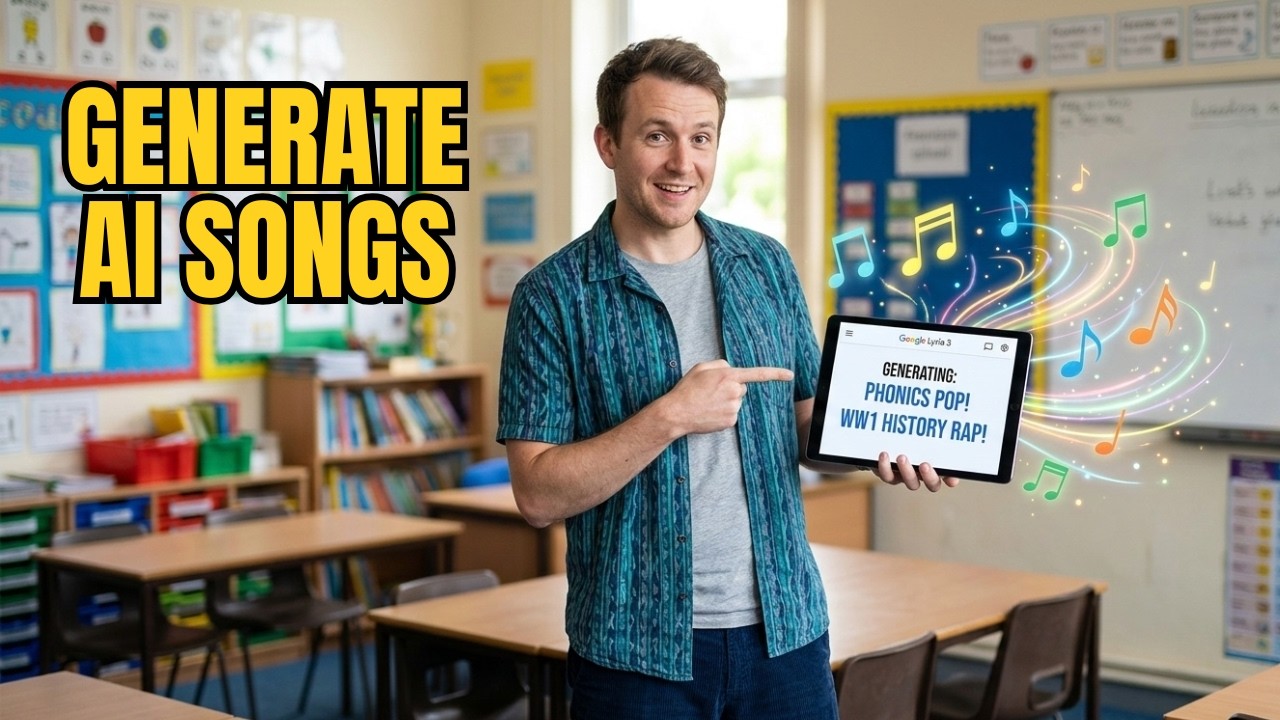
Stop wasting hours searching for the "perfect" classroom song that doesn't quite fit your lesson. In this video, I’m showing you how to use Google Gemini’s revolutionary new tool, Lyria 3, to generate bespoke, high-quality educational music in seconds.
Whether you are a primary teacher looking for catchy phonics mnemonics or a secondary teacher needing a gritty hip-hop track to hook students into a history lesson, Lyria 3 is a game-changer for classroom engagement and lesson planning.
In this tutorial, you’ll learn:
✅ What Google Lyria 3 is and how to access it within Gemini.
✅ How to write specific prompts for primary school songs (e.g., phonics and routines).
✅ How to create "cool" genre-specific tracks for secondary students (e.g., WWI Hip-Hop).
✅ The "magic" feature: How to turn images and photos into atmospheric classroom soundscapes.
✅ The practical limitations (and workarounds) for the 30-second clip limit.
Read more, and get the prompts here: https://www.whiteboardblog.co.....uk/2026/03/this-ai-t
Artificial Intelligence for teachers isn't just about grading or writing emails—it’s about boosting creativity and making your lessons resonate. If you’ve been looking for a way to use AI in the classroom that actually excites your students, this is it.

Discover how to bring the power of Google AI into your classroom! In this beginner-friendly training, educator Jessica Stuivenberg introduces Gemini in Google Workspace for Education. Learn what AI is, how it works in tools you already use (like Gmail and Google Maps), and how to use it safely and responsibly. You'll also explore prompt-building strategies using the PARTS framework to get the most from Gemini. Perfect for teachers looking to save time, enhance lessons, and engage students with AI. Watch now and start your journey with Google AI in education!

Using Google Gemini brings a fresh approach to accessing texts for teaching writing. This AI tool allows educators to quickly generate text excerpts tailored to specific skills. These custom texts offer models for writing when a published text may not be accessible or when more options are needed.
Using mentor texts to teach the Six Traits of Writing gives students clear examples of what good writing looks like—exactly what we want them to emulate. For instance, a well-chosen text can demonstrate how a writer organizes ideas or uses vivid word choice to bring a story to life. Students can then turn around and apply these techniques in their own writing, learning firsthand how to implement the traits of writing.
Upcoming workshops💡👩🏫
→https://www.smekenseducation.com/get-started/
🔔 Subscribe to this channel: https://bit.ly/3rwOQHD
💡 Learn more about this topic: https://www.smekenseducation.c....om/teaching-with-tec
There are plenty of recommended mentor texts for teaching writing. However, the recommendations may not cater to individual teaching needs or be readily available. This is one instance where the integration of technology in education has opened up avenues for creating customized instruction.
Google Gemini along with other generative AI tools, such as ChatGPT, offer the advantage of customization and adaptability to specific instructional points, providing the flexibility that published texts may not. Most texts can show a skill, but the skill may not always be obvious, making it difficult for students to recognize. The ideal passage is concise but packed with solid examples. Teaching with technology, such as AI tools to create text excerpts, can help teachers better achieve this balance.
Pinpoint the instructional purpose of the mentor text
Using Google Gemini to create customized mentor texts is straightforward and user-friendly. The method for producing a mentor text, whether for reading or writing, follows the same steps (check it out here). The highlighted difference lies in the content.
When looking for a specific mentor text for teaching writing, educators typically examine texts to understand the author’s craft and the traits demonstrated. However, with Google Gemini, teachers do not have pre-existing texts to browse for these attributes. Instead, they need to provide these expected features to the AI tool. By specifying the desired genre, tone, target skills, and other relevant criteria, teachers guide Gemini to generate a mentor text that aligns with their instructional goals.
For this tech tool to be effective, the prompt has to be specific and detailed. If it is too vague, the mentor text might not showcase the skill as intended. The challenge is figuring out exactly which details to specify for Gemini.
While the 6 Traits are common across all types of writing, each mode—argumentative/persuasive, informative, and narrative—has unique characteristics that define its specific purpose and style. For instance, while the trait focus might be on ideas, the skill focus might differ—creating a plot for a narrative versus identifying a topic and position for persuasive writing.
Because several skills fall within each trait, it is best practice to rely on the skills outlined in the standards to guide instruction. Teachers can refer to the wording in the standards to direct Gemini in crafting texts that highlight these skills.
The prompt guide, skills organized by the traits, and sorted standards take the guesswork out of identifying which skills fit each trait and mode. Once the instructional purpose is clear, just follow the outline on the prompt guide to write the prompt for Gemini.
With the right prompt, Google Gemini can quickly generate a tailored mentor text that aligns with the instructional goals. If the initial text doesn’t hit the mark, it is simple to tweak the prompt and generate a new version. Fine-tune the prompt and the resulting mentor text until the resulting text perfectly aligns with the teaching objectives.
Using mentor texts in the classroom
With the mentor text on hand, there are plenty of ways to use it for teaching writing. Teachers can use the mentor text in mini-lessons to illustrate what good writing looks like. During small-group sessions, students can revisit the mentor text to work on their writing with support, using it as a model to practice the skill. It’s also valuable during writer-process conferences, where it can serve as a concrete example for teachers to reference to give feedback and guidance.
Learn more from Smekens: https://www.smekenseducation.com/
Free Teacher Tools: https://www.smekenseducation.com/teacher-tools-signup/

🚀 How to Use Gemini 3.0 Pro Better Than 99% of Educators
Are you still using Google Gemini like a simple chatbot? In this video, I’ll show K-12 teachers, university professors, and instructional designers how to unlock the real power of Gemini 3.0 Pro to automate grading, supercharge lesson planning, conduct deep academic research, and create stunning visuals — all in minutes, not hours.
Gemini 3.0 Pro comes with a 2 million token context window, advanced Thinking Mode, Deep Research, multimodal data extraction, and Interactive Canvas — making it the most powerful AI assistant ever built for education.
This step-by-step tutorial shows you exactly how to use it like a pro, not a beginner.
⏱️ TIMESTAMPS – Learn Fast, Skip Smart
00:00 – Educator’s New Superpower
00:31 – Thinking Mode for Pedagogical Reasoning
01:07 – Multimodal Paperwork Hack (Handwritten & PDF Data)
01:32 – Deep Research for Curriculum Design
02:05 – Socratic Tutor Prompt (Stop AI Cheating)
02:50 – Video Analysis for Lessons & Quizzes
03:24 – Nano Banana Visual Pedagogy (AI Diagrams)
04:47 – Gmail & Drive Integration (Admin Automation)
05:15 – Productivity Evolution Summary
🎯 What You’ll Learn in This Video
✔ How to use Thinking Mode for complex teaching strategies
✔ How to convert handwritten student work into structured grading data
✔ How to use Deep Research to build citation-based curriculum
✔ How to turn Gemini into a Socratic Tutor instead of an answer machine
✔ How to analyze long YouTube lectures automatically
✔ How to generate labeled diagrams using Nano Banana AI
✔ How to live-edit rubrics and documents using Interactive Canvas
✔ How to connect Gemini with Gmail & Google Drive
🧠 Perfect For:
• School Teachers
• College Professors
• EdTech Trainers
• Curriculum Designers
• Instructional Designers
• Academic Researchers
• Online Course Creators
📌 Why This Matters
Most educators waste hours doing work AI can do in seconds.
This video shows you how to evolve your classroom workflow using Gemini 3.0 Pro so you can:
✅ Save 5–10 hours every week
✅ Reduce admin workload
✅ Improve lesson quality
✅ Support student learning ethically
✅ Become an AI-powered educator
📢 Call to Action
👍 Like this video if you love smart teaching tools
💬 Comment “GEMINI” if you want my prompt templates
🔔 Subscribe to Tech Tools for Educators for weekly AI strategies
📤 Share this with one teacher who needs this today
AI tools for teachers
AI in education
AI lesson planning
EdTech tools for educators
Digital teaching tools for schools
AI for universities
AI classroom automation
Gemini 3.0 Pro tutorial
How to use Gemini for teachers
Google Gemini AI for education
Best AI tools for educators
AI lesson planning
AI grading assistant
AI research for teachers
Socratic tutoring with AI
Gemini Deep Research
Gemini Interactive Canvas
Google Gemini 3.0 Pro for Teachers – Full Pro Tutorial
This Gemini AI Trick Saves Teachers 10+ Hours a Week
Gemini 3.0 Pro: The Ultimate AI Tool for Educators in 2026
Stop Using Gemini Like a Beginner (Teacher’s Guide)
Gemini AI for Teachers – Advanced Prompts & Automation
I Tested Gemini 3.0 Pro for Teaching… Mind Blowing
How Smart Teachers Use Gemini 3.0 Pro in 2026
Gemini 3.0 Pro Tutorial for Educators (Full Workflow)
STOP USING GEMINI WRONG
99% OF TEACHERS MISS THIS
GEMINI PRO FOR TEACHERS
AI FOR SMART TEACHERS”
SAVE 10 HOURS / WEEK
How to Unlock gemini 3.0's Full Potential with These Settings.
The Right Way to Use Gemini AI for Education
#googlegemini #techtoolsforeducators #aiforteachers
🔗 Stay Connected:
Subscribe for more
https://www.youtube.com/@Techt....oolsforeducators?sub
Follow us
https://ig.me/m/techtoolsforeducators
Chat with us
https://www.whatsapp.com/chann....el/0029VaqTkXC5kg7ES
Connect with us
https://t.me/techtoolsforeducators
Like Us
https://www.facebook.com/profi....le.php?id=6155123843
Email Us
govindarajakariappa@gmail.com

This year's 2026 National State Teachers of the Year share how tools like Gemini help them save time. From further developing curriculum to simply being more present in the classroom, teachers are doing incredible things with the extra time they gain.
Hear more from the 2026 National State Teachers of the Year: https://goo.gle/4syu1Hu
🔔 Subscribe for more educator stories and tips!
