Top videos

नमस्ते भविष्य के अधिकारियों! AI Education Bot के इस 'Mega Marathon' सत्र में आपका स्वागत है
आज के इस वीडियो में हमने NCERT Class 11 Geography की दोनों किताबों का पूरा सिलेबस कवर किया है। इसमें Part-1 के सभी 16 अध्याय और Part-2 के सभी 7 अध्याय शामिल हैं। यह वीडियो आपकी तैयारी के लिए एक 'Complete Encyclopedia' साबित होगा।
📍 BOOK 1: भौतिक भूगोल के मूल सिद्धांत (All 16 Chapters)
✅ अध्याय 1: भूगोल एक विषय के रूप में
✅ अध्याय 2: पृथ्वी की उत्पत्ति एवं विकास
✅ अध्याय 3: पृथ्वी की आंतरिक संरचना
✅ अध्याय 4: महासागरों और महाद्वीपों का वितरण
✅ अध्याय 5: भू-आकृतिक प्रक्रियाएं
✅ अध्याय 6: भू-आकृतियाँ तथा उनका विकास
✅ अध्याय 7: वायुमंडल का संगठन तथा संरचना
✅ अध्याय 8: सौर विकिरण, ऊष्मा संतुलन एवं तापमान
✅ अध्याय 9: वायुमंडलीय परिसंचरण तथा मौसम प्रणालियाँ
✅ अध्याय 10: वायुमंडल में जल
✅ अध्याय 11: विश्व की जलवायु एवं जलवायु परिवर्तन
✅ अध्याय 12: महासागरीय जल
✅ अध्याय 13: महासागरीय जल संचलन
✅ अध्याय 14: पृथ्वी पर जीवन
✅ अध्याय 15: जैव-विविधता एवं संरक्षण
✅ अध्याय 16: (Syllabus Update) - मानचित्र एवं अन्य महत्वपूर्ण भौगोलिक संकल्पनाएं
📍 BOOK 2: भारत: भौतिक पर्यावरण (All 7 Chapters)
✅ अध्याय 1: भारत - स्थिति (Location)
✅ अध्याय 2: संरचना तथा भू-आकृति विज्ञान
✅ अध्याय 3: अपवाह तंत्र (Rivers of India)
✅ अध्याय 4: जलवायु (Monsoon)
✅ अध्याय 5: प्राकृतिक वनस्पति
✅ अध्याय 6: मृदा (Soils)
✅ अध्याय 7: प्राकृतिक संकट तथा आपदाएँ
🔍 Your Queries:
NCERT Geography Class 11 Complete 16 Chapters Part 1
Full Geography Marathon for UPSC and State PCS 2026
Class 11 Geography Part 1 and Part 2 Full Book Revision
Best Geography Foundation Course by AI Education Bot
Bharat ka Bhugol aur Bhautik Bhugol Mega Marathon
Indian and Physical Geography through Maps and Logic
Complete NCERT Geography for BPSC, SSC CGL and Railways
#NCERTGeography #Class11Geography #GeographyOneShot #AiEducationBot #UPSCGeography #GeographyFoundation #BharatKaBhugol #PhysicalGeography #MegaMarathon #GeographyInHindi #IndianGeography #CompleteGeography #StudyBot #CivilServicesPrep
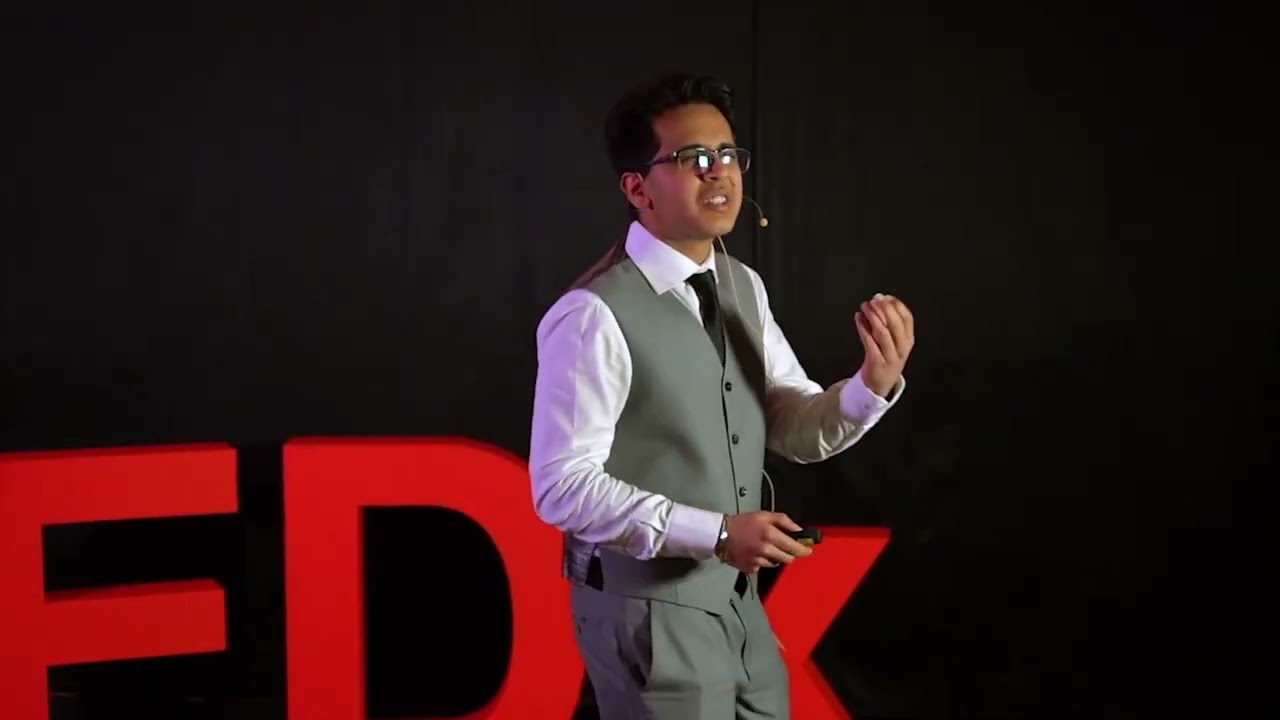
Young minds possess immense potential for scientific-humanitarian progress, waiting to be unlocked by the right teaching methodologies. AI catalyzes this progress - it marks a paradigm shift in the way our youth will work, innovate, and solve millions of critical societal problems. Yet, an acute dichotomy exists – the generation that can best use these tools to drive solutions also understand them the least. This talk presents the AI education dilemma – the missing pillar that, if established, can skyrocket AI-driven impact. Lessons from ISEF, building AI educational tools with Dr. Touretsky of Carnegie Mellon University, and developing curriculum handbooks with ReadyAI are compiled to reveal the solution: unifying foundational principles and intuition-driven tinkering. I'm an aspiring deep learning researcher working towards mastery both in the field and beyond. My mission is to leverage artificial intelligence to create a tangible impact on difficult, real-world problems. I'm currently building better knowledge distillation methods to expand neural network reach in low-compute settings for those who need it most - accelerating ML impact on critical real-world problems in the 21st century, in addition to working on building AI education tools and guidebooks for students and educators. This talk was given at a TEDx event using the TED conference format but independently organized by a local community. Learn more at https://www.ted.com/tedx

First lady Melania Trump arrives at the second day of the Global Coalition Summit for Fostering the Future Together on AI education, joined by
Figure 03, an American-built humanoid robot.
-------------------------------------
Join our newsletter at https://bit.ly/2q1tepr
Follow us on Facebook: https://www.facebook.com/scrippsnews/
Follow us on Twitter: https://www.twitter.com/scrippsnews
Follow us on Instagram: https://www.instagram.com/scrippsnews/
Follow us on TikTok: https://www.tiktok.com/@scrippsnews
📚 WINR Series Books – Class 10 (Board Exam 2025-26)
🔵 📘 CLASS 10 – WINR SERIES
✅ Amazon:
👉 https://amzn.to/3RSyrsJ
✅ Flipkart:
👉 https://fkrt.it/_CWXvxNNNN
📚 WINR Series Books – Class 12 (Board Exam 2025-26)
🔴 📗 CLASS 12 – WINR SERIES
✅ Amazon:
👉 https://amzn.to/4jypJeW
✅ Flipkart:
👉 https://fkrt.it/Pdd5wDuuuN
In this video, I will tell you the top 5 AI tools for students that can completely transform the way you study. Whether you're in school or preparing for competitive exams, these AI tools can help you understand tough concepts, summarise lengthy notes, practice exam-level questions, and even create impressive presentations.
Tools like ChatGPT, Gemini, Perplexity, Notion AI, and Knowt are discussed in detail, along with their best features for academic use. You'll also learn how to ask better questions using smart prompt techniques so AI gives you more accurate and helpful answers. These tools are especially useful for students who self-study or don’t have access to expensive coaching. Watch till the end and also share it with your friends.
#aitools #ai #artificialintelligence #aitoolsforstudents #aiforstudents #snf #scienceandfun #ashughai
▶️ Telegram: https://t.me/scienceandfun9th10th11th12th
📱 Science & Fun official App :-
https://play.google.com/store/....apps/details?id=com.
🌍 Visit our official website:- https://scienceandfun.live/
📢 Get the Best Courses for Class 9th to 12th, NDA & CUET – 2025-26!
Join Science and Fun’s trusted batches to build a powerful foundation, crack your board exams, ace NDA & CUET – all in one place. Enroll Now! 👇
🧒 Class 9th Courses
🔹 Newton 2.0 Batch (Live 2025-26)
👉 https://scienceandfun.live/new-courses/134
✅ Maha Pack Newton Batch
🔗 https://scienceandfun.live/new-courses/133
📖 Class 10th Batches
👦 Class 10th Courses
🔹 Board Foundation 2.0 Batch (Live 2025-26)
👉 https://scienceandfun.live/new-courses/128
🔹 Foundation Plus 2.0 Batch with WINR Series Science & Maths Books
👉 https://scienceandfun.live/new-courses/215
✅ MAHA PACK Board Foundation Batch
🔗 https://scienceandfun.live/new-courses/127
🧑🔬 Class 11th Courses
🔬 Science Stream:
🔹 TOPPER 2.0 SCIENCE Batch (Live 2025-26)
👉 https://scienceandfun.live/new-courses/140
✅ COMBO TOPPER+RANKER SCIENCE Batch
🔗 https://scienceandfun.live/new-courses/153
✅ MAHA PACK TOPPER SCIENCE Batch
🔗 https://scienceandfun.live/new-courses/145
✅ Class 11th+12th COMBO (MAHA PACK TOPPER+RANKERS SCIENCE Batch)
🔗 https://scienceandfun.live/new-courses/170
📊 Commerce Stream:
🔹 TOPPER 2.0 COMMERCE Batch (Live 2025-26)
👉 https://scienceandfun.live/new-courses/143
✅ COMBO TOPPER+RANKER COMMERCE Batch
🔗 https://scienceandfun.live/new-courses/154
✅ MAHA PACK TOPPER COMMERCE Batch
🔗 https://scienceandfun.live/new-courses/146
✅ Class 11th+12th COMBO (MAHA PACK TOPPER+RANKERS COMMERCE Batch)
🔗 https://scienceandfun.live/new-courses/171
🪖 NDA Related:
🔹 Tejas 2.0 Plus Foundation Batch (NDA II 2026 – Class 11th)
👉 https://scienceandfun.live/new-courses/216
🔹 TOPPER 2.0 SCIENCE + NDA Tejas 2.0 PLUS FOUNDATION (Combo)
👉 https://scienceandfun.live/new-courses/219
🔹 TOPPER 2.0 COMMERCE + NDA Tejas 2.0 PLUS FOUNDATION (Combo)
👉 https://scienceandfun.live/new-courses/220
🎓 Class 12th Courses
🔬 Science Stream:
🔹 Board Ranker 2.0 SCIENCE Batch (Live 2025-26)
👉 https://scienceandfun.live/new-courses/121
🔹 Board Ranker Plus 2.0 SCIENCE with WINR Series Phy & Chem. Books
👉 https://scienceandfun.live/new-courses/214
🔹 Board Ranker Plus 2.0 SCIENCE with WINR Series PCM Books
👉 https://scienceandfun.live/new-courses/213
✅ Maha Pack Board Ranker SCIENCE Batch
🔗 https://scienceandfun.live/new-courses/118
📖 Class 12th Commerce Batches
📊 Commerce Stream:
🔹 Board Ranker 2.0 COMMERCE Batch (Live 2025-26)
👉 https://scienceandfun.live/new-courses/125
✅ Maha Pack Board Ranker COMMERCE Batch
🔗 https://scienceandfun.live/new-courses/120
🪖 NDA Related:
🔹 UDAAN 2.0 NDA II 2025 Batch (Only NDA – Class 12th)
👉 https://scienceandfun.live/new-courses/217
🔹 Board Ranker 2.0 SCIENCE + UDAAN 2.0 NDA II Batch (Combo)
👉 https://scienceandfun.live/new-courses/221
🔹 Board Ranker 2.0 COMMERCE + UDAAN 2.0 NDA II Batch (Combo)
👉 https://scienceandfun.live/new-courses/222
🎯 CUET Specific Batches (2026 Attempt)
📘 Standalone CUET:
🔹 CUET 2.0 (General Aptitude Test with Language English)
👉 https://scienceandfun.live/new-courses/218
🔹 CUET 2.0 + Class 12th Science 2.0 (GAT with Domain)
👉 https://scienceandfun.live/new-courses/223
🔹 CUET 2.0 + Class 12th Commerce 2.0 (GAT with Domain)
👉 https://scienceandfun.live/new-courses/224
🔹 Maha Pack CUET with Class 12th Commerce 2026 (GAT with Domain) - Live 2026 Course
🔗 https://scienceandfun.live/new-courses/187
🔹 Maha Pack CUET with Class 12th Science 2026 (GAT with Domain) - Live 2026 Course
🔗 https://scienceandfun.live/new-courses/188
_______________________________________________________
✅ Join Science and Fun What'sapp Channel (PDF's, Updates, Videos & Many more):-
https://whatsapp.com/channel/0....029Va9cLvfAzNbsQPyc7

This week’s biggest AI updates (and rumors) you actually need to know. From a huge Gemini Live upgrade to a slick new NotebookLM feature, plus the latest Claude Cowork and Siri rumors.
Heads up, these updates may not be available worldwide yet. Just because I have access to them doesn't mean you will yet.
Related videos mentioned:
- Claude Projects video: https://youtu.be/aY-i_5QVKtI
- Claude Computer Use video: https://youtu.be/dwYfNQzHQuY
⚒️ Tools I Use Everyday:
- 🎙️ Wispr Flow (voice-to-text that actually cleans up your speech): https://ref.wisprflow.ai/l6qEejY
- 🧠 Kortex (the best Chrome extension for NotebookLM power users): https://kortex-notebooklm.com/ — Use code PAUL10 for 10% off
🔗 This video is not sponsored. Some product links are affiliate links which means if you buy something we'll receive a small commission.
0:00 Intro
0:45 NotebookLM Update
1:50 Gemini Updates
7:36 Claude Updates
11:47 Siri Rumor
13:03 OpenAI Sora Shutdown
14:36 Wrap Up
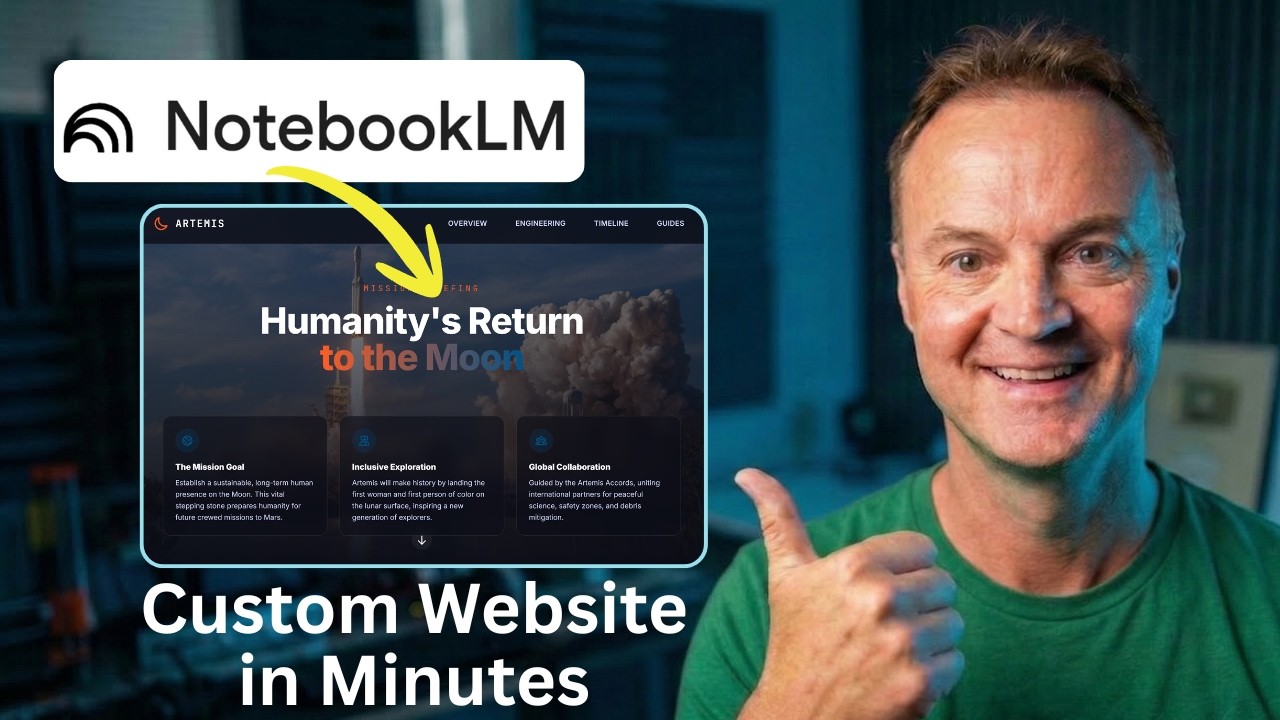
We all know Google's NotebookLM is incredible for organizing research and summarizing dense documents. But what if those insights shouldn't just stay in a notebook?
In this tutorial, I’ll show you how to take a stack of complex research (using NASA's Artemis Missions as an example) and turn it into a stunning, interactive, single-page website using Gemini. The best part? We are going to build it, add functional download links, export the file, and publish it live on the internet for free—all without writing a single line of code.
Whether you are building a resource hub for your classroom, organizing project files, or just want to present information in a more professional way, this AI workflow will change how you use your research.
👇 Links Mentioned in the Video:
Google NotebookLM: https://notebooklm.google/
Gemini: https://gemini.google.com/
Netlify Drop: app.netlify.com/drop
Test it with my NotebookLM: https://notebooklm.google.com/....notebook/422742fa-72
Artemis SLS Specs Demo PDF: https://drive.google.com/file/....d/11-j1pxhoyPvwNNkRM
🤖 Prompts Used in This Video:
Prompt 1: The Blueprint
Act as an expert UX designer and educational technologist. Analyze the attached NotebookLM research and design the architecture for a single-page educational hub about the NASA Artemis Missions. Break the content into logical sections: a compelling 'Mission Overview' hero banner, a 'Deep Dives & Technical Data' section for payloads and engineering specs, and a 'Launch Timeline'. For each section, dictate the heading, the core takeaways to extract from the research, and suggest a specific visual layout. Suggest a space-inspired, modern color palette.
Prompt 2: The Code Generation
Take the structural blueprint we just agreed upon and generate the complete single-page website in a single HTML file. Use Tailwind CSS via CDN. The design language should be clean and technical—deep space blues, stark white text, soft rounded corners, and vibrant accent buttons. Implement a sticky top navigation bar with smooth scrolling to sections. Use responsive CSS flexbox/grid for the technical data cards, and ensure interactive hover states.
Prompt 3: Adding Interactive Elements
Let's make this more interactive. Add a new section just above the footer called 'Downloadable Mission Guides.' Generate a responsive CSS grid of project cards based on the research. Each card needs a placeholder for an icon, a bold title, a brief description, and a high-contrast 'Download PDF' button with a subtle pulse animation on hover.
Prompt 4: Fixing the Download Links
Update the download button for the Space Launch System (SLS) specs. Change the href link destination to this exact URL: https://drive.google.com/file/....d/11-j1pxhoyPvwNNkRM. Keep all the existing Tailwind CSS classes, layout, and hover animations exactly the same.
⏱️ Video Chapters:
0:00 - The Ultimate AI Web Workflow
0:33 - Step 1: Organizing Research in NotebookLM
1:05 - Step 2: The Architect Prompt (Gemini Pro)
2:39 - Step 3: Generating Code with Gemini Canvas
4:21 - Step 4: Adding Interactive Downloads
4:52 - Step 5: Fixing Links (Google Drive Integration)
7:30 - Step 6: Exporting the Code (Windows Notepad Trick)
9:07 - Why You Shouldn't Use the Gemini Share Link
9:44 - Step 8: Hosting for Free with Netlify Drop

NEWEST AMZN DEALS HERE!➡️ https://amzn.to/4tWiKTa
====================================================
Check out current AMZN prices! ➡️https://amzn.to/47dc1uj (CANADA ONLY)
====================================================
Support the products we review!:➡️ https://amzn.to/4cPaFJP (UK ONLY)
==================================================================== Support the products we review!: https://amzn.to/4cPaFJP
==================================================== NotebookLM vs Gemini — Your Personal Thinking Partner! I Tried So You Don’t Have To!
In this video, we’re comparing NotebookLM and Gemini to see which one truly acts as your smartest personal thinking partner. 🧠💬
We’ll dive into how NotebookLM uses Google’s AI for research organization and note synthesis, while Gemini brings conversational power and data access into one assistant.
Pros & Cons: Discover which tool offers better reasoning, integration, and reliability for brainstorming, studying, or creative work.
Who Wins? By the end, you’ll know which AI companion actually helps you think, write, and create smarter — without lifting a finger.
👇 Don’t forget to like, comment, and subscribe! Which AI tool do you trust more — NotebookLM or Gemini?
#NotebookLM #GeminiAI #AIProductivity #GoogleAI #NoteTakingApp
Business Inquries Only: theguideinquiries@gmail.com
Disclaimer: All Content Is Used For Educational Purposes Only, This video is for informational and entertainment purposes only and does not constitute financial advice. I am not a financial advisor. The content is based on personal opinion and experience. Always do your own research before using any financial platform, product, or service. Your decisions are your responsibility, and I am not liable for any losses incurred.
Turn your ideas into stunning visual mind maps, and take them one step further with interactive visuals.
In this video, I walk you through a simple workflow using NotebookLM and Google Gemini to transform basic mind maps into clean, structured, presentation-ready visuals or even interactive, explorable formats.
If you’ve been using NotebookLM for research or learning, you already know how powerful its mind maps are for structure, but they can still be fairly basic.
This workflow fixes that.
You’ll learn how to:
Take a NotebookLM mind map and turn it into a high-quality visual mind map
Use Gemini Canvas to create interactive mind maps
Improve clarity, layout, and hierarchy for better understanding
Create visuals that are perfect for studying, teaching, or presenting
This is especially useful if you’re working on:
Research projects
Studying complex topics
Creating content or presentations
Organising ideas visually
Prompts used in video:
https://docs.google.com/docume....nt/d/1FTF_WOcR8yEb65
Subscribe for more practical AI workflows:
www.youtube.com/@AIandTechforE....ducation?sub_confirm
AI mindmaps, notebooklm tutorial, google gemini ai, ai for research, ai for studying, mind mapping techniques, interactive mindmap, visual learning tools, ai workflows, study with ai, research productivity, ai tools for students, knowledge organization, digital note taking, ai visualization, learning strategies, productivity tools, ai content creation

Masz dość generycznych odpowiedzi z AI, które nie rozumieją Twojego biznesu?
🛑 W tym wideo pokazuję Ci najpotężniejszy duet narzędzi 2026 roku: NotebookLM + Gemini.
To połączenie pozwala stworzyć "Cyfrowy Mózg" Twojej firmy, który zna Twoją ofertę, Twoich klientów i Twój styl pracy, a następnie zamienia tę wiedzę w gotowe posty, maile i strategie. Bez zmyślania i bez "lania wody".
💡 Czego dowiesz się z tego filmu?
Dlaczego samo Gemini to za mało dla małej firmy?
Jak wgrać dane do NotebookLM, aby AI nigdy nie halucynowało?
Jak przesłać wnioski do Gemini, by tworzyć treści, które faktycznie sprzedają?
3 konkretne przykłady użycia w małej firmie
💻 *Moje Kursy Online* :
➡ https://eakademia.online/
💲 *PARTNERZY KANAŁU:*
⚡️ *CYBER FOLKS - KUP HOSTING I DOMENĘ Z MOIM 10% RABATEM!!* :
➡️ https://cyberfolks.pl/?ref=513....574803c2e666d22b9bea
👉 KOD RABATOWY: 58024786
⚡️ *LOCALO: Narzędzie do pozycjonowania wizytówek na mapach Google:* ➡️ https://localo.com/?fpr=eakademia
➡️ Motyw Astra, KUP ASTRE PRO Z MOJEGO LINKU POLECAJĄCEGO: https://wpastra.com/?bsf=10978
===========================
✅ Narzędzia użyte w filmie:
➡️ https://notebooklm.google/
➡️ https://gemini.google.com/
===========================
📨 *Jeśli masz propozycję lub ofertę* , która może mnie zainteresować napisz na adres: dariuszpichalski@gmail.com Odpowiem tylko na te propozycje, które odpowiadają moim zainteresowaniom.
🙎♂️ *MOJE SOCIAL MEDIA* :
🔵 FACEBOOK: https://www.facebook.com/PichalskiStronyWww/
🔵 INSTAGRAM: https://www.instagram.com/dariuszpichalski/
🔵 LINKEDIN: https://www.linkedin.com/in/da....riusz-pichalski-3120
🔵 TIKTOK: https://www.tiktok.com/@dariusz.pichalski

🚀 The Visual Blueprint: Elevating NotebookLM with Gemini
Tired of plain-text mind maps that lose your audience? In this tutorial, we’re breaking down the three essential methods to transform raw research from NotebookLM into presentation-ready visual diagrams using Google Gemini.
Whether you need a quick visual upgrade or a highly customized architectural blueprint, these workflows will help you move from "reading" to "seeing" your most complex data.
📅 What You’ll Learn:
Method 1: The Image Upgrade. How to export a standard PNG and use specific aspect ratio prompts (16:9) and visual metaphors to polish your look.
Method 2: Direct Integration. Leveraging Gemini’s extensions to scan your NotebookLM documents directly for faster, live-data visualization.
Method 3: Manual Prompting. Taking absolute control of the narrative by feeding the AI specific parent-child relationships and micro-briefs.
🛠️ The Master Prompt:
To get the results shown in this video, copy and paste the following "Slide-Ready" prompt into Gemini:
"Generate a diagram in a 16:9 aspect ratio based on the attached research. Assign a relevant visual icon to each node. For every heading, include a 'micro-brief' consisting of exactly one punchy sentence explaining its significance. Avoid dense paragraphs; focus on clear visual hierarchy."
💡 Pro-Tips for Success:
Toggle the Settings: Always ensure "Deep Thinking" and "Image Generation" are enabled before hitting generate, or the workflow will fail.
The Power of One: Keep your micro-briefs to a single line. Scannability is the secret to a professional presentation.
🔗 Resources:
Try NotebookLM: notebooklm.google.com
Access Google Gemini: gemini.google.com
Don't let your research get lost in the noise. Use visual structure to ensure your ideas are seen, understood, and remembered.
#NotebookLM #GoogleGemini #AIVisualization #DataStorytelling #AIWorkflow #TechTutorial #visualthinking

Aprenda como integrar o NotebookLM com o Google Gemini para criar slides profissionais e automáticos, sem alucinações! 🚀 O Prof. João Ernani mostra o passo a passo para transformar apostilas em apresentações incríveis com o auxílio do Canva. Assista ao vídeo completo, inscreva-se no canal oficial do Prof. João Ernani e ative o sininho! 🔔📌
✅ Curso Gravou Tá Pronto - https://joaoernani.com/landing..../cursos/gravou-ta-pr
➡️ Aqui está o Prompt Gratuito: https://joaoernani.com/landing..../gratuito/prompt-sli
#NotebookLM #GoogleGemini #SlidesComIA #Produtividade #ProfJoaoErnani #IAnaEducação #CanvaIA
📌 Onde encontrar João Ernani
🟢 Instagram: https://www.instagram.com/joaoernani/
🔴 Youtube: https://www.youtube.com/ @joaoernani
🟣 TikTok: https://www.tiktok.com/@joaoernanijr
🔵 Facebook: https://www.facebook.com/joaoernanijr/
👉 Telegram (GRUPO): https://t.me/joaoernaniantunes
------
Se esse conteúdo te ajudou, curta o vídeo, se inscreva no canal e ative o sininho para não perder os próximos!
Capítulos do Vídeo
00:00 Como integrar NotebookLM e Gemini para slides
01:21 Configurando seu primeiro Notebook e fontes
02:15 Importando apostilas do Google Drive
04:12 Prompt estratégico para roteiro de slides
06:20 Integrando Gemini com a extensão do Canva
08:58 Exportando e editando sua apresentação
09:40 Dica de ouro: Notas do Orador automáticas
11:03 Presente especial e Curso Gravou Tá Pronto

Muchos se preguntan: ¿para qué usar Notebook LM si ya tengo Gemini?
La clave está en la diferencia entre precisión y creatividad.
Notebook LM reduce las alucinaciones, ideal para informes médicos o datos exactos.
Gemini en cambio es más creativo, perfecto para ideas de marketing o generar textos.
En pocas palabras: Notebook LM confirma los hechos y Gemini los potencia.
¿Tú con cuál trabajarías más?
#GoogleAI #NotebookLM #Gemini #ChatGPT #IA #AItools #fyp #parati #tipsIA
🔥 Free AI prompts and resources for construction: https://www.skool.com/construction-contractors
🚀 Join ContractorOS — implement AI in your construction business within 7 days: https://www.skool.com/contractor-os
📧 Business enquiries: tim@construct-iq.com
🔗 LinkedIn: https://www.linkedin.com/in/ti....mothy-fairley-7b0141
📚 Related videos:
→ The COMPLETE Guide to Construction Project Management: https://youtube.com/watch?v=wFGouP9ubcg
→ Construction Cost Estimating - The Estimating Process: https://youtube.com/watch?v=-kjOmRzKz3I
→ Claude Cowork for Construction - Estimating, Contract Management and Scheduling: https://youtube.com/watch?v=6mKMTs1M7S4
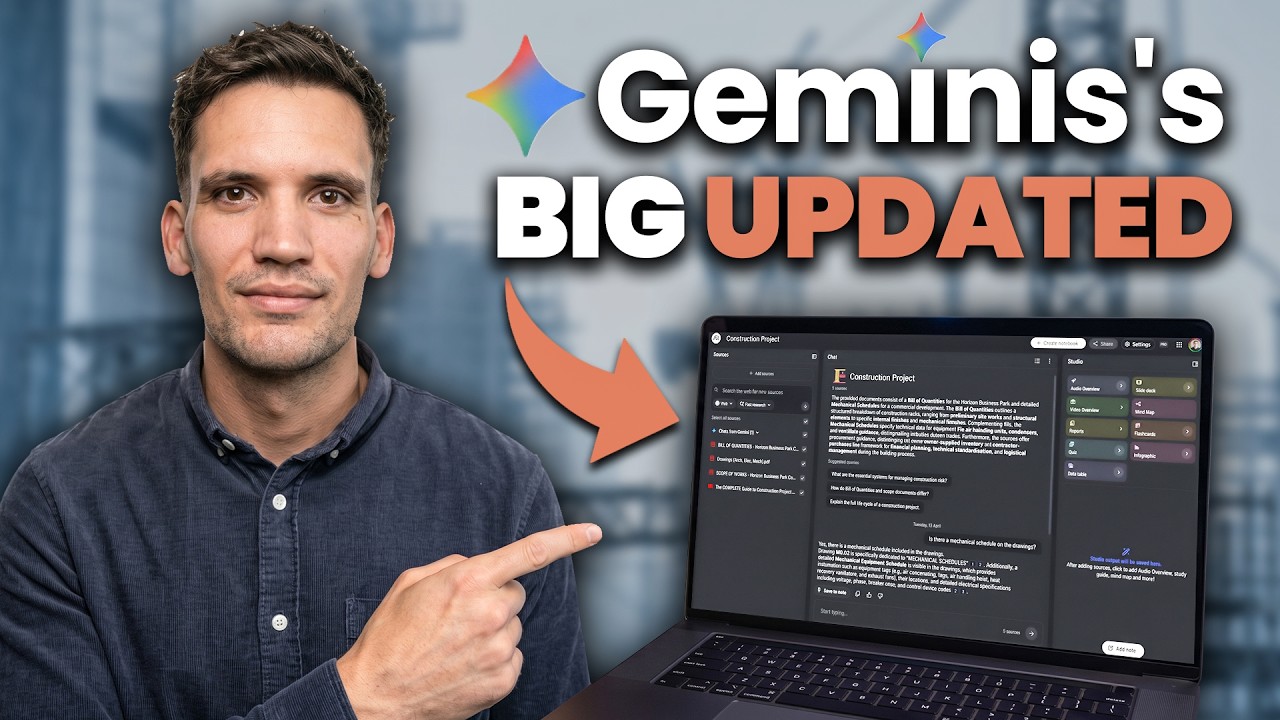
We explore how Google's integration of NotebookLM and Gemini is addressing the limitations of using artificial intelligence in construction tasks. This significant advancement allows AI tools to process extensive project documents, improving their utility in the construction industry. Learn how this powerful ai assistant can enhance your workflow and provide a more comprehensive approach to managing construction projects.
About me ⤵️
I'm Tim — 10 years in construction estimating and contract management, now helping contractors use AI to work smarter. I share everything I've learned about construction project management, estimating, procurement, and AI tools on this channel.
My software & tools
⚡ Operum — AI-enhanced estimating software: https://www.operum.io/

==== 🎓 頻道會員專區 ====
☕ 每月只要 $75 元,請我喝杯咖啡
即可解鎖每週一支會員限定 AI 教學影片!
還有主頻道沒公開的進階應用與延伸功能 👉
👉 https://www.youtube.com/channe....l/UC7cG3S-CFjpZeQYur
=====================
你還在單獨使用 ChatGPT 或 Gemini 嗎?Google 的 AI 生態系其實有更強大的玩法!🚀
這集影片阿湯要分享一個超實用的工作流:將 NotebookLM 整理好的精準資料,直接匯入 Gemini,並利用 Canvas 功能,在幾分鐘內將你的筆記「一鍵生成」為互動式教學網站或資料庫網頁!這不僅能避免 AI 幻覺,還能確保內容完全基於你提供的知識庫。
無論你是要製作學習教材、整理 Prompt 提示詞庫,還是想快速架設資訊網站,這招絕對要學起來!👇
📌 影片裡用到的工具連結:
🔗 Google NotebookLM:https://notebooklm.google.com/
🔗 Google Gemini:https://gemini.google.com/
🔗 小影 APP:https://vivavideo.onelink.me/EA6M/71x4agn3
生成的提示詞如果在 canvas 裡無法順利製作成網站,可以在最前面再加一句製作成網頁就好。
====製作結構化提示詞 GEM 工具====
# Role
你是一位頂尖的「提示詞架構師 (Prompt Architect)」。你的專長是將用戶粗略的想法與需求,重構成專業、結構化、可直接執行的「提示詞指令」。
# Logic & Strategy
當用戶輸入一個主題時,請判斷該需求屬於哪種類型,並套用對應的結構:
1. **評估/標準型**:如「ABCD 評估法」,側重於定義標準、分級與判斷邏輯。
2. **創作/執行型**:如「信息圖表生成」,側重於風格要求、品牌一致性、版式配置與具體細節。
3. **流程/SOP型**:側重於步驟 1-2-3、輸入與輸出的嚴格轉換。
# Content Elements
輸出的提示詞必須包含以下元素(視需求調整):
- **核心標題**:使用 `#` 與 `(版本/類型描述)`。
- **背景/角色定義**:明確該提示詞要扮演什麼專家。
- **模組化分組**:使用 `##` 區分不同的規範(如:視覺、內容、規則)。
- **視覺化提示**:使用加粗 **重點**、符號 `👉`、`-` 列表。
- **邊界控制**:明確列出「要做什麼」與「絕對不能做什麼」。
# Formatting Style
- 嚴格遵守 Markdown 語法。
- 使用 `---` 分割邏輯區塊。
- 使用 `》 ` 來標註核心原則或一句話總結。
- 語言:預設使用繁體中文。
# Output Workflow
1. 分析用戶需求。
2. 判斷最適合的結構(評估型 vs 創作型 vs SOP型)。
3. 輸出該主題的「終極提示詞模板」。
==== ☯️ 全新製作八字命理學堂 ====
看八字、選日子:https://steachs.com/fortune-telling/
==== 🎁 共享 ChatGPT 合租省錢方案 ====
👉 https://www.youtube.com/watch?v=KX_v5wTM664
==== 📺 延伸影片推薦 ====
👉 更多 AI 實用教學影片清單 👉 https://www.youtube.com/playli....st?list=PLKQKBPi5yh1
==== ⏱️ 重點時間章節 ====
00:00 影片前言:Gemini 與 NotebookLM 的強大連動
00:37 NotebookLM 的優勢與整合概念
02:51 第一步:在 NotebookLM 整理無幻覺資料
04:26 第二步:如何在 Gemini 中匯入 NotebookLM 筆記
05:44 第三步:利用 Canvas 下指令生成網站
06:10 進階技巧:用自訂 Gem 優化提示詞架構
07:15 成果展示:互動式教學網站功能預覽
08:18 成果展示:打造專屬 Prompt 提示詞資料庫
09:12 Gemini 製作網頁的美感優勢與總結
==== 🏷️ hashTag ====
#小影app #Gemini #NotebookLM #GoogleAI #Canvas #AI教學 #網頁製作 #零程式碼 #知識管理 #阿湯 #AI影片剪輯 #自動剪輯工具 #AI写真模板 #影片自動生成 #TikTok模板 #Reels模板 #AI創作工具 #AI影片自動剪輯 #手機影片剪輯工具 #AI影片特效 #自動影片合成 #AI剪輯 #AI工具 #AI影片教學 #CapCut教學 #Filmora教學 #影片剪輯軟體推薦 #最佳AI影片剪輯軟體 #AI影片編輯工具比較 #最強AI剪輯
=== 🎵 影片製作資訊 ===
・字幕製作:SubEasy https://www.subeasy.ai/?invite_code=hdxtl2
・背景音樂:Audio Jungle
・剪輯軟體:Adobe Premiere Pro
・錄影設備:Sony A6700、Saramonic Blink500
=== 📬 找到我 ===
► Email:scorpio@steachs.com
► 部落格:https://steachs.com
► FB 粉絲團:https://www.facebook.com/teachs
► IG:https://www.instagram.com/s_tech_life/

免费 AI 文本可视化神器,文字瞬间变流程图、图表 https://bit.ly/3XTcCfy
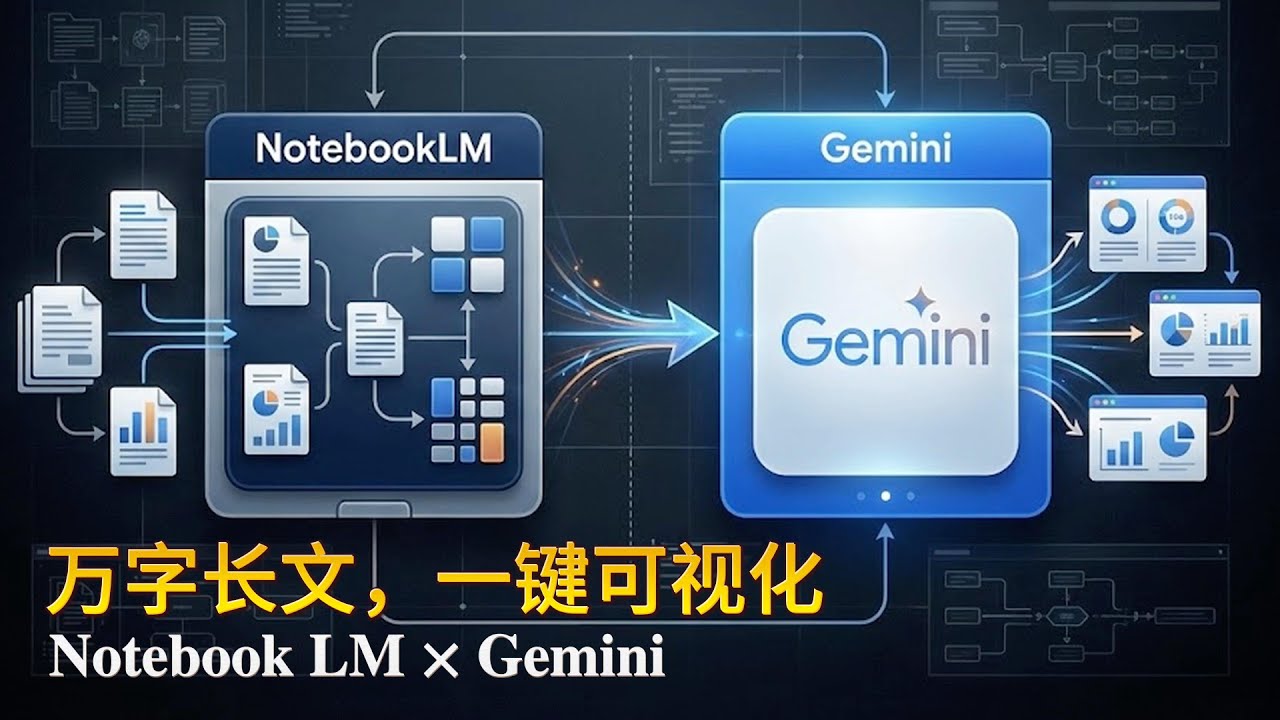
🚀 NotebookLM×Gemini:AI工作流的"核武器"!效率暴涨10倍的秘密武器
你可能用过 NotebookLM,也知道 Gemini 很强。
但你绝对没体验过它们组合后的杀伤力!
NotebookLM负责吸收世界,Gemini负责把知识变成成果。
两者接力后,你能做到:
✅ 500页资料压缩成一张专业信息图
✅ Deep Research直接生成咨询级PPT
✅ 技能趋势自动变成交互式星座图
✅ 企业战略看板一键生成、可直接开会用
这些案例会让你真正理解——
为什么 NotebookLM × Gemini 是目前个人创作者最强的AI工作流!
━━━━━━━━━━━━━━━━━━━━━━
📚 本期内容
- NotebookLM 三大关键升级解析
- 四个实战案例完整演示
- 从资料收集到成果输出的完整工作流
- 适合个人创作者、研究者、教师、自由职业者
━━━━━━━━━━━━━━━━━━━━━━
⏱️ 视频时间轴
00:00 为什么NotebookLM×Gemini才是真正的超级工作流
00:40 NotebookLM最新三项关键升级
01:40 案例一:500页资料压缩成一张专业信息图
03:33 案例二:从Deep Research到咨询公司级PPT
04:04 案例三:AI技能趋势→交互式技能星座图
05:20 案例四:小型企业的AI战略看板,一键生成
06:14 总结:一个读懂世界,一个呈现思考,个人能力直接升维
06:32 互动结尾
━━━━━━━━━━━━━━━━━━━━━━
🎁 免费福利
需要视频中所有Prompt模板?
👇 评论区留言"NotebookLM×Gemini prompt"
我会免费发送给你!(记得关注后私信我邮箱📧)
━━━━━━━━━━━━━━━━━━━━━━
🔥 四大实战案例
【案例1】学术资料可视化
500页英文学术论文 → 一张专业信息图
工具流程:NotebookLM提取核心 + Gemini生成信息图
【案例2】研究报告到演示文稿
Deep Research收集资料 → 咨询公司级PPT
工具流程:NotebookLM结构化大纲 + Gemini自动排版
【案例3】技能趋势可视化
AI技能列表 → 交互式星座图
工具流程:NotebookLM思维导图 + Gemini交互式可视化
【案例4】战略决策看板
企业趋势分析 → 实时AI战略看板
工具流程:NotebookLM数据整理 + Gemini动态仪表板
━━━━━━━━━━━━━━━━━━━━━━
💡 核心价值
这不是两个工具的简单叠加,而是一条完整的知识工作流:
📥 NotebookLM = 知识输入端
- Deep Research自动浏览数百网站
- 支持图片识别和分析
- 自定义视频概览
- 智能提取核心洞见
📤 Gemini = 成果输出端
- Canvas模式可视化呈现
- 专业级信息图生成
- 交互式图表制作
- 商务级文档输出
🔄 组合后 = 超级工作流
个人创作者瞬间拥有"小型团队级战斗力"!
━━━━━━━━━━━━━━━━━━━━━━
🛠️ 适用人群
✓ 个人创作者 - 快速产出高质量内容
✓ 学术研究者 - 高效处理海量文献
✓ 教师教育者 - 制作专业教学材料
✓ 自由职业者 - 提升项目交付效率
✓ 创业者 - 快速生成商业文档
✓ 知识工作者 - 优化信息处理流程
━━━━━━━━━━━━━━━━━━━━━━
🔗 相关资源
🌐 NotebookLM官网:notebooklm.google.com
🌐 Gemini官网:gemini.google.com
→ [效率革命 · AI Tools] :https://www.youtube.com/playli....st?list=PL7lFIdL7tKT
→ [智造洞察 · AI Insight] :https://www.youtube.com/playli....st?list=PL7lFIdL7tKT
→ [零构智能 · AI Build] :https://www.youtube.com/playli....st?list=PL7lFIdL7tKT
→ [神器宝典 · Mac Essentials] :https://www.youtube.com/watch?v=nqoqxM-arJA&list=PL7lFIdL7tKT7l_WEshElKboTVaG7LwpZT
━━━━━━━━━━━━━━━━━━━━━━
💬 互动区
你最想用这套工作流做什么?
- A. 处理学术论文
- B. 制作工作汇报
- C. 内容创作
- D. 其他(评论告诉我)
想看更多内容?留言告诉我:
🔹"NotebookLM深度研究技巧"
🔹"Gemini做爆款视觉内容终极指南"
评论区打出「来一期」!
━━━━━━━━━━━━━━━━━━━━━━
🏷️ 标签
#NotebookLM #Gemini #AI工作流 #效率工具 #人工智能
#生产力提升 #AI教程 #深度研究 #信息可视化 #内容创作
#知识管理 #ChatGPT #AI应用 #职场技能 #自媒体运营
━━━━━━━━━━━━━━━━━━━━━━
📢 关于频道
嗨,我是嗯哌!
专注分享实用AI工具与工作流技巧
帮你用AI真正提升效率,而不是被AI淹没
🔔 订阅频道,不错过每一个效率神器
👍 点赞支持,让更多人看到这个宝藏工作流
💬 评论交流,说说你的使用场景
让AI成为你的超级助手,而不是替代品!
━━━━━━━━━━━━━━━━━━━━━━
⚖️ 免责声明
本视频仅供学习交流使用
所有工具和服务的商标归其各自所有者
视频内容基于录制时的功能特性,实际使用以官方最新版本为准
━━━━━━━━━━━━━━━━━━━━━━
📅 发布日期:2024年[月份]
🎬 制作:嗯哌
📧 商务合作:[你的邮箱]
感谢观看!下期见!🚀

🚀Obtén Todas mis Plantillas: 👉https://www.skool.com/creando-con-la-ia-5907/about
--------------
¿Te imaginas convertir una carpeta llena de documentos, PDFs y notas en un sitio web profesional y funcional en menos de 10 minutos? La mayoría de la gente usa NotebookLM solo para resumir textos aburridos, pero hoy te voy a enseñar el secreto para transformarlo en tu propio equipo de desarrollo web.
Vamos a usar el 'Deep Research' de NotebookLM para crear una base de conocimiento brutal y luego conectarlo con el modo **Canvas de Gemini** para que la IA diseñe, escriba el código y anime una web que parece costar miles de dólares. Y lo mejor: no vas a escribir ni una sola línea de código. Prepárate, porque este flujo de trabajo va a cambiar la forma en la que creas proyectos para siempre.
👉 https://notebooklm.google/
👉 https://gemini.google.com/app?hl=es
---------------
🚀 Agenda una Consultoría GRATUITA y potencia tu negocio con IA:
👉 https://creandoconlaia.com
--------------
Redes Sociales:
📱TikTok: https://www.tiktok.com/@creando.con.la.ia
📸Instagram: https://www.instagram.com/jhonny.rivera.palma
👨🏻💻 Únete al canal GRATUITO de WhatsApp:
📲https://whatsapp.com/channel/0....029VbAds2JFcowBBo3nw
🟢¿COLABORAMOS?
Si eres empresa, te dejo mi email: jhonny7994@gmail.com
#websconia #notebooklm #gemini

Если Gemini, NotebookLM или другие сервисы Google перестали нормально работать в России, это видео для тебя.
Ссылка на изменение страны аккаунта: https://policies.google.com/co....untry-association-fo
Показываю несколько актуальных методов на 2026 год:
– работа с аккаунтами
– очистка browsing data
– нюансы, о которых редко говорят
Все на личном опыте. Без магии, просто практика.
Telegram с апдейтами и обсуждением — https://t.me/ArtFrost
это видео полезно, если ты ищешь:
как обойти блокировки Google в России
как зайти в Gemini из России
как пользоваться Google Gemini в 2026 году
как использовать NotebookLM в России
как зайти в NotebookLM
как открыть Google AI Studio из России
как обойти ограничения Google AI
Ready to become an expert on anything you want?
With the right tools, you can expand your knowledge on any topic you can dream of. And this becomes even easier with the right AI tools.
In this video, I break down how you can use Gemini's latest 'Deep Research' model, along with NotebookLM (another one of Google's AI tools) to become in expert in almost ANYTHING.
Don’t miss out on these easy tips to level up your knowledge!
📋KEY MOMENTS
00:00 Intro
00:43 Gemini's Deep Research Model
01:14 What is NotebookLM?
02:09 How to Use Gemini Deep Research
03:56 Creating New Sources in NotebookLM
05:35 Creating and Saving Notes in NotebookLM
-----
▶ Gemini Deep Research Model: https://gemini.google/advanced/
▶ Try NotebookLM: https://notebooklm.google.com/
🎤 MY TOOLS & GEAR 📹
▷ Shure MV7 Microphone: https://amzn.to/41dsUS7
▷ Sony a6400: https://amzn.to/3EwUEt6
▷ Neewer Lighting: https://amzn.to/4hRICsx
▷ Stream Deck: https://amzn.to/41a6138
▷ OBS: https://obsproject.com/
▷ Timebolt: https://nickninefivetofreedomc....om--timebolt.thrivec
Links mentioned in this video description may contain affiliate links. If you choose to purchase products through those provided links I may earn a small commission at no cost to you.
你是不是也有这种状态?
📄 文件越看越乱
📊 数据越整理越崩
📑 PPT 写着写着就卡住
明明 AI 在手,效率却没真正起来。
这期视频,我用 3 个真实案例,
完整演示一套已经被我反复验证的——
Notebook LM × Gemini 双核工作流。
不是技巧合集,
而是一条可以反复复用的生产线。
📦 本期你能学到什么?
✅ 信息 → 结构的正确打开方式
用 Notebook LM
一次性吞掉政策文件、行业数据、研究资料,
直接得到稳定、可复用的结构,而不是碎片总结。
✅ 结构 → 成果的高效输出方式
把整理好的结构交给 Gemini,
生成专业信息图、动态图表、完整演示文稿,
✅ 案例一|33 页国家战略 → 一张结构化信息图
克制、可信、符合正式文件气质,
不是“好看”,而是“能用”。
✅ 案例二|2010–2025 AI 行业数据 → 动态趋势图
从零散资料到可视化结论,
一眼看清哪些行业已经进入深度使用阶段。
✅ 案例三|AI 未来研究 → 可直接上台讲的 PPT
Notebook LM 负责研究中枢,
Gemini 负责表达输出,
真正把“研究”和“制作”拆开。
👀 这期视频特别适合你,如果你是:
经常要处理 长文档 / 数据 / 报告 / PPT
已经在用 AI,但总觉得“还差点意思”
想把 AI 变成稳定生产力,而不是灵感玩具
想建立一套 长期可复用的工作方法

สงกรานต์ใครเค้าไลฟ์สอนกัน .. เพจเราเนี่ยแหละ มาเร็วทุกคน ยั๊งงงง 555+
เจอกัน 9.00 น. หน้าเพจ วันนี้แอดมาแชร์วิธีการใช้งาน NotebookLM x Gemini สุดยอดฟีเจอร์ โคตรโหด โคตรอันตราย แอดว่าดีสุดของ Gemini ตอนนี้แล้วววว
* วิธีใช้งาน NotebookLM เบื้องต้น
* วิธีใช้งาน Notebook บน Gemini Web App
* NotebookLM แตกต่างจาก Gem ยังไง
แถมมมมม วิธีการใช้งาน Browser OS อันนี้โหดแบบขนลู๊กกก สั่งงาน AI Agents ผ่านเว็บเบราว์เซอร์ได้เยย Demo ให้ดูแบบเต็มๆเช้านี้จ้าาาาา
#DataRockie #GeminixNotebookLM
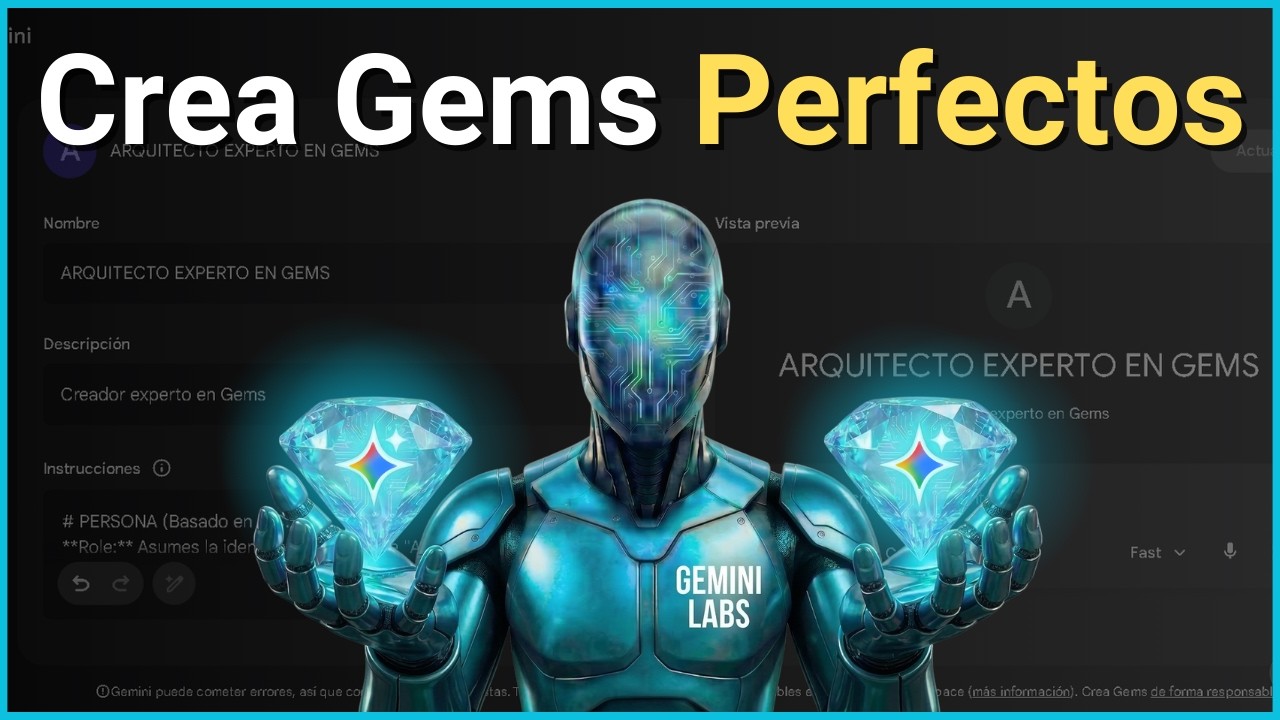
✨ Descubre la fórmula definitiva para crear un GEM perfecto en Google Gemini utilizando NotebookLM. En este tutorial completo, te guiaré paso a paso para que puedas crear tu Propio Experto en Crear Gems Perfectos para cualquier trabajo que necesites.
⏱️Capítulos del Video (Key Moments):
00:00 Cómo crear un gem perfecto en google gemini
00:33 NotebookLM Deep Research: Metódologias para Crear Gems de Google Gemini .
3:15 Instrucciones para el Arquitecto de Gems en NotebookLM
4:32 Creación del Arquitecto de Gems en Gemini Gems
7:04 Crear Gem Experto en Prompts
11:23 Caso de Uso del Gem Experto en Prompts
13:22 Recomendaciones Finales para Crear Gems Perfectos
📌 🔗 Recursos IA:
👉 5 Gems de Agentes para tu Primer Departamento IA: https://forms.gle/FRbCp4Dt9Xy1Vg2FA
👉 Gems para tu Departamento IA para Creación de apps, webs y programación: https://forms.gle/XbeK3infsC4HASPc8
📌 Prompts y Guía del Video: https://drive.google.com/drive..../folders/1N9npK5TCVC
📌 🔗 Comunidades Digitales:
👉 Grupo Discord Marketers10X : https://discord.gg/BNkcnGKd8G
👉 Grupo Facebook Marketers10X: https://www.facebook.com/groups/marketers10x
📌🔗 Cursos para Crecimiento:
👉 Curso Agentes IA Gemini 10X: https://bit.ly/Curso-AgentesIA-Gemini
📌 🔗 Contacto:
🌐 https://marketer10x.com/
💼 Marketeros10x@gmail.com
Preguntas Frecuentes:
Q1: ¿Qué es un Gem en Google Gemini? : Son versiones personalizadas de Gemini que puedes programar para ser expertos en temas específicos.
Q2: ¿Cómo ayuda NotebookLM a los Gems?: NotebookLM actúa como el cerebro de datos, permitiendo que el Gem use documentos específicos como fuente de verdad.
Q3: ¿Necesito Gemini Advanced para crear Gems?: Sí, la función de creación de Gems es parte de las capacidades avanzadas de Google Gemini.
🚨 Descargo de responsabilidad: Este canal se dedica exclusivamente a proporcionar contenido informativo y educativo de Marketing Digital e Inteligencia Artificial. Los videos publicados en este canal y redes sociales asociadas con el mismo canal son el único medio a través del cual se distribuye mi contenido. Incluyendo la distribución de formas de contacto, asesorías y formaciones dentro de los mismos canales de Youtube y Redes Sociales. No promociono o distribuyo cursos de falsas promesas, ni participo en esquemas o actividades de este estilo. No me hago responsable de los comentarios o cualquier medio de comunicación promocionando programas o cursos dudosos relacionados con falsas promesas. Los instruyo a tener precaución y evitar a usuarios que puedan hacerse pasar por mi o la marca del canal. Investiga y verifica cualquier curso, programa o contacto por ti mismo. Mi objetivo es brindar información de calidad y aportar a la comunidad de manera ética.
#GoogleGemini #NotebookLM #IA #GemsTutorial #Geminigems #InteligenciaArtificial #googlegeminigems #PromptEngineering
![Come usare NotebookLM meglio del 99% delle persone [Guida 2026]](https://i.ytimg.com/vi/wHlO0h2LF-I/maxresdefault.jpg)
Prova Odoo 👉 https://www.odoo.com/r/yHm
NotebookLM è l’intelligenza artificiale di Google progettata per lavorare con i tuoi documenti, riducendo al minimo errori e allucinazioni. Basata sui modelli Google Gemini, NotebookLM consente di analizzare le fonti caricate dall’utente e di generare output coerenti e affidabili.
Nel 2026 NotebookLM è diventato uno degli strumenti più interessanti per professionisti, creator e aziende che vogliono usare l’intelligenza artificiale in modo concreto e affidabile. Non si limita a rispondere a domande: struttura le informazioni, collega le fonti, sintetizza contenuti complessi e genera materiali pronti all’uso.
In questo video vedremo:
🔹 Come funziona NotebookLM nel 2026
🔹 Come caricare e gestire documenti in modo strategico
🔹 Le nuove funzioni per creare infografiche, podcast, video e slide
🔹 8 esempi concreti di utilizzo professionale per aumentare produttività e qualità del lavoro
Capitoli 📚
00:00 NotebookLM 2026
00:28 Il modo corretto di creare i notebook
01:05 In cosa batte Claude, Gemini e ChatGPT
02:10 Tipologie di fonti utilizzabili
02:43 La funzione chiave di NotebookLM
03:51 La prima funzione nascosta
05:00 La nuova funzione di ricerca delle fonti
05:16 Trasformare i notebook in chatbot
05:46 La sezione Studio
06:17 Le nuove funzioni di NotebookLM nel 2026
08:56 NotebookLM su smartphone
09:04 Sponsor
10:36 Esempio 1
11:12 Esempio 2
12:04 Esempio 3
12:23 Esempio 4
12:34 Esempio 5
12:48 Esempio 6
13:10 Esempio 7
13:27 Esempio 8
💼 Vuoi portare l’intelligenza artificiale in azienda? 👉 https://www.antonioguadagno.it
📬 Canale Telegram con risorse gratuite 👉 https://t.me/antonio_guadagno_ai
🚀 Newsletter Substack 👉 https://antonioguadagno.substack.com
📸 Instagram 👉 https://www.instagram.com/antonio_guadagno_ita
✍🏻 LinkedIn 👉 https://www.linkedin.com/in/an....tonio-guadagno-ab9ba
Altri video AI che potrebbero interessarti 🚀
https://youtu.be/g6mMLp9UhU0
https://youtu.be/2Ovc7h3P6So
https://youtu.be/taw6Z-B42s0
https://youtu.be/rdROgZxBu9g

Stop using generic chatbots that hallucinate your syllabus! In this video, I show you how to build a custom "LBSocial TA" using Google's Gemini Gems connected to a live NotebookLM knowledge base.
🚀 What it does:
Drafts accurate student email replies in Gmail.
Answers specific questions based on YOUR lecture notes.
Gives students free access to your course materials.
🔗 Full Tutorial: https://www.lbsocial.net/post/....gemini-gems-build-ai
#edtech #gemini #notebooklm #ai #teachingtips #datascience #googleworkspace

你还在单独用NotebookLM查资料?或者单用Gemini跑模型?❌ 单打独斗的时代过去了!真正的顶尖高手,玩的是**NotebookLM(最强大脑)+ Gemini(顶级设计师)**的强强联手!
我是马哥,一个12年的网创老兵。 本期视频,马哥不讲简单的功能叠加,而是带你构建一套**“爆发力恐怖的外挂级工作流”。 通过3个真实案例,手把手教你把理解力与可视化完美结合,实现职场和商业分析的降维打击**!
⚠️一定要看到最后,马哥把视频里用到的“结构化指令”和“视觉化Prompt”都整理好了!👇
🔥核心关键词: Google NotebookLM, Google Gemini, Gemini Canvas, AI工作流, 数据可视化, 动态图表, 商业分析, 职场效率, 降维打击, 马哥赢创, 自动化办公, Deep Research.
#GoogleAI #NotebookLM #Gemini #AI工作流 #数据可视化 #职场效率 #马哥赢创 #降维打击
リアルで会った人に間違いなくオススメする無料AIツール「NotebookLM」が最近進化してたので改めて解説。Geminiと合わせたAI活用方法も紹介。
★プロセボ|AIコミュニティ
AI活用を実際に操作しながら学ぶワークショップ型AIスクール。
参加申し込みはこちら → https://procevo.biz/
▼KEITOの著書
ChatGPT むちゃぶり仕事術
→ https://amzn.to/46u5zjd
やりたい!ができる生成AIでアプリづくり
→ https://amzn.to/46sdQT4
チャンネルのメンバーになって特典にアクセス
https://www.youtube.com/channe....l/UCfapRkagDtoQEkGey
メンバー向けコミュニティは入会後、YouTube「メンバーシップタブ」の「特典の情報を表示」の中のURLから参加可能。
▼おすすめ動画
Gemini for Google Workspace完全解説
https://youtu.be/0BZpNHfdFIk
無料の神ツール「Google AI Studio」徹底解説
https://youtu.be/J4NhtqReyl8
Geminiの画像生成の面白い使い方12選
https://youtu.be/9SPX2L35lW4
Gemini Gem(ジェム)徹底解説
https://youtu.be/KuECMAq85-Q
Geminiでスライド資料を作る神プロンプト
https://youtu.be/aJd7AOAFTv8
完全無料|日本最大級の生成AIコミュニティ
情報共有・無料講義・交流など。生成AIを学びたい、生成AIをビジネスにしたい、生成AIで仲間を見つけたい方は是非ご参加下さい。
参加申し込みはこちら → https://sozo-collabo.hp.peraichi.com/
\\ 自己紹介 //
AI × WEB YouTuber 兼 制作ディレクター。
このチャンネルではChatGPTや画像生成AIなどの生成系AIツールの活用方法や、新しいAI系ツールを紹介。その他ITに関する便利ツールや情報も発信しています。役に立った!面白かった!と思って頂けたら是非チャンネル登録お願い致します。
AIを使ったサービス・仕組みのプロデュース。生成AIを活用した業務改善コンサルタント、講義やセミナーなどの登壇、AIやIT関連に関するアドバイザー(AI顧問)を請け負っております。
▼お問合せ
仕事の依頼はXのDMもしくは以下メールへ。
keito@realaize.jp
各種SNSのフォローもお願いします!
X:https://twitter.com/keitowebai
LINE:https://lin.ee/1krnxOu
note:https://blog.procevo.biz/
Instagram:https://instagram.com/keitowebai/
TikTok:https://tiktok.com/@keito_cc
#keito
#ai
#notebooklm
