Najbolji videi

Welcome to our step-by-step tutorial on crafting your own math workbook for kids, perfect for selling on Etsy! Whether you're a parent, teacher, or aspiring entrepreneur, this video will guide you through the creative process using the user-friendly Canva platform.
In this tutorial, we'll cover:
Designing eye-catching covers and pages.
Incorporating engaging math exercises.
Adding vibrant illustrations and graphics.
Formatting your workbook for printing and digital use.
Tips for marketing and selling on Etsy.
Unlock your creativity and join us in making educational resources that will captivate young minds while boosting your Etsy shop's appeal. Don't forget to subscribe for more DIY craft and entrepreneurial content!
🔗 Explore Related Topics:
Canva workbook design
Etsy math workbook tutorial
DIY educational materials
Selling printables on Etsy
Children's workbook creation
Homeschooling resources
Craft your own math workbook
Start an Etsy business
Whether you're looking to enhance your child's learning experience or start a profitable Etsy venture, this tutorial has you covered. Let's create and inspire together! 📚🎨✨
#MathWorkbook #DIYTutorial #CanvaDesign #EtsySelling #EducationalResources #CraftingIdeas #EtsyShop #HomeschoolingMaterials #DIYEntrepreneur #Printables #KidsEducation


Ever feel like you have amazing, creative ideas for classroom games and interactive activities, but you just don’t have the technical skills to build them?
Many teachers are intimidated by coding and complex classroom technology, but what if I told you that Canva has a hidden gem that changes everything?
In this video, I’m introducing you to Canva Code—the ultimate secret tool that allows ANY teacher to bring their imagination to life and create fully interactive classroom games and activities in just a few minutes. Best of all: you need ZERO tech skills or coding knowledge!
I have never heard another teacher talk about this tool, and it is a total game-changer for lesson prep and student engagement.
What you’ll learn in this video:
- A complete, step-by-step tutorial on how to use Canva Code (even if you hate technology!)
- Practical tips to maximise the tool for your classroom
- 3 real examples, games, and activities I built using this feature that you can copy right away!
FREE RESOURCES FOR YOU:
Want to use the 3 exact interactive resources I showed in this video for FREE in your own classroom? I've put all the direct links in my latest article!
Read the full article and use my activities: Alice in the classroom (on Medium) .
If this video helped remove your tech fears and inspired your lesson planning, please SUBSCRIBE for more stress-free teaching resources, LIKE the video to help it reach more educators, and SHARE it with a teacher friend who needs a time-saving life hack this week!
TIMESTAMPS:
00:00 - Introduction: Unlocking Your Classroom Imagination
00:34 - Step-by-Step Canva Code Tutorial
01:55 - Pro Tips for Best Use (Avoid Tech Stress!)
02:41 - Example 1: Story Dice Activity 🎲
02:59 - Example 2: Past Simple Story Game 📖
03:29 - Example 3: What's In My Bag? Vocabulary Game 🎒
03:54 - Outro: Get All 3 Resources for FREE!
#CanvaForTeachers #TeacherLifeHacks #InteractiveClassroom #CanvaCode #EdTech #LessonPrep #ELT #TeacherResources #NoCodeGames

One of the BEST Canva features for Teachers 🙌

Are you ready to make your Teachers Pay Teachers store stand out from the crowd? One key aspect of creating eye-catching resources is designing captivating cover pages and thumbnails. In this tutorial, I will guide you through the process of creating compelling cover pages and thumbnails that will attract buyers and make your resources shine!
From choosing the right colors and fonts to incorporating engaging visuals, I'll share tips and tricks to help you design professional-looking cover pages and thumbnails that reflect the quality of your teaching materials. Whether you're a design novice or an experienced creator looking to enhance your visual branding, this video has something for everyone.
Be sure to subscribe to our channel for more educational content and hit the notification bell to stay updated with our latest tutorials. Let's make your Teachers Pay Teachers store stand out together! #TeachersPayTeachers #CoverPageDesign #ThumbnailDesign #EducatorResources
🌟 Welcome to the step-by-step guide on crafting an engaging classroom newsletter in Canva! 📰✨
👩🏫 In this tutorial, we cover:
Design Basics: Learn how to layout your newsletter for maximum impact and readability.
Content Ideas: Get inspired with content that parents and students will find informative and entertaining.
Tools & Templates: Discover the best tools and templates to simplify your newsletter creation process.
Design Tips: Find out how to make your newsletters POP effortlessly using Canva.
🛠️ Don't worry if you're not tech-savvy! I'll guide you through the user-friendly Canva platform that make newsletter design a breeze.
🎥 Watch as we create a sample newsletter from scratch, giving you real-time examples of how to apply these techniques to make your own newsletters shine.
👇 Don't forget to like, subscribe, and hit the bell icon for more helpful teaching tips and tutorials. If you have any questions or need further assistance, drop a comment below or reach out through our social media channels!
Happy teaching! 🍎
00:00 Welcome
00:48 Setting up your design
01:16 Canva Templates
02:48 Creating a classroom newsletter from scratch
05:12 Choosing fonts and clip art for your newsletter
Welcome to our step-by-step tutorial on crafting your own math workbook for kids, perfect for selling on Etsy! Whether you're a parent, teacher, or aspiring entrepreneur, this video will guide you through the creative process using the user-friendly Canva platform.
In this tutorial, we'll cover:
Designing eye-catching covers and pages.
Incorporating engaging math exercises.
Adding vibrant illustrations and graphics.
Formatting your workbook for printing and digital use.
Tips for marketing and selling on Etsy.
Unlock your creativity and join us in making educational resources that will captivate young minds while boosting your Etsy shop's appeal. Don't forget to subscribe for more DIY craft and entrepreneurial content!
🔗 Explore Related Topics:
Canva workbook design
Etsy math workbook tutorial
DIY educational materials
Selling printables on Etsy
Children's workbook creation
Homeschooling resources
Craft your own math workbook
Start an Etsy business
Whether you're looking to enhance your child's learning experience or start a profitable Etsy venture, this tutorial has you covered. Let's create and inspire together! 📚🎨✨
#MathWorkbook #DIYTutorial #CanvaDesign #EtsySelling #EducationalResources #CraftingIdeas #EtsyShop #HomeschoolingMaterials #DIYEntrepreneur #Printables #KidsEducation

This video will teach you how to create flash cards, which is a great resource to make if you're a teacher or homeschool parent.
In this video you will learn:
How to create a table in canva.
How to select real images in canva.
How to choose fonts that are child-friendly.
Check out my Alphabet Essentials Bundle Here:
https://www.teacherspayteacher....s.com/Product/Alphab
Check out the Content to Cash Flow MasterClass below and use the code: youtube for 15% off:
https://www.campbellteach.com/....product-page/content

An orientation on the use of Canvas LMS for WUP Students.
Learn Grid brings the best of learning together — trusted content, interactive activities, and global access, all in one place.
It combines thousands of ready-to-teach, curriculum-mapped resources with the power of AI activity generation into one connected experience. This allows educators, students, and families to plan, create, and deliver engaging learning from anywhere.
Dive into this launch and more at canva.com/launches
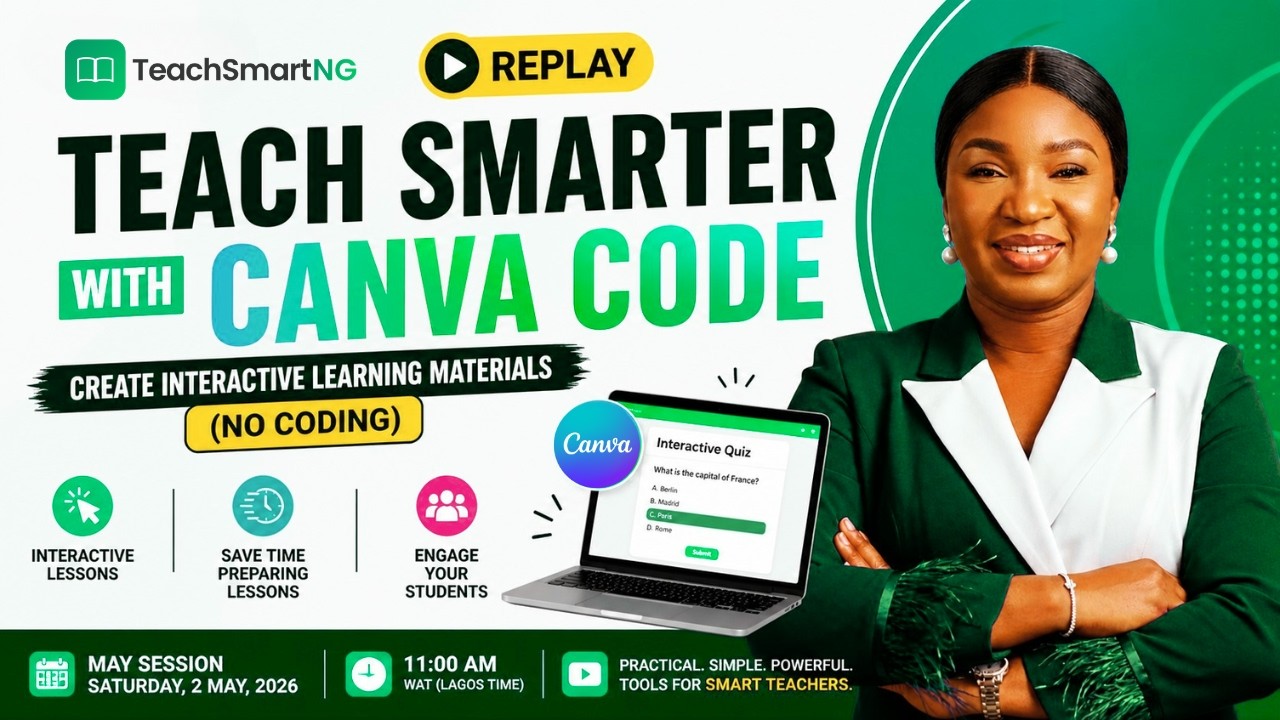
Teach Smarter with Canva Code | Create Interactive Learning Materials (No Coding)
Are you a teacher looking for a better way to create engaging lessons without spending hours preparing?
In this session, you’ll learn how to use Canva Code to create interactive learning materials — without writing a single line of code.
This is a replay from our TeachSmart with AI (May Session), where we focused on practical ways educators can work smarter, reduce workload, and improve student engagement using AI tools.
🎯 In this video, you’ll learn how to:
✔ Create interactive teaching materials using Canva Code
✔ Turn static lessons into engaging learning experiences
✔ Save time on lesson preparation
✔ Apply AI tools in a real classroom setting
🚀 Who is this for?
Teachers (Primary & Secondary)
Educators & Trainers
School Owners
Anyone interested in modern, digital teaching methods
🔥 Why this matters
Today’s students learn better with interactive and visual experiences.
This video shows you how to move from static teaching → interactive learning in a simple and practical way.
📌 Join the TeachSmart with AI Community
Get updates, resources, and future sessions:
👉 WhatsApp Community: https://chat.whatsapp.com/IDwxBup5Rox2WQc5lO4uyU

These are the top 10 Canva hacks that you have to try if you are a teacher!
🔗 RESOURCES & LINKS
(This video may contain affiliate links, which means I will earn a small commission if you purchase through my link.)
⏳ TIMESTAMPS:
0:50 Tip 1 Create a timer
1:25 Tip 2 Create a Poster
2:00 Tip 3 Create Coloring Pages
2:22 Tip 4 Search by Color
2:51 Tip 5 Use Your Phone as a Remote
3:57 Tip 6 Use Bulk Create
5:28 Tip 7 Tidy Feature
5:44 Tip 8 Magic Shortcuts
6:14 Tip 9 Use Magic Write
6:41 Tip 10 Magic Media
🎬 WATCH NEXT:
• Create Bulletin Board Letters in Canva: https://www.youtube.com/watch?v=zlBD1XbZ9Nw
👋 COME SAY HI!
Instagram: / teachingwithcoffeeandmascara

Learn the five-ingredient prompt recipe that turns your ideas into scroll-stopping video footage. Describe it, generate it, refine it, all through simple conversation— and get custom footage, in minutes.
💡WHAT YOU'LL LEARN ⏳
00:31 The recipe for perfect prompts
01:45 How to prompt video like a pro
🔖 Ready to level up your design skills even more? Find free resources and certified courses at https://designschool.canva.com
💬 Any questions? Leave a comment below, and our team will get back to you.
💻 View the activity here: https://www.canva.com/design/D....AHLAlvV_GQ/k-xbphSzd

🔖 This video is part of the Work smarter with AI course and certification. Watch them all at: https://designschool.canva.com
Discover how Canva AI streamlines teamwork! Brainstorm, design, and create with ease. With conversation AI, simple chats bring your ideas to life.
💡 WHAT YOU'LL LEARN ⏳
00:30 Meet Canva AI
01:41 Create designs and presentations instantly, and on-brand
04:27 Brainstorm ideas with Canva AI’s chat feature
06:10 Personalize designs using simple voice or text commands
07:08 Collaborate and share with your team in real time
For more lessons, tutorials, and certifications, go to: https://designschool.canva.com
💬 Any questions? Leave a comment below, and our team will get back to you.
💻 Try it out today: https://canva.me

💥 Canva Code + Canvas LMS = A Classroom Game-Changer! 💥
In this video, I'm sharing a brand new AI-powered feature inside Canva called Canva Code — and trust me, it's about to make your online lesson planning 10x easier!
🎯 Whether you're teaching in-person, hybrid, or fully online with Canvas LMS, Canva Code lets you instantly create interactive activities like drag-and-drop games, quizzes, puzzles, and even custom content pages — all with just a simple prompt. No coding experience required!
👇 Here's what you'll learn:
00:00 – Intro: What is Canva Code?
01:04 – How to access Canva Code (free & paid accounts)
02:17 – Build a Drag & Drop Activity Using a Canva Prompt
04:34 – Embed the Activity into Canvas LMS
05:39 – Build a Vocabulary Matching Activity by Altering a Canva Prompt
07:31 – Build a Word Search Game from Scratch with a Custom Prompt
09:58 – Create a Reading Content Page Using a ChatGPT Prompt
14:15 – Final thoughts
✨ Ready to supercharge your Canvas course? Watch me walk through real examples and show you how to use Canva Code to build custom learning experiences your students will love.
💻 New to Canvas? TRY MY COURSE FOR FREE → Free Demo Access
Sign Up here 👉 https://www.edtech-training.co....m/try-our-course-for
—
💬 Have a request for future Canva Code tutorials? Drop it in the comments!
🔔 Subscribe for more Canvas LMS insights and tutorials!
👍 Like this video if you found it useful!
💬 Comment below if you have any questions!
🔗 Additional Resource Links 🔗
Check out my Website 🌐 - www.thecanvasqueen.com
Discover my TpT Store 🛍 - https://www.teacherspayteacher....s.com/Store/Canvas-Q
Join my Newsletter 💌 - https://mailchi.mp/b742b96a6ca....e/canvas-queen-newsl
#EdTech #K12Teachers #canva #canvacode #canvaai #canvadesign #canvatips #canvatutorial #canvacreate #teachertips #canvaslms #coursemanagement #blendedlearning #DigitalLearning #onlinelearning #instructionaldesigner #teacherhacks #gettingstartedwithcanvaslms #canvaslmsforteachers #canvaslms #CanvasForTeachers #TeacherTraining #EdTech #CanvasTutorial #BackToSchool #CanvasCourse #TeacherPD #DistanceLearning #LearningManagementSystem #InteractiveLessons #onlineteaching #CanvaForEducation #AIinEducation
Music by Jay Someday 🎹
http://bit.ly/JaySomedaySpotify
http://bit.ly/JaySomedayAppleMusic
https://soundcloud.com/jaysomeday
https://www.instagram.com/jaysomeday
http://bit.ly/jaysomedayUT

Learn how to create stunning map animations using Canva, even if you're a beginner. This tutorial will guide you through the process step by step, from creating a new design to adding transitions and effects.

Tired of spending hours creating flashcards one by one? In this step-by-step Canva tutorial, I'll show you the ultimate time-saving hack for teachers: using the Bulk Create feature to generate dozens or even hundreds of custom math flashcards in minutes! This will work for anything, not just math problems!
This is a game-changer for creating differentiated materials, review sets, or math center activities. We'll go from a blank page to a full, print-ready set of flashcards, 4 to a page.
🔥 In this video, you will learn:
✅ How to design a simple and effective 4-to-a-page flashcard template in Canva.
✅ How to use Canva's AI (Magic Write) to instantly generate your list of math problems.
✅ The CRUCIAL trick to troubleshoot and prevent fractions (like 1/2) from auto-formatting into dates (like January 2nd). This is a common problem that stops so many people!
✅ How to connect your data source (the problems and answers) to the elements in your design.
✅ The final steps to generate all your cards automatically and get them ready for printing.
Whether you're a classroom teacher, a homeschooling parent, or a tutor, this technique will revolutionize the way you create resources for your students.
Did you find this tutorial helpful? If so, please give it a thumbs up, subscribe for more teacher tech tips, and hit the notification bell!
Let me know in the comments what kind of flashcards you plan on creating!
I hope the beginning of your school year is going well!
#canvaforeducation #CanvaTutorial #EdTech #TeacherTech #MathTeacher #TeachingResources #TeacherTips #CanvaHacks #BulkCreate #AIforTeachers #MathFlashcards #TeacherLife #Homeschooling #Canva #ClassroomResources

Design slides that tell a story and land your message—without spending hours on formatting.
This video is part of the Canva for work certification course. Watch all the videos and get certified here: https://bit.ly/dsc4w25
💡 WHAT YOU'LL LEARN ⏳
00:39 Using presentation templates
02:26 Structuring and styling your presentation
04:06 Refining and sharing your presentation
🔖 For more lessons, tutorials, and certifications, go to: https://www.canva.com/design-school
💬 Any questions? Leave a comment below, and our team will get back to you.
💻 Try it out today: https://canva.me

🔗 LINKS MENTIONED IN THIS VIDEO
Canva → https://www.canva.com/
🪄Get Canva for Education for FREE → https://www.canva.com/education/
Hey, friends! If you’re a teacher and you want to get started with Canva and learn the basics quickly (in about 7 minutes)...then check out this video where we break down the *most* important things you need to know to start using Canva TODAY. Enjoy! xx Molly & Lauren
⌚️TIMESTAMPS
0:00 Intro
01:02 Quick tour of Canva
01:20 Explore templates
01:50 Ready to teach customizable lessons
02:36 Customize a template
04:22 Canva’s Magic Media features
05:09 Create digital choice boards
05:15 Student created presentations
06:04 Create a template link
06:24 Canva organization
07:02 Share and explort Canva designs
💌 Get our free, 5 min. weekly newsletter—full of actionable tips, resources, and learning opportunities. → https://dforlearning.myflodesk.com/email
🧐WHO ARE WE?
If we’ve not yet met, hi! 👋🏼 We’re Molly and Lauren, the faces behind Designed for Learning. Our goal is to make professional development fun, relevant, and most importantly, useful in the classroom! On this channel, we share strategies, tools, and practices that are classroom-tested by educators to help you create powerful learning experiences for ALL of your students.
⬇⬇⬇
___
// 🍿 WATCH NEXT:
➡️ How to Organize your Classroom with Google Drive & Docs → •Marie Kondo your virtual classroom
➡️ How You Can Use Canva to Create Teaching Materials → • Steal Top Tips from a Teacher
➡️How to Start Incorporating AI into the Classroom → • Check out How to Teach Students about AI
// RESOURCES, FAVE TOOLS:
🌟All of our FREE AI resources in one place: https://dforlearning.com/ai-resource-library
✅Free PD in less than 10 minutes → https://dforlearning.com/learning-lab
🪄Get Canva for Education for FREE → https://www.canva.com/education/
// LINKS + SOCIALS:
🌍 Our website: https://dforlearning.com/
📲TIKTOK: https://www.tiktok.com/@dforlearning?_t=ZT-8uO6E6nm7uo&_r=1
💻LinkedIn: https://www.linkedin.com/compa....ny/d-for-learning/?v
___
// P.S.. Whenever you're ready, here's how we can work together:
1 | Partner directly with us on custom PD → https://dforlearning.com/
2 | No matter where you are in your AI journey we want to support you! Selecting the right tools for school-wide tools, AI literacy, meaningfully using AI in the classroom, and safely and responsibly using AI with students…we can help you with all of it! → https://dforlearning.com/ai-resource-library#pd-options
3 | As a Canva for Education training partner, we provide custom professional development services tailored for educators to transform your classroom. → https://dforlearning.com/canva-partner

Explore how using Canva teachers and students can easily collaborate no matter where they are.
💡 WHAT YOU'LL LEARN
► Whole class collaboration
► Create individual pages for students
► Add students to an individual design
► Organize group projects with folders
⭐ FREE SUPPORTING RESOURCE FOR THIS TUTORIAL
► Sharing design with students resource page - http://bit.ly/3P5VMF5
___________
✏️ GETTING STARTED WITH CANVA FOR EDUCATION COURSE
Check out our free Canva for Education course with 11 lessons and inspiring supporting resources.
Explore all the essentials like the Canva Editor, creating designs, managing folders, exploring the class space and creating student activities.
Visit the course page here: https://canva.me/edu-course
___________
⏳ TIMESTAMPS:
00:00 Mange class collaboration in Canva
00:35 Whole class collaboration
01:16 Create individual pages for students
02:07 Add students to an individual design
02:51 Organize group projects with folders
#canvaforeducation #canvaforteachers #canvacourse
🔖 This video is part of the Engage Students with Canva course and Canva Education certification. Watch the full free course here:
https://www.canva.com/design-s....chool/courses/engagi
Students get stuck sometimes, but Canva AI can help spark ideas, boost creativity, and support independent learning. In this Canva for Education tutorial, you’ll explore how AI-powered tools like Magic Write, Design for Me, Create an Image, and Magic Expand help students brainstorm, design, and create with confidence.
Learn how to use Canva AI in the classroom to turn notes into quizzes and worksheets, generate writing ideas, design posters, and build engaging learning materials faster. Whether you're looking to increase student engagement, personalize instruction, or save time on lesson prep, Canva AI makes it easier to move from thinking to creating.
💡 WHAT YOU’LL LEARN ⏳
00:00 How Canva AI supports creativity and independent learning
00:37 Exploring Canva AI tools for teachers and students
01:19 Using Magic Write to generate ideas
03:02 Designing visuals and posters with Design for Me
04:19 Bringing ideas to life with Create an Image and Magic Expand
06:41 Turning notes into quizzes, worksheets, and study tools
08:14 How Canva AI helps students create faster
For more Canva lessons, tutorials, and teacher certifications, visit:
https://designschool.canva.com
💬 Have questions about using Canva AI in your classroom? Leave a comment below.
💻 Try Canva today: https://canva.me
About Canva Education:
Canva for Education is 100% free for eligible primary and secondary schools. Empower teachers and students to collaborate, create, and communicate visually with powerful design and AI tools.
🎓 Get access: www.canva.com/education
#CanvaForEducation #CanvaAI #CanvaTutorial #AIinEducation #EdTech #StudentEngagement #DigitalLearning #TeacherTools #MagicWrite #ClassroomTechnology

Canva Pro FREE 2026 🔥 | Canva Education Premium Free Kaise Milega? (100% Working)
Canva Pro normally paid hota hai, lekin Canva Education program ki help se students aur teachers Canva Premium features FREE me use kar sakte hain.
Is video me main aapko step-by-step bataunga:
✔ Canva Education kya hai
✔ Canva Pro free kaise use kare
✔ Canva Education account kaise banaye
✔ Canva Premium features free me kaise unlock kare
✔ Eligibility aur verification process
Agar aap YouTuber, designer, student ya content creator ho to Canva Education aapko premium templates, background remover, AI tools aur premium elements free me de sakta hai.
Video ko end tak zaroor dekho taki aap Canva Pro free access ka complete process samajh sako.
📌 Useful Links:
✅ Follow me on Instagram – [ https://www.instagram.com/cap1....0_azad?igsh=ZWhnM2l6 ]
✅ Subscribe Me On Telegram– [ https://t.me/sachindailytech ]
https://youtu.be/JZgQbqyl2n0
https://youtu.be/8HbEn8ffI7c
https://youtu.be/mGV5sspw-wg
https://youtu.be/8HbEn8ffI7c
High SEO Keywords (2026)
canva pro free
canva education
canva pro free 2026
canva education account
canva premium free
canva pro free trick
canva education verification
canva pro subscription free
canva education tutorial
canva pro for students
canva premium features free
canva pro hindi tutorial
canva pro free
canva education
canva pro free 2026
canva premium free
canva pro hindi
canva education tutorial
canva pro subscription free
canva pro free trick
canva pro for students
canva premium account
canva pro education account
canva pro free hindi
#️⃣ Hashtags
#CanvaPro
#CanvaEducation
#CanvaProFree
#CanvaPremium
#CanvaTutorial
#CanvaHindi
#ContentCreation
#YouTubeTools
#DesignTools
#FreeTools
Disclaimer 👇
This video is made only for educational and informational purposes.
I do not promote piracy, illegal methods, or bypassing any paid services.
Canva Education is an official program offered by Canva for eligible students and teachers.
All trademarks, logos, and brand names belong to their respective owners.

🔖 This video is part of the Engage Students with Canva course and Canva Education certification. Watch the full free course here:
https://www.canva.com/design-s....chool/courses/engagi
Video is one of the most powerful tools for student engagement. In this Canva for Education tutorial, you’ll learn how to use Canva Video and built-in AI features to create engaging, accessible, and collaborative classroom videos in minutes.
Discover how to use Canva’s video templates and timeline editor, add clips, audio, and titles, record voiceovers or talking head videos, and generate captions for accessibility. You’ll also see how to repurpose videos for school communication and support student-created video projects that build creativity and collaboration.
Whether you're creating instructional videos, student projects, or school updates, Canva makes video creation simple for teachers and students.
💡 WHAT YOU’LL LEARN ⏳
00:00 Why video is a powerful classroom tool
00:38 Exploring Canva video templates and timeline editor
01:48 Adding and editing clips, audio, and titles
02:49 Recording voiceovers or talking head videos
04:04 Adding captions for accessibility
05:12 Repurposing videos for school communication
06:30 Helping students create and collaborate on videos
For more Canva lessons, tutorials, and teacher certifications, visit:
https://designschool.canva.com
💬 Have questions about using Canva Video in your classroom? Leave a comment below.
💻 Try Canva today: https://canva.me
About Canva Education:
Canva for Education is 100% free for eligible primary and secondary schools. Empower teachers and students to collaborate, create, and communicate visually with powerful design and video tools.
🎓 Get access: https://www.canva.com/education/
#CanvaForEducation #CanvaVideo #CanvaTutorial #EdTech #StudentEngagement #DigitalLearning #TeacherTools #VideoInTheClassroom #EducationTechnology

Step-by-step guide on using Canva Education to design visually engaging class slides, presentations, and teaching materials for students.
This video is a comprehensive guide to help you learn how to do something. It includes a step-by-step tutorial and helpful tips throughout to ensure you can complete the task. Whether you're a beginner or an advanced user, this video will provide you with the information and resources you need to become an expert.
