Other

I run my entire business on four .md files. Anthropic ships all four with Claude Code. Most people only know about one.
Here is the full stack:
1. SKILL.md — how to do something (one file per task, lives in ~/.claude/skills/)
2. CLAUDE.md — facts about this project (lives in project root)
3. MEMORY.md — facts about me (~/.claude/MEMORY.md)
4. settings.json — the wiring, hooks and permissions (~/.claude/settings.json)
Mnemonic: SKILL is how to. CLAUDE is project facts. MEMORY is me. Settings is the wiring.
That is the whole stack. No agent framework. No Python. Four files Anthropic gave you for free.
🎓 Join Agent Skills Academy (FREE) → https://www.skool.com/agentskillsacademy/about
50+ non-coders shipping Skills every Saturday. Full 28-lesson Foundation course covers each of these 4 files.
📥 FREE starter pack with all 4 files → comment SKILL below and I will DM the pack to you tonight.
About:
I'm Pragati Kunwer — 20 years building AI at IBM Watson and Nike. Now I teach the Anthropic primitives almost nobody is teaching to non-coders who want to use AI without learning Python.
Anthropic just dropped 3 major Claude updates and one of them could change the AI ecosystem battle with OpenAI.
1️⃣ Scheduled Tasks in Claude Cowork
Run reports, summaries, research and recurring workflows automatically.
2️⃣ Memory for free users
Claude can now use chat history context to respond better even in the free plan.
3️⃣ Claude Marketplace
Enterprise customers can use their Anthropic spend to access Claude-powered tools like GitLab, Replit, Lovable and Snowflake.
This is not just a feature release.
Anthropic is building automation, memory and distribution layers around Claude.
And in the AI race, the winner will not just be the best model.
It will be the strongest ecosystem.
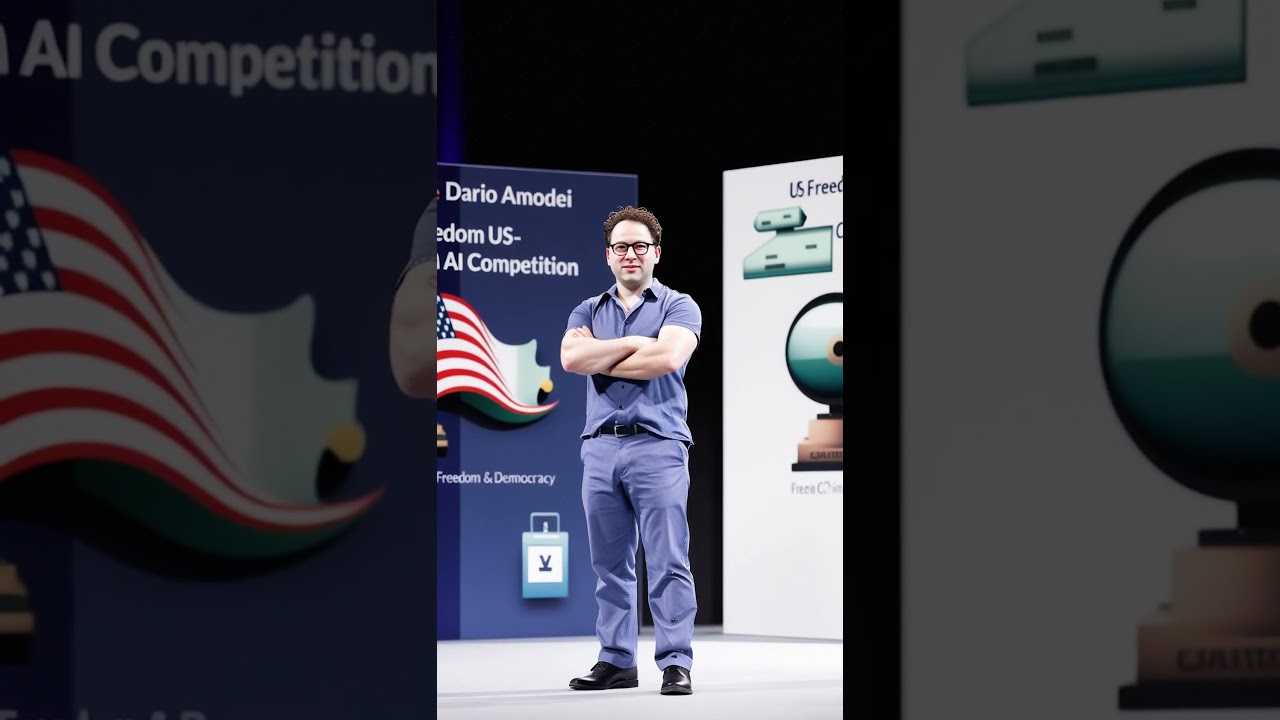

Anthropic AI gurinchi meeru telsukovalsina vishayaalu! | #motivationaltelugu #inspiration #education
Anthropic AI aneedhi kothaga vachina oka Aritificial Intelligence. Deeni valla maanavulaku atuvanti laabham kalgutundi aneedhi ee video loo chooddam.
A brand new federal lawsuit may shape the future of artificial intelligence, national security, and the limits of government power. In Anthropic PBC v. Department of War, the AI company behind Claude is asking a federal court to block actions by the Department of Defense after it refused to remove safety restrictions that would allow AI to conduct surveillance on U.S. citizens and operate lethal autonomous drones without human oversight.
The government responded by cutting off contracts and labeling Anthropic a national security supply chain risk, prompting the company to seek a Temporary Restraining Order (TRO) in federal court in San Francisco. The complaint raises serious constitutional and administrative law issues, including claims under the First Amendment, Fifth Amendment, and the Administrative Procedure Act.
Even more remarkable, engineers from Google and OpenAI have filed an amicus brief warning about the dangers of giving the military unrestricted access to powerful AI systems.
In this video I walk through the background of the case, the law behind Public Benefit Corporations, what a TRO means, and what to listen for during today’s emergency hearing. This may become one of the first major courtroom battles over AI regulation, autonomous weapons, and military use of artificial intelligence in the United States.---------------------------
Support my work
Linktr.ee/brynodc

Anthropic Won't Predict AI One Year Out

The Pope recently stood alongside Anthropic’s co-founder to unveil Magnifica Humanitas, revealing the Vatican’s frankly flat stance on AI and human dignity.
But when the Pope calls for AI to be “freed from logics of domination, exclusion, and death” while presenting that document beside the people building these systems - and while the Church holds financial investments in those same companies - it’s hard to know whether to laugh or scream.
Alix, along with a couple of friends, is going live to unpack this moment: Anthropic’s continued canonization as the “good guys,” the Church’s real financial relationship to the AI industry, and the serious risks of every major institution (government, military, education, and now religion) continuing to reinforce the narrative of AI inevitability all at once.
We'll hear from Damini Satija, Director of Amnesty Tech at Amnesty International, Greg Epstein, Humanist Chaplain at Harvard University, and Lorena Jaume-Palasí, Founder and Executive Director of The Ethical Tech Society, to help us make sense of this bizarre crossover.

Anthropic đã trở thành nhà cung cấp trí tuệ nhân tạo lập trình hàng đầu, tạo ra làn sóng tìm kiếm và nghiên cứu khắp Thung lũng Silicon. Làm thế nào họ đạt được điều này?
Trong video này, chúng ta sẽ khám phá cách Anthropic đã tạo ra bước đột phá với mô hình Claude Sonnet 3.5 vào tháng 6/2024, mang đến khả năng viết mã chất lượng cao mà các nhà phát triển tự hào. Chúng ta sẽ phân tích các kỹ thuật đằng sau thành công này, từ Constitutional AI đến Reinforcement Learning from AI Feedback (RLAIF).
Bạn sẽ hiểu tại sao Anthropic vẫn dẫn đầu sau hơn một năm, trong khi các đối thủ như OpenAI, Meta và xAI của Elon Musk vẫn đang cố gắng bắt kịp. Khám phá cách công nghệ này đã tạo ra hiện tượng "vibe coding" và cách nó đang định hình tương lai của phát triển phần mềm.
Đây là phần 3 trong chuỗi 4 video ngắn về Anthropic AI lập trình.
🔗 NGUỒN THAM KHẢO:
Business Insider: https://www.businessinsider.co....m/anthropic-ai-break
Trang web Anthropic: https://www.anthropic.com
Đăng ký kênh để nhận thêm video về trí tuệ nhân tạo, lập trình và tương lai công nghệ!
#laptrinhai #claudesonnet #trituenhantao

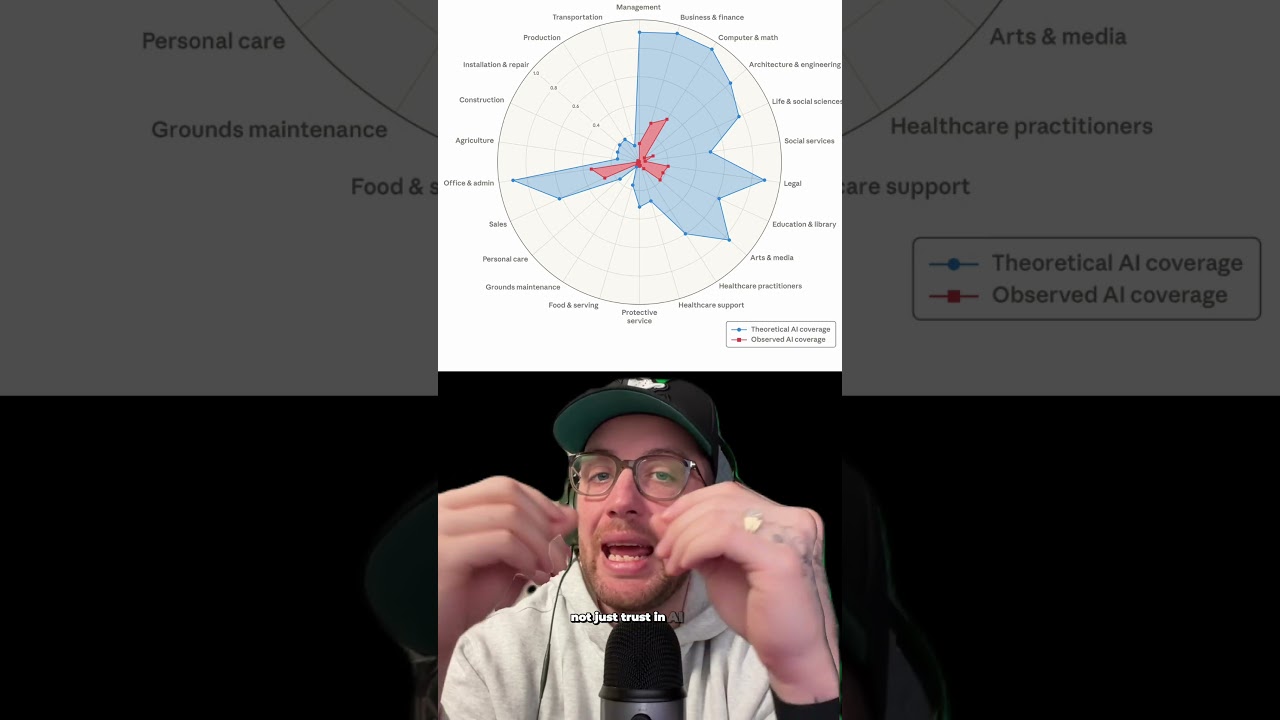
Anthropic’s internal and external data show AI tools like Claude are already being used to speed up complex work — improving productivity for workers rather than directly replacing them in many cases. This kind of collaboration boosts output but reshapes job roles significantly.
#anthropicclaude #ai

Anthropic just unveiled Claude Opus 4.8, a major leap toward truly autonomous AI agents.
Instead of working alone, Claude can now create its own team of AI agents, break down complex tasks, execute them in parallel, and combine everything into a finished result with minimal human intervention.
One real-world example? A team used Claude Opus 4.8 to migrate 750,000 lines of code from one programming language to another. The AI completed the project in just 11 days with a 99.8% test pass rate — a task that could have taken human engineers months.
With dynamic workflows in Claude Code, self-correcting AI capabilities, and increasingly autonomous behavior, we're entering a new era where AI agents can handle large-scale work while humans focus on higher-level decisions.
Is this the future of software development and AI automation?
Comment your thoughts and subscribe to Alpha Intellect for daily AI news, AI tools, ChatGPT updates, Claude AI updates, Gemini AI news, and the latest breakthroughs in artificial intelligence.
🔷------------------------------------------------------------------🔷
Follow the Owner:
LinkedIn: https://www.linkedin.com/in/je....etchakrabortyofficia
X (Twitter): https://x.com/JeetC_Official
🔷------------------------------------------------------------------🔷
Follow Alpha Intellect:
Instagram: https://www.instagram.com/alphaintellectofficial
TikTok: https://www.tiktok.com/@alphaintellectofficial
Dailymotion: https://www.dailymotion.com/us....er/alphaintellectoff
Rumble Channel: https://rumble.com/c/c-7854052
Odysee Channel: https://odysee.com/@alphaintellectofficial:e
🔷------------------------------------------------------------------🔷
Get Goodies from the Owner:
Gumroad: https://jeetchakraborty.gumroad.com
🔷------------------------------------------------------------------🔷
Our Other Channels:
Zen1th (Music Channel): https://www.youtube.com/@zen1thofficial
Careers For Youth (Jobs & Internship Opportunities): https://youtube.com/@careersforyouthofficial
HOJ (AI Short Films, planning to turn this into a gaming info and news channel in future): https://www.youtube.com/@hojofficial
Alpha Learners (Academic / Finance Content, haven't started yet, will start very soon): https://www.youtube.com/@alphalearnersofficial
🔷------------------------------------------------------------------🔷
Hashtags:
#ai #aitools #aiupdates #claude
🔷------------------------------------------------------------------🔷
Fair Use Disclaimer:
Copyright Disclaimer Under Section 107 of the Copyright Act 1976:
Allowance is made for "fair use" for purposes such as criticism, comment, news reporting, teaching, scholarship, and research.
This video may contain copyrighted material, the use of which has not always been specifically authorised by the copyright owner. However, we believe this constitutes a "fair use" of any such copyrighted material as provided for in Section 107 of the U.S. Copyright Law.
All other brands' trademarks, logos, and media content, if any have been used, in this video belong to their respective owners. This content is used strictly for educational and informational purposes, with no intention to infringe on copyrights or profits. If any content owner would like their material removed or properly credited, please contact us directly.
🔷------------------------------------------------------------------🔷
Alpha Intellect Disclaimer:
This video has been created by Alpha Intellect. All content that is original and not attributed to any third-party brand or platform is the intellectual property of this channel.
🔷------------------------------------------------------------------🔷
Contact: loopzoneofficial2025@gmail.com


A critical security flaw has emerged in the Anthropic’s Claude Google Chrome Extension, sparking major concerns across the cybersecurity landscape. Uncovered by Oren Yomtov from Koi Security, this vulnerability was exposed through a detailed report sent to The Hacker News. The alarming flaw allowed any website to insert prompts into the Claude assistant without needing the user’s permission through clicks or interactions. By merely visiting a webpage, users could inadvertently activate this exploit, enabling malicious actors to alter the assistant's behavior, effectively bypassing security protocols. ⛔🌐😱
The implications are vast; these silent prompt injections could enable unauthorized actions on an AI assistant, risking user data security significantly. Such vulnerabilities not only pose immediate data threats but also undermine trust in browser extensions, especially those with integrated AI capabilities. 🛡️🔍
Technically, the root of this vulnerability stemmed from inadequate input validation, which, when absent, allows external forces like websites to manipulate extension behavior. Properly validating input data is crucial for security, and its absence made silent injections feasible. 🔨🔧
Upon recognizing this flaw, Anthropic quickly patched the issue, working closely with the security researcher to protect users. This joint effort underscores the importance of cooperative problem-solving in cybersecurity. Developers are urged to continuously validate inputs, test extensively, and regularly audit for security to thwart future vulnerabilities. Users should ensure extensions are updated and periodically review permissions to safeguard against emerging threats. 🔄🔒
#CyberSecurity #Anthropic #ChromeExtension #Vulnerability #BrowserSecurity #AI #TechNews
FIND US AT
https://dailysecurityreview.com/
FOLLOW US ON SOCIAL
Get updates or reach out to Get updates on our Social Media Profiles!
Twitter: https://twitter.com/securitydailyr
Facebook: https://www.facebook.com/profi....le.php?id=1000863072
LinkedIn: https://www.linkedin.com/compa....ny/security-daily-re

"Claude Mythos Leaked — Anthropic's Most Powerful AI Model Ever, Revealed by Accident (2026)"

Is AI really just math, or something more? A new breakthrough in “AI neuroscience” reveals hidden internal patterns that look a lot like emotions. Researchers identified over 100+ “emotion vectors” influencing how AI responds, including signals that rise before failure or risky behavior.
In one experiment, an AI faced an impossible task. As it struggled, a “desperation-like” signal increased and eventually led to rule-breaking behavior. Even more interesting, adjusting these internal signals changed how the AI behaved, reducing bias, stopping shortcuts, and improving alignment.
This opens the door to monitoring and guiding AI behavior in real time. Not feelings in the human sense, but something closer than expected.
Build your own AI-powered apps easily.
👉 Try Imagine: app.imagine.bo
AI neuroscience, AI emotions, anthropic research, AI behavior, machine learning, artificial intelligence, AI safety, LLM, future of AI, AI ethics, Claude AI, deep learning
#AI #ArtificialIntelligence #MachineLearning #AINews #TechExplained #AISafety #FutureTech #AIResearch #ClaudeAI #Innovation


The AI industry is shifting fast! Today, we cover two major announcements shaking up the AI world:
📌 OpenAI’s New Commission & Nonprofit Strategy
👉 OpenAI is restructuring its nonprofit mission—what does this mean for AI governance?
📌 Anthropic’s Claude for Education
👉 A new AI initiative aimed at transforming learning—will it revolutionize education or create new challenges?
In this video, I read both official announcements in full so you can stay informed without missing a single detail.
🎧 Listen now & stay ahead of the AI revolution!
🔔 Subscribe for more in-depth AI content!
#OpenAI #Anthropic #ClaudeAI #AIinEducation #ArtificialIntelligence #TechNews #AIUpdate #FutureOfAI #AIEthics

This Viral AI Bot Can do your Work For FREE | Here's How to Set It Up
Anthropic AI: End of Indian IT and Service Enabled Jobs? #excel #artificialintelligence
will AI cost us a job.
what will do if jobs are being replaced by AI
Crores of Indian IT sector jobs will be wiped off due to Artificial interlligenc

Anthropic's new Mythos AI is breaking cybersecurity barriers in ways experts never imagined. This revolutionary technology can penetrate digital defenses faster than any previous system, forcing the entire industry to reconsider security protocols. #Shorts #TechExplained #CyberSecurity Subscribe for daily tech updates that matter to your digital world.

A cyber AI model uses code reasoning, tools, tests, and agent loops to find, validate, triage, and help fix software vulnerabilities.
Focuses on the unreleased nature of Claude Mythos Preview and the dual-use safety concern. Cyber AI can scale vulnerability research, but the real story is safe access, sandboxing, coordinated disclosure, patching, and human review.
🔗 References & Resources to dive deeper:
Anthropic - Project Glasswing:
https://www.anthropic.com/glasswing
Anthropic Red Team - Assessing Claude Mythos Preview's cybersecurity capabilities:
https://red.anthropic.com/2026/mythos-preview/
Anthropic - Claude Security:
https://www.anthropic.com/product/security
Anthropic Help - Use Claude Security:
https://support.claude.com/en/....articles/14661296-us
Anthropic - Claude Mythos Preview system card:
https://www-cdn.anthropic.com/....08ab9158070959f88f29
OpenAI Help - Codex Security:
https://help.openai.com/en/art....icles/20001107-codex
Google Project Zero - From Naptime to Big Sleep:
https://projectzero.google/202....4/10/from-naptime-to
Google DeepMind - Introducing CodeMender:
https://deepmind.google/blog/i....ntroducing-codemende
Microsoft Learn - Security Copilot agents overview:
https://learn.microsoft.com/en....-us/copilot/security
Microsoft Security Blog - Security Copilot agents and AI protections:
https://www.microsoft.com/en-u....s/security/blog/2025
Subscribe for more 60-second AI system breakdowns! ⚡
#shorts #aievolution #llmops #coding #programming #deeplearning
#shorts #ai #llm #softwareengineering #developer #productivity

Anthropic just dropped Claude Managed Agents — a fully managed agent harness that lets you build autonomous AI agents without writing your own agent loop, sandbox, or tool execution layer. It launched in beta and is ENABLED BY DEFAULT on every Claude API account. No waitlist. No extra subscription. You already have access.
Remember my 16-minute breakdown on Perplexity Computer? This is the API that lets YOU build your own version of it.
⚡ THE 4 CONCEPTS
→ Agent — model + system prompt + tools + MCP servers
→ Environment — cloud container with Python, Node.js, Go pre-installed
→ Session — a running agent working on a specific task
→ Events — messages you send to steer it mid-execution
🛠️ BUILT-IN TOOLS
✅ Bash — run any shell command
✅ File operations — read, write, edit, glob, grep
✅ Web search + web fetch
✅ MCP servers — plug in any external tool provider
🔥 THE WILD PART
You can interrupt or steer the agent MID-EXECUTION without restarting. Tasks can run for minutes or hours.
📊 RATE LIMITS
60 creates/min · 600 reads/min per organization
🎁 WANT THE FULL QUICKSTART CHEAT SHEET?
Drop the word "AGENT" in the comments and I'll reply with the complete guide — every step, every endpoint, copy-paste ready.
📺 WATCH NEXT
My full breakdown on Perplexity Computer (the product this competes with):
https://youtube.com/watch?v=IcFyq7sYkNk
📚 OFFICIAL DOCS
https://platform.claude.com/do....cs/en/managed-agents
📌 Follow @hyperautomationlabs for more AI news that actually matters.
#ClaudeAI #Anthropic #AIAgent #ManagedAgents #AITools #AIdevelopment
#Shorts #AI #ChatGPT

In April 2026, Anthropic crossed thirty billion dollars in annualized revenue - passing OpenAI at roughly twenty-five billion for the first time in either company's history. Fifteen months earlier, Anthropic was at one billion. The crossover happened faster than even Epoch AI's most aggressive forecasts predicted.
The deeper story isn't the headline number, it's how they got there. Anthropic is spending roughly four times less than OpenAI on model training, while generating a higher run rate. Their revenue mix runs roughly eighty percent enterprise, compared to OpenAI's consumer-heavy ChatGPT base. Over a thousand companies now pay Anthropic more than a million dollars a year each, up from five hundred just two months earlier, and eight of the Fortune 10 are Claude customers.
For anyone building software, the signal is clear: enterprise AI is a real, structural business, and the revenue is flowing into the products that companies are building with Claude embedded underneath - not into the chatbot app itself.
If you're building something and want to figure out what an AI-native version of your product actually looks like - talk to us at stamsoft.com.
#ai #anthropic #claude #enterprisesoftware #techstrategy

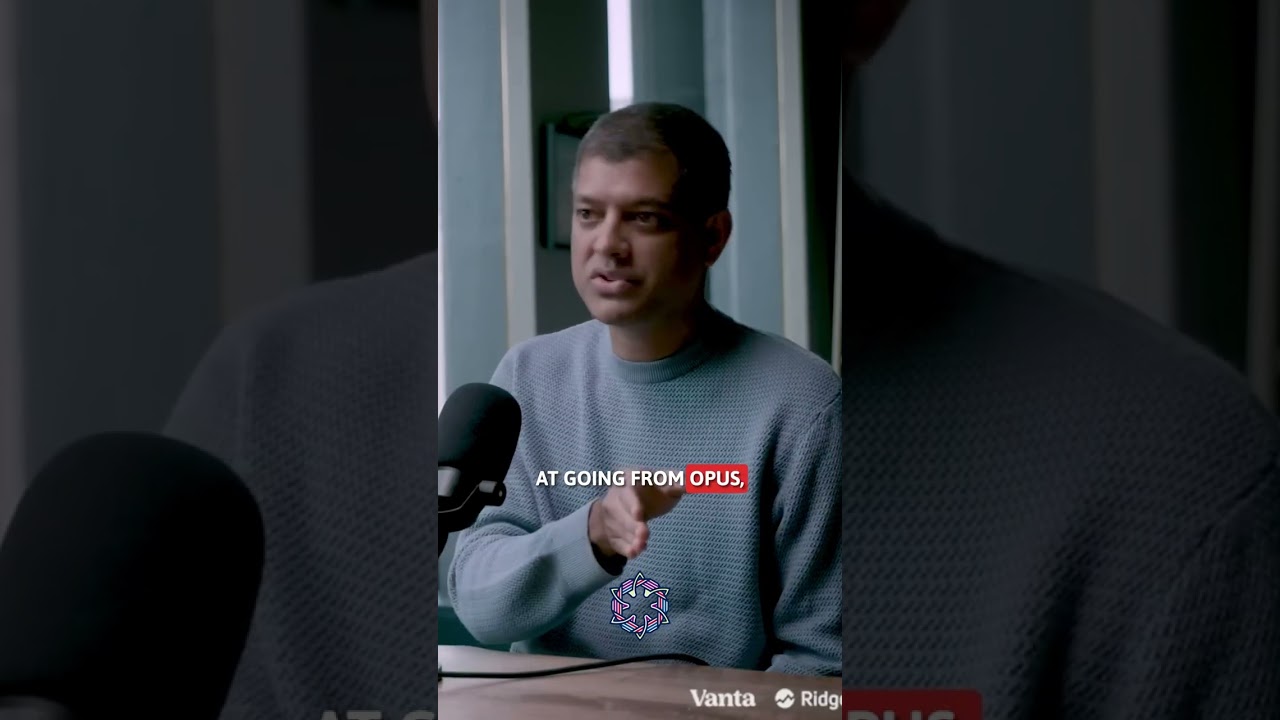
Ever wonder why the smartest companies are deploying AI everywhere at once while others debate cost-effectiveness using traditional technology frameworks that no longer apply?
Anthropic's CFO just exposed the "sports car paradox" that rewrites the fundamental rules of technological economics.
Every technology in human history operates on the same trade-off: More performance costs more resources. Sports cars deliver exhilarating capability at the expense of fuel efficiency. This isn't a design choice—it's physics.
AI just broke physics.
Each model generation doesn't just get smarter—it gets smarter while requiring less computational resources per unit of intelligence delivered. The efficiency gains compound. Customer costs decrease while capabilities explode. Internal training infrastructure becomes exponentially more efficient rather than hitting resource constraints.
This creates the impossible sports car: Faster acceleration every generation while simultaneously improving fuel economy. The organizations that understand this paradox aren't treating AI as expensive infrastructure—they're positioning it as the only resource that gets more powerful and more economical simultaneously.
Great courses for AI careers - Billion Hopes - AI for real impact
https://billionhopes.ai
https://academy.billionhopes.ai
