Latest videos

#chatgpt #gemini #ai活用 #notebooklm
━━━━━━━━━━━━━━━━━━
今AI活用やマネタイズの仕方がわからない人🤦やAI初心者の人も必見!
🚨無料期間限定🚨で
✨Youtubeでは出せないさきのAI最新情報✨&
👩💻AIノウハウ豪華100大特典🎁を勉強会参加後LINEで受け取れます!
AIスキルを身につけて【社内評価⏫UP⏫】や【収益化💰】
業務効率化🗒️できるココでしか手に入らない情報を
現在期間限定でしかも、無料配布しているので興味ある方は是非!!
↓↓↓
https://info.opt--in.com/line/....open/qLCgzWgyqI0n?mt
ーーーーーーーーーーーーーー
約3000人以上の人が登録中!
⬇️さきのAI最新情報公式LINE⬇️
https://info.opt--in.com/line/....open/qLCgzWgyqI0n?mt
ーーーーーーーーーーーーーー
🎁”LINE登録者限定"のAI特別セミナー開催
🎁”LINE登録者限定"のAI勉強会
🎁”勉強会参加者限定"のAI豪華特典配布
🎁”勉強会参加者限定"の特別な案内
【⬇️無料登録はこちら⬇️】
https://info.opt--in.com/line/....open/qLCgzWgyqI0n?mt
※AI×SNS爆伸びノウハウ17大特典は期間限定のため配布終了しました
━━━━━━━━━━━━━━━━━━
↓↓本日紹介したツールや動画こちら↓↓
【NotebookLM】
https://notebooklm.google.com
【Gemini】
https://gemini.google.com/
【Google AI Studio】
https://aistudio.google.com
━━━━━━━━━━━━━━━━━━
◾️目次
00:00 OP
01:20 NotebookLMの基礎
03:59 NotebookLM神機能①
06:52 NotebookLM神機能②
09:38 NotebookLM神機能③
14:58 NotebookLM神連携
16:52 NotebookLM神連携②

Are you ready to unlock the true potential of Google AI? In this video, we dive deep into the game-changing world of Google's AI tools, including Gemini, NotebookLM, and how they integrate seamlessly with Google Workspace. Stop using Google the old way – the future of productivity is here!
🤯 We explore how Gemini can revolutionize your workflow, from brainstorming and content creation to deep research and streamlined communication. Discover the power of NotebookLM, a revolutionary tool that can synthesize information from multiple sources (YouTube videos, articles, documents) and even turn them into custom podcasts! Imagine learning on the go with personalized audio summaries of your research.
💡 But that's not all! We'll show you how Gemini integrates with Google Workspace (Docs, Sheets, Slides) to supercharge your productivity. Create custom spreadsheets in seconds, generate presentations with AI-powered images, and research complex topics in minutes, not days. We'll also touch on Google AI Studio, a powerful tool for learning and getting real-time assistance.
🔥 This video is packed with practical examples and demonstrations of how these tools can transform your work, study, and creative processes. Whether you're a student, professional, or simply curious about the future of AI, this video is a must-watch!
✅ In this video, we cover:
Google Gemini: Use cases and applications
NotebookLM: Summarizing content, creating podcasts, and deep research
Google Workspace Integration: Docs, Sheets, Slides, and AI-powered productivity
Google AI Studio: Real-time learning and assistance
And much more!
🔗 Resources: (Add links to relevant resources, blog posts, etc. here)
#GoogleAI #AItools #Gemini #NotebookLM #GoogleWorkspace #Productivity #ArtificialIntelligence #FutureofWork #Tech #Innovation #AI #DeepLearning #MachineLearning #GoogleAIStudio

Se você usa o Gemini no dia a dia, essa atualização pode mudar bastante a forma como você organiza suas conversas.
Agora, com os Notebooks, dá para centralizar tudo por tema, projeto ou objetivo.
Na prática, deixa de ser um monte de chat solto.
Vira um espaço com mais contexto, mais organização e mais continuidade.
E o melhor: com o recurso de memória, os chats dentro daquele notebook podem servir como base para as próximas conversas.
Isso abre uma possibilidade enorme para quem usa IA de forma estratégica.
No vídeo eu mostro como funciona na prática e por que essa atualização pode melhorar muito o teu uso do Gemini.
👉 O passo a passo completo está no canal **Invente com IA** no YouTube.
#Gemini #GoogleGemini #NotebookLM #InteligenciaArtificial #IA
リアルで会った人に間違いなくオススメする無料AIツール「NotebookLM」が最近進化してたので改めて解説。Geminiと合わせたAI活用方法も紹介。
★プロセボ|AIコミュニティ
AI活用を実際に操作しながら学ぶワークショップ型AIスクール。
参加申し込みはこちら → https://procevo.biz/
▼KEITOの著書
ChatGPT むちゃぶり仕事術
→ https://amzn.to/46u5zjd
やりたい!ができる生成AIでアプリづくり
→ https://amzn.to/46sdQT4
チャンネルのメンバーになって特典にアクセス
https://www.youtube.com/channe....l/UCfapRkagDtoQEkGey
メンバー向けコミュニティは入会後、YouTube「メンバーシップタブ」の「特典の情報を表示」の中のURLから参加可能。
▼おすすめ動画
Gemini for Google Workspace完全解説
https://youtu.be/0BZpNHfdFIk
無料の神ツール「Google AI Studio」徹底解説
https://youtu.be/J4NhtqReyl8
Geminiの画像生成の面白い使い方12選
https://youtu.be/9SPX2L35lW4
Gemini Gem(ジェム)徹底解説
https://youtu.be/KuECMAq85-Q
Geminiでスライド資料を作る神プロンプト
https://youtu.be/aJd7AOAFTv8
完全無料|日本最大級の生成AIコミュニティ
情報共有・無料講義・交流など。生成AIを学びたい、生成AIをビジネスにしたい、生成AIで仲間を見つけたい方は是非ご参加下さい。
参加申し込みはこちら → https://sozo-collabo.hp.peraichi.com/
\\ 自己紹介 //
AI × WEB YouTuber 兼 制作ディレクター。
このチャンネルではChatGPTや画像生成AIなどの生成系AIツールの活用方法や、新しいAI系ツールを紹介。その他ITに関する便利ツールや情報も発信しています。役に立った!面白かった!と思って頂けたら是非チャンネル登録お願い致します。
AIを使ったサービス・仕組みのプロデュース。生成AIを活用した業務改善コンサルタント、講義やセミナーなどの登壇、AIやIT関連に関するアドバイザー(AI顧問)を請け負っております。
▼お問合せ
仕事の依頼はXのDMもしくは以下メールへ。
keito@realaize.jp
各種SNSのフォローもお願いします!
X:https://twitter.com/keitowebai
LINE:https://lin.ee/1krnxOu
note:https://blog.procevo.biz/
Instagram:https://instagram.com/keitowebai/
TikTok:https://tiktok.com/@keito_cc
#keito
#ai
#notebooklm

Google の最新AI Gemini 3.0 と、Googleのノート型AI NotebookLM を組み合わせた、2026年最新の英語学習ルーティンを徹底解説します。
スマホ1台でできるGemini Liveでの英会話から、NotebookLMを使った「自分専用教材」の作り方まで、デモを交えて分かりやすくお届けします。
📌 目次
00:00|オープニング
00:55|Gemini3 と NotebookLMってなに?
02:47|Google AI pro プランお試し開始!
06:29|Gemini proプランで英語学習: Gemini live で英会話
08:49|Geminiで英語添削
17:50|エンディング
【関連動画】
https://youtu.be/c4NBDMP1OyM
https://youtu.be/0ysSW30KqLw
【使用ツール】
・Gemini 3.0 (Google) ・NotebookLM (Google)
#Gemini3
#NotebookLM
#英語学習
#AI英語
#英会話

這部影片實測了 Gemini 3 在 Google NotebookLM 中的「最強應用」!傳統上,整理文件、撰寫大綱和製作簡報需要花費大量的時間。但透過 NotebookLM 的結構化整理功能,你只需上傳一份 PDF,AI 就能立刻幫你生成一份具備邏輯架構、圖文並茂的「AI視覺劇本」簡報!
這絕對是所有學生、上班族和內容創作者的超級救星!
時間軸:
00:00 影片開始
01:11 **結構化大綱生成:** 將冗長文件內容即時提煉成結構清晰的重點大綱,並轉為來源
01:57 **報告模式整理:** 一鍵生成邏輯完整、條理清晰的專業報告
02:50 **高效文檔轉檔:** 示範如何將 NotebookLM 的輸出內容流暢貼到 Google 文件,再作為新來源導入
03:50 **視覺劇本生成:** 運用 Gemini 3 強大的多模態能力,將純文字的概念轉化為具有圖像、排版完整的「簡報」
你的提示詞,現在就是你的視覺劇本!快來學習如何將抽象概念,快速轉化為具體的創作成果!
覺得 Gemini 3 這次表現如何?是強大還是可怕?歡迎在下方留言告訴我你的想法! 喜歡這支影片別忘了 按讚、訂閱、開啟小鈴鐺 🔔,才不會錯過最新的 AI 實測喔!
Gemini 3 進階用法 ,效率翻倍! 可以參考下面這個影片
https://www.youtube.com/watch?v=hM66AMqebWI
https://www.youtube.com/watch?v=EzXdv1IENPY
https://www.youtube.com/watch?v=LjpQn8gMF3o
https://www.youtube.com/watch?v=A94ioh0WNKg
#Gemini3 #NotebookLM #GoogleAI #AI簡報 #AI自動化

龍龍fb粉絲頁開張了!
https://www.facebook.com/profile.php?id=61577589238656&locale=zh_TW
想轉職、告別職場焦慮、創造被動收入,這門課是我精心替你準備的課程:
職場後半場的翻盤武器:Google AI 全實戰
https://www.pressplay.cc/proje....ct/5347F32035E9D13D2
✅ **PremLogin**|ChatGPT、Gemini及影音訂閱共享平台
💰 僅原價 2 成,透過本連結再享 9 折優惠
🔗 [點我省錢看片](https://premlogin.com/JLNIVXGF)
---
📚 **推薦龍龍最新力作**
🧠《**ChatGPT 5實戰應用:提問技巧、資料解析、圖像生成、語音助理、工作自動化、跨工具整合**》
🚀 解鎖職場 AI 技能,讓你工作更快更強
📘 [立即購書](https://www.books.com.tw/products/0011041748)
🔍《**全面掌握 DeepSeek:LLM 微調、生成式 AI、企業級應用開發**》
🏢 從零到進階,打造你的 AI 實戰力
📘 [立即購書](https://www.books.com.tw/products/0011020364)
---
💾 **想直接下載教學資源(程式碼 / 文件)?加入超級進階會員最快!**
🔹 [📽️ 加入 YouTube 頻道會員](觀看專屬影片)(https://www.youtube.com/channe....l/UC9zG1ZsTERusFSzmu
🔹 [💖 點擊影片下方「超級感謝」支持](https://www.youtube.com/channe....l/UC9zG1ZsTERusFSzmu
🔹 [☕ 請龍龍喝杯咖啡支持創作](https://buymeacoffee.com/changlunglung)
---
🎓 **龍龍AI實戰學院:最新上架 | 強力推薦課程一覽**
👩💻 AI 工程師/分析師實作訓練
🔹 最強企業AI工作流與自動化:AI Agent + n8n 從零開始到落地應用實戰
https://www.pressplay.cc/link/s/1CB0A89F
https://hiskio.com/courses/2466
🔹企業AI落地應用快速入門到進階:Dify AI平台應用實作
https://www.pressplay.cc/link/s/EDE3499C
🔹Docker系統化學習全攻略:新手也能輕鬆掌握容器技術!
https://www.pressplay.cc/link/s/102F669B
🔹從零開始 Python × Ollama 實戰教學:打造企業本地LLM應用程式
https://www.pressplay.cc/link/s/34056172
🔹AI 瀏覽新紀元:從傳統思維到 Comet AI 瀏覽器的高效轉型課
https://www.pressplay.cc/link/s/7F71118E
🔹 AI高效領導術:主管必備60大應用場景全攻略
https://www.pressplay.cc/link/s/5ADEA8D1
🔹職場生存術:超有料 ChatGPT × 超級AI神器立即上手指南
https://www.pressplay.cc/link/s/8070160A
🔹後GPT時代,站穩職場必學!ChatGPT 4 實戰應用
https://www.pressplay.cc/link/s/090DF09D
🔹Python Crawler AI 爬蟲與自動化實戰:新手入門到精通!
https://www.udemy.com/course/p....ython-crawler-ai-ais
🔹準時下班的職場必備技能!Python 從新手入門
https://www.pressplay.cc/link/s/4EA3054E
🔹超越基礎:用10個高效指令成為Python進階用戶
https://www.pressplay.cc/link/s/E92CE1A3
🔹後端開發精通:Python FastAPI 全面入門與進階實戰指南
https://www.pressplay.cc/link/s/5AEDD090
🔹企業AI/BI及數據應用必學!Python Dash 低代碼Web應用開發!
https://www.pressplay.cc/link/s/61342273
🔹AI工程師/資料分析/資料科學家必學前端!Python Web 應用快速開發:用 Gradio 建立互動式 AI 介面
https://www.pressplay.cc/link/s/1760D5BF
🔹AI時代必學!用Streamlit打造專業又漂亮的Web應用程式
https://www.pressplay.cc/link/s/1B45434F
---
📍 **《龍龍 x 巨匠電腦》**
📘 [ChatGPT全方位職場應用課程](https://www.worker360.com.tw/v....ideo/DiT000500/7c956
📍 **《龍龍 x 中華人事主管協會》**
📘 [ChatGPT 商業進階應用實作班](https://www.hr.org.tw/class.as....p?course=ChatGPT%E5%
Sign up for the AI Edge newsletter, and unlock the assets from the video by joining my Instagram community
👉 https://www.aiedgehq.co/
To claim your free assets from this video:
1. Subscribe to my newsletter (100% free, no spam ever, unsubscribe anytime)
2. Join my Instagram community - all the free assets are here!
____________________________________________
In today’s video, you’ll learn which AI tools are actually worth paying for and how they’re used in real workflows.
I'm going to walk you through the exact 7 tools I use across my business, where each one fits, and which one I’d keep if I had to choose just one. If you want better research, faster content, and real automation, this is the stack I rely on.
Timestamps:
00:00 Intro
01:19 The Most Underrated Model
03:13 Live Data & Research
05:02 Google's Secret Weapon
07:13 Every Model In One
09:30 The AI Agent In Your Pocket
11:36 My Thinking Partner
13:38 If I Had To Pick One
15:16 Why It's So Powerful
17:30 The Best Feature By Far
18:54 Outro
💡 Tools Mentioned:
Perplexity
Claude
Grok
Manus
Gemini
ChatGPT
NotebookLM
Disclosures:
Perplexity is a sponsor of AI Edge.
#ai #aitools #artificialintelligence #claude #chatgpt #automation #perplexity #gemini #grok #notebooklm
【プレゼント】ChatGPTやGeminiやAntigravityやClaudeCodeマスターになる5つの巨大プレゼント!
128本の無料AIビジネス講座はメルマガ登録すると招待状が届きます!
https://utage-system.com/p/rXT....CQNYeaFfM?ftid=tc95o
↓
リアル現場のAI動画の続編を見たい場合チャンネル登録!
https://www.youtube.com/@GPTMa....ster-Kenjisan?sub_co
↓
【神連携】天才がやってるClaudeCode + Antigravity + n8nのAIエージェント作成
https://youtu.be/jWmtqql_q74
↓
【右腕AIの作り方】天才がやってるGemini × NotebookLM 覚醒する3つのプロンプト実践!
https://youtu.be/t5M9XpIkBg8
↓
【神連携】天才がやってるNotebookLM + Antigravity + GeminiのAIエージェント作成
https://youtu.be/zDxcw18WiA8
↓
この動画を見た人には救世主!
↓
【デモ実践】天才がやってるGemini神連携?Gems × NotebookLMで右腕AIを作るワークフロー
https://youtu.be/dtc-FkiZKBs
===============================
アメリカIT起業ビジネス歴27年
オンライン1本でやって来た経験と
ChatGPT-5.2やGemini3.1と
1500時間以上トーク!
今回は、
「Antigravity x Claude Code x n8n」
ある理由で、
「ClaudeCodeを使って
n8nワークフローを自動生成する」
デモ実践しました。
リアル現場の生々しい
データを公開しながら解説!
====================
【保存版】Gemini 3.0 Pro × NotebookLMで「Gemsの10ファイル制限」を突破する方法|ビジネスマン必見の仕事効率化メソッド!
https://youtu.be/83bT8eF0vV8
【デモ実践】ChatGPT 5.1 vs Gemini 3.0|ビジネスの「右腕」にするならどっち?
https://youtu.be/jVC9QTt3HPM
AIバブル崩壊は秒読みですが、2026年から爆発するビジネスモデルとは?|アメリカIT起業27年のボクが本音で語る
https://youtu.be/Od9If-L-Avc
AIバブル崩壊は秒読みです!経営者が知るべき真実|アメリカIT起業27年のボクが本音で語る
https://youtu.be/qZd_kvL_e1E
【97%が間違えてる】ChatGPTを"右腕"に育てる方法
https://youtu.be/T_GgEKn6jUY
【プロンプト実践】なぜChatGPTやGeminiは嘘を付くのか?2つのプロンプト実験で驚愕の結果が..
https://youtu.be/nT4swRS53EA
Sora 2無料公開の真実|OpenAIが仕掛ける3つの戦略よりボクら日本人ビジネスマンが生き残る方法
https://youtu.be/iN2nUAM128Q
【デモ実践】OpenAI Sora2がGoogle Veo3を完全に超えた3つの理由!AIビジネスマン必見!
https://youtu.be/Rz9UzaDddi8
【デモ実践】NotebookLMで停滞期から4000人突破!ビジネスYouTube集客の秘密を公開!
https://youtu.be/zO9w-8u1oaA
【緊急】ChatGPT-5のスレッド引き継ぎをワンクリック終了させる方法!経営者やビジネスマン必見!
https://youtu.be/KaiWoqGak9I
==== コピーライティング本気で学びたい人向け======
歴12年で12000通以上のライティング経験
https://utage-system.com/p/73K....b2hdCRdJp?ftid=dT3fV
==== オンラインビジネス学びたい人 ===========
ボクが27年やってる
大好きをライフワークにする方法
(オンラインビジネス学びたい人向け)
「最低年収1000万円」
ドリームBiz研究所14日無料トライアル:
https://utage-system.com/p/lQd....pVzFNr8AV?ftid=6oCbl
大好きなコトを
ライフワークにする
3つのプレゼントとは?
==================
✅ デイリー音声(全14話)
✅ライブQ&A(全2回)
✅ドリームBiz実践ビデオ(全1回)
初めまして!アメリカ起業27年のケンジさんです。
ハリウッドで27年目の経営者が、
100%経験ベースでAIビジネスを語るチャンネル
(誰でも最低年収1000万円を目指せるヒミツ)
==== 自己紹介 ==================
■世界トップ0.01%のChatGPTマスター
■ ビジネス歴27年 |在米30年|Bizプロデューサー
■1997年からオンラインBizひと筋
■ 株式会社Dream Creatives(アメリカ)
■ 教育で世界を笑顔にするが人生のビジョン
==== 使ってるスキル==============
1)次世代AIプロンプト
2)マインドセット
3)コピーライティング
4)パブリックスピーキング
5)コンテンツライティング
6)コミュニケーション
7)マーケティング
#Antigravity #claudecode #Gemini #ChatGPT #Aエージェント #プロンプト #AI教育

Descubre cómo NotebookLM puede potenciar tu aprendizaje. Esta innovadora aplicación, que utiliza inteligencia artificial, no es un chatbot convencional. Permite a los usuarios investigar y estudiar utilizando fuentes personalizadas, como documentos y notas. A través de su interfaz, puedes crear proyectos y organizar información de manera eficiente. Además, ofrece funciones útiles como resúmenes de audio y vídeos, mapas mentales, y tarjetas didácticas. Este video te mostrará cómo aprovechar al máximo NotebookLM y mejorar tus habilidades de estudio. No te lo pierdas. #NotebookLM #InteligenciaArtificial #Aprendizaje #LoAprendisteEnEDteam
¡Esta navidad regálate un futuro mejor aprendiendo programación e inteligencia artificial en EDteam. Ve a https://ed.team y aprovecha el último descuento del año ¡No te lo pierdas!
Timeline ⌚
00:00 Introducción
02:14 Cómo funciona NotebookLM?
04:13 Descubrir fuentes
08:36 Modo Chat
13:29 Notas en NotebookLM
14:40 NotebookLM alucina?
16:06 Modo studio
20:16 Infografías
24:20 Video y audio
26:39 Mapa mental
27:14 Presentaciones
27:54 Otras funciones
29:04 Diferencias entre capa gratuita y pro
- 🧑🎓👩🎓 ¿Eres estudiante? Postula a las becas de EDteam: https://edy.to/estudiantes-yt
- 🎁 ¡Accede a 9 cursos GRATIS de tecnología! https://edy.to/cursos-gratis-yt
- 🧑🏫 Dicta un curso en EDteam: https://edy.to/profesores-yt
- ⭐ Sube a premium y accede a cientos de cursos: https://edy.to/premium-yt
- 💻 Mira todos nuestros cursos en: https://edy.to/cursos-yt
-----
Síguenos en:
🔰 LinkedIn: https://edy.to/linkedin-yt
🔰 Instagram: https://edy.to/instagram-yt
🔰 TikTok: https://edy.to/tiktok-yt

Lade KEINE PDFs mehr in NotebookLM hoch, ohne diesen Schritt! 🛑
Die meisten nutzen Google NotebookLM komplett falsch. Sie laden ein PDF hoch, stellen 1-2 Fragen und sind enttäuscht. Der wahre "Gamechanger" passiert erst, wenn du NotebookLM als Backend-Gehirn für Google Gemini nutzt.
In diesem Video zeige ich dir den "Ghost-Worker Workflow": Wie du deine eigene KI-Arbeitskraft baust, die komplexe Aufgaben völlig autonom erledigt, basierend auf deinen Daten, aber mit der Power von Gemini.
Kapitel:
00:00 - Intro
00:29 - Warum dein NotebookLM-Workflow scheitert
00:53 - Compliance Pflicht (AI Act)
01:12 - Schritt 1: Das "Gehirn" richtig füttern (Kuratieren)
02:07 - Schritt 2: Die Brücke zu Gemini bauen (Der Hack)
03:29 - Schritt 3: Den "Ghost-Worker" programmieren (Prompting)
05:18 - Live-Demo: Der Klon bei der Arbeit
06:28 - Ein Klick Output
07:22 - Business Design
07:59 - Executive Briefing
09:44 - Fazit: Nie wieder manuell arbeiten
👇 WICHTIGE LINKS & RESSOURCEN:
➡️ Kostenlose PROMPT-Bibliothek→ https://tinyurl.com/PromptsPM
➡️ KI Playbook fürs Büro: https://projectstoprofit.lemon....squeezy.com/checkout
➡️ KI-Datenampel → https://url-shortener.me/A3ZZ
➡️ Du willst Gemini & NotebookLM rechtssicher in deinem Unternehmen nutzen? → https://tinyurl.com/3t7yhd8j
➡️Alle Prompts inkl. Bonus Prompts zum Video:→ https://docs.google.com/docume....nt/d/1v8D6WRYdnpP30k
Über dieses Video:
Du lernst, wie du eine "Grounding"-Strategie anwendest, um Halluzinationen zu vermeiden und Gemini Zugriff auf dein spezifisches Firmenwissen gibst. Schluss mit generischen Antworten – bau dir deinen digitalen Klon für Reporting, E-Mails und Analyse.
Watch Next:
Top Gemini Tricks: https://youtu.be/TP4vPkXwTlY
Top NotebookLM Tricks: https://youtu.be/0WD-r8UV0vk
Gemini GEMS im Google Doc: https://www.youtube.com/watch?v=r5B7gzA6DcI
✅ KI-Workflows für Business & Projektmanagement - https://www.youtube.com/playli....st?list=PLYF89dHs9Vy
🎓 Projektmanagement-Zertifizierungen - https://www.youtube.com/playli....st?list=PLYF89dHs9Vy
📚 Prompt Engineering Masterclass - https://www.youtube.com/playli....st?list=PLYF89dHs9Vy
🤖 KI-Tools im Test 2025 - https://www.youtube.com/playli....st?list=PLYF89dHs9Vy
➡️ Abonniere meinen Kanal und gib dem Video ein Like für noch mehr KI Tipps & Tricks👍
➡️ Jede Woche erwarten dich neue Videos mit wertvollen Tipps und Infos.
#NotebookLM #GoogleGemini #KIimBüro #Produktivität #GhostWorker #AIWorkflow

こんにちは、AI経営者のK社長です!
今回の動画は、Googleが提供する最強AI連携、「NotebookLM×Gemini」の活用術について徹底解説します。
「Geminiも長文読めるよね?」
「NotebookLMもチャットできるよね?」
「何が違うの?」
確かにそうですが、**決定的な違いは“得意分野”**です。NotebookLMは情報の整理役、正確さ、ソースベースの回答に優れており、Geminiは0→1を生み出す万能なクリエイターとして推論、発想、アイデア出し、コーディングに超一流の力を発揮します。
この2つが合体したことで、単に機能が増えたレベルではなく、仕事の次元が変わるポテンシャルが生まれました。今回は煽り抜きで、この連携がどうやばいのか、明日からの仕事をどう変えるのか、冷静にかつ実用的に深掘りしていきます。
動画内では、具体的なハックとして「議事録革命」と「リサーチ革命」の2つの連携活用法をハンズオンで解説します。さらに、AIを「知っている人」から「使いこなしている人」になり、圧倒的な成果を出すための小さな一歩についても触れます。
ぜひ最後まで見て、次世代のAI活用スキルを手に入れてください!
━━━━━━━━━━━━━━━━
■公式LINEで限定コンテンツ配布中!
━━━━━━━━━━━━━━━━
今ならキーワード「プレゼント」と入力するだけで、AI活用を加速させる豪華3大特典を無料で差し上げています。ここだけの非公開情報も配信していくので、必ず登録しておいてください。
▼登録はこちらから▼
https://lin.ee/rG9CbqJ
━━━━━━━━━━━━━━━━
■チャプターリスト(目次)
━━━━━━━━━━━━━━━━
0:00 オープニング:最強AI連携「NotebookLM×Gemini」
00:49 脳内整理:それぞれの得意分野と違い
03:00 連携活用法・ハンズオン解説
10:42 エンディング:小さな一歩から
━━━━━━━━━━━━━━━━
■SNSでの発信
━━━━━━━━━━━━━━━━
最新の生成AIトレンドや活用術、私のAI経営者としての日常を発信しています。フォローして情報の波に乗り遅れないようにしてください!
X (旧Twitter): https://x.com/k_kojikoji00
Instagram: https://www.instagram.com/k_bunkei_ai/
Threads: https://www.threads.com/@k_bunkei_ai/
━━━━━━━━━━━━━━━━
■お問い合わせ
━━━━━━━━━━━━━━━━
https://lin.ee/rG9CbqJ
動画の感想や質問など、何でもお気軽にメッセージください!コメント欄でも構いません☺️
#生成AI #NotebookLM #Gemini #GoogleAI #神連携 #業務効率化 #K社長 #AIツール #AI活用 #参謀AI

👉 Regístrate hoy en nuestra clase gratuita y da el primer paso hacia tu futuro en IA: https://bit.ly/4bwDqad
Si crees que ChatGPT es la mejor herramienta de IA, prepárate para descubrir Notebook LM, un modelo desarrollado por Google capaz de organizar y procesar enormes cantidades de información en segundos.
En este vídeo, te enseñaré todo lo que necesitas saber para sacarle el máximo partido: desde cómo usarlo hasta estrategias avanzadas para automatizar tareas y mejorar tu productividad.
A diferencia de otras IA, Notebook LM no inventa información y puede trabajar con documentos de múltiples formatos, incluyendo PDFs, notas de voz, videos y presentaciones. Además, permite generar resúmenes, guías de estudio, analizar reuniones y hasta crear podcasts automáticos basados en tus notas.
¿Qué encontrarás en este tutorial?
✅ ¿Qué es Notebook LM y cómo funciona?
✅ Cómo evitar errores y maximizar su potencial
✅ Casos de uso prácticos
✅ Cómo analizar reuniones y extraer tareas clave
✅ Creación de podcasts automáticos con IA
✅ Consejos y advertencias al usar Notebook LM
Si quieres optimizar tu productividad y aprender a trabajar con Inteligencia Artificial de manera eficiente, este vídeo es para ti. ¡Dale like y suscríbete para más contenido sobre IA y automatizaciones!
👉 Regístrate hoy en nuestra clase gratuita y da el primer paso hacia tu futuro en IA: https://bit.ly/4bwDqad

你还在单独用NotebookLM查资料?或者单用Gemini跑模型?❌ 单打独斗的时代过去了!真正的顶尖高手,玩的是**NotebookLM(最强大脑)+ Gemini(顶级设计师)**的强强联手!
我是马哥,一个12年的网创老兵。 本期视频,马哥不讲简单的功能叠加,而是带你构建一套**“爆发力恐怖的外挂级工作流”。 通过3个真实案例,手把手教你把理解力与可视化完美结合,实现职场和商业分析的降维打击**!
⚠️一定要看到最后,马哥把视频里用到的“结构化指令”和“视觉化Prompt”都整理好了!👇
🔥核心关键词: Google NotebookLM, Google Gemini, Gemini Canvas, AI工作流, 数据可视化, 动态图表, 商业分析, 职场效率, 降维打击, 马哥赢创, 自动化办公, Deep Research.
#GoogleAI #NotebookLM #Gemini #AI工作流 #数据可视化 #职场效率 #马哥赢创 #降维打击

How to Use Notebook LM (Google’s Most Powerful AI Tool)
🔴 🚀 Join the Advanced AI Marketing Bootcamp
Master AI tools, automation, funnels & more!
👉 Apply Now — https://www.wscubetech.com/advanced-ai-marketing-bootcamp?utm_source=YouTube&utm_medium=YT_Video&utm_campaign=AAMB_Cohort1_12_Jan_26&utm_channel=WsCubeTech&utm_post_id=WsFeb2026_04
👉 Join our Official WhatsApp Channel for daily Digital Marketing updates, job alerts & hacks: https://tinyurl.com/marketing-geeks-yt
-------------------
Google’s NotebookLM is one of the most powerful AI tools right now — but most people have no idea how to use it properly 🤯
In this video, you’ll learn How to Use NotebookLM step by step and see why it’s becoming Google’s go-to AI tool for deep research, study, and content creation.
Whether you’re a student, professional, creator, researcher, or AI enthusiast, this NotebookLM tutorial will completely change how you read, analyze, and understand information using AI.
🔥 What You’ll Learn in This Video:
- What NotebookLM is and how it works
- How to use Google NotebookLM effectively
- Real-world NotebookLM use cases
- How to do deep research with NotebookLM
- How NotebookLM is different from ChatGPT
- Best practices to get accurate, reliable answers
- Common mistakes people make with NotebookLM
-------------------
WsCube Tech is a Vernacular Upskilling platform revolutionizing the way you learn and develop your career skills.🚀
WsCube Tech stands out as a leading EdTech platform, offering comprehensive education in Digital Marketing, Digital Advertising, and various Social Media Marketing skills. Our approach involves both online and classroom training, featuring hands-on projects delivered practically by seasoned industry experts.
With WsCube Tech, you'll gain hands-on skills that make you globally competitive. Our courses are designed to prepare over 100 million career aspirants for the 'Bharat' of the future. 😊
👉 Want to learn and acquire skills in English? Visit WsCube Tech English channel: https://bit.ly/2M3oYOs
📌 𝗩𝗼𝘁𝗲 𝗳𝗼𝗿 𝗼𝘂𝗿 𝗻𝗲𝘅𝘁 𝘃𝗶𝗱𝗲𝗼: https://bit.ly/share-topic-ideas
Watch Now our Trending Digital Marketing Playlist & Videos:
👉 Learn Digital Marketing in One Video - https://www.youtube.com/watch?v=G6DmDqYLWL8
👉 Google Ads Full Course - https://www.youtube.com/watch?v=FuOmpoZjZ2s
👉 Complete SEO Course (Beginners to Advanced)
https://www.youtube.com/watch?v=CjxQTvq_kRo
👉 Blogging Full Course [FREE]
https://www.youtube.com/watch?v=7_HKv2wZntg
For any queries, call us on: +91-9352976305
✅ CONNECT WITH THE FOUNDER (Mr. Kushagra Bhatia) -
👉 Instagram - https://www.instagram.com/kushagrabhatiaofficial
👉 LinkedIn - https://www.linkedin.com/in/kushagra-bhatia
👉 Facebook - https://www.facebook.com/kushagrawscubetech
Connect with WsCube Tech on social media for the latest offers, promos, job vacancies, and much more:
😄 Facebook: https://www.facebook.com/wscubetech.india
🐦 Twitter: https://twitter.com/wscubetechindia
📱 Instagram: https://www.instagram.com/wscubetechindia/
👨🏻💻 LinkedIn: https://www.linkedin.com/company/wscubetechindia/
🔺 Youtube: http://bit.ly/wscubechannel
🌐 Website: http://wscubetech.com
--------------------------------------| Thanks |---------------------------
#notebooklm #notebooklmtips #googleai

終於不用再忍受 Gemini 歷史對話亂成一團了!這次官方推出的「筆記本」功能,直接解決了對話無法分類的痛點,這絕對是近期最讓人激動的更新。
而且這是一個縫合怪,它還是將對話管理、NotebookLM 同步 與 專案記憶 整合在一起的強大系統:
1.官方原生分類:點選側欄「筆記本」,將歷史對話一鍵歸類,不再海底撈針。
2.雙向無縫同步:在 Gemini 產生的內容會同步回傳至 NotebookLM,讓研究與對話接軌。
3.打造長期記憶:開啟個人化記憶設定,讓 Gemini 記住過往對話脈絡,越用越懂你。
4.專屬助理人格:為不同筆記本設定專屬回覆風格,不管是應對細節控還是效率控客戶都遊刃有餘。
⏱️【章節時間碼(Chapters)】
00:00 敲碗成功!Gemini 對話分類功能終於上線
00:33 什麼是「筆記本」?管理、同步、記憶的三合一系統
01:33 哪些人能用?Ultra 與 Pro 用戶搶先體驗
02:14 重要觀念:Gemini 與 NotebookLM 的雙向同步邏輯
07:04 對話紀錄管理
08:46 核心大招:開啟「個人化記憶」賦予 AI 長期記憶
10:02 專屬助理人格:根據客戶個性自動客製化郵件
11:33 總結
#Gemini #聊天紀錄分類 #Gemini筆記本 #NotebookLM #長期記憶 #AI專案助理 #GoogleAI #生產力工具 #對話管理 #專案管理

今日は、Googleの最新AI・Gemini LiveとNotebookLMを使って「自分専用のパーソナル英語コーチ」を召喚する方法をご紹介します。
パーソナルコーチって人間の先生にお願いすると、とにかく高額ですよね...
でも、AIなら個人個人に合わせた「分析」や「メニュー作成」をして、24時間365日いつでもレッスン可、しかも無料から始められます!
🪄 専属英語コーチを呼び出す魔法の呪文(プロンプト)
Geminiをコーチに変身させる指示文です。以下の【ここから】〜【ここまで】をコピーして使ってくださいね。
【ここからコピー】あなたは、世界一親切で、かつ鋭い分析力を持つ「パーソナル英語コーチ」です。以下のルールに従って、私と英会話レッスンを行ってください。
1. レッスンの開始: まず、今日の会話のトピックを1つ提案してください(例:週末の予定、好きな食べ物、最近のニュースなど)。私が答えたら、自然な相槌を打ちつつ、さらに質問を続けて会話を広げてください。
2. レッスンの進行: 会話の最中は、私の言いたいことを温かく汲み取り、会話を続けることを優先してください。
3. レッスンのまとめ: 私が 「レッスンのまとめをしてください」 と言ったら、それまでの会話を一旦終了し、今日のレッスンの私の会話について、・英文法・英単語・英語表現についてフィードバックをしてください。【ここまでコピー】
✨レッスン終了後: 会話終了後のチャット画面で、今日の会話の分析レポートを作ってもらいましょう。
【ここからコピー】以下の「3つの分析レポート」を詳細な日本語で作成してください。
「3つの分析レポート内容」
① 今日のGOODポイント: 具体的によかった表現や単語。
② 今日の改善ポイント: 文法の間違いと、より自然な言い換え。
③ 明日への宿題: 今日学んだ表現を定着させるための練習フレーズ。【ここまでコピー】
📋 NotebookLM活用分析プロンプト
会話ログが溜まってきたら、会話ログをまとめて分析してもらいましょう!
【ここからコピー】このノートにある全ての会話ログを分析して、私の「パーソナル英語コーチ」として以下の3点を日本語で報告してください。
1. 英語の成長(褒めて伸ばしてもらう!)
2. 繰り返している弱点(改善アドバイス)
3. これからの重点テーマ(次へのステップ)【ここまでコピー】
⏰ 目次
00:00 オープニング
01:25 Geminiを自分専用「英語コーチ」にしよう
13:09 NotebookLMで「学習カルテ」に
18:40 「学習カルテ」をGeminiで分析
25:45 エンディング
【関連動画】
https://youtu.be/ios6npe234k
https://youtu.be/MMsmvfiO4pc
https://youtu.be/2ldh26hc5x4
https://youtu.be/lrRGGuVn1hY
https://youtu.be/c4NBDMP1OyM
https://youtu.be/0ysSW30KqLw
#英語学習
#Gemini
#NotebookLM
#AI英会話
#英会話初心者


【AIで業務効率化したい方へ】
アガルートの公式LINEでは、お得な特典&限定動画を配信中!
▷ https://x.gd/jVgGH
👇👇👇お得な特典👇👇👇
✅業務効率化プロンプト集
✅業務効率化に役立つ3つのGPTsと使い方動画
✅お得な特別クーポン配布!
※特典動画の一部は、資料請求者用の動画と同一になる場合がございます。予めご了承ください
=-=-=-=-=-=-=-=-=-=-=-=-=-=-=-=-=-=-=-=-=-=-=-=-=-
読むだけで終わる大量の資料やレポートの処理をたった数分で完了させる方法を知りたくありませんか?
情報整理に強いNotebookLMと、創造性と推論力に優れたGeminiを連携すれば、実現可能なんです!
具体的に業務効率化する具体的事例も紹介しますので、ぜひ最後までご覧ください。
00:00 はじめに
00:59 AIの役割分担
02:31 活用術その①
07:36 活用術その②
12:14 まとめ
=-=-=-=-=-=-=-=-=-=-=-=-=-=-=-=-=-=-=-=-=-=-=-=-=-
■無料体験実施中!
生成AI講義をマイページからすぐに体験可能!
会員になって講義を今すぐ体験
⏩https://bit.ly/3POq26E
■生成AIコース
コースの詳細を確認する
⏩https://x.gd/K3dUF
■メールでの受講相談受付中!
⏩https://bit.ly/3rhoNmg
■お役立ち情報をコラムにて発信中!
⏩https://bit.ly/3SBQodX
■アガルートアカデミーHP
⏩https://bit.ly/3V59hY0
#アガルート #アガルートアカデミー #予備校 #通信講座 #生成AI #Gemini #業務効率化 #NotebookLM #連携
In diesem Video zeige ich dir 5 sofort einsetzbare ki workflows mit notebooklm und google gemini, mit denen du Charts, Infografiken, Heatmaps und Dashboards fürs Büro in Minuten erstellst – ohne Design-Tool und ohne stundenlange Fummelei in PowerPoint oder Excel.
➡️ 5 Workflows Prompt Sammlung zum Video hier downloaden: https://preview.mailerlite.io/....forms/1827651/175304
Du lernst Schritt für Schritt:
00:00 Intro & warum NotebookLM + Gemini so stark fürs Büro sind
01:15 Workflow 1 – Projekt-Wissen in notebooklm organisieren
04:02 Workflow 2 – Automatisierte Charts aus deinen Zahlen mit gemini
07:10 Workflow 3 – Infografiken & Diagramme für Präsentationen
10:25 Workflow 4 – Heatmaps & Dashboards für Reports
13:40 Workflow 5 – Visual-Templates, die du immer wieder nutzen kannst
Mit diesen büro workflows sparst du dir jede Woche 5–10 Stunden bei Präsentationen, Reportings und Projektmanagement – perfekt für alle, die mit Daten arbeiten, aber keine Designer sind.
🔹 Ideal für: Projektmanager:innen, Teamleads, Consultant:innen, Office-Profis
🔹 Fokus: datenvisualisierung, charts, infografiken, dashboards
🔹 Tools: notebooklm tutorial, google notebooklm, gemini, chatgpt als Vergleich
✨Kostenlose PROMPT-Bibliothek✨ für dein KI - Projektmanagement: https://tinyurl.com/PromptsPM
➡️ Hol dir das KI Playbook fürs Büro: https://bit.ly/KIPlaybook
Wenn du mit KI im Büro 5–10 Stunden pro Woche sparen willst, abonnier den Kanal, hier gibt’s praxisnahe ki tools, automatisierung und workflows ohne Hype, direkt anwendbar im Arbeitsalltag.
Watch Next:
✅ KI-Workflows für Business & Projektmanagement - https://www.youtube.com/playli....st?list=PLYF89dHs9Vy
🎓 Projektmanagement-Zertifizierungen - https://www.youtube.com/playli....st?list=PLYF89dHs9Vy
📚 Prompt Engineering Masterclass - https://www.youtube.com/playli....st?list=PLYF89dHs9Vy
🤖 KI-Tools im Test 2025 - https://www.youtube.com/playli....st?list=PLYF89dHs9Vy
➡️ Abonniere meinen Kanal und gib dem Video ein Like für noch mehr KI Tipps & Tricks👍
➡️ 2x die Woche erwarten dich neue Videos mit wertvollen Tipps und Infos.
#produktivität #solopreneur #künstlicheintelligenz #arbeitleichtermachen #aionlinebusiness

Drei PDFs offen. Zwölf Tabs. Null Überblick. NotebookLM hat gerade 5 neue Features bekommen und wer sie nicht kennt, verliert täglich Zeit ohne es zu merken.In diesem Video zeige ich dir alle 5 neuen NotebookLM-Features live im Büro-Einsatz praxisnah, kein Code, sofort anwendbar.
✅ Infografiken aus Reports in unter 60 Sekunden (statt 2 Stunden PowerPoint)
✅ Video Overviews: 50-seitige Dokumente auf dem Heimweg "lesen"
✅ Präsentationen automatisch überarbeiten — keine Formatierungshölle mehr
✅ Chat-Modi: NotebookLM weiß jetzt genau, wofür du es nutzt
✅ Cinematic Overviews: Das nächste Level (Google AI Ultra)
⏱️ KAPITEL:
00:00 – Diese 5 Features kosten dich täglich Zeit — wenn du sie nicht kennst
00:28 – Feature 1: Infografiken Boost
02:28 – Feature 2: Video Briefings
04:13 – Feature 3: Präsentationen automatisch überarbeiten
05:36 – Feature 4: Arbeitskontext
07:08 – Feature 5: Cinematic Overviews
08:30 – Fazit: Was wirklich zählt
🎁 Ressourcen:
━━━━━━━━━━━━━━━━━━━━━━━━━━━━━━━
➡️ Hol dir das KI Playbook fürs Büro: https://projectstoprofit.lemon....squeezy.com/checkout
➡️ Du willst Gemini & NotebookLM rechtssicher in deinem Unternehmen nutzen? → Trag dich in die Warteliste ein: https://tinyurl.com/3t7yhd8j
➡️ Kostenlose PROMPT-Bibliothek✨ für dein KI - Projektmanagement: https://tinyurl.com/PromptsPM
Watch Next:
✅ KI-Workflows für Business & Projektmanagement - https://www.youtube.com/playli....st?list=PLYF89dHs9Vy
🎓 Projektmanagement-Zertifizierungen - https://www.youtube.com/playli....st?list=PLYF89dHs9Vy
📚 Prompt Engineering Masterclass - https://www.youtube.com/playli....st?list=PLYF89dHs9Vy
🤖 KI-Tools im Test 2025 - https://www.youtube.com/playli....st?list=PLYF89dHs9Vy
➡️ Abonniere meinen Kanal und gib dem Video ein Like für noch mehr KI Tipps & Tricks👍
➡️ 2x die Woche erwarten dich neue Videos mit wertvollen Tipps und Infos.
#NotebookLMUpdate #KIimBüro #GoogleGemini #KITools #Büroalltag #Produktivität #GeminiNotebookLM #GoogleAI #NotebookLMTutorial
龍龍fb粉絲頁開張了!
https://www.facebook.com/profile.php?id=61577589238656&locale=zh_TW
想轉職、告別職場焦慮、創造被動收入,這門課是我精心替你準備的課程:
職場後半場的翻盤武器:Google AI 全實戰
https://www.pressplay.cc/proje....ct/5347F32035E9D13D2
✅ **PremLogin**|ChatGPT、Gemini及影音訂閱共享平台
💰 僅原價 2 成,透過本連結再享 9 折優惠
🔗 [點我省錢看片](https://premlogin.com/JLNIVXGF)
---
📚 **推薦龍龍最新力作**
🧠《**ChatGPT 5實戰應用:提問技巧、資料解析、圖像生成、語音助理、工作自動化、跨工具整合**》
🚀 解鎖職場 AI 技能,讓你工作更快更強
📘 [立即購書](https://www.books.com.tw/products/0011041748)
🔍《**全面掌握 DeepSeek:LLM 微調、生成式 AI、企業級應用開發**》
🏢 從零到進階,打造你的 AI 實戰力
📘 [立即購書](https://www.books.com.tw/products/0011020364)
---
💾 **想直接下載教學資源(程式碼 / 文件)?加入超級進階會員最快!**
🔹 [📽️ 加入 YouTube 頻道會員](觀看專屬影片)(https://www.youtube.com/channe....l/UC9zG1ZsTERusFSzmu
🔹 [💖 點擊影片下方「超級感謝」支持](https://www.youtube.com/channe....l/UC9zG1ZsTERusFSzmu
🔹 [☕ 請龍龍喝杯咖啡支持創作](https://buymeacoffee.com/changlunglung)
---
🎓 **龍龍AI實戰學院:最新上架 | 強力推薦課程一覽**
👩💻 AI 工程師/分析師實作訓練
🔹 最強企業AI工作流與自動化:AI Agent + n8n 從零開始到落地應用實戰
https://www.pressplay.cc/link/s/1CB0A89F
https://hiskio.com/courses/2466
🔹企業AI落地應用快速入門到進階:Dify AI平台應用實作
https://www.pressplay.cc/link/s/EDE3499C
🔹Docker系統化學習全攻略:新手也能輕鬆掌握容器技術!
https://www.pressplay.cc/link/s/102F669B
🔹從零開始 Python × Ollama 實戰教學:打造企業本地LLM應用程式
https://www.pressplay.cc/link/s/34056172
🔹AI 瀏覽新紀元:從傳統思維到 Comet AI 瀏覽器的高效轉型課
https://www.pressplay.cc/link/s/7F71118E
🔹 AI高效領導術:主管必備60大應用場景全攻略
https://www.pressplay.cc/link/s/5ADEA8D1
🔹職場生存術:超有料 ChatGPT × 超級AI神器立即上手指南
https://www.pressplay.cc/link/s/8070160A
🔹後GPT時代,站穩職場必學!ChatGPT 4 實戰應用
https://www.pressplay.cc/link/s/090DF09D
🔹Python Crawler AI 爬蟲與自動化實戰:新手入門到精通!
https://www.udemy.com/course/p....ython-crawler-ai-ais
🔹準時下班的職場必備技能!Python 從新手入門
https://www.pressplay.cc/link/s/4EA3054E
🔹超越基礎:用10個高效指令成為Python進階用戶
https://www.pressplay.cc/link/s/E92CE1A3
🔹後端開發精通:Python FastAPI 全面入門與進階實戰指南
https://www.pressplay.cc/link/s/5AEDD090
🔹企業AI/BI及數據應用必學!Python Dash 低代碼Web應用開發!
https://www.pressplay.cc/link/s/61342273
🔹AI工程師/資料分析/資料科學家必學前端!Python Web 應用快速開發:用 Gradio 建立互動式 AI 介面
https://www.pressplay.cc/link/s/1760D5BF
🔹AI時代必學!用Streamlit打造專業又漂亮的Web應用程式
https://www.pressplay.cc/link/s/1B45434F
---
📍 **《龍龍 x 巨匠電腦》**
📘 [ChatGPT全方位職場應用課程](https://www.worker360.com.tw/v....ideo/DiT000500/7c956
📍 **《龍龍 x 中華人事主管協會》**
📘 [ChatGPT 商業進階應用實作班](https://www.hr.org.tw/class.as....p?course=ChatGPT%E5%

GoogleのAI「Gemini」がアップデート!自分専用のカスタムAIを作れる「Gem(ジェム)」と、特定の資料を学習させる「Notebook(ノートブック)」が遂に連携しました。
GemsとNotebookLMの基本から、実際に「社内ヘルプデスクAI」を構築する具体的な手順をかいせつします。
詳しい解説はプロフィール@webst8_comのリンクのYouTubeチャンネルから動画本編を見てね!
───────────
投稿保存してあとで試そう🔖
▶ @webst8_com ではAIやWebの便利技を発信中!
#webst8 #gemini #ai活用 #notebooklm
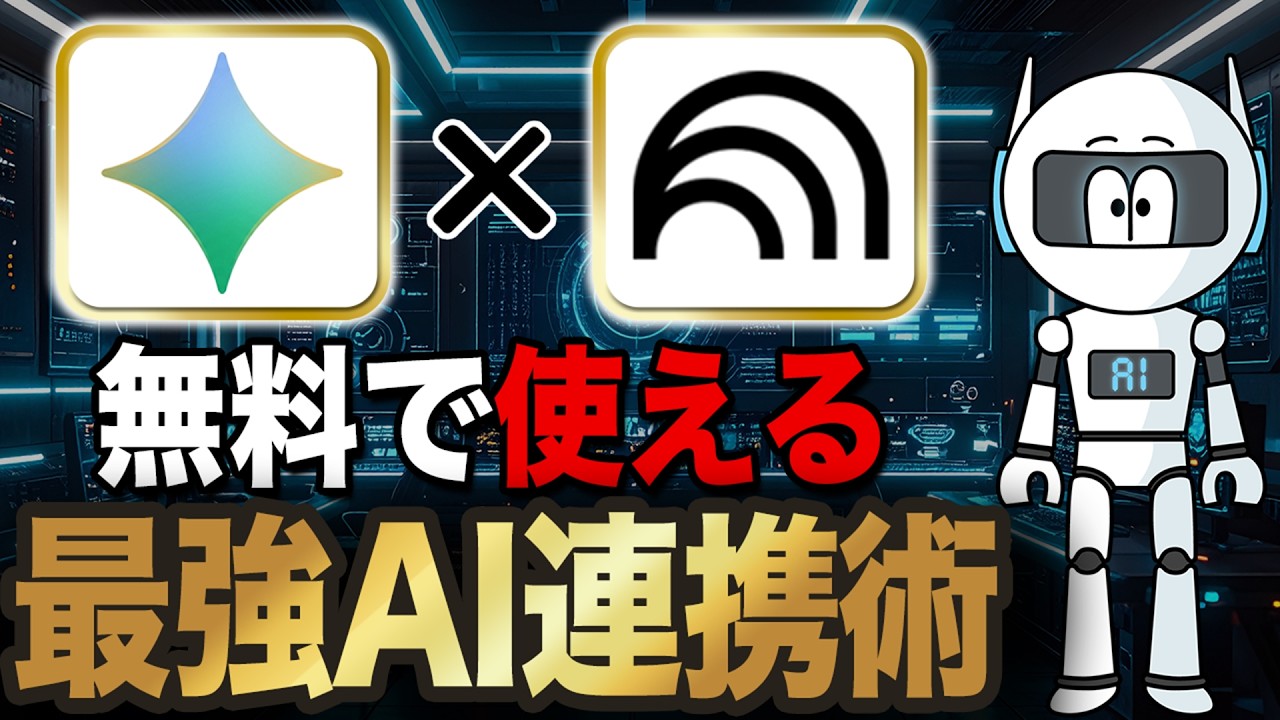
今回は、NotebookLMとGeminiの連携について解説しました。
ぜひ最後まで見て役立ててくれると嬉しいです!🤖
🤖目次
00:00 ハイライト
00:10 OPトーク
01:27 NotebookLMとGeminiの特徴
03:48 GeminiからNotebookLMの連携
06:14 NotebookLMからGeminiの連携
09:03 GemsとNotebookLMの連携
14:36 本日のまとめ
============================
AIの中の人です!
このチャンネルでは、AIを日常やビジネスに生かすための最新情報・実践ノウハウ・裏技的な活用方法を、わかりやすくお届けします。(ChatGPT、Gemini、Claude、nanobananaPro、Runway、Sora、Kling AI...etc)
============================
#AI #AI活用 #NotebookLM
How to Use Notebook LM (Google’s Most Powerful AI Tool)
🔴 🚀 Join the Advanced AI Marketing Bootcamp
Master AI tools, automation, funnels & more!
👉 Apply Now — https://www.wscubetech.com/advanced-ai-marketing-bootcamp?utm_source=YouTube&utm_medium=YT_Video&utm_campaign=AAMB_Cohort1_12_Jan_26&utm_channel=WsCubeTech&utm_post_id=WsFeb2026_04
👉 Join our Official WhatsApp Channel for daily Digital Marketing updates, job alerts & hacks: https://tinyurl.com/marketing-geeks-yt
-------------------
Google’s NotebookLM is one of the most powerful AI tools right now — but most people have no idea how to use it properly 🤯
In this video, you’ll learn How to Use NotebookLM step by step and see why it’s becoming Google’s go-to AI tool for deep research, study, and content creation.
Whether you’re a student, professional, creator, researcher, or AI enthusiast, this NotebookLM tutorial will completely change how you read, analyze, and understand information using AI.
🔥 What You’ll Learn in This Video:
- What NotebookLM is and how it works
- How to use Google NotebookLM effectively
- Real-world NotebookLM use cases
- How to do deep research with NotebookLM
- How NotebookLM is different from ChatGPT
- Best practices to get accurate, reliable answers
- Common mistakes people make with NotebookLM
-------------------
WsCube Tech is a Vernacular Upskilling platform revolutionizing the way you learn and develop your career skills.🚀
WsCube Tech stands out as a leading EdTech platform, offering comprehensive education in Digital Marketing, Digital Advertising, and various Social Media Marketing skills. Our approach involves both online and classroom training, featuring hands-on projects delivered practically by seasoned industry experts.
With WsCube Tech, you'll gain hands-on skills that make you globally competitive. Our courses are designed to prepare over 100 million career aspirants for the 'Bharat' of the future. 😊
👉 Want to learn and acquire skills in English? Visit WsCube Tech English channel: https://bit.ly/2M3oYOs
📌 𝗩𝗼𝘁𝗲 𝗳𝗼𝗿 𝗼𝘂𝗿 𝗻𝗲𝘅𝘁 𝘃𝗶𝗱𝗲𝗼: https://bit.ly/share-topic-ideas
Watch Now our Trending Digital Marketing Playlist & Videos:
👉 Learn Digital Marketing in One Video - https://www.youtube.com/watch?v=G6DmDqYLWL8
👉 Google Ads Full Course - https://www.youtube.com/watch?v=FuOmpoZjZ2s
👉 Complete SEO Course (Beginners to Advanced)
https://www.youtube.com/watch?v=CjxQTvq_kRo
👉 Blogging Full Course [FREE]
https://www.youtube.com/watch?v=7_HKv2wZntg
For any queries, call us on: +91-9352976305
✅ CONNECT WITH THE FOUNDER (Mr. Kushagra Bhatia) -
👉 Instagram - https://www.instagram.com/kushagrabhatiaofficial
👉 LinkedIn - https://www.linkedin.com/in/kushagra-bhatia
👉 Facebook - https://www.facebook.com/kushagrawscubetech
Connect with WsCube Tech on social media for the latest offers, promos, job vacancies, and much more:
😄 Facebook: https://www.facebook.com/wscubetech.india
🐦 Twitter: https://twitter.com/wscubetechindia
📱 Instagram: https://www.instagram.com/wscubetechindia/
👨🏻💻 LinkedIn: https://www.linkedin.com/company/wscubetechindia/
🔺 Youtube: http://bit.ly/wscubechannel
🌐 Website: http://wscubetech.com
--------------------------------------| Thanks |---------------------------
#notebooklm #notebooklmtips #googleai
