Latest videos

People are "freaking out" over students' private Gemini chats, whereas MagicSchool and SchoolAI have tools for teachers to review students' chat history. Matt and Liz delve deep into this discussion on their podcast, ChatEDU!
#gemini #googlegemini #magicschool #schoolai #chatbot #aitools #podcast #podcastdiscussion #podcastclips #podcaster #ai #artificialintelligence

This is why Gemini will win the AI battle against ChatGPT 😬😬 Also NEW FREE END OF YEAR RESOURCE!! 🙌 #teachers

Join the AI Profit Boardroom → https://www.skool.com/ai-profit-lab-7462/about
Make money with AI (FREE!) → https://juliangoldieai.com/ES1kBK
Google just released over 150 new AI features for education that are transforming classrooms worldwide. This video reveals how teachers are saving 10+ hours per week and students are learning faster using tools like Gemini for Education, guided learning, and Notebook LM. Discover the AI-powered tools now available for free to over 10 million students across 1,000+ US colleges, learn about Google's Learn LM technology, and see practical workflows that reduce grading time from hours to minutes. All backed by real data from schools around the world.
0:00 - Introduction: Google's 150+ new education features
0:44 - Scale & impact: 1,000+ colleges, 10M+ students
1:00 - Real results: Teachers saving 10 hours/week
1:31 - Guided learning explained (vs traditional AI)
1:57 - Learn LM: AI built specifically for education
2:50 - Notebook LM updates: audio overviews, flashcards, mind maps
3:23 - Gemini in Classroom: 30+ free AI tools
4:13 - AI Profit Boardroom community mention
4:42 - Chromebook features & classroom management tools
5:30 - Chromebox OPS for interactive displays
5:49 - Google Classroom analytics & standards tracking
6:14 - Read Along flexibility for literacy instruction
6:28 - AI training & certifications: 1M educators trained
6:54 - AI literacy programs for younger students
7:17 - Privacy & security for education
7:43 - Practical workflow: High school history teacher example
8:31 - Practical workflow: College student studying for finals
9:01 - AI Profit Boardroom & AI Success Lab mentions
9:49 - Bottom line: Why effective AI use matters
10:42 - Conclusion & call to action

Learn all about using MagicSchool AI, Gemini, Gemini Live, NotebookLM, and Canva AI as a teacher!
Links Mentioned:
CCSD21 AI Guidance for Teachers: https://drive.google.com/file/....d/1kq9y9jpvQhijdN_hK
Full MagicSchool AI tutorial: https://youtu.be/Xavxmp8cLLI?si=LuLHoiFWjZExwjJA
magicschool.ai
gemini.google.com
aistudio.google.com/live
notebooklm.google.com
canva.com
CCSD21 Translation Guidance: https://docs.google.com/docume....nt/d/1hGdditshmIXjpd
Timestamps:
00:00 Intro
0:43 How to prompt
3:16 MagicSchool AI
5:00 Gemini
6:56 Gemini Live
8:29 NotebookLM
11:57 Canva
15:29 Translating documents and PDFs with AI
Music Provided by the YouTube Audio Library:
Kicking It by Dyalla
Touch by Anno Domini Beats
You and I by Telecasted
Ruff Money by the Grey Room/Clark Sims
Gemini by half.cool
Intellect by Yung Logos
Bodega Cat by Dyalla
Distance by Anno Domini Beats
Video made with Canva for Education

Gemini has officially landed inside Google Classroom, and it’s changing the game for teachers.
In this video, Abran Maldonado (former public school teacher turned AI developer) walks you through what Gemini’s integration means for classrooms, how to access it, and how to use it to make teaching more efficient, creative, and fun.
What you’ll learn:
✅ How Gemini integrates directly with Google Classroom
✅ How teachers can save time on lesson planning, quiz generation, re-leveling text, and more
✅ How to build personalized AI tutors (“Gems”) for math, reading, and more
✅ Ways to save hours each week while keeping learning creative and fun
Timestamps:
📍0:00 - Introduction: Gemini Education inside Google Classroom
📍0:35 - How this integration is a game-changer for teachers
📍2:30 - Demo: Tour of Gemini Education interface
📍3:26 - Demo: Using Gemini Education’s preset prompts
📍6:12 - Demo: Creating a custom “Gem”
📍8:12 - Closing thoughts
Watch next:
🎥 Stop Overthinking Prompts! Just Talk to AI Like This → https://www.youtube.com/watch?v=CAiD5o3PYRo
💡 Learn more AI skills for educators at https://AIU.courses/p/educators
About The AIU:
AIU helps everyday people—from professionals to parents—learn to use AI with confidence. Our courses are designed to make AI accessible, practical, and human-centered.
Connect with us:
🌐 Website: https://AIU.courses
📩 Newsletter: Fast, useful AI lessons, delivered once a week. Sign up here: https://aiu.courses/p/sign-up
💬 LinkedIn: https://www.linkedin.com/company/the-aiu
#googleclassroom #geminiai #aiforteachers #aiineducation #AIU
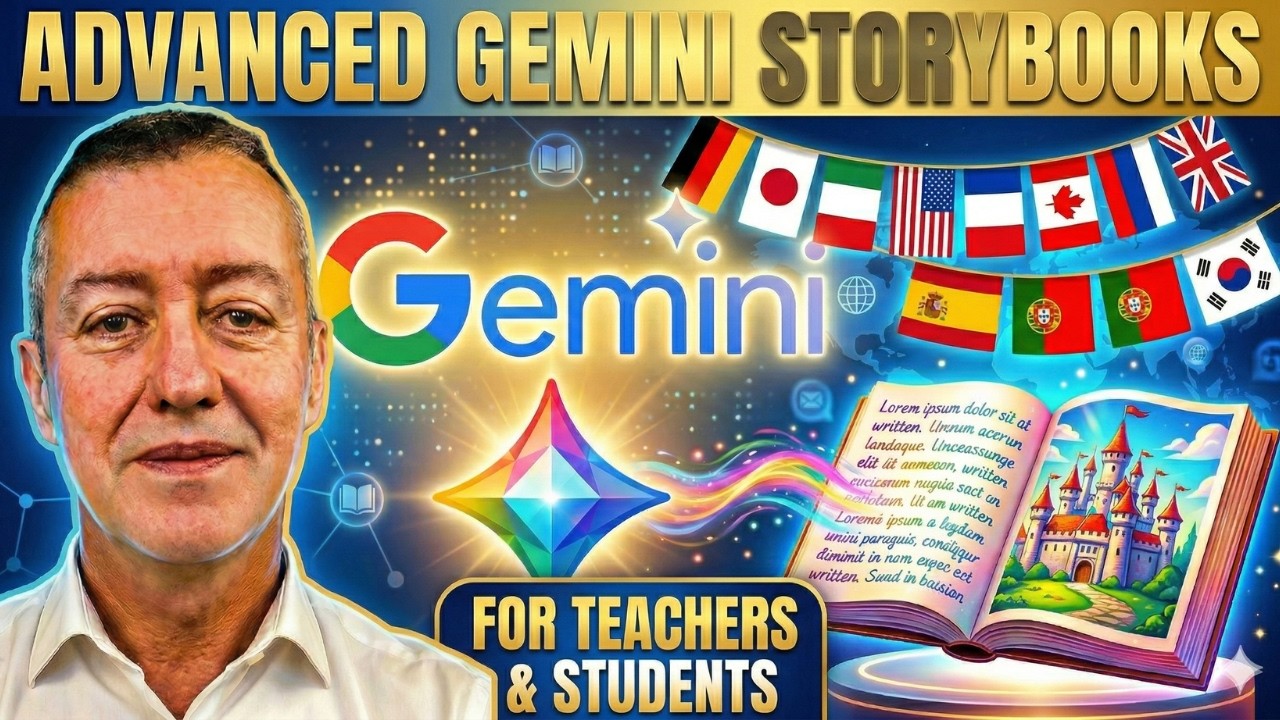
Complete guide to some advance features in using Gemini Storybooks for language learners.
Join Russell's newsletter
https://forms.aweber.com/form/61/763053361.htm
Russell's website
https://www.teachertrainingvideos.com/
Russell's Patreon
https://www.patreon.com/cw/TeacherTrainingVideos
00:00 Gemini Storybooks for Languages
01:06 Getting started with Storybooks
03:15 The magic buitton in Google Translate
07:04 Sharing your stories
07:45 Young learners-Controlling the narrative
08:23 Amazing infographics
08:57 Study with Russell
Are you trying to find the perfect reading materials for language students or your own self-study, but keep coming up short? Stop searching and start creating! In this complete tutorial, I’m showing you exactly how to use Google Gemini to write highly tailored, engaging Storybooks that meet your specific educational needs.
Google Gemini Storybooks is a completely free and often overlooked feature that provides incredible, granular control over language learning resources. This tool is an absolute game changer whether you are a teacher building curriculum resources, or a student trying to read in a new language.
In this video, I take you step-by-step through a full demonstration of the Gemini Storybook creator, focusing on how to bend the AI to work perfectly for language learners. I show you where to find the tool and how to use every setting for maximum educational impact.
We cover exactly how to control the language level, from absolute beginner to advanced. I demonstrate how you can instruct Gemini to include specific target vocabulary and grammar structures, ensuring the story actually reinforces the concepts you are trying to learn or teach. You don't have to settle for the AI's first draft!
But the control doesn't stop with the language. You will learn how to fully dictate the actual plot! I show you how to write the specific beginning, middle, and end, and control particular parts of the story. I also demonstrate how you can engage younger students by creating stories starring them and their friends by adding specific character names.
Worried about accessibility? While Gemini Storybooks do have a 10-page limit, I show you how to get the most out of every page. More importantly, I show you how easy it is to save and share your generated stories with anyone, even if they don't have a Gmail account.
Hit play to see all of these ideas in action! If you are looking for innovative educational tech tools to speed up language acquisition, this video is for you.
If you enjoy this tutorial, please be sure to like, comment, and subscribe for more tips on using AI and technology to enhance language learning!
What you’ll learn in this tutorial:
Total Story Control: How to tell Gemini exactly what should happen at the beginning, middle, and end of your story.
Vocabulary Integration: Force the AI to include your specific target words or grammar points.
Adapt for ANY Level: See live examples of tweaking stories to make them easier for lower-level learners, or more challenging for advanced students.
Personalization for Young Learners: Discover how to include custom names and themes to keep young students engaged.
Easy Sharing: Learn my trick to share your final 10-page book with anyone—even if they don’t have a Gmail account!
If you are a language educator looking for new ways to engage your students, or a learner looking for reading material at exactly your correct level, this is an incredibly powerful tool.
You can now share Google Gemini Gems 🎉
That means reusable AI prompts for lesson planning, feedback, differentiation, and student support—shared across teams and classrooms.
Build once. Share widely. Scale impact.

The Nano Banana JSON Trick for Perfect AI Images — Edit Text, Swap Objects & Clone Photography Styles in Gemini (FREE)
Stop regenerating your AI images over and over. In this video, I'll show you the one JSON trick in Google Gemini that gives you surgical control over any AI-generated image. Whether you need to fix text on an infographic, swap an object in a scene, or clone a real photography style — this method keeps everything else perfectly intact.
This works on the FREE version of Gemini using the Nano Banana image model. No paid plan required.
🔹 What you'll learn:
— How to extract structured JSON data from any AI image
— Edit text on infographics without changing the design
— Swap objects in a scene while keeping the art style consistent
— Clone real photography styles (lens, lighting, color grading) onto any subject
— Let Gemini rewrite the JSON for you using plain English
— Translate infographic text into any language instantly
⏱️ Timestamps:
0:00 — The Hook
0:40 — What is JSON and Why It Matters
1:30 — Edit Text on Any Infographic
4:00 — Swap Objects Without Breaking the Style
6:00 — Clone Any Photography Style
8:00 — Recap and Outro
📋 Key Prompts from This Video:
Extract JSON:
"Extract all the visual information from this image, including all text content, and format it as a structured JSON file."
Regenerate from JSON:
"Generate a new image using this JSON data."
Photography Style Clone:
"Describe the photography techniques in this image in JSON format."
Apply Photo Style:
"Generate a photo of this subject based on the following JSON file."
🔗 Resources:
— Google Gemini (free): https://gemini.google.com
— Nano Banana info: https://blog.google/innovation....-and-ai/technology/a
Are you using Google Gemini in your classroom—or still trying to figure out where to start?
In this episode, we break down how educators can use Google Gemini Gems to save time, streamline lesson planning, and stop rewriting the same prompts every day.
With over 100+ Gemini Gems created, we explore what actually works for teachers—and why most educators still aren’t taking full advantage of AI.
In this video, you’ll learn:
- What Google Gemini Gems are (and why they matter)
- How to create reusable AI tools for teaching
- The biggest mistakes teachers make with Gemini
- How to save hours on lesson planning and tasks
- Why sharing AI tools with your team is a game changer
Whether you're brand new to AI or already experimenting with prompts, this episode will help you use Google Gemini more effectively in your classroom. Buen provecho!
Gemini, Google's free AI chat bot, has some great new features! This in-depth webinar will explore all of the new updates for 2025 and answer the key question: is it worth it!
Note: This webinar was recorded on April 23, 2025. The recording and summary posted below is provided for anyone who was unable to attend the live session.
Trying to stay on top of the latest Google updates? Join me free email newsletter a monthly summary just for teachers: http://chrm.tech/update
Table of Contents:
0:00 Intro
6:09 Gemini Overview
8:58 Using the Gemini App
13:07 Prompt engineering
19:20 Gemini for Students (13+)
21:40 Canvas for Gemini
25:50 Deep research & audio overview
33:54 Custom gems
38:10 Q&A
41:01 NotebookLM
48:10 Gemini for Workspace ($)
52:54 Gemini for Google Classroom
55:00 Conclusion
Additional Resources:
* Advanced Gemini features for educators (blog post): https://www.chrmbook.com/advanced-gemini-features/
* Notebook LM: https://youtu.be/ACIh44E5AoU
* Lesson planning with Gemini Gems (blog post): https://www.chrmbook.com/ai-lesson-planning-gems/
10 ways I am (actually) using AI in my daily life (blog post): https://www.chrmbook.com/10-ways-i-am-using-ai/
Figurative language with AI generated images (lesson plan): https://www.chrmbook.com/figur....ative-language-with-
Using AI to enhance Google Classroom (blog post): https://www.chrmbook.com/ai-google-classroom/
-------------
John R. Sowash is a former HS biology teacher and principal who helps teachers use technology to improve instruction. You can pick up a copy of his book, read his blog, or invite him to come and visit your school.
✏️ Blog: http://Chrmbook.com
📕 Podcast: http://Chrmbook.com/podcast
🎙️ Book: http//:Chrmbook.com/book
🤝 Speaking and Consulting: http://SowashVentures.com/contact

3 interactive ideas for teaching languages using the free version of Google Gemini.
Google NotebookLM for language teachers
https://youtu.be/RfHn-4KvfpU
The Amazing Gaston Language Learning App
https://youtu.be/DDFTkQx-lyQ
Join Russell's newsletter
https://forms.aweber.com/form/61/763053361.htm
00:00 Google Gemini for Languages
01:25 Find the mistakes-Picture generation
04:18 Speaking activity with Google Gemini
08:07 Formal and informal language
11:40 Gaston is a great app
12:45 Study with Russell
Highly Interactive Google Gemini Language Learning Ideas for Teachers and Students
Are you a language teacher or student looking for new, interactive, and effective ways to use technology in your learning? In this video, we dive into three powerful Google Gemini language learning ideas that can be applied to any language and any level.
Google Gemini is a revolutionary AI tool that goes far beyond simple translation. Its ability to generate creative and dynamic content on the fly makes it an incredibly useful language learning tool. Here are three highly interactive ideas we explore in this video:
Spot the Mistakes in the Picture Description: We get Google Gemini to generate a unique picture and then create a description with five subtle mistakes. This is a fantastic reading comprehension activity that challenges students to carefully observe the image and read the text to identify what information is incorrect. It's a fun and engaging way to improve both visual and textual literacy.
Find the Differences in the Story: We show you how to prompt Google Gemini to generate two very similar stories with five key differences. This activity is a great way to boost reading skills as students compare and contrast the two texts. It can also be transformed into a speaking activity where students verbally describe the stories and explain the differences they found.
Formal vs. Informal Language Identification: Discover how to use Google Gemini to create two texts on the same topic—one written in a formal style and one in an informal style. This exercise is perfect for helping students develop their understanding of register and tone. They'll learn to identify the specific vocabulary and grammatical structures that make a text formal or informal, a crucial skill for real-world communication.
These three Google Gemini language learning ideas are not only effective but also incredibly easy to implement, allowing you to create customized, engaging, and challenging activities in seconds. Unlock the full potential of AI in your language classroom or personal studies today!

Ready to make AI work for YOU? This tutorial shows you how to create a custom GEM by providing clear and specific instructions.
In this video, you will learn:
- How to define an AI's Persona, Task, Context, and Format.
- A complete walk-through of creating an evidence-based lesson planner GEM.
- Tips for getting more accurate and useful results from AI.
This method will help you customize AI for any project, whether you're a teacher, developer, or creative professional.
Thanks for watching! Don't forget to like and subscribe for more AI tips.
Here is the link to the Google Doc: https://docs.google.com/docume....nt/d/1MD_FCJ4u-yLLgc

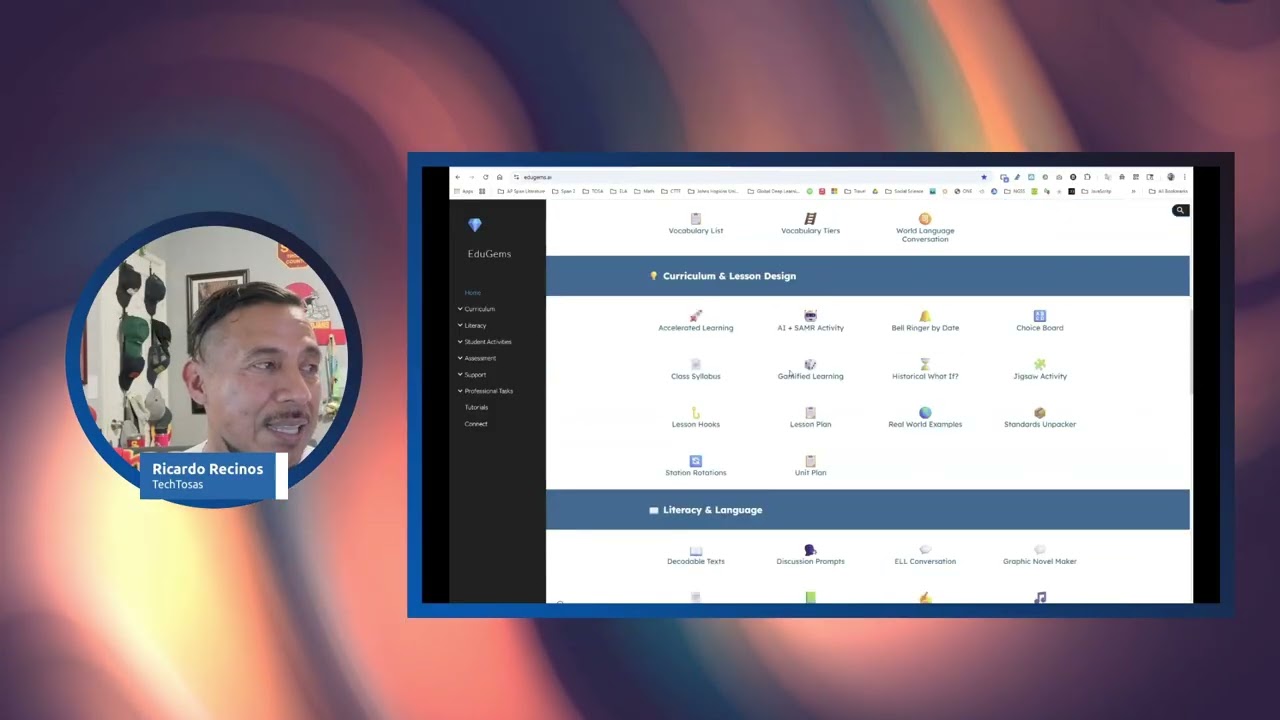
Use Google Gems in Google Gemini at gemini.google.com to create your own custom teaching assistant! Why trust 3rd party AI tools that may or may not have access to your data. Instead, easily build your own tool set in Google Gemini. Add research documents, your teaching pedagogy, and other files to the Gem so the results reflect your districts initiatives and your teaching values. Go further to share spreadsheets with complex prompts, hopefully someone shared them with you, to easily create your own list of teachers tools that are more transparent, customizable, and within your own Google Workspace.
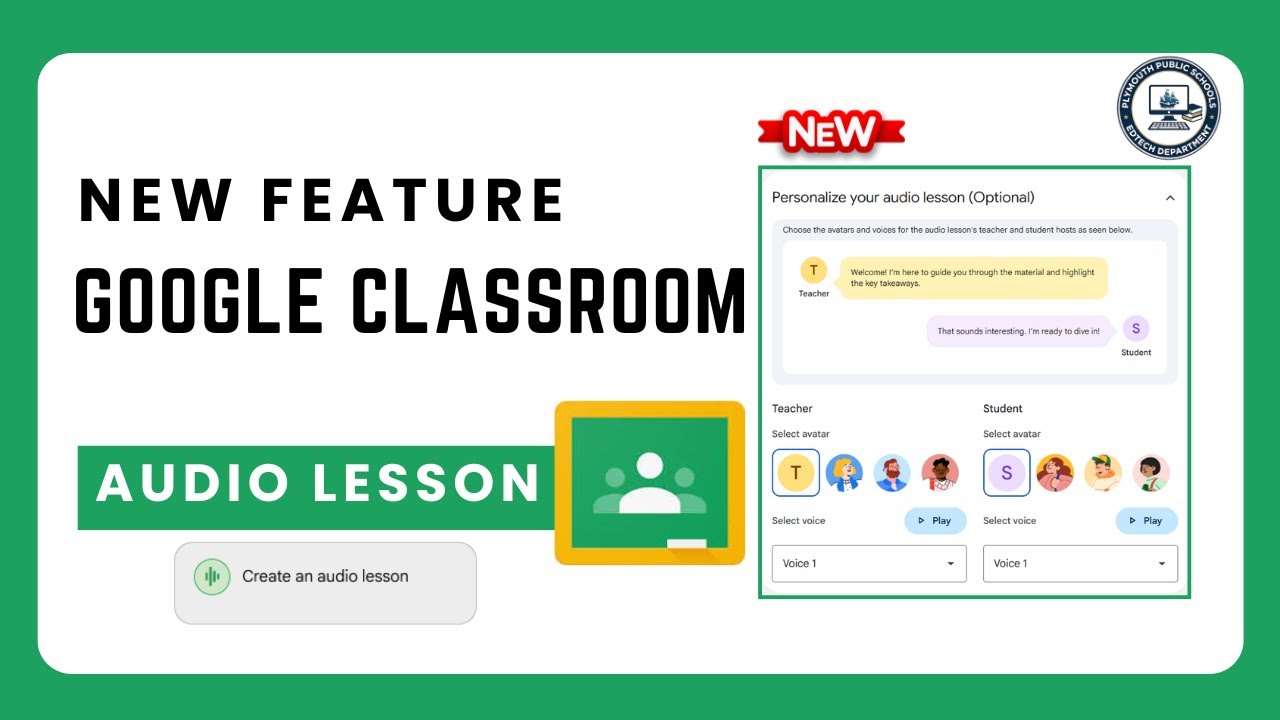
Teachers may now create audio lessons using Gemini and Google Classroom.

📈 The Workspace Academy - https://academy.jeffsu.org/workspace-academy?utm_source=youtube&utm_medium=video&utm_campaign=179
In this video you’ll learn practical #Gemini skills that won't become obsolete tomorrow.
We cover essential setup tips, when to use Flash vs Pro models, workspace integrations that save hours weekly, and how to leverage Gemini's massive context window.
Discover how to transform PDFs into interactive games, use AI formulas in Sheets, and integrate Gemini with Gmail, Docs and Drive for maximum productivity!
@Google
*TIMESTAMPS*
00:00 Full Google Gemini Tutorial
00:12 Setup Tips for Google Gemini
00:51 My Favorite Gemini Workflow
02:46 Choosing the Correct Gemini Model
05:21 Transform PDFs into Games
06:22 Productivity Tips for Google Gemini
09:54 Gemini’s Massive Context Window
10:35 Google Gemini’s Biggest Weakness
*RESOURCES MENTIONED*
Interactive game prompt template: https://www.jeffsu.org/master-google-gemini
Philipp Humm’s storytelling video: https://youtu.be/hNuAv-42jzY
Insanely actionable newsletter: https://www.jeffsu.org/newsletter/?utm_source=youtube&utm_medium=video&utm_campaign=179
*BUILD A POWERFUL WORKFLOW*
📈 The Workspace Academy - https://academy.jeffsu.org/workspace-academy?utm_source=youtube&utm_medium=video&utm_campaign=179
✍️ My Notion Command Center - https://www.pressplay.cc/link/s/EE8FB764
*BE MY FRIEND:*
📧 Subscribe to my newsletter - https://www.jeffsu.org/newsletter/?utm_source=youtube&utm_medium=video&utm_campaign=description
📸 Instagram - https://instagram.com/j.sushie
🤝 LinkedIn - https://www.linkedin.com/in/jsu05/
*MY FAVORITE GEAR*
🎬 My YouTube Gear - https://www.jeffsu.org/yt-gear/
🎒 Everyday Carry - https://www.jeffsu.org/my-edc/
#googlegemini #ai
Mentor texts are invaluable tools for reading comprehension. These concrete models allow students to apply reading skills and strategies within teacher-selected examples using modern AI tools like Google Gemini.
However, finding suitable mentor texts can be time-consuming, as it often requires extensive review and selection processes to identify texts that accurately address instructional goals and resonate with students. This process can be especially challenging when teachers lack access to printed materials.
🔔 Subscribe to this channel: https://bit.ly/3rwOQHD
💡 Learn more about this topic: https://www.smekenseducation.c....om/teaching-with-tec
In such cases, Google Gemini, an AI-powered tool, can make the search unnecessary by generating customized text excerpts tailored for specific instruction.
Here’s how to use this technology for teaching:
Step 1: Use these questions to determine text criteria.
Google Gemini is an AI model capable of understanding and responding to prompts as a human would. Teachers must provide specific parameters and clearly outline their needs as if describing the ideal text to a colleague. Even though teachers instinctively consider factors like skill focus, student suitability, and text structure when selecting mentor texts, specifying these elements in the AI prompt ensures that Gemini can accurately generate texts that align with instructional needs and meet designated learning objectives.
Step 2: Type into AI a list or paragraph of the text critera.
Once the criteria for the mentor text are clear, write the prompt as a list or in sentence form.
For example, a prompt might look like this:
Objective: Create a mentor text for teaching…
Standard Focus: Identifying the main idea
Reading Level: 2nd Grade
Length: 3-5 paragraphs
Content: Make it about the Summer Olympics
Text Considerations:
Repeat the topic.
Include several supporting details that reinforce an obvious main idea that is repeated throughout the text.
Use age-appropriate vocabulary and sentence structures.
Or, this:
Create a mentor text for 2nd-grade students to practice identifying the main idea in an informational text. The text should be between 3-5 paragraphs. Make it about the Summer Olympics. Be sure to repeat the topic. Include several supporting details that reinforce the main idea. Use age-appropriate vocabulary and sentence structures.
Either way, what matters most is that the prompt specifies the key elements and criteria needed for the mentor text.
Step 3: Watch as AI generates your text.
Step 4: Refine the mentor text
While the initial text Google Gemini generates may work, there are ways to revise and refine it for a better fit. Gemini offers a ‘drafts’ feature, allowing users to choose their preferred version from multiple drafts.
Teachers can also refine the content by providing additional prompts or adjusting the original prompt. For example, a teacher might ask Gemini to increase the story’s length, include a specific number of supporting details per paragraph, or note the particular text structure (e.g., chronological order, problem-solution, etc.).
NOTE: While Gemini offers a promising approach to mentor text creation, carefully evaluating the generated text is critical. Not all AI-generated content is perfect. Human judgment always comes first. Teachers should carefully review the text for suitability and accuracy before using it with students.
Mentor text excerpts for reading
Mentor texts created with Gemini are versatile across the instructional stages. The brevity of mentor texts is one of their key advantages, making them particularly valuable for modeling, small-group work, and independent practice. Short texts are easier for students to read and analyze in a single sitting and offer multiple exposures to apply skills.
For example, these concise texts are valuable for modeling during Step 2 of a mini-lesson from The Comprehension Playbook, where teachers demonstrate specific skills or strategies to the whole class. Remember, however, that mentor texts during a mini-lesson should be short and familiar (the mini-lesson should not be the first time students have seen the text). So depending on the length of the mentor text provided by AI, it may be necessary to revise or refine it to the least amount of text possible to exemplify the skill.
In small-group work, short, concentrated texts provide more time to engage with the skill in a supportive setting. Additionally, text excerpts are ideal for independent practice, giving students a manageable amount of familiar content to work through while reinforcing the concepts learned.
Regardless of the instructional stage, using these texts alongside Smekens graphic organizers and tools offers students opportunities to learn, practice, and apply reading comprehension skills.
Learn more from Smekens: https://www.smekenseducation.com/
Free Teacher Tools: https://www.smekenseducation.com/teacher-tools-signup/
#mentortexts
By using Gemini it’s not too difficult to generate alt text that will make your published images accessible to those who use screen readers.
Alt Text Generator Gem
https://gemini.google.com/gem/....12BCpB29HnzSLljUWBjM
In order to make this appear as a saved Gem for you, you have to open it and use it once. Then you can find it in your Gems Manager page.
All of my help videos: https://docs.google.com/docume....nt/d/1lVxUw0wpiv-18M
Subscribe to my Channel: https://www.youtube.com/channe....l/UChQpjyIIwog8bgQuX

Google just quietly dropped a massive upgrade to the Gemini App! The default image generator has officially been replaced by "Nano Banana 2" (officially known as the Gemini 3 Flash Image model), and the new features are incredible.
In this video, I’ll walk you through exactly what has changed and show you how to use the new capabilities to upskill your workflow and create stunning AI images faster than ever. We'll cover complex prompt understanding, the brand new visual Style Picker, how to generate perfectly legible text inside your images, and even how to use advanced multi-image composition for style transfers and storyboarding!
Read the official Google announcement here: https://blog.google/innovation....-and-ai/technology/a
⏱️ Video Chapters:
0:00 - The New Default AI Image Generator
0:26 - What is Nano Banana 2 (Gemini 3 Flash Image)?
0:48 - How to Use the New Visual Style Picker
1:47 - Demo 1: Complex Text-to-Image
2:24 - Demo 2: Generating Flawless, Legible Text
3:15 - Demo 3: Advanced Editing (Image + Text)
4:06 - Demo 4: Multi-Image Composition & Style Transfer
4:31 - Demo 5: Subject consistency. storyboarding
5:51 - Demo 6: Make a YouTube thumbnail
6:38 - Don't Panic: How to Still Access the "Pro" Model

Google Gemini Storybooks is a really impressive language learning technology for both teachers and students. This is truly impressive and FREE
00:00 Storybooks for languages
00:18 An example storybook
01:13 Generate a storybook
02:53 Listen to the story
03:46 Build activities around the story
06:01 Make a story in Spanish
07:22 Edcafe is also superb
08:12 Study with Russell
Tired of using generic materials for your language lessons? Learn how to transform your teaching or personal study with the power of Gemini story books for language learning! In this comprehensive video, I take you through a full walkthrough of a game-changing method for creating engaging, custom language content.
I'll show you exactly how to generate a unique story in English from scratch. You'll see how you can be incredibly specific with your prompts, controlling the language level (for example, A1 or B2), the story’s context, and even the style of the images. I demonstrate a powerful technique I use myself: including the names of my students in the story to make the content deeply personal and instantly more engaging for them.
But the real magic of using Gemini for language learning comes from its ability to create follow-up educational content. Once the story is generated, you'll see how I get Gemini to produce a complete lesson plan. I show you how to generate a list of targeted comprehension questions and a curated vocabulary list with key terms and phrases, all based directly on the story we just created. This completely automates the tedious part of lesson planning.
To prove the versatility of this method, I also provide live examples in two other languages I speak, including Spanish. This shows that the process is effective for a wide range of languages. Finally, I demonstrate the ultimate flexibility of the platform by showing you how to give your instructions to Gemini using either written text or by simply speaking them, making it accessible for everyone.
If you’re a language teacher looking for innovative resources or a self-learner wanting a more personalized experience, this video is for you.
Gemini story books for language learning, Gemini AI, AI for language learning, language teacher resources, Google Gemini, AI story generator, vocabulary lists, comprehension questions, English learning, Spanish learning, edtech, AI in education.

Learn how to use Google Gemini and AI to make your life as a teacher easier. It can create lessons for you, make rubrics, draft emails, summarize web sites
0:00 Intro
0:58 The Difference Between Google Gemini and Google Searching
1:15 Using Prompts to Fine Tune Your Results
2:54 Sending the Results to Google Tools (Sheets/Docs etc)
4:17 Modifying Responses
4:52 Drafts
5:45 Going back to Older Chats
6:13 Drafting Emails
7:08 Summarizing web sites
8:20 Comparisons
8:47 Copyright Concerns
10:00 Accuracy Concerns

How To Generate Math Problems In Google Gemini (Working 2026)
how to generate math problems, google gemini, create math problems with gemini, gemini ai math generator, google gemini tutorial, ai math problem solver, generate math questions ai, gemini ai education tools, math practice with ai, google ai tools for students, gemini ai features, math worksheets ai, problem solving ai, learn math with ai, ai for teachers, gemini math tips

Unlock a better version of Google Gemini with this serious upgrade.
In this video, I walk you through how to create Custom Gems inside Gemini, and more importantly, why you’d want to.
From curriculum-aligned planning tools to report-writing assistants, I’ll show you how you can tailor Gemini’s AI to become a true teaching companion, or anything you need it to be!
In this walkthrough, I cover:
What are Custom Gems?
Real examples from the UK National Curriculum
Using the RODES AI prompting framework for better AI results
Uploading files, testing responses, and saving Gems
Ideas for classroom, leadership, and admin use
Perfect for teachers, school leaders, and anyone looking to bring more intentionality to AI use in education. Let's go beyond the hype and build smart.
🔗 Subscribe for more weekly EdTech tips & tutorials
💬 Early access + extras on Patreon: https://www.patreon.com/eduflip
Chapters:
0:00 - Why Custom Gems Matter
0:42 - What is a Custom Gem in Gemini?
1:19 - Exploring Existing Gems
1:36 - Creating a New Gem
2:03 - Using the ROADS Prompting Framework
4:31 - Uploading Curriculum Docs
5:16 - Testing Your Custom Gem
7:09 - Launching the Custom Chat
8:15 - Final Thoughts & Ideas
💚💚💚
Thank you all our Channel members! If you'd like to become a member as well follow this link:
https://www.youtube.com/channe....l/UC_Mv2BsvWR03-s7S5
And if you'd like to connect with me personally and support the channel even more, the Patreon link is ere: https://www.patreon.com/eduflip
You can also join our Facebook Community here: https://www.facebook.com/groups/538644703169584
💚💚💚
SERVICES AND SOFTWARE I USE DAILY:
Video editing: https://sethideclercq.com/camtasia
Amazing screenshots: https://sethideclercq/Snagit
Website hosting: https://sethideclercq.com/bluehost
Screenshots and GIFs: https://sethideclercq.com/snagit
Courses: https://sethideclercq.com/teachable
Email lists and newsletter: https://sethideclercq.com/convertkit
Website building: https://sethideclercq.com/wix
GEAR AND RESOURCES:
https://www.amazon.com/shop/fl....ippedclassroomtutori
https://kit.co/FlippedTutorials
My TPT Store: https://www.teacherspayteachers.com/store/eduflip
Disclaimer: Some of these links are affiliate links where I'll earn a small commission if you make a purchase at no additional cost to you. These videos have been made for educational purposes and all views or opinions expressed are my own.
If you’ve ever wondered, “What’s the real difference between ChatGPT, Gemini, and Claude?” — this video breaks it all down in plain English.
I’ll compare the top AI tools of 2025 and show you exactly how they differ, especially for teachers, trainers, and instructional designers.
You’ll learn which AI saves you the most time, which gives the best lesson plans, and which integrates most smoothly into your workflow.
You’ll discover:
🔹 What ChatGPT, Gemini, and Claude each do best
🔹 Which AI tool fits your teaching or training needs
🔹 Real examples of how each one handles the same prompt differently
🔹 How to choose the one that actually saves you time and stress
If you’re tired of the confusion and want a clear, no-fluff explanation, you’ll walk away from this video knowing which AI deserves your attention.
Subscribe for weekly videos on AI for educators, trainers, and content creators.
ChatGPT vs Gemini vs Claude, ChatGPT comparison, Gemini AI tutorial, Claude AI explained, AI tools for teachers, best AI for trainers, AI in education, instructional design with AI
The BRAND NEW Gemini Certified Educator certification is LIVE, and it's totally FREE! 💻 Show the world your AI mastery with Google's latest credential. Get the Exam Guide & register now! 👇
Exam Guide Link: https://drive.google.com/file/....d/1QfSQ0oUU4dvtONt_l
Registration Link: https://educertifications.google/
Stop wasting hours creating detailed rubrics! In my previous video I showed how to create this rubric. This game-changing tutorial shows you how to seamlessly import and use them in Google Classroom.
This is the ultimate AI teacher hack to drastically cut down on your grading time and provide better, targeted feedback. Whether your goal is efficient grading or giving feedback to support student learning, this process is essential for any teacher aiming to beat burnout.
In this Step-by-Step Tutorial, you will learn:
✅ How to use Gemini to prompt and instantly create a detailed, custom rubric tailored to your assignment.
✅ The exact steps to save and edit your AI-generated rubric for perfect alignment with your lesson goals.
✅ The quick, simple method to import the rubric directly into Google Classroom assignments.
✅ Strategies for using the rubric for either rapid, accurate grading or meaningful, instructional feedback.
Ready to reclaim your time? This workflow revolutionizes how you assess and give feedback.
Hit the LIKE button if this hack saves you time, and SUBSCRIBE for more practical AI and EdTech strategies from a veteran educator!
#Gemini #GoogleClassroom #AIforteachers #Rubrics #GradingHacks #TeacherBurnout #EdTech #Tutorial #AIinEducation
