Latest videos

Get started with lingoda today and use my code JONESFEB for $25 off: https://try.lingoda.com/LanguagejonesLingoda
Stop using LLMs like a "deranged therapist" and start using them like a linguist. 🧠
We hear about ChatGPT and AI nonstop, but let’s be honest: most people are using them in completely unhinged ways. In this video, I’m putting the big four—ChatGPT, Gemini, Perplexity, and Claude—to the test to see which one actually helps you acquire a language and which one is just a glorified autocomplete.
As a PhD linguist, I’m breaking down the morphosyntax, the feedback loops, and the hallucination rates of these models. Whether you’re a self-study polyglot or just trying to pass your intro classes, here is the objective truth about AI for language learning in 2026.
What We Cover:
• 0:00 Introduction
• 1:05 The unhinged way we use LLMs
• 2:10 I’m launching a course! Sign up for updates at https://www.languagejones.com/accelerator
• 2:50 Lingoda’s winter sale: https://try.lingoda.com/LanguagejonesLingoda
• 4:05 What’s wrong with LLMs
• 5:45 How I evaluated LLMs
• 8:15 Do they get the facts right? Hallucinated verb conjugations
• 12:00 Vocabulary Quality
• 13:00 Transliteration
• 13:53 Volume
• 14:50 Formatting
• 15:25 Images: Bad, worse, and weird
• 17:21 Overall usefulness of content
• 18:10 Grammar explanations
• 19:30 Overall Comparison
• 20:08 My personal winner and runner up
Links & Resources
• My Course: The Linguistics Blueprint: https://www.languagejones.com/blueprint
• The Language Accelerator: https://www.languagejones.com/accelerator
#LanguageLearning #AI #Linguistics #ChatGPT #GeminiAI #Polyglot #LanguageJones #EdTech

In this quick tutorial, Dr. Samantha Goldman demonstrates the power of Gemini Canvas, showcasing how to create interactive educational activities with ease.
Key features include:
- Drag and drop
- Easy answer checking and reset functionality
- Simple sharing options to Canvas platform
- Quick activity creation
- User-friendly interface
Perfect for teachers looking to make learning more engaging and interactive! The tool seems versatile, allowing educators to quickly design custom learning activities across different subjects.

Google just quietly dropped a massive upgrade to the Gemini App! The default image generator has officially been replaced by "Nano Banana 2" (officially known as the Gemini 3 Flash Image model), and the new features are incredible.
In this video, I’ll walk you through exactly what has changed and show you how to use the new capabilities to upskill your workflow and create stunning AI images faster than ever. We'll cover complex prompt understanding, the brand new visual Style Picker, how to generate perfectly legible text inside your images, and even how to use advanced multi-image composition for style transfers and storyboarding!
Read the official Google announcement here: https://blog.google/innovation....-and-ai/technology/a
⏱️ Video Chapters:
0:00 - The New Default AI Image Generator
0:26 - What is Nano Banana 2 (Gemini 3 Flash Image)?
0:48 - How to Use the New Visual Style Picker
1:47 - Demo 1: Complex Text-to-Image
2:24 - Demo 2: Generating Flawless, Legible Text
3:15 - Demo 3: Advanced Editing (Image + Text)
4:06 - Demo 4: Multi-Image Composition & Style Transfer
4:31 - Demo 5: Subject consistency. storyboarding
5:51 - Demo 6: Make a YouTube thumbnail
6:38 - Don't Panic: How to Still Access the "Pro" Model
Learn how to build your own AI assistant using Google Gemini! This AI tutorial shows you how to leverage Gemini artificial intelligence and a number of AI options to create a personal AI assistant. Put Google AI to work on your behalf today! Join this channel to get access to perks:
https://www.youtube.com/channe....l/UCYUPLUCkMiUgiyVul
***Support Technology for Teachers and Students on Patreon***: https://www.patreon.com/techno....logyforteachersandst Here's my entire playlist of Google tutorials: https://bit.ly/thegoogleplaylist Please say "Thanks" by clicking the Thanks button below the video. #googlestudents #google #googletutorial #docs #googledrive #googleworkspace #gsuite #googledocs #googlevideo #googlevids #googleai #ai #artificialintelligence #aiineducation #gemini #googlegemini #aiassistant #aigems

Discover how teachers can use Google Gemini for Education to save time, plan lessons, create resources, generate quizzes, build slide decks, support subject knowledge, and explore premium AI tools in 2026. In this complete classroom guide, Paul walks through practical ways to use Gemini for teachers, including free features inside Google Workspace for Education and what extra tools come with Gemini Pro.
Perfect for teachers, school leaders, and edtech leads looking to use AI in the classroom safely, quickly, and effectively.
00:00 Introduction
00:44 Accessing Google Gemini
01:15 Using the Chat Function
04:05 How Secure Is Gemini?
04:23 Creating a Lesson Plan
07:09 Creating Images
08:44 Creating Videos
11:54 Adding Videos to Presentations
13:54 Extending Lesson Plans
15:56 Lesson Plans Without Canvas
17:00 Editing Lesson Plans in the Chat
17:27 Creating Slide Decks
19:17 Exporting and Editing Slides
21:26 Guided Learning
24:08 Deep Research
26:36 Creating Music
27:49 Using Gems
28:50 Outro
Stay Connected with RoarTech Educational:
https://linktr.ee/RoarTechEdu
Watch more of our EdTech tutorials and keep up to date with tools that make teaching easier and learning more engaging!
#GoogleGemini #GeminiForTeachers #AIForTeachers #GoogleWorkspaceForEducation #EdTech #TeachingWithAI
AI explains learning in math & physics. Introducing Google’s newest and most capable AI model Gemini.
Gemini was trained to recognize and understand text, images, audio, and more at the same time, so it better understands nuanced information and can answer questions relating to complicated topics. This makes it especially good at explaining reasoning in complex subjects like math and physics.
Join Google Interaction Designer Sam Cheung as she uses Gemini’s multimodal capabilities and sophisticated reasoning to check a handwritten homework sheet. Watch Gemini create customized explanations and practice questions to help test and expand her knowledge of physics.
Check out more Gemini demos: https://goo.gle/4164rNO
Find out more about Gemini: https://deepmind.google/gemini
Read the blog post: https://goo.gle/3uRyug7
Subscribe to our Channel: https://www.youtube.com/google
Tweet with us on X: https://twitter.com/google
Follow us on Instagram: https://www.instagram.com/google
Join us on Facebook: https://www.facebook.com/Google
Are your students struggling to navigate the vast amount of reading materials and lecture slides during exam season? In this Gemini Faculty Fundamentals video, we demonstrate how to use the Socratic Tutor technique in NotebookLM to turn static resources into an interactive study partner. This approach allows you to provide students with a grounded, AI-assisted environment that uses specific seminar transcripts and syllabi to facilitate deep, self-directed learning.
Sign up to try Gemini for Education: https://edu.google.com/intl/AL....L_us/ai/gemini-for-e
Subscribe for more Gemini Faculty Fundamentals: https://www.youtube.com/@GoogleforEducation
Watch the full Gemini Faculty Fundamentals series: https://www.youtube.com/playli....st?list=PLP7Bvyb3ap4

Unlock a better version of Google Gemini with this serious upgrade.
In this video, I walk you through how to create Custom Gems inside Gemini, and more importantly, why you’d want to.
From curriculum-aligned planning tools to report-writing assistants, I’ll show you how you can tailor Gemini’s AI to become a true teaching companion, or anything you need it to be!
In this walkthrough, I cover:
What are Custom Gems?
Real examples from the UK National Curriculum
Using the RODES AI prompting framework for better AI results
Uploading files, testing responses, and saving Gems
Ideas for classroom, leadership, and admin use
Perfect for teachers, school leaders, and anyone looking to bring more intentionality to AI use in education. Let's go beyond the hype and build smart.
🔗 Subscribe for more weekly EdTech tips & tutorials
💬 Early access + extras on Patreon: https://www.patreon.com/eduflip
Chapters:
0:00 - Why Custom Gems Matter
0:42 - What is a Custom Gem in Gemini?
1:19 - Exploring Existing Gems
1:36 - Creating a New Gem
2:03 - Using the ROADS Prompting Framework
4:31 - Uploading Curriculum Docs
5:16 - Testing Your Custom Gem
7:09 - Launching the Custom Chat
8:15 - Final Thoughts & Ideas
💚💚💚
Thank you all our Channel members! If you'd like to become a member as well follow this link:
https://www.youtube.com/channe....l/UC_Mv2BsvWR03-s7S5
And if you'd like to connect with me personally and support the channel even more, the Patreon link is ere: https://www.patreon.com/eduflip
You can also join our Facebook Community here: https://www.facebook.com/groups/538644703169584
💚💚💚
SERVICES AND SOFTWARE I USE DAILY:
Video editing: https://sethideclercq.com/camtasia
Amazing screenshots: https://sethideclercq/Snagit
Website hosting: https://sethideclercq.com/bluehost
Screenshots and GIFs: https://sethideclercq.com/snagit
Courses: https://sethideclercq.com/teachable
Email lists and newsletter: https://sethideclercq.com/convertkit
Website building: https://sethideclercq.com/wix
GEAR AND RESOURCES:
https://www.amazon.com/shop/fl....ippedclassroomtutori
https://kit.co/FlippedTutorials
My TPT Store: https://www.teacherspayteachers.com/store/eduflip
Disclaimer: Some of these links are affiliate links where I'll earn a small commission if you make a purchase at no additional cost to you. These videos have been made for educational purposes and all views or opinions expressed are my own.

Dive into the world of AI-assisted game creation using Google Gemini! This tutorial shows you how to kickstart your game development journey with AI tools. Learn how to make a game and explore the potential of AI game design for indie game projects using Google AI.
Join this channel to get access to perks:
https://www.youtube.com/channe....l/UCYUPLUCkMiUgiyVul
***Support Technology for Teachers and Students on Patreon***: https://www.patreon.com/techno....logyforteachersandst Here's my entire playlist of Google tutorials: https://bit.ly/thegoogleplaylist Please say "Thanks" by clicking the Thanks button below the video. #googlestudents #google #googletutorial #docs #googledrive #googleworkspace #gsuite #googledocs #googlevideo #googlevids #googleai #ai #artificialintelligence #aiineducation

In this video we do a deep dive into Gems for Google Gemini including:
0:00:34 - ❓ What are Gems?
0:01:40 - 🎁 Premade Gems from Google
0:02:18 - 🛠️ Creating a Gem
0:04:58 - 💎 Using a Gem
0:06:23 - 🔗 Sharing a Gem
0:08:33 - 💻 My EduGems Website
👉 Visit my EduGems website to explore and use this collection of my favorite Gems for schools - https://www.edugems.ai/
Stay connected and access all of my other resources - https://bit.ly/caa-connect
🧰 Eric’s EdTech blog - https://www.controlaltachieve.com
📧 Email - ericcurts@gmail.com
▶️ YouTube - https://youtube.com/ericcurts
📮 Join the "Control Alt Achieve" email discussion group - https://bit.ly/caa-emailgroup
💬 Join the "Control Alt Achieve" Facebook group - https://bit.ly/caa-fb
📰 Sign up for my weekly email newsletter - https://bit.ly/curts-news
🔔 Get new blog posts automatically through email - https://follow.it/control-alt-achieve?leanpub
📗 "Control Alt Achieve" book - https://bit.ly/curts-books
🏫 Bring me to your school, organization, or conference with over 70 PD sessions to choose from - https://bit.ly/curts-pd

👉JOIN THE COMMUNITY https://trainingsites.io/join
Gemini 3 Pro just changed the entire landscape for educators, course creators, and anyone building learning experiences. In this video, I break down why this release matters, what it replaces, and how it transforms the way we teach, learn, and deliver education online.
Links: https://aistudio.google.com
⚡ Skip the course chaos — and meet your new AI team.
https://trainingsites.io/profitable-skill
https://trainingsites.io/education-skill-creator/
🎯 Perfect for: Teachers, Educators, Course creators, coaches, consultants, and experts who to start, build and grow their education business.
👉 Don’t forget to like, comment, and subscribe for more tips on creating and teaching online effectively."
#ChatGPT #chatgptatlas #ContentCreation #OnlineCourses #DigitalEducation #YouTubeCreators #AIAgents #FutureOfContent #OnlineEducation #CourseCreators
Category: Education / Tech News
👉 Watch now to see how to future-proof your education business.
👉 Subscribe for weekly strategies on building your own AI Campus.
✨FOLLOW US ON SOCIAL MEDIA✨
Facebook: https://www.facebook.com/trainingsites
LinkedIn: https://www.linkedin.com/company/trainingsites/
Twitter: https://x.com/aitrainingsites
YouTube: https://youtube.com/@trainingsites
📲LINKS & RESOURCES
Campus Toolkit: https://trainingsites.io/resources/
FREE Courses: https://trainingsites.io/members/
Disclaimer: Some of the links contain affiliate links, meaning I will earn a small commission when you purchase through my link at no additional cost to you.

This incredible option in Google Gemini now makes it possible to make your own language learning and teaching apps by just writing what you want.
Ed Cafe link (if you buy Ed Cafe you will get 10% discount for ever)
https://www.edcafe.ai/?via=rs
Join Russell's newsletter
https://forms.aweber.com/form/61/763053361.htm
Russell's website
https://www.teachertrainingvideos.com/
Russell's Patreon
https://www.patreon.com/Teache....rTrainingVideos?view
Russell's Course in collaboration with NILE ( click for information)
https://www.nile-elt.com/produ....ct?catalog=Technolog
00:00 Making language apps wtih Gems
01:04 Watch this example
02:30 How to make a Gemini Gem for language work
04:52 Gemini helps with the prompts
06:29 Testing our language app
09:54 Building other apps
11:47 Another great tool- Ed Cafe
13:08 Study with Russell
In this comprehensive video, you will learn how to build a language learning app with Gemini Gems. This tutorial is designed specifically for language teachers and language students who want to create personalized, AI-powered tools to enhance the teaching and learning experience.
The video begins with a complete demonstration of a working language learning app built using Google Gemini Gems. You will see exactly how the app functions in a real-world scenario before we dive into the creation process. This step-by-step guide is intentionally slow-paced to ensure that viewers of all technical levels can follow along easily.
The tutorial covers the entire lifecycle of building a custom Gem. We start by showing you exactly where to find the Gems feature within Google Gemini. From there, you will learn how to set up the foundation of your app by creating a clear title and a helpful description.
A significant portion of the video is dedicated to writing instructions. We walk through how to draft your initial ideas and then use the built-in AI prompter tool to transform those basic instructions into a sophisticated, professional prompt. This ensures your language learning app behaves exactly how you want it to, whether it is for grammar practice, conversation simulation, or vocabulary building.
Once the instructions are ready, we demonstrate how to save your app and conduct a live test. Because the first version isn't always perfect, we also show you how to refine the app. You will learn how to identify where the AI might be going off-track and how to adjust your instructions to improve the performance.
While the primary focus of this guide is how to build a language learning app with Gemini Gems, the skills you learn here are applicable to many other areas of life. To illustrate this versatility, the video concludes with a demonstration of a different Gem designed for image editing. By the end of this tutorial, teachers and students will have the confidence to build their own custom AI tools for any subject or task.
Main topics covered in this video:
How to access Gemini Gems in your account. Setting up the title and description for your custom app. Writing and optimizing instructions using the AI prompter. Testing your app to ensure it meets your learning goals. Refining and troubleshooting your Gem for better results. Expanding your skills to create Gems for other tasks like image editing.
Whether you are a teacher looking to create bespoke resources for your classroom or a student wanting a personalized language tutor, this video provides everything.

You can STOP using complicated photo software! Learn the complete, practical workflow for using Google Gemini (and its integrated Nano Banana AI model) to generate, edit, and transform your images with simple text prompts. This isn't just a fun trick; it's a powerful, time-saving tool for teachers, students, and professionals who need fast, impressive visuals for presentations, reports, and classroom materials. This is the simplest, fastest way to achieve stunning, professional visuals without complexity.
Join this channel to get access to perks:
https://www.youtube.com/channe....l/UCYUPLUCkMiUgiyVul
***Consider supporting Technology for Teachers and Students on Patreon***: https://www.patreon.com/techno....logyforteachersandst Here's my entire playlist of Google tutorials: https://bit.ly/thegoogleplaylist Please say "Thanks" by clicking the Thanks button below the video. #googlestudents #google #googletutorial #docs #googledrive #googleworkspace #gsuite #googledocs #googlevideo #googleai #ai #artificialintelligence #aiineducation#microsoftexcel #aiphotoediting #aiphotos

ChatGPT faces off against Google Gemini in a battle of EIGHT prompts that support teachers today. Which generative AI platform will perform better?
TIMESTAMPS:
0:00:00 - Will Chat GPT or Google Gemini support teachers better?
0:17 - 6th grade Science: 10 interactive activities re. Newton's Laws
2:01 - 5th grade English: 10 persuasive writing activities
4:53 - 12th grade Biology: 10 interactive learning activities re. the lymphatic system
7:22 - Write an email reply to an upset parent
10:24 - Give me writing feedback on my MEdL article
16:06 - 7th grade Math: 10 fun learning activities for fraction operations
18:34 - Create an emergency substitute teacher day plan for fourth grade
21:12 - 2nd grade Science: 20 interactive learning activities about organisms
23:36 - Final score after these 8 prompts

See how easy it is to create a Google storybook using Gemini! This ai storytelling tutorial will show you how to create ai storybooks all with a simple ai prompt. Watch to learn how to create storybooks with ai!
Join this channel to get access to perks:
https://www.youtube.com/channe....l/UCYUPLUCkMiUgiyVul
***Support Technology for Teachers and Students on Patreon***: https://www.patreon.com/techno....logyforteachersandst Here's my entire playlist of Google tutorials: https://bit.ly/thegoogleplaylist Please say "Thanks" by clicking the Thanks button below the video. #googlestudents #google #googletutorial #docs #googledrive #googleworkspace #gsuite #googledocs #googledocstips #googledocstutorial #googledoc

This year's 2026 National State Teachers of the Year share how tools like Gemini help them save time. From further developing curriculum to simply being more present in the classroom, teachers are doing incredible things with the extra time they gain.
Hear more from the 2026 National State Teachers of the Year: https://goo.gle/4syu1Hu
🔔 Subscribe for more educator stories and tips!

Gemini, Google’s incredible AI tool, is changing FAST! Here’s everything you need to know to use Gemini in the classroom. From planning lessons and creating assessments to generating custom images, videos, and even interactive learning apps, this masterclass covers it all.
Easy ways to study for finals with Gemini. Learn how Gemini for Education provides enterprise-grade data protection, ensuring a safe and private environment for you and your students.
In this video, I share 5 practical ways I use Google Gemini for teaching, studying, and exam preparation. Whether you're a teacher creating resources or a student preparing for tests and exams, Gemini can help you work faster and learn smarter.
I demonstrate how Gemini can help you:
• Create practice tests and exam-style questions
• Generate teaching resources and lesson materials
• Use guided learning to understand difficult topics step-by-step
• Turn information into clear study notes for revision
• Create images and visuals to make learning easier
These strategies can save time, improve understanding, and make studying more effective. If you're a teacher, student, or lifelong learner, this video will show you how to use Google Gemini as a powerful learning assistant.
If you found this helpful, consider subscribing to more videos on AI tools for teaching, learning, and productivity.
Queries
6 Easy Ways To Study for Finals With Gemini
Google Gemini for Teachers
Complete Classroom Guide
How to Use Google Gemini
Google Gemini Guided Learning
The Ultimate Teacher’s Guide
AI Tools for teachers
AI tools for students
AI tools
How to master Google Gemini
Google Gemini

Google Gemini is quickly becoming a powerful AI tool for education—but how can teachers and students actually use it effectively?
In this video, I break down how to use Google Gemini for teaching and learning, with practical prompts and real classroom examples. Whether you’re a teacher, student, or lifelong learner, this guide shows how Gemini can support everyday educational tasks in a safe and free way.
🔹 What you’ll learn in this video:
Planning – lesson ideas, unit planning, and learning objectives
Instructional materials – worksheets, explanations, examples, and differentiation
Assessments – quizzes, rubrics, formative checks, and feedback prompts
Student support – revision help, scaffolding, and study strategies
Administrative tasks – emails, reports, meeting notes, and documentation
Each section includes ready-to-use prompts you can copy and adapt for your own context.
👩🏫 Who this video is for:
Teachers and educators
Students and learners
School leaders and administrators
Anyone curious about using AI in education responsibly
If you’re looking for a clear, practical guide to using Google Gemini in education, this video will help you get started with confidence.
👍 Like, subscribe, and share if this helped
💬 Comment below: How are you using Gemini in your classroom?
Queries:
AI tools for teachers, Ai tools for students,
Google gemini, google gemini tutorial, google gemini for beginners, how to use google gemini, Google gemini ai, gemini ai tutorial, google gemini education, google gemini for teachers, google gemini for students, ai tools for teachers, ai in education, google ai tools, gemini lesson planning, gemini assessments, gemini classroom use, google gemini prompts, free ai tools for education, google gemini classroom, gemini ai education, teacher ai tools, student ai tools, ai lesson planning, ai assessment tools, gemini admin tasks, google gemini guide, beginner ai tutorial, gemini planning tools, ai study tools, gemini for learning, education ai tools

Agar tum boring PPT slides aur weak notes se thak chuke ho, to ye video tumhara game change karega.
Is video me main ek complete AI system dikhata hoon jisme sirf ONE PROMPT se beautiful PPT slides, smart notes aur teaching-ready content generate hota hai.
Bonus me, main ye bhi bataya hai kaise in slides ko editable format me convert karke income bhi generate ki ja sakti hai.
TIME STAMPS
Introduction to AI for Notes and PPTs (0:00-0:32)
Generating Attractive PPT Slides with ChatGPT (0:33-1:55)
Opening ChatGPT and Using the Prompt (0:58-1:20)
Ensuring Accuracy with Detailed Input (1:20-1:28)
Reviewing Generated Slides (1:28-1:55)
Generating Handwritten Notes with Google Gemini (2:01-3:13)
Importance for Students and Teachers (2:01-2:19)
Opening Google Gemini and Using the Prompt (2:32-2:54)
Reviewing Generated Notes (2:55-3:10)
Bonus Tip: Monetizing AI-Generated Content (3:14-4:09)
Market Opportunity for AI Bundles (3:20-3:40)
Pricing and Income Potential (3:40-4:09)
Call to Action (4:10-4:22)
What you will learn
In this video, you will learn:
• How to generate beautiful teaching PPT slides using AI prompts
• How to convert handwritten/text notes into smart digital notes
• How to structure slides for teaching and explanation
• The one-prompt AI system for multiple outputs
• How to create editable PPT templates
• How students and teachers can monetize PPT slides
• How to build a study + teaching workflow using AI
Who this video is for
This video is for:
• Students who want smart visual notes and presentations
• Teachers who want teaching-ready PPT slides
• Creators who want AI-based content systems
• Anyone who wants to use AI as a system, not just a tool
join Our Telegram Group :- https://t.me/ZenGeducation
Bundle Google form link 🔗 - [ https://forms.gle/P4b6G7WUdAo64aUG6 ]
Infographic PPT Slides prompt link 🔗
[ https://drive.google.com/file/....d/1xUSuHaB0-IgGfY9Ja ]
Handwritten notes prompt link 🔗
[ https://drive.google.com/file/....d/1wEGjEIfKdOzhgqMqD ]
YOUR QUERIES:-
ai se ppt slides kaise banaye
beautiful ppt slides using ai
ai se notes kaise banaye
one prompt ai system
ai workflow for students
ai tools for ppt making
ai tools for teachers
notes to ppt ai
editable ppt templates ai
ai study system
ai education system
ai notes generator
ai infographic notes
ai content system for students
#AIPPT
#AIForStudents
#AIForTeachers
#SmartNotes
#AIStudySystem
#AIEducation
#PromptEngineering
#AIWorkflow
#StudentProductivity
#DigitalLearning

Transform your teaching and learning with Gemini in Classroom! Educators with Google Workspace for Education accounts can now access over 30 AI tools directly within Classroom. You'll be able to generate content, kickstart lessons, brainstorm ideas, and differentiate content for students – from a central destination in Classroom.
Save valuable time on repetitive tasks like rubric creation, quickly generate diverse practice problems for various student levels in your math class, or brainstorm engaging discussion prompts for reading materials in your English class.
Read more about this and other Google Classroom features in our blog: https://blog.google/outreach-i....nitiatives/education
Interested in partnering with Google for Education to continue exploring how Gemini can enhance Google Classroom? Sign up for the AI track of our Google for Education Pilot Program and get early access to try new features: https://edu.google.com/pilot/

Gemini Canvas lets you build real, working apps, games, and dashboards without writing a single line of code -- and it's free for everyone. In this video, I'll walk you through 8 hands-on demos so you can see exactly what's possible and start building your own projects today.
We're covering a ton of ground here. You'll see how to create a personal budget planner, turn a plain spreadsheet into an interactive executive dashboard, build a website powered by NotebookLM research, chain Deep Research into an instant quiz, build a playable Space Invaders game, design infographics, explore a 3D solar system, and clone a Pomodoro timer app. I also share a quick personal story about how I used Canvas to solve a real problem for a teacher in about five minutes. Whether you're a teacher, student, or just someone curious about what AI can actually do, there's something in here for you.
Timestamps:
0:00 Intro
0:44 What is Gemini Canvas?
1:36 How to access Canvas
2:02 Demo 1 -- Personal Budget Planner
4:37 Demo 2 -- Build a Website with NotebookLM
6:08 Demo 3 -- CSV to Executive Dashboard
7:31 Demo 4 -- Deep Research to Quiz
9:27 Demo 5 -- Space Invaders Game
10:38 Demo 6 -- Infographics
11:32 Demo 7 -- 3D Solar System
12:37 Demo 8 -- Pomodoro Timer App
14:16 Bonus -- Flashcard App Story
15:20 My Challenge to You
Build a Website from NotebookLM: https://youtu.be/vah5CEnFaPs
Prompts used in this video:
1. Budget Planner App
PROMPT: Create a smart personal budget planner app. Include categories for income and expenses with preset options (rent, groceries, utilities, entertainment, subscriptions, transportation). Add real-time calculations showing total income, total expenses, remaining balance, and a savings rate percentage. Include a pie chart showing spending breakdown by category. Add alerts that turn red when expenses exceed income. Make it visually clean with a modern dark theme.
2. Spreadsheet Dashboard
PROMPT: Analyze this data and create an interactive executive dashboard. Include: a revenue trend line chart by quarter, a bar chart comparing product categories, a regional performance breakdown, KPI cards showing total revenue, growth rate, and top product. Add dropdown filters for region and product category that update all charts in real time. Use a clean, professional dark theme.
3. Deep Research Topic (customize this)
PROMPT: Research the history and science of sleep -- why we need it, sleep stages, and common myths.
4. Space Invaders Game
PROMPT: Create a retro-style space invaders game with a synthwave neon aesthetic. Use bright pinks, cyans, and purples on a dark background. Include a player ship at the bottom that moves with arrow keys and shoots with spacebar. Rows of alien enemies that move side to side and gradually descend. Add a score counter, lives display, particle effects when enemies are destroyed, and increasing difficulty per wave. Make it fullscreen and polished.
5. 3D Solar System
PROMPT: Create an interactive 3D solar system visualization using Three.js. Show all 8 planets orbiting the sun at proportionally different speeds. Each planet should be the correct relative color. Add the ability to click on any planet to see its name, distance from the sun, and one fun fact. Include a star field background. Add controls to speed up or slow down the orbital animation. Make the camera orbit-able with mouse drag.
6. Pomodoro Timer
PROMPT: Create a Pomodoro timer app with these features: 25-minute work sessions and 5-minute breaks, a large circular countdown timer with smooth animation, session counter tracking completed pomodoros, a task list where I can add what I'm working on during each session, sound notification when timer ends, and a daily statistics summary showing total focus time. Use a calming minimal design with soft blues and whites.
Subscribe: https://www.youtube.com/@Teach....ersTech?sub_confirma
Website: https://www.teachers.tech
Instagram: https://www.instagram.com/teacherstechlab
LinkedIn: https://www.linkedin.com/in/teacherstech

Complete training in advanced features in Google Gemini Storybooks for Teachers
Russell's website
https://www.teachertrainingvideos.com/
Join Russell's newsletter
https://forms.aweber.com/form/61/763053361.htm
Russell's Patreon
https://www.patreon.com/Teache....rTrainingVideos?view
Russell's Course in collaboration with NILE ( click for information)
https://www.nile-elt.com/produ....ct?catalog=Technolog
00:00 Advanced Google Gemini Storybooks
01:55 Generate a storybook
03:09 Let's look at the book
03:43 Share your Gemini Storybook
05:12 Complete Advanced Storybooks
11:56 Another useful video
12:39 Study with Russell
Unlock the full potential of Google Gemini Storybooks for advanced language teaching with this comprehensive training video. Go beyond the basics as we guide language educators through a step-by-step masterclass in creating and leveraging custom storybooks to build complete, engaging lesson plans.
In this advanced tutorial, you will first learn how to precisely control every element of your Gemini Storybook generation, including setting the exact language proficiency level (e.g., A1, B2, C1), defining the context and genre, and even specifying the desired visual illustration style. See how to generate the storybook and then share it with students via a simple link, utilize the read-aloud narration feature, and prepare a printable version.
The video then unveils a powerful, game-changing workflow for advanced content creation. Discover the strategy of generating the story text first within the main Google Gemini chat interface. This unique method allows you to then instantly copy the text back into the chat to generate a visually complete storybook. Crucially, by keeping the original text in the main chat, you can seamlessly prompt Gemini to produce a rich array of supplementary, tailored learning materials:
Targeted Comprehension Questions
Forced-Choice Questions
Curated Vocabulary Lists
Gap-Fill Exercises
This technique automates the tedious task of lesson planning, transforming a single custom story into a complete, ready-to-use lesson package. This is the ultimate guide to mastering Gemini Storybooks to create personalized, high-quality, and level-appropriate content for any language classroom. Perfect for language teachers seeking to integrate advanced AI tools into their teaching practice and maximize student engagement and measurable proficiency gains.

If you're a teacher using the free or paid ChatGPT versions — or just curious about how AI can actually help with your workload — this video is for you.
Google has finally made a move with Gemini 2.0, and it includes a few free AI tools for teachers that are surprisingly useful in school life. In this video, I walk through how you can use Google Gemini for teachers as a practical ChatGPT alternative to save time and reduce stress.
✅ Create a Shareable App
Use Gemini Canvas to build classroom games or revision activities — no coding needed. Perfect for quick AI lesson planning.
✅ Create a Shareable Podcast
Turn any document into a short audio summary — great for CPD, planning, or commuting.
✅ Create Your Own Personalised Report Writer
Use Gems to write school reports with AI that sound like you — fast, personal, and totally ethical.
These tools are designed as teacher productivity tools and all you need is a Google account — no subscriptions, no add-ons.
Let me know in the comments if you’ve tried Google Gemini or are still using ChatGPT in your classroom.
CHAPTERS
00:00 Why Teachers Should Try Google Gemini
01:44 Create a Shareable App (Canvas)
06:55 AudioNotes & Deep Research
09:30 Build Your Own Report Writer (Gems)
Discover how educators are transforming classrooms with Google Gemini! In this exclusive video, I connect with Jennie Magiera, Global Head of Education Impact at Google and author of Courageous Edventures, to explore 10 powerful Gemini tips you can start using today. From lesson planning to personalized feedback, gamifying learning, creating newsletters, and even building podcasts—these tips are packed with real classroom applications.
Whether you're new to Gemini or looking for fresh ideas, this video is full of time-saving strategies that boost creativity and student engagement.
⏱️ Timestamps:
0:00 Introduction
1:31 Learning Science Principles
2:03 Generate a new lesson & Differentiate existing
2:53 Create assessments based on lesson
4:10 Give tailored feedback to students
5:03 Synthesize information
6:46 Learning Coach Gem
7:37 Gems to Gamify
8:40 Create PD content
9:15 Draft an agenda
9:47 Create a newsletter
11:12 Create a podcast
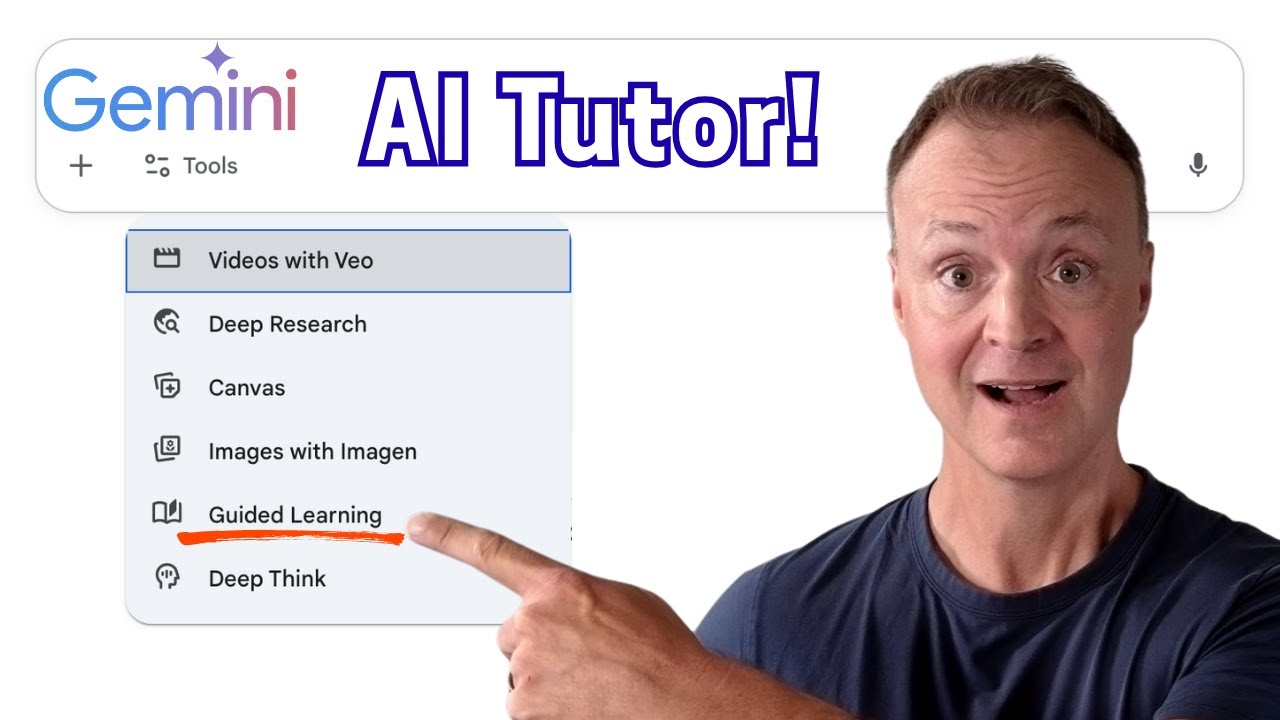
How to use Guided Learning in Gemini. Is AI the future of education? After getting an early look at Google Gemini's brand new "Guided Learning" feature, I'm convinced it's a massive leap forward. This isn't just another AI that gives you answers—it's a personal AI learning companion designed to help you truly UNDERSTAND complex topics.
In this video, I give you a first look at Guided Learning, inspired by the official announcement from Google. We'll explore what makes this tool different and I'll demo how it works as a personal tutor in three completely different subject areas.
Read the official announcement here:
https://blog.google/outreach-i....nitiatives/education
▶️ WATCH NEXT:
🎓 The Ultimate Teacher's Guide to Google Gemini: https://youtu.be/8FxB9haKmiU
📚 The Ultimate Guide to NotebookLM: https://youtu.be/FOs4RDTC52Q
🔔 Subscribe to Teachers Tech for more on AI in education and the tools that are changing the way we learn!
Let me know in the comments: What subject would YOU use Guided Learning for first?
0:00 - Intro: A Game-Changing AI Tool for Learning
0:40 - What is Guided Learning & How Does it Work?
1:44 - Demo 1: Science (Understanding Enzymes)
5:14 - Demo 2: Social Studies (Exploring Complex Topics)
7:21 - Demo 3: Creative Skills (Mastering Photography)
#GoogleGemini #EdTech #AIinEducation #GuidedLearning #FutureOfLearning #TeachersTech
