Latest videos
Most people are using Google Gemini completely wrong—here's how to set it up and use every feature the right way to finally get the results you've been missing.
🤔 Have a question about Gemini? Drop it in the comments!
0:00 Intro
0:25 Accessing Gemini
0:54 Pricing Plans
1:49 Settings Setup
2:01 Custom Instructions
3:20 Personal Intelligence
4:42 Connected Apps
5:33 Navigation
6:02 Temporary Chat
7:06 My Stuff
7:25 Chat History
7:52 Using Gemini
8:23 Microphone Input
8:54 Model Selection
10:26 Tools Overview
10:33 Deep Research
11:53 Canvas
14:04 Study Guides
15:19 Infographics
16:41 Files in Chat
17:25 Guided Learning
18:21 Visual Layout
20:15 Create Videos
20:32 Add Files
20:52 Notebook LM
22:18 Gems
27:07 Gems from Labs
28:39 Image Editing
29:22 Image to Video
30:26 Using Connected Apps
31:10 Scheduled Actions
32:03 Mobile App
32:58 Live Chat
34:20 Outro

Check out how to create Handwritten Study Notes with Google Gemini in seconds.
These notes weren't written in hand. They were generated with Nano Banana and in this video, I’ll show you the exact prompt and settings to turn boring text into visual aids for any topic.
Whether you're a student trying to save time or a teacher looking for better materials, this Google Gemini tutorial is for you!

Welcome to the Gemini Quiz using Canvas AI 🎉
In this video, we explore how you can create interactive and engaging quizzes with the power of Gemini + Canvas AI. Perfect for teachers, students, and anyone who wants to make learning fun and dynamic.
👉 What you’ll see in this video:
✔️ How Gemini AI works with Canvas
✔️ Creating a quiz step by step
✔️ Tips to make quizzes more interactive
✔️ A live demo of a Gemini-powered quiz
If you’re an educator or learner looking to transform the classroom experience with AI tools, this video is for you! 🚀
Don’t forget to like, share, and subscribe for more AI in education content.
#GeminiAI #CanvasAI #AIinEducation #QuizWithAI #InteractiveLearning

Google Classroom, Gemini for Education, AI for teachers, and free AI tools—learn how to use Google’s new Gemini AI safely in your classroom and save hours every week.
Explore how teachers can use Google’s free AI tools—now built directly into Google Classroom: lesson planning, translations, rubrics, re-leveling text, and more.
In this tutorial, I’ll walk you through how to use the Gemini tab in Google Classroom to access over 30 powerful AI tools designed specifically for education. These tools are completely free with Google Workspace for Education and safe for students, with built-in privacy protections.
📌 What you’ll learn in this video:
00:00 Intro
00:36 What is Gemini for Education?
00:50 Using AI Prompts in Google Classroom
01:22 Quickly creating detailed lessons plans with assessments
04:50 Re-leveling Text for Student Needs
06:17 Creating Rubrics with AI
07:32 Drafting Parent Emails
✅ Gemini helps you:
– Plan lessons in seconds
– Adapt content for different reading levels
– Translate instructions and emails
– Create rubrics automatically
– Save hours of time—safely and effectively
🎓 Built on Gemini 2.5 Pro and optimized for schools, this tool is a game-changer for educators looking to save time and personalize instruction.
#GoogleGemini #GoogleClassroom #AIforTeachers #EdTech #TeacherTools #GeminiForEducation #LessonPlanning #EdTechTips

Learn how to use Google Gemini AI and Google Forms to create auto-graded quizzes in seconds! If you're tired of manual grading, this AI for teachers workflow is the ultimate time-saver.
Whether you're a primary school teacher or a university professor, this "AI for Teachers" workflow will change the way you assess your students. You’ll learn how to prompt Gemini to generate high-quality questions and then easily port them into a Google Form that autocorrects itself, giving your students instant feedback and a grade the moment they hit submit.
In this video, you will learn:
✅ How to prompt Google Gemini for quiz questions and answers.
✅ The step-by-step process of setting up a self-grading Google Form.
✅ How to ensure students see their grades immediately (Immediate Corrective Feedback).
✅ Tips for making your quizzes "No-Correction" zones to reclaim your weekend!
Watch the sample quiz here:
https://docs.google.com/forms/....d/e/1FAIpQLSdO7mXAPN
RESOURCES MENTIONED:
Google Gemini: https://gemini.google.com/
Google Forms: https://forms.google.com/
How Google Gemini 3 can help teachers and learners to learn and teach languages.
Ed Cafe link (if you buy Ed Cafe you will get 10% discount for ever)
https://www.edcafe.ai/?via=rs
Join Russell's newsletter
https://forms.aweber.com/form/61/763053361.htm
Russell's website
https://www.teachertrainingvideos.com/
Russell's Patreon
https://www.patreon.com/Teache....rTrainingVideos?view
Russell's Course in collaboration with NILE ( click for information)
https://www.nile-elt.com/produ....ct?catalog=Technolog
00:00 Google Gemini 3 for Language Learning
01:17 Geting started with Gemini free version
02:54 Making a quiz
04:12 Sharing the Canvas
05:45 Amazing Storybooks
10:39 Edcafe is so useful
11:23 Studying with Russell
Stop wasting time creating quizzes and start teaching! Discover how Google Gemini 3 is revolutionizing language learning and lesson planning.
In this must-watch tutorial, I, a language teacher and dedicated learner, demonstrate the powerful features of Gemini 3 designed specifically to save you hours. Learn how to transform any YouTube video into a complete lesson with instant transcripts, vocabulary lists, comprehension questions, and shareable flashcards. This is the ultimate toolkit for modern language teachers and self-study students.
Watch now to unlock: Quizzes, Flashcards, Video Transcripts, and Storybooks!
In this video, we dive deep into the recent updates for Google Gemini 3, focusing entirely on features that make learning and teaching languages easier, faster, and more engaging than ever before. Whether you teach Spanish, English, French, or any other language, Gemini can be your most versatile teaching assistant.
What you will learn in this Language Learning Tutorial:
Video-to-Lesson Conversion: See how to create a canvas, paste a YouTube link, and immediately generate a full video transcript, key vocabulary, and comprehension questions. No more manual transcription!
Instant Resource Creation: The fastest way to generate custom quizzes and flashcards based on any text or video content.
Sharing for Teachers: A breakdown of how the recent updates allow you to share your beautiful, custom-made quizzes and activities with ANY student, even those without a Gmail account, making resource distribution simple and universal.
The Storybooks Feature: A look at how to use Gemini’s story generation capability to create engaging, level-appropriate reading material for your learners, complete with translations and glossary prompts.
#Gemini3 #LanguageLearning #AiforTeachers #LanguageTeacher #LessonPlanning #GoogleGemini #EFL #ESL #EdTech #LanguageQuiz #Flashcards #TeacherTools #GeminiAI

"This is revolutionary." See how educators in Sweden are embracing AI to transform their classrooms. From saving time and personalizing learning to ensuring data is secure and protected, tools like Gemini are empowering both teachers and students. Discover how a responsible approach to AI is helping staff be more efficient and productive, proving it's not a question of if or when, but how this technology is shaping the future of education.
Sign up to try Gemini for Education: https://edu.google.com/intl/AL....L_us/ai/gemini-for-e

🔥Prompt to make Great INFOGRAPHICS with Gemini: https://youtu.be/3IDl1Gxonxo
Google Gemini just made creating sketchnotes ridiculously easy!
In this short tutorial, I show you how to use Google Gemini to turn any topic, video or PDF into impressive sketchnotes that will help you learn anything! Whether you are a teacher, learning designer or content creator, this guide is a must-see.
You’ll learn:
1) How to set up Gemini
2) The prompt to get a clear, audience-specific explanation
3) The follow-up prompt that converts the text into a sketchnote
Prompts are in the pinned comment. Credits to @HeyAbhishek for sharing his second prompt on X👇
Chapters
00:00 - 01:19 Text to Sketchnotes
01:20 Video to Sketchnotes

🎓 Upgrade your teaching toolkit. Get the practical prompts and activity guides for NotebookLM, and more in my new ebook: 📘 AI Lesson Planner | Practical AI for the Classroom: https://charlieslessons.com/pr....oduct/the-ai-teacher
Stop struggling with complex coding and start building! In today’s video, I’m showing you how to use the incredible new Google Gemini Canvas feature to create custom apps and interactive games for your students in just a few minutes—even if you have zero coding experience.
We’ll walk through how to build a custom Student Name Roulette Wheel from scratch and a set of Interactive Environment Flashcards (B2 level). You’ll see how I use simple natural language to add sound effects, "remove student" logic, and even AI-powered study quizzes with one click.
What you’ll learn in this video:
How to access Gemini Canvas for free using a basic Google account.
Building a functional classroom tool (Roulette Wheel) using only text prompts.
How to ask Gemini to add sounds, change logic, and refine your app.
Using the "Add Gemini Features" tool to generate instant quizzes and deep dives.
How to share your finished app with students or colleagues via a simple link.
Join this channel to get access to perks:
https://www.youtube.com/channe....l/UCk-S5z3RNhx9a8UUz
Timestamps:
0:00 - Introduction to Gemini Canvas
0:45 - Accessing Gemini & Enabling Canvas
1:10 - Demo 1: Creating a Student Name Roulette Wheel
2:50 - Refining your app: Adding sounds & logic
4:00 - My AI Teacher's Toolkit Ebook
4:40 - How to share your apps with others
5:30 - How to copy/paste and export code
6:10 - Demo 2: Building Interactive Vocabulary Flashcards
7:15 - Using "Add Gemini Features" for Instant Quizzes
8:20 - Closing Thoughts & Next Steps

👉JOIN THE COMMUNITY https://trainingsites.io/join
Everyone's talking about Google's new Gemini 3, but most course creators and educators have no idea what it actually means for their business. In this live demo, I'm putting my own $500 course lesson to the test - can Gemini 3 really create a mini app that replaces traditional course content? Watch as I take one of my most popular lessons and see if Google's newest AI can destroy it in under 3 minutes.
Links: https://aistudio.google.com
https://youtu.be/aAKeoOizHqQ - Gemini 3 Demo
https://youtu.be/JXaz_Rk6OQg - Gemini 3 Overview
⚡ Skip the course chaos — and meet your new AI team.
https://trainingsites.io/profitable-skill
https://trainingsites.io/education-skill-creator/
🎯 Perfect for: Teachers, Educators, Course creators, coaches, consultants, and experts who to start, build and grow their education business.
👉 Don’t forget to like, comment, and subscribe for more tips on creating and teaching online effectively."
#ChatGPT #chatgptatlas #ContentCreation #OnlineCourses #DigitalEducation #YouTubeCreators #AIAgents #FutureOfContent #OnlineEducation #CourseCreators
Category: Education / Tech News
👉 Watch now to see how to future-proof your education business.
👉 Subscribe for weekly strategies on building your own AI Campus.
✨FOLLOW US ON SOCIAL MEDIA✨
Facebook: https://www.facebook.com/trainingsites
LinkedIn: https://www.linkedin.com/company/trainingsites/
Twitter: https://x.com/aitrainingsites
YouTube: https://youtube.com/@trainingsites
📲LINKS & RESOURCES
Campus Toolkit: https://trainingsites.io/resources/
FREE Courses: https://trainingsites.io/members/
Disclaimer: Some of the links contain affiliate links, meaning I will earn a small commission when you purchase through my link at no additional cost to you.
Learn how to turn PDFS and information into interactive dashboards and websites instantly with Google Gemini's new Dynamic View.
In this video, I’m showing you a massive upgrade to Google Gemini called Dynamic View. Unlike the standard "chat" interface we are used to, Dynamic View builds interactive custom user interfaces like charts, timelines, and mini-apps.
I’ll show you how to take a simple file such as a PDF and have Gemini visualize it instantly, so you can spot trends and key information

Ready to get back 5 hours this week? In this ultimate guide, I'll show you how to use Google's Gemini app to revolutionize your classroom. We'll move beyond the hype and dive into practical, real-world strategies that every K-12 teacher can use immediately to save time, differentiate instruction, and create amazing learning experiences for their students.
First, we'll address the most important topic: security. Learn how Gemini for Education provides enterprise-grade data protection, ensuring a safe and private environment for you and your students. Then, we'll master the "PARTS" framework—the secret to getting perfect results from Gemini every time.
From planning lessons and creating assessments to generating custom images, videos, and even interactive learning apps, this masterclass covers it all. I'll also show you how the Gemini mobile app and the "Live" feature can turn you into a teaching superhero on the go!
How to Use Gemini in Google Classroom: https://youtu.be/vePQJsZ0pyE
The Ultimate Guide to NotebookLM: https://youtu.be/QqFctOUEAjk
⏰ TIMESTAMPS:
0:00 Intro: Your New 24/7 Teaching Assistant
1:20 The Secret to Perfect Prompts: The "PARTS" Framework
3:18 Pro vs. Flash: Which AI Model Should You Use?
4:04 Section 1: Planning & Creating Materials
10:06 Section 2: Assessment & Differentiation
14:47 Section 3: For STEM & Project-Based Learning
16:46 Section 4: Empowering Your Students
19:28 Section 5: Advanced Desktop Capabilities
24:02 Section 6: Gemini on the Go!
Complete training in using Google Gemini to learn languages for both students and teachers.
TurboScribe
https://youtu.be/p3eAgOfHnfo
Storybooks
https://youtu.be/p3eAgOfHnfo
Join Russell's newsletter
https://forms.aweber.com/form/61/763053361.htm
Russell's website
https://www.teachertrainingvideos.com/
Russell's Patreon
https://www.patreon.com/Teache....rTrainingVideos?view
Russell's Course in collaboration with NILE ( click for information)
https://www.nile-elt.com/produ....ct?catalog=Technolog
00:00 Learning languages with Google Gemini
01:49 Creating Grammar Lessons with Google Gemini
06:08 Studying from YouTube Videos
11:34 Generating reading material
14:42 Study with Russell
In this video, I take you through a complete masterclass on learning languages with Google Gemini. I specifically focus on how to use the guided learning features to turn Gemini into a personalized, 24/7 language tutor. This workflow is a game-changer for both independent students and language teachers looking for innovative classroom activities.
The video is divided into three comprehensive sections to help you master any language:
Part 1: Grammar and Interactive Activities We start with the foundations. I show you how to use Gemini’s guided learning to explain complex grammar rules in a way that actually makes sense. Instead of just giving you a definition, Gemini acts as a tutor, breaking down the mechanics of the language. I then demonstrate how it sets interactive activities and quizzes to test your understanding in real-time, ensuring you have truly grasped the concept before moving on.
Part 2: YouTube Integration and Vocabulary Extraction Next, I show you how to use authentic content to boost your fluency. You will see how to connect a YouTube video to Gemini to instantly extract key vocabulary and idiomatic expressions used by native speakers. I also show how to use the AI to check your listening comprehension by generating targeted questions based specifically on the video’s content. This turns passive watching into an active learning experience where you can verify exactly what you understood.
Part 3: Connected Learning and Reading Comprehension In the final section, I demonstrate how to tie everything together for maximum retention. I show you how to take the specific vocabulary and themes from the YouTube video you just studied and use Gemini to generate a custom reading comprehension passage. This creates a powerful connected learning loop where you move from grammar and listening to reading and context, reinforcing the same set of words and rules across different skills.
By the end of this tutorial, you will have a clear, repeatable system for learning languages with Google Gemini that goes far beyond simple translation. This is an essential guide for anyone looking to use AI to reach fluency faster.
#GoogleGemini #LanguageLearning #AITutor #LearnLanguages #GeminiGuidedLearning #EdTech #LanguageTeaching #StudyWithAI

👉JOIN THE COMMUNITY https://trainingsites.io/join
Everyone's talking about Google's new Gemini 3, but most course creators and educators have no idea what it actually means for their business. In this live demo, I'll show you how Gemini 3 can replace any lessons using just a single image.
Links: https://aistudio.google.com
https://youtu.be/aAKeoOizHqQ - Gemini 3 Demo
https://youtu.be/JXaz_Rk6OQg - Gemini 3 Overview
⚡ Skip the course chaos — and meet your new AI team.
https://trainingsites.io/profitable-skill
https://trainingsites.io/education-skill-creator/
🎯 Perfect for: Teachers, Educators, Course creators, coaches, consultants, and experts who to start, build and grow their education business.
👉 Don’t forget to like, comment, and subscribe for more tips on creating and teaching online effectively."
#ChatGPT #chatgptatlas #ContentCreation #OnlineCourses #DigitalEducation #YouTubeCreators #AIAgents #FutureOfContent #OnlineEducation #CourseCreators
Category: Education / Tech News
👉 Watch now to see how to future-proof your education business.
👉 Subscribe for weekly strategies on building your own AI Campus.
✨FOLLOW US ON SOCIAL MEDIA✨
Facebook: https://www.facebook.com/trainingsites
LinkedIn: https://www.linkedin.com/company/trainingsites/
Twitter: https://x.com/aitrainingsites
YouTube: https://youtube.com/@trainingsites
📲LINKS & RESOURCES
Campus Toolkit: https://trainingsites.io/resources/
FREE Courses: https://trainingsites.io/members/
Disclaimer: Some of the links contain affiliate links, meaning I will earn a small commission when you purchase through my link at no additional cost to you.

Want to make money and save time with AI? Join here 👉 https://juliangoldieai.com/07L1kg
Get a FREE AI Course + Community + 1,000 AI Agents + video notes + links to the tools: 👉 https://juliangoldieai.com/5iUeBR
Google just released over 150 new AI features for education that most teachers don't know exist. This video breaks down how Gemini for Education is now free across 1,000+ US colleges reaching 10 million students, with teachers reporting 10+ hour weekly time savings. Learn about guided learning that tutors students instead of giving answers, Notebook LM's Gemini 3 upgrade with flashcards and video overviews, the 30+ free AI tools now in Google Classroom, new Chromebook management features, and enterprise-grade privacy protections. Includes step-by-step workflows showing exactly how educators are transforming their classrooms.
0:00 - Introduction: The AI tool upgrade educators are missing
0:34 - Gemini for Education scale: 1,000+ colleges, 10M students, completely free
0:53 - Real results: 10 hours saved per week, 20 minutes vs full weekend
1:14 - Training stats: 1M+ educators trained, 100K+ certifications
1:44 - Guided learning: AI tutor vs answer machine
2:16 - LearnLM: Science-backed AI designed for education
2:39 - How students use guided learning in Google Classroom
2:55 - Notebook LM with Gemini 3 upgrade explained
3:11 - Student use: Flashcards, quizzes, personalized study guides
3:26 - Teacher use: Lesson plans and differentiated activities
3:40 - Audio overviews: Podcast-style learning content
3:58 - Video overviews feature
4:09 - Data tables for research organization
4:32 - Mind maps for visual learning
4:47 - Notebook LM now available to students under 18
5:05 - AI Profit Boardroom community mention
5:33 - Gemini in Google Classroom: 30+ free AI tools
6:04 - Chat-like refinement and direct assignment
6:17 - Gemini Canvas: Personalized practice quizzes
6:37 - Creating custom gems for courses
7:10 - Chromebook Class tools: Real-time classroom management
7:58 - Quick insert & text capture features
8:34 - Google Classroom analytics & learning standards tracking
8:51 - Read Along flexibility for literacy
9:02 - Privacy & security: FERPA/COPPA compliance
9:30 - Practical workflow example: Science teacher use case
10:08 - AI Profit Boardroom recommendation
10:34 - AI Success Lab mention
10:51 - Conclusion & call to action

This video focuses on 3 advanced language learning features in Gemini that many teachers and students don't know about.
Ed Cafe Free Option link (if you buy Ed Cafe you will also get 10% discount for ever with this link)
https://www.edcafe.ai/?via=rs
Join Russell's newsletter
https://forms.aweber.com/form/61/763053361.htm
Russell's website
https://www.teachertrainingvideos.com/
Russell's Patreon
https://www.patreon.com/Teache....rTrainingVideos?view
00:00 3 hidden language features in Gemini
00:45 Interactive Quiz Tool in Gemini
04:42 The Canvas Tool is Amazing
10:32 Storiybook with text, pictures and audio
15:13 Study with Russell
Welcome to this comprehensive guide on using Advanced Google Gemini for language learning and teaching in 2026. This video is designed specifically for educators and students who want to move beyond basic prompts and leverage the most powerful AI tools available to master a new language or create world-class teaching materials.
In this tutorial, we dive deep into the three most transformative features within Google Gemini that are changing the landscape of language education. Whether you are teaching a classroom of students or studying a language like Spanish, French, or Japanese on your own, these workflows will save you hours of work while providing high-quality, interactive content.
What we cover in this video:
Google Gemini Storybooks
We explore the incredible Storybook feature. You will learn how to generate fully illustrated, 10-page stories in any language. I demonstrate how to control the specific language level (from A1 to C2), customize the plot and vocabulary, and utilize the built-in audio narration and imagery. This is a game-changer for creating engaging reading and listening practice that is perfectly tailored to a learner's interests.
The Gemini Canvas Feature
Next, we look at Gemini Canvas—an interactive workspace where you can build complete, professional language worksheets in seconds. I show a practical example in Spanish, taking a raw text and transforming it into a structured learning document. You will see how to instantly add vocabulary lists, grammar explanations, and comprehension questions that are ready for the classroom.
Guided Learning and Interactive Quizzes
The third focus is the Guided Learning mode. I demonstrate how to use this feature to generate interactive quizzes from any source, specifically showing how to pull in a YouTube video. By sharing a video directly into Gemini, you can create a scaffolded learning experience where the AI generates questions based on the video content. These quizzes can then be shared with students to track their understanding in real-time.
This training is optimized for those looking for the best AI for language learning in 2026. We focus on advanced features like Gemini 3 and Gemini Pro to ensure you are using the most accurate and capable models.
Who is this video for?
Language Teachers looking for innovative ways to create lesson plans and worksheets.
ESL and EFL instructors needing high-quality audio-visual content.
Students and self-learners aiming for fluency using AI-powered study guides.
Education professionals interested in the latest Google Workspace and Gemini updates.
By the end of this video, you will have a complete toolkit to use Google Gemini as your personal language tutor or teaching assistant.
If you found this tutorial helpful, please like the video and subscribe for more deep dives into AI for education and language acquisition.

Gemini, Google’s incredible AI tool, is changing FAST! Here’s everything you need to know to use Gemini in the classroom.
Want to become a Gemini Certified Educator? Download my FREE study guide to help you prepare: chrm.tech/gemini-exam
Table of Contents:
0:00 Intro
0:42 Use your school account!
1:42 Creating images
2:11 Creating video (premium)
3:08 Using canvas in Gemini
4:20 Deep research with Gemini
6:23 Creating audio summaries with Gemini
6:56 Guided learning with Gemini
8:27 Gemini Gems
9:40 Gems in Google Classroom
10:18 Gemini Educator Certification
Additional Resources:
* Gemini Study Guide: chrm.tech/gemini-exam
* Is Gemini advanced worth it for educators: https://youtu.be/bPwAB2uUtaU
* Advanced Gemini features for educators: https://www.chrmbook.com/advanced-gemini-features/
* Lesson planning with Gemini Gems: https://www.chrmbook.com/ai-lesson-planning-gems/
-------------
John R. Sowash is a former HS biology teacher and principal who helps teachers use technology to improve instruction. You can pick up a copy of his book, read his blog, or invite him to come and visit your school.
✏️ Blog: http://Chrmbook.com
📕 Podcast: http://Chrmbook.com/podcast
🎙️ Book: http//:Chrmbook.com/book
🤝 Speaking and Consulting: http://SowashVentures.com/contact
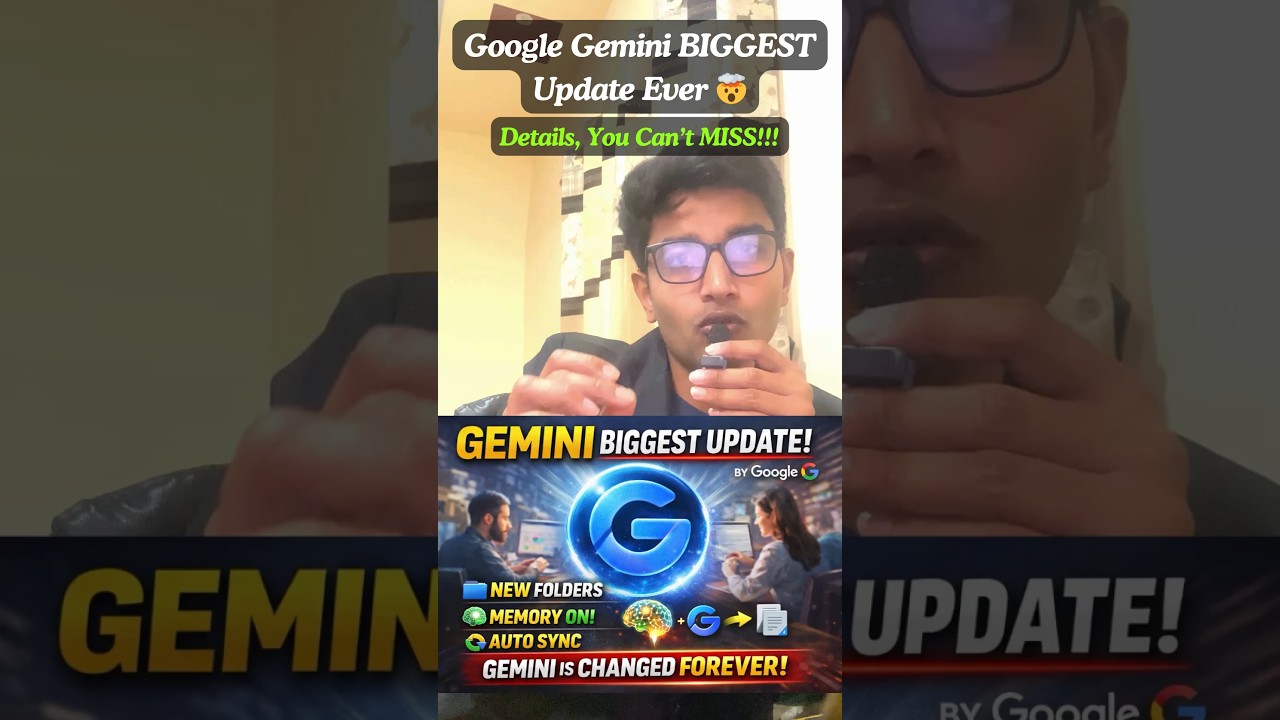
Google ne apna sabse bada AI update launch kar diya hai — aur ab Gemini sirf ek chatbot nahi raha! 🚀
Is naye update me Folders, Memory System aur Auto Sync jaise powerful features add ho gaye hain jo aapke AI experience ko completely transform kar denge.
Ab Gemini aapki conversations ko organize karega, aapki preferences yaad rakhega, aur automatically NotebookLM ke saath sync bhi karega — matlab ek complete AI workspace ready hai!
Is video me aap jaanoge:
✔ Gemini ke naye features kaise kaam karte hain
✔ Memory system kya hota hai (simple explanation)
✔ NotebookLM aur Gemini ka integration kya change karega
✔ Aur ye update aapki productivity kaise boost karega
Agar aap AI tools use karte ho ya future me karna chahte ho — ye update aap miss nahi kar sakte!
#GoogleGemini #AIUpdate #ArtificialIntelligence #GeminiAI #TechNews #AIRevolution #FutureOfAI #NotebookLM #AITools #ProductivityHacks #TechExplained #AIIndia #TrendingTech #DigitalFuture #Automation
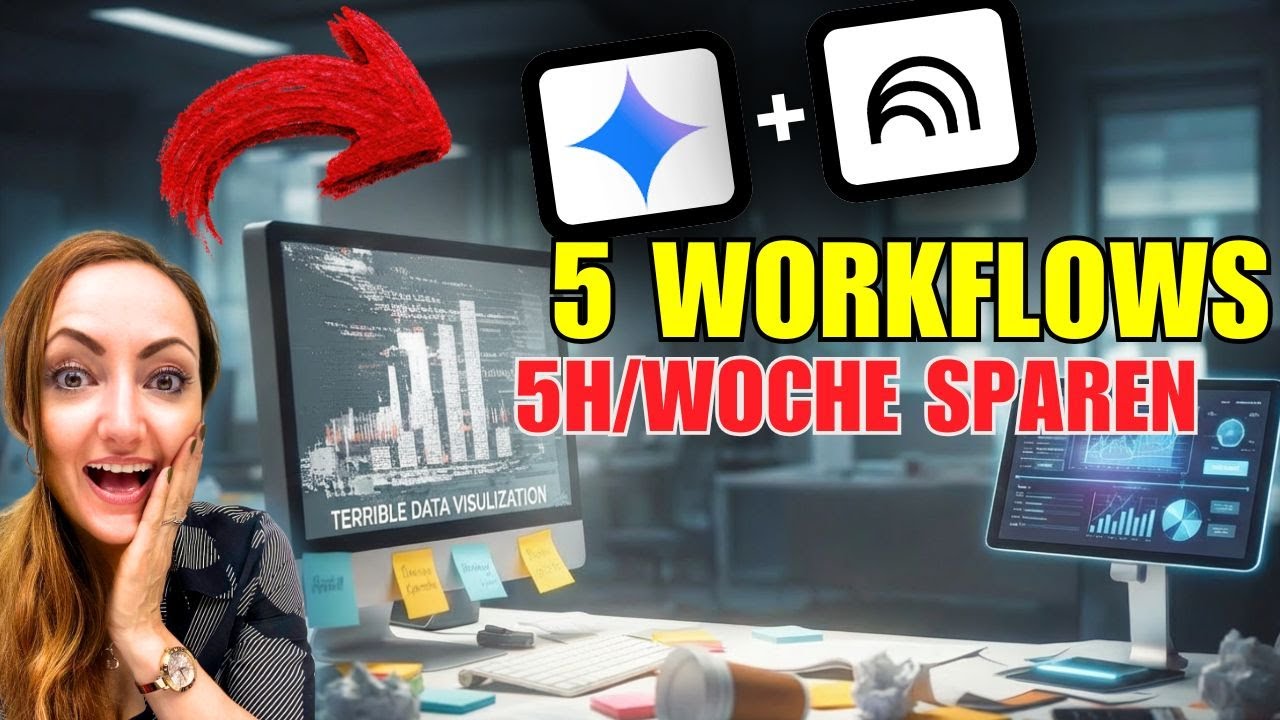
In diesem Video zeige ich dir 5 sofort einsetzbare ki workflows mit notebooklm und google gemini, mit denen du Charts, Infografiken, Heatmaps und Dashboards fürs Büro in Minuten erstellst – ohne Design-Tool und ohne stundenlange Fummelei in PowerPoint oder Excel.
➡️ 5 Workflows Prompt Sammlung zum Video hier downloaden: https://preview.mailerlite.io/....forms/1827651/175304
Du lernst Schritt für Schritt:
00:00 Intro & warum NotebookLM + Gemini so stark fürs Büro sind
01:15 Workflow 1 – Projekt-Wissen in notebooklm organisieren
04:02 Workflow 2 – Automatisierte Charts aus deinen Zahlen mit gemini
07:10 Workflow 3 – Infografiken & Diagramme für Präsentationen
10:25 Workflow 4 – Heatmaps & Dashboards für Reports
13:40 Workflow 5 – Visual-Templates, die du immer wieder nutzen kannst
Mit diesen büro workflows sparst du dir jede Woche 5–10 Stunden bei Präsentationen, Reportings und Projektmanagement – perfekt für alle, die mit Daten arbeiten, aber keine Designer sind.
🔹 Ideal für: Projektmanager:innen, Teamleads, Consultant:innen, Office-Profis
🔹 Fokus: datenvisualisierung, charts, infografiken, dashboards
🔹 Tools: notebooklm tutorial, google notebooklm, gemini, chatgpt als Vergleich
✨Kostenlose PROMPT-Bibliothek✨ für dein KI - Projektmanagement: https://tinyurl.com/PromptsPM
➡️ Hol dir das KI Playbook fürs Büro: https://bit.ly/KIPlaybook
Wenn du mit KI im Büro 5–10 Stunden pro Woche sparen willst, abonnier den Kanal, hier gibt’s praxisnahe ki tools, automatisierung und workflows ohne Hype, direkt anwendbar im Arbeitsalltag.
Watch Next:
✅ KI-Workflows für Business & Projektmanagement - https://www.youtube.com/playli....st?list=PLYF89dHs9Vy
🎓 Projektmanagement-Zertifizierungen - https://www.youtube.com/playli....st?list=PLYF89dHs9Vy
📚 Prompt Engineering Masterclass - https://www.youtube.com/playli....st?list=PLYF89dHs9Vy
🤖 KI-Tools im Test 2025 - https://www.youtube.com/playli....st?list=PLYF89dHs9Vy
➡️ Abonniere meinen Kanal und gib dem Video ein Like für noch mehr KI Tipps & Tricks👍
➡️ 2x die Woche erwarten dich neue Videos mit wertvollen Tipps und Infos.
#produktivität #solopreneur #künstlicheintelligenz #arbeitleichtermachen #aionlinebusiness

「仕事に次の革新を」を基に生成AIやGoogle WorkspaceについてGoogle導入のプロと生成AIコンサルが対談で発信中
収録日:2025年2月15日
この動画は日本字幕ONでご覧いただけます
――――― メンバーシップ ―――――
NI-WORK|応援プラン
https://www.youtube.com/channe....l/UChD63R31attT5w8WO
NI-WORKはいつも出し惜しみなく現場最前線の本当のプロフェッショナルがノウハウ解説するチャンネルです!
とはいえ、維持していくのはなかなか厳しい局面もあり、今後継続していくために応援してくださる方を募集中です!
応援してもいいよ!という方のメンバーシップです。よろしくお願いいたします!
返礼としてこれまで動画で入力したプロンプトを公開していきます。(Geminiへの指示、Gemsのシステムプロンプト、NotebookLMのカスタムプロンプトなど)
プロンプトはNI-WORKチャンネルホームの投稿からメンバーシップ限定公開投稿から確認できます。
――――― お問い合わせ ―――――
お仕事のご依頼は以下フォームまでご連絡ください。担当からご返信いたします。
https://docs.google.com/forms/....d/e/1FAIpQLSfljCDhkx
お問い合わせ前に以下の動画をご確認ください
https://youtu.be/jB1cnU4Nves
――――― 関連動画 ―――――
03:12 ドキュメントでプロンプト管理について紹介
https://youtu.be/YJNabYHAy20
24:30 NotebookLMのスライド資料について解説
https://youtu.be/VuMVI7deIEU
https://youtu.be/xi-xDE7xaDA
――――― 目次 ―――――
00:00 ダイジェスト・ご挨拶
03:04 NotebookLMでの生成スライドの良い・悪い
05:19 生成結果の良し悪しを解説
09:20 内容が伝わるスライドの生成の仕方
19:53 本動画の内容をスライド生成してみた
24:24 この動画のまとめ
――――― おすすめ再生リスト ―――――
GoogleのAIノートNotebookLMの業務での実用的な使い方↓
https://www.youtube.com/playli....st?list=PLilLrsRSfQd
――――― 更新日 ―――――
隔週月曜 更新(祝日の場合翌日)
――――― ホスト紹介 ―――――
NI-WORK|丹羽・山口についてのご紹介
https://youtu.be/jB1cnU4Nves
丹羽国彦:歴14年、国内外有数のGoogle からも公式に認められるGWS・Geminiの組織導入・活用エバンジェリスト。Googleから依頼され パートナーに Google Workspace の公式の技術指南や移行・展開技術を指導する国内稀有な人材。Googleのカルチャーに基づくコラボレーション設計やデータ活用、AI対話力が得意。
X:https://x.com/NiwaKunihiko
山口彰宏:生成AI業務活用ノウハウ豊富なエキスパートエンジニア。経歴として、セールスフォース・ジャパンのソリューションエンジニア、PayPay株式会社や住友生命にて社内システム開発などを歴任。現在は生成AI、Google、Salesforceなどの様々なテクノロジーを活用した業務効率化のDX推進を支援。
――――― 引用 ―――――
Geminiアプリ
https://gemini.google.com/app?hl=ja
Google Workspace
https://workspace.google.com/intl/ja/
NotebookLM
https://notebooklm.google.com/
#gemini #ai #googleworkspace

Drei PDFs offen. Zwölf Tabs. Null Überblick. NotebookLM hat gerade 5 neue Features bekommen und wer sie nicht kennt, verliert täglich Zeit ohne es zu merken.In diesem Video zeige ich dir alle 5 neuen NotebookLM-Features live im Büro-Einsatz praxisnah, kein Code, sofort anwendbar.
✅ Infografiken aus Reports in unter 60 Sekunden (statt 2 Stunden PowerPoint)
✅ Video Overviews: 50-seitige Dokumente auf dem Heimweg "lesen"
✅ Präsentationen automatisch überarbeiten — keine Formatierungshölle mehr
✅ Chat-Modi: NotebookLM weiß jetzt genau, wofür du es nutzt
✅ Cinematic Overviews: Das nächste Level (Google AI Ultra)
⏱️ KAPITEL:
00:00 – Diese 5 Features kosten dich täglich Zeit — wenn du sie nicht kennst
00:28 – Feature 1: Infografiken Boost
02:28 – Feature 2: Video Briefings
04:13 – Feature 3: Präsentationen automatisch überarbeiten
05:36 – Feature 4: Arbeitskontext
07:08 – Feature 5: Cinematic Overviews
08:30 – Fazit: Was wirklich zählt
🎁 Ressourcen:
━━━━━━━━━━━━━━━━━━━━━━━━━━━━━━━
➡️ Hol dir das KI Playbook fürs Büro: https://projectstoprofit.lemon....squeezy.com/checkout
➡️ Du willst Gemini & NotebookLM rechtssicher in deinem Unternehmen nutzen? → Trag dich in die Warteliste ein: https://tinyurl.com/3t7yhd8j
➡️ Kostenlose PROMPT-Bibliothek✨ für dein KI - Projektmanagement: https://tinyurl.com/PromptsPM
Watch Next:
✅ KI-Workflows für Business & Projektmanagement - https://www.youtube.com/playli....st?list=PLYF89dHs9Vy
🎓 Projektmanagement-Zertifizierungen - https://www.youtube.com/playli....st?list=PLYF89dHs9Vy
📚 Prompt Engineering Masterclass - https://www.youtube.com/playli....st?list=PLYF89dHs9Vy
🤖 KI-Tools im Test 2025 - https://www.youtube.com/playli....st?list=PLYF89dHs9Vy
➡️ Abonniere meinen Kanal und gib dem Video ein Like für noch mehr KI Tipps & Tricks👍
➡️ 2x die Woche erwarten dich neue Videos mit wertvollen Tipps und Infos.
#NotebookLMUpdate #KIimBüro #GoogleGemini #KITools #Büroalltag #Produktivität #GeminiNotebookLM #GoogleAI #NotebookLMTutorial

【最強ムーブ】NotebookLMをGeminiで呼び出しAIライティング!複数のブログ記事を統合しまとめ記事を書く方法を公開!Gemini3のPro/思考モード/高速モードを使い分けろ!【神アプデ】
【AI共創イノベーションおすすめ動画】
https://www.youtube.com/watch?v=IXbKlwHUdbg&list=PLTcSHWqKTOojc8R-brID5q06JrmtiWRTl
NotebookLMとGemini 3で実現する次世代AI執筆ワークフロー
GoogleのAIエコシステムにおける最新の進化、「NotebookLM」と「Gemini 3」を連携させた、圧倒的な効率を誇る文章作成術について解説します。
これまで、NotebookLMは「情報の整理」や「信頼性の高い回答」には非常に優れたツールでしたが、執筆機能においてはモデルの選択ができず、出力される文章のトーンや論理性の深度をコントロールしにくいという側面がありました。しかし、Gemini(gemini.google.com)から「アドオン(拡張機能)」としてNotebookLMを呼び出すことで、最新のGemini 3各モデルを「執筆エンジン」として使い分け、NotebookLMに蓄積した膨大なソースに基づいた高品質なアウトプットが可能になります。
本ワークフローでは、用途に合わせてGemini 3の「Pro」「Thinking」「Flash」という3つの脳を戦略的に切り替える手法を軸に、バラバラな過去記事を一つの「価値あるまとめ記事」へと昇華させる具体的なプロセスを提示します。
【コンセプト:NotebookLMを「知識の脳」、Gemini 3を「表現の脳」へ】
この連携の核心は、役割分担にあります。NotebookLMを、信頼できる資料(PDF、URL、Googleドキュメント、自らのメモ)の保管庫およびコンテキストの提供者として固定し、その上に最新のGemini 3を「出力の調整役」として乗せる。これにより、AI特有の「もっともらしい嘘(ハルシネーション)」を最小限に抑えつつ、書き手の意図に完全に合致したトーンの文章を生成することができます。
【戦略的モデル選定:Gemini 3の3つのモード活用法】
執筆の目的に応じて、Gemini 3の以下の3つのモードを使い分けることが、クオリティを決定づける鍵となります。
1. ロジカル・専門特化:Gemini 3 Proモード
構造化されたレポート、技術文書、ビジネスの意思決定を伴う文書など、論理の厳密さと深い洞察が求められる場合に選択します。Gemini 3 Proは、複数の資料間に存在する微細な論理的矛盾を見抜き、一つの筋が通った、説得力のある文章を構築することに長けています。
2. バランス・洞察型:Gemini 3 Thinking(思考モード)
「なぜそうなるのか」というプロセスや、複雑な情報の噛み砕きが必要な場合に最適です。出力前にAIが内部で推論ステップを挟むため、情報の要約だけでなく「AとBの情報から導き出される新たな視点」を提案してくれる、非常にバランスの良い構成案が得られます。
3. カジュアル・高速型:Gemini 3 Flash(高速モード)
スピードとリズムを重視し、SNS投稿や日常的なメール、大量の下書きをクイックに作成したい場合に威力を発揮します。親しみやすいトーンでの生成が得意で、多くのアイデアを出しながら取捨選択していくプロセスの初期段階で重宝します。
【核心的テクニック:散らばった過去記事の「高度な統合」】
この手法の最大のメリットは、数年前に書いたバラバラの記事や、未整理のメモ、参照したURLなどを一箇所に集め、それらを単に「つなぎ合わせる」のではなく、一つのテーマで「完全に再定義」できる点にあります。
例えば、NotebookLMに過去5年分の「AIに関する雑記」をすべて読み込ませたとします。Gemini 3 Proモードを選択し、「これらすべての記事を通底する私の哲学を見出し、2025年の最新トレンドと掛け合わせた『決定版の考察記事』を作成してください」と指示を出すだけで、人間が行えば数日かかる情報のキュレーションと編集、執筆が数分で完了します。これは単なるまとめではなく、過去の資産を現代の価値に変換する「資産の再構成」に他なりません。
【結論:AIエディターとしての新境地】
NotebookLMの「正確な根拠」と、Gemini 3の「柔軟な表現力・推論力」を掛け合わせることで、AI執筆は新たな段階へ入りました。情報の断片を放置せず、NotebookLMにストックし、Gemini 3という最適なツールで調理する。この循環を確立することで、個人が発信できるコンテンツの質と量は劇的に向上します。
最新のAIを単なる「チャットボット」としてではなく、自らの思考を拡張し、過去の経験を価値に変える「高度なエディター」として使いこなすための環境を、今すぐ構築しましょう。
このほかにも、AIリライトの方法やAIサムネイル生成、複数のノートブックからAI分析する方法など、盛り沢山の内容でお届けしております。
【プロフィール】
ワンダー・佐藤源彦(さとう もとひこ)
1977年生まれ
MBBS & AI共創イノベーション主催。
医療系の研究所、心理学の研究所の勤務を経て独立し、現在は生成AI(ChatGPT、Claude、Geminiなど)と心身に関する研究をしている。
主著『かんたんプロンプト』(芸術新聞社)『東洋医学と潜在運動系』(たにぐち書店)、2年間専門誌に連載、論文執筆などの執筆業を行いつつAI共創ライティングを開発中。
心理学・カウンセリング・コーチングをAIに技術転用し、AI共創プロンプトエンジニアリングを開発している。
AIスクール・AI企業研修・AIアプリ開発などを行う。
✅ワンダー佐藤源彦・著『かんたんプロンプト』(芸術新聞社から刊行)
※プロンプトエンジニアリングの基本から応用、タスク実行までを網羅
https://amzn.asia/d/80zVtv8
✅note記事
https://note.com/mbbs
※ChatGPT・Claude・Gemini・NotebookLM・Perplexity・Genspark・Feloなどの記事あり
※ワンダー佐藤のMyGPTsも公開しています
※メンバーシップはじめました!
✅AI共創イノベーション(AIスクール・AI企業研修・AIアプリ開発のサイト)
https://mbbs-ai.jimdofree.com/
✅Facebook
https://www.facebook.com/motohiko1977
※リクエスト申請前にメッセージください
✅佐藤源彦総合リンク
https://linktr.ee/motohiko.sato
タイムライン
- 00:00 - NotebookLMをGeminiで呼び出し可能になりPro・思考モード・高速モードで文章生成
- 01:03 - 高速モードは自己回帰的で柔らかい文章・思考モードはロジカル・ProはGemini3 Proで専門的
- 02:08 - NotebookLMのRAGは収束で硬い・モード選択で記事統合とサムネイル一気通貫生成
- 03:12 - プラスボタンでNotebookLM呼び出し・複数記事選択で統合可能
- 04:15 - ソース参照機能でブログアウトライン作成・左側ソースを右側に保存して再利用
- 05:20 - ブログ構成案をソースに放り込みロジック補強・公式情報を中心に参照させる戦略
- 06:26 - タイトルとセクションが構成案と全く同じ・ソース参照で一貫性確保
- 07:22 - GPT5.2 Codex公式記事を中心に補強ロジックで使い勝手・意外な弱点も反映
- 08:30 - 高速モードは参照マーク表示・Proは表示なし・数字ナンバリング出力問題
- 09:34 - 遂行してで参照マーク消える奇妙な挙動・プロモード推奨で回避
- 10:38 - プロで参照なし・高速で参照ありの違い・タイトル出力有無の差
- 11:42 - 2段階戦略で骨組みProで作成・フラッシュで柔らかくリライト
- 12:47 - 3つのノート記事URLをNotebookLMに統合・材料作成完了
- 13:51 - NotebookLMのブログ機能は硬い・参照過剰書きで文章流れ悪い
- 14:54 - ソースにナンバリング記号で順番指定・1ソースにつき2セクション設定
- 16:01 - プロで6セクション構成・専門家超え・魔法のプロンプト・深みと質両立の3部構成
- 17:06 - キャンバスとシンキングで実現・参照マーク外しに苦戦
- 18:10 - 上機のみ見て遂行・ネガティブプロンプトで参照マーク除去成功
- 19:15 - プロンプトチェーン成功・3記事統合でGDPバル・魔法プロンプト・コーディング順
- 20:19 - まとめ生成でAIがエージェントへ進化・サムネイル16対9即生成
- 21:24 - 武田信玄と間の直し2つのノート統合で共通点分析・カリスマ性と共容の類似性
- 22:30 - 時代違いでも立致的計算・個人能力で組織限界超えの共通点発見
- 23:34 - 情報蓄積で分析・レポート・論文作成と3モード使い分けで統合的分析実現
#ai #aiエージェント #aiツール #生成ai #gemini3 #notebooklm #ai使い方 #gemini #gemini3pro #gemini3flash #ジェミニ3 #ノートブックlm
![Come usare NotebookLM meglio del 99% delle persone [Guida 2026]](https://i.ytimg.com/vi/wHlO0h2LF-I/maxresdefault.jpg)
Prova Odoo 👉 https://www.odoo.com/r/yHm
NotebookLM è l’intelligenza artificiale di Google progettata per lavorare con i tuoi documenti, riducendo al minimo errori e allucinazioni. Basata sui modelli Google Gemini, NotebookLM consente di analizzare le fonti caricate dall’utente e di generare output coerenti e affidabili.
Nel 2026 NotebookLM è diventato uno degli strumenti più interessanti per professionisti, creator e aziende che vogliono usare l’intelligenza artificiale in modo concreto e affidabile. Non si limita a rispondere a domande: struttura le informazioni, collega le fonti, sintetizza contenuti complessi e genera materiali pronti all’uso.
In questo video vedremo:
🔹 Come funziona NotebookLM nel 2026
🔹 Come caricare e gestire documenti in modo strategico
🔹 Le nuove funzioni per creare infografiche, podcast, video e slide
🔹 8 esempi concreti di utilizzo professionale per aumentare produttività e qualità del lavoro
Capitoli 📚
00:00 NotebookLM 2026
00:28 Il modo corretto di creare i notebook
01:05 In cosa batte Claude, Gemini e ChatGPT
02:10 Tipologie di fonti utilizzabili
02:43 La funzione chiave di NotebookLM
03:51 La prima funzione nascosta
05:00 La nuova funzione di ricerca delle fonti
05:16 Trasformare i notebook in chatbot
05:46 La sezione Studio
06:17 Le nuove funzioni di NotebookLM nel 2026
08:56 NotebookLM su smartphone
09:04 Sponsor
10:36 Esempio 1
11:12 Esempio 2
12:04 Esempio 3
12:23 Esempio 4
12:34 Esempio 5
12:48 Esempio 6
13:10 Esempio 7
13:27 Esempio 8
💼 Vuoi portare l’intelligenza artificiale in azienda? 👉 https://www.antonioguadagno.it
📬 Canale Telegram con risorse gratuite 👉 https://t.me/antonio_guadagno_ai
🚀 Newsletter Substack 👉 https://antonioguadagno.substack.com
📸 Instagram 👉 https://www.instagram.com/antonio_guadagno_ita
✍🏻 LinkedIn 👉 https://www.linkedin.com/in/an....tonio-guadagno-ab9ba
Altri video AI che potrebbero interessarti 🚀
https://youtu.be/g6mMLp9UhU0
https://youtu.be/2Ovc7h3P6So
https://youtu.be/taw6Z-B42s0
https://youtu.be/rdROgZxBu9g

「NotebookLM 動画生成 神プロンプト」をもらいたい方はこちら
↓↓ ※キーワードは「かいぎ」の3文字
https://lin.ee/jckcnkw
====
Manusのより詳しい機能を知りたい方はこちら
🔽
「無料で今一番使える話題のAIツール『Manus』の神機能・使い方・具体的な活用法」
https://www.youtube.com/watch?v=cWq1Q6-Tnr
◆━━━━━━━━━━━━━━━━━━◆
①法人の方
・AIを使った業務効率化を進めたい
・会社にAIを導入したいけど、何から始めればいいかわからない
といった会社様向けに無料相談をしています。
LINE公式からお申し込みください。
◆LINE公式
https://lin.ee/jckcnkw
◆━━━━━━━━━━━━━━━━━━◆
②会社員/フリーランスの方
・AIを使って社内でキャリアアップしたい
・AIで業務効率化をしたい
・社外でのキャリアアップも図りたい
といった個人の方向けにAIキャリアアップスクールを開講しております。
興味ある方はLINEからお問い合わせください。
◆LINE公式
https://lin.ee/jckcnkw
◆━━━━━━━━━━━━━━━━━━◆
#NotebookLM
#NanoBanana
#Gemini
