Những video mới nhất

In this video, I will show you how to create your own AI Avatar using Google Gemini Omni. With this powerful AI technology, you can generate videos using your own face and voice without recording every video manually.
By creating an AI avatar, you can simply provide a script, and the AI will generate a video that looks and sounds just like you. Your facial appearance, voice, and speaking style can be replicated, allowing you to create content faster and more efficiently.
This technology opens up exciting opportunities for content creators, businesses, educators, and anyone who wants to create videos for social media platforms. In this tutorial, I will guide you step-by-step through the entire process so you can build your own AI avatar and start creating AI-generated videos with ease.
Watch the video till the end and learn how to use Google Gemini Omni to clone your face and voice for content creation.
#AIAvatar #GoogleGemini #GeminiOmni #VoiceCloning #AIVideoGenerator

#sandeepGoswami
#LipSyncAI #geminiomni #GoogleOmni
Gemini Omni Video Generator | Make FREE AI Videos (Dialogues + Lip Sync) | AI Video Kaise Banaye
🔥 Google Omni AI Video Generator Tutorial (FREE) | Create AI Videos with Lip Sync & Voice Clone
🚀 In this video, I'll show you how to use Google's latest Gemini Omni AI model to create realistic AI videos with dialogues, lip sync, voice cloning, and consistent AI avatars.
MASTER PROMPT Link :- https://docs.google.com/docume....nt/d/1L11SGUdIyeZQ6A
🎬 In This Video You’ll Learn:
• What Google Omni AI is & why everyone is talking about it
• How to create your own AI Avatar using Google Gemini
• How to clone your real voice for AI videos
• Perfect AI lip-sync workflow step-by-step
• How to maintain character consistency in every scene
• Gemini presets explained (Meme, Cinematic, Outdoors, Indie)
• Live AI video editing using text prompts
• How to use Google flow to bypass generation limits
• Complete workflow for AI Shorts, Reels & cinematic videos
#GoogleOmni #AIVideoGenerator #AIAvatar #LipSyncAI #GeminiAI #AIVideoEditing #VoiceClone #GoogleVflow #ArtificialIntelligence #SandeepGoswami
FOLLOW me on Instagram:- https://www.instagram.com/sandeep_goswamionly/
My Mic : - https://amzn.to/4814myN
My Camra :- https://amzn.to/4oXl9Kk
My Light : - https://amzn.to/4oMpb8k
A few high-performing alternative titles you could test:
1. Google Omni AI Video Generator FREE 🔥 Create AI Movies with Lip Sync
2. Make FREE AI Videos with Google Omni (Voice Clone + AI Avatar)
3. Google Gemini Omni Tutorial 🚀 Create Cinematic AI Videos for Free
4. How to Create AI Videos FREE on Mobile | Google Omni Full Tutorial
5. FREE AI Video Generator Better Than HeyGen? Google Omni Tested!
📌 your queries:-
gemini omni ,gemini omni tutorial
gemini omni video, gemini omni how to use
gemini omni prompt, gemini omni avatar
gemini omni flash, gemini omni video tutorial
gemini omni video editing. gemini omni kya hai
gemini omnipresent, omniverse gemini
how to use Gemini Omni
how to use gemini omni
how to use gemini omni for free
how to use gemini 2
how to use omni net genshin
how to use gemini ai
DISCLAIMER!:
This video is for educational purposes only. Always do your own research before using any tools or platforms.
Copyright Disclaimer: - Under section 107 of the copyright Act 1976, allowance is mad for FAIR USE for purpose such a as criticism, comment, news reporting, teaching, scholarship and research. Fair use is a use permitted by copyright statues that might otherwise be infringing. Non- Profit, educational or personal use tips the balance in favor of FAIR USE.

YouTube 👉 වලින් සල්ලි http://MasterAcademy.lk සෝෂල් මීඩියා වලින් ඔබත් සාර්ථක වෙන්න දියුනුවෙන්න, සහ තවත් බොහෝ දේ ඉගෙන ගන්න.. දැන්ම Master Academy එකට එකතු වෙන්න. මුලින්ම එකතු වෙන අයට විතරයි.
..
Contact me on - chanux@geek.lk
Website : http://ChanuxBro.com
Facebook : http://facebook.com/ChanuxBroPage
Instagram : http://instagram.com/ChanuxBro
TikTok : https://www.tiktok.com/@chanuxbroo?lang=en
Twitter : https://twitter.com/ChanuxBro

Every Google Gemini 3.0 Pro Feature You'll NEED in 2026
In this video, I walk through every major capability of Gemini 3.0 Pro and Google’s AI stack in real use. You’ll see how it reasons through complex problems, analyzes images and videos, handles massive PDFs with long context, powers AI mode in Google Search, and connects with tools like Nano Banana Pro, Veo 3.1, and NotebookLM to create images, videos, podcasts, and full workflows from scratch.
If you’re still using Gemini like a basic chatbot, you’re wasting time. This is how to use it properly.
Get more AI tips that don't make it into videos 👉 https://parker-prompts.com/join
Watch Next https://youtu.be/tTplmSnPIHQ
Watch Next https://youtu.be/gXm4Rp6gjEU
Watch Next https://youtu.be/di5E5FG1OT0
Watch Next https://youtu.be/4KvTNcGOeMU
Watch Next https://youtu.be/SogSf-1p9t4
I'm Parker. I started this YouTube Channel with the goal to learn more about AI myself and to then pass on the knowledge to anyone willing to listen.
let's work together: partnerships @ parker-prompts.com
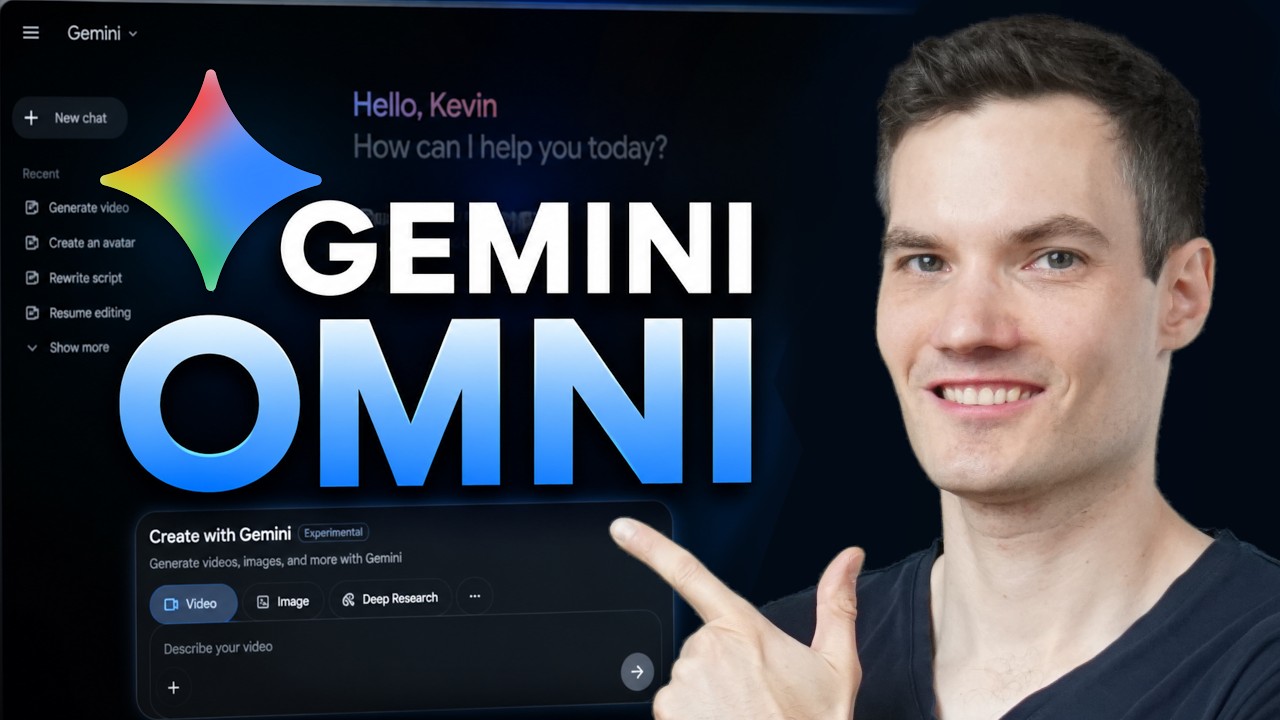
Learn how to use Google's Gemini Omni step by step.
In this tutorial, you'll learn how to create AI-generated videos using Google's latest video generation model. I'll show you how to generate videos from text prompts, edit existing videos with simple instructions, apply visual styles using reference images, create AI avatars, add dialogue and audio, manage your projects, and use Google Flow for larger video productions.
Whether you're new to AI video generation or looking to get more out of Google's latest tools, this guide will walk you through everything you need to know.
In this video:
• Create videos from text prompts
• Edit videos with natural language instructions
• Apply styles using reference images
• Create and use AI avatars
• Generate dialogue and audio
• Organize projects in the library
• Explore Google Flow for advanced workflows
Host: Kevin Stratvert
📚 RESOURCES
- Google Gemini: https://gemini.google.com
- Google Flow: http://flow.google
⌚ TIMESTAMPS
00:00 - How to Use Gemini Omni
00:32 - Access Gemini Omni
00:46 - Generate AI videos from text prompts
01:54 - Edit AI videos with prompts
02:55 - Download and share videos
03:09 - Use reference images for style transfer
03:54 - Create an AI avatar
05:00 - Manage projects in the library
05:21 - Use Google Flow for advanced video creation
05:53 - Final thoughts
📺 RELATED VIDEOS
- Playlist with all my videos on Google Products: https://www.youtube.com/playli....st?list=PLlKpQrBME6x
📩 NEWSLETTER
- Get the latest high-quality tutorial and tips and tricks videos emailed to your inbox each week: https://newsletter.kevinstratvert.com
🔽 CONNECT WITH ME
- Official website: http://www.kevinstratvert.com
- LinkedIn: https://www.linkedin.com/in/kevinstratvert/
- Discord: https://bit.ly/KevinStratvertDiscord
- Twitter: https://twitter.com/kevstrat
- Facebook: https://www.facebook.com/Kevin....-Stratvert-101912218
- TikTok: https://www.tiktok.com/@kevinstratvert
- Instagram: https://www.instagram.com/kevinstratvert/
🎁 PARTNERS & DISCOUNTED OFFERS
💻 Hostinger | https://hostinger.kevinstratvert.com
📋 Notion | https://notion.kevinstratvert.com
💵 Quickbooks Online | https://qbo.kevinstratvert.com
🎙️ Voicemod AI Voice Changer | https://voicemod.kevinstratvert.com
🕵️ VidIQ | http://vidiq.kevinstratvert.com
🎒 MY COURSES
- Go from Excel novice to data analysis ninja in just 2 hours: https://kevinstratvert.thinkific.com/
🎓 TRAINING - Take your skills, or your team’s, to the next level by partnering with us for expert training: https://kevinstratvert.com/training
🙏 REQUEST VIDEOS
https://forms.gle/BDrTNUoxheEoMLGt5
🔔 SUBSCRIBE ON YOUTUBE
https://www.youtube.com/user/k....evlers?sub_confirmat
🙌 SUPPORT THE CHANNEL
- Hit the THANKS button in any video!
- Amazon affiliate link: https://amzn.to/3kCP2yz
⚖ DISCLOSURE
Some links are affiliate links. Purchasing through these links gives me a small commission to support videos on this channel. The price to you is the same.
#stratvert #GeminiOmni #earlyaccess
@GoogleGemini
In this complete beginner's guide, I'll show you everything you need to know about Google Gemini in 2026. Whether you've never used Gemini before or you want to understand all the new features, this tutorial walks you through the entire platform step by step.
My YouTube Film Gear:
🎥 Camera: https://geni.us/B9eb5P
🎙️ Microphone: https://geni.us/QarC
🎤 Audio Interface: https://geni.us/kaosfB
🎧 Headphones: https://geni.us/5mtk
🎤 My Weekly Creator Podcast:
https://geni.us/RiqyRCP
BEST TOOLS FOR CREATORS and ENTREPRENEURS:
🌐Web Hosting and Domains (Hostinger): https://geni.us/p3vg1p
📽️YouTube Optimization (Creative Fuel): https://geni.us/oPCt7Cf
🙋Hire Freelancers and Artists (Fiverr): https://geni.us/h4zMWAP
🎧Podcast Hosting (Libsyn): https://geni.us/TrpwY0
🔗GeniusLink Link Shortener: https://geni.us/fHPAe
🎞️Stock Assets For Creators (Envato): https://geni.us/rlEKkLB
💰E-commerce (Shopify): https://geni.us/m9ctWwe
🎙️Podcast Recording and Editing (Riverside.FM) https://geni.us/PLlt1M
😤 Connect With Me Online:
✉️ Free Weekly Newsletter: https://geni.us/zOm9L
💡 Personal Website: https://www.dustyporter.com/
🧠 Twitter (X): https://twitter.com/DustyPorterYT
📸 Personal Life: https://www.instagram.com/dustyporteryt
🧑🤝🧑 Creator Community Group: https://geni.us/6m57Yg
Disclaimer: The links above may be affiliate links. Using them supports our channel at no extra cost to you. I appreciate your support!
00:00 Welcome to Gemini
00:58 Access and Plans
01:44 Desktop Interface Tour
02:00 First Prompt and Responses
02:59 Models and Voice Input
04:12 Upload Files and Drive
04:58 Photo Editing Nano Banana
06:14 Create Image Music Video
08:09 Chat History and Sharing
09:00 Temporary Chats and Privacy
09:40 Settings Memory and Apps
10:56 Chrome Sidebar and Actions
12:03 NotebookLM and Wrap Up
12:34 Gemini Mobile App Tour
14:13 Mobile Photo Tips and Outro

Google is in its agentic Gemini era. Hear from CEO of Google and Alphabet Sundar Pichai on how Google is customer zero of its own technologies and helping enterprises manage, scale and optimize their agents.
Chapters
0:00 - The Pace of Technological Change
0:45 - Google’s Multi-Billion Dollar AI Investment
1:30 - How Google Uses AI to Generate 75% of New Code
2:15 - Scaling Complex Code Migrations with Agentic Workflows
3:00 - AI in Marketing: 70% Faster Turnaround & Personalized Creative
3:45 - Boosting Cybersecurity with AI Agents
4:30 - Introducing Gemini Enterprise Agent Platform
#googlecloudnext
Google vient de tenir sa conférence annuelle, la Google I/O 2026. Et cette année, une annonce domine tout : Gemini change de dimension. Nouveaux modèles, agent autonome, intégration dans tout l'écosystème Google... On vous décrypte tout en 10 minutes.
📖 LIRE L'ARTICLE COMPLET : https://www.frandroid.com/even....ts/google-io/3103131
SOMMAIRE :
00:00 Gemini va tout changer
00:21 Nouvelle interface
00:33 Gemini 3.5 Flash
01:09 Gemini 3.5 Pro
01:40 Gemini Omni
03:12 Spark : l'agent IA
05:33 Google Search
06:13 Google Shopping
06:46 Google Docs Live
07:19 Prix des abonnements
08:08 Conclusion
À DÉCOUVRIR AUSSI :
• Notre émission tech “Unlock” : https://www.youtube.com/@unlocktalk
• Notre chaîne dédiée à la voiture électrique : https://www.youtube.com/@Survolt%C3%A9s
• Toute l’actu tech : https://www.frandroid.com
SUIVEZ FRANDROID :
• Twitch : https://www.twitch.tv/frandroidlive
• Instagram : https://www.instagram.com/frandroid_off/
• TikTok : https://www.tiktok.com/@frandroid_
• Twitter : https://twitter.com/frandroid
• Discord : https://discord.com/invite/fra....ndroid-3117891721491
• Facebook : https://www.facebook.com/frandroidcom
TRANSPARENCE :
✅ VIDÉO NON SPONSORISÉE
Nous ne sommes pas rémunérés ou sponsorisés par les constructeurs pour vous présenter ces produits. Nos choix de tests et nos avis reposent uniquement sur des critères éditoriaux et journalistiques.
Nous remercions toutefois les marques qui nous fournissent, sans contrepartie financière, certains appareils afin de réaliser nos tests dans les meilleures conditions. Cela nous permet de couvrir plus largement l’actualité et de vous proposer des analyses complètes et fiables. 🙏
👍 Un like si cette vidéo vous a aidé
📝 Vos questions en commentaire
🔔 Abonnez-vous pour ne rien manquer de l’actu tech
Grab The 7 Gemini Power Prompts 👉 https://parker-prompts.com/geminipower
In this video, I show seven Google Gemini 3.1 use cases you can run on the free tier, including turning CSVs into slide decks, building Google Maps travel routes, prototyping apps, creating lead magnet widgets, reviewing sales calls from audio, converting YouTube videos into blog posts, and running full channel audits. I also share the exact prompts for each workflow so you can copy them and test them yourself.
I'm Parker. I started this YouTube Channel with the goal to learn more about AI myself and to then pass on the knowledge to anyone willing to listen.
let's work together: partnerships @ parker-prompts.com

The Nano Banana for video is here! Our Gemini Omni model transforms how you create and edit videos. Omni can create anything from any input, starting with video.
In this video, you'll see how Gemini Omni brings your imagination to life:
- Reimagine reality: Take a simple video (like touching a mirror) and stylize it in unlimited new ways
- Edit with language: Use natural language text prompts over multiple turns to change content by transforming the environment, shifting the camera angle, and beyond. Vibe coding for video editing is here!
- Leverage world knowledge: Generate highly specific, realistic objects for every letter of the alphabet, using Gemini’s world knowledge
🌐 Surface Availability
Gemini Omni Flash is the first model in the Omni series, and it’s rolling out to all Google AI Plus, Pro and Ultra subscribers globally through the Gemini app and Google Flow. It’s also launching in YouTube Shorts and in the YouTube Create App soon, at no cost.
📝 Prompt Guide
To get your creative juices flowing, we built this Gemini Omni prompt guide. Check it out to learn how to create effective prompts and projects with Omni: https://goo.gle/4tKzqfc
Don't forget to like, subscribe, and hit the bell icon to stay up to date with the latest AI updates and feature launches from Google.
#GeminiOmni #GoogleAI #VideoEditing #YouTubeCreators #Gemini #GoogleIO
Subscribe to our Channel: https://www.youtube.com/google
Find us on X: https://twitter.com/google
Watch us on TikTok: https://tiktok.com/@google
Follow us on Instagram: https://www.instagram.com/google
Join us on Facebook: https://www.facebook.com/Google
Watch the Gemini segment from the Google I/O 2026 keynote. Learn about the latest updates to the Gemini app, with the latest Gemini model, new design language and so much more. Google is adding agents to Gemini with Gemini Spark, your 24/7 personal agent that helps you get things done and Daily Brief, our newest out-of-the-box agent that gives you a personalized digest.
Watch the full Google I/O 2026 keynote here: https://youtube.com/live/wYSncx9zLIU
Discover Gemini: https://gemini.google.com/app
0:12 - Compiling Content for an Email
1:23 - Planning a Neighborhood Event
3:34 - Multi-Tasking with Spark
4:42 - Rolling Out Gemini Spark
5:02 - Introducing the Ultra Plan
6:14 - Reviewing Completed Tasks
#GoogleIO #Gemini #GoogleAI
Subscribe to our Channel: https://www.youtube.com/google
Find us on X: https://twitter.com/google
Watch us on TikTok: https://tiktok.com/@google
Follow us on Instagram: https://www.instagram.com/google
Join us on Facebook: https://www.facebook.com/Google

#sponsored If you wanna check it out, Opera Neon is available for $20 a month. Link: https://opr.as/05-Opera-neon-iamaimaster
🧠Stay ahead of the latest Gemini 3.5 update → https://aimaster.me/yt/geminiflash
🎬Generate content with the most advanced AI models → https://aimaster.me/
Gemini 3.5 Flash quietly killed the Pro tier. I ran Google's new model for a week across the Gemini app, AI Studio, and Workspace.
In this 2026 guide I walk through 8 real workflows you can run today: multimodal vision (photo → recipe + shopping list), native video understanding with inline Python charts, 50-page contract analysis with thinking-level toggle, vibe coding a React + Tailwind app from a napkin sketch, voice memo → prioritized task list, error screenshot → fix, JSON structured output from 15 multi-language receipts, and a full Workspace agentic chain (Drive → Docs → Gmail) from one prompt.
⏱ Chapters
00:00 — Google Delayed Gemini 3.5 Pro? The Big Twist
00:22 — How Gemini 3.5 Flash Quietly Killed the Pro Tier
00:42 — Case 1: Multimodal Vision (The Half-Empty Fridge Test)
02:37 — Case 2: Native Video Analysis & Inline Python Charts
05:14 — AI Cost Breakdown: Flash vs Claude vs GPT-5.5
06:45 — Case 3: 50-Page Contract Analysis & The New Thinking Levels
08:09 — Case 4: Vibe Coding an App Directly From a Napkin Sketch
09:19 — Case 5: Turning a Chaotic 2-Minute Voice Memo into a Task List
10:07 — Case 6: Fixing Cryptic Error Messages with Visual Screenshots
10:47 — Case 7: OCR Magic: Parsing 15 Receipts into Clean JSON Natively
11:55 — Case 8: Workspace Agentic Chains (Auto-Linking Drive, Docs & Gmail)
12:56 — Honest Verdict: 3 Hidden Problems Google Isn't Telling You
14:05 — Final Thoughts: Pro Performance at Flash Pricing
#Gemini #GoogleAI #AITools2026
Disclosure: AI Master is our own first-party platform.
Google Gemini is Google’s AI chatbot and it’s available for free to use. It’s the direct competitor to ChatGPT and Microsoft Copilot.
To access it, simply go to https://gemini.google.com/ and log in with your Google account.
In this video, I’ll cover all the useful functions of Gemini as well as some prompting techniques to make it much more useful for day-to-day tasks.
Gemini is a name for two different things. One is the AI chatbot that you use on the website. Gemini is also the name of the technology running this chatbot and it comes in multiple models.
The free version of Gemini uses a model called Gemini Pro and the paid option, called Gemini Advanced uses a model called Gemini Ultra.
You can use Gemini in two ways, with web access or without. Gemini is trained with a large amount of data. So if you want to use it for writing or research on older topics, you can do so without real-time data.
You can turn this option on or off in settings.
To start using Gemini, simply type your prompt. You can start with a question or task.
Here are the top 10 practical prompts for using Gemini.
1 - Writing partner
Research and Content Outlining:
* Prompt: "I'm writing a blog post about [Specific Blog Post Topic]. Find and summarize 3-5 relevant and credible sources on this topic. Based on your findings, create a detailed outline for the blog post structure, including sections for introduction, key points, supporting arguments, and conclusion.
Optimizing for Readability and Engagement:
“I’ve written a draft blog post about [Blog Post Topic]. Analyze the content for readability and suggest improvements to enhance clarity and user engagement. This includes identifying any complex sentences, suggesting alternative phrasing, and incorporating elements like bullet points, images, or internal links."
2 - Email
Crafting Compelling Emails:
* Prompt: "I need to write an email to a potential client about our new [Product/Service]. Briefly explain the benefits of the product for their specific industry, [Client's Industry], and highlight a case study where a similar company saw a [Positive Result] after using our product. Conclude with a call to action to schedule a demo."
Email Finder using Extensions
3 - Research
Researching and Summarizing Market Trends:
* Prompt: "I'm writing a report on the current trends in the [Industry] market. Find and summarize recent industry reports and articles focusing on key trends, challenges, and growth opportunities. Additionally, identify any emerging technologies that could impact the industry in the next few years."
4 - Learning Tool
Deep Dives and Concept Clarification:
* Prompt: "I'm having trouble understanding the concept of [Difficult Concept] in [Subject]. Explain this concept clearly and concisely, breaking it down into simpler terms with relevant examples. Additionally, provide real-world applications of this concept to reinforce my understanding."
5 - Image Detection
Simply upload an image and ask Gemini questions about it.
6 - Grammar and spelling
Proofreading and Refining:
* Prompt: "I've completed my blog post on [Blog Post Topic]. Proofread the entire post for any grammatical errors, typos, or awkward phrasing. Additionally, suggest any stylistic changes to improve the overall tone and voice of the piece."
7 - Travel Advisor
With Google Hotels and Google Flight extensions, you can have Gemini help you plan your travel.
8 - Marketing tool
Brainstorming Creative Marketing Ideas:
* Prompt: "We're launching a new marketing campaign for our [Product/Service]. Our target audience is [Target Audience Description]. Brainstorm creative marketing ideas across different channels, such as social media, email marketing, or content marketing. Focus on ideas that are engaging, informative, and likely to resonate with our target audience."
9 - YouTube Video Summary (Extensions)
With YouTube extension, you can quickly get a summary from any YouTube video.
Master ChatGPT, Gemini, and the top 50 AI tools with Our New AI Education Platform.
Start a free trial Today: https://bit.ly/skillleap-howfinity

This video covers all of the new NotebookLM & Google Gemini features that just silently got released. If you want to learn more about Nano Banana Pro 2, Google Spork 24/7 AI agents and more this video is for you.
Get Started with MyPromptBuddy for free: https://mypromptbuddy.ai/

Download the free AI Gemini Resources: https://clickhubspot.com/346a6e
🚀 Learn how to use AI to grow your business. Access 20+ expert courses & community—free for 7 days: https://bit.ly/skill-leap
Google Gemini is one of the best AI chatbots available today and it can do a lot of different things besides chat. In this video, I’ll walk you through every major Gemini feature, starting with what’s free. Then I’ll show you the paid tools that take it to the next level.
00:00:00 - Intro
00:00:18 - How to access
00:01:24 Comparing free and paid plans
00:01:54 #1 Chat-based Q&A & Writing Assistant
00:03:12 #2 File Uploads & Summarization
00:04:23 #3 Image Analysis
00:05:07 #4 Image Generation
00:05:48 #5 Google Drive Integration
00:06:20 #6 Audio Overview
00:07:44 #7 Gemini 2.5 Pro Model (limited access)
00:08:55 #8 Fact-Checking with Google Search
00:09:55 #9 Sharing and exports
00:10:12 #10 Canvas mode
00:11:30 #11 Deep Research
00:14:08 #12 Gemini Apps
00:15:07 #13 Gems
00:18:05 #14 Paid Gemini 2.5 Pro Access
00:19:14 #15 Massive Context Window
00:20:15 #16 Import code
00:20:32 #17 Github App
00:20:50 #18 Scheduled actions
00:21:42 #19 Higher Daily Limits
00:22:02 #20 Video generation
00:23:59 #21 NotebookLM Pro
00:24:49 #22 AI Mode Upgrade
00:25:35 #23 Whisk
00:26:20 #24Photo-to-Video Animation
00:26:44 #25 Flow
00:27:18 #26 Gemini in Docs and Gmail
Die Google IO hat wieder viele neue Entwicklungen rund um Gemini und KI gebracht - hier sind meine Highlights!
Mein Shop mit dynamischen Hintergrundbildern und Kaffee:
https://kram.store
Instagram: https://www.instagram.com/iknow.mp4
Twitter: https://twitter.com/iKnowReview
TikTok: https://www.tiktok.com/@iknow.mp4
Meist die Hintergrundmusik:
http://bit.ly/1aCoXeI
Oft aber auch:*
https://www.epidemicsound.com/referral/0m1dtg/
*Affiliate Links unterstützen meinen Kanal - der Einkauf kostet für dich genau gleich viel :)

Google just dropped a massive wave of AI updates for the Gemini app, completely overhauling the interface and introducing actual autonomous agents that can run tasks in the background.
In this exclusive interview, I sit down with Jeff Huang, the head of engineering for the Gemini app, to find out exactly how these new features work. We break down everything from the ground-up UI rebuild powered by the "Neural Expressive" design language (and iOS Liquid Glass) to the brand-new underlying engine driving advanced multimodal capabilities: the Omni model.
But the absolute biggest announcement from the engineering team is a brand-new feature called Spark. Jeff explains how Spark fundamentally shifts Gemini from a simple chatbot into a true autonomous assistant that can execute multi-step workflows, handle your "Daily Brief," and run scheduled automations called "heartbeats".
We also take a look at a hidden desktop voice hack that filters out filler words in real time, and look down the road at Google's ultimate North Star: hands-free AI interactions through smart glasses.
Host: Kevin Stratvert
Thank you Google for inviting me to I/O!
📚 RESOURCES
- Google Gemini App: https://gemini.google.com
⌚ TIMESTAMPS
00:00 - Introduction
00:29 - New UI with Neural Expressive design
01:27 - Spark autonomous agents
03:54 - Combine media using the new Omni Model
04:58 - Filter speech in real time with desktop voice hack
06:06 - Preview the North Star of wearable AI glasses
08:05 - Wrap up
📺 RELATED VIDEOS
- How to use Google Gemini AI (Full Tutorial): https://youtu.be/PDMcpthR88U
- Playlist with all my videos on Google Products: https://www.youtube.com/playli....st?list=PLlKpQrBME6x
📩 NEWSLETTER
- Get the latest high-quality tutorial and tips and tricks videos emailed to your inbox each week: https://newsletter.kevinstratvert.com
🔽 CONNECT WITH ME
- Official website: http://www.kevinstratvert.com
- LinkedIn: https://www.linkedin.com/in/kevinstratvert/
- Discord: https://bit.ly/KevinStratvertDiscord
- Twitter: https://twitter.com/kevstrat
- Facebook: https://www.facebook.com/Kevin....-Stratvert-101912218
- TikTok: https://www.tiktok.com/@kevinstratvert
- Instagram: https://www.instagram.com/kevinstratvert/
🎁 PARTNERS & DISCOUNTED OFFERS
💻 Hostinger | https://hostinger.kevinstratvert.com
📋 Notion | https://notion.kevinstratvert.com
💵 Quickbooks Online | https://qbo.kevinstratvert.com
🎙️ Voicemod AI Voice Changer | https://voicemod.kevinstratvert.com
🕵️ VidIQ | http://vidiq.kevinstratvert.com
🎒 MY COURSES
- Go from Excel novice to data analysis ninja in just 2 hours: https://kevinstratvert.thinkific.com/
🎓 TRAINING - Take your skills, or your team’s, to the next level by partnering with us for expert training: https://kevinstratvert.com/training
🙏 REQUEST VIDEOS
https://forms.gle/BDrTNUoxheEoMLGt5
🔔 SUBSCRIBE ON YOUTUBE
https://www.youtube.com/user/k....evlers?sub_confirmat
🙌 SUPPORT THE CHANNEL
- Hit the THANKS button in any video!
- Amazon affiliate link: https://amzn.to/3kCP2yz
⚖ DISCLOSURE
Some links are affiliate links. Purchasing through these links gives me a small commission to support videos on this channel. The price to you is the same.
#stratvert #googleio @Google

✍🏼 In nur 3 Tagen vom BEGINNER zum Gemini-Profi mit dem KI-Deepdive-Workbook:
https://jonaskeil.com/workbook
🔗 Link zu Google Gemini: https://gemini.google.com/app
👉🏻 Du willst mehr als nur die Basics? Im KI-Kompass zeige ich dir, wie du KI systematisch im Job einsetzt. Trag dich in die Warteliste ein: https://jonaskeil.com/warteliste
Gemini ist die neue Top-KI von Google. Gemini kann dich deutlich produktiver machen, und dir jede Menge Arbeit abnehmen. In diesem kostenlosen Gemini Grundkurs zeige ich dir in 5 einfachen Schritten, wie du Gemini einsetzt, um produktiver im Alltag und Job zu sein. Die 5 Schritte bauen auf einander auf, und es ist für jedes Level etwas dabei!
0:00 Gemini richtig nutzen
0:25 Gemini einrichten
0:43 Schritt 1: Absolute Grundlagen
2:00 Was ist ein Chat?
3:04 Schritt 2: Wahrheit & Sicherheit
3:21 Gemini: Fast vs. Pro
5:33 Falschaussagen prüfen
7:21 Internetsuche
11:02 Sicherheit: Die richtigen Einstellungen
12:21 Temporäre Chats
13:53 Dein KI Deepdive Workbook
14:22 Schritt 3: Der Turbo für die Arbeit
14:38 Vorschläge geben lassen
15:19 Dinge vergleichen
16:33 Checklisten erstellen
17:33 Entscheidungen unterstützen
18:24 Tabellen erstellen
19:24 Schritt 4: Erweiterte Gemini Funktionen
19:33 Diktierfunktion
20:24 Dateien hochladen
23:42 Technische Hilfe mit Screenshots
25:53 Automatisierungen mit Gemini
26:55 Bilder erstellen (Nano Banana Pro)
27:56 Schritt 5: Zusammenarbeit mit anderen Google-Apps
28:55 Gemini mit Kalender verbinden
29:47 Gemini mit Gmail verbinden
31:14: Gemini mit Workspace verbinden
32:00 Schluss
==========================
💬 PROMPTS:
Updates zu neuen Richtlinien:
Ich bin Geschäftsführer eines KMU in Deutschland.
Branche: Sanitär, Heizung & Klima (SHK)
Mitarbeiter: 10 (davon 2 Azubis, 1 Büro)
Fokus: Privatkunden (B2C) & Wohnungsbau
Recherchiere im Internet nach aktuellen Gesetzesänderungen, neuen Richtlinien und wichtigen Stichtagen für das laufende und kommende Quartal.
Suche speziell nach Themen in den Bereichen: Personal/Arbeitsrecht, Steuern, Digitalisierung und branchenspezifische Vorschriften.
Erstelle eine simple Checkliste als Tabelle mit den Spalten:
Thema, To-Do, Dringlichkeit (Hoch/Mittel/Info)
Google Workspace Prompt:
@Workspace Durchsuche meine E-Mails, Dokumente und meinen Kalender aus den letzten sechs Monaten. Identifiziere die wichtigsten Projekte, zu denen ich beigetragen habe, ziehe alle quantifizierbaren Ergebnisse heraus wie erreichte Ziele oder eingehaltene Fristen und erstelle einen Entwurf für eine Leistungsbeurteilung, den ich bearbeiten kann.
===========================
📚Das könnte dich auch interessieren:
- 5 Gemini Tricks: https://youtu.be/bk-h-kSmRcQ
- ChatGPT Grundkurs: https://youtu.be/fwHspu6WDDU
- KI-Agenten, einfach erklärt: https://youtu.be/yN2iYWbwFFs
🌟 Lerne #KI in einer Playlist - https://bit.ly/3HQvsiP
🔔 Abonniere um kein weiteres Video zu verpassen: https://www.youtube.com/c/Jona....sKeil?sub_confirmati
============
📢 Link zur Discord-Community: https://discord.gg/wkWe3FvdSu
============
🎉 Wenn dir meine Videos gefallen, unterstütze mich auf Patreon: https://www.patreon.com/JonasKeil
▬✨Über diesen Kanal✨ ▬▬▬▬
Du stehst im Beruf und möchtest KI Lernen, weißt aber nicht wo du anfangen sollst? Dann bist du auf diesem Kanal genau richtig!
Du findest auf diesem Kanal einen Leitfaden, der dir dabei hilft, die Grundlagen von KI wie ChatGPT und Co. Schritt für Schritt zu lernen. Ich weiß, dass das nicht immer leicht ist und gebe mein Bestes, dir das Ganze so gut wie möglich zu erklären :) Viel Spaß!!
Ich schätze dich,
Jonas
#ChatGPT #KI #ai
Learn how to use Google Gemini step by step. In this beginner-friendly tutorial, I’ll show you how to write content, analyze files, create images, organize chats, and use Gemini directly inside Gmail, Docs, Sheets, and other Google apps.
We’ll also look at Canvas, connected apps, notebooks, NotebookLM, image generation, and more so you can get the most out of Google’s AI assistant.
In this video you'll learn how to:
- Use Google Gemini for writing and productivity
- Analyze spreadsheets and documents with AI
- Create and refine content in Canvas
- Generate AI images and media
- Connect Gemini with Google Calendar, Gmail, and Drive
- Organize chats with notebooks and NotebookLM
- Use Gemini directly inside Google apps
If you want to get started with Google Gemini, this tutorial will walk you through everything step by step.
Host: Kevin Stratvert
📚 RESOURCES
- Get Google Gemini: https://gemini.google.com
⌚ TIMESTAMPS
0:00 - Introduction
0:23 - Open Google Gemini
1:52 - Use Canvas
3:36 - Upload and analyze files
4:26 - Connected apps
5:13 - Gemini in Google apps
6:30 - Generate AI images, video and music
7:21 - Find chats and generated content
7:55 - Organize chats with notebooks
9:47 - Wrap up
📺 RELATED VIDEOS
- Playlist with all my videos on Google: https://www.youtube.com/playli....st?list=PLlKpQrBME6x
- How to Use Google Gemini in Gmail: https://youtu.be/RrHSIC7Sey8
📩 NEWSLETTER
- Get the latest high-quality tutorial and tips and tricks videos emailed to your inbox each week: https://newsletter.kevinstratvert.com
🔽 CONNECT WITH ME
- Official website: http://www.kevinstratvert.com
- LinkedIn: https://www.linkedin.com/in/kevinstratvert/
- Discord: https://bit.ly/KevinStratvertDiscord
- Twitter: https://twitter.com/kevstrat
- Facebook: https://www.facebook.com/Kevin....-Stratvert-101912218
- TikTok: https://www.tiktok.com/@kevinstratvert
- Instagram: https://www.instagram.com/kevinstratvert/
🎁 PARTNERS & DISCOUNTED OFFERS
💻 Hostinger | https://hostinger.kevinstratvert.com
📋 Notion | https://notion.kevinstratvert.com
💵 Quickbooks Online | https://qbo.kevinstratvert.com
🎙️ Voicemod AI Voice Changer | https://voicemod.kevinstratvert.com
🕵️ VidIQ | http://vidiq.kevinstratvert.com
🎒 MY COURSES
- Go from Excel novice to data analysis ninja in just 2 hours: https://kevinstratvert.thinkific.com/
🙏 REQUEST VIDEOS
https://forms.gle/BDrTNUoxheEoMLGt5
🔔 SUBSCRIBE ON YOUTUBE
https://www.youtube.com/user/k....evlers?sub_confirmat
🙌 SUPPORT THE CHANNEL
- Hit the THANKS button in any video!
- Amazon affiliate link: https://amzn.to/3kCP2yz
⚖ DISCLOSURE
Some links are affiliate links. Purchasing through these links gives me a small commission to support videos on this channel. The price to you is the same.
#stratvert #google #gemini #earlyaccess

Ever felt like your communication skills are holding you back? Here’s something interesting—you can actually practice English with AI! In this video, I try out Microsoft Copilot to see how it helps improve speaking skills. It’s like having a patient, always-available conversation partner right in your pocket. The more you talk, the better you get. Simple, right? Check it out!
#positivetribe #siddahmed #tribesiddahmed #tribesidd #futureleaders #poweroftoken #opportunityknocks #ailearning #internshipopportunity #youngminds #technologyforfuture #nevergiveup #growthmindset #staycurious #knowledgeispower

คลิปนี้จะพาครูทุกท่านเรียนรู้วิธีใช้ Gemini AI ช่วยสร้างเพลงประกอบการสอน เพื่อเพิ่มความสนุกและช่วยให้นักเรียนจดจำบทเรียนได้ง่ายขึ้น โดยครูสามารถทำได้เอง แม้ไม่มีพื้นฐานด้านดนตรี
📚 ภายในคลิปนี้ ครูจะได้เรียนรู้
Gemini คืออะไร และช่วยแต่งเพลงได้อย่างไร
วิธีพิมพ์คำสั่งให้ AI สร้างเนื้อเพลงเพื่อการสอน
เทคนิคปรับเพลงให้เหมาะกับบทเรียน
แนวทางนำเพลงไปใช้จริงในห้องเรียน
✨ เหมาะสำหรับ
ครูทุกระดับชั้น ผู้สอน และผู้ที่ต้องการสร้างบรรยากาศการเรียนรู้แบบสนุก มีส่วนร่วม และทันสมัย
💡 ดูจบแล้วคุณจะรู้ว่า
“ครูทุกคนก็มีเพลงสอนเป็นของตัวเองได้ ด้วยพลัง AI”
📌 ฝากกดไลก์ กดแชร์ และกดติดตามช่อง
TA Channel : คลังความรู้คู่ครูไทย
เพื่อไม่พลาดเทคนิค AI และนวัตกรรมการสอนสำหรับครูยุคใหม่ครับ 🙏🎶🤖

Using ChatGPT, Gemini, Clipchamp in generating texts and Listening materials for teachers of English
AI Tools
https://clipchamp.com
https://chat.openai.com
https://gemini.google.com/app
Converting tools
For Mac: Audio Converter
For Windows:
Audacity
Total Video converter: https://free-video-to-audio-co....nverter-eg.en.softon
Gemini: The Ultimate Video Summarizing Tool for Teachers and Students
In this video, we introduce you to Gemini, the ultimate video summarizing tool for teachers and students. With Gemini, you can create video summaries quickly and easily, making it an excellent tool for anyone who wants to save time while still providing valuable content. Gemini is perfect for teachers who want to create short and engaging video summaries of their lessons, as well as for students who want to summarize and study their notes more efficiently. With its user-friendly interface and powerful features, Gemini is a must-have tool for anyone who wants to improve their video summarizing skills. So, what are you waiting for? Watch this video and discover how Gemini can help you create video summaries like a pro!
#ai #2ai #googlegemini #googlegaming

এই ভিডিওতে দেখানো হয়েছে কিভাবে Google Gemini ব্যবহার করে AI দিয়ে Handwritten Study Notes তৈরি করা যায় খুব সহজে। Students, teachers এবং competitive exam aspirants দের জন্য এটা একটি game-changer tool
🔥Copy Prompts: https://docs.google.com/docume....nt/d/17xSusXXSUbGH7V
🎁 ৯৯৯ টাকায় AI Course Bundle (FREE BONUS - Digital Marketing Course Bundle)
╰┈➤ https://bongiyo.com/ai
📌 এই ভিডিওতে আপনি শিখবেন:
Google Gemini কী এবং এটা কিভাবে কাজ করে
PDF/ বই / class material থেকে handwritten style notes বানানো
Study notes কে exam-friendly ও revision-ready করার কৌশল
Time বাঁচিয়ে smart study করার best AI method
🎯 Perfect for:
School & College Students
University Exam Preparation
SSC / HSC / Competitive Exam Aspirants
যারা neat & organized handwritten notes চায়
👉 ভিডিওটি ভালো লাগলে Like, Share & Subscribe করুন
📩 আপনার প্রশ্ন কমেন্টে লিখুন — আমি অবশ্যই reply দেবো
