Latest videos

🚁 Create Cinematic Drone Videos WITHOUT a Drone using AI! 🤯
👉🏻 AI Tool: https://gemini.google/overview/video-generation/
👉🏻 Prompts: https://drive.google.com/file/....d/1JmE2jMOc1BrCV9gZ7
In this video, I'll show you how to create stunning cinematic drone shots using just a single image and a simple prompt. No drone, no expensive equipment, and no flying skills required!
We'll be using Google's brand-new AI video model, Gemini Omni, which can transform a static image into a realistic aerial drone-style video in just a few minutes. Whether you're a content creator, filmmaker, video editor, or AI enthusiast, this technique can help you create professional drone footage completely with AI.
You will learn AI video generation as this is a Gemini Omni tutorial explaining how to make drone videos without a drone.
This new AI workflow makes it possible to generate smooth aerial shots, FPV-style movements, cinematic flyovers, and professional-looking drone footage without ever touching a real drone.
If you're interested in AI video generation, Google Gemini AI, cinematic AI videos, AI filmmaking, AI content creation, and the latest AI tools, this tutorial is for you.
👇 Let me know in the comments:
What kind of AI drone shot would you create first?
#AIDroneVideo #GeminiOmni #GoogleGemini
Music : Epidemic Sound : https://share.epidemicsound.com/3qnmDP
SFX: Multiple Sources
🙏Huge thanks to all the Creative Artists for the inspiration and also for the Stocks 😊
✅Follow me on Instagram
https://www.instagram.com/rajp....hotoeditingmuchmore/
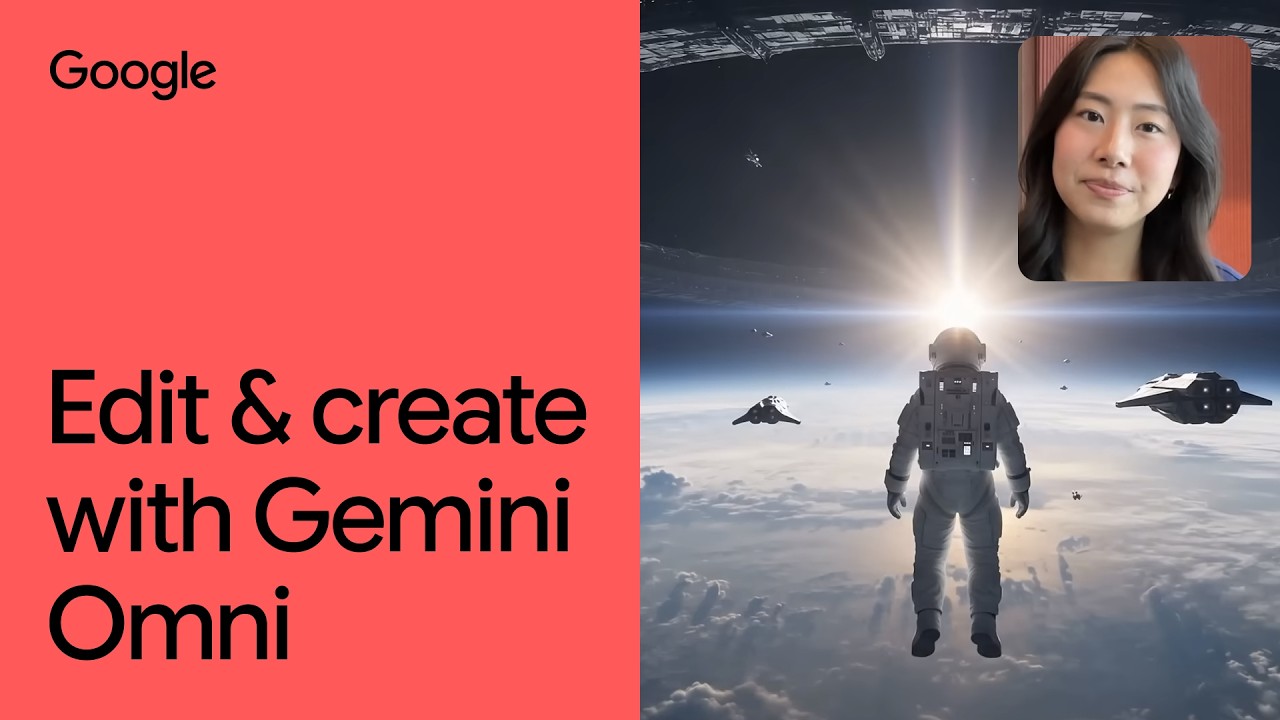
Our Gemini Omni model will transform your existing content into something extraordinary. With just your imagination and natural language, Omni can create anything from any input, starting with video.
In this video, you'll see how Gemini Omni can:
Maintain visual consistency: Watch how Omni transforms a simple biking video while keeping the original footage and lighting consistent.
Reasoning in action: Omni analyzes a skateboarding clip and perfectly times effects when the skater lands a trick, without having to be directed to
Apply real-world physics: Discover how the model adds a realistic, interactive glass orb to a video of a moving hand, accurately rendering lighting, checkerboard reflections, and physics
📝 Prompt Guide
We built this Gemini Omni prompt guide to help you get started on your next masterpiece. Check it out: https://bit.ly/3RWWLNi
Don't forget to like, subscribe, and hit the bell icon to stay up to date with the latest AI updates and feature launches from Google.
🌐 Surface Availability
Gemini Omni Flash is the first model in the Omni series, and it’s rolling out to all Google AI Plus, Pro and Ultra subscribers globally through the Gemini app and Google Flow. It’s also launching in YouTube Shorts and in the YouTube Create App soon, at no cost.
#GeminiOmni #GoogleAI #GoogleGemini #VideoEditing
Subscribe to our Channel: https://www.youtube.com/google
Find us on X: https://twitter.com/google
Watch us on TikTok: https://tiktok.com/@google
Follow us on Instagram: https://www.instagram.com/google
Join us on Facebook: https://www.facebook.com/Google

👉 Grab your free seat to the 2-Day Claude-A-Thon: https://links.outskill.com/ROBAG
🔐 Free for the first 1000 people
💥 Dive deep into Claude, Automations,Making videos & images – all for free!
🎁 Bonuses worth $5100+ if you join and attend
This video walks you through Google Gemini’s latest updates from Google I/O 2026. It covers Google Spark 24/7 AI Agents, Google’s new Omni model, Gemini 3.5 Flash and more!
Want to make money and save time with AI? Join here: https://www.skool.com/ai-profit-lab-7462/about
Video notes + links to the tools 👉 https://www.skool.com/ai-profit-lab-7462/about
Get a FREE AI Course + Community + 1,000 AI Agents 👉 https://www.skool.com/ai-seo-w....ith-julian-goldie-15
Get a FREE AI SEO Strategy Session → https://go.juliangoldie.com/st....rategy-session?utm=j
Get 200+ Free AI SEO Prompts → https://go.juliangoldie.com/chat-gpt-prompts
Google Gemini Update: How This New AI Changes Your Phone Forever
Google just launched Gemini Intelligence, a proactive AI update that transforms your phone from a passive tool into an assistant that thinks ahead of you. Learn how on-device processing, context awareness, and cross-app actions are putting Google miles ahead of the competition.
00:00 - Intro: The New Gemini Update
00:32 - How Proactive AI Works
01:22 - Why It Matters for Business
02:05 - On-Device Processing & Speed
02:59 - Cross-App Actions Explained
03:53 - AI Memory & Natural Voice
05:28 - Google vs. Apple Intelligence
06:38 - Privacy & Data Security

Get the Gemini Masterclass : https://www.skool.com/ai-profit-lab-7462/about
Want to make money and save time with AI? Join here: https://www.skool.com/ai-profit-lab-7462/about
Video notes + links to the tools 👉 https://www.skool.com/ai-profit-lab-7462/about
Get a FREE AI Course + Community + 1,000 AI Agents 👉 https://www.skool.com/ai-seo-w....ith-julian-goldie-15
Get a FREE AI SEO Strategy Session → https://go.juliangoldie.com/st....rategy-session?utm=j
Get 200+ Free AI SEO Prompts → https://go.juliangoldie.com/chat-gpt-prompts
NEW Google Gemini Update: This Thinking Mode Changes Everything!
Google just dropped a massive Gemini update featuring a brand-new look and a game-changing 'Thinking Selector' for deeper AI reasoning. Discover how these new features turn Gemini into a professional AI workspace and how to leverage them to save hours of work.
00:00 - Intro: The Insane Gemini Update
00:36 - The New Gemini Design & UI
01:54 - How the Thinking Selector Works
02:29 - Profit Boardroom Examples of New Thinking Mode
03:59 - The Hidden Usage Limits Tab
04:49 - Gemini Integration Everywhere
06:28 - My Final Take on Gemini's Future
Nutze Google Gemini nicht, bevor du dieses Video gesehen hast! Denn hier geht es nicht nur um neue Funktionen oder Modelle – sondern darum, wie du Google Gemini richtig nutzen kannst, um dauerhaft produktiv zu arbeiten.
Wir zeigen dir klare, praxiserprobte Workflows, die unabhängig von Updates oder neuen Releases funktionieren. Wir schauen auf die wichtigsten Gemini Workflows & Use Cases und du erfährst, wie du Google Gemini nutzen kannst, um echte Ergebnisse zu erzielen, statt dich in Funktionen zu verlieren (Google Gemini Anleitung Deutsch).
Du hast ein Unternehmen, willst den Anschluss in dieser KI-Revolution nicht verpassen und dir einen Wettbewerbsvorteil sichern? Als Marktführer installieren wir individuelle KI-Lösungen in deinem Unternehmen, die WIRKLICH Umsatz bringen und ganze Stellen einsparen. Sichere dir hier kostenfrei ein persönliches Analysegespräch: https://www.kiberatung.de/?utm_source=kiberatung.de&utm_medium=YouTube&utm_campaign=Beschreibung&utm_content=Everlast%20AI
Jetzt marktführenden KI-Telefonassistenten installieren: https://www.kiberatung.de/ki-telefonassistent/?utm_source=kiberatung.de/ki-telefonassistent&utm_medium=YouTube&utm_campaign=Beschreibung
Werde Teil der KI-CHAMPIONS Community für konkrete Kurse zu KI Use Cases für die Praxis, individuellen Live-Calls mit führenden KI-Experten, um von dieser KI-Revolution zu profitieren: https://www.kiberatung.de/ki-champions
Du bist Arbeitssuchend oder Arbeitnehmer und willst durch Fähigkeiten im zukunftssicheren Bereich der AI-Automations deine Karrierechancen steigern? Oder du bist Unternehmer und willst deine Mitarbeiter schulen lassen? Dann bewirb dich auf unsere zertifizierte AI-Automations-Manager Ausbildung: https://aiautomationsmanager.de (Warteliste)
Kostenlose KI-Reports sichern: https://www.kiberatung.de/kostenlose-reports
Du willst dich selbstständig machen mit AI Automations und eine KI-Agentur aufbauen? Dann sichere dir hier kostenfrei ein persönliches Potentialgespräch: https://aiagentur.de
Wir stellen KI-Entwickler ein: https://everlastkarriere.de/
_____________________________
Wir bei Everlast AI sorgen für mehr Umsatz – mit weniger Arbeit. Mit einem messerscharfen Automatisierungs-Fokus, einer Passion für digitalisierte Geschäftsprozesse und der Implementierung von Künstlicher Intelligenz im Unternehmen, haben wir die letzten Jahre einen neuen Branchenstandard zementiert. Als digitale Beratungsagentur sind wir stolz darauf, uns als Marktführer in Sachen KI für KMU und Großunternehmen etabliert zu haben. Wir vereinen die holistische Unternehmensberatung, um nur an den wirklich wichtigen Dingen zu arbeiten, sowie die Implementierung von KI-Prozessen (Done-For-You) durch unser Team an KI-Entwicklern, sodass Du Zeit und Kosten sparst. Als zugelassener Bildungsträger schulen wir zudem alle Stakeholder, Mitarbeiter und KI-Enthusiasten, sodass das Wissen zu 100% Inhouse bei Dir gesichert ist.
_____________________________
Du willst immer auf dem neuesten Stand in dieser KI-Revolution bleiben und dir nur das Wissen aneignen, welches dir wirklich einen Nutzen bringt? Dann folge uns als Marktführer auf diesem YouTube-Kanal: https://youtube.com/@everlastai?sub_confirmation=1
_____________________________
Du bist Vertriebler und suchst eine neue Herausforderung? Schreib uns auf WhatsApp: http://go.everlastkarriere.de/whatsapp
_____________________________
Noch mehr MEHRWERT von uns:
YouTube AI im Marketing: @ki-bubble - https://www.youtube.com/channe....l/UC6Y1kbmjgVozhs41n
Instagram: @derleomartin - https://www.instagram.com/derleomartin
LinkedIn: https://www.linkedin.com/in/le....onard-martin-schmedd
X (Twitter): @derleomartin - https://x.com/derleomartin
00:00:00 - Intro
00:01:13 - Modell-Auswahl
00:01:45 - Faktencheck
00:03:50 - Bild-Erstellung
00:04:50 - Quiz-Erstellung
00:05:41 - Interaktives Spiel
00:06:36 - Datei-Analyse
00:07:33 - Nahtlose Integration
00:08:50 - App Verlinkung
00:09:44 - Tasks-Funktion
00:10:46 - Zugriff auf Gmail
00:11:35 - Gemini Assistent in Gmail & Docs
00:13:34 - Dokumenten-Anfragen
00:14:28 - Gemini in Sheets
00:15:23 - Gemini in Drive
00:18:00 - Fazit und Outro
#künstlicheintelligenz

Google just dropped a wild new AI video model that lets you insert yourself into any scene you can imagine. And it's available right inside Gemini.
Rolling out today for Pro and Ultra users globally in the Gemini app and in Flow.
Thank you Google for inviting me to IO. #Geminiearlyaccess
This video is not sponsored.

Get Started with MyPromptBuddy for free: https://mypromptbuddy.ai/
This video covers Gemini's new Desktop app for Mac, Gemini's new TTS model, an upgrade to AI studio's vibe coding experience and more. If you want to get the most out of Google Gemini and learn how to use Google Gemini like a pro this video is for you.

So nutzt du Google Gemini: In diesem Video zeige ich dir, warum Google Gemini viel mehr kann, als die meisten denken. Du erfährst anhand konkreter Beispiele, wie du mit der KI im Alltag extrem viel Zeit sparen kannst. Ich erkläre dir, wie Google Gemini mit Gmail und dem Google Workspace zusammenarbeitet und dir hilft, E-Mails zu sortieren und Informationen schneller zu finden. Außerdem siehst du, wie du mit Gemini automatisch To-Do-Listen und Einkaufslisten erstellst. An praktischen Beispielen lernst du, wie Rezepte, Content-Pläne und Aufgaben direkt in Google Tasks gespeichert werden. Ich zeige dir auch, wie wiederkehrende Aufgaben und tägliche Inhalte automatisch von der KI erstellt werden. Ein weiteres Highlight ist die Nutzung von Google Gemini als persönlicher Assistent auf dem Smartphone. Du lernst, wie Bildschirmfreigabe und Kamera-Funktionen dir bei Content, Technikfragen und Einkäufen helfen. Zusätzlich erfährst du, wie Gemini Reels analysiert und konkrete Verbesserungsvorschläge gibt. Das Video zeigt außerdem, wie Videos transkribiert, Lernkarten und Quiz erstellt und Inhalte in Skripte umgewandelt werden. So bekommst du einen umfassenden Überblick über die vielseitigen Möglichkeiten von Google Gemini im Alltag und im Business.
00:00 Google Gemini nutzen
00:46 So sparst du Zeit mit Google Gemini
01:53 Google Gemini erstellt deine To Do Listen
03:29 Wiederkehrende Aufgaben in Google Gemini einrichten
05:25 Google Gemini Live nutzen
07:24 Du brauchst keinen Social Media Coach mehr
08:03 Audio und Video-Dateien transkribieren
08:21 Verstecke Funktionen in Google Gemini
09:15 So wandelt die KI Informationen um in Skripte für Social Media Content
09:48 Google Gemini YouTube Trick
10:38 Google Gemini wandelt Infografiken in animierte Videos um
Hier findest du Hilfe, wenn die Anbindung zu Workspace nicht funktioniert:
https://support.google.com/mail/answer/14199860?hl=de&co=GENIE.Platform%3DAndroid
(unbezahlte Werbung)
Du findest mich auch hier:
✔️ Instagram: https://www.instagram.com/feliciasimon._/
✔️ TikTok: https://www.tiktok.com/@feliciasimon_
✔️ LinkedIn: https://www.linkedin.com/in/felicia-simon/
✔️ Facebook: https://www.facebook.com/feliciasimon.marketing
✔️ Blog: https://feliciasimon.de/instagram
✔️ Newsletter (kein Spam, versprochen! Es gibt ein kurzes Update jeden Monat): https://feliciasimon.de/newsletter/ ✍️
✉️ E-Mail nur für Business-Anfragen: hello@feliciasimon.com
(Du verstehst bestimmt, dass ich keinen Support per Mail geben kann und Fragen auf diesem Weg nicht beantwortet werden.)
PS: Ich gebe Social Media Marketing Trainings und Workshops für Unternehmen. Wenn du Lust auf einen Workshop hast, dann melde dich gerne per Mail:
👉 hello@feliciasimon.com
(Du verstehst bestimmt, dass ich keinen Support per Mail geben kann und Fragen auf diesem Weg können leider nicht beantwortet werden.)
Want to make money and save time with AI? Join here: https://www.skool.com/ai-profit-lab-7462/about
Video notes + links to the tools 👉 https://www.skool.com/ai-profit-lab-7462/about
Get a FREE AI Course + Community + 1,000 AI Agents 👉 https://www.skool.com/ai-seo-w....ith-julian-goldie-15
Get a FREE AI SEO Strategy Session → https://go.juliangoldie.com/st....rategy-session?utm=j
Get 200+ Free AI SEO Prompts → https://go.juliangoldie.com/chat-gpt-prompts
Google Gemini’s Insane New Updates: 6 Features You Must Try!
Google just revolutionized Gemini with six major updates that transform it from a chatbot into a complete AI operating system. Learn how to generate full songs, create personalized AI images, and integrate your digital life into a powerful second brain.
00:00 - Intro: Gemini’s New Evolution
00:45 - Notebook Integration & Research
01:32 - Personalized Image Generation
02:42 - Your AI Second Brain
04:21 - AI Music Generation: LIA 3 Pro
05:25 - The Native Mac App Upgrade
05:59 - Interactive Visual Learning
06:33 - Gemini: The AI Operating System


Google just wrapped one of its biggest keynotes of the year Google I/O 2026 and the company is all in on AI. Announcements included a new family of their Gemini 3.5 AI model which will add personalized AI in a whole suite of systems. Starting today, Gemini 3.5 Flash will be the default model for the Gemini app and AI Mode in Search and agent-first coding. Alongside Gemini 3.5, Google is launching Gemini Omni, a new AI generation tool which the company says can “create anything with any input” and Gemini Spark which is a new 24/7 AI agent that can write emails, create study guides and look out for fees. Plus, an updated look at its Project Aura smart glasses. Here’s everything you missed.
The Vergecast Google I/O reactions: https://youtube.com/live/aG1JQRlfS4I
Google Beam hands-on: https://youtu.be/aBCH2-PkO-g
0:00 Welcome
0:22 Ask Maps & Ask YouTube
1:42 Docs Live
3:34 Gemini Omni
5:25 C2PA Content Certification
6:32 SynthID partnerships
6:55 Gemini 3.5 Flash
7:55 Google Antigravity
9:15 It Runs Doom
10:25 Gemini Spark
11:23 Spark Demo
13:25 Intelligent Search Box
13:48 AI Search
14:25 Agentic Search
15:26 Generative AI in Search
16:46 Universal Cart
17:40 Neural Expressive
19:02 Gemini Omni
20:12 Daily Brief
21:57 Gemini Mac Voice Mode
24:06 Google Pics
25:08 Google Flow Updates
27:16 Google Flow Music
28:33 Audio Glasses
29:24 Audio Glasses Demo
30:57 Daily Affirmations
31:24 Glasses + Watch Demo
32:20 AGI is on on the horizon
33:18 Gemini For Science
Subscribe: http://goo.gl/G5RXGs
Like The Verge on Facebook: https://goo.gl/2P1aGc
Follow on Twitter: https://goo.gl/XTWX61
Follow on Instagram: https://goo.gl/7ZeLv
Watch The Vergecast on YouTube: https://bit.ly/40RFRkg
The Vergecast Podcast: https://bit.ly/3WQDexZ
Decoder with Nilay Patel: http://apple.co/3v29nDc
More about our podcasts: https://www.theverge.com/podcasts
Read More: http://www.theverge.com
Community guidelines: http://bit.ly/2D0hlAv
Wallpapers from The Verge: https://bit.ly/2xQXYJr
Shop our Verge merch store here: https://bit.ly/4kPCmEc
Subscribe to The Verge: https://bit.ly/3FT6n5S
Subscribe to The Vergecast on YouTube, new episodes on Tuesday and Friday: https://bit.ly/3I6nJtz
If you buy something from a Verge link, Vox Media may receive a commission without exerting any influence on editorial content. For more information about our ethics policy, visit: https://bit.ly/3ZWTlLs
Google’s Gemini AI refused to play a game of chess against a 1977 Atari video game console after hearing how badly it beat Chat GPT and Copilot

👥 Werde KI-Anwendungsprofi! Gehe jetzt auf unsere Website und lasse dich von uns kostenlos beraten.
👉 https://www.akademie-fuer-ki.de/?utm_...
In diesem Video zeige ich dir 10 wertvolle Tipps für Google Gemini, die dich vom Anfänger zum Profi machen. Du erhältst Tricks und Einblicke, um deine Fähigkeiten auf die nächste Stufe zu heben. Perfekt für alle, die mehr aus ihren Google Gemini-Erfahrungen herausholen möchten.
Zu Gemini: https://gemini.google.com/
Nano Banana Tutorial: https://youtu.be/wv8cDMHv66c
00:00 | Intro
00:55 | Tipp 1
07:06 | Tipp 2
09:10 | Tipp 3
12:04 | Tipp 4
14:01 | Tipp 5
16:28 | Tipp 6
17:25 | Tipp 7
18:10 | Tipp 8
18:49 | Tipp 9
19:46 | Tipp 10
21:18 | Fazit
___Unsere Weiterbildung___
🚀 Mach dich jetzt KI-Fit – mit der Akademie für KI!
Du willst KI endlich richtig verstehen und produktiv im Job & Alltag einsetzen? Dann bist du bei uns genau richtig.
Mit Videotutorials, praxisnahen Projekten und intensiver Begleitung in Live Calls durch unsere KI-Experten wirst du Schritt für Schritt zum gefragten KI-Anwendungsprofi.
👉 Informiere dich jetzt auf: https://www.akademie-fuer-ki.de/?utm_source=youtube&utm_medium=social&utm_content=weiterbildung

A few days ago, I conducted a simple experiment. I scribbled a chaotic drone path over a map, fed it into Google’s newly released Gemini Omni model, and asked it to simulate a first-person drone view following that exact trajectory. What happened next completely broke AI Twitter.
Creators across the US, China, and the global AI community took this "scribble-to-video" concept and turned it into the ultimate stress test, pitting Google’s new foundational model against ByteDance’s powerful Seedance 2.0.
In this video, we are looking at the wildest community iterations, analyzing the results, and diving deep into the technical architecture. We aren't just looking at pretty pixels anymore. Models like Gemini Omni and Seedance 2.0 aren't text-to-video generators; they are natively multimodal, spatial world simulators that understand the physics of lighting, gravity, and structural depth.
00:00 I Accidentally Started an AI Video Trend
01:08 How Google Omni Actually Works
02:55 The Craziest Community Experiments
06:12 Spatial RAG & The Future of Street View
07:05 Google Omni vs. Seedance
07:37 Why Omni is an After Effects Killer
10:26 The Endgame: Volumetric 3D Video
12:04 Natively Multimodal AI Changes Everything
#GoogleOmni #Seedance #AIVideo #GoogleEarth #ArtificialIntelligence
Become a member to support the channel:
https://www.youtube.com/channe....l/UC7bGK0A1weWfNaRfO
Vous pouvez retrouvez l’iPhone 16 128 GO avec notre partenaire PcComponentes ! 👉 https://shop.frandroid.com/pccyt1p16
Si vous souhaitez configurer votre PC Gaming de A à Z, le configurateur PcComponentes est fait pour vous 👉 https://shop.frandroid.com/pccyt1config
Gemini ne se contente plus de discuter : il agit, remplit des formulaires et crée même des widgets à la volée. En plus d'arriver sur Android 17, Google annonce également une nouvelle gamme d'ordinateurs, les Google Books.
👉 Comment Google veut automatiser votre vie sur Android :
• https://www.frandroid.com/cult....ure-tech/intelligenc
🔥 LES MEILLEURS SMARTPHONES : https://www.frandroid.com/guid....e-dachat/smartphones
SOMMAIRE :
00:00 Gemini plus fort que jamais
00:21 Notre partenaire PcComponentes !
01:29 Google Gemini a bien progressé
02:10 Gemini partout dans votre smartphone
05:20 Gemini dans votre voiture
06:59 Nouveaux PC Google Books
10:42 Une VRAIE révolution ?
À DÉCOUVRIR AUSSI :
• Notre émission tech “Unlock” : https://www.youtube.com/@unlocktalk
• Notre chaîne dédiée à la voiture électrique : https://www.youtube.com/@Survolt%C3%A9s
• Toute l’actu tech : https://www.frandroid.com
SUIVEZ FRANDROID :
• Twitch : https://www.twitch.tv/frandroidlive
• Instagram : https://www.instagram.com/frandroid_off/
• TikTok : https://www.tiktok.com/@frandroid_
• Twitter : https://twitter.com/frandroid
• Discord : https://discord.com/invite/fra....ndroid-3117891721491
• Facebook : https://www.facebook.com/frandroidcom
TRANSPARENCE :
🤝 VIDÉO SPONSORISÉE
Cette vidéo est réalisée en partenariat avec PcComponentes. Merci à eux de soutenir Frandroid. Certains liens peuvent être affiliés : cela ne change rien pour vous mais ça nous aide à financer nos contenus et rester indépendants.
👍 Un like si cette vidéo vous a aidé
📝 Vos questions en commentaire
🔔 Abonnez-vous pour ne rien manquer de l’actu tech

Interested in getting credit for this lesson? Take the full AI Boost Bootcamp course on Google Skills and earn your badge → https://goo.gle/4ccw2mH
Go from AI basics to advanced proficiency in under 50 minutes with AI Boost Bootcamp. Based on Google’s own proven internal training, this course empowers you to master Gemini at work across Google Workspace and Gemini Enterprise.
In Lesson 1, we’ll orient you across Google’s AI ecosystem—from Workspace and NotebookLM to the Gemini app and Gemini Enterprise—before mastering the Art of Prompting using the four essential pillars (Persona, Task, Format, and Context).
🕒 Timestamps:
0:00 – Welcome: Course introduction
1:28 – Product overview: Where to find Gemini in Workspace, NotebookLM, Gemini App, Gemini Enterprise.
3:56 – The agentic workplace: Intro to Gemini Enterprise and AI agents.
4:52 – AI prompting essentials: Master the PTFC framework (Persona, Task, Format, Context) to get high-quality results.
6:50 – Recap: A summary of fundamentals and Lesson 2.
What is Google Workspace → https://goo.gle/45BsE1W
Set up Google Workspace → https://goo.gle/4q8r3t1
Subscribe to Google Workspace → https://goo.gle/GoogleWorkspace
Try Google Workspace with Gemini → https://goo.gle/45FrVNh
Follow Google Workspace on X → https://goo.gle/3YpmHS0
Follow Google Workspace on Facebook → https://goo.gle/4q8cZja
Follow Google Workspace on LinkedIn → https://goo.gle/49Eqjpw
Follow Google Workspace on Instagram → https://goo.gle/44Xs4eL
Follow Google Workspace on TikTok → https://goo.gle/4qijGio
Follow Google Workspace on Threads → https://goo.gle/4so5XYS
#GoogleWorkspace
#GoogleWorkspaceWithGemini

00:00 Вступление
01:01 Диалоговое редактирование
04:17 Цифровой аватар
07:23 Полная перерисовка фона
10:03 Встроенные знания
13:45 SynthID — ВАЖНЫЙ МОМЕНТ
15:05 Возможности Gemini Omni
Показываю, что умеет новая модель Google — Gemini Omni. Берете готовое видео, снятое на телефон, и меняете в нём что угодно одной фразой в чате. Без монтажа, программ, масок и слоёв. Заменить объект, переодеть человека, перенести съёмку в другое место. Разобрал четыре сценария на живых примерах. А в конце расскажу про один момент, который важно знать, прежде чем использовать это в работе.
🎃 Save 75% on Hostinger to build your website using AI: https://www.hostinger.com/charliechang
^ use code CHARLIECHANG for an additional 10% off! (Limited time offer)
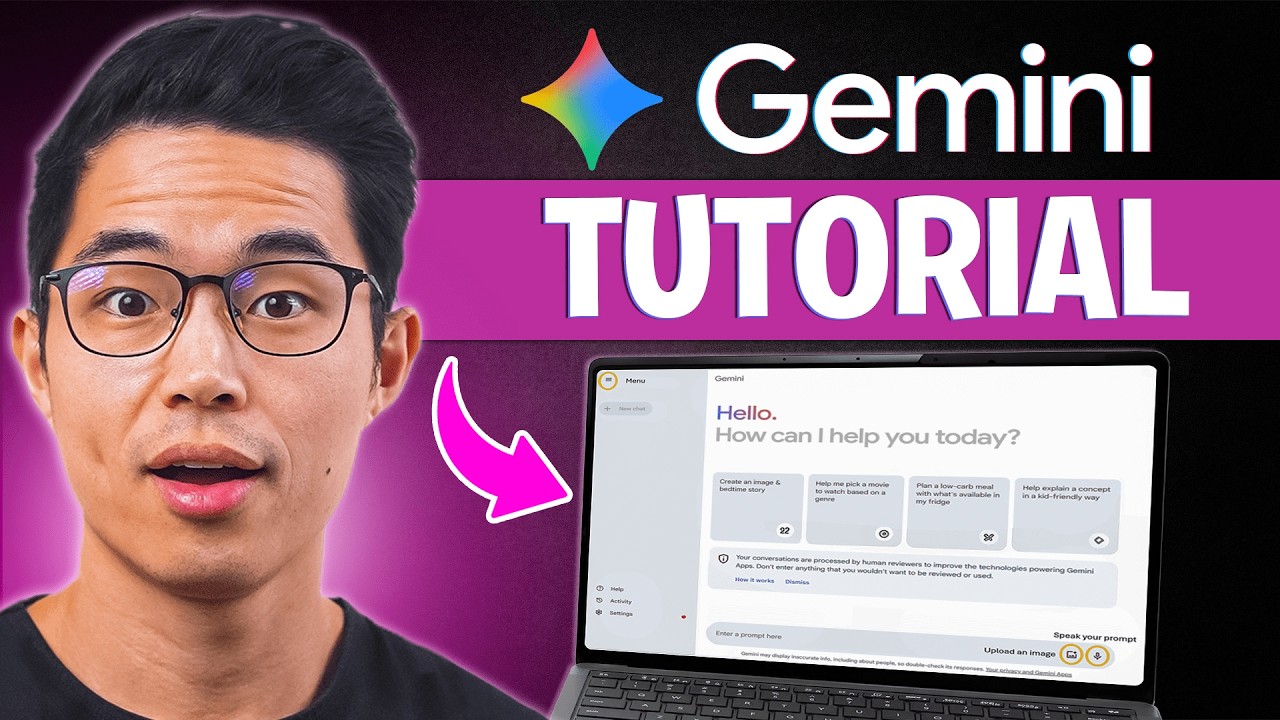
In this video, I go over everything you need to know about Google Gemini, from how to get started as a beginner to using their advanced AI features like research mode, canvas, image generation, and seamless integration with Google Docs, Gmail, Sheets, and more. Gemini AI is such an amazing tool because it not only works like ChatGPT but also connects directly with your Google workspace account, making it one of the most practical AI tools you can use every day. We’ll be diving into free vs. paid plans, the Flash vs. Pro models, and real use cases that will actually save you time and money.
► Get access to my FREE side hustle courses:
https://www.sidehustlemastery.com
My favorite finance + business products:
💳 My favorite credit cards: https://yourbestcreditcards.co....m/card-finder/?ccid=
🏦 Favorite online savings accounts: https://bit.ly/top-hysa-2026
📈 Get a bonus with WeBull Investing: https://bit.ly/webull-bonus
🖥️ Best AI website builder (Less than $3/month using code CHARLIECHANG): https://hostinger.com/charliechang
🥇 Hire the top 1% of overseas talent: https://paired.so
► Join my FREE newsletter:
https://buildabetterbusiness.co/subscribe
Be sure to watch this video until the end because I’ll walk you through how to use Gemini like a pro and show you the exact features that make it stand out from other AI tools. I highly recommend treating Gemini like your personal assistant and the smartest person in the world. You can use it to draft emails, summarize PDFs, research faster, and even create content inside Docs and Sheets. Once you learn the best ways to apply it, you’ll realize Gemini can do the heavy lifting for almost any task and save you hours every week.
Yes, watching this tutorial will give you a solid understanding of Google Gemini, but the best way to learn is by actually trying it yourself. So, visit Gemini, test its features, and start incorporating them into your daily workflow. The more you use it, the faster you’ll see how powerful it really is. Gemini is not just another AI, it’s a complete AI platform that integrates directly into the apps you already use, making it perfect for students, professionals, and creators.
If you want to see more AI videos like this, check out my other videos:
10 Ways to Use ChatGPT So Well It Feels Illegal (Tutorial)
https://www.youtube.com/watch?v=Jg09XvHGHiQ
n8n Tutorial for Beginners: How to Build AI Automations for FREE (Step-by-Step):
http://www.youtube.com/watch?v=Fy1UCBcgF2o
I hope you guys found this video helpful, and if you did, please SHARE it with a friend or family member who you think could benefit and also LIKE and subscribe for more videos like this in the future!
Thank you for watching, and I hope you have a wonderful rest of your day!
– Charlie
#Gemini #Tutorial #AI
Timeline:
0:00 - Introduction
0:29 - Google Gemini Main Page Walkthrough
1:44 - What Can Google Gemini Do? (Basic Features Explained)
2:54 - How to Use Gemini for Deep Research (Step-by-Step)
6:06 - Gemini Canvas Mode Tutorial for Beginners
6:42 - Google Gemini Image Generation Made Easy
7:26 - Uploading and Using Files in Google Gemini
9:17 - How to Use Google Apps Inside Gemini (Docs, Drive, etc.)
10:14 - What Are Gems in Google Gemini? (Beginner's Guide)
12:02 - How to Use Google Gemini on Your Phone
13:29 - Google Gemini Paid Plan Features Explained
15:05 - How to Use Gemini in Gmail for Writing Emails
16:00 - Google Gemini in Google Docs Tutorial
17:02 - Final Thoughts
Disclaimer: Some of the links above may be affiliate links, which means that if you click on them, I may receive a small commission. The retailers and financial services companies pay the commission at no cost to you, and this helps to support our channel and keep our videos free. Thank you!
In addition, I am not a financial advisor. Charlie Chang does not provide tax, legal or accounting advice. The ideas presented in this video are for entertainment purposes only. Please do your own due diligence before making any financial decisions.
► My Instagram: https://www.instagram.com/charlie__chang/

Google AI has three subscription tiers for Gemini, Free, Pro and Ultra. But which one is actually worth your money—and is the $250 Ultra plan just overkill for most people?
0:00 Intro
0:38 Free Plan
2:28 Models
4:28 Context Size
5:28 Tools
8:26 DeepThink & Agent
9:38 Scheduled Actions
10:15 NotebookLM
11:05 Google Docs
11:22 Flow & Whisk
12:38 Priority Access
13:43 Gmail
14:19 Google Search
14:49 Storage
15:10 Free vs Pro
16:51 Pro vs Ultra
10:30 NotebookLM Course Card

✅ Get 40% off 3 months of Coursera Plus: https://imp.i384100.net/c/2464514/3102764/14726
The sheer volume of updates in #Gemini 3.0 is overwhelming, but not every feature deserves your attention. After a month of testing the model with real-world workflows, I have narrowed down the five specific changes that actually impact professional productivity.
This breakdown covers how to use improved multimodal understanding to turn video into documentation, leveraging generative interfaces for dynamic data analysis, and why context engineering is replacing prompt engineering for reliable outputs.
*TIMESTAMPS*
00:00 How to use Google Gemini in 2026
00:21 Improved Multimodal Understanding
02:09 Better Use of Large Documents
04:28 Enhanced Workspace Search
07:03 Generative Interfaces
10:11 Better Intent Understanding
12:00 Bonus Tip!
*RESOURCES MENTIONED*
💪🏻 Google’s new People Management Course: https://imp.i384100.net/YR522K
🤖 Essential Power Prompts: https://www.notion.com/templat....es/essential-power-p
🦾 AI Systems Academy - https://systemsacademy.ai/?utm_source=youtube&utm_medium=video&utm_campaign=195
*BUILD A POWERFUL WORKFLOW*
📈 The Workspace Academy - https://academy.jeffsu.org/workspace-academy?utm_source=youtube&utm_medium=video&utm_campaign=XXX
✍️ My Notion Command Center - https://www.pressplay.cc/link/s/DE1C4C50
*BE MY FRIEND:*
📧 Subscribe to my newsletter - https://www.jeffsu.org/newsletter/?utm_source=youtube&utm_medium=video&utm_campaign=description
📸 Instagram - https://instagram.com/j.sushie
🤝 LinkedIn - https://www.linkedin.com/in/jsu05/
*MY FAVORITE GEAR*
🎬 My YouTube Gear - https://www.jeffsu.org/yt-gear/
🎒 Everyday Carry - https://www.jeffsu.org/my-edc/
#ai #google

ChatGPT Vs Google Gemini 2.5 flash
Nano banana vs Chat GPT
Open AI Vs Google Gemini

Try using Emergent's specialized agents in parallel to build any full-stack application - https://app.emergent.sh/?utm_shift=redirect&via=fireship
At Google I/O 2026, Sundar Pichai and Demis Hassabis set out the roadmap for Google's 'agentic Gemini era', with Gemini hiding inside every product like the microplastics in your bloodstream. But what else did they announce?
#coding #programming #google #ai
🔖 Topics Covered
- Google I/O 2026 Announcements
- Everything is an agent now
- Google's TPU chip
- Gemini Omni
- Antigravity
Want more Fireship?
🗞️ Newsletter: https://bytes.dev
🧠 Courses: https://fireship.dev
Apple Intelligence vs Google Gemini AI — which artificial intelligence is actually smarter? I put both to the test with real-world tasks to see who comes out on top. Watch this AI showdown between Apple and Google to see which one dominates the future of smart tech and creativity!

#sponsored Check out the Google AI Professional Certificate here- https://imp.i384100.net/n4nam6
🧠 Never miss Google updates! Join 10,000+ AI enthusiasts → https://aimaster.me/yt/io26
🎬 This video was made inside AI Content Engine, get the same pipeline → https://aimaster.me/
Google I/O 2026 kicks off May 19-20, and the lineup is set to redefine the AI landscape. We’re looking at the debut of Gemini 4, Veo 4 with 30-second video generation, and high-performance AI glasses weighing under 50 grams. Most importantly, Google is finally bridging the gap between mobile and desktop with the all-new Aluminium OS.
With $185 billion invested in AI and the competitive pressure of GPT-6 on the horizon, this is the most high-stakes I/O in Google’s history. Here is the full breakdown of the upcoming presentation:
00:00 Google I/O 2026 Full Presentation Lineup
01:12 Gemini 4: The Flagship Announcement
03:27 Veo 4 and the Video Revolution
05:04 AI Glasses: The Future is Here
05:40 Search Live & Personal Intelligence
07:54 Android 17 & Aluminium OS
08:46 Gemini Agent: The Global Takeover
10:52 Robots & Scientific Breakthroughs
11:34 Apple Partnership: The Unexpected Alliance
12:03 Nano Banana Pro 2 & The Image Revolution
12:42 Why Google Can't Afford to Hold Back
14:42 Timing: Will Google Make It?
15:40 Reality vs Hype: What's Definite
18:48 Final Thoughts
🍌Watch MY FULL Extended Nano Banana 2 Masterclass inside AI Master: https://aimaster.me/share/post/abf1d9db-b474-4654-bccf-d768b8dc4b94
