Top videos

If you’re a K–12 teacher wondering what ChatGPT, Gemini, or Claude can actually do in the classroom, this video is for you.
In less than 5 minutes, you’ll get a quick demo, real classroom examples, and a preview of how AI tools can help with:
Lesson planning
Grading
Parent communication
Student activities
And more!
🎯 What You’ll Learn:
What ChatGPT is and how it compares to other tools like Gemini and Claude
Why AI matters for teachers today
A simple way to try AI in your classroom this week — no tech skills required
📚 This is Video 1 of a practical AI series for teachers:
Lesson Planning in Seconds
Writing Parent Emails
Grading with Rubrics
Student Engagement Prompts
Time-Saving Hacks for Teachers
✅ Subscribe and follow along — whether you’re using ChatGPT, Gemini, Claude, or all three, this series is built to save you time and support your students.

Tired of static AI stories? Discover how to breathe life into your Google Gemini outputs using BookCreator! In this tutorial, we look into the workflow of transforming Gemini AI-generated narratives into interactive digital books that are perfect for reading, writing, and speaking practice.
Learn how to leverage the power of AI and EdTech tools like BookCreator to boost language skills through digital storytelling. Perfect for teachers looking for innovative classroom activities!

Want more tips like this? Join our newsletter, C3's Monthly Download, to get tech tips, resources, strategies and more delivered right to your inbox ➡️ https://c33.myflodesk.com/email

Explore the potential of artificial intelligence in special education! A step by step guide on how to use Google Gemini's Storybook feature and empower special educators to create highly personalized social stories. We'll walk through the creation of a story for a Grade 2 student, featuring his favorite 'Star Wars' character 'Baby Yoda or Grogu', to help him understand the importance of taking turns in our life.
A personalized social story for a child in Grade 2 on 'turn-taking'. Learn how to harness AI to craft engaging, age appropriate and relevant stories that support social-emotional growth and address specific behavioral needs in your classroom.
This video is a must-watch for special educators looking to create personalized, impactful, social stories that resonate with your students.
00:00 Concerns
00:37 A good Solution?
01:47 Traditional Sources|Social Stories
02:36 Latest Sources|AI & Social Stories
03:16 Gemini|Log In
04:10 Storybook Feature
04:41 Storybook Prompt
05:44 Story|Higher Pitched Voice
08:09 Story|Lower Pitched Voice
10:47 Closing Remarks
Series: Using AI Tools like Gemini Storybook to create Personalized Social Stories:
Part 1 - Turn Taking (Step by Step Tutorial): https://youtu.be/LzF54JYch4E
Part 2 - Managing Screen Time: https://youtu.be/LYQWCZmpUtQ
Good Websites for Social Stories:
Picture Books: https://www.booksie.org/
Audio Books: https://librivox.org/
Picture Books: https://autismlittlelearners.c....om/social-stories-fo
Audio Video Presentations: YouTube
Dear Educators,
- To endless possibilities: This is just one way of utilizing the storybook feature, put on your 'Creative Hat' and explore different ways to use it! We would enjoy watching your ideas in action too.
- Figure out a way to involve your student in the process of creating the story book (it could be in the form of creating the artwork or character for the story, deciding the theme or moral for the story, or style of art for the story book).
- Don't expect your student to fall in line after 1 or 2 renditions of the personalized social story generated by you. Bringing about behavioral change is a slow and intuitive process. Be patient with your student or kid. Top it up with other activities. Model the desired behavior regularly too.
- Try not to share your or your kid's or student's real photos and personal details with AI powered tools.
- Please overlook my screen recorders struggle to capture my screen without shivering!
Dear #google, I have the following suggestions for #gemini #storybook feature (since it is in its experimental stage!):
1. Wouldn't it be better if the attribution under the title of the storybook says, "Created by ABC using Gemini Storybook"?
2. Please figure out a way to credit or acknowledge and quote sources used by the AI model to generate the story book (similar to the manner in which your AI powered search engine, now, links or quotes sources).
3. Provide us with an option to download the digital version of the story book as a .mp4 file.
4. When we save the file as a PDF instead of printing it, ensure the illustrations corresponding to the write-ups (lines from the story) are on the same page (as it appears in the digital/online version of the storybook).
Credits|Sources:
- Google Gemini: Storybook Keyword or Feature or Gemstone
- Images: https://www.aiimagegenerator.org
- Pictures: Canva
- BGM: www.soundful.com
Please Note (as of 05.09.2025):
- Gemini's Storybook Feature, which is in its experimental stage, attributes the prompt writer as the author of the story book generated by it. As someone, who believes in the power of words, our heart goes out to original creators, writers and illustrators on whose ideas, style and artwork the generated output is based upon (which would have been a part of the data set used train the AI model). We are hopeful, as we move forward in time, Google will figure out a way to credit or acknowledge and quote sources used by the AI model to generate the story book. So that we can use this cool feature in a transparent and credible manner.
- The length of the illustrated storybook created by Gemini is 10 pages.
#aitools #personalized #socialstories #specialeducation #inclusiveeducation

Discover how Google's latest AI models are transforming the classroom. This session will focus on the new Gemini integration in Google Classroom, showing you how to generate quizzes, create customized rubrics, and differentiate content for students in seconds. Learn how to use this powerful tool as a thought partner to streamline your workflow and make learning more personalized.

Want to use Gemini inside Google Classroom to save time, create lesson plans, or help students learn smarter? In this video I’ll walk you through how to enable and use Gemini AI within Google Classroom — what it can do, how to access it, and best practices for teachers and students.
✅ In This Tutorial:
• What Gemini in Google Classroom is and who can use it
• How to enable Gemini tools in your Google Workspace for Education account
• Step-by-step: Navigate the Gemini tab inside Classroom
• How to generate lesson plans, quizzes, rubrics, vocabulary lists with Gemini
• Best practices for teachers and students (review, edit, assign)
• Safety & privacy tips: AI content must be reviewed before use
🌐 Works For:
• Google Workspace for Education Fundamentals / Standard / Plus
• Teachers (18+) using Google Classroom
• Students (18+) or teacher-led experiences
• English language version (currently)
👍 LIKE & SUBSCRIBE for more Google Classroom tips, AI tools for education & productivity hacks!
#GoogleClassroom #GeminiAI #EducationTech #TeachingWithAI #ClassroomTips

3 interactive ideas for teaching languages using the free version of Google Gemini.
Google NotebookLM for language teachers
https://youtu.be/RfHn-4KvfpU
The Amazing Gaston Language Learning App
https://youtu.be/DDFTkQx-lyQ
Join Russell's newsletter
https://forms.aweber.com/form/61/763053361.htm
00:00 Google Gemini for Languages
01:25 Find the mistakes-Picture generation
04:18 Speaking activity with Google Gemini
08:07 Formal and informal language
11:40 Gaston is a great app
12:45 Study with Russell
Highly Interactive Google Gemini Language Learning Ideas for Teachers and Students
Are you a language teacher or student looking for new, interactive, and effective ways to use technology in your learning? In this video, we dive into three powerful Google Gemini language learning ideas that can be applied to any language and any level.
Google Gemini is a revolutionary AI tool that goes far beyond simple translation. Its ability to generate creative and dynamic content on the fly makes it an incredibly useful language learning tool. Here are three highly interactive ideas we explore in this video:
Spot the Mistakes in the Picture Description: We get Google Gemini to generate a unique picture and then create a description with five subtle mistakes. This is a fantastic reading comprehension activity that challenges students to carefully observe the image and read the text to identify what information is incorrect. It's a fun and engaging way to improve both visual and textual literacy.
Find the Differences in the Story: We show you how to prompt Google Gemini to generate two very similar stories with five key differences. This activity is a great way to boost reading skills as students compare and contrast the two texts. It can also be transformed into a speaking activity where students verbally describe the stories and explain the differences they found.
Formal vs. Informal Language Identification: Discover how to use Google Gemini to create two texts on the same topic—one written in a formal style and one in an informal style. This exercise is perfect for helping students develop their understanding of register and tone. They'll learn to identify the specific vocabulary and grammatical structures that make a text formal or informal, a crucial skill for real-world communication.
These three Google Gemini language learning ideas are not only effective but also incredibly easy to implement, allowing you to create customized, engaging, and challenging activities in seconds. Unlock the full potential of AI in your language classroom or personal studies today!
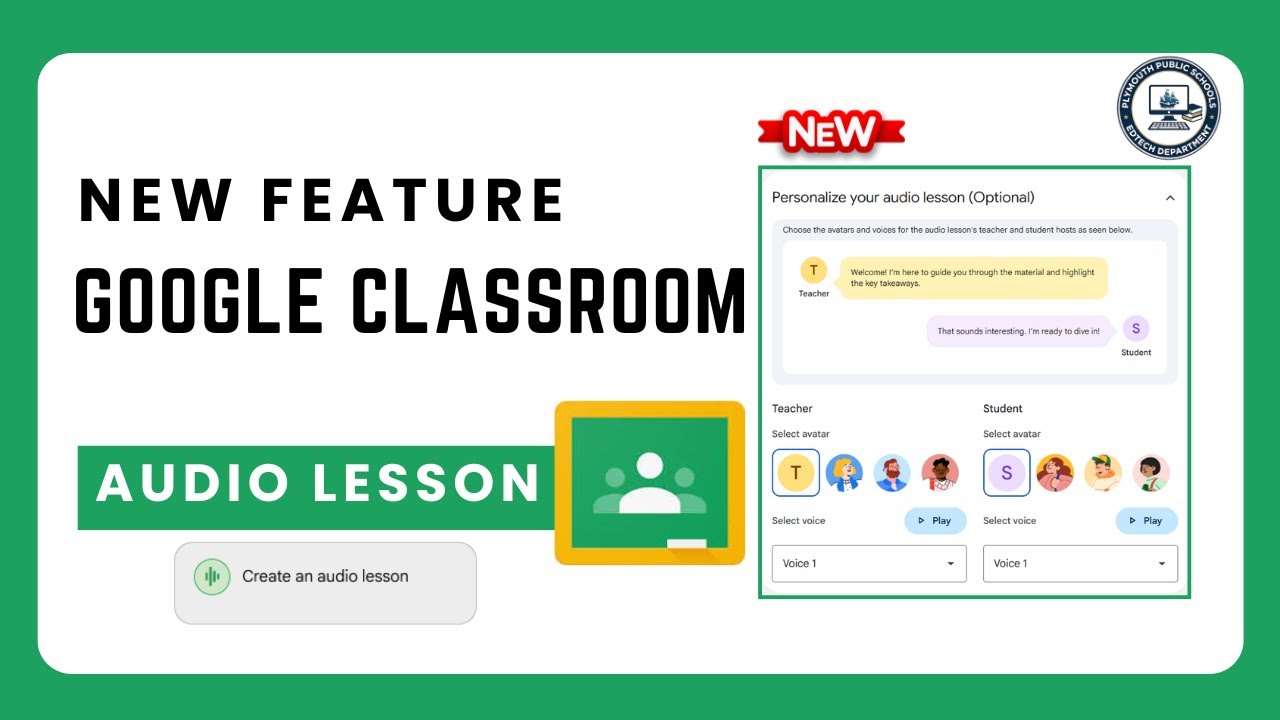
Teachers may now create audio lessons using Gemini and Google Classroom.

📈 The Workspace Academy - https://academy.jeffsu.org/workspace-academy?utm_source=youtube&utm_medium=video&utm_campaign=179
In this video you’ll learn practical #Gemini skills that won't become obsolete tomorrow.
We cover essential setup tips, when to use Flash vs Pro models, workspace integrations that save hours weekly, and how to leverage Gemini's massive context window.
Discover how to transform PDFs into interactive games, use AI formulas in Sheets, and integrate Gemini with Gmail, Docs and Drive for maximum productivity!
@Google
*TIMESTAMPS*
00:00 Full Google Gemini Tutorial
00:12 Setup Tips for Google Gemini
00:51 My Favorite Gemini Workflow
02:46 Choosing the Correct Gemini Model
05:21 Transform PDFs into Games
06:22 Productivity Tips for Google Gemini
09:54 Gemini’s Massive Context Window
10:35 Google Gemini’s Biggest Weakness
*RESOURCES MENTIONED*
Interactive game prompt template: https://www.jeffsu.org/master-google-gemini
Philipp Humm’s storytelling video: https://youtu.be/hNuAv-42jzY
Insanely actionable newsletter: https://www.jeffsu.org/newsletter/?utm_source=youtube&utm_medium=video&utm_campaign=179
*BUILD A POWERFUL WORKFLOW*
📈 The Workspace Academy - https://academy.jeffsu.org/workspace-academy?utm_source=youtube&utm_medium=video&utm_campaign=179
✍️ My Notion Command Center - https://www.pressplay.cc/link/s/EE8FB764
*BE MY FRIEND:*
📧 Subscribe to my newsletter - https://www.jeffsu.org/newsletter/?utm_source=youtube&utm_medium=video&utm_campaign=description
📸 Instagram - https://instagram.com/j.sushie
🤝 LinkedIn - https://www.linkedin.com/in/jsu05/
*MY FAVORITE GEAR*
🎬 My YouTube Gear - https://www.jeffsu.org/yt-gear/
🎒 Everyday Carry - https://www.jeffsu.org/my-edc/
#googlegemini #ai

This incredible option in Google Gemini now makes it possible to make your own language learning and teaching apps by just writing what you want.
Ed Cafe link (if you buy Ed Cafe you will get 10% discount for ever)
https://www.edcafe.ai/?via=rs
Join Russell's newsletter
https://forms.aweber.com/form/61/763053361.htm
Russell's website
https://www.teachertrainingvideos.com/
Russell's Patreon
https://www.patreon.com/Teache....rTrainingVideos?view
Russell's Course in collaboration with NILE ( click for information)
https://www.nile-elt.com/produ....ct?catalog=Technolog
00:00 Making language apps wtih Gems
01:04 Watch this example
02:30 How to make a Gemini Gem for language work
04:52 Gemini helps with the prompts
06:29 Testing our language app
09:54 Building other apps
11:47 Another great tool- Ed Cafe
13:08 Study with Russell
In this comprehensive video, you will learn how to build a language learning app with Gemini Gems. This tutorial is designed specifically for language teachers and language students who want to create personalized, AI-powered tools to enhance the teaching and learning experience.
The video begins with a complete demonstration of a working language learning app built using Google Gemini Gems. You will see exactly how the app functions in a real-world scenario before we dive into the creation process. This step-by-step guide is intentionally slow-paced to ensure that viewers of all technical levels can follow along easily.
The tutorial covers the entire lifecycle of building a custom Gem. We start by showing you exactly where to find the Gems feature within Google Gemini. From there, you will learn how to set up the foundation of your app by creating a clear title and a helpful description.
A significant portion of the video is dedicated to writing instructions. We walk through how to draft your initial ideas and then use the built-in AI prompter tool to transform those basic instructions into a sophisticated, professional prompt. This ensures your language learning app behaves exactly how you want it to, whether it is for grammar practice, conversation simulation, or vocabulary building.
Once the instructions are ready, we demonstrate how to save your app and conduct a live test. Because the first version isn't always perfect, we also show you how to refine the app. You will learn how to identify where the AI might be going off-track and how to adjust your instructions to improve the performance.
While the primary focus of this guide is how to build a language learning app with Gemini Gems, the skills you learn here are applicable to many other areas of life. To illustrate this versatility, the video concludes with a demonstration of a different Gem designed for image editing. By the end of this tutorial, teachers and students will have the confidence to build their own custom AI tools for any subject or task.
Main topics covered in this video:
How to access Gemini Gems in your account. Setting up the title and description for your custom app. Writing and optimizing instructions using the AI prompter. Testing your app to ensure it meets your learning goals. Refining and troubleshooting your Gem for better results. Expanding your skills to create Gems for other tasks like image editing.
Whether you are a teacher looking to create bespoke resources for your classroom or a student wanting a personalized language tutor, this video provides everything.

Google Classroom, Gemini for Education, AI for teachers, and free AI tools—learn how to use Google’s new Gemini AI safely in your classroom and save hours every week.
Explore how teachers can use Google’s free AI tools—now built directly into Google Classroom: lesson planning, translations, rubrics, re-leveling text, and more.
In this tutorial, I’ll walk you through how to use the Gemini tab in Google Classroom to access over 30 powerful AI tools designed specifically for education. These tools are completely free with Google Workspace for Education and safe for students, with built-in privacy protections.
📌 What you’ll learn in this video:
00:00 Intro
00:36 What is Gemini for Education?
00:50 Using AI Prompts in Google Classroom
01:22 Quickly creating detailed lessons plans with assessments
04:50 Re-leveling Text for Student Needs
06:17 Creating Rubrics with AI
07:32 Drafting Parent Emails
✅ Gemini helps you:
– Plan lessons in seconds
– Adapt content for different reading levels
– Translate instructions and emails
– Create rubrics automatically
– Save hours of time—safely and effectively
🎓 Built on Gemini 2.5 Pro and optimized for schools, this tool is a game-changer for educators looking to save time and personalize instruction.
#GoogleGemini #GoogleClassroom #AIforTeachers #EdTech #TeacherTools #GeminiForEducation #LessonPlanning #EdTechTips

In diesem Tutorial lernst du, wie du das KI-Tool NotebookLM effektiv nutzen kannst. Selbst, wenn du jetzt noch ganz am Anfang bist und noch nie ein KI-Tool verwendet hast wirst du verstehen, wie dir KI beim Arbeiten helfen kann. Wir starten hier komplett bei Null.
NotebookLM: https://notebooklm.google/
0:00 Intro
1:09 Was ist NotebookLM?
2:22 NotebookLM im Unternehmenskontext
2:45 So startet man mit NotebookLM
2:58 erstes Notebook mit Quellen erstellen
4:51 Benutzeroberfläche bei NotebookLM
5:53 verschiedene Quellen einfügen in NotebookLM
7:10 So beantwortet NotebookLM Fragen quellenbasiert
9:02 Chats speichern
9:19 automatische Follow Up Prompts
10:04 Mindmaps generieren & verwenden
11:43 Arbeitshilfen, FAQs, Briefings & Zeitachsen erstellen
13:03 Audiozusammenfassung: KI-Podcasts erstellen
14:39 Interaktiver Podcast: mit KI über Inhalte sprechen
16:43 Lernen mit NotebookLM - Mindmaps, Briefings und Arbeitshilfen zu Videos erstellen
19:07 PDF Dateien analysieren & Fragen dazu stellen
20:46 Mein Fazit zu NotebookLM
#notebooklm #gemini #künstlicheintelligenz #kitools

Descubre cómo crear miniaturas de YouTube con IA de forma totalmente gratuita y en segundos. En este tutorial paso a paso, te enseño a programar tu propio "Gem" en Gemini, apoyado por la investigación de NotebookLM, para diseñar miniaturas virales.
Si eres creador de contenido, sabes que el CTR (Click Through Rate) es la métrica más importante; sin una buena imagen, el algoritmo no recomendará tus vídeos. Por eso, hoy te muestro cómo dejar de pagar a diseñadores y usar la inteligencia artificial semántica de 2026 para crear miniaturas profesionales, con alto contraste y usando tus propias fotos.
🚀 Beneficios de este método:
• Crea imágenes de alta retención usando tu propio rostro y expresiones.
• Ahorra cientos de horas de edición compleja en Photoshop.
• Incrementa tus impresiones, clics y, en consecuencia, dispara tus suscriptores.
00:00 Hook: El problema de las miniaturas caras (Y la solución IA)
00:41 Paso 1: Usar NotebookLM como tu cerebro estratega
01:20 El Prompt maestro para investigar miniaturas virales
02:39 ⚠️ Una advertencia rápida e importante
03:13 Creando el informe estructurado paso a paso
04:43 Paso 2: Configurando tu "Gem" personalizado en Gemini
06:36 El truco experto: Extensión Kortex (Descarga el informe rápido)
06:57 Entrenando a la IA con el informe y TUS fotos
07:56 Prueba de fuego: Generando una miniatura en vivo
08:48 Análisis: ¿Por qué esta miniatura tiene un CTR brutal?
09:38 Modificando elementos específicos con un solo clic
10:33 Final: Tu nuevo flujo de trabajo (CTA Estratégico)
👇 ENLACES Y RECURSOS UTILIZADOS:
[El prompt completo y los recursos los tienes en el PRIMER COMENTARIO FIJADO]
🚀 Extensión kortex para NotebookLM— Descuento 10% (DAVID10): https://chromewebstore.google.....com/detail/kortex-no
🔔 Si quieres seguir dominando el algoritmo de YouTube y las herramientas de IA, ¡suscríbete y activa la campanita! Suscríbete al futuro aquí:https://www.youtube.com/@NextG....en_IA_YT?sub_confirm
🗣️ ¡Hablemos! ¿Cuánto tiempo tardas actualmente en diseñar una miniatura? ¿Has probado ya a crear Gems personalizados para tu canal? ¡Te leo en los comentarios!
EMAIL COLABORACIONES:
📩 nextgeniahub@gmail.com
📩 hammer31_73@gmail.com
#MiniaturasConIA #NotebookLM #GeminiIAi #ia

哈喽,大家好,我是Alpha,我手把手带大家用AI提升自己工作、生活效率,提升个人竞争力以及用AI赚钱!加入AI 实战派,让AI听你安排!
一起做AI时代的主导者,而不是在焦虑中被AI淘汰!
本期视频介绍:NotebookLM生成PPT翻车被骂?我用这套“AI邪修”工作流,重新定义PPT生成(精准可控)#aigc #AI PPT #PPT #简报 #AI工具 #AI做PPT

「NotebookLMフル活用プロンプト」をもらいたい方はこちら
↓↓ ※キーワードは「リサーチ」の4文字
https://lin.ee/jckcnkw
◆━━━━━━━━━━━━━━━━━━◆
①法人の方
・AIを使った業務効率化を進めたい
・会社にAIを導入したいけど、何から始めればいいかわからない
といった会社様向けに無料相談をしています。
LINE公式からお申し込みください。
◆LINE公式
https://lin.ee/jckcnkw
◆━━━━━━━━━━━━━━━━━━◆
②会社員/フリーランスの方
・AIを使って社内でキャリアアップしたい
・AIで業務効率化をしたい
・社外でのキャリアアップも図りたい
といった個人の方向けにAIキャリアアップスクールを開講しております。
興味ある方はLINEからお問い合わせください。
◆LINE公式
https://lin.ee/jckcnkw
◆━━━━━━━━━━━━━━━━━━◆
#notebooklm
#Google
#gemini

NotebookLM isn’t just a notes app.
In this video, I show how to supercharge NotebookLM with Gemini to turn research into real apps, websites, and tools — from market research to personal workflows.
For hands-on demos, tools, workflows, and dev-focused content, check out World of AI, our channel dedicated to building with these models: @intheworldofai
🔗 My Links:
📩 Sponsor a Video or Feature Your Product: intheuniverseofaiz@gmail.com
🔥 Become a Patron (Private Discord): /worldofai
🧠 Follow me on Twitter: /intheworldofai
🌐 Website: https://www.worldzofai.com
🚨 Subscribe To The FREE AI Newsletter For Regular AI Updates: https://intheworldofai.com/
#NotebookLM #GeminiAI #AIResearch #AIWorkflow #AIProductivity
#GenerativeAI #AIDevelopers #AItools #UniverseOfAI
notebooklm, notebooklm tutorial, notebooklm gemini, google notebooklm, gemini ai, gemini coding, ai research tools, ai research workflow, ai productivity tools, ai apps, build apps with ai, generative ai, google ai, ai for founders, ai for students, ai for analysts, ai knowledge management, ai second brain, ai workflow, ai automation, ai tools, ai research stack, universe of ai
0:00 - Intro
0:35 - Workflow Overview
1:14 - Demo 1 (Web Application)
4:24 - Demo 2 (Travel World)
6:52 - Personal Software
8:56 - Outro

Aprenda como integrar o Notebook LM com o Gemini para obter respostas muito mais precisas e sem alucinações! 🤖✨ Neste vídeo, o Prof. João Ernani mostra como criar um "Gems" personalizado, transformar suas fontes em um agente especialista e até gerar Landing Pages completas usando seus próprios dados.
Não perca essa aula prática para elevar sua produtividade com IA!
📌 Assista ao vídeo agora, inscreva-se no canal oficial do Prof. João Ernani e ative o sininho de notificações! 🔔🚀
👉 https://www.youtube.com/@joaoernani
#NotebookLM #Gemini #InteligenciaArtificial #Produtividade #GoogleAI #ProfJoaoErnani #Gems #seo
🎥 Microfones, câmeras, iluminação, livros de produtividade e marketing
👉 https://www.amazon.com.br/shop/joaoernani
📌 Onde encontrar João Ernani
🟢 Instagram: https://www.instagram.com/joaoernani/
🔴 Youtube: https://www.youtube.com/ @joaoernani
🟣 TikTok: https://www.tiktok.com/@joaoernanijr
🔵 Facebook: https://www.facebook.com/joaoernanijr/
👉 Telegram (GRUPO): https://t.me/joaoernaniantunes
-
Se esse conteúdo te ajudou, curta o vídeo, se inscreva no canal e ative o sininho para não perder os próximos!
Capítulos do Vídeo
00:00 - Introdução: Integrando Notebook LM e Gemini
00:37 - O que é Notebook LM vs. Gemini?
01:40 - Como criar um "Gems" (Assistente Virtual)
03:24 - Refinando instruções do Agente com IA
04:13 - Conectando o Agente ao seu Notebook LM
05:52 - Testando o Agente: Receitas de Hidromel
07:20 - Criando uma Landing Page em segundos
09:55 - Pesquisa direta em fontes confiáveis
11:12 - Conclusão e Dicas Finais
Aprenda como integrar o Notebook LM com o Gemini para obter respostas muito mais precisas e sem alucinações! 🤖✨ Neste vídeo, o Prof. João Ernani mostra como criar um "Gems" personalizado, transformar suas fontes em um agente especialista e até gerar Landing Pages completas usando seus próprios dados.
Não perca essa aula prática para elevar sua produtividade com IA!
📌 Assista ao vídeo agora, inscreva-se no canal oficial do Prof. João Ernani e ative o sininho de notificações! 🔔🚀
👉 https://www.youtube.com/@joaoernani
#NotebookLM #Gemini #InteligenciaArtificial #Produtividade #GoogleAI #ProfJoaoErnani #Gems #seo
🎥 Microfones, câmeras, iluminação, livros de produtividade e marketing
👉 https://www.amazon.com.br/shop/joaoernani
📌 Onde encontrar João Ernani
🟢 Instagram: https://www.instagram.com/joaoernani/
🔴 Youtube: https://www.youtube.com/ @joaoernani
🟣 TikTok: https://www.tiktok.com/@joaoernanijr
🔵 Facebook: https://www.facebook.com/joaoernanijr/
👉 Telegram (GRUPO): https://t.me/joaoernaniantunes
-
Se esse conteúdo te ajudou, curta o vídeo, se inscreva no canal e ative o sininho para não perder os próximos!
Capítulos do Vídeo
00:00 - Introdução: Integrando Notebook LM e Gemini
00:37 - O que é Notebook LM vs. Gemini?
01:40 - Como criar um "Gems" (Assistente Virtual)
03:24 - Refinando instruções do Agente com IA
04:13 - Conectando o Agente ao seu Notebook LM
05:52 - Testando o Agente: Receitas de Hidromel
07:20 - Criando uma Landing Page em segundos
09:55 - Pesquisa direta em fontes confiáveis
11:12 - Conclusão e Dicas Finais

Create slide presentations 100% FREE with this AI workflow using NotebookLM and Gemini. Turn messy information into clean, professional slides — fast.
🧠 You’ll learn how to research, structure, and create slide presentations using AI, without design skills, paid tools, or complicated setups. This workflow is built for busy professionals who want results, not more work.
▶️ AI Tools Used in This Video:
- NotebookLM:
- Gemini: https://gemini.google.com/app
📺 Watch Next:
🎬 Build AI Lectures in Minutes with Perplexity + NotebookLM (Free) → https://youtu.be/ra6H6g4aG78
🎬 How to Start your own Youtube channel (Hands On Guide) → https://youtu.be/awhwqzQvuWg
🎬 6 Habits That Make You Irreplaceable in the Age of AI → https://youtu.be/SVsYlud1oQM
🎥 Watch my AI Playlist – Smarter With AI: Tools to Save Time & Make Money → https://www.youtube.com/playli....st?list=PLHQX109djrY
⏱️ Timestamps:
00:00 Intro
00:48 Choosing a realistic work topic
01:00 Getting started with NotebookLM
01:15 Creating a new notebook
02:00 Research & thinking with NotebookLM
03:14 Creating a slide structure
04:00 Gemini Canvas mode
04:40 Turning structure into slides with Gemini
05:23 Exporting slides to Google Slides
05:50 Reviewing & refining the slides
06:20 Creating Speaker notes with AI
07:10 How I use this workflow at work
08:09 AI workflow summary
08:29 Final words
💬 Let me know in the comments what AI tool would you like me to review next.
📩 For business inquiries → yuri.souza.mychannel@gmail.com
AI presentations, NotebookLM tutorial, Gemini AI slides, AI for work, AI productivity, free AI tools, AI for professionals, workplace productivity, AI workflow, AI tutorials for beginners

NotebookLM and Gemini
★FREE DROPSHIPPING COURSE★:
➡️ https://bit.ly/AIDropshippingFREE
➡️ AI Shopify Store Builder: https://bit.ly/AIStoreBuilder
▬▬▬▬▬▬▬▬▬▬▬▬▬▬▬▬▬▬▬▬▬▬▬▬▬
➡️ Instagram: https://www.instagram.com/success.with.sam
▬▬▬▬▬▬▬▬▬▬▬▬▬▬▬▬▬▬▬▬▬▬▬▬▬
Disclaimer:
THIS VIDEO IS NOT FINANCIAL ADVICE or is NOT meant to be investment advice, it's for entertainment or education purposes only. The information in this video is based on my OWN personal experience and opinion and before attempting any online business you need to consult a professional as it is always a RISK. My intention is NOT for you to start a business but instead for you to EDUCATE yourself ALWAYS consult a PROFESSIONAL to assist you to avoid any unnecessary financial loss. The links above include affiliate commission or referrals. Thank you for watching - I really appreciate it :)
Like comment and subscribe!

Try MyPromptBuddy for Free: https://mypromptbuddy.ai/
This video walks you through all of Google Gemini’s new updates to NotebookLM, Google Stitch, Google Gemini 3 and more. If you want to get the most out of Google Gemini in 2026 this video is for you.
Need help automating your tasks? I’m here to help 👉 https://www.skool.com/ai-automation-school/about

🖥️ Download the free Marketer’s Guide to Google Gemini & NotebookLM: https://clickhubspot.com/7a0750
More from Futurepedia:
👉 Join the fastest-growing AI education platform! Try it free and explore 30+ top-rated courses in AI: https://bit.ly/futurepediaSL
Summary:
NotebookLM just added some of the biggest new features yet, many utilizing Nano Banana Pro to visualize your Notebooks in an incredible new way. They utilize Nano Banana Pro to create infographics and slideshows based on your sources to better visualize the information. It was also integrated into the video overviews for a big enhancement there. There are additional quality of life improvements, plus the ability to use Gemini Deep Research and automatically import all the sources. I also cover some lesser known features and pro tips throughout the video.
Chapters
0:00 Intro
0:22 What is NotebookLM?
0:54 Discover sources
1:20 Deep Research Source Discovery
2:26 Pro Tip: Refine sources and identify contradictions
4:26 Studio Panel
5:11 Infographics
8:38 Slide Deck
9:41 More infographic and slide deck use cases
11:54 Video Overview Upgrade
12:47 Chat save update
13:20 Configure Notebook
14:32 Detailed Slide Deck
15:38 Video Overview example
17:12 Futurepedia

Most people use Gemini like a chat tool.
But when you combine **Gemini + Gems + NotebookLM** intentionally, it stops being a chatbot and becomes a system.
In this video, I show how to design a 3-layer AI workflow where:
- NotebookLM holds stable knowledge
- Gem holds thinking rules
- Gemini handles execution
Using a fictional product example, I walk through how to build a source-of-truth notebook, design a reusable Gem, and run multiple tasks without rebuilding context each time.
This is about reliability, not prompts.
Relevant Video:
🆕 Google AI Ecosystem Explained: How 40+ Google AI Products Connect: https://youtu.be/Uo3RMkuBTRs
3 Ways to Design Gemini Gems: https://youtu.be/cIH-iS0J0b4
10 Practical Gem Ideas for Everyday Work: https://youtu.be/irSKKXp3zx8
Master NotebookLM in 16 Minutes: https://youtu.be/5Tnc6hQDbvE
Gemini Deep Dive (Workspace + Visual features): https://youtu.be/aFG2es9M9VI
➡️ Subscribe for more AI thinking and product intelligence to build your AI brain.
00:00 Hook — From Chatting to Systems
00:39 The Three Thinking Layers
02:07 Two Design Principles
02:44 Set up Projects: NotebookLM & Gem
06: 58 Scenario 1 → Same notebook & gem + simple task
08:07 Scenario 2 → Same notebook & gem + enriched session
11:05 Scenario 3 →Two notebooks, same gem, expanded system
14:58 Final Thoughts
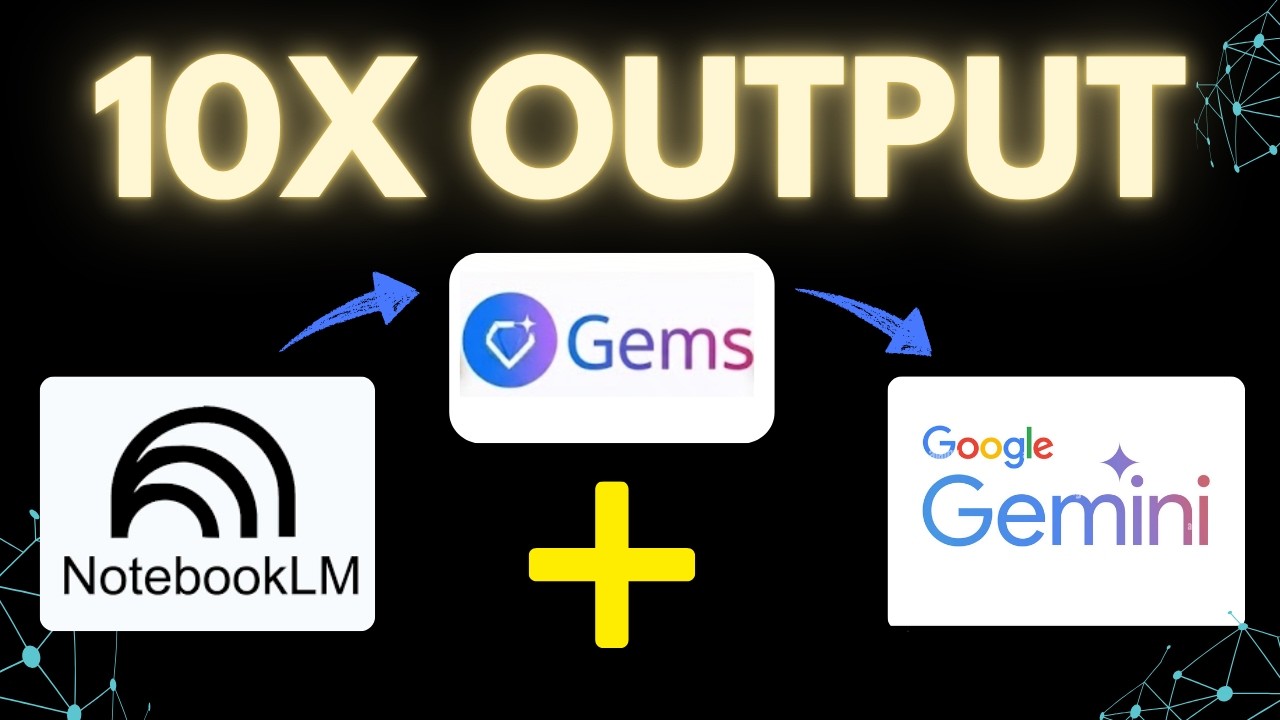
Most people are still using AI like a chat tool, asking questions, getting answers, and starting from scratch every time.
In this video, I show you a simple workflow using NotebookLM, Gems, and Gemini that turns AI into a structured system you can reuse.
Instead of relying on prompts alone, you’ll learn how to:
• Build a focused knowledge base in NotebookLM
• Define a consistent way of thinking using Gems
• Run different tasks in Gemini without losing structure or quality
This means better outputs, more consistency, and a workflow you can actually rely on.
Subscribe for more practical AI workflows:
www.youtube.com/@AIandTechforE....ducation?sub_confirm
#AI #AItools #NotebookLM #Gems #Gemini #GeminiAI #GoogleAI #AIworkflow #AIproductivity #AIToolsForWork #AIforBusiness #AIforStudents #AIresearch #DigitalProductivity #WorkSmarter

#sponsored Use code Master26Q1 for 20% off Dynal paid plans! https://dynal.ai?ref=aimaster
🚀 Become an AI Master – All-in-one AI Learning https://aimaster.me
📹 Get a Custom Promo Video From AI Master https://collab.aimaster.me
99% of people use Gemini WRONG — and waste hours in endless AI back-and-forth. While everyone debates ChatGPT vs Claude, Google quietly turned Gemini into a visual AI app builder that can automate 90% of your repetitive tasks.
In this complete guide, I'll show you how to transform Gemini from a basic chatbot into an autonomous working system using Gemini Gems + NotebookLM integration.
What You'll Learn:
1. Beginner: Create your first Gem using Google’s “Golden Prompt Formula”
2. Intermediate: Turn chats into apps with buttons
3. Pro: Build Super Gems with visual programming (Opal) for automated workflows
4. Expert: Сombine NotebookLM, Gems, and Google Workspace
📌Timestamps:
0:00 - Gemini Isn’t Just a Chatbot
0:54 - Level 1: The Golden Prompt Formula
2:05 - Demo: Trip Architect in Action
5:36 - Level 2: Chat → AI App
5:59 - Decision Helper: Build + Run
8:33 - Level 3: Chat Becomes a System
9:00 - Build the Super Gem (Opal Workflow)
12:00 - Level 4: Creating AI Knowledge Base
12:39 - Testing the AI with Client Messages
14:54 - Final Thoughts
Why This Matters:If you're running an online business solo or with a small team, you're drowning in repetitive tasks. This isn't about asking AI questions — it's about building systems that work for you 24/7
@dynal_ai
#GeminiGems #GoogleGemini #AIAutomation #NotebookLM #AIWorkflow #AITools
