Top videos
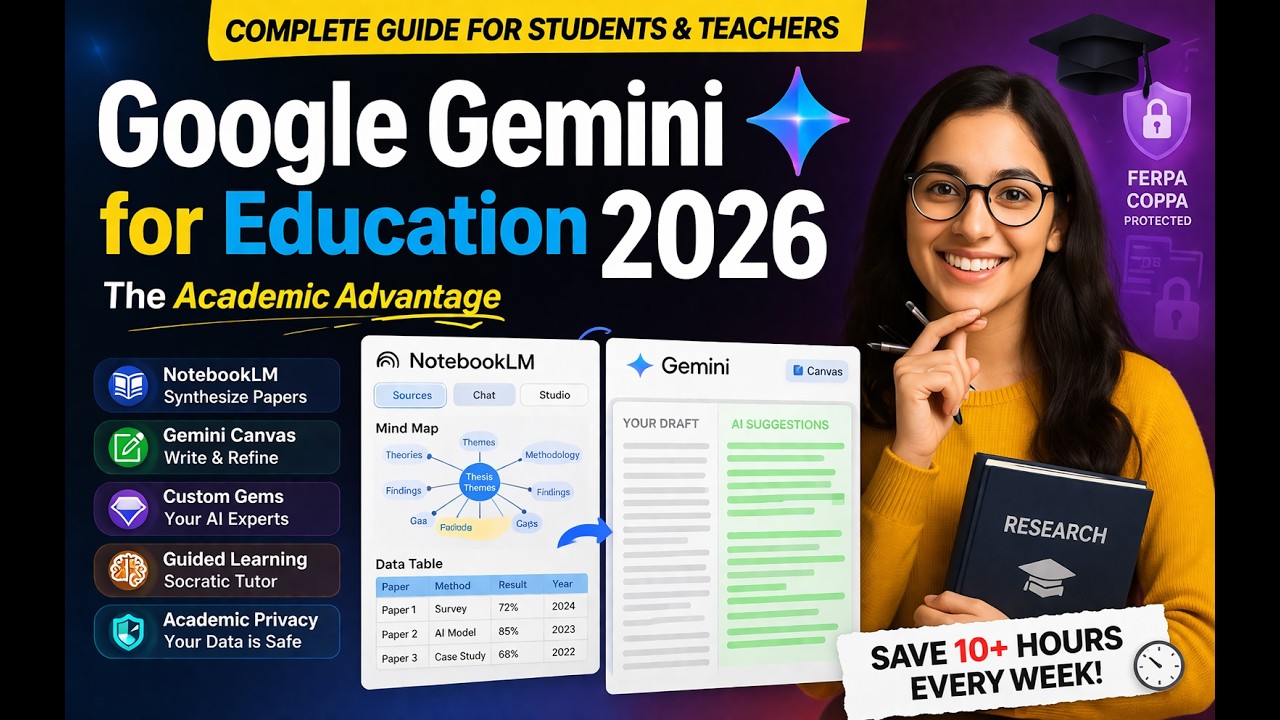
Stop drowning in research papers! Are you a PhD, MPhil, or postgraduate student struggling to keep up with the "academic wall" of literature? In this video, we dive deep into The Academic Advantage provided by Google’s latest updates. We investigate how Mastering Google Gemini and NotebookLM for Advanced Research can save you up to 10 hours of administrative busy work every week
.
Google has recently dropped over 150 new features for education, grounded in LearnLM—a model designed by neuroscientists to prioritize genuine learning over quick answers
. We’ll show you exactly how to use these tools for your thesis, assignments, and research papers.
What you will learn in this video:
NotebookLM for Synthesis: How to turn hundreds of PDFs into structured Data Tables and visual Mind Maps
.
Gemini Canvas: How to use the interactive side-by-side editor to refine your academic writing in real-time
.
Custom Research "Gems": How to build your own AI experts trained on your department’s specific SOPs and guidelines
.
Guided Learning: Mastering the Socratic tutor mode that helps you understand complex theoretical frameworks
.
Academic Privacy: Understanding the enterprise-grade data protections (FERPA/COPPA) that keep your research secure
.
Whether you are conducting a literature review or drafting a grant proposal, these Advanced Research workflows are designed to help you work smarter.
#GoogleGemini #NotebookLM #AcademicResearch #PhDLife #PostGrad #ResearchTools #GoogleForEducation #ThesisWriting #AIForAcademics
Primary Keywords (From Title): The Academic Advantage, Mastering Google Gemini, NotebookLM, Advanced Research, Google Gemini for Research, NotebookLM for Students.
Secondary Keywords (Academic & Tool Specific): Literature Review AI, PhD productivity tools, Gemini Canvas for writing, Guided Learning LearnLM, Custom AI Gems for research, Google for Education 2025 updates, AI data protection for students, Synthesis of research papers, Graduate school AI tools, NotebookLM data tables, Mind mapping for thesis

Join the AI Profit Boardroom → https://www.skool.com/ai-profit-lab-7462/about
Make money with AI (FREE!) → https://juliangoldieai.com/ES1kBK
Google just released over 150 new AI features for education that are transforming classrooms worldwide. This video reveals how teachers are saving 10+ hours per week and students are learning faster using tools like Gemini for Education, guided learning, and Notebook LM. Discover the AI-powered tools now available for free to over 10 million students across 1,000+ US colleges, learn about Google's Learn LM technology, and see practical workflows that reduce grading time from hours to minutes. All backed by real data from schools around the world.
0:00 - Introduction: Google's 150+ new education features
0:44 - Scale & impact: 1,000+ colleges, 10M+ students
1:00 - Real results: Teachers saving 10 hours/week
1:31 - Guided learning explained (vs traditional AI)
1:57 - Learn LM: AI built specifically for education
2:50 - Notebook LM updates: audio overviews, flashcards, mind maps
3:23 - Gemini in Classroom: 30+ free AI tools
4:13 - AI Profit Boardroom community mention
4:42 - Chromebook features & classroom management tools
5:30 - Chromebox OPS for interactive displays
5:49 - Google Classroom analytics & standards tracking
6:14 - Read Along flexibility for literacy instruction
6:28 - AI training & certifications: 1M educators trained
6:54 - AI literacy programs for younger students
7:17 - Privacy & security for education
7:43 - Practical workflow: High school history teacher example
8:31 - Practical workflow: College student studying for finals
9:01 - AI Profit Boardroom & AI Success Lab mentions
9:49 - Bottom line: Why effective AI use matters
10:42 - Conclusion & call to action
Complete guide to some advance features in using Gemini Storybooks for language learners.
Join Russell's newsletter
https://forms.aweber.com/form/61/763053361.htm
Russell's website
https://www.teachertrainingvideos.com/
Russell's Patreon
https://www.patreon.com/cw/TeacherTrainingVideos
00:00 Gemini Storybooks for Languages
01:06 Getting started with Storybooks
03:15 The magic buitton in Google Translate
07:04 Sharing your stories
07:45 Young learners-Controlling the narrative
08:23 Amazing infographics
08:57 Study with Russell
Are you trying to find the perfect reading materials for language students or your own self-study, but keep coming up short? Stop searching and start creating! In this complete tutorial, I’m showing you exactly how to use Google Gemini to write highly tailored, engaging Storybooks that meet your specific educational needs.
Google Gemini Storybooks is a completely free and often overlooked feature that provides incredible, granular control over language learning resources. This tool is an absolute game changer whether you are a teacher building curriculum resources, or a student trying to read in a new language.
In this video, I take you step-by-step through a full demonstration of the Gemini Storybook creator, focusing on how to bend the AI to work perfectly for language learners. I show you where to find the tool and how to use every setting for maximum educational impact.
We cover exactly how to control the language level, from absolute beginner to advanced. I demonstrate how you can instruct Gemini to include specific target vocabulary and grammar structures, ensuring the story actually reinforces the concepts you are trying to learn or teach. You don't have to settle for the AI's first draft!
But the control doesn't stop with the language. You will learn how to fully dictate the actual plot! I show you how to write the specific beginning, middle, and end, and control particular parts of the story. I also demonstrate how you can engage younger students by creating stories starring them and their friends by adding specific character names.
Worried about accessibility? While Gemini Storybooks do have a 10-page limit, I show you how to get the most out of every page. More importantly, I show you how easy it is to save and share your generated stories with anyone, even if they don't have a Gmail account.
Hit play to see all of these ideas in action! If you are looking for innovative educational tech tools to speed up language acquisition, this video is for you.
If you enjoy this tutorial, please be sure to like, comment, and subscribe for more tips on using AI and technology to enhance language learning!
What you’ll learn in this tutorial:
Total Story Control: How to tell Gemini exactly what should happen at the beginning, middle, and end of your story.
Vocabulary Integration: Force the AI to include your specific target words or grammar points.
Adapt for ANY Level: See live examples of tweaking stories to make them easier for lower-level learners, or more challenging for advanced students.
Personalization for Young Learners: Discover how to include custom names and themes to keep young students engaged.
Easy Sharing: Learn my trick to share your final 10-page book with anyone—even if they don’t have a Gmail account!
If you are a language educator looking for new ways to engage your students, or a learner looking for reading material at exactly your correct level, this is an incredibly powerful tool.
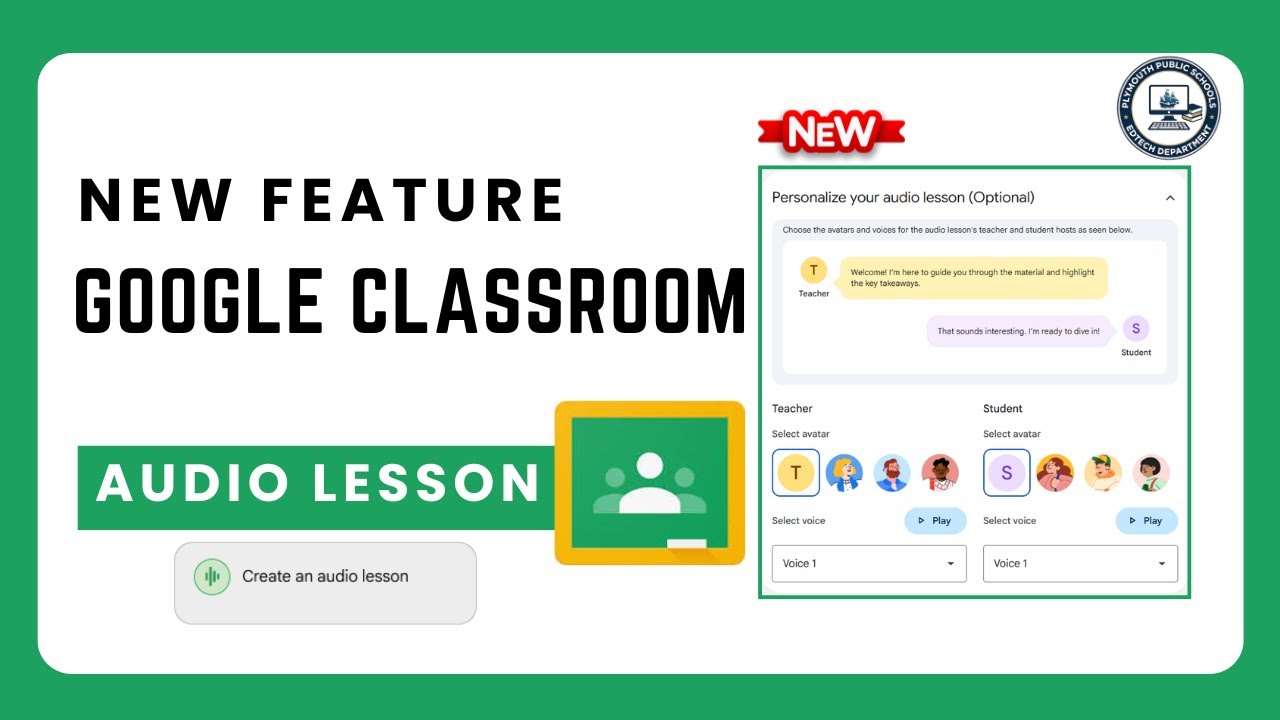
Teachers may now create audio lessons using Gemini and Google Classroom.
If you’ve ever wondered, “What’s the real difference between ChatGPT, Gemini, and Claude?” — this video breaks it all down in plain English.
I’ll compare the top AI tools of 2025 and show you exactly how they differ, especially for teachers, trainers, and instructional designers.
You’ll learn which AI saves you the most time, which gives the best lesson plans, and which integrates most smoothly into your workflow.
You’ll discover:
🔹 What ChatGPT, Gemini, and Claude each do best
🔹 Which AI tool fits your teaching or training needs
🔹 Real examples of how each one handles the same prompt differently
🔹 How to choose the one that actually saves you time and stress
If you’re tired of the confusion and want a clear, no-fluff explanation, you’ll walk away from this video knowing which AI deserves your attention.
Subscribe for weekly videos on AI for educators, trainers, and content creators.
ChatGPT vs Gemini vs Claude, ChatGPT comparison, Gemini AI tutorial, Claude AI explained, AI tools for teachers, best AI for trainers, AI in education, instructional design with AI
Learn how to build your own AI assistant using Google Gemini! This AI tutorial shows you how to leverage Gemini artificial intelligence and a number of AI options to create a personal AI assistant. Put Google AI to work on your behalf today! Join this channel to get access to perks:
https://www.youtube.com/channe....l/UCYUPLUCkMiUgiyVul
***Support Technology for Teachers and Students on Patreon***: https://www.patreon.com/techno....logyforteachersandst Here's my entire playlist of Google tutorials: https://bit.ly/thegoogleplaylist Please say "Thanks" by clicking the Thanks button below the video. #googlestudents #google #googletutorial #docs #googledrive #googleworkspace #gsuite #googledocs #googlevideo #googlevids #googleai #ai #artificialintelligence #aiineducation #gemini #googlegemini #aiassistant #aigems

If you're a teacher using the free or paid ChatGPT versions — or just curious about how AI can actually help with your workload — this video is for you.
Google has finally made a move with Gemini 2.0, and it includes a few free AI tools for teachers that are surprisingly useful in school life. In this video, I walk through how you can use Google Gemini for teachers as a practical ChatGPT alternative to save time and reduce stress.
✅ Create a Shareable App
Use Gemini Canvas to build classroom games or revision activities — no coding needed. Perfect for quick AI lesson planning.
✅ Create a Shareable Podcast
Turn any document into a short audio summary — great for CPD, planning, or commuting.
✅ Create Your Own Personalised Report Writer
Use Gems to write school reports with AI that sound like you — fast, personal, and totally ethical.
These tools are designed as teacher productivity tools and all you need is a Google account — no subscriptions, no add-ons.
Let me know in the comments if you’ve tried Google Gemini or are still using ChatGPT in your classroom.
CHAPTERS
00:00 Why Teachers Should Try Google Gemini
01:44 Create a Shareable App (Canvas)
06:55 AudioNotes & Deep Research
09:30 Build Your Own Report Writer (Gems)

Drei PDFs offen. Zwölf Tabs. Null Überblick. NotebookLM hat gerade 5 neue Features bekommen und wer sie nicht kennt, verliert täglich Zeit ohne es zu merken.In diesem Video zeige ich dir alle 5 neuen NotebookLM-Features live im Büro-Einsatz praxisnah, kein Code, sofort anwendbar.
✅ Infografiken aus Reports in unter 60 Sekunden (statt 2 Stunden PowerPoint)
✅ Video Overviews: 50-seitige Dokumente auf dem Heimweg "lesen"
✅ Präsentationen automatisch überarbeiten — keine Formatierungshölle mehr
✅ Chat-Modi: NotebookLM weiß jetzt genau, wofür du es nutzt
✅ Cinematic Overviews: Das nächste Level (Google AI Ultra)
⏱️ KAPITEL:
00:00 – Diese 5 Features kosten dich täglich Zeit — wenn du sie nicht kennst
00:28 – Feature 1: Infografiken Boost
02:28 – Feature 2: Video Briefings
04:13 – Feature 3: Präsentationen automatisch überarbeiten
05:36 – Feature 4: Arbeitskontext
07:08 – Feature 5: Cinematic Overviews
08:30 – Fazit: Was wirklich zählt
🎁 Ressourcen:
━━━━━━━━━━━━━━━━━━━━━━━━━━━━━━━
➡️ Hol dir das KI Playbook fürs Büro: https://projectstoprofit.lemon....squeezy.com/checkout
➡️ Du willst Gemini & NotebookLM rechtssicher in deinem Unternehmen nutzen? → Trag dich in die Warteliste ein: https://tinyurl.com/3t7yhd8j
➡️ Kostenlose PROMPT-Bibliothek✨ für dein KI - Projektmanagement: https://tinyurl.com/PromptsPM
Watch Next:
✅ KI-Workflows für Business & Projektmanagement - https://www.youtube.com/playli....st?list=PLYF89dHs9Vy
🎓 Projektmanagement-Zertifizierungen - https://www.youtube.com/playli....st?list=PLYF89dHs9Vy
📚 Prompt Engineering Masterclass - https://www.youtube.com/playli....st?list=PLYF89dHs9Vy
🤖 KI-Tools im Test 2025 - https://www.youtube.com/playli....st?list=PLYF89dHs9Vy
➡️ Abonniere meinen Kanal und gib dem Video ein Like für noch mehr KI Tipps & Tricks👍
➡️ 2x die Woche erwarten dich neue Videos mit wertvollen Tipps und Infos.
#NotebookLMUpdate #KIimBüro #GoogleGemini #KITools #Büroalltag #Produktivität #GeminiNotebookLM #GoogleAI #NotebookLMTutorial

這部影片實測了 Gemini 3 在 Google NotebookLM 中的「最強應用」!傳統上,整理文件、撰寫大綱和製作簡報需要花費大量的時間。但透過 NotebookLM 的結構化整理功能,你只需上傳一份 PDF,AI 就能立刻幫你生成一份具備邏輯架構、圖文並茂的「AI視覺劇本」簡報!
這絕對是所有學生、上班族和內容創作者的超級救星!
時間軸:
00:00 影片開始
01:11 **結構化大綱生成:** 將冗長文件內容即時提煉成結構清晰的重點大綱,並轉為來源
01:57 **報告模式整理:** 一鍵生成邏輯完整、條理清晰的專業報告
02:50 **高效文檔轉檔:** 示範如何將 NotebookLM 的輸出內容流暢貼到 Google 文件,再作為新來源導入
03:50 **視覺劇本生成:** 運用 Gemini 3 強大的多模態能力,將純文字的概念轉化為具有圖像、排版完整的「簡報」
你的提示詞,現在就是你的視覺劇本!快來學習如何將抽象概念,快速轉化為具體的創作成果!
覺得 Gemini 3 這次表現如何?是強大還是可怕?歡迎在下方留言告訴我你的想法! 喜歡這支影片別忘了 按讚、訂閱、開啟小鈴鐺 🔔,才不會錯過最新的 AI 實測喔!
Gemini 3 進階用法 ,效率翻倍! 可以參考下面這個影片
https://www.youtube.com/watch?v=hM66AMqebWI
https://www.youtube.com/watch?v=EzXdv1IENPY
https://www.youtube.com/watch?v=LjpQn8gMF3o
https://www.youtube.com/watch?v=A94ioh0WNKg
#Gemini3 #NotebookLM #GoogleAI #AI簡報 #AI自動化

こんにちは、AI経営者のK社長です!
今回の動画は、Googleが提供する最強AI連携、「NotebookLM×Gemini」の活用術について徹底解説します。
「Geminiも長文読めるよね?」
「NotebookLMもチャットできるよね?」
「何が違うの?」
確かにそうですが、**決定的な違いは“得意分野”**です。NotebookLMは情報の整理役、正確さ、ソースベースの回答に優れており、Geminiは0→1を生み出す万能なクリエイターとして推論、発想、アイデア出し、コーディングに超一流の力を発揮します。
この2つが合体したことで、単に機能が増えたレベルではなく、仕事の次元が変わるポテンシャルが生まれました。今回は煽り抜きで、この連携がどうやばいのか、明日からの仕事をどう変えるのか、冷静にかつ実用的に深掘りしていきます。
動画内では、具体的なハックとして「議事録革命」と「リサーチ革命」の2つの連携活用法をハンズオンで解説します。さらに、AIを「知っている人」から「使いこなしている人」になり、圧倒的な成果を出すための小さな一歩についても触れます。
ぜひ最後まで見て、次世代のAI活用スキルを手に入れてください!
━━━━━━━━━━━━━━━━
■公式LINEで限定コンテンツ配布中!
━━━━━━━━━━━━━━━━
今ならキーワード「プレゼント」と入力するだけで、AI活用を加速させる豪華3大特典を無料で差し上げています。ここだけの非公開情報も配信していくので、必ず登録しておいてください。
▼登録はこちらから▼
https://lin.ee/rG9CbqJ
━━━━━━━━━━━━━━━━
■チャプターリスト(目次)
━━━━━━━━━━━━━━━━
0:00 オープニング:最強AI連携「NotebookLM×Gemini」
00:49 脳内整理:それぞれの得意分野と違い
03:00 連携活用法・ハンズオン解説
10:42 エンディング:小さな一歩から
━━━━━━━━━━━━━━━━
■SNSでの発信
━━━━━━━━━━━━━━━━
最新の生成AIトレンドや活用術、私のAI経営者としての日常を発信しています。フォローして情報の波に乗り遅れないようにしてください!
X (旧Twitter): https://x.com/k_kojikoji00
Instagram: https://www.instagram.com/k_bunkei_ai/
Threads: https://www.threads.com/@k_bunkei_ai/
━━━━━━━━━━━━━━━━
■お問い合わせ
━━━━━━━━━━━━━━━━
https://lin.ee/rG9CbqJ
動画の感想や質問など、何でもお気軽にメッセージください!コメント欄でも構いません☺️
#生成AI #NotebookLM #Gemini #GoogleAI #神連携 #業務効率化 #K社長 #AIツール #AI活用 #参謀AI

Aprende a vender automatizaciones con IA desde cero → Únete gratis aquí → https://www.skool.com/futuro-digital-academy
🚀 Comunidad VIP → https://www.skool.com/futuro-digital-pro
Probé Gemini 2.5 Pro junto con NotebookLM y lo que descubrí me voló la cabeza 🚀
En este vídeo vas a ver casos reales y prácticos que puedes copiar paso a paso para:
Crear materiales educativos interactivos
Diseñar mapas mentales y visualizaciones potentes
Extraer insights de alto valor
Transformar investigación en productos funcionales
Y mucho más, ¡todo en minutos!
Desde la creación de contenido hasta la validación de ideas, este nuevo combo de herramientas de Google abre un mundo de posibilidades para creadores, emprendedores, educadores y marketers.
🔗 Enlaces:
Gemini 2.5 → https://gemini.google.com/app
Google AI Studio: https://aistudio.google.com/prompts/new_chat
NotebookLM → https://notebooklm.google.com/
💬 ¡Únete a la conversación!
Deja tus comentarios abajo y cuéntame:
👉 ¿Qué caso de uso te ha flipado más?
👉 ¿Qué otro workflow te gustaría que probáramos con Gemini 2.5?
📌 No olvides: 🔔 Suscribirte para más contenido sobre inteligencia artificial.
👍 Darle like si te gustó el video.
📣 Compartir con tus amigos y colegas interesados en la IA.
📧 CONTACTO 🫱🏼🫲🏽
Cualquier sugerencia, dudas, o colaboraciones: lepetoi@icloud.com
📱 Sígueme en TikTok: https://www.tiktok.com/@migue.baena
0:00 Introducción
2:52 Crea una landing page que conecte con tu público
6:50 Visualización interactiva
13:15 Crea materiales de aprendizaje
17:46 Valida y diseña su producto

En este vídeo te enseño cómo crear GEMs en Gemini mucho más potentes y útiles, dejando atrás los prompts pobres. Usamos un flujo avanzado con Notebook LM, Deep Research y Gemini 3 para entrenar GEMs con conocimiento real.
Verás ejemplos prácticos de GEMs para reels, productividad, inversión y toma de decisiones.
Este método convierte información compleja en asistentes realmente inteligentes.
👉 Si ya sabes qué es un GEM, este vídeo es el siguiente nivel.
📚 Si quieres aprender a automatizar desde cero y entender cómo la IA y la autometización puede ayudarte a dar un salto profesional increíble, sin saber programar, mira nuestro programa Automation Starter por solo 190€ y descubre todo lo necesario para empezar tu camino hacia nuevas oportunidades laborales.
👉 https://buildt.academy/automation-starter
🚨 Y si quieres formarte profesionalmente con nuestro programa Automation IA Manager, aquí tienes toda la información:
👉 https://buildt.academy/ia-automation-manager
🚀 Nuestras redes sociales:
IG https://www.instagram.com/buildtacademy/
TikTok https://www.tiktok.com/@buildt.academy
Linkedin https://www.linkedin.com/company/buildt-academy
🔔 Suscríbete para más tutoriales prácticos sobre automatización, IA y productividad con NoCode.
🔗 Enlaces de interés:
Tutorial Gems: https://youtu.be/Ev-FIhH6Mn4?si=sJ0e1Gl02Yn0HwdK
Tutorial NotebookLM: https://youtu.be/kivsT7hexuo?si=kegB034AIdn8EGT7
00:00 Por qué la mayoría de los GEMs no funcionan y el error del prompt 🎯
03:00 El método correcto: investigación antes del prompt (Notebook LM) 🔍
07:00 Deep Research y análisis de múltiples fuentes 📚
12:00 Convertir conocimiento en prompts con Gemini 3 🧠
15:30 Ejemplo práctico: GEM para creación de reels 🎥
20:00 GEMs para productividad y gestión del tiempo ⏱️
26:00 GEM para inversión pasiva en ETFs 💰
33:30 GEM para toma de decisiones importantes 🤔
40:30 Conclusiones: cómo crear GEMs realmente útiles 🚀

🎁 Cộng đồng Skool (miễn phí): https://www.skool.com/ai-work-....system-design-3931/a
🧑🎓 Khoá học Ứng dụng AI tạo sinh vào công việc văn phòng: https://www.udemy.com/course/g....enai-cho-van-phong/?
🎯 Tham khảo Sản phẩm và dịch vụ của Duyên nhé: https://theofficeai.net/san-pham-dich-vu
Video này chia sẻ về những cập nhật mới nhất trong các công cụ AI của Google, bao gồm Gemini App, Notebook LM và Google AI Studio.
Timestamp:
00:00 Giới thiệu
00:23 Gemini App
04:48 Notebook LM
08:22 Google AI Studio
10:53 Cập nhật tính năng Vibe Code (Google AI Studio)
-----------------
Xem thêm các nội dung hữu ích khác trên The Office AI:
- Hướng dẫn dùng ChatGPT: https://shorturl.at/nHdZt
- Hướng dẫn dùng Gemini: https://shorturl.at/5WNfZ
- Hướng dẫn dùng NotebookLM: https://shorturl.at/HSh1f
- Hướng dẫn dùng Google AI Studio: https://shorturl.at/J0KxJ
- Prompt Engineering: https://shorturl.at/CLYaV
----------------
Follow Duyên trên:
- Facebook: https://www.facebook.com/thuyduyen2012
- Substack: https://theofficeai.substack.com/
Nội dung thuộc bản quyền của The Office AI - Vui lòng không REUP!
#theofficeai #ai #gemini #notebooklm #googleaistudio

Descubre cómo NotebookLM puede potenciar tu aprendizaje. Esta innovadora aplicación, que utiliza inteligencia artificial, no es un chatbot convencional. Permite a los usuarios investigar y estudiar utilizando fuentes personalizadas, como documentos y notas. A través de su interfaz, puedes crear proyectos y organizar información de manera eficiente. Además, ofrece funciones útiles como resúmenes de audio y vídeos, mapas mentales, y tarjetas didácticas. Este video te mostrará cómo aprovechar al máximo NotebookLM y mejorar tus habilidades de estudio. No te lo pierdas. #NotebookLM #InteligenciaArtificial #Aprendizaje #LoAprendisteEnEDteam
¡Esta navidad regálate un futuro mejor aprendiendo programación e inteligencia artificial en EDteam. Ve a https://ed.team y aprovecha el último descuento del año ¡No te lo pierdas!
Timeline ⌚
00:00 Introducción
02:14 Cómo funciona NotebookLM?
04:13 Descubrir fuentes
08:36 Modo Chat
13:29 Notas en NotebookLM
14:40 NotebookLM alucina?
16:06 Modo studio
20:16 Infografías
24:20 Video y audio
26:39 Mapa mental
27:14 Presentaciones
27:54 Otras funciones
29:04 Diferencias entre capa gratuita y pro
- 🧑🎓👩🎓 ¿Eres estudiante? Postula a las becas de EDteam: https://edy.to/estudiantes-yt
- 🎁 ¡Accede a 9 cursos GRATIS de tecnología! https://edy.to/cursos-gratis-yt
- 🧑🏫 Dicta un curso en EDteam: https://edy.to/profesores-yt
- ⭐ Sube a premium y accede a cientos de cursos: https://edy.to/premium-yt
- 💻 Mira todos nuestros cursos en: https://edy.to/cursos-yt
-----
Síguenos en:
🔰 LinkedIn: https://edy.to/linkedin-yt
🔰 Instagram: https://edy.to/instagram-yt
🔰 TikTok: https://edy.to/tiktok-yt

🎁本気でAIを使いこなす【豪華9大特典】をLINEで無料プレゼント中🎁
https://liberalai.ai/line/naoya_yt/
(↑ここから受け取る)
【プレゼント詳細】
✅ AI副業をゼロから始めたい方へ
✅ 仕事の生産性を劇的に向上させたい方へ
✅ 最新のAIツールを使いこなし、現状を抜け出したいあなたへ
プロが使うChatGPTの思考法&実践テクニックに加え、
最新のGoogle AIや仕事術まで詰め込んだ「完全版パッケージ」です。
① 日本一分かりやすいChatGPTの始め方
② AI副業ゼロイチロードマップ
③ 99%が知らない日常生活での活用術
④ プロが使う正しいプロンプト設計術
⑤ あなたにあう副業とは?AI副業図鑑
⑥ 明日からラクになる!ChatGPT仕事術大全
⑦ 新たな検索のカタチ Google AIモード完全攻略ガイド
⑧ AI情報整理ツール NotebookLM完全ガイド
⑨ NanoBanana Proプロンプトガイド
これら全てを【無料】で受け取れます👇
https://liberalai.ai/line/naoya_yt/
▼ 目次
00:00 オープニング
00:58 大事なお知らせ
01:28 連携するメリット
02:50 具体的な連携手順
06:32 Gemini上で実演
08:27 連携機能の活用法
10:30 本日の動画まとめ
▼ X(旧Twitter)でも最新情報を発信中⚡️
https://x.com/naoya_LiberalAI
▼ チャンネル登録で、AIを“最高の相棒”にする第一歩を!
https://www.youtube.com/@naoya...._ai?sub_confirmation
【関連リンク】
▼LIBERAL AI|AI副業ブログ記事まとめ
https://liberalai.ai/news/
▼「LIBERAL AI(リベラルエーアイ)」とは?
初心者でも安心して始められるAI副業スクールを徹底解説
https://liberalai.ai/1235/
#gemini #notebooklm #ai活用

Try i10x: https://i10x.ai?fpr=paul53
Save 15% with code "PJL15"
This week’s biggest AI news: Gemini’s new NotebookLM integration + visualizations, a scary new Claude model, and a new free Google AI app.
Heads up, these updates may not be available worldwide yet. Just because I have access to them doesn't mean you will yet.
0:00 Intro
0:40 Notebooks
2:10 Visuals
4:06 Music
5:12 NotebookLM
6:30 Edge App
8:12 Sponsor
10:05 Mythos
13:22 Perplexity
14:22 OpenAI
14:49 Genspark
15:46 Wrap
🔗 This video is sponsored. Some product links are affiliate links which means if you buy something we'll receive a small commission.

Vergiss alles, was du bislang über KI-Notizen dachtest! Google hat NotebookLM gerade in ein echtes Kraftpaket verwandelt, mit der Integration von Gemini 3.1. In diesem Video zeige ich dir, wie du die neuen Funktionen nutzen kannst, um deine Produktivität zu steigern und deine Arbeitsweise zu optimieren. Erfahre mehr über die neuesten ai news und wie diese artificial intelligence dein digitales Leben verändert. 🚀
Vergiss nicht, den Kanal zu abonnieren! Jeden Tag zeige ich dir hier praktische Wege, wie du KI in deinem Business nutzen kannst, um Zeit zu sparen und erfolgreicher zu werden.
Möchtest du direkt mit mir arbeiten? Hier sind deine Optionen:
Dein Business Shortcut für mehr Erfolg und Effizienz dank KI – https://sales.kirstenbiema.com..../zukunfts-check-ki--
KI-Business-Community – Lerne, wie du KI gewinnbringend in deinem Business einsetzen kannst. Zur Community: https://[a]www.kirstenbiema.com%2Fki-business-community[/a]
Meine Webseiten:
➡️ www.kirstenbiema.com
➡️ www.meetfreedo.com
📧 Folge mir in Social Media
Facebook: https://www.facebook.com/kirstenbiema
LinkedIn: https://www.linkedin.com/in/kirstenbiema/
Instagram: https://www.instagram.com/ki.flow.now/
#GoogleNotebookLM #KITools #BusinessProduktivität #Solopreneur #KünstlicheIntelligenz #NotebookLMUpdate #Gemini #OfficeHacks
Learn how to use Gemini and NotebookLM to strengthen your cognitive abilities through structured mental exercises.
Related Videos:
MAXIMIZE Your Learning with ChatGPT's Voice Mode
https://youtu.be/TjI9hXJ9TSY
Getting Started with Claude Code
https://youtu.be/4jD69eHZK8Y
Build Epic Startups: NotebookLM + Gemini 2.5 Workflow
https://youtu.be/XN02F9ikYHI
Build Epic Innovations: NotebookLM + Perplexity Workflow
https://youtu.be/TGk38nRyGyI
10 Ways To Use NotebookLM To Learn ANYTHING Fast
https://youtu.be/tIRkQeHwsm0
CHEAT SHEET: https://www.patreon.com/posts/....reclaim-your-1364985
Let's Connect!
Patreon 👇🏽
➡️ https://www.patreon.com/c/blazingzebra/membership
My Complete List of Videos and 125+ Resources 👇🏽
➡️ https://bit.ly/4dCojh4
Weekly Email with AI Tips and Tricks 👇🏽
➡️ https://blazingzebra.ai/
X 👇🏽
➡️ https://x.com/blazingzebra
LinkedIn 👇🏽
➡️ https://www.linkedin.com/company/blazing-zebra
Join My Weekly Call 👇🏽
➡️ https://www.patreon.com/BlazingZebra/membership
Patreon 👇🏽
➡️ https://www.patreon.com/c/blazingzebra/membership
This guide shows you how to transform AI from a passive tool that weakens thinking into an active training partner that builds neural pathways. Based on MIT research revealing a 17% cognitive decline from incorrect AI use, you'll discover frameworks for daily mental workouts, polymath learning systems, and active memory techniques. These practical methods help you develop sharper critical thinking, better pattern recognition, and stronger problem-solving skills while using AI as your intellectual sparring partner.
#geminiai #notebooklm #cognitivetraining #ailearning #mentalworkout #activelearning #polymath #secondbrain #Anki #neuralpathways #aiproductivity #brainfitness

💡 You can now use NotebookLM inside Gemini and It's Pretty Darn Cool!
If you haven’t checked out the new NotebookLM integration in Google Gemini, this video will blow your mind 🤯. I’ll show you how to connect your notebooks directly in Gemini, pull from multiple sources, and generate custom content, quizzes, games, and even full-blown commercials — all powered by YOUR data.
📌 Whether you're a creator, coach, teacher, or just someone who loves to organize the chaos, you're going to love these practical and creative use cases.
✨ What you’ll learn:
How to pull notebooks directly into Gemini 🧠
Ways to combine sources for better accuracy (no hallucinations!)
How to synthesize reports, create games, design infographics & more
🛠️ Tools or Mentions in This Video:
NotebookLM → https://notebooklm.google
Gemini → https://gemini.google.com
--------------------------------------------------------------------------------------------------
🎁 Grab My Best Freebies:
👉 Agamograph Lab: https://funpartytips.com/aga-lab
👉 Game Grow Create Kit: https://funpartytips.com/grow-create-kit
👥 Join my Facebook group for tutorials, support, and design help:
👉 https://funpartytips.com/fun-printables-with-ai
🚀 Ready to go all in? Join my membership 👉 https://funpartytips.com/membership
#notebooklm #googletools #digitalproductsforbeginners #digitalproducts

🔓🔑 Destrave o seu inglês com o Desafio Destrava Inglês em 7 Dias
👉 https://hotm.art/desafio-destrava
🟢 Curso de Inglês English Drops Academy 👉https://hotm.art/starting-point
💡 Todos os meus cursos tem 7 DIAS DE GARANTIA. Se tu não curtir, é só pedir reembolso e eu devolvo o valor sem burocracia.
🌟 Torne-se membro aqui do canal English Drops e tenha acesso a desconto nos cursos, aulas exclusivas da English Drops Academy e acesso antecipado aos vídeos!
👉 https://www.youtube.com/channe....l/UCcc6IVOS_dWfHWCPf
👉 Vídeos recomendados e citados no vídeo:
👉https://youtu.be/oPDwzfxhzVU
👉https://youtu.be/y2ITk5KEP4Q
👉https://youtu.be/RrcLs778XPU
👉https://youtu.be/6ni02Ld4Pvw
👉CONTATO EXCLUSIVO PARA AULAS:
👨🏻🏫 https://wa.me/message/ZY575SWYABCMB1
👉 LINKS IMPORTANTES:
🇺🇸 Portal English Drops Academy: https://englishdrops.academy/
💬 Canal WhatsApp: https://whatsapp.com/channel/0....029VbBKagx4Crfbg4XFR
⏯️ TikTok: https://tiktok.com/@rodrigomttos
📷 Instagram: https://instagram.com/rodrigomttos
👾 Twitch: https://twitch.tv/rodrigomttos
💎 Discord English Drops Reservoir: https://discord.gg/egH7bGc3Xn
A forma como estudamos idiomas mudou para sempre. Neste vídeo, exploramos a nova e poderosa integração entre o Google Gemini e o NotebookLM, um combo de inteligência artificial que cria o ambiente perfeito para autodidatas atingirem a fluência em inglês. Se você busca um método para organizar seus estudos, praticar conversação e eliminar a dependência da tradução, este tutorial revela o fluxo de trabalho definitivo usando o ecossistema de IA do Google.
Ao longo do vídeo, demonstramos na prática como transformar arquivos PDF, vídeos do YouTube e textos soltos em materiais de estudo dinâmicos. O NotebookLM atua como o seu "cérebro digital", processando listas complexas de Phrasal Verbs, transcrições de vídeos e letras de música para gerar resumos, Flashcards e Mapas Mentais (Mind Maps) instantâneos.
Recursos Explorados no Tutorial:
Audio Overview & Interactive Podcast: Testamos a função de gerar podcasts nativos sobre o seu material de estudo e, pela primeira vez, utilizamos o Interactive Mode. Isso permite que você "quebre a quarta parede", entre na conversa dos apresentadores de IA e pratique sua conversação e listening em tempo real sobre qualquer tópico, como a análise da música "Mutt" de Leon Thomas mostrada no vídeo.
Integração Nativa no Gemini: A grande novidade é a capacidade de "chamar" seus cadernos do NotebookLM diretamente dentro do chat do Gemini. Isso habilita o recurso de Guided Learning (Aprendizado Guiado), onde a IA cria cronogramas de estudo personalizados de 7 dias, categorizando vocabulário por contexto e sugerindo atividades práticas.
Criação de Quizzes e Slideshows: Vemos como a IA pode gerar testes de múltipla escolha para validar seu conhecimento gramatical (como o uso de "There is/There are") e criar apresentações visuais com narração explicativa para facilitar a memorização de conceitos difíceis.
Versão Mobile e Live Chat: Para quem estuda pelo celular, mostramos como usar o aplicativo do Gemini integrado ao NotebookLM para conversação fluida via Live Chat, transformando seu smartphone em um tutor de inglês disponível 24 horas.
Este conteúdo é um guia essencial para estudantes de nível básico ao avançado que desejam utilizar a tecnologia para pensar em inglês, personalizar sua imersão e acelerar o processo de aprendizado sem custos adicionais.
📚 CONTEÚDO DO VÍDEO:
00:00 - Intro: A nova integração do ecossistema Google AI.
02:08 - NotebookLM: Upload de arquivos e Phrasal Verbs.
04:54 - Gerando Podcasts (Audio Overview) e Deep Dives.
06:54 - Ferramentas de Estudo: Mapas Mentais e Flashcards.
08:16 - Novos Slideshows com narração em vídeo.
10:05 - Como integrar o NotebookLM dentro do Gemini.
11:37 - Criando um Cronograma de Estudos (Guided Learning).
13:30 - Gerando Quizzes de Gramática e Nível Básico.
16:40 - Estudando com Música e Lyrics (Caso Leon Thomas).
19:00 - Modo Interativo: Conversando com o Podcast da IA.
25:09 - Versão Mobile: Gemini App e Live Chat para conversação.
27:23 - A importância de bons Prompts para aprender inglês.

¿Sigues pensando que crear una Gem personalizada en Gemini es lo mismo que tener un equipo de agentes trabajando para ti? 🛑 Si crees que es igual, estás desperdiciando el 90% del potencial de Google sin darte cuenta.
En este video, vamos a destripar la diferencia crítica que nadie te explica entre las Gems de Gemini y un verdadero sistema multiagente con NotebookLM. Aunque por fuera parecen herramientas similares para la automatización y la productividad, por dentro operan de formas totalmente distintas.
Piénsalo con esta analogía simple que uso en el video:
🏢 Las Gems son como empleados expertos pero aislados en cubículos separados. Cada uno es genial en lo suyo, pero no se hablan entre ellos; tú tienes que llevar los papeles de una oficina a otra.
🧠 Un sistema multiagente en NotebookLM es como meter a esos mismos expertos en una sola sala de juntas frente a un mismo pizarrón. Todos ven la misma información, comparten el contexto y colaboran en tiempo real sin que tú intervengas.
Te mostraré por qué esta distinción cambia el juego. Con un sistema multiagente, eliminas la fricción de copiar y pegar entre chats. Creas flujos de trabajo completos donde la salida de un agente se convierte en la entrada del otro automáticamente. Es el paso definitivo para construir tu segundo cerebro digital usando Inteligencia Artificial.
Si quieres dejar de jugar con Google AI y empezar a construir sistemas serios que trabajen por ti, este tutorial es obligatorio.
🚀 En este video aprenderás:
Qué son exactamente las Gems y cuándo usarlas (y cuándo NO).
Cómo configurar Agentes IA reales usando NotebookLM.
El secreto del contexto compartido para potenciar tu productividad x10.
👇 ¿Te ha pasado que te pierdes entre tantas pestañas de IA? Cuéntame en los comentarios: ¿eres team Gems o prefieres el poder de NotebookLM?
🔔 ¡Suscríbete y activa la campanita para dominar la IA sin tecnicismos complicados!
https://payhip.com/SoyPacoIA
https://gemini.google.com/
https://notebooklm.google/
https://www.youtube.com/@soypacoia/join
▶️ Mira este video a continuación para profundizar:
https://youtu.be/JJdIjOsOMW0?si=9nkM0rZU27_Ci2g9
#GeminiGems #NotebookLM #AgentesIA #SistemaMultiagente #GoogleGemini #AutomatizacionIA #ProductividadDigital #SegundoCerebro #InteligenciaArtificial #SoyPacoIA #TutorialIA #GoogleAI #FlujosDeTrabajo
#ia
#inteligenciaartificial
#inteligenciaartificialenespañol
#iaenespañol
Gemini y NotebookLM para tus clases: descubre cómo crear una página web interactiva con Gemini Canvas a partir de tus materiales en NotebookLM y publicarla en Google Sites para tus alumnos.
👉 Únete a mi comunidad para aprender IA en Educación
https://www.skool.com/eduiapro-1573/about
👉 Redes sociales:
https://www.tiktok.com/@roberto_diazn
https://www.instagram.com/rober_diazn/
https://www.facebook.com/roberdiazn/
👉 Todo mi equipo Tech:
https://amzn.to/4smMEOE
✉️ Email para colaboraciones:
rdiazno@gmail.com
0:00 - Intro
0:46 - Contexto y problema
2:01 - La solución: Gemini + NotebookLM
3:06 - Ejemplo práctico: Página web
4:33 - Bonus: Publicar en Google Sites.

Studying for exams can be stressful for students! Luckily NotebookLM and Gemini from Google help makes the process easier. Watch this video to see how a student can download study guide material to create a variety of exam prep resources.

🔗 Join our WhatsApp Community
Get the latest AI updates, tips, and insights straight to your inbox:
https://join.switchit.app/YT2
This free Google tool just replaced Gamma for presentations and Canva for infographics. I'll show you exactly how.
NotebookLM now creates custom infographics and slide decks but everyone's outputs look identical. Same colors. Same layouts. Same template energy. In this tutorial, I'll show you the Gemini trick that lets you steal ANY visual style from the internet, plus two new features that just shipped: brand guidelines (skip Gemini entirely) and single-slide revisions (fix one slide without regenerating everything).
NotebookLM (free): https://notebooklm.google.com
Gemini (free): https://gemini.google.com
--------
To Know More,
Follow Vaibhav Sisinty On ⤵︎
Instagram @VaibhavSisinty
https://www.instagram.com/vaibhavsisinty
Twitter @VaibhavSisinty
https://twitter.com/VaibhavSisinty
Facebook @VaibhavSisinty
https://www.facebook.com/vaibhavsisinty/
LinkedIn - Vaibhav Sisinty
https://www.linkedin.com/in/vaibhavsisinty

Most people are using AI wrong. They're outsourcing their thinking and their brains are paying the price.
An MIT Media Lab study found that people who rely on AI for writing show weaker brain connectivity and recall. The tool isn't the problem. The system is.
In this video, I break down the four-part human intelligence architecture I use with Google's AI ecosystem — NotebookLM, Gemini, Gems, and Gemini in Google Workspace — to think more clearly, not less.
