Top videos
Learn how to use Gemini and NotebookLM to strengthen your cognitive abilities through structured mental exercises.
Related Videos:
MAXIMIZE Your Learning with ChatGPT's Voice Mode
https://youtu.be/TjI9hXJ9TSY
Getting Started with Claude Code
https://youtu.be/4jD69eHZK8Y
Build Epic Startups: NotebookLM + Gemini 2.5 Workflow
https://youtu.be/XN02F9ikYHI
Build Epic Innovations: NotebookLM + Perplexity Workflow
https://youtu.be/TGk38nRyGyI
10 Ways To Use NotebookLM To Learn ANYTHING Fast
https://youtu.be/tIRkQeHwsm0
CHEAT SHEET: https://www.patreon.com/posts/....reclaim-your-1364985
Let's Connect!
Patreon 👇🏽
➡️ https://www.patreon.com/c/blazingzebra/membership
My Complete List of Videos and 125+ Resources 👇🏽
➡️ https://bit.ly/4dCojh4
Weekly Email with AI Tips and Tricks 👇🏽
➡️ https://blazingzebra.ai/
X 👇🏽
➡️ https://x.com/blazingzebra
LinkedIn 👇🏽
➡️ https://www.linkedin.com/company/blazing-zebra
Join My Weekly Call 👇🏽
➡️ https://www.patreon.com/BlazingZebra/membership
Patreon 👇🏽
➡️ https://www.patreon.com/c/blazingzebra/membership
This guide shows you how to transform AI from a passive tool that weakens thinking into an active training partner that builds neural pathways. Based on MIT research revealing a 17% cognitive decline from incorrect AI use, you'll discover frameworks for daily mental workouts, polymath learning systems, and active memory techniques. These practical methods help you develop sharper critical thinking, better pattern recognition, and stronger problem-solving skills while using AI as your intellectual sparring partner.
#geminiai #notebooklm #cognitivetraining #ailearning #mentalworkout #activelearning #polymath #secondbrain #Anki #neuralpathways #aiproductivity #brainfitness

How I do everything 10x faster than it would usually take me in my earlier years.
https://arbhunters.xyz
Tools:
https://notebooklm.google.com/
https://gemini.google.com/app
https://ankiweb.net/
Get my reading list for free:
https://untalkedblueprint.com/
Instagram:
https://www.instagram.com/oddschemist/
Technology is great. Possibilities are endless nowadays. Make sure you take advantage of this opportunity.
#chatgpt #gemini #ai活用
━━━━━━━━━━━━━━━━━━
🏢企業様向けのAI研修のお問い合わせはコチラから🏢
https://jiso-ai.com/contact/
今AI活用やマネタイズの仕方がわからない人🤦やAI初心者の人も必見!
🚨無料期間限定🚨で
✨Youtubeでは出せないさきのAI最新情報✨&
👩💻AIノウハウ100大特典🎁を勉強会参加後にLINEで受け取れます!
AIスキルを身につけて【社内評価⏫UP⏫】や【収益化💰】
業務効率化🗒️できるココでしか手に入らない情報を
現在期間限定でしかも、無料配布しているので興味ある方は是非!!
↓↓↓
https://info.opt--in.com/p/cCQ....Yo5AUNsJh?ftid=ejeGI
ーーーーーーーーーーーーーー
約8000人以上の人が登録中!
⬇️さきのAI最新情報公式LINE⬇️
https://info.opt--in.com/p/cCQ....Yo5AUNsJh?ftid=ejeGI
ーーーーーーーーーーーーーー
🎁”LINE登録者限定"のAI特別セミナー開催
🎁”LINE登録者限定"のAI勉強会
🎁”勉強会参加者限定"のAI豪華100大特典配布
🎁”勉強会参加者限定"の特別な案内
【⬇️無料登録はこちら⬇️】
https://info.opt--in.com/p/cCQ....Yo5AUNsJh?ftid=ejeGI
━━━━━━━━━━━━━━━━━━
↓↓本日紹介したツールや動画こちら↓↓
【Gemini】
https://share.google/nWQmg0yjvZhIFzPJQ
【NotebookLM】
https://notebooklm.google.com
━━━━━━━━━━━━━━━━━━
◾️目次
00:00 OP
01:32 NotebookLMの基本説明
03:58 NotebookLM神機能解説
07:39 NotebookLM効率化機能
08:36 NotebookLM神機能活用①
10:23 NotebookLM神機能活用②
11:36 NotebookLM神機能活用③
13:09 NotebookLM神機能活用④
━━━━━━━━━━━━━━━━━━
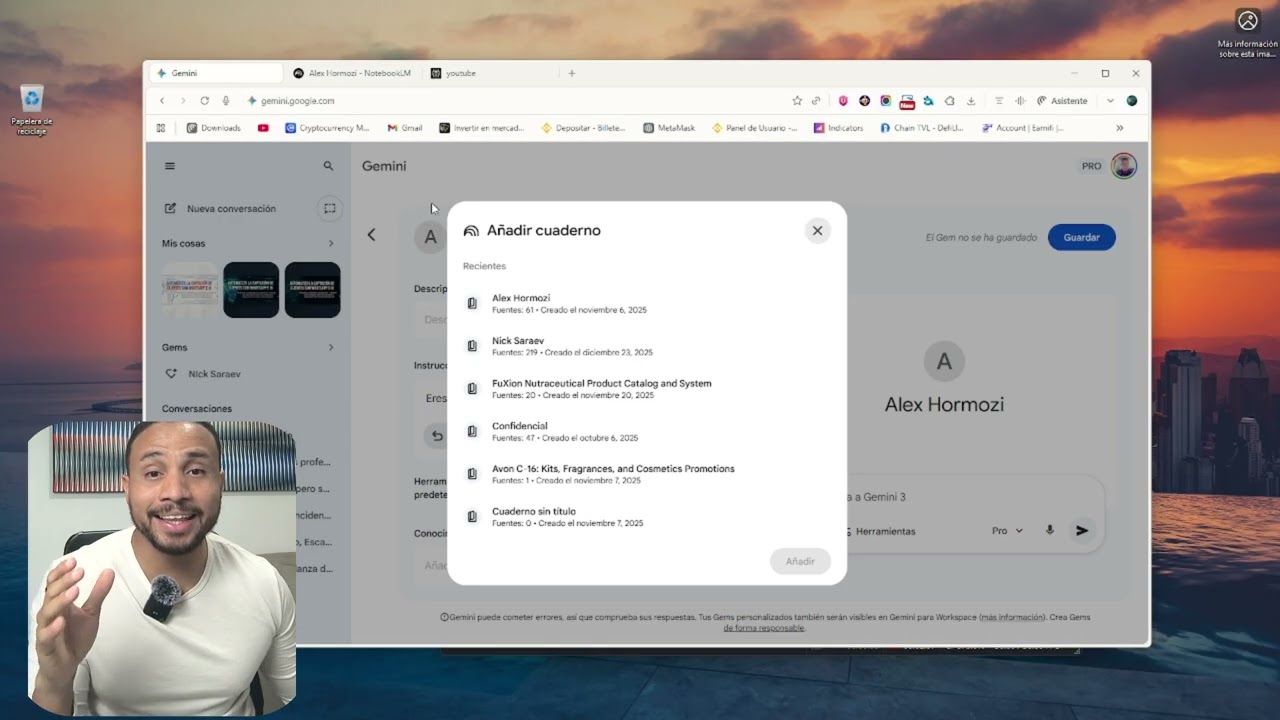
¡Por fin ha llegado! Google ha integrado Gemini Gems con NotebookLM y esto abre un mundo de posibilidades para nuestra productividad. En este video te explico exactamente cómo funciona esta nueva función y cómo puedes conectar tus documentos y fuentes de NotebookLM directamente a tus Gems personalizados.
Si querías crear un asistente de IA experto en TUS propios datos, este tutorial es lo que estabas buscando.
✅ Qué es la nueva integración de Gems y NotebookLM
✅ Paso a paso: Cómo conectar una libreta (Notebook) a una Gem
✅ Ejemplo real: Creando un asistente de estudio/trabajo con esta función ✅ Por qué esto es mejor que usar ChatGPT o Claude para tus documentos
En este vídeo te enseño cómo uso NotebookLM para crear Gems personalizadas en Gemini, aplicándolo a un flujo de trabajo real, paso a paso y sin teoría innecesaria.
No es una demo aislada, es un workflow completo que puedes reutilizar para documentación, negocio, automatización o análisis avanzado con IA.
Además, te regalo los prompts exactos que uso en el vídeo para que puedas replicarlo desde hoy mismo.
⌛ MARCAS DE TIEMPO:
00:00 Introducción
00:35 Descubrir fuentes con la búsqueda avanzada con IA
02:36 Prompt NotebookLM + Gems
03:01 Paso 1: Crear el índice
04:31 Paso 2: Crear y desarrollar el contenido
06:26 Cómo crear un buen prompt para Gems en Gemini
08:19 Estructura prompt usando Gemini
10:52 Probando la Gema en Gemini
🚀 Qué aprenderás en este tutorial:
✔️ Cómo estructurar NotebookLM para trabajar con conocimiento propio.
✔️ Cómo transformar ese conocimiento en Gems personalizadas dentro de Gemini.
✔️ Cómo crear un flujo de trabajo reutilizable y escalable.
✔️ Cómo ahorrar horas usando IA de forma estratégica (no solo “preguntarle cosas”).
🎁 PROMPTS GRATIS + COMUNIDAD.
Accede a los prompts que uso en el vídeo y a más recursos prácticos en mi comunidad gratuita:
👉 Únete aquí: https://whop.com/boca-boca-digital/
📚 TUTORIALES RELACIONADOS.
🔹 Tutorial completo de NotebookLM:
👉 https://youtu.be/oxa2hLljQUk
🎓 ¿QUIERES APRENDER MÁS SOBRE IA Y AUTOMATIZACIÓN?
Si quieres ir más allá y aprender inteligencia artificial aplicada a negocio, automatización y workflows reales, tienes todos mis cursos aquí:
👉 Cursos de Inteligencia Artificial: https://www.soyjuanjodigital.com/cursos
Si este tipo de flujos te ayudan:
👍 Dale like.
💬 Déjame en comentarios qué workflow te gustaría ver.
🔔 Suscríbete para más vídeos sobre IA aplicada de verdad.
#notebooklm #gems #gemini #productividad

👉 Prompts: https://forms.gle/EtQjzQSRAHsEWN3G9
🚀 Implementa la IA en tu negocio aquí: https://joseangelai.com/
💼 ¿Quieres que colaboremos? Contáctame: joseangel@joseangelai.com
🏡 Comunidad Whatsapp (GRATIS): https://chat.whatsapp.com/Fs5VyR4OPE4JzmmTrxFKlW
Google acaba de activar nuevas funciones en Gemini 3 y NotebookLM y la mayoría de personas todavía no las está aprovechando.
En este vídeo te muestro las últimas novedades de Gemini y NotebookLM, centrándonos en los Gems (asistentes de inteligencia artificial) y en cómo integrar cuadernos de NotebookLM dentro de Gemini para crear flujos de trabajo realmente potentes.
Aprenderás, con casos de uso reales, a:
🔹Crear dashboards dinámicos en Canvas a partir de Excel
🔹Usar Gemini como asistente de análisis de datos
🔹Generar imágenes con IA para redes sociales basadas en tu marca
🔹Integrar NotebookLM como base de conocimiento
🔹Usar la IA como control de stock y facturación para negocios locales
Todo paso a paso, sin tecnicismos innecesarios y enfocado a productividad, automatización y monetización con inteligencia artificial.
🧠 ¿Para quién es este vídeo?
✔️ Creadores de contenido
✔️ Programadores y perfiles tech
✔️ Negocios locales y emprendedores
✔️ Personas que quieren usar IA de Google de forma profesional
En el canal hablamos de:
👉Inteligencia Artificial aplicada a negocio
👉Servicios digitales con IA
👉Automatización
👉Desarrollo web y herramientas prácticas
🔗 Enlaces:
👉 NotebookLM: https://notebooklm.google.com/
👉 Gemini: https://gemini.google.com/app?hl=es-ES
🕐 CAPÍTULOS:
00:00 Introducción
00:30 Novedad 1
01:49 Novedad 2
03:19 Novedad 3
05:11 Novedad 4
07:28 Bonus Extra
09:12 Te interesa
09:39 Bonus Extra
10:26 Importante
#GeminiAI #NotebookLM #InteligenciaArtificial #IA #GoogleAI

Want to make money and save time with AI? Get AI Coaching, Support & Courses 👉 https://www.skool.com/ai-profit-lab-7462/about
Get the video notes + links to the tools → https://www.skool.com/ai-profit-lab-7462/about
Get a FREE AI Course + 1000 NEW AI Agents 👉 https://www.skool.com/ai-seo-w....ith-julian-goldie-15
Want to know how I make videos like these? Join the AI Profit Boardroom → https://www.skool.com/ai-profit-lab-7462/about
Get a FREE AI SEO Strategy Session: https://go.juliangoldie.com/st....rategy-session?utm=j
Google's NEW NotebookLM Update is Insane! (Gemini Integration)
Google has officially merged NotebookLM and Gemini, creating a powerful personal knowledge operating system that remembers everything you research. Learn how to leverage these new updates to build an AI second brain that grows with your business.
00:00 - Intro
01:25 - NotebookLM x Gemini Integration
02:32 - Import Gemini Chats as Sources
03:58 - New Adaptive Quiz System
05:09 - Rollout Details & Access
05:32 - The Personal Knowledge Loop
06:34 - 3 Use Cases for Creators & Businesses
07:20 - Summary & Next Steps
¿Cansado de pasar horas planificando clases y lidiando con "alucinaciones" de la Inteligencia Artificial? 🤯 En este video te revelo el SECRETO mejor guardado de Google para docentes: El Flujo Maestro.
Aprende paso a paso a conectar NotebookLM, Gemini y Google Docs para crear rúbricas, unidades didácticas y planes de clase basados EXACTAMENTE en tu currículo oficial y libros de texto. ¡Cero inventos, 100% rigor académico y pedagógico! 📚✨
🎁 REGALO: PROMPT MAESTROia (Cópialo y pégalo en tu Gem):
"Actúa como un Consultor Senior en Innovación Educativa y Especialista en Diseño Didáctico (Framework MAESTROia). Tu objetivo es ayudarme a planificar experiencias de aprendizaje basándote EXCLUSIVAMENTE en los documentos fuente de NotebookLM. Usa metodologías activas y alinea toda propuesta con los Derechos Básicos de Aprendizaje y competencias específicas. Entrega la información estructurada en: Resumen Ejecutivo, Objetivos de Aprendizaje, Secuencia Didáctica y Herramienta de Evaluación Formativa."
🔗 ENLACES MENCIONADOS:
👉 NotebookLM: https://notebooklm.google.com/
👉 Gemini: https://gemini.google.com/
👉 🎓 Únete al grupo de Whatsapp: https://chat.whatsapp.com/Fv4K5kwxJsV1DFmIYSWD67
📱 SÍGUEME EN MIS REDES Y CONTACTO:
💼 LinkedIn:https://co.linkedin.com/in/inghandres
📸 Instagram: @profehandres
✉️ Contacto para capacitaciones y consultoría: ing.handres@gmail.com
#iaeducativa #notebooklm #ProfeHandres #DocentesDigitales #gemini #edtech #educación #innovacioneducativa
![Google重磅更新:串連NotebookLM與Gemini,AI 知識庫 X 思考引擎,打造你的專屬 AI 超級大腦[Multi-Audio]](https://i.ytimg.com/vi/-VRKWX6qNus/maxresdefault.jpg)
Google 釋出了最強大的更新!將 NotebookLM(個人知識庫)與 Gemini(思考引擎)正式打通,這不僅僅是功能的串接,更是 AI 工作流的徹底革命。(12/16: 新功能正逐步推送至各用戶)
操作演練可參考這部影片:https://youtu.be/v1VAUOvJcug
你是否厭倦了每次開新對話都要重新上傳檔案、或是 AI 聊沒兩句就忘了前文的「金魚腦」?這支影片將帶你從原理到實戰,看見「模組化智慧」如何改變我們的學習與工作效率。
**在這集影片中,你將學到:**
1. 解除封印:如何讓 Gemini 直接讀取你私人筆記本中的深層知識。
2.海量吞吐:解鎖單一筆記本高達 300 個來源檔案的驚人容量(免費版為50個來源)。
3.混合搜尋:學會讓 AI 同時運用「你的專業資料」+「網路最新資訊」來回答問題。
4.三大實戰流:從內容生成、多重資料整合到互動式教材製作,手把手教學。
告別碎片化的資訊,迎接你的專屬 AI 導師!
**【⏱️ 精彩章節傳送門】**
* 00:00 🚀 前言:Google 重磅更新!打造你的 AI 第二大腦
* 00:39 🐟 痛點直擊:告別重複上傳與 AI 的「金魚腦」記憶
* 01:02 🔗 核心原理:當 NotebookLM (記憶體) 遇上 Gemini (處理器)
* 01:35 🧠 升級亮點 1:AI 的新大腦—對話紀錄保存與隱私結合
* 02:24 📈 升級亮點 2:容量大解放!支援 300 個來源檔案的專業級資料庫
* 03:03 🌐 升級亮點 3:混合搜尋模式—內建知識庫 + 即時聯網搜尋
* 03:35 📝 實戰流程 1:內容生成—用健身筆記一鍵產出科學化短影音腳本
* 04:27 📂 實戰流程 2:多重來源整合—跨筆記本 (專案+目標) 產出綜合簡報
* 05:00 📖 實戰流程 3:互動創作—將靜態筆記轉化為「互動式 AI 助教」網頁
* 05:35 🎯 誰最適合?:研究員、創作者、專案經理的應用場景
* 06:04 🔮 宏觀趨勢:「模組化智慧 (Modular Intelligence)」— AI 知識卡匣時代來臨
* 06:53 ⚖️ 超級比一比:Gems (角色扮演) vs. NotebookLM (深度整合) 該怎麼選?
* 07:32 📝 今日重點回顧:串連知識,解鎖未來
* 07:58 💭 思考題與結語:當 AI 繼承了你的專業,你想創造什麼?
**【關於 憶筆 M.S.】**
嗨!我是憶筆 M.S.,這裡專注於分享最實用的 AI 工具教學、科技新知與學習方法及空中AI證照陪讀,希望能幫助你在 AI 時代,學得更快、做得更好!
💡 **追蹤我的最新動態**
* 訂閱頻道:https://www.youtube.com/@YibiMS
* Threads:https://www.threads.com/@yibims
本影片編輯工具為FlexClip,推薦收看以下這部影片介紹(含新手教學及優惠訊息)
https://youtu.be/seqGDhQMJks
#NotebookLM #Gemini #GoogleAI #AI工具 #第二大腦 #生產力工具 #知識管理 #AI教學 #憶筆MS #模組化智慧 #工作效率
START HERE TO WORK WITH ME
Create client-attracting content in one focused hour: clarify your message, generate a high-retention content, and repurpose it into ready-to-post assets → https://www.incomecreator.pro/ltao1
👉 Free download: NotebookLM Creative Agency Prompt Pack
Fill out this quick form to get the PDF + prompts:
https://forms.gle/EE9xRR9usiPuBnkw6
Master Google Gems: Create Automated AI Apps for YouTube
In this video, the presenter explores two ways to create Google Gems, focusing on building AI apps to automate content creation workflows for YouTube. They elaborate on using the new Google Labs interface for creating AI mini apps and custom workflows. Through a detailed walkthrough, the video covers steps including generating video ideas, writing scripts, designing thumbnails, and creating promotional plans. The presenter shares insights on how to edit and customize these AI applications for optimal performance, discussing both simple and complex use cases. They also provide a special link to download their LM Creative Agency Pack for additional guidance on using AI systems effectively.
#notebooklm #gemini3pro

Aprende a vender automatizaciones con IA desde cero → Únete gratis aquí → https://www.skool.com/futuro-digital-academy
🚀 Comunidad VIP → https://www.skool.com/futuro-digital-pro
Probé Gemini 2.5 Pro junto con NotebookLM y lo que descubrí me voló la cabeza 🚀
En este vídeo vas a ver casos reales y prácticos que puedes copiar paso a paso para:
Crear materiales educativos interactivos
Diseñar mapas mentales y visualizaciones potentes
Extraer insights de alto valor
Transformar investigación en productos funcionales
Y mucho más, ¡todo en minutos!
Desde la creación de contenido hasta la validación de ideas, este nuevo combo de herramientas de Google abre un mundo de posibilidades para creadores, emprendedores, educadores y marketers.
🔗 Enlaces:
Gemini 2.5 → https://gemini.google.com/app
Google AI Studio: https://aistudio.google.com/prompts/new_chat
NotebookLM → https://notebooklm.google.com/
💬 ¡Únete a la conversación!
Deja tus comentarios abajo y cuéntame:
👉 ¿Qué caso de uso te ha flipado más?
👉 ¿Qué otro workflow te gustaría que probáramos con Gemini 2.5?
📌 No olvides: 🔔 Suscribirte para más contenido sobre inteligencia artificial.
👍 Darle like si te gustó el video.
📣 Compartir con tus amigos y colegas interesados en la IA.
📧 CONTACTO 🫱🏼🫲🏽
Cualquier sugerencia, dudas, o colaboraciones: lepetoi@icloud.com
📱 Sígueme en TikTok: https://www.tiktok.com/@migue.baena
0:00 Introducción
2:52 Crea una landing page que conecte con tu público
6:50 Visualización interactiva
13:15 Crea materiales de aprendizaje
17:46 Valida y diseña su producto

🚀 Google just dropped Gemini 3.0 and when you combine it with NotebookLM, you unlock the most powerful AI workflow of 2026.
In this video, I’ll show you 3 insane workflows:
1️⃣ Creator Economy Strategy Board (turn reports into dashboards instantly)
2️⃣ Interactive Travel Web (visualize your trip like a cyberpunk map)
3️⃣ Gig Rate Calculator App (freelancers, this will change your life)
NotebookLM = your research brain 🧠
Gemini = your builder ⚡
Together = unfair advantage 🔥
Skip the fluff. Get hands-on. Become the top performer in your team, class, or business.
👉 All prompts used in this video are in the description so you can copy-paste and build right now.
#notebooklm #googlegemini #gemini3pro #gemini3 #googleai #aiworkflow #aitools #aiproductivity #chatgpt #learnai #upskillAI #futureofwork #airesearch #aiforstudents #aiforprofessionals #aijobs #ailearning #aiforbeginners #ai2026 #aicareers #aitools2025 #aitools #aitutorials #unfairadvantage
Time Stamps
0:00 - 1:10 – Intro
1:11 - 2:44 – Workflow 1
2:45 - 4:14 – Workflow 2
4:15 - 5:54 – Workflow 3
5:55 - 6:19 – Comments
-------------------------------------------------------------------------------------------------------------------
Other videos you might be interested in:
1. This NotebookLM + Perplexity Workflow Will Make You 5X More Productive: https://youtu.be/oZgol_GpY8Q
2. 5 AI Skills That Will Make You Irreplaceable in 2026: https://youtu.be/2h-1ijH0kPg
3. Top 3 Free AI tools for Presentations in 2025 | Complete Tutorial: https://youtu.be/3v69tR86Ts4

Imaginez pouvoir construire, en moins de 15 minutes, un assistant business "super intelligent" qui connaît votre projet mieux que personne. 🧠
Dans cette vidéo, je vous dévoile mon workflow secret qui combine la mémoire infaillible de Google NotebookLM à la créativité de Google Gemini.
Que vous partiez de zéro ou que vous ayez déjà une entreprise établie, cette méthode va révolutionner votre façon de planifier votre stratégie.
Fini le syndrome de la page blanche devant son Business Plan. Nous allons créer ensemble un "second cerveau" capable d'analyser des livres entiers (comme The E-Myth), des vidéos d'experts (comme Sabri Suby, un expert en marketing australien) et votre propre manifeste pour vous livrer un plan d'action concret sur 6 mois.
Ce que vous allez découvrir dans ce tutoriel complet :
-La différence fondamentale entre NotebookLM (le bibliothécaire factuel) et Gemini (le créatif).
-Comment importer vos sources pour éviter les hallucinations de l'IA.
-L'astuce pour transformer votre business plan en un podcast audio à écouter en voiture.
-Comment utiliser Gemini pour adapter des stratégies anglo-saxons au marché français
C'est exactement la méthode que j'utilise pour gérer mes business tout en voyageant (actuellement depuis l'Estonie ! 🇪🇪).
🎁 CADEAU : LE KIT DE PROMPTS GEMINI (OFFERT) Copiez-collez mes meilleurs prompts pour booster votre productivité pro et perso. Gagnez des heures de travail dès maintenant :
👉 https://prompts-gemini-n.gr8.com/
____
Pour ceux qui souhaitent aller plus loin et bâtir un business en ligne :
🚀 Votre boutique eBay clé en main (installée sous 7 jours) :
➡️ https://boutique-sur-mesure.carrd.co
🤖 Automatisez votre business avec les agents IA de Jérôme :
➡️ https://catalogue-robots.carrd.co
____
Vous souhaitez l'avis personnalisé d'un expert ? Réservez une séance de coaching avec moi (nombre de places limitées) :
👉 https://cercle-argent.systeme.io/coaching-jerome
📸 SUIVEZ MON QUOTIDIEN D'ENTREPRENEUR LIBRE Pour des conseils business exclusifs et les coulisses de mes voyages :
👉 Instagram : @jerome_kortcha
Accès à NotebookLM :
👉 https://notebooklm.google/
Accès à Google Gemini :
👉 https://gemini.google.com/app
⏱️ CHAPITRES DE LA VIDÉO
0:00 - Introduction : Votre assistant business en 15 minutes
0:40 - Le duo gagnant : Pourquoi combiner NotebookLM et Gemini ?
2:00 - L'étape cruciale : Créer votre "Manifesto Business"
4:10 - Construire le Super Cerveau (Importation de livres et vidéos)
9:00 - Démonstration : Génération du Business Plan en temps réel
14:30 - Les fonctions "Wow" : Podcast audio et Mindmap automatique
21:20 - Le "Fine-Tuning" : Utiliser Gemini pour la stratégie avancée
Avertissement : Cette vidéo n'est pas un conseil financier. Les résultats présentés dépendent de votre travail et de votre implication. L'IA est un levier puissant, mais c'est vous le pilote.
#BusinessEnLigne #IntelligenceArtificielle #NotebookLM #GoogleGemini #Entrepreneuriat #Productivité #TutoIA #BusinessPlan
Timestamps
0:00 Intro – Stop Using Boring Mind Maps
0:17 Secret Technique to Create Stunning Visual Mind Maps
0:35 Tools Used – NotebookLM + Gemini
0:53 Method 1 – Convert NotebookLM Mind Map into Visual Mind Map
1:34 Download Mind Map as PNG
1:50 Upload Mind Map into Gemini
2:07 Prompt to Convert into Visual Mind Map
2:30 Stunning Mind Map Result Example
2:53 Method 2 – Research from Scratch with Gemini
3:10 Avoid AI Hallucinations with Structured Research
3:25 Research Prompt Example
4:04 Convert Research into Visual Mind Map
4:29 AI Generated Mind Map Example
4:56 Method 3 – Ultimate Method (NotebookLM + Gemini Integration)
5:15 Research in NotebookLM
5:33 Connect NotebookLM with Gemini
5:42 Prompt to Create Visual Mind Map
6:12 Example – Global Water Cycle Mind Map
6:30 Regenerate Better Mind Maps
6:45 Final Thoughts – Which Method is Best?
https://notebooklm.google.com/
https://gemini.google.com/app
Prompts: https://docs.google.com/docume....nt/d/14QoF8S86iwsIKg
Are you still using boring text-based mind maps for your college projects, presentations, or research?
Then you might be wasting both time and impact.
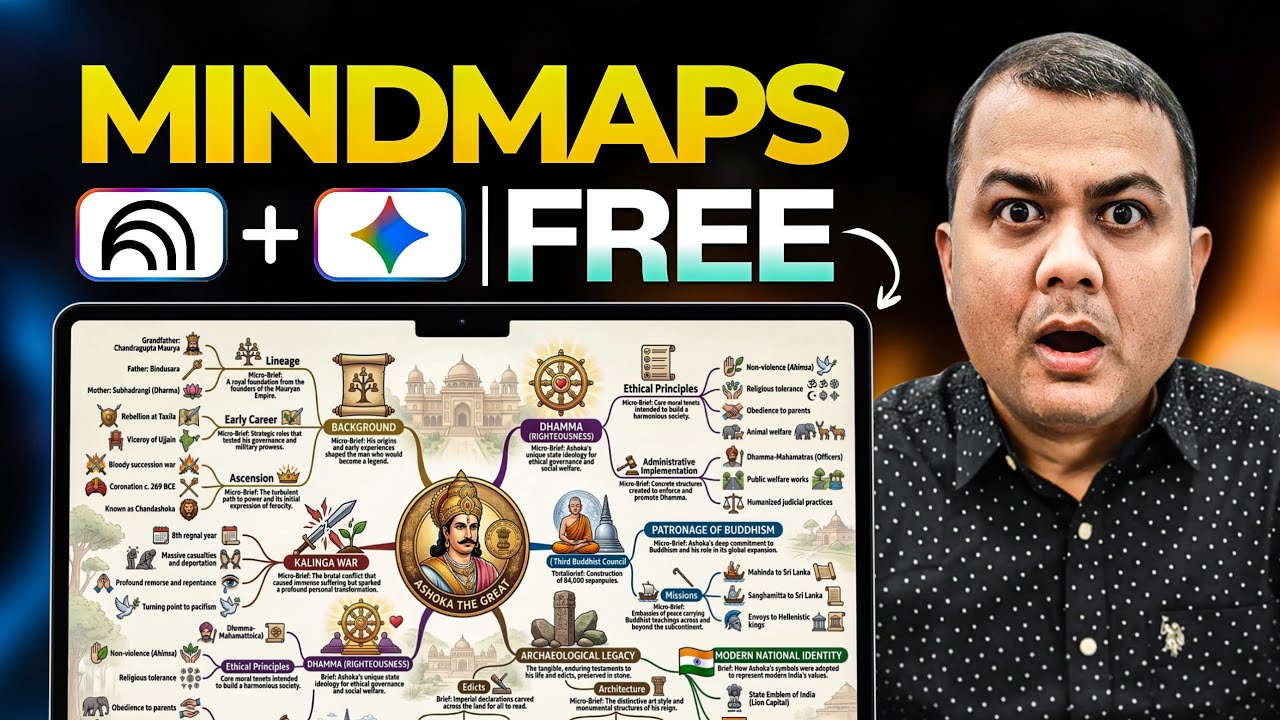
In this video, you will learn a secret technique to convert complex information into stunning visual mind maps in seconds using two powerful FREE Google AI tools — NotebookLM and Gemini.
I will show you 3 powerful methods to create visually rich mind maps:
Transform existing notes into visual mind maps
Generate accurate research-based mind maps
Combine NotebookLM research with Gemini image generation
These techniques are perfect for:
Students
Researchers
Teachers
Content creators
Anyone who wants to visualize knowledge beautifully.
By the end of this tutorial, you will be able to turn boring data into visually impressive conceptual mind maps that grab attention instantly.
What You’ll Learn
✔ How to generate mind maps using NotebookLM
✔ How to convert boring text mind maps into beautiful visual diagrams
✔ How to do AI-powered research and convert it into visual knowledge
✔ How to connect NotebookLM directly with Gemini for the best results
Keywords
AI mind map generator
create mind maps with AI
Gemini mind map tutorial
NotebookLM tutorial
Google Gemini tutorial
NotebookLM mind map
AI tools for students
AI tools for research
create visual mind maps
AI visualization tools
how to create mind maps using AI
Gemini AI tutorial
Google AI tools tutorial
best AI tools for students
AI tools for productivity
NotebookLM research tutorial
Gemini image generation tutorial
AI learning tools
AI study tools
visual mind map generator AI
convert notes into mind map
AI for college projects
AI for presentations
AI research workflow
Gemini create image tutorial
AI educational tools
mind mapping tutorial
AI knowledge visualization
AI diagram generator
AI concept map generator
NotebookLM is one of the most underrated AI tools out there right now.
Most people think of it as just a basic note summarizer.
But here are 7 advanced ways you can actually use it to supercharge your workflow:
👉 1. Mock interview prep
Upload your resume, the job description, and any related docs. NotebookLM will simulate a podcast-style conversation between experts, almost like practicing for an interview with a coach.
👉 2. Action items from meeting notes
Upload your meeting transcripts or slides. It will extract key takeaways, deadlines, and next steps, so you can leave every meeting with a clear action plan.
👉 3. Research faster
Use the “Discover” feature to explore new topics fast, or simply click I’m feeling curious to let NotebookLM guide your learning.
👉 4. Explain complex topics clearly
NotebookLM can turn your dense documents into structured mind maps, making it easier to teach, present, or learn any subject.
👉 5. Compare anything
From investment options to real estate brochures, NotebookLM can break them down into simple bullet points so you can make smarter decisions quickly.
👉 6. Mobile-first research
With the NotebookLM mobile app, you can prep, review, and even listen to AI-generated podcast summaries on the go.
👉 7. Turn documents into content
Upload your PDFs, PPTs, or notes, and instantly turn them into ready-to-use summaries for your social media posts, newsletters, or internal content.
If you haven’t explored NotebookLM deeply yet, you’re missing out.
This is an AI tool I’m keeping in my daily stack.
Follow along for more real-world AI insights and practical use cases!
Turn your ideas into stunning visual mind maps, and take them one step further with interactive visuals.
In this video, I walk you through a simple workflow using NotebookLM and Google Gemini to transform basic mind maps into clean, structured, presentation-ready visuals or even interactive, explorable formats.
If you’ve been using NotebookLM for research or learning, you already know how powerful its mind maps are for structure, but they can still be fairly basic.
This workflow fixes that.
You’ll learn how to:
Take a NotebookLM mind map and turn it into a high-quality visual mind map
Use Gemini Canvas to create interactive mind maps
Improve clarity, layout, and hierarchy for better understanding
Create visuals that are perfect for studying, teaching, or presenting
This is especially useful if you’re working on:
Research projects
Studying complex topics
Creating content or presentations
Organising ideas visually
Prompts used in video:
https://docs.google.com/docume....nt/d/1FTF_WOcR8yEb65
Subscribe for more practical AI workflows:
www.youtube.com/@AIandTechforE....ducation?sub_confirm
AI mindmaps, notebooklm tutorial, google gemini ai, ai for research, ai for studying, mind mapping techniques, interactive mindmap, visual learning tools, ai workflows, study with ai, research productivity, ai tools for students, knowledge organization, digital note taking, ai visualization, learning strategies, productivity tools, ai content creation

Want to make money and save time with AI? Get AI Coaching, Support & Courses 👉 https://juliangoldieai.com/07L1kg
Get a FREE AI Course + 1000 NEW AI Agents 👉 https://juliangoldieai.com/5iUeBR
Want to know how I make videos like these? Join the AI Profit Boardroom → https://juliangoldieai.com/07L1kg
NotebookLM & Gemini Integration: The Ultimate AI Game Changer!
Discover how the massive NotebookLM and Gemini integration transforms your business workflow by centralizing your entire knowledge base. Learn how to use your own research, notes, and data to create high-converting content and make data-driven decisions with ease.
00:00 - Intro: NotebookLM's Massive Upgrade
00:36 - Gemini & NotebookLM Integration Explained
01:05 - Real-World Business Use Cases
02:51 - Research, Reports & Course Creation
03:53 - Mastering Follow-up Questions
04:41 - 5 Tips for Better AI Results
05:44 - Technical Specs & Rollout Info
07:33 - Outro & How to Scale with AI

Ever wonder how to create Gemini Gems that actually produce high-end results? Today, I’m pulling back the curtain on my personal Gemini Gem workflow. I’ll show you how to use Gemini Gems alongside a deep-dive NotebookLM tutorial to build a "Creative Director" that handles your heavy lifting.
We aren't just writing basic prompts; I’m showing you how to use NotebookLM to find viral AI ads and using JSON prompting to make sure our output is professional every time. This Google NotebookLM strategy is a game-changer for anyone into AI video generation with Kling 3.0 or veo3.1 (seedance 2.0 or any ai video models) or creating stunning visuals with Nano Banana 2 and Nano Banana Pro.
I’ll also show you Claude AI to audit our instructions so your AI video ads look like they cost thousands to make.
Gemini said
Key Moments
0:00 – The Secret to High-Converting AI Ads
0:15 – Bright & Playful: The Gemini Gem in Action
1:21 – Step 1: Gathering Inspiration with NotebookLM
2:38 – Step 2: Building the "Creative Director" Persona
3:35 – Step 3: Creating Your Custom Gem from Scratch
4:22 – The Secret Refinement Loop: Gemini + Claude
5:10 – The 4-Step Blueprint Summary
5:25 – Final Results with Kling 3.0
5:45 – Outro: Your Turn to Build!
my prompts:
https://docs.google.com/docume....nt/d/11F7xlYZVbDC7xE
https://docs.google.com/docume....nt/d/1zHcnPEJdbOaPgC
#GeminiGems #NotebookLM #ClaudeAI #AIVideo #NanoBanana #AIVideoAds

Want to make money and save time with AI? Join here: https://juliangoldieai.com/784-sH

Optimize Your Prompts with MyPromptBuddy for free: https://mypromptbuddy.ai/
This video shows you every new NotebookLM feature and Google Gemini’s new features and upgrades. If you want to learn how to use NotebookLM inside of Google Gemini, how to import memory to gemini and more this video will benefit you.

🖥️ Download the free Gemini x NotebookLM PDFs: https://clickhubspot.com/160c05
More from Futurepedia:
👉 Join the fastest-growing AI education platform! Try it free and explore 20+ top-rated courses in AI: https://bit.ly/futurepediaSL
Summary:
Gemini's NotebookLM integration isn't just about accessing your notebooks - it unlocks capabilities you can't get from either tool alone. I'll show you how to connect notebooks to Gemini for better answers, use multiple notebooks for cross-topic synthesis, and build permanent Gems that auto-sync as you add sources. This combines NotebookLM's grounded, cited knowledge with Gemini's reasoning, creativity, and live web search. Game-changer for research, content creation, and any knowledge-heavy workflow.
Chapters
0:00 Intro
0:21 Quick Refresher
1:20 Knowledge + Capabilities
4:15 Cross-Notebook Synthesis
8:05 Why This Matters
9:49 Gems: Specialized Brains
15:04 Summary

In this video, I show you how to use Google’s new NotebookLM update with Gemini to turn raw notes, PDFs, and research into clean, professional slide decks in minutes, covering the exact workflow for generating presenter slides, detailed reports, and brand-styled presentations without touching PowerPoint or design tools.
Get more AI tips that don't make it into videos 👉 https://parker-prompts.com/join
Watch next https://youtu.be/SogSf-1p9t4
I'm Parker. I started this YouTube Channel with the goal to learn more about AI myself and to then pass on the knowledge to anyone willing to listen.
let's work together: partnerships @ parker-prompts.com
K-12 Schools and Classrooms
Speakers: Dan Meyer, Alexander Fishman

Discover how personalized learning, automation, and data insights powered by AI agents in education are transforming classrooms. Read this article to learn more.
https://sam-solutions.com/blog..../ai-agents-for-educa
0:00 - Intro
1:00 - What Are AI Agents in Education?
1:17 - How AI Agents Differ from Traditional AI?
1:37 - Key Applications of AI Agents in Education
2:25 - Benefits of AI Agents in Education
2:43 - Implementing AI Agents in Schools
3:16 - Challenges and Ethical Considerations
3:50 - The Future of AI Agents in Education
5:11 - Conclusion

Ethics, Fairness, and Justice
Speakers: Ezekiel Dixon-Román, Shayan Doroudi
