Top videos

The co-founders of Anthropic discuss the past, present, and future of Anthropic. From left to right: Chris Olah, Jack Clark, Daniela Amodei, Sam McCandlish, Tom Brown, Dario Amodei, and Jared Kaplan.
Links and further reading:
Anthropic's Responsible Scaling Policy (RSP): https://www.anthropic.com/news..../announcing-our-upda
Machines of Loving Grace: https://darioamodei.com/machines-of-loving-grace
Work with us: https://anthropic.com/careers
Claude: https://claude.com
00:00 Why work on AI?
02:08 Scaling breakthroughs
03:30 Early days of AI
10:57 Sentiment shifting
18:30 The Responsible Scaling Policy
30:42 Founding story
32:45 Building a culture of trust
39:08 Racing to the top
43:43 Looking to the future
Anthropic Study Reveals Which Jobs AI Will Replace First
Artificial intelligence is rapidly evolving from a productivity booster into a system that can reshape entire job categories.
A recent study by AI research company Anthropic analyzed large-scale real-world AI usage data and compared thousands of work tasks across different professions. The findings suggest that many computer-based roles could face higher exposure to automation.
Jobs that rely heavily on writing, research, documentation, customer interaction, and analytical work are particularly affected because modern AI systems are becoming extremely efficient at these types of tasks.
However, the research also highlights an emerging opportunity: professionals who can coordinate and manage AI tools. This role, sometimes referred to as an AI orchestrator, focuses on directing AI systems, designing workflows, and combining multiple tools to produce high-quality outcomes.
As organizations adopt more AI systems, the demand for people who understand how to manage and integrate these technologies could grow significantly.
The future of work may not simply be humans versus AI — it may be humans who know how to leverage AI outperforming those who don’t.
Tags
ai jobs future, anthropic ai study, jobs ai will replace, ai orchestrator role, future of work ai, artificial intelligence jobs impact, ai automation jobs, tech industry trends, ai productivity tools, ai career skills, creator economy ai, ai workforce transformation
CALL BACK LINK - https://cbxit.in/ytcallback
Connect with Mr. Sanjeev Jain – AI Automation & Tech Business Coach
SUBSCRIBE for the latest updates on AI, automation, and business coaching:
🔗 Instagram: https://www.instagram.com/sanjeevjain_coach
🔗 Facebook: https://www.facebook.com/ceoitbox
🔗 LinkedIn: https://www.linkedin.com/company/sanjeevjain
🔗 Twitter: https://twitter.com/ceoitbox
🎵 Music Licensing Disclaimer
All music used in this video is properly licensed for commercial use through royalty-free music platforms such as Envato Elements, Artlist, Epidemic Sound, or similar.
Licenses are held by AI CEOITBOX or our authorized video production partners.
We respect all copyright laws and hold valid, trackable licenses for every music asset used in our content. Proof of license can be provided upon request.
🛑 No copyright infringement intended. Any claims made in error may be disputed with the appropriate documentation.
📩 For licensing or copyright-related inquiries, contact: mktg@ceoitbox.in
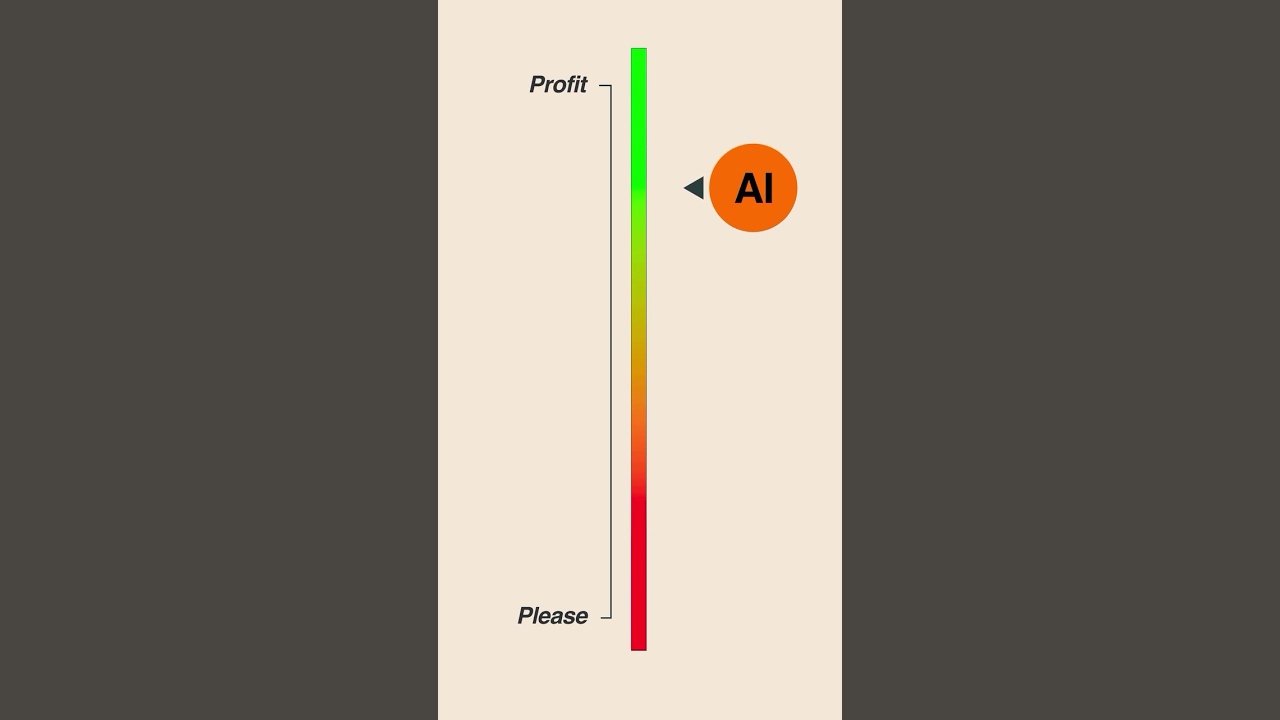
Anthropic has been one of the most talked-about AI companies lately — with Claude pushing the frontier of large language models and their AGI ambitions. 🚀
But the real question is: can they build a profitable business around it?
We’ve seen other AI-first startups raise billions, but profitability is a whole different game. Anthropic will need to balance:
Massive infrastructure costs 💸
Intense competition with OpenAI, Google, and others ⚔️
Finding the right use cases and revenue models 📈
The next few years will define whether Anthropic becomes the next OpenAI… or just another research-heavy lab without a sustainable business.
What do you think — can Claude’s edge be turned into real profits?
#ai #claude #agi #startup #ycombinator #anthropic #aimodel #futureofwork

#manish4u #google #googlegemini #googlegeminiprompts #howtousegooglegemini
Hello & Namaste Everyone,
Google Gemini Kya Hai aur Kaise Use Kare | Google Gemini Full Tutorial For Beginners
🔴 SUBSCRIBE FOR MORE VIDEO 👉 https://www.youtube.com/channe....l/UC3m2kLQNIPUqebFAH
TOPIC COVER IN THIS VIDEO :
Google gemini use kaise kare mobile me
google ai app
gemini by google
google gemini ai
how to use gemini app
gemini kaise use kare
google gemini kya hai
google gemini in hindi
AI tools by google 2026
what is google gemini app
gemini app se kya hota hai
google gemini kaise use kare
how to use google gemini app
गूगल जेमिनी क्या है और कैसे यूज करें ?
google gemini full course in hindi
how to use google gemini ai in hindi
how to use google gemini ai in mobile
Disclaimer :-
This channel does not promotes or encourages any illegal activities and all content provided by this channel is meant for for educational purpose only.
Copyright Disclaimer :-under section 107, of the copyright act 1976 allowance is made for "fair use" for purpose such as criticism, comment, news reporting, teaching, scholarship and research
Fair use is a permitted by copyright copyright status that might otherwise be infringing, non-profit, educational or personal use tips the the balance in favour of fair use.
🙏 धन्यवाद (Thanks For Watching) 🙏

So nutzt du Google Gemini: In diesem Video zeige ich dir, warum Google Gemini viel mehr kann, als die meisten denken. Du erfährst anhand konkreter Beispiele, wie du mit der KI im Alltag extrem viel Zeit sparen kannst. Ich erkläre dir, wie Google Gemini mit Gmail und dem Google Workspace zusammenarbeitet und dir hilft, E-Mails zu sortieren und Informationen schneller zu finden. Außerdem siehst du, wie du mit Gemini automatisch To-Do-Listen und Einkaufslisten erstellst. An praktischen Beispielen lernst du, wie Rezepte, Content-Pläne und Aufgaben direkt in Google Tasks gespeichert werden. Ich zeige dir auch, wie wiederkehrende Aufgaben und tägliche Inhalte automatisch von der KI erstellt werden. Ein weiteres Highlight ist die Nutzung von Google Gemini als persönlicher Assistent auf dem Smartphone. Du lernst, wie Bildschirmfreigabe und Kamera-Funktionen dir bei Content, Technikfragen und Einkäufen helfen. Zusätzlich erfährst du, wie Gemini Reels analysiert und konkrete Verbesserungsvorschläge gibt. Das Video zeigt außerdem, wie Videos transkribiert, Lernkarten und Quiz erstellt und Inhalte in Skripte umgewandelt werden. So bekommst du einen umfassenden Überblick über die vielseitigen Möglichkeiten von Google Gemini im Alltag und im Business.
00:00 Google Gemini nutzen
00:46 So sparst du Zeit mit Google Gemini
01:53 Google Gemini erstellt deine To Do Listen
03:29 Wiederkehrende Aufgaben in Google Gemini einrichten
05:25 Google Gemini Live nutzen
07:24 Du brauchst keinen Social Media Coach mehr
08:03 Audio und Video-Dateien transkribieren
08:21 Verstecke Funktionen in Google Gemini
09:15 So wandelt die KI Informationen um in Skripte für Social Media Content
09:48 Google Gemini YouTube Trick
10:38 Google Gemini wandelt Infografiken in animierte Videos um
Hier findest du Hilfe, wenn die Anbindung zu Workspace nicht funktioniert:
https://support.google.com/mail/answer/14199860?hl=de&co=GENIE.Platform%3DAndroid
(unbezahlte Werbung)
Du findest mich auch hier:
✔️ Instagram: https://www.instagram.com/feliciasimon._/
✔️ TikTok: https://www.tiktok.com/@feliciasimon_
✔️ LinkedIn: https://www.linkedin.com/in/felicia-simon/
✔️ Facebook: https://www.facebook.com/feliciasimon.marketing
✔️ Blog: https://feliciasimon.de/instagram
✔️ Newsletter (kein Spam, versprochen! Es gibt ein kurzes Update jeden Monat): https://feliciasimon.de/newsletter/ ✍️
✉️ E-Mail nur für Business-Anfragen: hello@feliciasimon.com
(Du verstehst bestimmt, dass ich keinen Support per Mail geben kann und Fragen auf diesem Weg nicht beantwortet werden.)
PS: Ich gebe Social Media Marketing Trainings und Workshops für Unternehmen. Wenn du Lust auf einen Workshop hast, dann melde dich gerne per Mail:
👉 hello@feliciasimon.com
(Du verstehst bestimmt, dass ich keinen Support per Mail geben kann und Fragen auf diesem Weg können leider nicht beantwortet werden.)

A few days ago, I conducted a simple experiment. I scribbled a chaotic drone path over a map, fed it into Google’s newly released Gemini Omni model, and asked it to simulate a first-person drone view following that exact trajectory. What happened next completely broke AI Twitter.
Creators across the US, China, and the global AI community took this "scribble-to-video" concept and turned it into the ultimate stress test, pitting Google’s new foundational model against ByteDance’s powerful Seedance 2.0.
In this video, we are looking at the wildest community iterations, analyzing the results, and diving deep into the technical architecture. We aren't just looking at pretty pixels anymore. Models like Gemini Omni and Seedance 2.0 aren't text-to-video generators; they are natively multimodal, spatial world simulators that understand the physics of lighting, gravity, and structural depth.
00:00 I Accidentally Started an AI Video Trend
01:08 How Google Omni Actually Works
02:55 The Craziest Community Experiments
06:12 Spatial RAG & The Future of Street View
07:05 Google Omni vs. Seedance
07:37 Why Omni is an After Effects Killer
10:26 The Endgame: Volumetric 3D Video
12:04 Natively Multimodal AI Changes Everything
#GoogleOmni #Seedance #AIVideo #GoogleEarth #ArtificialIntelligence
Become a member to support the channel:
https://www.youtube.com/channe....l/UC7bGK0A1weWfNaRfO

Interested in getting credit for this lesson? Take the full AI Boost Bootcamp course on Google Skills and earn your badge → https://goo.gle/4ccw2mH
Go from AI basics to advanced proficiency in under 50 minutes with AI Boost Bootcamp. Based on Google’s own proven internal training, this course empowers you to master Gemini at work across Google Workspace and Gemini Enterprise.
In Lesson 1, we’ll orient you across Google’s AI ecosystem—from Workspace and NotebookLM to the Gemini app and Gemini Enterprise—before mastering the Art of Prompting using the four essential pillars (Persona, Task, Format, and Context).
🕒 Timestamps:
0:00 – Welcome: Course introduction
1:28 – Product overview: Where to find Gemini in Workspace, NotebookLM, Gemini App, Gemini Enterprise.
3:56 – The agentic workplace: Intro to Gemini Enterprise and AI agents.
4:52 – AI prompting essentials: Master the PTFC framework (Persona, Task, Format, Context) to get high-quality results.
6:50 – Recap: A summary of fundamentals and Lesson 2.
What is Google Workspace → https://goo.gle/45BsE1W
Set up Google Workspace → https://goo.gle/4q8r3t1
Subscribe to Google Workspace → https://goo.gle/GoogleWorkspace
Try Google Workspace with Gemini → https://goo.gle/45FrVNh
Follow Google Workspace on X → https://goo.gle/3YpmHS0
Follow Google Workspace on Facebook → https://goo.gle/4q8cZja
Follow Google Workspace on LinkedIn → https://goo.gle/49Eqjpw
Follow Google Workspace on Instagram → https://goo.gle/44Xs4eL
Follow Google Workspace on TikTok → https://goo.gle/4qijGio
Follow Google Workspace on Threads → https://goo.gle/4so5XYS
#GoogleWorkspace
#GoogleWorkspaceWithGemini
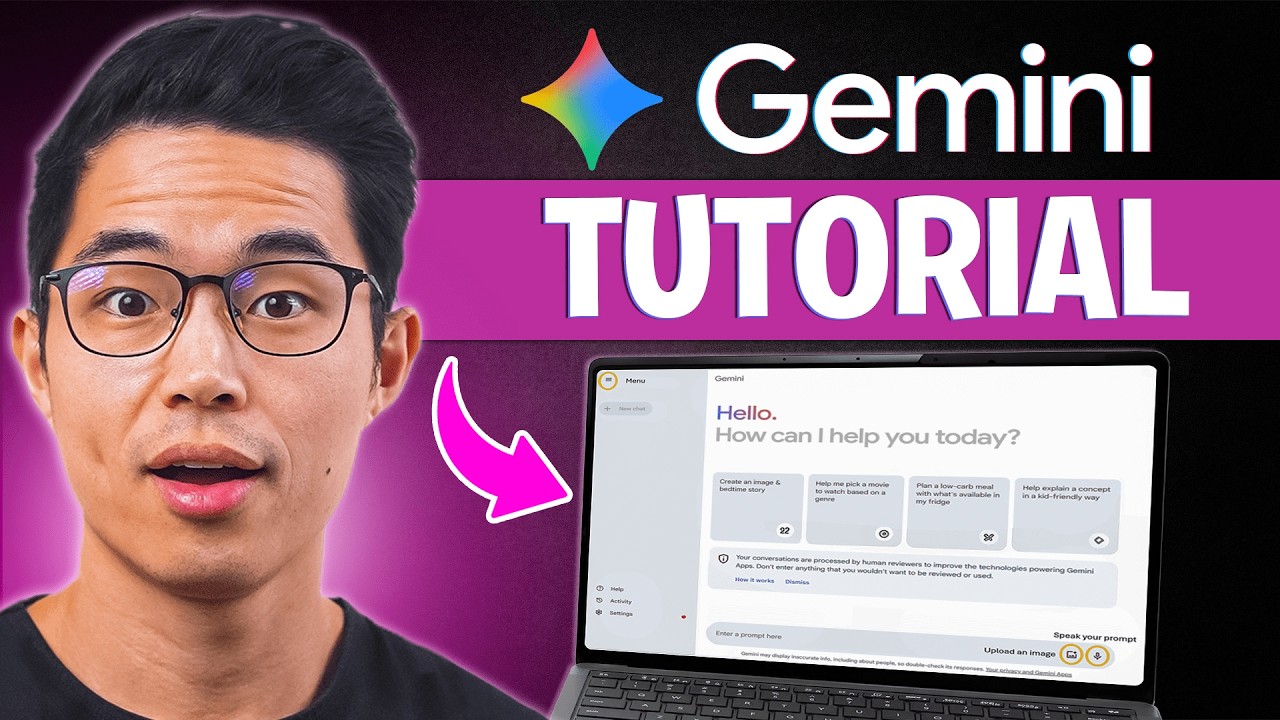
🎃 Save 75% on Hostinger to build your website using AI: https://www.hostinger.com/charliechang
^ use code CHARLIECHANG for an additional 10% off! (Limited time offer)
In this video, I go over everything you need to know about Google Gemini, from how to get started as a beginner to using their advanced AI features like research mode, canvas, image generation, and seamless integration with Google Docs, Gmail, Sheets, and more. Gemini AI is such an amazing tool because it not only works like ChatGPT but also connects directly with your Google workspace account, making it one of the most practical AI tools you can use every day. We’ll be diving into free vs. paid plans, the Flash vs. Pro models, and real use cases that will actually save you time and money.
► Get access to my FREE side hustle courses:
https://www.sidehustlemastery.com
My favorite finance + business products:
💳 My favorite credit cards: https://yourbestcreditcards.co....m/card-finder/?ccid=
🏦 Favorite online savings accounts: https://bit.ly/top-hysa-2026
📈 Get a bonus with WeBull Investing: https://bit.ly/webull-bonus
🖥️ Best AI website builder (Less than $3/month using code CHARLIECHANG): https://hostinger.com/charliechang
🥇 Hire the top 1% of overseas talent: https://paired.so
► Join my FREE newsletter:
https://buildabetterbusiness.co/subscribe
Be sure to watch this video until the end because I’ll walk you through how to use Gemini like a pro and show you the exact features that make it stand out from other AI tools. I highly recommend treating Gemini like your personal assistant and the smartest person in the world. You can use it to draft emails, summarize PDFs, research faster, and even create content inside Docs and Sheets. Once you learn the best ways to apply it, you’ll realize Gemini can do the heavy lifting for almost any task and save you hours every week.
Yes, watching this tutorial will give you a solid understanding of Google Gemini, but the best way to learn is by actually trying it yourself. So, visit Gemini, test its features, and start incorporating them into your daily workflow. The more you use it, the faster you’ll see how powerful it really is. Gemini is not just another AI, it’s a complete AI platform that integrates directly into the apps you already use, making it perfect for students, professionals, and creators.
If you want to see more AI videos like this, check out my other videos:
10 Ways to Use ChatGPT So Well It Feels Illegal (Tutorial)
https://www.youtube.com/watch?v=Jg09XvHGHiQ
n8n Tutorial for Beginners: How to Build AI Automations for FREE (Step-by-Step):
http://www.youtube.com/watch?v=Fy1UCBcgF2o
I hope you guys found this video helpful, and if you did, please SHARE it with a friend or family member who you think could benefit and also LIKE and subscribe for more videos like this in the future!
Thank you for watching, and I hope you have a wonderful rest of your day!
– Charlie
#Gemini #Tutorial #AI
Timeline:
0:00 - Introduction
0:29 - Google Gemini Main Page Walkthrough
1:44 - What Can Google Gemini Do? (Basic Features Explained)
2:54 - How to Use Gemini for Deep Research (Step-by-Step)
6:06 - Gemini Canvas Mode Tutorial for Beginners
6:42 - Google Gemini Image Generation Made Easy
7:26 - Uploading and Using Files in Google Gemini
9:17 - How to Use Google Apps Inside Gemini (Docs, Drive, etc.)
10:14 - What Are Gems in Google Gemini? (Beginner's Guide)
12:02 - How to Use Google Gemini on Your Phone
13:29 - Google Gemini Paid Plan Features Explained
15:05 - How to Use Gemini in Gmail for Writing Emails
16:00 - Google Gemini in Google Docs Tutorial
17:02 - Final Thoughts
Disclaimer: Some of the links above may be affiliate links, which means that if you click on them, I may receive a small commission. The retailers and financial services companies pay the commission at no cost to you, and this helps to support our channel and keep our videos free. Thank you!
In addition, I am not a financial advisor. Charlie Chang does not provide tax, legal or accounting advice. The ideas presented in this video are for entertainment purposes only. Please do your own due diligence before making any financial decisions.
► My Instagram: https://www.instagram.com/charlie__chang/

Google AI has three subscription tiers for Gemini, Free, Pro and Ultra. But which one is actually worth your money—and is the $250 Ultra plan just overkill for most people?
0:00 Intro
0:38 Free Plan
2:28 Models
4:28 Context Size
5:28 Tools
8:26 DeepThink & Agent
9:38 Scheduled Actions
10:15 NotebookLM
11:05 Google Docs
11:22 Flow & Whisk
12:38 Priority Access
13:43 Gmail
14:19 Google Search
14:49 Storage
15:10 Free vs Pro
16:51 Pro vs Ultra
10:30 NotebookLM Course Card

ChatGPT Vs Google Gemini 2.5 flash
Nano banana vs Chat GPT
Open AI Vs Google Gemini

Every Google Gemini 3.0 Pro Feature You'll NEED in 2026
In this video, I walk through every major capability of Gemini 3.0 Pro and Google’s AI stack in real use. You’ll see how it reasons through complex problems, analyzes images and videos, handles massive PDFs with long context, powers AI mode in Google Search, and connects with tools like Nano Banana Pro, Veo 3.1, and NotebookLM to create images, videos, podcasts, and full workflows from scratch.
If you’re still using Gemini like a basic chatbot, you’re wasting time. This is how to use it properly.
Get more AI tips that don't make it into videos 👉 https://parker-prompts.com/join
Watch Next https://youtu.be/tTplmSnPIHQ
Watch Next https://youtu.be/gXm4Rp6gjEU
Watch Next https://youtu.be/di5E5FG1OT0
Watch Next https://youtu.be/4KvTNcGOeMU
Watch Next https://youtu.be/SogSf-1p9t4
I'm Parker. I started this YouTube Channel with the goal to learn more about AI myself and to then pass on the knowledge to anyone willing to listen.
let's work together: partnerships @ parker-prompts.com

Google is in its agentic Gemini era. Hear from CEO of Google and Alphabet Sundar Pichai on how Google is customer zero of its own technologies and helping enterprises manage, scale and optimize their agents.
Chapters
0:00 - The Pace of Technological Change
0:45 - Google’s Multi-Billion Dollar AI Investment
1:30 - How Google Uses AI to Generate 75% of New Code
2:15 - Scaling Complex Code Migrations with Agentic Workflows
3:00 - AI in Marketing: 70% Faster Turnaround & Personalized Creative
3:45 - Boosting Cybersecurity with AI Agents
4:30 - Introducing Gemini Enterprise Agent Platform
#googlecloudnext

In this video, I demonstrate how Google Gemini AI can be effectively used by language teachers to make teaching more interactive, creative, and student-centred.
You will learn step-by-step how to use Gemini AI for:
✅ Vocabulary building activities
✅ Auto-generation of quizzes and worksheets
✅ Creating digital & manual scrapbooks
✅ Enhancing reading, writing, and creative expression
✅ Saving teachers’ time with smart AI prompts
This session is especially useful for school teachers, B.Ed / M.Ed students, teacher educators, and language instructors who want to integrate AI tools in teaching-learning processes as recommended in NEP 2020.
🔹 Who should watch this video?
• Language Teachers (English, Hindi, Marathi, Sanskrit, etc.)
• Teacher Educators & B.Ed Students
• ICT in Education Enthusiasts
• Educators exploring AI tools for classrooms
🔹 Topics Covered:
• Gemini AI basics for teachers
• AI-based vocabulary enrichment
• Quiz & question paper creation
• Scrapbook ideas using AI
• Classroom examples & prompts
👉 Don’t forget to Like, Share, and Subscribe to Instructional TechEducation for more videos on AI tools, digital pedagogy, and innovative teaching methods.
#GeminiAI
#AIToolsForTeachers
#LanguageTeaching
#VocabularyLearning
#QuizCreation
#ScrapbookActivity
#AIInEducation
#NEP2020
#DigitalTeaching
#TeacherTraining
#ICTInEducation
#InstructionalTechEducation

SchoolAi can make an instant deck. Here’s how https://youtu.be/V4qOQVArdfM So can Gemini. Working from nothing more than a learning standard, you can have a deck in a sec, ready to edit.
All of my help videos: https://docs.google.com/docume....nt/d/1lVxUw0wpiv-18M
Subscribe to my Channel: https://www.youtube.com/channe....l/UChQpjyIIwog8bgQuX

In this episode, we introduce educators to Google Gemini and its powerful, free feature—Gems—which allows teachers to create custom AI assistants tailored to their students’ needs. We walk through how this tool can support lesson planning, differentiation, and personalized learning, all without needing a paid subscription.
We emphasize the value of starting with free tools like Gemini and the importance of consistency in exploring AI in the classroom. Teachers are encouraged to experiment independently and use these tools as professional support, while also seeking administrative approval before incorporating student-specific data.
Additionally, we highlight how Gemini provides clear communication resources for educators to share with administrators, parents, and students about how the tool collects, stores, and uses data. These resources help ensure transparency and support responsible, informed use of AI in education.
Stop wasting hours creating detailed rubrics! In my previous video I showed how to create this rubric. This game-changing tutorial shows you how to seamlessly import and use them in Google Classroom.
This is the ultimate AI teacher hack to drastically cut down on your grading time and provide better, targeted feedback. Whether your goal is efficient grading or giving feedback to support student learning, this process is essential for any teacher aiming to beat burnout.
In this Step-by-Step Tutorial, you will learn:
✅ How to use Gemini to prompt and instantly create a detailed, custom rubric tailored to your assignment.
✅ The exact steps to save and edit your AI-generated rubric for perfect alignment with your lesson goals.
✅ The quick, simple method to import the rubric directly into Google Classroom assignments.
✅ Strategies for using the rubric for either rapid, accurate grading or meaningful, instructional feedback.
Ready to reclaim your time? This workflow revolutionizes how you assess and give feedback.
Hit the LIKE button if this hack saves you time, and SUBSCRIBE for more practical AI and EdTech strategies from a veteran educator!
#Gemini #GoogleClassroom #AIforteachers #Rubrics #GradingHacks #TeacherBurnout #EdTech #Tutorial #AIinEducation

⚠️ AI is replacing jobs faster than ever — are we ready? ⚠️
In this video, we uncover how AI automation is destroying livelihoods across the world, and why India must act NOW before it’s too late. From call centers to classrooms, millions are at risk — even skilled workers.
👉 South Korea has already prepared by giving prepaid cards to citizens so local businesses survive. But in India, our Parliament is still debating guidelines, while jobs vanish every day.
This is not just about technology. It’s about our future economy, our families, and our survival. AI doesn’t buy groceries, clothes, or food — we do. Without AI laws and protections, millions of Indians could be left behind.
🚨 What you’ll learn in this video:
How AI is replacing call center workers and even teachers
Why small shops, grocery sellers, and local businesses are struggling
What South Korea did to protect people from automation
Why India must pass AI regulations to protect jobs & livelihoods
How leaders like PM Modi and Parliament can ensure AI works for the people, not against them
🔥 Your role: Share this video, speak up, and ask your MP to support AI laws before it’s too late. Together, we can shape a future where technology helps everyone.

AI Tools for Teachers| #tech #aiineducation #chatgpt #gemini #notebooklm #aitools #aihacks #teaching
Follow me on:
LinkedIN- https://www.linkedin.com/in/sania-ayushi/
Instagram- https://www.instagram.com/taughtfortheday/
Book a 1:1 Consultation with me-
ECE/NZ Services
--30 mins video call: ECE Teaching in NZ on Google Meet
https://topmate.io/saniaayushi/1591737
--30 mins video call: Living and Studying in NZ on Google Meet
https://topmate.io/saniaayushi/1591737
--Priority DM: Ask me anything about ECE in NZ and get a response within 3 days.
https://topmate.io/saniaayushi/1591803/pay
UX Writing Services
--30 mins video call: Curious? Get to know about UX Writing
https://topmate.io/saniaayushi/1591799

Join us as we explore the groundbreaking AI Works Education pilot, a people-first skills initiative designed to revolutionise how we approach AI adoption in the workplace, specifically within education. This video delves into the heart of the pilot program, focusing on how AI can be a powerful tool to save teachers valuable time.
Need an AI lesson builder? AI rubric creator? Just an AI partner? There are a lot of AI teacher tools out there... but did you know you can BUILD YOUR OWN using Google Gemini? When you create your own AI Teacher Tool then the only person collecting your data is YOU!
Google Gemini for Education is your AI partner built right into your Gmail, Docs, Sheets, Slides, Google Classroom, etc... Use https://gemini.google.com and Gems in Gemini to upload your files and information about your district initiatives and teaching style to have a custom AI Teacher Tool.
BUT.... you still have to create the prompts... and who has time for that?! So I prompted my idea to create my own custom AI Teacher Tool. In this video Alice Keeler demonstrates using Google Gemini to vibe code creating an Add-on for Google Sheets that lets you choose from a list of teacher tools, like you can in other 3rd party tools, but you have total control over the prompt!
More safe, more secure, more personalized. Google Gemini for Education.

Learn all about using MagicSchool AI, Gemini, Gemini Live, NotebookLM, and Canva AI as a teacher!
Links Mentioned:
CCSD21 AI Guidance for Teachers: https://drive.google.com/file/....d/1kq9y9jpvQhijdN_hK
Full MagicSchool AI tutorial: https://youtu.be/Xavxmp8cLLI?si=LuLHoiFWjZExwjJA
magicschool.ai
gemini.google.com
aistudio.google.com/live
notebooklm.google.com
canva.com
CCSD21 Translation Guidance: https://docs.google.com/docume....nt/d/1hGdditshmIXjpd
Timestamps:
00:00 Intro
0:43 How to prompt
3:16 MagicSchool AI
5:00 Gemini
6:56 Gemini Live
8:29 NotebookLM
11:57 Canva
15:29 Translating documents and PDFs with AI
Music Provided by the YouTube Audio Library:
Kicking It by Dyalla
Touch by Anno Domini Beats
You and I by Telecasted
Ruff Money by the Grey Room/Clark Sims
Gemini by half.cool
Intellect by Yung Logos
Bodega Cat by Dyalla
Distance by Anno Domini Beats
Video made with Canva for Education

【最強ムーブ】NotebookLMをGeminiで呼び出しAIライティング!複数のブログ記事を統合しまとめ記事を書く方法を公開!Gemini3のPro/思考モード/高速モードを使い分けろ!【神アプデ】
【AI共創イノベーションおすすめ動画】
https://www.youtube.com/watch?v=IXbKlwHUdbg&list=PLTcSHWqKTOojc8R-brID5q06JrmtiWRTl
NotebookLMとGemini 3で実現する次世代AI執筆ワークフロー
GoogleのAIエコシステムにおける最新の進化、「NotebookLM」と「Gemini 3」を連携させた、圧倒的な効率を誇る文章作成術について解説します。
これまで、NotebookLMは「情報の整理」や「信頼性の高い回答」には非常に優れたツールでしたが、執筆機能においてはモデルの選択ができず、出力される文章のトーンや論理性の深度をコントロールしにくいという側面がありました。しかし、Gemini(gemini.google.com)から「アドオン(拡張機能)」としてNotebookLMを呼び出すことで、最新のGemini 3各モデルを「執筆エンジン」として使い分け、NotebookLMに蓄積した膨大なソースに基づいた高品質なアウトプットが可能になります。
本ワークフローでは、用途に合わせてGemini 3の「Pro」「Thinking」「Flash」という3つの脳を戦略的に切り替える手法を軸に、バラバラな過去記事を一つの「価値あるまとめ記事」へと昇華させる具体的なプロセスを提示します。
【コンセプト:NotebookLMを「知識の脳」、Gemini 3を「表現の脳」へ】
この連携の核心は、役割分担にあります。NotebookLMを、信頼できる資料(PDF、URL、Googleドキュメント、自らのメモ)の保管庫およびコンテキストの提供者として固定し、その上に最新のGemini 3を「出力の調整役」として乗せる。これにより、AI特有の「もっともらしい嘘(ハルシネーション)」を最小限に抑えつつ、書き手の意図に完全に合致したトーンの文章を生成することができます。
【戦略的モデル選定:Gemini 3の3つのモード活用法】
執筆の目的に応じて、Gemini 3の以下の3つのモードを使い分けることが、クオリティを決定づける鍵となります。
1. ロジカル・専門特化:Gemini 3 Proモード
構造化されたレポート、技術文書、ビジネスの意思決定を伴う文書など、論理の厳密さと深い洞察が求められる場合に選択します。Gemini 3 Proは、複数の資料間に存在する微細な論理的矛盾を見抜き、一つの筋が通った、説得力のある文章を構築することに長けています。
2. バランス・洞察型:Gemini 3 Thinking(思考モード)
「なぜそうなるのか」というプロセスや、複雑な情報の噛み砕きが必要な場合に最適です。出力前にAIが内部で推論ステップを挟むため、情報の要約だけでなく「AとBの情報から導き出される新たな視点」を提案してくれる、非常にバランスの良い構成案が得られます。
3. カジュアル・高速型:Gemini 3 Flash(高速モード)
スピードとリズムを重視し、SNS投稿や日常的なメール、大量の下書きをクイックに作成したい場合に威力を発揮します。親しみやすいトーンでの生成が得意で、多くのアイデアを出しながら取捨選択していくプロセスの初期段階で重宝します。
【核心的テクニック:散らばった過去記事の「高度な統合」】
この手法の最大のメリットは、数年前に書いたバラバラの記事や、未整理のメモ、参照したURLなどを一箇所に集め、それらを単に「つなぎ合わせる」のではなく、一つのテーマで「完全に再定義」できる点にあります。
例えば、NotebookLMに過去5年分の「AIに関する雑記」をすべて読み込ませたとします。Gemini 3 Proモードを選択し、「これらすべての記事を通底する私の哲学を見出し、2025年の最新トレンドと掛け合わせた『決定版の考察記事』を作成してください」と指示を出すだけで、人間が行えば数日かかる情報のキュレーションと編集、執筆が数分で完了します。これは単なるまとめではなく、過去の資産を現代の価値に変換する「資産の再構成」に他なりません。
【結論:AIエディターとしての新境地】
NotebookLMの「正確な根拠」と、Gemini 3の「柔軟な表現力・推論力」を掛け合わせることで、AI執筆は新たな段階へ入りました。情報の断片を放置せず、NotebookLMにストックし、Gemini 3という最適なツールで調理する。この循環を確立することで、個人が発信できるコンテンツの質と量は劇的に向上します。
最新のAIを単なる「チャットボット」としてではなく、自らの思考を拡張し、過去の経験を価値に変える「高度なエディター」として使いこなすための環境を、今すぐ構築しましょう。
このほかにも、AIリライトの方法やAIサムネイル生成、複数のノートブックからAI分析する方法など、盛り沢山の内容でお届けしております。
【プロフィール】
ワンダー・佐藤源彦(さとう もとひこ)
1977年生まれ
MBBS & AI共創イノベーション主催。
医療系の研究所、心理学の研究所の勤務を経て独立し、現在は生成AI(ChatGPT、Claude、Geminiなど)と心身に関する研究をしている。
主著『かんたんプロンプト』(芸術新聞社)『東洋医学と潜在運動系』(たにぐち書店)、2年間専門誌に連載、論文執筆などの執筆業を行いつつAI共創ライティングを開発中。
心理学・カウンセリング・コーチングをAIに技術転用し、AI共創プロンプトエンジニアリングを開発している。
AIスクール・AI企業研修・AIアプリ開発などを行う。
✅ワンダー佐藤源彦・著『かんたんプロンプト』(芸術新聞社から刊行)
※プロンプトエンジニアリングの基本から応用、タスク実行までを網羅
https://amzn.asia/d/80zVtv8
✅note記事
https://note.com/mbbs
※ChatGPT・Claude・Gemini・NotebookLM・Perplexity・Genspark・Feloなどの記事あり
※ワンダー佐藤のMyGPTsも公開しています
※メンバーシップはじめました!
✅AI共創イノベーション(AIスクール・AI企業研修・AIアプリ開発のサイト)
https://mbbs-ai.jimdofree.com/
✅Facebook
https://www.facebook.com/motohiko1977
※リクエスト申請前にメッセージください
✅佐藤源彦総合リンク
https://linktr.ee/motohiko.sato
タイムライン
- 00:00 - NotebookLMをGeminiで呼び出し可能になりPro・思考モード・高速モードで文章生成
- 01:03 - 高速モードは自己回帰的で柔らかい文章・思考モードはロジカル・ProはGemini3 Proで専門的
- 02:08 - NotebookLMのRAGは収束で硬い・モード選択で記事統合とサムネイル一気通貫生成
- 03:12 - プラスボタンでNotebookLM呼び出し・複数記事選択で統合可能
- 04:15 - ソース参照機能でブログアウトライン作成・左側ソースを右側に保存して再利用
- 05:20 - ブログ構成案をソースに放り込みロジック補強・公式情報を中心に参照させる戦略
- 06:26 - タイトルとセクションが構成案と全く同じ・ソース参照で一貫性確保
- 07:22 - GPT5.2 Codex公式記事を中心に補強ロジックで使い勝手・意外な弱点も反映
- 08:30 - 高速モードは参照マーク表示・Proは表示なし・数字ナンバリング出力問題
- 09:34 - 遂行してで参照マーク消える奇妙な挙動・プロモード推奨で回避
- 10:38 - プロで参照なし・高速で参照ありの違い・タイトル出力有無の差
- 11:42 - 2段階戦略で骨組みProで作成・フラッシュで柔らかくリライト
- 12:47 - 3つのノート記事URLをNotebookLMに統合・材料作成完了
- 13:51 - NotebookLMのブログ機能は硬い・参照過剰書きで文章流れ悪い
- 14:54 - ソースにナンバリング記号で順番指定・1ソースにつき2セクション設定
- 16:01 - プロで6セクション構成・専門家超え・魔法のプロンプト・深みと質両立の3部構成
- 17:06 - キャンバスとシンキングで実現・参照マーク外しに苦戦
- 18:10 - 上機のみ見て遂行・ネガティブプロンプトで参照マーク除去成功
- 19:15 - プロンプトチェーン成功・3記事統合でGDPバル・魔法プロンプト・コーディング順
- 20:19 - まとめ生成でAIがエージェントへ進化・サムネイル16対9即生成
- 21:24 - 武田信玄と間の直し2つのノート統合で共通点分析・カリスマ性と共容の類似性
- 22:30 - 時代違いでも立致的計算・個人能力で組織限界超えの共通点発見
- 23:34 - 情報蓄積で分析・レポート・論文作成と3モード使い分けで統合的分析実現
#ai #aiエージェント #aiツール #生成ai #gemini3 #notebooklm #ai使い方 #gemini #gemini3pro #gemini3flash #ジェミニ3 #ノートブックlm

Are you ready to unlock the true potential of Google AI? In this video, we dive deep into the game-changing world of Google's AI tools, including Gemini, NotebookLM, and how they integrate seamlessly with Google Workspace. Stop using Google the old way – the future of productivity is here!
🤯 We explore how Gemini can revolutionize your workflow, from brainstorming and content creation to deep research and streamlined communication. Discover the power of NotebookLM, a revolutionary tool that can synthesize information from multiple sources (YouTube videos, articles, documents) and even turn them into custom podcasts! Imagine learning on the go with personalized audio summaries of your research.
💡 But that's not all! We'll show you how Gemini integrates with Google Workspace (Docs, Sheets, Slides) to supercharge your productivity. Create custom spreadsheets in seconds, generate presentations with AI-powered images, and research complex topics in minutes, not days. We'll also touch on Google AI Studio, a powerful tool for learning and getting real-time assistance.
🔥 This video is packed with practical examples and demonstrations of how these tools can transform your work, study, and creative processes. Whether you're a student, professional, or simply curious about the future of AI, this video is a must-watch!
✅ In this video, we cover:
Google Gemini: Use cases and applications
NotebookLM: Summarizing content, creating podcasts, and deep research
Google Workspace Integration: Docs, Sheets, Slides, and AI-powered productivity
Google AI Studio: Real-time learning and assistance
And much more!
🔗 Resources: (Add links to relevant resources, blog posts, etc. here)
#GoogleAI #AItools #Gemini #NotebookLM #GoogleWorkspace #Productivity #ArtificialIntelligence #FutureofWork #Tech #Innovation #AI #DeepLearning #MachineLearning #GoogleAIStudio

終於不用再忍受 Gemini 歷史對話亂成一團了!這次官方推出的「筆記本」功能,直接解決了對話無法分類的痛點,這絕對是近期最讓人激動的更新。
而且這是一個縫合怪,它還是將對話管理、NotebookLM 同步 與 專案記憶 整合在一起的強大系統:
1.官方原生分類:點選側欄「筆記本」,將歷史對話一鍵歸類,不再海底撈針。
2.雙向無縫同步:在 Gemini 產生的內容會同步回傳至 NotebookLM,讓研究與對話接軌。
3.打造長期記憶:開啟個人化記憶設定,讓 Gemini 記住過往對話脈絡,越用越懂你。
4.專屬助理人格:為不同筆記本設定專屬回覆風格,不管是應對細節控還是效率控客戶都遊刃有餘。
⏱️【章節時間碼(Chapters)】
00:00 敲碗成功!Gemini 對話分類功能終於上線
00:33 什麼是「筆記本」?管理、同步、記憶的三合一系統
01:33 哪些人能用?Ultra 與 Pro 用戶搶先體驗
02:14 重要觀念:Gemini 與 NotebookLM 的雙向同步邏輯
07:04 對話紀錄管理
08:46 核心大招:開啟「個人化記憶」賦予 AI 長期記憶
10:02 專屬助理人格:根據客戶個性自動客製化郵件
11:33 總結
#Gemini #聊天紀錄分類 #Gemini筆記本 #NotebookLM #長期記憶 #AI專案助理 #GoogleAI #生產力工具 #對話管理 #專案管理

#gemini #notebooklm #ai教學 #aitools
\ 本期內容/
🔥 Google NotebookLM 又又又又升級了!其中有亮點也有讓我眉頭小皺的,不過自從 Gemini 和 NotebookLM 互相打通了之後,我覺得在實際使用上確實多了非常多的玩法,之前有出過一期,這次沒忍住又給 NotebookLM 單獨出了一期,也希望大家可以多動手試試~有其他問題或想法也可留言,感謝您的訂閱!
——————————————————————
\ 涉及鏈接/
🔗個人資源庫: https://www.notion.so/cdecf60b....bc9441f68997c88a1ea7
🔗Deckcleaner(去處浮水印):https://www.deckcleaner.xyz/en
🔗Netlify(網站製作;需註冊使用(免費)):https://www.netlify.com/
——————————————————————
\ 其他分享/
NoteBookLM:
https://notebooklm.google.com
Gemini:
https://gemini.google.com/app
——————————————————————
\ 時間軸/
00:57 前言-介紹本支影片的高價值內容
01:49 第1部分:NotebookLM是什么?
02:56 第2部分:拆解Notebooklm新功能
03:01 功能一:接入Gemini 3.1 pro
04:10 功能二:用自然語言就改幻燈片
04:50 功能三:簡報支持PPTX格式導出
05:17 功能四:支持對話式生成內容
06:05 第3部分:NoteBookLM的四大實戰場景
06:16 場景一:生成簡報(消亂碼除浮水印)
08:58 場景二:簡歷優化&網站製作
12:56 場景三:5分鐘生成調研報告
14:10 場景四:快速上手新項目
15:30 总结
