Top videos

http://ABCmouse.com/LearnMore
"The Letter Z Song" (See below for lyrics)
As a subcategory of rock 'n' roll music, doo-wop is a "zippity" way to celebrate this fun letter in "The Letter Z Song"! A game of musical chairs is the perfect way to dance and party as you celebrate the last letter of the alphabet!
About Us:
ABCmouse.com is an award-winning website that uses a variety of activities, including these songs, to help children build a strong foundation for future academic success. ABCmouse.com Early Learning Academy provides a full online curriculum from preschool through 2nd grade, with more than 10,000 interactive learning activities that teach the subjects of reading, math, science, social studies, art, and music.
Parents, learn more about ABCmouse.com at http://ABCmouse.com/LearnMore.
Song Lyrics:
The last letter of the alphabet is "z" "z" z,
as in Zelda, Ziva, Zoey, Zeke, and Zachary!
Zazza marazzama, zazza maroo.
Zazza marazza, zigga zaggity zoo.
It's fun to say z words—try it, you'll see!
Zizzily, zazzily, zippity zappity z!
Z is for zebra, zipper, and zoo.
Z for zucchini and zeppelin, too!
Z is for zither, zinnia, zing,
ziti and zombie and zing-ama-thing!
What's a zing-ama-thing?
Zazza marazzama, zazza maroo.
Zazza marazza, zigga zaggity zoo.
It's fun to say z words—try it, you'll see!
Zizzily, zazzily, zippity zappity z!
Z is for zero, zany, and zest.
Z is for zephyr—a breeze from the west.
Z is for zip code and zillion, because
z's a great letter, if ever there was!
If ever there was!
We've come to the end of the alphabet, now—
twenty-six letters, from a to z! Wow!
Let's finish this song with the last letter, z.
Now you know the chorus. Sing it with me!
Zazza marazzama, zazza maroo.
Zazza marazza, zigga zaggity zoo.
It's fun to say z words—try it, you'll see!
Zizzily, zazzily, zippity zappity z!
Zazza marazzama, zazza maroo.
Zazza marazza, zigga zaggity zoo.
It's fun to say z words—try it, you'll see!
Zizzily, zazzily, zippity zappity z!
Zazza marazzama, zazza maroo.
Zazza marazza, zigga zaggity zoo.
It's fun to say z words—try it, you'll see!
Zizzily, zazzily, zippity zappity z!
Website: http://ABCmouse.com/LearnMore
Free Mobile Apps: http://ABCmouse.com/apps
Facebook: http://facebook.com/ABCmouse
Google+: http://google.com/+ABCmouse
Twitter: http://twitter.com/ABCmouse
Pinterest: http://pinterest.com/ABCmouse
YouTube Channel: http://youtube.com/ABCmouse
TM & © 2007-2013 Age of Learning, Inc.

Visit https://www.abcmouse.com/learn/youtube to learn more about our award-winning online learning program for children 2-8!
🌟🌉 Join us on a musical adventure as we explore the iconic Golden Gate Bridge! Learn fun facts and take an exciting journey across this famous landmark in our special ABCmouse song, perfect for little explorers eager to discover the world! 🎶🧭
👉 Discover more fun learning songs and educational videos by subscribing to our YouTube channel at https://YouTube.com/ABCmouse.
And visit https://www.abcmouse.com/learn/youtube to find out more about our award-winning online learning program for children 2–8!
© Age of Learning, Inc. All rights reserved.

https://www.abcmouse.com/learn/youtube
"Sing the Alphabet" (See below for lyrics)
Join this adorable pair as they sing about each letter of the alphabet in this original song from ABCmouse.com. "Sing the Alphabet" is a wonderful way to practice the alphabet as well as words that start with each letter. "A is for apple, and B is for ball; C is for candle, and D is for doll"—sing along with them today!
About Us:
ABCmouse.com is an award-winning website that uses a variety of activities, including these songs, to help children build a strong foundation for future academic success. ABCmouse.com Early Learning Academy provides a full online curriculum from preschool through 2nd grade, with more than 10,000 interactive learning activities that teach the subjects of reading, math, science, social studies, art, and music.
Parents, learn more about ABCmouse.com at https://www.abcmouse.com/learn/youtube .
Song Lyrics:
Let's learn the alphabet from A to Z!
Please sing the letters along with me.
A is for apple, and B is for ball,
C is for candle, and D is for doll!
E is for elbow, and F is for five,
G is for goldfish, and H is for hive!
I is for igloo, and J is for jam,
K is for kitten, and L is for lamb!
M is for monkey, and N is for nurse,
O is for olive, and P is for purse!
Let's learn the alphabet from A to Z!
Please sing the letters along with me.
Q is for quiet, and R is for rose,
S is for seal, and T is for toes!
U is for under, and V is for vest
W is for water, and ox ends in x!
Let's learn the alphabet from A to Z!
Please sing the letters along with me.
Y is for yo-yo, and Z is for zoo!
I've had fun singing the alphabet with you!
Website: https://www.abcmouse.com/learn/youtube
Free Mobile Apps: http://ABCmouse.com/apps
Facebook: http://facebook.com/ABCmouse
Google+: http://google.com/+ABCmouse
Twitter: http://twitter.com/ABCmouse
Pinterest: http://pinterest.com/ABCmouse
YouTube Channel: http://youtube.com/ABCmouse
© Age of Learning, Inc. All rights reserved.

Visit https://www.abcmouse.com/learn/youtube to learn more about our award-winning online learning program for children 2-8!
Join the fun with ABCmouse in our "Ready, Set, Freeze!" dance-along! 🎉 Get your little ones moving with this playful and energetic brain break. Watch as kids from all over groove and then freeze to the music, perfect for a quick and fun diversion between learning activities. 🕺🧒
👉 Why it’s great:
Encourages physical activity in a fun, engaging way
Helps improve concentration and motor skills
Perfect length for a quick and refreshing brain break'
Don’t forget to move, groove, and freeze! Subscribe for more fun learning videos and activities from ABCmouse. 🌟
And visit https://www.abcmouse.com/learn/youtube to find out more about our award-winning online learning program for children 2–8!
© Age of Learning, Inc. All rights reserved.

Visit https://www.abcmouse.com/learn/youtube to learn more about our award-winning online learning program for children 2-8!
🎉 Get ready to move and groove with streamers in this fun brain break activity! Perfect for preschoolers, this video will guide kids through exciting movement exercises using colorful streamers. It's a fantastic way to energize little learners while developing their coordination and creativity. Join in on the fun and let’s get moving! 🎈🕺
👉 Discover more fun learning songs and educational videos by subscribing to our YouTube channel at https://YouTube.com/ABCmouse.
And visit https://www.abcmouse.com/learn/youtube to find out more about our award-winning online learning program for children 2–8!
© Age of Learning, Inc. All rights reserved.

Visit https://www.abcmouse.com/learn/youtube to learn more about our award-winning online learning program for children 2-8!
🦃🎶 Get ready to celebrate Thanksgiving with ABCmouse! Flap your wings like a turkey and dance along to this fun, educational song for kids. It's all about feeling thankful, enjoying delicious food, and expressing gratitude for family and friends. Join us in this special Thanksgiving dance that will get everyone moving and feeling grateful! 🍂💃
👉 Discover more fun learning songs and educational videos by subscribing to our YouTube channel at https://YouTube.com/ABCmouse.
And visit https://www.abcmouse.com/learn/youtube to find out more about our award-winning online learning program for children 2–8!
© Age of Learning, Inc. All rights reserved.

Visit https://www.abcmouse.com/learn/youtube to learn more about our award-winning online learning program for children 2-8!
🍀✨ ABCmouse is on a St. Patrick’s Day adventure to find the perfect shamrock! But when he picks a four-leaf clover instead of a real shamrock, his friends help him on a fun-filled scavenger hunt. Will they find the right one in time? And is that a real leprechaun they just saw?! 🌈🎒
👉 Discover more fun learning songs and educational videos by subscribing to our YouTube channel at https://YouTube.com/ABCmouse.
And visit https://www.abcmouse.com/learn/youtube to find out more about our award-winning online learning program for children 2–8!
© Age of Learning, Inc. All rights reserved.
Visit https://www.abcmouse.com/learn/youtube to learn more about our award-winning online learning program for children 2-8!
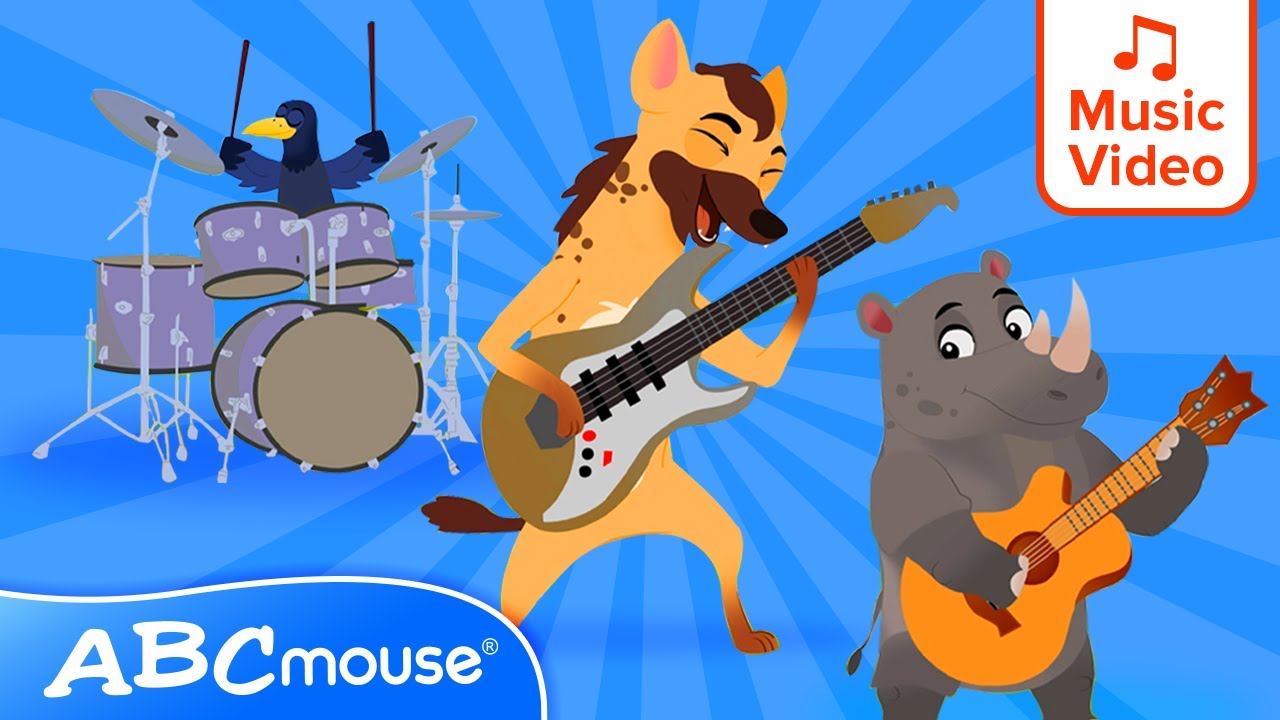
🦁🐆 Join ABCmouse in this fun and educational adventure as we explore the unique names for different groups of animals! From a leap of leopards to a murder of crows, your little ones will discover fascinating group names for animals they love. Perfect for preschoolers who enjoy learning and singing along! 🦜🦒
👉 Discover more fun learning songs and educational videos by subscribing to our YouTube channel at https://YouTube.com/ABCmouse.
And visit https://www.abcmouse.com/learn/youtube to find out more about our award-winning online learning program for children 2–8!
© Age of Learning, Inc. All rights reserved.

Visit https://www.abcmouse.com/learn/youtube to find out more about our award-winning online learning program for children 2–8!
Watch more songs, stories, and more by subscribing to our YouTube channel: https://YouTube.com/ABCmouse.
© Age of Learning, Inc. All rights reserved.

Visit https://www.abcmouse.com/learn/youtube to learn more about our award-winning online learning program for children 2-8!
🌟🚀 Join us on an incredible journey as we explore the amazing concept of space elevators! Learn how these futuristic structures could one day carry people and cargo from Earth to space. Perfect for young explorers and budding scientists ready to reach for the stars! 🌌✨
👉 Discover more fun learning songs and educational videos by subscribing to our YouTube channel at https://YouTube.com/ABCmouse.
And visit https://www.abcmouse.com/learn/youtube to find out more about our award-winning online learning program for children 2–8!
© Age of Learning, Inc. All rights reserved.

Visit https://www.abcmouse.com/learn/youtube to learn more about our award-winning online learning program for children 2-8!
🐾✏️ Join Violet as she helps create a cozy living room—and a cute little cat! Follow along step by step to learn how to draw a couch, a table, and even a furry friend in this fun and interactive art adventure. Kids will love learning new words like "couch" and "under" while practicing their drawing skills. It’s creative, educational, and so much fun! 🎨🛋️
👉 Discover more fun learning songs and educational videos by subscribing to our YouTube channel at https://YouTube.com/ABCmouse.
And visit https://www.abcmouse.com/learn/youtube to find out more about our award-winning online learning program for children 2–8!
© Age of Learning, Inc. All rights reserved.

https://ABCmouse.com/abc/YouTube
"The Backwards Alphabet Song" (See below for lyrics)
Have some fun with the alphabet...start with Z and end with A instead! When listening to "The Backwards Alphabet Song," encourage your child to sing along with this cast of vibrant characters and practice their letters in a new, different way.
About Us:
ABCmouse.com is an award-winning website that uses a variety of activities, including these songs, to help children build a strong foundation for future academic success. ABCmouse.com Early Learning Academy provides a full online curriculum from preschool through 2nd grade, with more than 10,000 interactive learning activities that teach the subjects of reading, math, science, social studies, art, and music.
Parents, learn more about ABCmouse.com at https://ABCmouse.com/abc/YouTube.
Song Lyrics:
Let's have some fun with the alphabet
and sing it in a brand-new way!
Instead of going from A to Z,
let's go from Z to A!
Z! Y!
Z, Y, X!
Y, X, W!
V! U!
V, U, T!
T, S, R, Q, P!
O! N!
M, L, K!
After K comes letter J!
I, H, G!
F, E, D!
Then C, then B, then A!
Sing the Backwards Alphabet Song with me!
I think you've all learned how.
Let's start with Z and end with A.
All together now!
Sing with me!
OK!
Z! Y!
Z, Y, X!
Y, X, W!
V! U!
V, U, T!
T, S, R, Q, P!
O! N!
M, L, K!
After K comes letter J!
I, H, G!
F, E, D!
Then C, then B, then A! Hooray!
Sing the Backwards Alphabet Song with me!
I think you've all learned how.
Let's start with Z and end with A.
All together now!
Sing the Backwards Alphabet Song with me!
I think you've all learned how.
Let's start with Z and end with A.
All together now!
Let's put it all together...
Z, Y, X, W, V, U, T.
S, R, Q, then P, O, N.
M, L, K, J, I, H, G.
Then comes F, then E, then D!
Three more to go!
Then C, then B, then A!
Sing the Backwards Alphabet Song with me!
I think we've all learned how.
Let's start with Z and end with A.
All together now! Hooray!
Website: https://ABCmouse.com/abc/YouTube
Free Mobile Apps: http://ABCmouse.com/apps
Facebook: http://facebook.com/ABCmouse
Google+: http://google.com/+ABCmouse
Twitter: http://twitter.com/ABCmouse
Pinterest: http://pinterest.com/ABCmouse
YouTube Channel: http://youtube.com/ABCmouse
© Age of Learning, Inc. All rights reserved.

Visit https://www.abcmouse.com/learn/youtube to learn more about our award-winning online learning program for children 2-8!
🎵🛏️ Ready for nonstop learning fun? Kick things off with the classic "10 in the Bed" song, then keep the fun going with over an hour of ABCmouse music videos, stories, and educational cartoons! Perfect for preschoolers who love to sing, giggle, and explore. 🌟📚
"Ten in the Bed" or "10 in the Bed" (See below for lyrics)
This classic children's song "Ten in the Bed" is a great way to help young children learn basic math and subtraction skills. Have your child track how many are in the bed as they sing along!
Lyrics:
There were ten in the bed
and the little one said,
"Roll over! Roll over!"
So they all rolled over and one fell out.
There were nine in the bed
and the little one said,
"Roll over! Roll over!"
So they all rolled over and one fell out.
There were eight in the bed
and the little one said,
"Roll over! Roll over!"
So they all rolled over and one fell out.
There were seven in the bed
and the little one said,
"Roll over! Roll over!"
So they all rolled over and one fell out.
There were six in the bed
and the little one said,
"Roll over! Roll over!"
So they all rolled over and one fell out.
There were five in the bed
and the little one said,
"Roll over! Roll over!"
So they all rolled over and one fell out.
There were four in the bed
and the little one said,
"Roll over! Roll over!"
So they all rolled over and one fell out.
There were three in the bed
and the little one said,
"Roll over! Roll over!"
So they all rolled over and one fell out.
There were two in the bed
and the little one said,
"Roll over! Roll over!"
So they all rolled over and one fell out.
There was one in the bed
and the little one said,
"Goodnight!"
👉 Discover more fun learning songs and educational videos by subscribing to our YouTube channel at https://YouTube.com/ABCmouse.
And visit https://www.abcmouse.com/learn/youtube to find out more about our award-winning online learning program for children 2–8!
© Age of Learning, Inc. All rights reserved.

Visit https://www.abcmouse.com/learn/youtube to learn more about our award-winning online learning program for children 2-8!
Join Violet as she helps Phillip bring his family photo to life! In this fun drawing adventure, Phillip learns how art can solve big feelings, like sadness, by creating something special. Watch as Violet uses her creativity to help Phillip draw his tall dad, short sister, and even his friend—Violet herself! 🎨😊
👉 Discover more fun learning songs and educational videos by subscribing to our YouTube channel at https://YouTube.com/ABCmouse.
And visit https://www.abcmouse.com/learn/youtube to find out more about our award-winning online learning program for children 2–8!
© Age of Learning, Inc. All rights reserved.

What do we mean when we call an artwork a MASTERPIECE? Who decides which art becomes one? And what artists make them? Don't forget to check out Serving Up Science over on PBS Zest: https://www.youtube.com/watch?v=XyJGyOJf8e0&list=PLQMKh4LBO6xOssTCXi4AfpkzHuYpxJh_4
Thanks to our Grandmasters of the Arts Tyler Calvert-Thompson, Divide By Zero Collection, David Golden, and Ernest Wolfe, and to all of our patrons, especially Rich Clarey, Iain Eudaily, Tom Forwood, Patrick Hanna, Andrew Huynh, Eve Leonard, David Moore, Jane Quale, Gabriel Civita Ramirez, Andrew Sheeler, Josh Thomas, Constance Urist, Nicholas Xu, and Roberta Zaphiriou. To support our channel, visit: http://www.patreon.com/artassignment.
Subscribe for new episodes of The Art Assignment every other Thursday, and follow us elsewhere for the full Art Assignment experience:
Twitter: http://twitter.com/artassignment
Instagram: http://instagram.com/theartassignment/
Facebook group: https://www.facebook.com/group....s/artassignmentextra

You’ve heard of Jackson Pollock and know of his infamous “drip paintings,” but what is it that you’re supposed to do when you look at his work today? Why did it cause shockwaves in 1947, and what does it mean now? We explore the life, evolution, and legacy of Jackson Pollock.
Thanks to our Grandmaster of the Arts Indianapolis Homes Realty, and all of our patrons, especially Patrick Hanna, Stuart Hyatt, and Constance Urist. To support our channel, visit: http://www.patreon.com/artassignment.
We apologize for the following errors and omissions:
- Jackson Pollock was sympathetic to leftist causes but never an official member of the Communist Party. He did participate in the creation of large scale public works for gatherings of the American Communist Party while part of the workshop of Mexican muralist David Alfaro Siqueiros, including a float for the 1936 May Day parade. Find out more here: https://www.artsy.net/article/....artsy-editorial-poll
- The photograph shown at 6:57 is inexplicably and inexcusably upside down.
- The photographs of the interior and exterior of the Pollock-Krasner House and Study Center are by photographer John Griffin and appear courtesy of the Pollock-Krasner House and Study Center, East Hampton, NY.
Learn more about Pollock and Abstract Expressionism:
Smarthistory: https://smarthistory.org/why-i....s-that-important-loo
MoMA: https://www.moma.org/learn/mom....a_learning/themes/ab
https://www.youtube.com/watch?v=8WkUjPz0nQQ
Wikipedia: https://en.wikipedia.org/wiki/Jackson_Pollock
Getty Conservation Institute: https://www.youtube.com/watch?v=EWAbVpkV0jQ&t=147s
Subscribe for new episodes of The Art Assignment every other Thursday!
--
Follow us elsewhere for the full Art Assignment experience:
Tumblr: http://theartassignment.com
Response Tumblr: http://all.theartassignment.com
Twitter: http://twitter.com/artassignment
Instagram: http://instagram.com/theartassignment/
Facebook: http://www.facebook.com/theartassignment
and don't forget Reddit!: http://www.reddit.com/r/TheArtAssignment

When art is generated by Artificial Intelligence, what or who can we call the artist? We look to art history to consider the long collaboration between humans and technology. To support our channel, visit: http://www.patreon.com/artassignment.
Thanks to our Grandmaster of the Arts Indianapolis Homes Realty, and all of our patrons, especially Patrick Hanna, and Constance Urist.
Generate your own Deep Dream image: https://deepdreamgenerator.com/
More about Magenta and Google Brain Team initiatives:
https://magenta.tensorflow.org/
Subscribe for new episodes of The Art Assignment every other Thursday!
--
Follow us elsewhere for the full Art Assignment experience:
Tumblr: http://theartassignment.com
Response Tumblr: http://all.theartassignment.com
Twitter: http://twitter.com/artassignment
Instagram: http://instagram.com/theartassignment/
Facebook: http://www.facebook.com/theartassignment
and don't forget Reddit!: http://www.reddit.com/r/TheArtAssignment

Pre-order our book YOU ARE AN ARTIST (which includes new assignments!) here: http://bit.ly/2kplj2h
You've probably seen a few cubes sitting in an art gallery and questioned why they were there. How could cubes be important? How did we get here? This is the case for Minimalism.
Find out more about The Art Assignment and how to submit your response: http://theartassignment.com/

Pre-order our book YOU ARE AN ARTIST (which includes new assignments!) here: http://bit.ly/2kplj2h
Ai Weiwei has been called an iconoclast, a radical, a voice for the voiceless, and was once named the most powerful artist in the world. Who is Ai Weiwei? And why is he considered one of the most renowned artists of our time?
----
Follow us elsewhere for the full Art Assignment experience:
Website: http://www.theartassignment.com
Instagram: http://instagram.com/theartassignment/
Extra Credit Group: http://www.facebook.com/groups/artass...
tumblr: http://theartassignment.tumblr.com/
All responses tumblr: http://all.theartassignment.com
Twitter: http://twitter.com/artassignment
Facebook: http://www.facebook.com/theartassignment
and maybe Reddit?: http://www.reddit.com/r/TheArtAssignment

Have you heard of Italian Baroque artist Artemisia Gentilschi? Find out why her popularity, and that of other artists, has risen dramatically since the 1970s. And vote for America's favorite novel here!: https://to.pbs.org/2Jes2X5.
Chart the frequency of mention of any artist, maker, genius, et al, through the Google Books Ngram Viewer: https://books.google.com/ngrams
Thanks to our Grandmasters of the Arts Indianapolis Homes Realty and Vincent Apa (we'll get you in the credits next time!), and all of our patrons, especially Patrick Hanna, M12 Studio, Robert Rupp, and Constance Urist. To support our channel, visit: http://www.patreon.com/artassignment.
Learn more about PBS's The Great American Read: https://to.pbs.org/2IXQuZE
Subscribe for new episodes of The Art Assignment every other Thursday!
--
Follow us elsewhere for the full Art Assignment experience:
Tumblr: http://theartassignment.com
Response Tumblr: http://all.theartassignment.com
Twitter: http://twitter.com/artassignment
Instagram: http://instagram.com/theartassignment/
Facebook: http://www.facebook.com/theartassignment
and don't forget Reddit!: http://www.reddit.com/r/TheArtAssignment

Pre-order our book YOU ARE AN ARTIST (which includes new assignments!) here: http://bit.ly/2kplj2h In which we explore sunny Los Angeles and take in its enormous range of art offerings, from the eclectic campus at LACMA to an incredible exhibit at Hauser Wirth & Schimmel. It's all worth the drive.
Featuring:
Ramen Yamadaya
Hammer Museum
Susanne Vielmetter Los Angeles Projects
Honor Fraser Gallery
Coolhaus
Nuestro Mexico Restaurant
Buck Owens Crystal Palace
Los Angeles County Museum of Art
The Broad Museum
Wurstküche
Hauser Wirth & Schimmel
Don't forget to subscribe for new episodes of The Art Assignment every Thursday!
---
Follow us elsewhere for the full Art Assignment experience!
Tumblr: http://theartassignment.com
Response Tumblr: http://all.theartassignment.com
Twitter: http://twitter.com/artassignment
Instagram: http://instagram.com/theartassignment/
Facebook: http://www.facebook.com/theartassignment
and don't forget Reddit!: http://www.reddit.com/r/TheArtAssignment

Pre-order our book YOU ARE AN ARTIST (which includes new assignments!) here: http://bit.ly/2kplj2h
This week we meet D.C. based artist Molly Springfield. Molly's graphite drawings transform texts into images, and her assignment for you asks you to consider how repeating a process can turn a copy into an original.
INSTRUCTIONS - Copy A Copy A Copy
1. Select a page from a book and make a photocopy of it
2. Make a photocopy of the photocopy and make changes, if you like, by enlarging, reducing, etc.
3. Repeat step #2 until the original has been transformed into a new image
4. Upload the final copy using #theartassignment (Extra credit if you make a work in a new medium!)
5. Fame and glory (Your work might be in a future episode)
Learn more about Molly's work:
https://mollyspringfield.com/home.html
We then discussed artists like Mel Bochner that used the photocopier in their conceptual art since its beginnings.
Find out more about The Art Assignment and how to submit your response: http://theartassignment.com/
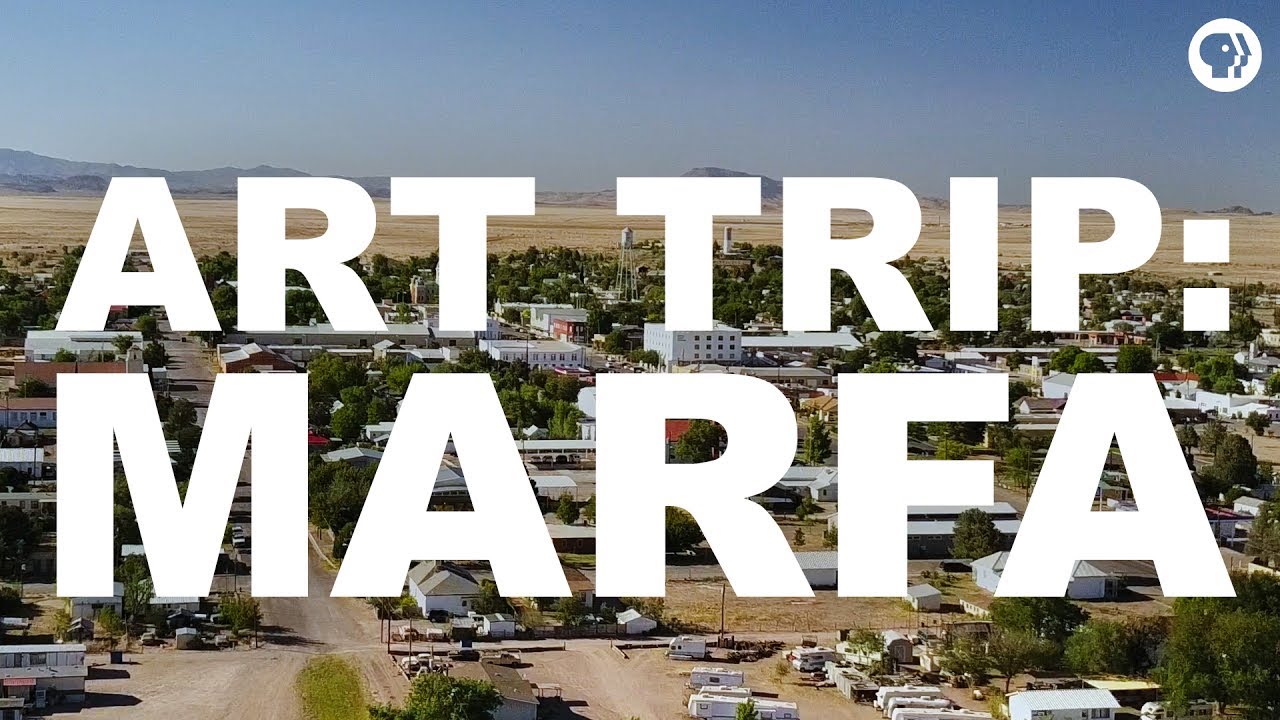
The epicenter of the art world is in Marfa, Texas? We visit this small town where Minimalist artist Donald Judd settled in the 70s, and sowed the seeds for its glorious present, worthy of a pilgrimage. To support our channel, visit: http://www.patreon.com/artassignment.
Thanks to our Grandmaster of the Arts Indianapolis Homes Realty, and all of our patrons, especially Lynn Gordon, Patrick Hanna, and Constance Urist. Further thanks go to the Judd Foundation, Chinati Foundation, and Ballroom Marfa.
Follow us as we visit:
Judd Foundation: http://juddfoundation.org
Marfa Burrito: https://www.facebook.com/pages..../Marfa-Burrittos/114
Ballroom Marfa: https://ballroommarfa.org/
Wrong Store: http://www.wrongmarfa.com/
Freda: https://shop-freda.com/
Cobra Rock Boot Co: https://cobrarock.com/
Marfa Book Company: http://www.marfabookco.com/
Frama: http://tumbleweedlaundry.com/
Prada Marfa: https://ballroommarfa.org/archive/event/prada-marfa/
Stellina: http://www.stellinamarfa.com/
Do Your Thing Coffee: http://www.doyourthing.us/
Chinati: https://www.chinati.org/
Food Shark: https://www.facebook.com/foodsharkmarfa/
Subscribe for new episodes of The Art Assignment every other Thursday!
--
Follow us elsewhere for the full Art Assignment experience:
Website: http://www.theartassignment.com
Instagram: http://instagram.com/theartassignment/
Extra Credit Group: http://www.facebook.com/groups/artass...
tumblr: http://theartassignment.tumblr.com/
All responses tumblr: http://all.theartassignment.com
Twitter: http://twitter.com/artassignment
Facebook: http://www.facebook.com/theartassignment
and maybe Reddit?: http://www.reddit.com/r/TheArtAssignment

Pre-order our book YOU ARE AN ARTIST (which includes new assignments!) here: http://bit.ly/2kplj2h This week we bring back artist, Lauren Zoll, to discuss your submissions to her assignment! Watch the assignment video for "Off" here: http://bit.ly/1r2femA
Learn more about Lauren's work: http://www.laurenzoll.com/
Many thanks to all of you for your wonderful submissions. Those featured include:
http://www.musingsofmaura.tumblr.com
http://www.naturallypaleart.tumblr.com
http://www.truefactsaboutlies.tumblr.com
http://www.marie-herrera.tumblr.com
http://www.anywiebs.tumblr.com
http://www.megmotherwort.tumblr.com
http://www.odetomyday.com
http://www.gamingmama.tumblr.com
http://www.dafidaf.tumblr.com
http://www.what-is-summer.tumblr.com
http://www.prionailurus.tumblr.com
http://www.chasingfootsteps.tumblr.com
http://www.thegirlwithcrayons.tumblr.com
http://www.fromthegraysea.tumblr.com
http://www.dew-picked-and-lightlykilled.tumblr.com
http://www.letswingit.tumblr.com
http://www.dhjshi.tumblr.com
Find out more about The Art Assignment and how to submit your response: http://theartassignment.com/

Pre-order our book YOU ARE AN ARTIST (which includes new assignments!) here: http://bit.ly/2kplj2h This week we report to you from VidCon! We asked some members of the Art Assignment community to share their experience of participating in an art exchange and making a Lost Childhood Object. Here's what they said.
Many thanks to Chelsea, Jacklyn, Lonnie, Hussien, Betty, Peter, and Oliver!
Find a friend and make a Lost Childhood Object: https://youtu.be/QgHsYOybXa0
And don't forget to subscribe for new episodes of The Art Assignment every Thursday!
---
Follow us elsewhere for the full Art Assignment experience!
Tumblr: http://theartassignment.com
Response Tumblr: http://all.theartassignment.com
Twitter: http://twitter.com/artassignment
Instagram: http://instagram.com/theartassignment/
Facebook: http://www.facebook.com/theartassignment
and don't forget Reddit!: http://www.reddit.com/r/TheArtAssignment
