Top videos
Courses on Khan Academy are always 100% free. Start practicing—and saving your progress—now: https://www.khanacademy.org/sc....ience/ap-biology/her
Heredity and Classical Genetics. Dominant and recessive traits. Heterozygous and homozygous genotypes.
More free lessons at: http://www.khanacademy.org/video?v=eEUvRrhmcxM
Courses on Khan Academy are always 100% free. Start practicing—and saving your progress—now: https://www.khanacademy.org/ma....th/ap-calculus-ab/ab
Differential calculus on Khan Academy: Limit introduction, squeeze theorem, and epsilon-delta definition of limits.
About Khan Academy: Khan Academy offers practice exercises, instructional videos, and a personalized learning dashboard that empower learners to study at their own pace in and outside of the classroom. We tackle math, science, computer programming, history, art history, economics, and more. Our math missions guide learners from kindergarten to calculus using state-of-the-art, adaptive technology that identifies strengths and learning gaps. We've also partnered with institutions like NASA, The Museum of Modern Art, The California Academy of Sciences, and MIT to offer specialized content.
For free. For everyone. Forever. #YouCanLearnAnything
Subscribe to KhanAcademy’s Differential Calculus channel:
https://www.youtube.com/channe....l/UCNLzjGl1HBdZrHXo4
Subscribe to KhanAcademy: https://www.youtube.com/subscr....iption_center?add_us
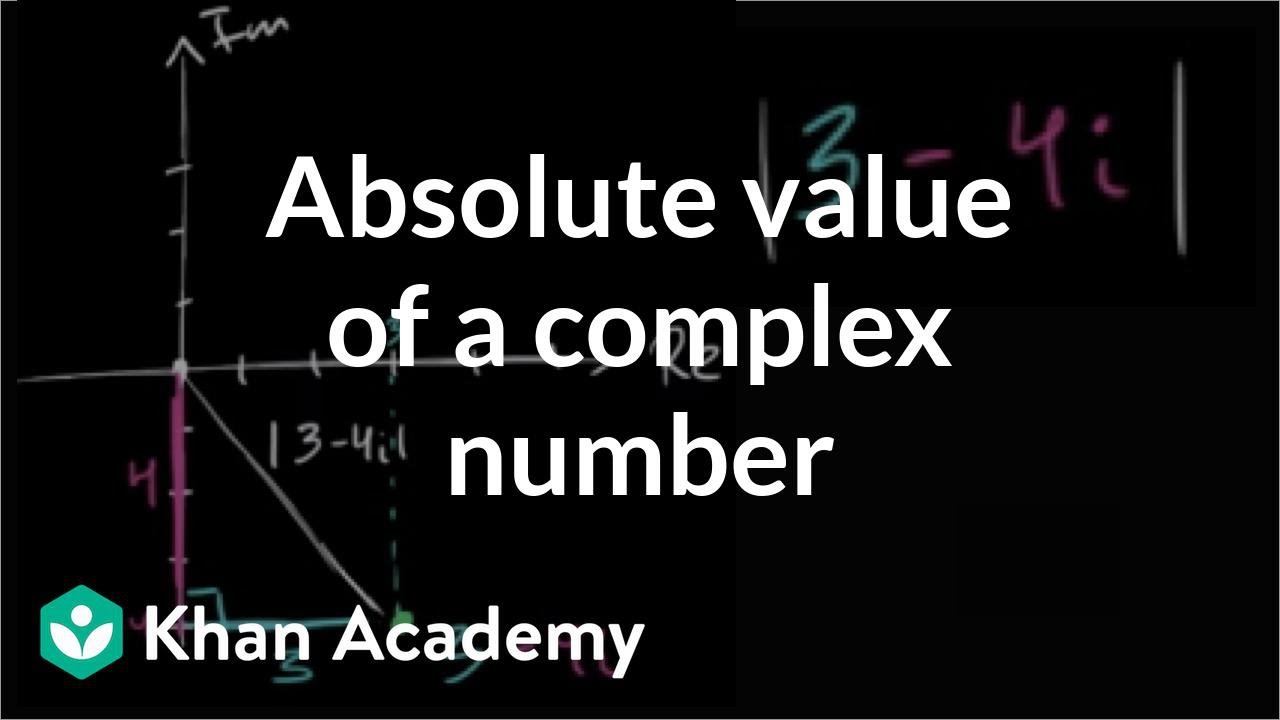
Courses on Khan Academy are always 100% free. Start practicing—and saving your progress—now: https://www.khanacademy.org/ma....th/precalculus/x9e81
Practice this lesson yourself on KhanAcademy.org right now:
https://www.khanacademy.org/math/precalculus/imaginary_complex_precalc/complex_analysis/e/absolute_value_of_complex_numbers?utm_source=YT&utm_medium=Desc&utm_campaign=Precalculus
Watch the next lesson: https://www.khanacademy.org/math/precalculus/imaginary_complex_precalc/complex_analysis/v/complex-number-polar-form-intuition-exercise?utm_source=YT&utm_medium=Desc&utm_campaign=Precalculus
Missed the previous lesson?
https://www.khanacademy.org/math/precalculus/imaginary_complex_precalc/complex_analysis/v/basic-complex-analysis?utm_source=YT&utm_medium=Desc&utm_campaign=Precalculus
Precalculus on Khan Academy: You may think that precalculus is simply the course you take before calculus. You would be right, of course, but that definition doesn't mean anything unless you have some knowledge of what calculus is. Let's keep it simple, shall we? Calculus is a conceptual framework which provides systematic techniques for solving problems. These problems are appropriately applicable to analytic geometry and algebra. Therefore....precalculus gives you the background for the mathematical concepts, problems, issues and techniques that appear in calculus, including trigonometry, functions, complex numbers, vectors, matrices, and others. There you have it ladies and gentlemen....an introduction to precalculus!
About Khan Academy: Khan Academy offers practice exercises, instructional videos, and a personalized learning dashboard that empower learners to study at their own pace in and outside of the classroom. We tackle math, science, computer programming, history, art history, economics, and more. Our math missions guide learners from kindergarten to calculus using state-of-the-art, adaptive technology that identifies strengths and learning gaps. We've also partnered with institutions like NASA, The Museum of Modern Art, The California Academy of Sciences, and MIT to offer specialized content.
For free. For everyone. Forever. #YouCanLearnAnything
Subscribe to Khan Academy’s Precalculus channel:
https://www.youtube.com/channe....l/UCBeHztHRWuVvnlwm2
Subscribe to Khan Academy: https://www.youtube.com/subscr....iption_center?add_us

Courses on Khan Academy are always 100% free. Start practicing—and saving your progress—now: https://www.khanacademy.org/ma....th/geometry/hs-geo-c
Watch the next lesson: https://www.khanacademy.org/math/geometry/cc-geometry-circles/circles/v/finding-central-angle-measure-given-arc-length?utm_source=YT&utm_medium=Desc&utm_campaign=Geometry
Missed the previous lesson?
https://www.khanacademy.org/math/geometry/cc-geometry-circles/circles/v/circles-radius-diameter-and-circumference?utm_source=YT&utm_medium=Desc&utm_campaign=Geometry
Geometry on Khan Academy: We are surrounded by space. And that space contains lots of things. And these things have shapes. In geometry we are concerned with the nature of these shapes, how we define them, and what they teach us about the world at large--from math to architecture to biology to astronomy (and everything in between). Learning geometry is about more than just taking your medicine ("It's good for you!"), it's at the core of everything that exists--including you. Having said all that, some of the specific topics we'll cover include angles, intersecting lines, right triangles, perimeter, area, volume, circles, triangles, quadrilaterals, analytic geometry, and geometric constructions. Wow. That's a lot. To summarize: it's difficult to imagine any area of math that is more widely used than geometry.
About Khan Academy: Khan Academy offers practice exercises, instructional videos, and a personalized learning dashboard that empower learners to study at their own pace in and outside of the classroom. We tackle math, science, computer programming, history, art history, economics, and more. Our math missions guide learners from kindergarten to calculus using state-of-the-art, adaptive technology that identifies strengths and learning gaps. We've also partnered with institutions like NASA, The Museum of Modern Art, The California Academy of Sciences, and MIT to offer specialized content.
For free. For everyone. Forever. #YouCanLearnAnything
Subscribe to Khan Academy’s Geometry channel:
https://www.youtube.com/channe....l/UCD3OtKxPRUFw8kzYl
Subscribe to Khan Academy: https://www.youtube.com/subscr....iption_center?add_us

How can we tell if a sequence converges or diverges? See Sal in action, determining the convergence/divergence of several sequences. Created by Sal Khan.
Practice this lesson yourself on KhanAcademy.org right now: https://www.khanacademy.org/math/ap-calculus-bc/bc-series/bc-inf-sequences/e/convergence-and-divergence-of-sequences?utm_source=YT&utm_medium=Desc&utm_campaign=APCalculusBC
Watch the next lesson: https://www.khanacademy.org/math/ap-calculus-bc/bc-series/bc-finite-geo-series/v/series-as-sum-of-sequence?utm_source=YT&utm_medium=Desc&utm_campaign=APCalculusBC
Missed the previous lesson? https://www.khanacademy.org/math/ap-calculus-bc/bc-series/bc-inf-sequences/v/convergent-and-divergent-sequences?utm_source=YT&utm_medium=Desc&utm_campaign=APCalculusBC
AP Calculus BC on Khan Academy: Learn AP Calculus BC - everything from AP Calculus AB plus a few extra goodies, such as Taylor series, to prepare you for the AP Test
About Khan Academy: Khan Academy is a nonprofit with a mission to provide a free, world-class education for anyone, anywhere. We believe learners of all ages should have unlimited access to free educational content they can master at their own pace. We use intelligent software, deep data analytics and intuitive user interfaces to help students and teachers around the world. Our resources cover preschool through early college education, including math, biology, chemistry, physics, economics, finance, history, grammar and more. We offer free personalized SAT test prep in partnership with the test developer, the College Board. Khan Academy has been translated into dozens of languages, and 100 million people use our platform worldwide every year. For more information, visit www.khanacademy.org, join us on Facebook or follow us on Twitter at @khanacademy. And remember, you can learn anything.
For free. For everyone. Forever. #YouCanLearnAnything
Subscribe to Khan Academy's AP Calculus BC channel: https://www.youtube.com/channe....l/UC5A2DBjjUVNz8axD-
Subscribe to Khan Academy: https://www.youtube.com/subscr....iption_center?add_us
Courses on Khan Academy are always 100% free. Start practicing—and saving your progress—now: https://www.khanacademy.org/ma....th/algebra-home/alg-
Quotient of functions and factoring by grouping
Practice this lesson yourself on KhanAcademy.org right now:
https://www.khanacademy.org/math/algebra2/functions_and_graphs/function_expressions/e/functions_2?utm_source=YT&utm_medium=Desc&utm_campaign=AlgebraII
Watch the next lesson: https://www.khanacademy.org/math/algebra2/functions_and_graphs/function_expressions/v/modeling-with-combined-functions?utm_source=YT&utm_medium=Desc&utm_campaign=AlgebraII
Missed the previous lesson?
https://www.khanacademy.org/math/algebra2/functions_and_graphs/function_expressions/v/product-of-functions?utm_source=YT&utm_medium=Desc&utm_campaign=AlgebraII
Algebra II on Khan Academy: Your studies in algebra 1 have built a solid foundation from which you can explore linear equations, inequalities, and functions. In algebra 2 we build upon that foundation and not only extend our knowledge of algebra 1, but slowly become capable of tackling the BIG questions of the universe. We'll again touch on systems of equations, inequalities, and functions...but we'll also address exponential and logarithmic functions, logarithms, imaginary and complex numbers, conic sections, and matrices. Don't let these big words intimidate you. We're on this journey with you!
About Khan Academy: Khan Academy offers practice exercises, instructional videos, and a personalized learning dashboard that empower learners to study at their own pace in and outside of the classroom. We tackle math, science, computer programming, history, art history, economics, and more. Our math missions guide learners from kindergarten to calculus using state-of-the-art, adaptive technology that identifies strengths and learning gaps. We've also partnered with institutions like NASA, The Museum of Modern Art, The California Academy of Sciences, and MIT to offer specialized content.
For free. For everyone. Forever. #YouCanLearnAnything
Subscribe to Khan Academy’s Algebra II channel:
https://www.youtube.com/channe....l/UCsCA3_VozRtgUT7wW
Subscribe to Khan Academy: https://www.youtube.com/subscr....iption_center?add_us
Courses on Khan Academy are always 100% free. Start practicing—and saving your progress—now: https://www.khanacademy.org/ec....onomics-finance-doma
Chapter 11: Restructuring through a bankruptcy. Created by Sal Khan.
Watch the next lesson:
https://www.khanacademy.org/economics-finance-domain/core-finance/stock-and-bonds/dilution-tutorial/v/stock-dilution?utm_source=YT&utm_medium=Desc&utm_campaign=financeandcapitalmarkets
Missed the previous lesson? Watch here: https://www.khanacademy.org/economics-finance-domain/core-finance/stock-and-bonds/venture-capital-and-capital-markets/v/chapter-7-bankruptcy-liquidation?utm_source=YT&utm_medium=Desc&utm_campaign=financeandcapitalmarkets
Finance and capital markets on Khan Academy: This is an old set of videos, but if you put up with Sal's messy handwriting (it has since improved) and spotty sound, there is a lot to be learned here. In particular, this tutorial walks through starting, financing and taking public a company (and even talks about what happens if it has trouble paying its debts).
About Khan Academy: Khan Academy offers practice exercises, instructional videos, and a personalized learning dashboard that empower learners to study at their own pace in and outside of the classroom. We tackle math, science, computer programming, history, art history, economics, and more. Our math missions guide learners from kindergarten to calculus using state-of-the-art, adaptive technology that identifies strengths and learning gaps. We've also partnered with institutions like NASA, The Museum of Modern Art, The California Academy of Sciences, and MIT to offer specialized content.
For free. For everyone. Forever. #YouCanLearnAnything
Subscribe to Khan Academy’s Finance and Capital Markets channel: https://www.youtube.com/channe....l/UCQ1Rt02HirUvBK2D2
Subscribe to Khan Academy: https://www.youtube.com/subscr....iption_center?add_us

Courses on Khan Academy are always 100% free. Start practicing—and saving your progress—now: https://www.khanacademy.org/ec....onomics-finance-doma
Raising money from an angel investor. Pre-money and post-money valuation. Created by Sal Khan.
Watch the next lesson:
https://www.khanacademy.org/economics-finance-domain/core-finance/stock-and-bonds/venture-capital-and-capital-markets/v/getting-a-seed-round-from-a-vc?utm_source=YT&utm_medium=Desc&utm_campaign=financeandcapitalmarkets
Missed the previous lesson? Watch here: https://www.khanacademy.org/economics-finance-domain/core-finance/stock-and-bonds/valuation-and-investing/v/ebitda?utm_source=YT&utm_medium=Desc&utm_campaign=financeandcapitalmarkets
Finance and capital markets on Khan Academy: This is an old set of videos, but if you put up with Sal's messy handwriting (it has since improved) and spotty sound, there is a lot to be learned here. In particular, this tutorial walks through starting, financing and taking public a company (and even talks about what happens if it has trouble paying its debts).
About Khan Academy: Khan Academy offers practice exercises, instructional videos, and a personalized learning dashboard that empower learners to study at their own pace in and outside of the classroom. We tackle math, science, computer programming, history, art history, economics, and more. Our math missions guide learners from kindergarten to calculus using state-of-the-art, adaptive technology that identifies strengths and learning gaps. We've also partnered with institutions like NASA, The Museum of Modern Art, The California Academy of Sciences, and MIT to offer specialized content.
For free. For everyone. Forever. #YouCanLearnAnything
Subscribe to Khan Academy’s Finance and Capital Markets channel: https://www.youtube.com/channe....l/UCQ1Rt02HirUvBK2D2
Subscribe to Khan Academy: https://www.youtube.com/subscr....iption_center?add_us
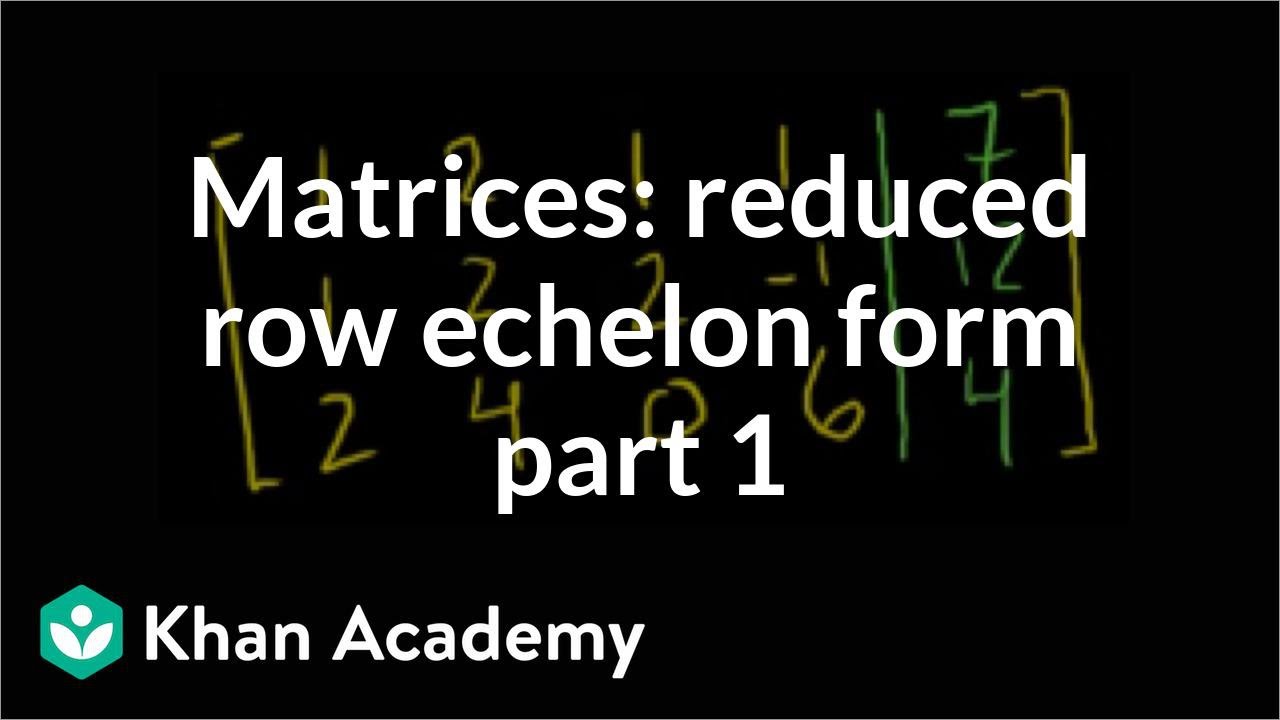
Courses on Khan Academy are always 100% free. Start practicing—and saving your progress—now: https://www.khanacademy.org/ma....th/linear-algebra/ve
Solving a system of linear equations by putting an augmented matrix into reduced row echelon form
Watch the next lesson: https://www.khanacademy.org/math/linear-algebra/vectors_and_spaces/matrices_elimination/v/matrices-reduced-row-echelon-form-2?utm_source=YT&utm_medium=Desc&utm_campaign=LinearAlgebra
Missed the previous lesson?
https://www.khanacademy.org/math/linear-algebra/vectors_and_spaces/dot_cross_products/v/distance-between-planes?utm_source=YT&utm_medium=Desc&utm_campaign=LinearAlgebra
Linear Algebra on Khan Academy: Have you ever wondered what the difference is between speed and velocity? Ever try to visualize in four dimensions or six or seven? Linear algebra describes things in two dimensions, but many of the concepts can be extended into three, four or more. Linear algebra implies two dimensional reasoning, however, the concepts covered in linear algebra provide the basis for multi-dimensional representations of mathematical reasoning. Matrices, vectors, vector spaces, transformations, eigenvectors/values all help us to visualize and understand multi dimensional concepts. This is an advanced course normally taken by science or engineering majors after taking at least two semesters of calculus (although calculus really isn't a prereq) so don't confuse this with regular high school algebra.
About Khan Academy: Khan Academy offers practice exercises, instructional videos, and a personalized learning dashboard that empower learners to study at their own pace in and outside of the classroom. We tackle math, science, computer programming, history, art history, economics, and more. Our math missions guide learners from kindergarten to calculus using state-of-the-art, adaptive technology that identifies strengths and learning gaps. We've also partnered with institutions like NASA, The Museum of Modern Art, The California Academy of Sciences, and MIT to offer specialized content.
For free. For everyone. Forever. #YouCanLearnAnything
Subscribe to KhanAcademy’s Linear Algebra channel:: https://www.youtube.com/channe....l/UCGYSKl6e3HM0PP7QR
Subscribe to KhanAcademy: https://www.youtube.com/subscr....iption_center?add_us

Courses on Khan Academy are always 100% free. Start practicing—and saving your progress—now: https://www.khanacademy.org/ma....th/algebra-home/alg-
Introduction to partial fraction expansion
Practice this lesson yourself on KhanAcademy.org right now:
https://www.khanacademy.org/math/precalculus/partial-fraction-expans/partial-fraction/e/partial_fraction_expansion_1?utm_source=YT&utm_medium=Desc&utm_campaign=Precalculus
Watch the next lesson: https://www.khanacademy.org/math/precalculus/partial-fraction-expans/partial-fraction/v/partial-fraction-expansion-2?utm_source=YT&utm_medium=Desc&utm_campaign=Precalculus
Missed the previous lesson?
https://www.khanacademy.org/math/precalculus/hyperbolic_trig_topic/hyperbolic_trig_intro/v/hyperbolic-trig-functions-and-the-unit-hyperbola?utm_source=YT&utm_medium=Desc&utm_campaign=Precalculus
Precalculus on Khan Academy: You may think that precalculus is simply the course you take before calculus. You would be right, of course, but that definition doesn't mean anything unless you have some knowledge of what calculus is. Let's keep it simple, shall we? Calculus is a conceptual framework which provides systematic techniques for solving problems. These problems are appropriately applicable to analytic geometry and algebra. Therefore....precalculus gives you the background for the mathematical concepts, problems, issues and techniques that appear in calculus, including trigonometry, functions, complex numbers, vectors, matrices, and others. There you have it ladies and gentlemen....an introduction to precalculus!
About Khan Academy: Khan Academy offers practice exercises, instructional videos, and a personalized learning dashboard that empower learners to study at their own pace in and outside of the classroom. We tackle math, science, computer programming, history, art history, economics, and more. Our math missions guide learners from kindergarten to calculus using state-of-the-art, adaptive technology that identifies strengths and learning gaps. We've also partnered with institutions like NASA, The Museum of Modern Art, The California Academy of Sciences, and MIT to offer specialized content.
For free. For everyone. Forever. #YouCanLearnAnything
Subscribe to Khan Academy’s Precalculus channel:
https://www.youtube.com/channe....l/UCBeHztHRWuVvnlwm2
Subscribe to Khan Academy: https://www.youtube.com/subscr....iption_center?add_us

Courses on Khan Academy are always 100% free. Start practicing—and saving your progress—now: https://www.khanacademy.org/ma....th/algebra-home/alg-
Another example of applying the basic synthetic division algorithm
Watch the next lesson: https://www.khanacademy.org/math/algebra2/polynomial_and_rational/synthetic-division/v/why-synthetic-division-works?utm_source=YT&utm_medium=Desc&utm_campaign=AlgebraII
Missed the previous lesson?
https://www.khanacademy.org/math/algebra2/polynomial_and_rational/synthetic-division/v/synthetic-division?utm_source=YT&utm_medium=Desc&utm_campaign=AlgebraII
Algebra II on Khan Academy: Your studies in algebra 1 have built a solid foundation from which you can explore linear equations, inequalities, and functions. In algebra 2 we build upon that foundation and not only extend our knowledge of algebra 1, but slowly become capable of tackling the BIG questions of the universe. We'll again touch on systems of equations, inequalities, and functions...but we'll also address exponential and logarithmic functions, logarithms, imaginary and complex numbers, conic sections, and matrices. Don't let these big words intimidate you. We're on this journey with you!
About Khan Academy: Khan Academy offers practice exercises, instructional videos, and a personalized learning dashboard that empower learners to study at their own pace in and outside of the classroom. We tackle math, science, computer programming, history, art history, economics, and more. Our math missions guide learners from kindergarten to calculus using state-of-the-art, adaptive technology that identifies strengths and learning gaps. We've also partnered with institutions like NASA, The Museum of Modern Art, The California Academy of Sciences, and MIT to offer specialized content.
For free. For everyone. Forever. #YouCanLearnAnything
Subscribe to Khan Academy’s Algebra II channel:
https://www.youtube.com/channe....l/UCsCA3_VozRtgUT7wW
Subscribe to Khan Academy: https://www.youtube.com/subscr....iption_center?add_us
Courses on Khan Academy are always 100% free. Start practicing—and saving your progress—now: https://www.khanacademy.org/ec....onomics-finance-doma
Marginal Utility and maximization
Watch the next lesson: https://www.khanacademy.org/economics-finance-domain/microeconomics/choices-opp-cost-tutorial/production-possibilities/v/economic-growth-through-investment?utm_source=YT&utm_medium=Desc&utm_campaign=microeconomics
Missed the previous lesson? https://www.khanacademy.org/economics-finance-domain/microeconomics/choices-opp-cost-tutorial/production-possibilities/v/increasing-opportunity-cost?utm_source=YT&utm_medium=Desc&utm_campaign=microeconomics
Microeconomics on Khan Academy: Topics covered in a traditional college level introductory microeconomics course
About Khan Academy: Khan Academy offers practice exercises, instructional videos, and a personalized learning dashboard that empower learners to study at their own pace in and outside of the classroom. We tackle math, science, computer programming, history, art history, economics, and more. Our math missions guide learners from kindergarten to calculus using state-of-the-art, adaptive technology that identifies strengths and learning gaps. We've also partnered with institutions like NASA, The Museum of Modern Art, The California Academy of Sciences, and MIT to offer specialized content.
For free. For everyone. Forever. #YouCanLearnAnything
Subscribe to Khan Academy's Microeconomics channel: https://www.youtube.com/channe....l/UC_6zQ54DjQJdLodws
Subscribe to Khan Academy: https://www.youtube.com/subscr....iption_center?add_us
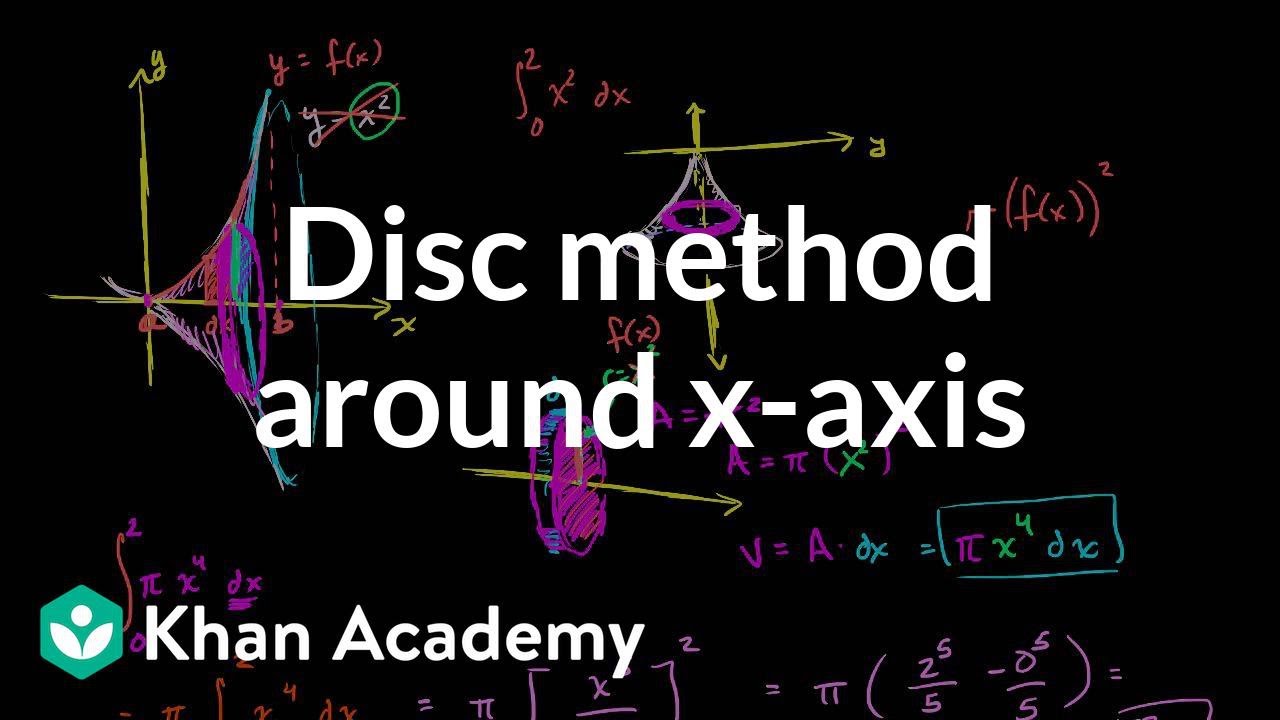
Generalizing what we did in the last video for f(x) to get the "formula" for using the disc method around the x-axis. Created by Sal Khan.
Practice this lesson yourself on KhanAcademy.org right now: https://www.khanacademy.org/math/ap-calculus-ab/ab-applications-definite-integrals/ab-disk-method/e/the-disk-method?utm_source=YT&utm_medium=Desc&utm_campaign=APCalculusAB
Watch the next lesson: https://www.khanacademy.org/math/ap-calculus-ab/ab-applications-definite-integrals/ab-disk-method/v/disc-method-around-y-axis?utm_source=YT&utm_medium=Desc&utm_campaign=APCalculusAB
Missed the previous lesson? https://www.khanacademy.org/math/ap-calculus-ab/ab-applications-definite-integrals/ab-disk-method/v/disk-method-around-x-axis?utm_source=YT&utm_medium=Desc&utm_campaign=APCalculusAB
AP Calculus AB on Khan Academy: Bill Scott uses Khan Academy to teach AP Calculus at Phillips Academy in Andover, Massachusetts, and heÕs part of the teaching team that helped develop Khan AcademyÕs AP lessons. Phillips Academy was one of the first schools to teach AP nearly 60 years ago.
About Khan Academy: Khan Academy is a nonprofit with a mission to provide a free, world-class education for anyone, anywhere. We believe learners of all ages should have unlimited access to free educational content they can master at their own pace. We use intelligent software, deep data analytics and intuitive user interfaces to help students and teachers around the world. Our resources cover preschool through early college education, including math, biology, chemistry, physics, economics, finance, history, grammar and more. We offer free personalized SAT test prep in partnership with the test developer, the College Board. Khan Academy has been translated into dozens of languages, and 100 million people use our platform worldwide every year. For more information, visit www.khanacademy.org, join us on Facebook or follow us on Twitter at @khanacademy. And remember, you can learn anything.
For free. For everyone. Forever. #YouCanLearnAnything
Subscribe to Khan AcademyÕs AP Calculus AB channel: https://www.youtube.com/channe....l/UCyoj0ZF4uw8VTFbml
Subscribe to Khan Academy: https://www.youtube.com/subscr....iption_center?add_us

LeBron asks Sal why sweating helps cool the body down. Created by LeBron James and Sal Khan.
Watch the next lesson: https://www.khanacademy.org/test-prep/nclex-rn/rn-integumentary-system-physiology/rn-integumentary-system/v/overview-of-sensation-and-meissners-corpuscles?utm_source=YT&utm_medium=Desc&utm_campaign=Nclex-rn
Missed the previous lesson? https://www.khanacademy.org/test-prep/nclex-rn/rn-integumentary-system-physiology/rn-integumentary-system/v/whats-in-sweat-holocrine-apocrine-and-merocrine-glands?utm_source=YT&utm_medium=Desc&utm_campaign=Nclex-rn
NCLEX-RN on Khan Academy: A collection of questions from content covered on the NCLEX-RN. These questions are available under a Creative Commons Attribution-NonCommercial-ShareAlike 3.0 United States License (available at http://creativecommons.org/lic....enses/by-nc-sa/3.0/u
About Khan Academy: Khan Academy offers practice exercises, instructional videos, and a personalized learning dashboard that empower learners to study at their own pace in and outside of the classroom. We tackle math, science, computer programming, history, art history, economics, and more. Our math missions guide learners from kindergarten to calculus using state-of-the-art, adaptive technology that identifies strengths and learning gaps. We've also partnered with institutions like NASA, The Museum of Modern Art, The California Academy of Sciences, and MIT to offer specialized content.
For free. For everyone. Forever. #YouCanLearnAnything
Subscribe to Khan Academy’s NCLEX-RN channel: https://www.youtube.com/channe....l/UCDx5cTeADCvKWgF9x
Subscribe to Khan Academy: https://www.youtube.com/subscr....iption_center?add_us
Courses on Khan Academy are always 100% free. Start practicing—and saving your progress—now: https://www.khanacademy.org/ma....th/integral-calculus
Infinite both ways! Created by Sal Khan.
Watch the next lesson: https://www.khanacademy.org/math/ap-calculus-bc/bc-antiderivatives-ftc/bc-improper-integrals/v/divergent-improper-integral?utm_source=YT&utm_medium=Desc&utm_campaign=APCalculusBC
Missed the previous lesson? https://www.khanacademy.org/math/ap-calculus-bc/bc-antiderivatives-ftc/bc-improper-integrals/v/introduction-to-improper-integrals?utm_source=YT&utm_medium=Desc&utm_campaign=APCalculusBC
AP Calculus BC on Khan Academy: Learn AP Calculus BC - everything from AP Calculus AB plus a few extra goodies, such as Taylor series, to prepare you for the AP Test
About Khan Academy: Khan Academy is a nonprofit with a mission to provide a free, world-class education for anyone, anywhere. We believe learners of all ages should have unlimited access to free educational content they can master at their own pace. We use intelligent software, deep data analytics and intuitive user interfaces to help students and teachers around the world. Our resources cover preschool through early college education, including math, biology, chemistry, physics, economics, finance, history, grammar and more. We offer free personalized SAT test prep in partnership with the test developer, the College Board. Khan Academy has been translated into dozens of languages, and 100 million people use our platform worldwide every year. For more information, visit www.khanacademy.org, join us on Facebook or follow us on Twitter at @khanacademy. And remember, you can learn anything.
For free. For everyone. Forever. #YouCanLearnAnything
Subscribe to Khan Academy's AP Calculus BC channel: https://www.youtube.com/channe....l/UC5A2DBjjUVNz8axD-
Subscribe to Khan Academy: https://www.youtube.com/subscr....iption_center?add_us

Courses on Khan Academy are always 100% free. Start practicing—and saving your progress—now: https://www.khanacademy.org/ma....th/algebra/x2f8bb115
Graphical Relations and Functions
Watch the next lesson: https://www.khanacademy.org/math/algebra2/functions_and_graphs/recognizing-functions-2/v/functions-as-graphs?utm_source=YT&utm_medium=Desc&utm_campaign=AlgebraII
Missed the previous lesson?
https://www.khanacademy.org/math/algebra2/functions_and_graphs/recognizing-functions-2/v/testing-if-a-relationship-is-a-function?utm_source=YT&utm_medium=Desc&utm_campaign=AlgebraII
Algebra II on Khan Academy: Your studies in algebra 1 have built a solid foundation from which you can explore linear equations, inequalities, and functions. In algebra 2 we build upon that foundation and not only extend our knowledge of algebra 1, but slowly become capable of tackling the BIG questions of the universe. We'll again touch on systems of equations, inequalities, and functions...but we'll also address exponential and logarithmic functions, logarithms, imaginary and complex numbers, conic sections, and matrices. Don't let these big words intimidate you. We're on this journey with you!
About Khan Academy: Khan Academy offers practice exercises, instructional videos, and a personalized learning dashboard that empower learners to study at their own pace in and outside of the classroom. We tackle math, science, computer programming, history, art history, economics, and more. Our math missions guide learners from kindergarten to calculus using state-of-the-art, adaptive technology that identifies strengths and learning gaps. We've also partnered with institutions like NASA, The Museum of Modern Art, The California Academy of Sciences, and MIT to offer specialized content.
For free. For everyone. Forever. #YouCanLearnAnything
Subscribe to Khan Academy’s Algebra II channel:
https://www.youtube.com/channe....l/UCsCA3_VozRtgUT7wW
Subscribe to Khan Academy: https://www.youtube.com/subscr....iption_center?add_us

Arrhenius, Bronsted Lowry, and Lewis Acids and Bases.
More free lessons at: http://www.khanacademy.org/video?v=vShCnTY1-T0
Formula for a finite geometric series | Sequences, series and induction | Precalculus | Khan Academy
Practice this lesson yourself on KhanAcademy.org right now:
https://www.khanacademy.org/math/precalculus/seq_induction/geometric-sequence-series/e/geometric-series--1?utm_source=YT&utm_medium=Desc&utm_campaign=Precalculus
Watch the next lesson: https://www.khanacademy.org/math/precalculus/seq_induction/geometric-sequence-series/v/geometric-series-word-problem?utm_source=YT&utm_medium=Desc&utm_campaign=Precalculus
Missed the previous lesson?
https://www.khanacademy.org/math/precalculus/seq_induction/geometric-sequence-series/v/geometric-series-introduction?utm_source=YT&utm_medium=Desc&utm_campaign=Precalculus
Precalculus on Khan Academy: You may think that precalculus is simply the course you take before calculus. You would be right, of course, but that definition doesn't mean anything unless you have some knowledge of what calculus is. Let's keep it simple, shall we? Calculus is a conceptual framework which provides systematic techniques for solving problems. These problems are appropriately applicable to analytic geometry and algebra. Therefore....precalculus gives you the background for the mathematical concepts, problems, issues and techniques that appear in calculus, including trigonometry, functions, complex numbers, vectors, matrices, and others. There you have it ladies and gentlemen....an introduction to precalculus!
About Khan Academy: Khan Academy offers practice exercises, instructional videos, and a personalized learning dashboard that empower learners to study at their own pace in and outside of the classroom. We tackle math, science, computer programming, history, art history, economics, and more. Our math missions guide learners from kindergarten to calculus using state-of-the-art, adaptive technology that identifies strengths and learning gaps. We've also partnered with institutions like NASA, The Museum of Modern Art, The California Academy of Sciences, and MIT to offer specialized content.
For free. For everyone. Forever. #YouCanLearnAnything
Subscribe to Khan Academy’s Precalculus channel:
https://www.youtube.com/channe....l/UCBeHztHRWuVvnlwm2
Subscribe to Khan Academy: https://www.youtube.com/subscr....iption_center?add_us

https://www.patreon.com/homeschoolpop In this episode of Fridays with Homeschool Pop I talk about the new month, my new all-in-one math video, and apples!
Daniel
"Homeschool Pop"
Music credits:
Master of the Feast, Blue Ska, Wholesome, Cloud Dancer
Link: https://incompetech.filmmusic.....io/song/5759-blippy-
License: http://creativecommons.org/licenses/by/4.0/

This reading lesson will help kids read simple phrases.
#LETSREAD
#CATCHUP
#CVC
#simplephrases
#readingtutorial
#practicereading
#basicphrasesforgrade1
#readingenglishgrade1
#readingenglishgrade2
#readingenglishkinder
#readingenglishsentences
#practicereadingenglish
#englishfortoddlers
#englishforkids
#practicereadingenglishforbeginners
#readingsimplesentences
#sentencesstartingwithIhave
#grade1English
#KinderEnglish
#Grade2English
#practicereadingenglishphrases
#basicenglishphrases
#readinglessonforkids
#simplephrases

#learnhowtospell
#learnspelling
#spellofbasicwords
#lessonforgrade1
#Englishgrade1
#englishgrade2
#englishgrade3
#readingtutorialforkids
#learnhowtoread
#learntoread
#teachhowtoread
#TeacherAyaOnlinetutor
#Tutorforspelling
#besttutor
#best online tutor


#ReadingLessonForBeginners
#ReadingTutorialforBeginners
#readinglessonforkids
#teacherayaonlinetutor
#practicereadingenglish
#practicereadingenglish
#learnhowtoread
#LearningIsFun
#englishgrade1
#EnglishReadingLessonGrade1
#EnglishReadingLessonGrade3
#EnglishReadingLessonKinder
#CVC
#CVCsentences
#OnlineReadingLesson
#teacherayaonlinetutor

#CVCsentences
#simplesentences
#readingtutorial
#practicereading
#basicsentencesforgrade1
#readingenglishgrade1
#readingenglishgrade2
#readingenglishkinder
#readingenglishsentences
#practicereadingenglish
#englishfortoddlers
#englishforkids
#practicereadingenglishforbeginners
#readingsimplesentences
#sentencesstartingwithIhave
#grade1English
#KinderEnglish
#Grade2English
#practicereadingenglishsentences
#basicenglishsentences
#readinglessonforkids
#simplesentences

#basicsentencesforgrade1
#readingenglishgrade1
#readingenglishkinder
#readingenglishsentences
#practicereadingenglish
#englishfortoddlers
#englishforkids
#practicereadingenglishforbeginners
#readingsimplesentences
#sentencesstartingwithIhave
#grade1English
#KinderEnglish
#Grade2English
#practicereadingenglishsentences
#BasicEnglishsentences
