Top videos

00:00 Вступление
01:01 Диалоговое редактирование
04:17 Цифровой аватар
07:23 Полная перерисовка фона
10:03 Встроенные знания
13:45 SynthID — ВАЖНЫЙ МОМЕНТ
15:05 Возможности Gemini Omni
Показываю, что умеет новая модель Google — Gemini Omni. Берете готовое видео, снятое на телефон, и меняете в нём что угодно одной фразой в чате. Без монтажа, программ, масок и слоёв. Заменить объект, переодеть человека, перенести съёмку в другое место. Разобрал четыре сценария на живых примерах. А в конце расскажу про один момент, который важно знать, прежде чем использовать это в работе.

Follow YoYo’s journey to bravely learn to ride a bike, with NO training wheels, so she can join her friends and ride with them side by side! 🚲
Subscribe for new videos every week: https://www.youtube.com/c/CoCo....melon?sub_confirmati
Lyrics:
You can do it; pedal! pedal!
Pedal, one foot at a time
You can do it, left or right
Left, right, left, right
It looks so fun to ride a bike
Pedal, pedal, left and right
When they all come riding by
Maybe I could go and try
It looks so fun to ride a bike
Pedal, pedal, left and right
When they all come riding by
Maybe I could go and try
I can do it, I will try
I can do it, it’ll be fine
I can do it, what if I can’t?
Can I do it? Maybe not…
Yes, you’re scared but it’s okay
You can chase the fear away
Look inside your heart to see
The bravest person you can be
Here! Wear this! It’ll give you courage!
Yes, you’re scared but it’s okay
You can chase the fear away
Look inside your heart to see
The bravest person you can be
You can do it, if you try
You can do it, give it time
You can do it, yes you can
And we’ll ride side by side!
I can do it, if I try
I can do it, give it time
I can do it, yes I can
And we’ll ride side by side!
🍉Spotify: https://open.spotify.com/artis....t/6SXTTUJxIVwMbc1POr
🍉Apple Music: https://music.apple.com/…/coco....melon-kids-hits-vo…/
Watch our playlists:
Family Fun
https://www.youtube.com/watch?v=jbBbRjs_niM&list=PLT1rvk7Trkw7odS3
Kids Songs by CoComelon
https://www.youtube.com/watch?v=4t5WI5RF67Y&list=PLT1rvk7Trkw6-eCetnOs60kLGdmcHhyj0tPR-3vMf8CuMJN5gP
JJ & Friends
https://www.youtube.com/watch?v=4t5WI5RF67Y&list=PLT1rvk7Trkw4QbgqgSEJjJz3HIewomqdS
Nursery Rhymes in 3D
https://www.youtube.com/watch?v=z3-Tm_aS3N0&list=PLT1rvk7Trkw55UcI5ijZ_4QmsKqYSSXEq
About CoComelon:
Where kids can be happy and smart!
CoComelon’s 3D animation and songs create a world that centers on the everyday experiences of young children.
In addition to helping preschoolers learn letters, numbers, animal sounds, colors, and more, the videos impart prosocial life lessons, providing parents with an opportunity to teach and play with their children as they watch together.
WEBSITE: http://www.CoComelon.com
FACEBOOK: https://www.facebook.com/CoComelonkids
TWITTER: https://www.twitter.com/CoComelonkids
Copyright Treasure Studio, Inc. All Rights Reserved.

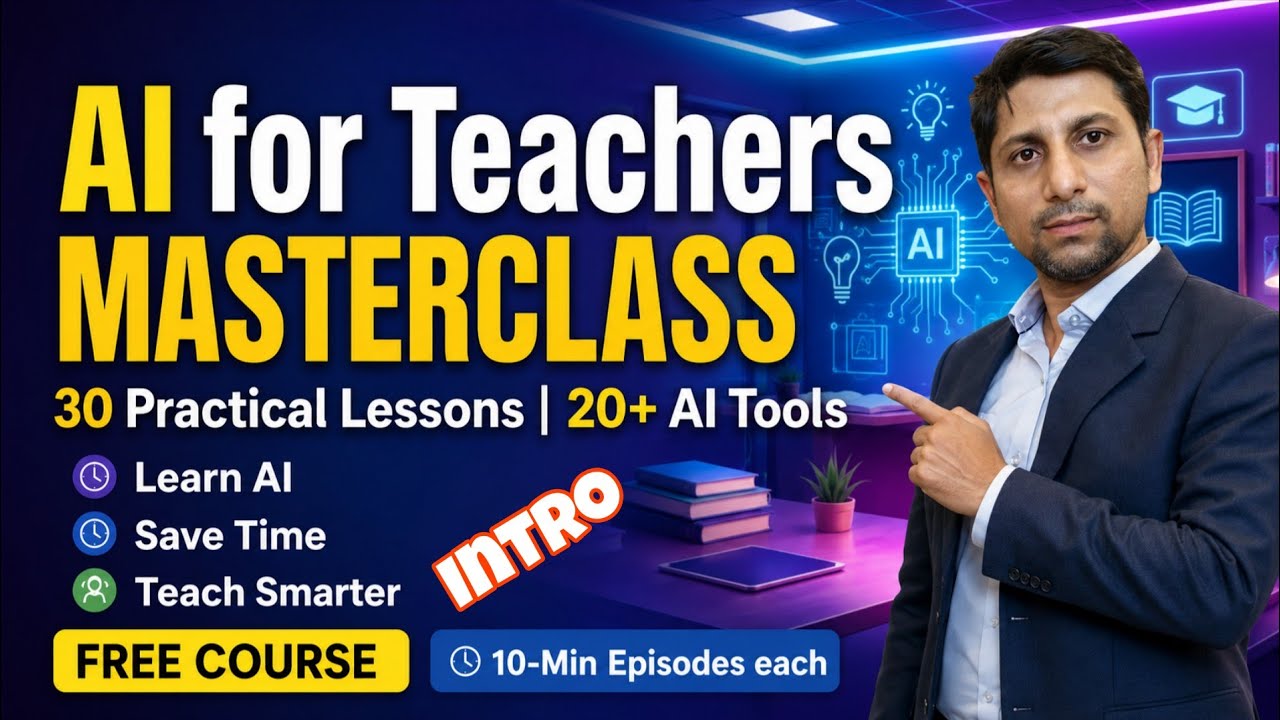
🚀 Welcome to the AI for Teachers Masterclass!
Are you a teacher who wants to save time, create better lessons, and teach smarter using Artificial Intelligence?
This FREE 30-Episode Masterclass is designed especially for teachers, lecturers, educators, trainers, and aspiring teachers.
🎯 In this course, you will learn:
✅ 20+ Powerful FREE AI Tools
✅ Prompt Mastery for Teachers
✅ AI Lesson Planning
✅ AI Question Paper Generation
✅ AI Worksheets & Assessments
✅ AI Presentations
✅ AI Image Generation
✅ AI for Classroom Activities
✅ AI Productivity Tips
✅ Ethical Use of AI in Education
📚 Course Highlights
• 30 Practical Episodes
• 10 Minutes Each
• Beginner Friendly
• Hands-on Demonstrations
• Completely FREE
👨🏫 Whether you are a School Teacher, College Faculty, B.Ed Student, D.Ed Student, Teacher Educator, or Coaching Faculty, this course will help you become an AI-Powered Teacher.
👉 Subscribe to RTV EduTech and turn on the notification bell so you never miss an episode.
🔔 New Episodes Every Tuesday & Friday at 6:00 PM (IST)
📌 Episode 1 Coming Soon!
#AIForTeachers
#TeacherTraining
#ArtificialIntelligence
#ChatGPT
#Education
#EdTech
#Teaching
#Teachers
#DigitalEducation
#RTVEduTech

Improve your students' reading and writing skills by introducing them to a variety of synonyms with the synonyms list chart. This poster features an alphabetical list of commonly used words and their synonyms.
Use this chart with students in grades three through six to improve their vocabulary. An improved vocabulary will help increase reading fluency, word recognition, and diction. This poster comes with reproducible sheets, activities, and teaching tips on the back. The 17" x 22" size ensures that students will be able to see the poster from their desks or tables.
The chart from Trend Enterprises can also be used as a great starting point to discuss connotation and denotation with your upper elementary students. You can use it with student writing by asking them to use synonyms for often repeated words in their writing. When students become familiar with the chart, it can be used as background knowledge to teach students about using a thesaurus.
Specifications for the synonyms words poster:
Dimensions: 17" x 22"
Synonyms listed in alphabetical order
Reproducible sheets, activities, and teacher tips on back
Suggested grade range: 3rd to 6th
Suggested ages: 8 to 11

🥗 Help your kids learn names of vegetables with this fun sing-along song! 🦁 Lucas & Friends have returned, and now they’re singing and dancing about healthy foods-especially vegetables, what they look like, and why kids should eat them! 🤩
🥣 Introduce your kids to the best vegetables, their names, what they look like, and how to spell them in English: 🥦 Broccoli, Peas, 🥕 Carrots, Beans, 🥬 Cabbage, Cauliflower, 🥔 Potatoes, Spinach, Lettuce, and 🥒 Cucumbers — they're all here, and they’re all tasty! 😋
💡 Parents, teachers, and guardians can use the vegetable song to teach children good eating habits. 🍽️ Kids won't even realize they're learning new words or discovering how to eat right, they'll just think they're singing along with a funny song! ✨
⦿ Sing along with the vegetable song lyrics:
Broccoli Peas Carrots beans and cabbage
Cauliflower potatoes spinach lettuce cucumber
I love them all
I love Broccoli
I love Broccoli
Fluffy and green like a tree
Makes me smart … so smart
Veggies are so healthy
I love peas
I love peas
Small and round like a bead
Makes my eye so sharp
Veggies are so healthy
Broccoli Peas Carrots beans and cabbage
Cauliflower potatoes spinach lettuce cucumber
I love them all
I love carrots
I love carrots
Sweet and sour and so crunchy
Makes my heart so strong
Veggies are so healthy
I love beans
I love beans
Long and thin with some pods
Makes my skin stay young
Veggies are so healthy
Broccoli Peas Carrots beans and cabbage
Cauliflower potatoes spinach lettuce cucumber
I love them all
I love cabbage
I love cabbage
Leafy and round like a wrap
Makes my tummy so happy
Veggies are so healthy
I love cauliflower
I love cauliflower
Fluffy like a white broccoli
Helps me lose a few pounds
Veggies are so healthy
Broccoli Peas Carrots beans and cabbage
Cauliflower potatoes spinach lettuce cucumber
I love them all
I love spinach
I love spinach
Leafy, green and so yummy
Makes me strong like Superhero
Veggies are so healthy
I love cucumber
I love cucumber
Bright green long and so crunchy
Makes my mouth so fresh
Veggies are so healthy
Broccoli Peas Carrots beans and cabbage
Cauliflower potatoes spinach lettuce cucumber
I love them all
I love lettuce
I love lettuce
Crunchy leaves in my salad
Makes my bone so strong
Veggies are so healthy
I love potatoes
I love potatoes
Helps me go stronger
Makes my tummy so full
Veggies are so healthy
Broccoli Peas Carrots beans and cabbage
Cauliflower potatoes spinach lettuce cucumber
"Eating Vegetables every day will help you grow faster and stronger"
⭐ If our video entertains your child and makes them happy, please hit the LIKE button. SHARE it with your friends and family members so that more and more kids can sing and have fun. 👍 SUBSCRIBE to our channel to watch our other nursery rhymes, kids songs, and educational videos for children and parents. 🔔 And make sure you turn on the bell icon to get notified as soon as our new videos come up. 🔥
🛍️ Official Lucas & Friends Store Now Open - https://shop.rvappstudios.com
📢 Checkout Lucas & Friends Educational Children's Books: https://www.amazon.com/Lucas-F....riends-by-RV-AppStud
🎯 Try our FREE Educational Apps for Babies & Toddlers:
🟡 Google Play: https://play.google.com/store/....apps/dev?id=74300059
🟣 iOS: https://apps.apple.com/develop....er/rv-appstudios-llc
🟢 RV AppStudios: https://www.rvappstudios.com/kidsapp.html
🌟 Fun educational videos for toddlers by RV AppStudios:
🌞 Healthy Habits Song for Kids - https://youtu.be/QpdCTuraiB4
✏️ Flash Cards To Learn First Words - https://youtu.be/c-aiPRcTpao
🪥 Going To The Dentist For Kids - https://youtu.be/0FMSc--AcX0
👂 Body Parts Song For Children - https://youtu.be/yx79UMVMiBU
Copyright © RV AppStudios
#Vegetables tables #KidsSong #EducationalVideos

🚀 At Oxford Enlight Education, we are revolutionising the educational experience with our cutting-edge, student-centred technology. 🎓
Our technology combines AI-powered tools, expert mentorship, and interactive learning experiences, all designed to provide students with the support they need to excel academically and gain admission to prestigious institutions.
Key features of our technology include:
✅ OXenLight Research – A comprehensive research support system with task management and integrated document sharing, ensuring efficient project completion.
✅ OXenLight iLearn – Gamified, interactive learning tools that enhance engagement and make learning more effective.
✅ OXenLight Scholar – A vast digital library of research papers, resources, and a streamlined process for requesting new materials.
✅ OXenLight Core – Cognitive skills development programs, enhancing executive functioning such as focus, memory, and task management.
📚 Ready to take your learning to the next level? Join Oxford Enlight Education today! 🚀
🔗 Apply now: https://www.oxenlight.com/apply
#studentsuccess #academicexcellence #research #futureleaders #mentorshipmatters #innovativelearning #universityadmissions #edtech #cognitiveskills #personalizedlearning #smartlearning #studentempowerment #futureofeducation

Mrs. Arora was a brilliant high school teacher—but buried under lesson plans, grading, and endless emails.
One school training session introduced her to AI tools, and everything changed.
Watch how she used ChatGPT, Canva Magic Studio, Gradescope, and Curipod to plan faster, grade smarter, and bring her classroom to life — all while finding time for herself again.
🔔 Whether you're a teacher, educator, or just curious — this story will inspire you to work smarter, not harder.
👇 Tools featured in this video:
✔️ ChatGPT – Lesson planning in seconds
✔️ Canva Magic Studio – Beautiful slides & worksheets instantly
✔️ Gradescope – AI-powered grading assistant
✔️ Curipod – Interactive classroom discussions, made easy
💡 Subscribe for more real stories of AI in education and work!

ChatGPT Work and GPT-5.6, explained for teachers and school leaders. I test ChatGPT Work on real school tasks — marking, cohort analysis, parent packs, planning — so you can see what is genuinely useful and where the risks sit.
Join the community: https://www.deepeducationnetwork.com/the-den
Last week ChatGPT stopped just answering questions and started finishing the job: documents, spreadsheets, slide decks, even working web apps. Here is what that actually means for schools, five ways educators can use it, and the settings to check before you connect a school account.
I test these tools on real school work rather than demos, so this is the honest version: what is genuinely useful, and where the risks sit.
Find out where your school stands on AI
The DEEP AI Literacy Audit scores you across nine dimensions in about fifteen minutes, and the first audit is free.
→ https://audit.deepeducationnetwork.com
More from DEEP Education Network
🌐 Website: https://www.deepeducationnetwork.com/
The International Classroom podcast:
🎵 https://open.spotify.com/show/....2zGUdthbVSYIYNRySzXU
💻 LinkedIn: https://www.linkedin.com/in/alexandergray84/
📸 Instagram: https://www.instagram.com/deepeducationnetwork/
DEEP Dispatch (weekly letter for school leaders): https://www.deepeducationnetwork.com/newsletter
New here: I'm Alex Gray, Head of Digital Learning and AI at a British school in Dubai and founder of DEEP Education Network. Subscribe for practical, evidence-led AI for schools.
#GPT5.6 #ChatGPT #AIinEducation #EdTech #teachertech
Chapters:
0:00 Two updates, and why Work is the real story
0:38 GPT-5.6 explained: Sol, Terra and Luna
1:05 Max, Ultra and the higher intelligence setting
1:47 What ChatGPT Work actually is
2:25 The desktop app and its new layout
4:17 The dataset: Year 10 Biology, codes not names
5:06 Projects are just folders on your desktop
7:16 Analysing the mock for gaps
8:11 Spreadsheet, cohort summary and skill gaps
10:10 Student feedback, parent packs and a leadership summary
12:18 A three-week teaching response pack
13:47 Reteaching plan and scheme of work
14:29 Browsing for reliable curriculum guidance
15:32 Building an interactive site with Sites
17:28 Self-marking follow-up quizzes
18:10 Saving the workflow as a skill
18:58 The leadership slide deck
19:22 Is it actually any good?
22:08 What's next, and where to find more

NotebookLM is Google's free AI tool that turns your existing documents into a complete teaching toolkit. In this video I show you every feature — using a real Year 4 States of Matter example from start to finish.
Read the blog: https://www.sciencefix.co.uk/2....026/03/this-free-goo
⬇️ Free download — NotebookLM Starter Kit for Teachers
(persona template + source checklist + 10 classroom prompts):
https://www.sciencefix.co.uk/p....roduct/notebook-lm-s
What I cover:
✅ Setting up a notebook and uploading sources
✅ The custom persona system — calibrate everything to your class
✅ Study guides, glossaries and reports in one click
✅ Flashcards and quizzes grounded in your own documents
✅ The Learning Guide — personalised tutoring from your materials
✅ Audio Overview — a podcast from your curriculum documents
✅ Video Overview — an explainer video, automatically generated
✅ Google Classroom integration — assign notebooks to students
✅ Deep Research — finding additional sources automatically
✅ SEND, CPD and parent communication use cases
🔗 NotebookLM (free): https://notebooklm.google.com
📺 Watch next:
Build an AI Assistant for Your Students: https://www.youtube.com/watch?v=K-jdrBzWuNw
Create Videos with AI: https://www.youtube.com/watch?v=VM4d3QUmk6U
Make Better Prompts: https://www.youtube.com/watch?v=jM4xCOCN6vM
🎬 AI for Teachers — Start Here playlist: https://www.youtube.com/watch?v=q_JBe6VY284&list=PL4Xvr_xHjF0i2cxn5RBVdYPmhBg8txevz
Try VidIQ: https://vidiq.com/ScienceAIandTech
Chapters:
0:00 What you're going to make — the full toolkit revealed
0:30 What NotebookLM actually is
2:00 Uploading your sources — live demo
4:35 The custom persona — the feature nobody talks about
7:00 Study guides and reports
8:20 Flashcards and quizzes
9:30 Audio Overview — a podcast from your documents
11:40 Video Overview — an explainer video, automatically
12:45 Mind Maps
13:30 Infographics
14:20 Slide Decks
15:45 Tables
16:20 Deep Research — finding additional sources
17:46 The complete States of Matter toolkit — full reveal
18:16 Three more use cases: CPD, parents, SEND
19:15 Honest caveats

Want to learn how to use Canva in 2026? In this video, you will get a comprehensive Canva Full Tutorial for Beginners | Hindi 2026, where we explain step by step how to use Canva to create professional designs easily.
In this video, you will Learn How To Use Canva in 2026 from scratch. This Canva full tutorial for beginners will help you understand the Canva dashboard, tools, templates, elements, text editing, and design features. If you are a beginner and want to learn graphic design without any experience, this Canva Full Tutorial For Beginners is perfect for you.
Through this Canva Full Tutorial For Beginners | Hindi 2026, you will learn how to create YouTube thumbnails, Instagram posts, presentations, banners, social media graphics, and professional designs using Canva.
Whether you are a YouTuber, student, blogger, freelancer, or digital marketer, learning how to use Canva in 2026 can help you create high-quality graphics quickly without any advanced design skills.
So if you want to Learn How To Use Canva in 2026 and master Canva step-by-step, watch this Canva Full Tutorial For Beginners | Hindi 2026 till the end.
Join my live Digital Marketing Course - +918619320343
Buy Courses - http://www.voxmediasolutions.com/
Contact us for the best Facebook Marketing Services
Official website - http://www.voxmediasolutions.com/
Email - Voxmediasolution@gmail.com
Contact - +917014226672, 8000357760 (10am to 5pm)
Follow me -
Like Facebook Page:- https://www.facebook.com/Digitalmarketinggurujii/
Follow Instagram - https://www.instagram.com/digitalmarketinggurugi/
"Digital marketing guruji" In the channel, you will find the Best Digital Marketing videos every day. You will easily find information about Digital marketing, Social media, and more videos. By using these Videos, you can quickly learn a lot and do a lot of work for your business growth.
Watch free Playlist:-
1. Digital Marketing Free Course = https://www.youtube.com/watch?v=x1A4lfcvmac&list=PLtEZVhlZp0KCJ6fLM74tAhKhLx_RfDUEc
Watch More Educational Videos:-
1. How to create a Messho Seller Account without GST - https://youtu.be/Cp-3fFBNF5E
2. How to make a WordPress Website - https://youtu.be/pkz2kj8xhn0
3. How to make a Free Blog on Blogger - https://youtu.be/XAk1ljNMJSg
4. How to make a Free Website on Google Sites - https://youtu.be/SiGEQ5H4sXw
Note:- If you like my video, please do like, share, and subscribe to my channel.
#digitalmarketingguruji #canva #canvacourse2026 #canvatutorial2026 #canvaforbegnners

This video is for students aged 14+ studying GCSE Maths.
A video explaining how to simplify algebraic fractions by factorising.
Exam Question Booklets:📝
🔗Exam Question Edexcel Style: https://www.1stclassmaths.com/...._files/ugd/9f3fb0_d2
🔗Exam Questions AQA Style: https://www.1stclassmaths.com/...._files/ugd/9f3fb0_73
🌐 https://www.1stclassmaths.com/ for more high quality revision questions.
0:00 Intro
0:10 How to factorise
2:44 Example 1
3:30 Example 2
4:10 Example 3
5:14 Example 4
6:33 Example with 2 fractions
8:21 Example with 2 fractions and another term
To help my channel:
❤️Like
💬Comment
🔔Subscribe
Follow me on:
https://www.tiktok.com/@1stclassmaths
https://www.instagram.com/1stclassmaths/
https://twitter.com/1stclassmaths
🦋 https://bsky.app/profile/1stclassmaths.bsky.social

View full lesson: http://ed.ted.com/lessons/what....-is-a-vector-david-h
Physicists, air traffic controllers, and video game creators all have at least one thing in common: vectors. But what exactly are they, and why do they matter? David Huynh explains how vectors are a prime example of the elegance, beauty, and fundamental usefulness of mathematics.
Lesson by David Huynh, animation by Anton Trofimov.

GED Social studies အတွက် မြေပုံတွေကို အလွယ်မှတ်နည်း၊ ချဥ်းကပ်နည်းများကို တင်ပေးထားပါတယ်။
#GED
#Social_studies
#Map
#မြေပုံ
#GEDမြေပုံကြည့်နည်း
#GED_lessons

Learn how chatbots work and how to build one for your business in this case study.
AI Casefile Playlist: https://www.youtube.com/watch?v=zKGhV-I250o&list=PL5oju95YSpTV69RmprRJV_YUswBJo2799
AI chatbots aren’t just for tech experts anymore. With the right tools and guidance, anyone can build a chatbot that answers questions, automates tasks, and improves customer experience.
Looking for an easy way to get started with AI education and build your own chatbot—without needing to code? You’re in the right place. In this video, we follow Olivia, a customer service professional, as she explores how AI chatbots can transform everyday work and help her grow her career. Whether you’re working in retail, freelancing, or just curious about automation, this AI education chatbot tutorial is the perfect entry point.
Olivia learns step-by-step how to create a chatbot using IBM Watsonx Assistant—no coding required. This AI education chatbot journey shows you how to go from complete beginner to confident chatbot builder.
If you've ever searched for “how to make money with AI”, “AI tools for work,” or “chatbot training tutorial,” this video is for you. We break it down in clear, simple steps so you can start your own AI education chatbot project today. Stick around to learn how to deploy your bot on websites, mobile apps, and even Facebook Messenger.
Meet Olivia, a 25-year-old working in customer service and bookkeeping at a small flower shop that serves customers both in-store and online. She’s sharp, organized, and well-liked—but like many, she’s hearing the buzz: “AI is coming for your job.”
Instead of panicking, Olivia gets curious.
She starts with the basics: What is a chatbot? A chatbot is a digital assistant that simulates human conversation. It can answer FAQs, provide information, and even help customers choose the perfect bouquet. By automating these repetitive tasks, Olivia realizes she can save time, reduce errors, and focus on meaningful parts of her job.
But Olivia doesn’t stop at basic replies. She discovers action workflows—smart sequences that let her chatbot guide users through tasks like finding store hours or making product suggestions. These workflows are driven by action variables (temporary data used during a task) and session variables (data that persists across conversations). This combo creates more intelligent and user-friendly interactions.
As she dives deeper, Olivia learns about decision-tree bots (structured and predictable) vs. generative AI bots (flexible and conversational). By blending both, she designs a hybrid assistant that feels responsive and personal.
Using IBM Watsonx Assistant, Olivia builds, tests, and deploys her chatbot across web, mobile, and messaging apps. With no need to code, she customizes the design, integrates APIs, and even installs the chatbot on her shop’s WordPress blog. Now, her assistant handles orders, answers questions 24/7, and improves customer satisfaction.
Along the way, Olivia answers key questions many people ask:
How do chatbots actually work?
Do I need to be a developer to use one?
Can chatbots help me at my job or business?
How can I earn or save money with AI?
The answer? Yes. Olivia’s story shows that chatbots aren’t job-stealers—they’re power tools. Whether you work in retail, support, freelancing, or run a side hustle, a well-trained chatbot can save hours, scale your service, and increase earnings.
#NoCodeAI
#aichatbots
#officework
#worksmarterwithai
#aieducation #learnai
#aiforbusiness #casestudy

Want Google Gemini to create a fully illustrated storybook—with pages and read-aloud audio—in about a minute? In this tutorial, you’ll learn how to use the Storybook Gem in Google Gemini, how to add photos/files for more personal stories, and how to regenerate versions until the book is exactly what you want.
You’ll learn how to:
Find Gems → Storybook (or Explore Gems and search “Storybook”)
Write strong storybook prompts using: character, setting, problem, tone, illustration style
Add files (photos, documents, kid drawings) to personalize stories
Revise by iterating in chat (change tone, reading level, art style, ending, dialogue)
Use Listen for read-aloud narration + change the voice
Share/export/download your final storybook
⚠️ Data privacy reminder for educators: Avoid uploading real photos of students.
Classroom ideas
Storybook is great for:
Explaining complex concepts as a narrative (ex: photosynthesis as a hero’s journey)
Language practice with level targets
Student-centered stories with clear requirements
✅ Pro tip: Plan → Prompt → Revise with feedback.
Chapters
0:00 Storybook in under a minute (illustrations + audio)
0:22 Where to find the Storybook Gem
0:39 What to include in great prompts
0:53 Example prompt (robot on the moon)
1:14 Generate the book (about 10 pages)
1:42 Add files (photos/docs/drawings) + privacy note
2:01 Revise by iterating (tone/level/art/ending/dialogue)
2:43 Read-aloud audio + voice options
2:50 Share/export/download
3:02 Educator use cases + workflow tip
Learn the letter F with Ollo the Elephant from Khan Academy Kids!
Visit us at http://www.khankids.org to learn more about Khan Academy Kids, a free educational app for preschool through 2nd grade.
Available on Google Play, Apple, and Amazon app stores:
➡️ http://khan.co/KhanKids-YT-Google
➡️ http://khan.co/KhanKids-YT-Apple
➡️ http://khan.co/KhanKids-YT-Amazon
You can also access other letters of the alphabet on our Letters and Letter Sounds playlist here: http://khan.co/KhanKids-Letters
Subscribe to our channel for more videos like this.

Create your own website with Wix and support the Simple History channel! go to: https://www.wix.com/go/simplehistory
The Ducking stool was a 16th and 17th Century form of punishment derived from the earlier Cucking stool. The Ducking stool punishment would always end in the ducking of the guilty person in water, often repeatedly in front of a large crowd.
Become a Simple History member: https://www.youtube.com/simplehistory/join
Support us on Patreon: https://www.patreon.com/simplehistory
Copyright: DO NOT translate and re-upload our content on Youtube or other social media.
SIMPLE HISTORY MERCHANDISE
Get the Simple History books on Amazon:
https://www.amazon.com/Daniel-....Turner-%60/e/B00H5TY
T-Shirts
https://www.zazzle.com/simpleh....istory/gifts?cg=1968
Simple history gives you the facts, simple!
See the book collection here:
Amazon USA
http://www.amazon.com/Daniel-Turner/e/B00H5TYLAE/
Amazon UK
http://www.amazon.co.uk/Daniel....-Turner/e/B00H5TYLAE
http://www.simplehistory.co.uk/
https://www.facebook.com/Simpl....e-History-5494376751
https://twitter.com/simple_guides
Credit:
Created by Daniel Turner
Narrator:
Chris Kane
www.vocalforge.com
Sources:
Curious Punishments of Bygone Days By Alice Morse Earle
Between the Devil and the Host: Imagining Witchcraft in Early Modern Poland By Michael Ostling
Villages of Britain: The Five Hundred Villages that Made the Countryside By Clive Aslet
Punishments of Former Days By Ernest W. Pettifer
Dictionary of Torture By Nigette M. Spikes

Jeff Maggioncalda, CEO, Coursera discusses Edtech correction, education and leveraging AI, and more at Davos 2023 World Economic Forum. Listen in.
#jeffmaggioncalda #coursera #edtech #artificialintelligence #education #davos2023 #davos #worldeconomicforum #cnbctv18
#businessnews #businessnewstoday #businessnewsinenglish #sharemarkettoday
About CNBC-TV18: India's leading business news channel, CNBC-TV18 offers the most comprehensive coverage of businesses, the economy and the financial markets. #n18oc_business Catch all your favourite shows, exclusive videos, big-ticket interviews and more here.
You can also connect with CNBC-TV18 News Online
Catch the latest news: https://bit.ly/2YbpXBM
Follow CNBC-TV18 round the clock: https://www.cnbctv18.com/live-tv/
Stay updated with all the market action in real time: https://www.cnbctv18.com/market-live/
You can also stay updated with all the latest news on-the-go with CNBC-TV18 Minis: https://www.cnbctv18.com/minis/
n18oc_business

Learn how to use AI tools like ChatGPT, Gemini, Claude etc. to create ad copies for meta and Google ads step-by-step.
Vaibhav Sisinty, the founder of Growth School, in this video explains how AI workflows can help marketers create scalable PPC ad copies in few mins.
Ai for beginners
AI tools
How to use AI
AI tools for marketers
Marketing AI tools
AI tools for PPC ads
AI tools for Ads
AI for marketing
#ai #aiadoption #aicapabilities #chatgpt #gemini #claude #trending #viral #aiforbeginners #aiforbusiness
