トップ動画

Get a FREE Store Built By AI: https://www.buildyourstore.ai/ai-master/
🚀 Become an AI Master – All-in-one AI Learning https://aimaster.me/pro
In this video, I’m diving into how AI is completely transforming e-commerce by making it ridiculously easy to set up your own online store. If you’ve ever thought about starting a side hustle but felt overwhelmed by the time, cost, or complexity—this is for you. I’ll walk you through how to quickly create a professional-looking Shopify store, customize it, and stock it with trending products using AI tools. Plus, I’ll share tips on automation, product sourcing, and marketing to help you start selling fast. Watch now to see how you can launch a profitable online business without the headaches!

Oficios en español. "¿De qué trabajas?", también revisamos las proposiciones, con diálogos divertidos. Aprende a hablar sobre tu trabajo en español. "A qué te dedicas?" "Soy mi propio jefe".

En esta segunda parte seguiremos viendo la rutina diaria en español. Objetos y acciones cotidianas que realizamos la mayoría de las personas.
Actividades habituales que se realizan a diario por muchas personas.
Además veremos los verbos en estas rutinas en presente y en pasado.
Estas actividades comunes te ayudarán a entender las conversaciones en español. Al identificar en las frases palabras que te resultan conocidas, te será más sencillo conectar las palabras en una oración y enteder lo que te están diciendo.
Objetos en español, métodos de pago en español, pedir comida a domicilio.
Clase de español 77
Recuerda activar las notificaciones si quieres que te avisemos de cada nuevo video. 🔔
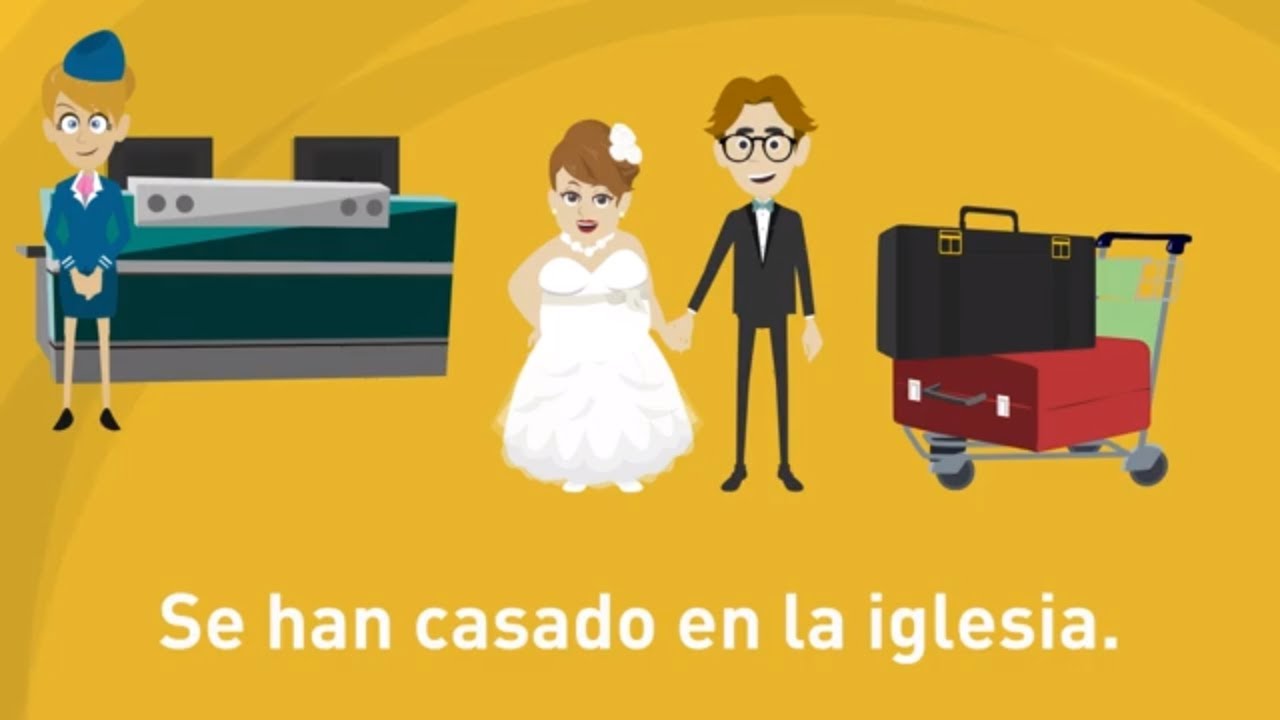
Con nuestro video podrás aprender a conjugar verbos en español en pretérito perfecto compuesto. Con ejemplo divertidos y diálogos. Clases de español para principiantes. Conjugar verbos en pasado. El pretérito perfecto para principiantes. Tercera parte. Suscríbete a nuestro canal y aprende español. 🔔

Descubre las diferencias entre el pasado y el presente en esta clase de español, donde podrás sumergirte en una conversación entre un abuelo y su nieta.
Exploraremos cómo era la vida antes de la tecnología y las comodidades modernas, y cómo ha cambiado la forma en que aprendemos idiomas.
A medida que explores las ventajas y desventajas de cada época, podrás mejorar tu gramática al escuchar las diferencias entre el uso del tiempo pasado y presente.
¡No dudes en repetir las frases para practicar y mejorar tu pronunciación!
Algunas frases destacables del vídeo:
"El pasado era una época muy diferente a la de hoy."
"No teníamos toda la tecnología y las comodidades de las que disfrutamos ahora, pero tenía cierto encanto."
"Pasábamos más tiempo al aire libre y teníamos más interacciones cara a cara con amigos y vecinos."
"Nuestra imaginación desempeñaba un papel importante en el entretenimiento."
"Teníamos un mayor sentido de comunidad y pasábamos más tiempo de calidad con la familia y los amigos."
Suscribirse:https://www.youtube.com/Aprend....erespañolonline?sub_ 🔔
✅ Curso de español para principiantes: https://youtube.com/playlist?l....ist=PLyhXDeW_WjhBv8b
✅ Español nivel intermedio: https://youtube.com/playlist?l....ist=PLyhXDeW_WjhAlQR
✅ Verbos en español: https://youtube.com/playlist?l....ist=PLyhXDeW_WjhDyOv

Aprende a expresar tu estado de ánimo en español. "¿Cómo estas?", "Estoy desesperada", "Estoy indecisa". Vocabulario en español para expresar como te sientes, aprende español con nuestros vídeos divertidos. Suscríbete a nuestro canal 🔔
Please Learn, Like, Comment and Subscribe! Don't forget to Turn on Notifications. 🔔

¡Bienvenidos a la segunda parte de nuestra lección sobre los 50 verbos más importantes en español!
En esta clase de español, exploraremos la segunda parte de los verbos y aprenderemos a usarlos en situaciones cotidianas.
Recordad que estos verbos están en pasado simple, lo que los hace esenciales para comunicarte sobre acciones pasadas.
Verbos Destacados:
Hacer: "Hice mis tareas." (I did my homework)
Deber: "Debí haber preguntado antes, lo siento." (I should have asked earlier, I'm sorry)
Preguntar: "Pregunté si alguien había visto el gato." (I asked if someone had seen the cat)
Visitar: "Visité a mi madre en el hospital." (I visited my mother in the hospital)
Ir: "Vine, aprendí y me fui." (I came, I learned, and I left)
Tomar: "Tomé un trozo de pastel del refrigerador." (I took a piece of cake from the fridge)
Planear: "Planeé nuestras vacaciones." (I planned our vacations)
Decir: "Le dije a mi padre cuanto le quería." (I told my father how much I loved him)
Lograr: "Logré pasar los exámenes." (I managed to pass the exams)
Enviar: "Envié un paquete por correo." (I sent a package by mail)
Ejemplos Útiles:
"Busqué vuelos para mis vacaciones." (I searched for flights for my holidays)
"Intenté aprender español." (I tried to learn Spanish)
"Viví en Galicia." (I lived in Galicia)
"Quise comprar el vestido pero no había de mi talla." (I wanted to buy the dress, but they didn't have my size)
Puedes encontrar la primera parte de este vídeo aquí: https://youtu.be/1xbBH34MiX0
Suscríbete a nuestro canal ✍, dale al like 👍 y activa las notificaciones🔔 para no perderte ningún nuevo vídeo!

En este video para aprender español veremos vocabulario en español para citas.
Sergio y Andrea tienen una cita. Veremos montones de diálogos y vocabulario.
Podrás practicar conversación, aprender un montón de palabras románticas y a expresarte en español. Además puedes repetir las conversaciones y practicar tu pronunciación.
De paso aprenderás unas cuantas frases en español para tu próxima cita 😉
No te pierdas nuestro culebrón para aprender español!
Frases para seducir
No olvides suscribirte a nuestro canal si quieres aprender español con videos divertidos🔔
# Clase 68

En este nuevo vídeo veremos un montón de vocabulario, frases con preposiciones y verbos.
Materiales con los que están hechos las cosas y acciones directas de los personajes.
Repetimos las frases para que podáis escuchar, repetir y practicar pronunciación.
Aprender español es fácil con nuestro canal🔔

En este nuevo video veremos vocabulario sobre jardinería, plantas y plagas.
Aprenderemos un montón de palabras relacionadas con el jardín, los utencillos, las plantas y los insectos y plagas que habitan en el mismo.
Algunos términos que vemos en el video:
Agua de lluvia
Regadera
El jardín - los jardines
El jardinero- los jardineros
La jardinería
Nutrientes
La planta- las plantas
La hierba
El rastrillo - los rastrillos
El contenedor de residuos verdes - Los contenedores de residuos verdes
La tierra
La base - las bases
El almacén – los almacenes
El cobertizo – los cobertizos
El invernadero - los invernaderos
La plantación- las plantaciones
La manguera - las mangueras
La regadera - las regaderas
El barril de agua - los barriles de agua
El abono- los abonos
Plantar
Regar
La semilla- las semillas
La botella de spray - las botellas de spray
El césped
El cortacésped - los cortacésped
Sembrar
Regar
Cortar el césped
Insectos beneficiosos
La lombriz – las lombrices
La abeja - as abejas
El erizo - los erizos
La mariquita - las mariquitas
Plagas
El caracol - los caracoles
El pulgón - los pulgones
¿Tienes un jardín? ¿Te gusta la jardinería? Cuéntanos en los comentarios.
Y no olvides suscribirte a nuestro canal
https://www.youtube.com/Aprend....erespa%C3%B1olonline
Y activa las notificaciones 🔔

En esta nueva clase de español exploraremos una conversación básica entre un hombre y una mujer. Vamos a aprender cómo saludarse, hacer preguntas, pedir y dar información personal, y hablar sobre gustos y pasatiempos. Al final, practicaremos la despedida.
00:00 Conversación en español
00:03 Saludo y presentación
01:14 Preguntas básicas
04:04 Pedir y dar información personal
05:48 Hablar de gustos y pasatiempos
07:09 Despedida
08:25 Suscríbete y fin del vídeo
Saludo y Presentación https://youtu.be/usqGa1OXrro?t=3
Juan y María se conocen y se saludan. Se preguntan sus nombres y de dónde son. Esto es fundamental en cualquier conversación en español.
Preguntas Básicas https://youtu.be/usqGa1OXrro?t=74
En esta parte, Juan y María continúan su conversación haciendo preguntas básicas. Juan pregunta por qué María está allí, y ella le cuenta que está de viaje por trabajo. Aprendemos a hacer preguntas sobre los planes y preferencias de las personas.
Pedir y Dar Información Personal https://youtu.be/usqGa1OXrro?t=244
Luego, exploramos cómo pedir y dar información personal. María pregunta la edad de Juan, y él le cuenta que es ingeniero. A su vez, Juan pregunta a María sobre su trabajo y si tiene hermanos. Estos son temas comunes cuando queremos conocer a alguien.
Hablar de Gustos y Pasatiempos https://youtu.be/usqGa1OXrro?t=348
Es importante poder hablar de gustos y pasatiempos en una conversación. Descubrimos que a Juan le gusta leer y bailar salsa, mientras que a María le gusta cocinar y el yoga. También, María menciona la comida española y la paella, lo que nos lleva a hablar sobre intereses culturales.
Despedida https://youtu.be/usqGa1OXrro?t=429
Finalmente, la despedida. Juan y María se preparan para separarse y planean verse en el futuro. Observen cómo intercambian información de contacto, como Instagram. La despedida es una parte esencial de cualquier conversación.

En este nuevo video para aprender español podrás aprender gramática española, verbos con preposiciones, diferentes tiempos verbales, los artículos y un montón de vocabulario en español a través de diálogos sobre embarazo, bebés, maternidad, niños, nacimiento y mucho más!
Además puedes escuchar y repetir para practicar la pronunciación.
Video para un nivel A2 -B1, pero puedes escucharlo cualquiera sea tu nivel, seguro te ayuda a prender.
Si quieres aprender español de manera divertida, no olvides suscribirte y activar las notificaciones. 🔔

En este video veremos refranes españoles para aprender vocabulario relacionado con el uso del idioma. Dichos populares, expresiones españolas que se utilizan para expresar un pensamiento o un consejo. Gracias a los refranes podemos aprender gran cantidad de vocabulario y practicar el español. Además cuando los escuches, ya sabrás lo que significa (algunos son un poco complejos).
Todos puedes aprender español con este video, todos los niveles. 🔔

Alex y su novia se van de vacaciones. Cogerán un taxi para ir al aeropuerto y tomar un vuelo a japón.
Podremos aprender un montón de vocabulario para el aeropuerto y los viajes en general.
Vocabulario que podremos aprender en este vídeo:
Pasaporte
Equipaje de mano
Aeropuerto
Mostrador de facturación
Tarjetas de embarque
Facturar maletas
Terminal 1
Control de seguridad
Puerta de embarque
Tienda libre de impuestos
Vocabulario para el aeropuerto
Frases para el aeropuerto
Vocabulario para viajar
Diálogos de aeropuerto
/ Clase 110
🔔

En esta nueva clase de español volveremos a los niveles de principiante, el equivalente a un nivel A1
Nuestros alumnos se encuentran en su primer clase de español y la profesora enseña a los alumnos a presentarse.
La profesora quiere conocer a sus alumnos y que ellos se conozcan entre si, por lo que les pregunta, su nombre y el lugar de dónde vienen, su color favorito, si tienen mascotas y todas las preguntas básicas de una primer clase de español.
Una clase para principiantes, para aprender los principales conceptos del español, pero que puede ser usada para practicar conceptos por todos los niveles.
Recuerda suscribirte a nuestro canal si quieres aprender español cada domingo. 🔔

Los posesivos en español indican pertenencia o posesión.
Son adjetivos que se utilizan en oraciones para indicar pertenencia.
Algunos ejemplos de adjetivos posesivos:
Mi
Mío
Mía
Tu
Tuyo
Tuya
Nuestro
Nuestra
Uso de adjetivos posesivos que puedes encontrar en el vídeo:
¡Hola, bienvenido a NUESTRO jardín!
¿Puedo presentarte a MI familia?
Esta es MI mujer.
Ese agradable hombre que está haciendo la barbacoa es MI marido
Estos son NUESTROS dos hijos.
Aroa, que está jugando con SU coche rojo.
Ya has visto MI jardín.
Disculpa cariño, por supuesto que es NUESTRA casa.
Estos son NUESTROS dos coches.
Otra clase relacionada:
https://www.youtube.com/watch?v=clAEb6a8mnE
/ Clase 117
Recuerda activar las notificaciones para que te avisemos de cada nuevo vídeo para aprender español 🔔

Los estilos musicales en español
María quiere aprender sobre estilos musicales y le pregunta a su profesor.
La música Pop: https://youtu.be/e0hxEY8MC9Y?t=44
¿Música popular y música pop es lo mismo?: https://youtu.be/e0hxEY8MC9Y?t=70
¿Quién fue el primer artista pop?: https://youtu.be/e0hxEY8MC9Y?t=182
¿Cuáles son los artistas pop que podríamos escuchar?: https://youtu.be/e0hxEY8MC9Y?t=200
El rock: https://youtu.be/e0hxEY8MC9Y?t=264
¿Quiénes fueron los primeros en grabar una canción de Rock?: https://youtu.be/e0hxEY8MC9Y?t=306
Pioneros del rock: https://youtu.be/e0hxEY8MC9Y?t=368
¿Y el rock en España?: https://youtu.be/e0hxEY8MC9Y?t=420
El folk: https://youtu.be/e0hxEY8MC9Y?t=479
La música Folk en España: https://youtu.be/e0hxEY8MC9Y?t=615
El blues: https://youtu.be/e0hxEY8MC9Y?t=664
¿Cómo llegó el blues a España?: https://youtu.be/e0hxEY8MC9Y?t=762
Y a ti ¿Qué música te gusta? Puedes decirnos en los comentarios.
Y recuerda suscribirte a nuestro canal
/ Clase 126
🔔

Hoy aprenderemos vocabulario sobre los medios de transporte que solemos encontrar en las ciudades.
Los típicos diálogos que necesitas conocer para moverte eficientemente en las ciudades. Un vídeo lleno de frases útiles y situaciones cotidianas en los medios de transporte urbanos.
00:00 Los medios de transporte urbanos
00:03 El patinete eléctrico
03:36 El autobús
07:30 El tren
11:44 Suscríbete
12:15 Final del vídeo
Algunas preguntas, palabras y frases útiles que encontrarás en el vídeo sobre el transporte público y que te serán de mucha ayuda para moverte por la ciudad:
El casco es obligatorio
¿Que autobús tengo que tomar para ir a San Sebastián de los Reyes?
¿Se puede pagar con dinero?
¿Cuánto vale el billete?
Perdone, ¿le puedo hacer una pregunta?
¿Cómo sé qué tren tengo que tomar?
¿Y el billete, puedo pagar en el tren?
¿Dónde puedo comprar la tarjeta?
Máquinas de control de acceso
Máquinas expendedoras
Las taquillas
Billete sencillo
La estación de destino
En metálico o con tarjeta de crédito
El billete de vuelta
Es reutilizable
En nuestro canal encontrarás un curso completo y gratuito de español para principiantes y avanzados.
En los videos aprenderás español a través de imágenes, diálogos, escuchar y hablar español.
Si te ha gustado el vídeo recuerda dejarnos un like y activa las notificaciones para que te avisemos de cada nuevo vídeo🔔

Las palabras que tienen varios significados distintos se llaman palabras polisémicas. Se escriben exactamente igual pero tienen distintos significados.
En este nuevo vídeo para aprender español veremos algunas palabras polisémicas.
Algunos ejemplos que veremos en el vídeo son:
Banco
Carta
Cometa
Entrada
Gato
Hoja
Manzana
Mono
Muñeca
Naranja
Pata
Ratón
Planta
Sierra
/ Clase 102
Suscríbete a nuestro canal 🔔

En este nuevo video para aprender español y ya de vuelta de las vacaciones, seguimos a Carlos y Laura, dos militares que están revisando el inventario y los equipos de su base antes de una inspección crucial.
A través de varias escenas, aprenderemos vocabulario sobre armas de fuego, armamento pesado, vehículos, drones y más.
Destacados del Video:
00:02 Escena 1: Almacén de la Base Militar
Tiempos Verbales:
Presente Indicativo: "tenemos", "está", "parece", "necesitamos".
Imperativo: "Revisa".
Vocabulario Militar:
armas de fuego, pistolas, rifles de asalto, escopetas tácticas, ametralladoras ligeras.
Frases Cotidianas:
“Tenemos que asegurarnos de que todo esté en su lugar.”
“Todo parece en orden.”
“Necesitamos contar la munición.”
00:30 Escena 2: Revisión de Armamento Pesado
Tiempos Verbales:
Presente Indicativo: "tenemos", "son", "tenemos".
Vocabulario Militar:
lanzacohetes, lanzagranadas, cohetes.
Frases Cotidianas:
“Estos lanzacohetes son esenciales para nuestra próxima misión.”
“Cuarenta cohetes listos para usar.”
00:59 Escena 3: Hangar de Vehículos
Tiempos Verbales:
Presente Indicativo: "está", "mirando", "revisado".
Vocabulario Militar:
tanques, helicóptero, drones, combustible.
Frases Cotidianas:
“El helicóptero también está listo para despegar.”
“Todos los drones están completamente cargados y operativos.”
01:33 Escena 4: Control de Drones
Tiempos Verbales:
Presente Indicativo: "enciende", "funcionando", "usarlos".
Vocabulario Militar:
consola de control, vigilancia aérea, drones.
Frases Cotidianas:
“Los drones están funcionando perfectamente.”
“Podemos usarlos para vigilancia aérea durante la misión.”
01:49 Escena 5: Revisión de Vehículos de Transporte
Tiempos Verbales:
Presente Indicativo: "tiene", "está", "asegurarnos".
Vocabulario Militar:
vehículos de transporte, cohetes.
Frases Cotidianas:
“Este vehículo tiene suficiente combustible.”
“Todo bien aquí también.”
02:06 Escena 6: Lanzamiento de Cohetes
Tiempos Verbales:
Presente Indicativo: "revisando", "están".
Vocabulario Militar:
plataforma de lanzamiento, sistemas de lanzamiento, cohetes.
Frases Cotidianas:
“Todos los sistemas de lanzamiento están listos.”
“Vamos a verificar el submarino.”
02:17 Escena 7: Submarino
Tiempos Verbales:
Presente Indicativo: "bajan", "está", "tenemos".
Vocabulario Militar:
submarino, muelle, equipo.
Frases Cotidianas:
“El submarino está listo para la misión.”
“Tenemos que enviar el reporte antes de las 18:00.”
02:32 Escena 8: Oficina de la Base Militar
Tiempos Verbales:
Presente Indicativo: "escribiendo", "está", "queda".
Vocabulario Típico:
oficina, informe, inspección.
Frases Cotidianas:
“Todo el inventario está en orden.”
“Ahora solo queda esperar la inspección de mañana.”
02:43 Escena 9: La Inspección
Tiempos Verbales:
Presente Perfecto: "he recibido".
Presente Indicativo: "revisando", "está".
Vocabulario Militar:
comandante, inspección, equipo.
Frases Cotidianas:
“He recibido su informe.”
“Todo está en orden. Estamos listos para la misión.”
Observaciones Gramaticales:
Uso del Presente Indicativo para expresar acciones actuales, tanto rutinarias como de comprobación de inventario.
Uso del Imperativo para dar órdenes o instrucciones en el contexto militar.
Vocabulario Técnico Militar muy específico que incluye elementos como armas de fuego, vehículos de transporte, drones, sistemas de lanzamiento y submarinos.

Frases para presentarse en español. Situaciones cotidianas para presentarte en español. Presentarte en el primer día de trabajo, presentarte con otros padres del colegio de los niños. Aprende frases típicas para presentarte.

En esta clase de español aprenderemos los adjetivos.
Los adjetivos son un tipo de palabra que se usan generalmente después del sustantivo (aunque a veces puede ser antes) para describir alguna cualidad del mismo.
Se pueden usar para describir lugares, cosas, personas o cualquier cosa que se quiera describir o remarcar una cualidad.
En este video veremos montones de ejemplos de descripciones con adjetivos además de diálogos y vocabulario.
Para un nivel A2 aunque cualquiera puede aprovecharlo

Esta nueva historia para aprender español trata sobre María y su perro Milo. Ambos están jugando en el parque cuando de repente, Milo se asusta y sale corriendo. María intenta seguirle, pero no consigue alcanzarle. María se pierde mientras persigue a Milo. Mientras tanto, el padre de María está preocupado porque María y Milo no han vuelto a casa. Milo vuelve a casa solo y el padre de María teme que le haya pasado algo. Sale a buscarla, preguntando a la gente si la han visto, y finalmente llama a la policía. La policía pone en marcha una operación de búsqueda de María. Mientras tanto, María se pierde en el bosque y pide ayuda a Milo. De repente, Milo aparece y María se siente aliviada. Coge la correa de Milo y éste la lleva de vuelta a casa. Cuando llegan, el padre de Maria se alegra mucho de verla y se siente aliviado de que esté a salvo.
00:00 El perro héroe comienza
00:04 Milo se asusta y sake corriendo
00:19 María se pierde
00:34 El padre empieza a preocuparse
00:50 Milo, ¿Dónde está María?
01:43 Disculpe, ¿no ha visto una niña perdida por aquí?
02:07 Tendré que llamar a la policía
02:45 Llega la policía
03:04 Describir una persona en español
03:56 Operativo policial
04:10 María esta sola y asustada
04:32 ¡Milo! que alegría verte
04:53 ¡María! Estas a salvo
05:48 Milo, eres todo un perro policía
06:02 Final feliz
06:11 Palabras nuevas
06:32 ¿Quieres aprender español?
06:59 Fin del vídeo
En esta clase de español podrás practicar diálogos, cómo describir a una persona en español y vocabulario que habitualmente utiliza la policía.
Palabras que puedes aprender en este vídeo:
perro
héroe
historia
juego
parque
asustada
correr
perdida
padre
preocupado
encontrar
policía
describir
operativo
bosque
camino de regreso
casa
alegría
correa
contenta
perdida
✅ Curso de español para principiantes: https://youtube.com/playlist?l....ist=PLyhXDeW_WjhBv8b
✅ Español nivel intermedio: https://youtube.com/playlist?l....ist=PLyhXDeW_WjhAlQR
✅ Verbos en español: https://youtube.com/playlist?l....ist=PLyhXDeW_WjhDyOv
✅
Suscríbete a nuestro canal!
https://www.youtube.com/Aprend....erespa%C3%B1olonline 🔔

En este nuevo video para aprender español veremos más ejemplos sobre antónimos y adjetivos.
Recordemos que los antónimos son palabras que tienen un significado totalmente opuesto al de otra palabra.
En cambio los adjetivos son palabras que agregan información sobre el sustantivo expresando una cualidad.
En este video utilizamos los adjetivos como ejemplo, pero además, buscamos adjetivos antónimos, es decir, usamos palabras que expresan una cualidad y también esa misma cualidad pero antónima o contraria.
Por ejemplo:
"Grande" y "pequeño". Ambas palabras son adjetivos porque expresan una cualidad del sustantivo, pero además son antónimos ya que tienen un significado opuesto.
Ejemplos de uso:
Este árbol es grande.
Este árbol es pequeño.
Otros ejemplos que usamos en el video son:
Viejo y joven
Fino y grueso
Temprano y tarde
Correcto y equivocado
Bonito y feo
Fácil y difícil
Ligero y pesado
Caliente y frío
Caro y barato
Divertido y aburrido
Amigo y enemigo
Además para cada par de adjetivos antónimos, veremos también una frase de como utilizarlos.
¿Se te ocurren nuevos adjetivos anónimos? Déjalos en los comentarios
Si quieres profundizar en el uso de adjetivos y antónimos, te recomendamos la primera parte de esta lección de español:
https://www.youtube.com/watch?v=9zcoYnHftU8
Y recuerda, ¡Suscríbete a nuestro canal!🔔
https://www.youtube.com/Aprend....erespa%C3%B1olonline
/ Clase 108

Here's an original song for you all with fruits and a story about a tomato wanting to be a part of it all
I hope you enjoy this video, and it helps you with the fruits! It was a blast to make!
Buy the song on iTunes:
https://music.apple.com/us/alb....um/la-ensalada-de-fr
~~~~~~~~~~~~~~~~~~~~~~~~~~~
👍Please share this video with others and like it to help me get the word out on my videos!
And let me know about other troublesome topics you’d like in bite-sized form.
🔔 Subscribe for more Spanish lessons: http://bit.ly/XGe7we
🤖Practice Your Spanish with Chateo! Get a discount off your first 6 months with code CHATEOBOT! Sign up at: https://www.senorjordan.com/chat
Social Media:
* YouTube: https://www.youtube.com/SeñorJordan
* Find “señor jordan videos” on Facebook, Twitter, Instagram, and TikTok
* Soundcloud: senorjordanspanish
Enjoying the content? Consider buying me a taco!
https://ko-fi.com/senorjordan
🌐 Private Lessons Available:
Interested in improving your Spanish conversational skills? Contact me: www.senorjordan.com/clases
📚 Practice Your Spanish with My Books!
https://www.tprsbooks.com/shop/?_product_type=novel&_author=jeremy-senor-jordan&_product_language_filter=spanish
~~~~~~~~~~~~~~~~~~~~~~~~~~~
Special thanks to Natalia Lauman for the art!
instagram: @namilauman
Special thanks to Ely Saúl García for making the music sound way better and for lending me his voice for this video!
instagram: @levitasrec
And thanks TO ALL OF YOU for watching my videos over the years! Who knew I would still be making them so many years later!
