Najbolji videi
START HERE TO WORK WITH ME
Create client-attracting content in one focused hour: clarify your message, generate a high-retention content, and repurpose it into ready-to-post assets → https://www.incomecreator.pro/ltao1
👉 Free download: NotebookLM Creative Agency Prompt Pack
Fill out this quick form to get the PDF + prompts:
https://forms.gle/EE9xRR9usiPuBnkw6
Master Google Gems: Create Automated AI Apps for YouTube
In this video, the presenter explores two ways to create Google Gems, focusing on building AI apps to automate content creation workflows for YouTube. They elaborate on using the new Google Labs interface for creating AI mini apps and custom workflows. Through a detailed walkthrough, the video covers steps including generating video ideas, writing scripts, designing thumbnails, and creating promotional plans. The presenter shares insights on how to edit and customize these AI applications for optimal performance, discussing both simple and complex use cases. They also provide a special link to download their LM Creative Agency Pack for additional guidance on using AI systems effectively.
#notebooklm #gemini3pro
![Google重磅更新:串連NotebookLM與Gemini,AI 知識庫 X 思考引擎,打造你的專屬 AI 超級大腦[Multi-Audio]](https://i.ytimg.com/vi/-VRKWX6qNus/maxresdefault.jpg)
Google 釋出了最強大的更新!將 NotebookLM(個人知識庫)與 Gemini(思考引擎)正式打通,這不僅僅是功能的串接,更是 AI 工作流的徹底革命。(12/16: 新功能正逐步推送至各用戶)
操作演練可參考這部影片:https://youtu.be/v1VAUOvJcug
你是否厭倦了每次開新對話都要重新上傳檔案、或是 AI 聊沒兩句就忘了前文的「金魚腦」?這支影片將帶你從原理到實戰,看見「模組化智慧」如何改變我們的學習與工作效率。
**在這集影片中,你將學到:**
1. 解除封印:如何讓 Gemini 直接讀取你私人筆記本中的深層知識。
2.海量吞吐:解鎖單一筆記本高達 300 個來源檔案的驚人容量(免費版為50個來源)。
3.混合搜尋:學會讓 AI 同時運用「你的專業資料」+「網路最新資訊」來回答問題。
4.三大實戰流:從內容生成、多重資料整合到互動式教材製作,手把手教學。
告別碎片化的資訊,迎接你的專屬 AI 導師!
**【⏱️ 精彩章節傳送門】**
* 00:00 🚀 前言:Google 重磅更新!打造你的 AI 第二大腦
* 00:39 🐟 痛點直擊:告別重複上傳與 AI 的「金魚腦」記憶
* 01:02 🔗 核心原理:當 NotebookLM (記憶體) 遇上 Gemini (處理器)
* 01:35 🧠 升級亮點 1:AI 的新大腦—對話紀錄保存與隱私結合
* 02:24 📈 升級亮點 2:容量大解放!支援 300 個來源檔案的專業級資料庫
* 03:03 🌐 升級亮點 3:混合搜尋模式—內建知識庫 + 即時聯網搜尋
* 03:35 📝 實戰流程 1:內容生成—用健身筆記一鍵產出科學化短影音腳本
* 04:27 📂 實戰流程 2:多重來源整合—跨筆記本 (專案+目標) 產出綜合簡報
* 05:00 📖 實戰流程 3:互動創作—將靜態筆記轉化為「互動式 AI 助教」網頁
* 05:35 🎯 誰最適合?:研究員、創作者、專案經理的應用場景
* 06:04 🔮 宏觀趨勢:「模組化智慧 (Modular Intelligence)」— AI 知識卡匣時代來臨
* 06:53 ⚖️ 超級比一比:Gems (角色扮演) vs. NotebookLM (深度整合) 該怎麼選?
* 07:32 📝 今日重點回顧:串連知識,解鎖未來
* 07:58 💭 思考題與結語:當 AI 繼承了你的專業,你想創造什麼?
**【關於 憶筆 M.S.】**
嗨!我是憶筆 M.S.,這裡專注於分享最實用的 AI 工具教學、科技新知與學習方法及空中AI證照陪讀,希望能幫助你在 AI 時代,學得更快、做得更好!
💡 **追蹤我的最新動態**
* 訂閱頻道:https://www.youtube.com/@YibiMS
* Threads:https://www.threads.com/@yibims
本影片編輯工具為FlexClip,推薦收看以下這部影片介紹(含新手教學及優惠訊息)
https://youtu.be/seqGDhQMJks
#NotebookLM #Gemini #GoogleAI #AI工具 #第二大腦 #生產力工具 #知識管理 #AI教學 #憶筆MS #模組化智慧 #工作效率
¿Cansado de pasar horas planificando clases y lidiando con "alucinaciones" de la Inteligencia Artificial? 🤯 En este video te revelo el SECRETO mejor guardado de Google para docentes: El Flujo Maestro.
Aprende paso a paso a conectar NotebookLM, Gemini y Google Docs para crear rúbricas, unidades didácticas y planes de clase basados EXACTAMENTE en tu currículo oficial y libros de texto. ¡Cero inventos, 100% rigor académico y pedagógico! 📚✨
🎁 REGALO: PROMPT MAESTROia (Cópialo y pégalo en tu Gem):
"Actúa como un Consultor Senior en Innovación Educativa y Especialista en Diseño Didáctico (Framework MAESTROia). Tu objetivo es ayudarme a planificar experiencias de aprendizaje basándote EXCLUSIVAMENTE en los documentos fuente de NotebookLM. Usa metodologías activas y alinea toda propuesta con los Derechos Básicos de Aprendizaje y competencias específicas. Entrega la información estructurada en: Resumen Ejecutivo, Objetivos de Aprendizaje, Secuencia Didáctica y Herramienta de Evaluación Formativa."
🔗 ENLACES MENCIONADOS:
👉 NotebookLM: https://notebooklm.google.com/
👉 Gemini: https://gemini.google.com/
👉 🎓 Únete al grupo de Whatsapp: https://chat.whatsapp.com/Fv4K5kwxJsV1DFmIYSWD67
📱 SÍGUEME EN MIS REDES Y CONTACTO:
💼 LinkedIn:https://co.linkedin.com/in/inghandres
📸 Instagram: @profehandres
✉️ Contacto para capacitaciones y consultoría: ing.handres@gmail.com
#iaeducativa #notebooklm #ProfeHandres #DocentesDigitales #gemini #edtech #educación #innovacioneducativa

Want to make money and save time with AI? Get AI Coaching, Support & Courses 👉 https://www.skool.com/ai-profit-lab-7462/about
Get the video notes + links to the tools → https://www.skool.com/ai-profit-lab-7462/about
Get a FREE AI Course + 1000 NEW AI Agents 👉 https://www.skool.com/ai-seo-w....ith-julian-goldie-15
Want to know how I make videos like these? Join the AI Profit Boardroom → https://www.skool.com/ai-profit-lab-7462/about
Get a FREE AI SEO Strategy Session: https://go.juliangoldie.com/st....rategy-session?utm=j
Google's NEW NotebookLM Update is Insane! (Gemini Integration)
Google has officially merged NotebookLM and Gemini, creating a powerful personal knowledge operating system that remembers everything you research. Learn how to leverage these new updates to build an AI second brain that grows with your business.
00:00 - Intro
01:25 - NotebookLM x Gemini Integration
02:32 - Import Gemini Chats as Sources
03:58 - New Adaptive Quiz System
05:09 - Rollout Details & Access
05:32 - The Personal Knowledge Loop
06:34 - 3 Use Cases for Creators & Businesses
07:20 - Summary & Next Steps

👉 Prompts: https://forms.gle/EtQjzQSRAHsEWN3G9
🚀 Implementa la IA en tu negocio aquí: https://joseangelai.com/
💼 ¿Quieres que colaboremos? Contáctame: joseangel@joseangelai.com
🏡 Comunidad Whatsapp (GRATIS): https://chat.whatsapp.com/Fs5VyR4OPE4JzmmTrxFKlW
Google acaba de activar nuevas funciones en Gemini 3 y NotebookLM y la mayoría de personas todavía no las está aprovechando.
En este vídeo te muestro las últimas novedades de Gemini y NotebookLM, centrándonos en los Gems (asistentes de inteligencia artificial) y en cómo integrar cuadernos de NotebookLM dentro de Gemini para crear flujos de trabajo realmente potentes.
Aprenderás, con casos de uso reales, a:
🔹Crear dashboards dinámicos en Canvas a partir de Excel
🔹Usar Gemini como asistente de análisis de datos
🔹Generar imágenes con IA para redes sociales basadas en tu marca
🔹Integrar NotebookLM como base de conocimiento
🔹Usar la IA como control de stock y facturación para negocios locales
Todo paso a paso, sin tecnicismos innecesarios y enfocado a productividad, automatización y monetización con inteligencia artificial.
🧠 ¿Para quién es este vídeo?
✔️ Creadores de contenido
✔️ Programadores y perfiles tech
✔️ Negocios locales y emprendedores
✔️ Personas que quieren usar IA de Google de forma profesional
En el canal hablamos de:
👉Inteligencia Artificial aplicada a negocio
👉Servicios digitales con IA
👉Automatización
👉Desarrollo web y herramientas prácticas
🔗 Enlaces:
👉 NotebookLM: https://notebooklm.google.com/
👉 Gemini: https://gemini.google.com/app?hl=es-ES
🕐 CAPÍTULOS:
00:00 Introducción
00:30 Novedad 1
01:49 Novedad 2
03:19 Novedad 3
05:11 Novedad 4
07:28 Bonus Extra
09:12 Te interesa
09:39 Bonus Extra
10:26 Importante
#GeminiAI #NotebookLM #InteligenciaArtificial #IA #GoogleAI
En este vídeo te enseño cómo uso NotebookLM para crear Gems personalizadas en Gemini, aplicándolo a un flujo de trabajo real, paso a paso y sin teoría innecesaria.
No es una demo aislada, es un workflow completo que puedes reutilizar para documentación, negocio, automatización o análisis avanzado con IA.
Además, te regalo los prompts exactos que uso en el vídeo para que puedas replicarlo desde hoy mismo.
⌛ MARCAS DE TIEMPO:
00:00 Introducción
00:35 Descubrir fuentes con la búsqueda avanzada con IA
02:36 Prompt NotebookLM + Gems
03:01 Paso 1: Crear el índice
04:31 Paso 2: Crear y desarrollar el contenido
06:26 Cómo crear un buen prompt para Gems en Gemini
08:19 Estructura prompt usando Gemini
10:52 Probando la Gema en Gemini
🚀 Qué aprenderás en este tutorial:
✔️ Cómo estructurar NotebookLM para trabajar con conocimiento propio.
✔️ Cómo transformar ese conocimiento en Gems personalizadas dentro de Gemini.
✔️ Cómo crear un flujo de trabajo reutilizable y escalable.
✔️ Cómo ahorrar horas usando IA de forma estratégica (no solo “preguntarle cosas”).
🎁 PROMPTS GRATIS + COMUNIDAD.
Accede a los prompts que uso en el vídeo y a más recursos prácticos en mi comunidad gratuita:
👉 Únete aquí: https://whop.com/boca-boca-digital/
📚 TUTORIALES RELACIONADOS.
🔹 Tutorial completo de NotebookLM:
👉 https://youtu.be/oxa2hLljQUk
🎓 ¿QUIERES APRENDER MÁS SOBRE IA Y AUTOMATIZACIÓN?
Si quieres ir más allá y aprender inteligencia artificial aplicada a negocio, automatización y workflows reales, tienes todos mis cursos aquí:
👉 Cursos de Inteligencia Artificial: https://www.soyjuanjodigital.com/cursos
Si este tipo de flujos te ayudan:
👍 Dale like.
💬 Déjame en comentarios qué workflow te gustaría ver.
🔔 Suscríbete para más vídeos sobre IA aplicada de verdad.
#notebooklm #gems #gemini #productividad
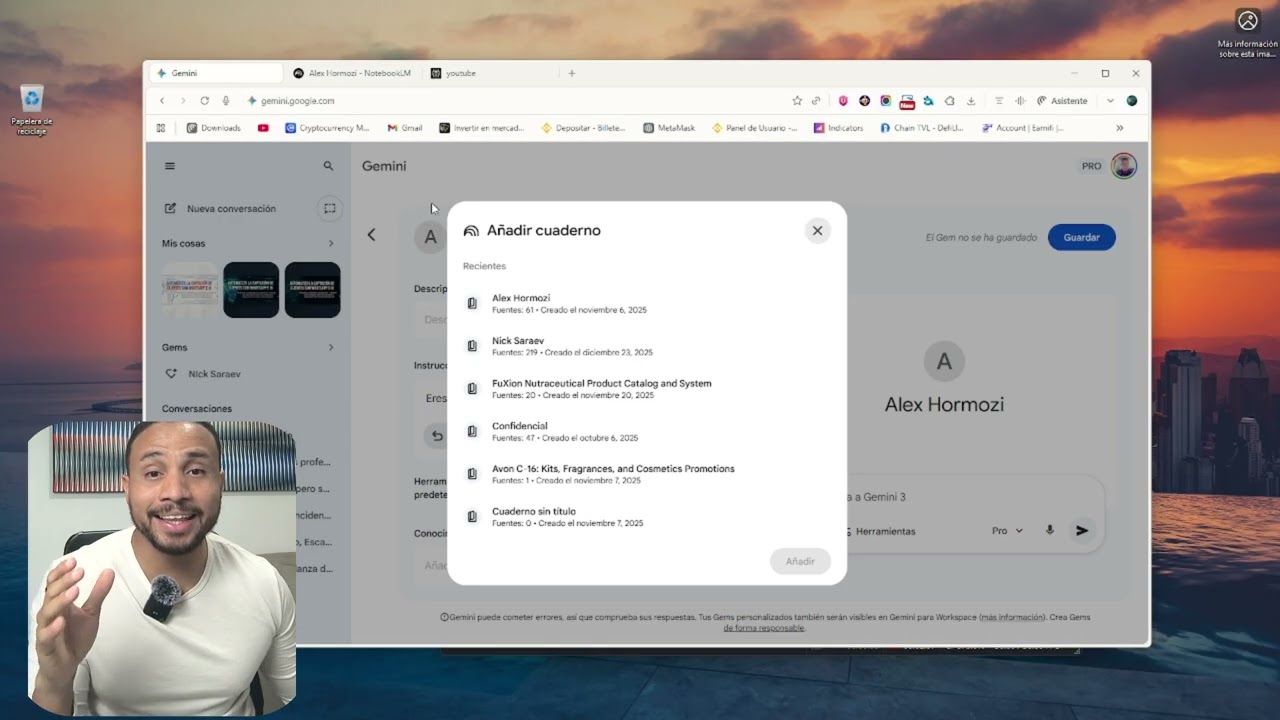
¡Por fin ha llegado! Google ha integrado Gemini Gems con NotebookLM y esto abre un mundo de posibilidades para nuestra productividad. En este video te explico exactamente cómo funciona esta nueva función y cómo puedes conectar tus documentos y fuentes de NotebookLM directamente a tus Gems personalizados.
Si querías crear un asistente de IA experto en TUS propios datos, este tutorial es lo que estabas buscando.
✅ Qué es la nueva integración de Gems y NotebookLM
✅ Paso a paso: Cómo conectar una libreta (Notebook) a una Gem
✅ Ejemplo real: Creando un asistente de estudio/trabajo con esta función ✅ Por qué esto es mejor que usar ChatGPT o Claude para tus documentos
#chatgpt #gemini #ai活用
━━━━━━━━━━━━━━━━━━
🏢企業様向けのAI研修のお問い合わせはコチラから🏢
https://jiso-ai.com/contact/
今AI活用やマネタイズの仕方がわからない人🤦やAI初心者の人も必見!
🚨無料期間限定🚨で
✨Youtubeでは出せないさきのAI最新情報✨&
👩💻AIノウハウ100大特典🎁を勉強会参加後にLINEで受け取れます!
AIスキルを身につけて【社内評価⏫UP⏫】や【収益化💰】
業務効率化🗒️できるココでしか手に入らない情報を
現在期間限定でしかも、無料配布しているので興味ある方は是非!!
↓↓↓
https://info.opt--in.com/p/cCQ....Yo5AUNsJh?ftid=ejeGI
ーーーーーーーーーーーーーー
約8000人以上の人が登録中!
⬇️さきのAI最新情報公式LINE⬇️
https://info.opt--in.com/p/cCQ....Yo5AUNsJh?ftid=ejeGI
ーーーーーーーーーーーーーー
🎁”LINE登録者限定"のAI特別セミナー開催
🎁”LINE登録者限定"のAI勉強会
🎁”勉強会参加者限定"のAI豪華100大特典配布
🎁”勉強会参加者限定"の特別な案内
【⬇️無料登録はこちら⬇️】
https://info.opt--in.com/p/cCQ....Yo5AUNsJh?ftid=ejeGI
━━━━━━━━━━━━━━━━━━
↓↓本日紹介したツールや動画こちら↓↓
【Gemini】
https://share.google/nWQmg0yjvZhIFzPJQ
【NotebookLM】
https://notebooklm.google.com
━━━━━━━━━━━━━━━━━━
◾️目次
00:00 OP
01:32 NotebookLMの基本説明
03:58 NotebookLM神機能解説
07:39 NotebookLM効率化機能
08:36 NotebookLM神機能活用①
10:23 NotebookLM神機能活用②
11:36 NotebookLM神機能活用③
13:09 NotebookLM神機能活用④
━━━━━━━━━━━━━━━━━━

How I do everything 10x faster than it would usually take me in my earlier years.
https://arbhunters.xyz
Tools:
https://notebooklm.google.com/
https://gemini.google.com/app
https://ankiweb.net/
Get my reading list for free:
https://untalkedblueprint.com/
Instagram:
https://www.instagram.com/oddschemist/
Technology is great. Possibilities are endless nowadays. Make sure you take advantage of this opportunity.
Learn how to use Gemini and NotebookLM to strengthen your cognitive abilities through structured mental exercises.
Related Videos:
MAXIMIZE Your Learning with ChatGPT's Voice Mode
https://youtu.be/TjI9hXJ9TSY
Getting Started with Claude Code
https://youtu.be/4jD69eHZK8Y
Build Epic Startups: NotebookLM + Gemini 2.5 Workflow
https://youtu.be/XN02F9ikYHI
Build Epic Innovations: NotebookLM + Perplexity Workflow
https://youtu.be/TGk38nRyGyI
10 Ways To Use NotebookLM To Learn ANYTHING Fast
https://youtu.be/tIRkQeHwsm0
CHEAT SHEET: https://www.patreon.com/posts/....reclaim-your-1364985
Let's Connect!
Patreon 👇🏽
➡️ https://www.patreon.com/c/blazingzebra/membership
My Complete List of Videos and 125+ Resources 👇🏽
➡️ https://bit.ly/4dCojh4
Weekly Email with AI Tips and Tricks 👇🏽
➡️ https://blazingzebra.ai/
X 👇🏽
➡️ https://x.com/blazingzebra
LinkedIn 👇🏽
➡️ https://www.linkedin.com/company/blazing-zebra
Join My Weekly Call 👇🏽
➡️ https://www.patreon.com/BlazingZebra/membership
Patreon 👇🏽
➡️ https://www.patreon.com/c/blazingzebra/membership
This guide shows you how to transform AI from a passive tool that weakens thinking into an active training partner that builds neural pathways. Based on MIT research revealing a 17% cognitive decline from incorrect AI use, you'll discover frameworks for daily mental workouts, polymath learning systems, and active memory techniques. These practical methods help you develop sharper critical thinking, better pattern recognition, and stronger problem-solving skills while using AI as your intellectual sparring partner.
#geminiai #notebooklm #cognitivetraining #ailearning #mentalworkout #activelearning #polymath #secondbrain #Anki #neuralpathways #aiproductivity #brainfitness

Oferta de hosting: https://hostinger.com/xavier
Código de descuento: XAVIER
Recibe toda la INFO de mi NUEVO CURSO
👉 https://bit.ly/curso_ia_
SUSCRÍBETE a mi NEWSLETTER (recibe GPTs de regalo 🎁):
👉 https://bit.ly/ia-newsletter_
---
ENLACES DEL VIDEO
👉 https://notebooklm.google.com/
👉 https://gemini.google.com/app?hl=es-ES
👉 Extension de chrome: https://chromewebstore.google.....com/detail/copy-as-m
👉 Tutorial DeepSite: https://youtu.be/a64hpMD5zCc
👉 Enlace ejemplo web: https://greenyellow-cattle-205....329.hostingersite.co
----
DESCRIPCION
📌 En este curso completo y 100% práctico te enseño a dominar Notebook LM y Gemini 2.5 Pro, dos de las herramientas de inteligencia artificial más potentes del momento.
➡️ A lo largo del vídeo vamos a construir un negocio digital real:
una agencia de marketing digital especializada en diseño web, con su plan de negocio, estrategia de comunicación, textos optimizados y página web funcional.
Todo guiado por un sistema de IA que investiga, analiza, razona como un experto y redacta como un copywriter.
💡 Este proyecto te servirá como base para aplicar la metodología en cualquier otro ámbito, idea o sector.
🔧 Qué aprenderás paso a paso:
Cómo usar Notebook LM como tu asistente de investigación e ideación
Cómo convertir información dispersa en decisiones estratégicas
Cómo generar textos efectivos con Gemini 2.5 Pro
Cómo construir tu propia página web de servicios
Cómo validar y comunicar tu propuesta de valor con IA
🚀 Si tienes una idea en mente o quieres mejorar tus procesos con IA, este vídeo es para ti.
---
MARCAS DE TIEMPO
00:00 Curso completo IA (Gemini 2.5 Pro + NotebookLM)
02:20 Identificar dolores y expectativas del usuario
06:49 Ampliación, etiquetado y gestión de fuentes en Notebook
10:00 Identificar tendencias del sector
11:22 Análisis y referencias de la competencia relevante
13:44 Trabajo con etiquetas y creación de fuentes de trabajo
17:49 Hostinger
20:45 Decididir enfoque estratégico de marketing y comunicación
22:52 Aplicar estrategia a nuestro proyecto
25:13 Redacción de los textos de la web
26:40 Creación prototipo página web
32:45 Mejorar diseño de la web
37:40 Publicar página web en Hostinger
39:08 Infinitas posibilidades: Redacción de textos para RRSS
---
✅ SUCRÍBETE A MI CANAL: http://bit.ly/suscribirse_XM
📕 Descarga mi guía gratuita para Stable Diffusion:
👉 https://snip.ly/guia-IA
---
Instagram: https://www.instagram.com/xavier_mitjana/
Twitter: https://twitter.com/xavier_mitjana
Contacto comercial: xavmit.yt@gmail.com
*Al realizar una compra a través de cualquiera de estos enlaces de afiliado, recibimos una comisión muy pequeña sin costo adicional para ti. Esto me ayuda a hacer el canal sostenible y seguir ofreciendo contenido de calidad.
#inteligenciaartificial

#gemini #notebooklm #ai教學 #aitools
\ 本期內容/
🔥 Google NotebookLM 又又又又升級了!其中有亮點也有讓我眉頭小皺的,不過自從 Gemini 和 NotebookLM 互相打通了之後,我覺得在實際使用上確實多了非常多的玩法,之前有出過一期,這次沒忍住又給 NotebookLM 單獨出了一期,也希望大家可以多動手試試~有其他問題或想法也可留言,感謝您的訂閱!
——————————————————————
\ 涉及鏈接/
🔗個人資源庫: https://www.notion.so/cdecf60b....bc9441f68997c88a1ea7
🔗Deckcleaner(去處浮水印):https://www.deckcleaner.xyz/en
🔗Netlify(網站製作;需註冊使用(免費)):https://www.netlify.com/
——————————————————————
\ 其他分享/
NoteBookLM:
https://notebooklm.google.com
Gemini:
https://gemini.google.com/app
——————————————————————
\ 時間軸/
00:57 前言-介紹本支影片的高價值內容
01:49 第1部分:NotebookLM是什么?
02:56 第2部分:拆解Notebooklm新功能
03:01 功能一:接入Gemini 3.1 pro
04:10 功能二:用自然語言就改幻燈片
04:50 功能三:簡報支持PPTX格式導出
05:17 功能四:支持對話式生成內容
06:05 第3部分:NoteBookLM的四大實戰場景
06:16 場景一:生成簡報(消亂碼除浮水印)
08:58 場景二:簡歷優化&網站製作
12:56 場景三:5分鐘生成調研報告
14:10 場景四:快速上手新項目
15:30 总结

終於不用再忍受 Gemini 歷史對話亂成一團了!這次官方推出的「筆記本」功能,直接解決了對話無法分類的痛點,這絕對是近期最讓人激動的更新。
而且這是一個縫合怪,它還是將對話管理、NotebookLM 同步 與 專案記憶 整合在一起的強大系統:
1.官方原生分類:點選側欄「筆記本」,將歷史對話一鍵歸類,不再海底撈針。
2.雙向無縫同步:在 Gemini 產生的內容會同步回傳至 NotebookLM,讓研究與對話接軌。
3.打造長期記憶:開啟個人化記憶設定,讓 Gemini 記住過往對話脈絡,越用越懂你。
4.專屬助理人格:為不同筆記本設定專屬回覆風格,不管是應對細節控還是效率控客戶都遊刃有餘。
⏱️【章節時間碼(Chapters)】
00:00 敲碗成功!Gemini 對話分類功能終於上線
00:33 什麼是「筆記本」?管理、同步、記憶的三合一系統
01:33 哪些人能用?Ultra 與 Pro 用戶搶先體驗
02:14 重要觀念:Gemini 與 NotebookLM 的雙向同步邏輯
07:04 對話紀錄管理
08:46 核心大招:開啟「個人化記憶」賦予 AI 長期記憶
10:02 專屬助理人格:根據客戶個性自動客製化郵件
11:33 總結
#Gemini #聊天紀錄分類 #Gemini筆記本 #NotebookLM #長期記憶 #AI專案助理 #GoogleAI #生產力工具 #對話管理 #專案管理
【プレゼント】ChatGPTやGeminiやAntigravityやClaudeCodeマスターになる5つの巨大プレゼント!
128本の無料AIビジネス講座はメルマガ登録すると招待状が届きます!
https://utage-system.com/p/rXT....CQNYeaFfM?ftid=tc95o
↓
リアル現場のAI動画の続編を見たい場合チャンネル登録!
https://www.youtube.com/@GPTMa....ster-Kenjisan?sub_co
↓
【神連携】天才がやってるClaudeCode + Antigravity + n8nのAIエージェント作成
https://youtu.be/jWmtqql_q74
↓
【右腕AIの作り方】天才がやってるGemini × NotebookLM 覚醒する3つのプロンプト実践!
https://youtu.be/t5M9XpIkBg8
↓
【神連携】天才がやってるNotebookLM + Antigravity + GeminiのAIエージェント作成
https://youtu.be/zDxcw18WiA8
↓
この動画を見た人には救世主!
↓
【デモ実践】天才がやってるGemini神連携?Gems × NotebookLMで右腕AIを作るワークフロー
https://youtu.be/dtc-FkiZKBs
===============================
アメリカIT起業ビジネス歴27年
オンライン1本でやって来た経験と
ChatGPT-5.2やGemini3.1と
1500時間以上トーク!
今回は、
「Antigravity x Claude Code x n8n」
ある理由で、
「ClaudeCodeを使って
n8nワークフローを自動生成する」
デモ実践しました。
リアル現場の生々しい
データを公開しながら解説!
====================
【保存版】Gemini 3.0 Pro × NotebookLMで「Gemsの10ファイル制限」を突破する方法|ビジネスマン必見の仕事効率化メソッド!
https://youtu.be/83bT8eF0vV8
【デモ実践】ChatGPT 5.1 vs Gemini 3.0|ビジネスの「右腕」にするならどっち?
https://youtu.be/jVC9QTt3HPM
AIバブル崩壊は秒読みですが、2026年から爆発するビジネスモデルとは?|アメリカIT起業27年のボクが本音で語る
https://youtu.be/Od9If-L-Avc
AIバブル崩壊は秒読みです!経営者が知るべき真実|アメリカIT起業27年のボクが本音で語る
https://youtu.be/qZd_kvL_e1E
【97%が間違えてる】ChatGPTを"右腕"に育てる方法
https://youtu.be/T_GgEKn6jUY
【プロンプト実践】なぜChatGPTやGeminiは嘘を付くのか?2つのプロンプト実験で驚愕の結果が..
https://youtu.be/nT4swRS53EA
Sora 2無料公開の真実|OpenAIが仕掛ける3つの戦略よりボクら日本人ビジネスマンが生き残る方法
https://youtu.be/iN2nUAM128Q
【デモ実践】OpenAI Sora2がGoogle Veo3を完全に超えた3つの理由!AIビジネスマン必見!
https://youtu.be/Rz9UzaDddi8
【デモ実践】NotebookLMで停滞期から4000人突破!ビジネスYouTube集客の秘密を公開!
https://youtu.be/zO9w-8u1oaA
【緊急】ChatGPT-5のスレッド引き継ぎをワンクリック終了させる方法!経営者やビジネスマン必見!
https://youtu.be/KaiWoqGak9I
==== コピーライティング本気で学びたい人向け======
歴12年で12000通以上のライティング経験
https://utage-system.com/p/73K....b2hdCRdJp?ftid=dT3fV
==== オンラインビジネス学びたい人 ===========
ボクが27年やってる
大好きをライフワークにする方法
(オンラインビジネス学びたい人向け)
「最低年収1000万円」
ドリームBiz研究所14日無料トライアル:
https://utage-system.com/p/lQd....pVzFNr8AV?ftid=6oCbl
大好きなコトを
ライフワークにする
3つのプレゼントとは?
==================
✅ デイリー音声(全14話)
✅ライブQ&A(全2回)
✅ドリームBiz実践ビデオ(全1回)
初めまして!アメリカ起業27年のケンジさんです。
ハリウッドで27年目の経営者が、
100%経験ベースでAIビジネスを語るチャンネル
(誰でも最低年収1000万円を目指せるヒミツ)
==== 自己紹介 ==================
■世界トップ0.01%のChatGPTマスター
■ ビジネス歴27年 |在米30年|Bizプロデューサー
■1997年からオンラインBizひと筋
■ 株式会社Dream Creatives(アメリカ)
■ 教育で世界を笑顔にするが人生のビジョン
==== 使ってるスキル==============
1)次世代AIプロンプト
2)マインドセット
3)コピーライティング
4)パブリックスピーキング
5)コンテンツライティング
6)コミュニケーション
7)マーケティング
#Antigravity #claudecode #Gemini #ChatGPT #Aエージェント #プロンプト #AI教育

Are you ready to unlock the true potential of Google AI? In this video, we dive deep into the game-changing world of Google's AI tools, including Gemini, NotebookLM, and how they integrate seamlessly with Google Workspace. Stop using Google the old way – the future of productivity is here!
🤯 We explore how Gemini can revolutionize your workflow, from brainstorming and content creation to deep research and streamlined communication. Discover the power of NotebookLM, a revolutionary tool that can synthesize information from multiple sources (YouTube videos, articles, documents) and even turn them into custom podcasts! Imagine learning on the go with personalized audio summaries of your research.
💡 But that's not all! We'll show you how Gemini integrates with Google Workspace (Docs, Sheets, Slides) to supercharge your productivity. Create custom spreadsheets in seconds, generate presentations with AI-powered images, and research complex topics in minutes, not days. We'll also touch on Google AI Studio, a powerful tool for learning and getting real-time assistance.
🔥 This video is packed with practical examples and demonstrations of how these tools can transform your work, study, and creative processes. Whether you're a student, professional, or simply curious about the future of AI, this video is a must-watch!
✅ In this video, we cover:
Google Gemini: Use cases and applications
NotebookLM: Summarizing content, creating podcasts, and deep research
Google Workspace Integration: Docs, Sheets, Slides, and AI-powered productivity
Google AI Studio: Real-time learning and assistance
And much more!
🔗 Resources: (Add links to relevant resources, blog posts, etc. here)
#GoogleAI #AItools #Gemini #NotebookLM #GoogleWorkspace #Productivity #ArtificialIntelligence #FutureofWork #Tech #Innovation #AI #DeepLearning #MachineLearning #GoogleAIStudio

【最強ムーブ】NotebookLMをGeminiで呼び出しAIライティング!複数のブログ記事を統合しまとめ記事を書く方法を公開!Gemini3のPro/思考モード/高速モードを使い分けろ!【神アプデ】
【AI共創イノベーションおすすめ動画】
https://www.youtube.com/watch?v=IXbKlwHUdbg&list=PLTcSHWqKTOojc8R-brID5q06JrmtiWRTl
NotebookLMとGemini 3で実現する次世代AI執筆ワークフロー
GoogleのAIエコシステムにおける最新の進化、「NotebookLM」と「Gemini 3」を連携させた、圧倒的な効率を誇る文章作成術について解説します。
これまで、NotebookLMは「情報の整理」や「信頼性の高い回答」には非常に優れたツールでしたが、執筆機能においてはモデルの選択ができず、出力される文章のトーンや論理性の深度をコントロールしにくいという側面がありました。しかし、Gemini(gemini.google.com)から「アドオン(拡張機能)」としてNotebookLMを呼び出すことで、最新のGemini 3各モデルを「執筆エンジン」として使い分け、NotebookLMに蓄積した膨大なソースに基づいた高品質なアウトプットが可能になります。
本ワークフローでは、用途に合わせてGemini 3の「Pro」「Thinking」「Flash」という3つの脳を戦略的に切り替える手法を軸に、バラバラな過去記事を一つの「価値あるまとめ記事」へと昇華させる具体的なプロセスを提示します。
【コンセプト:NotebookLMを「知識の脳」、Gemini 3を「表現の脳」へ】
この連携の核心は、役割分担にあります。NotebookLMを、信頼できる資料(PDF、URL、Googleドキュメント、自らのメモ)の保管庫およびコンテキストの提供者として固定し、その上に最新のGemini 3を「出力の調整役」として乗せる。これにより、AI特有の「もっともらしい嘘(ハルシネーション)」を最小限に抑えつつ、書き手の意図に完全に合致したトーンの文章を生成することができます。
【戦略的モデル選定:Gemini 3の3つのモード活用法】
執筆の目的に応じて、Gemini 3の以下の3つのモードを使い分けることが、クオリティを決定づける鍵となります。
1. ロジカル・専門特化:Gemini 3 Proモード
構造化されたレポート、技術文書、ビジネスの意思決定を伴う文書など、論理の厳密さと深い洞察が求められる場合に選択します。Gemini 3 Proは、複数の資料間に存在する微細な論理的矛盾を見抜き、一つの筋が通った、説得力のある文章を構築することに長けています。
2. バランス・洞察型:Gemini 3 Thinking(思考モード)
「なぜそうなるのか」というプロセスや、複雑な情報の噛み砕きが必要な場合に最適です。出力前にAIが内部で推論ステップを挟むため、情報の要約だけでなく「AとBの情報から導き出される新たな視点」を提案してくれる、非常にバランスの良い構成案が得られます。
3. カジュアル・高速型:Gemini 3 Flash(高速モード)
スピードとリズムを重視し、SNS投稿や日常的なメール、大量の下書きをクイックに作成したい場合に威力を発揮します。親しみやすいトーンでの生成が得意で、多くのアイデアを出しながら取捨選択していくプロセスの初期段階で重宝します。
【核心的テクニック:散らばった過去記事の「高度な統合」】
この手法の最大のメリットは、数年前に書いたバラバラの記事や、未整理のメモ、参照したURLなどを一箇所に集め、それらを単に「つなぎ合わせる」のではなく、一つのテーマで「完全に再定義」できる点にあります。
例えば、NotebookLMに過去5年分の「AIに関する雑記」をすべて読み込ませたとします。Gemini 3 Proモードを選択し、「これらすべての記事を通底する私の哲学を見出し、2025年の最新トレンドと掛け合わせた『決定版の考察記事』を作成してください」と指示を出すだけで、人間が行えば数日かかる情報のキュレーションと編集、執筆が数分で完了します。これは単なるまとめではなく、過去の資産を現代の価値に変換する「資産の再構成」に他なりません。
【結論:AIエディターとしての新境地】
NotebookLMの「正確な根拠」と、Gemini 3の「柔軟な表現力・推論力」を掛け合わせることで、AI執筆は新たな段階へ入りました。情報の断片を放置せず、NotebookLMにストックし、Gemini 3という最適なツールで調理する。この循環を確立することで、個人が発信できるコンテンツの質と量は劇的に向上します。
最新のAIを単なる「チャットボット」としてではなく、自らの思考を拡張し、過去の経験を価値に変える「高度なエディター」として使いこなすための環境を、今すぐ構築しましょう。
このほかにも、AIリライトの方法やAIサムネイル生成、複数のノートブックからAI分析する方法など、盛り沢山の内容でお届けしております。
【プロフィール】
ワンダー・佐藤源彦(さとう もとひこ)
1977年生まれ
MBBS & AI共創イノベーション主催。
医療系の研究所、心理学の研究所の勤務を経て独立し、現在は生成AI(ChatGPT、Claude、Geminiなど)と心身に関する研究をしている。
主著『かんたんプロンプト』(芸術新聞社)『東洋医学と潜在運動系』(たにぐち書店)、2年間専門誌に連載、論文執筆などの執筆業を行いつつAI共創ライティングを開発中。
心理学・カウンセリング・コーチングをAIに技術転用し、AI共創プロンプトエンジニアリングを開発している。
AIスクール・AI企業研修・AIアプリ開発などを行う。
✅ワンダー佐藤源彦・著『かんたんプロンプト』(芸術新聞社から刊行)
※プロンプトエンジニアリングの基本から応用、タスク実行までを網羅
https://amzn.asia/d/80zVtv8
✅note記事
https://note.com/mbbs
※ChatGPT・Claude・Gemini・NotebookLM・Perplexity・Genspark・Feloなどの記事あり
※ワンダー佐藤のMyGPTsも公開しています
※メンバーシップはじめました!
✅AI共創イノベーション(AIスクール・AI企業研修・AIアプリ開発のサイト)
https://mbbs-ai.jimdofree.com/
✅Facebook
https://www.facebook.com/motohiko1977
※リクエスト申請前にメッセージください
✅佐藤源彦総合リンク
https://linktr.ee/motohiko.sato
タイムライン
- 00:00 - NotebookLMをGeminiで呼び出し可能になりPro・思考モード・高速モードで文章生成
- 01:03 - 高速モードは自己回帰的で柔らかい文章・思考モードはロジカル・ProはGemini3 Proで専門的
- 02:08 - NotebookLMのRAGは収束で硬い・モード選択で記事統合とサムネイル一気通貫生成
- 03:12 - プラスボタンでNotebookLM呼び出し・複数記事選択で統合可能
- 04:15 - ソース参照機能でブログアウトライン作成・左側ソースを右側に保存して再利用
- 05:20 - ブログ構成案をソースに放り込みロジック補強・公式情報を中心に参照させる戦略
- 06:26 - タイトルとセクションが構成案と全く同じ・ソース参照で一貫性確保
- 07:22 - GPT5.2 Codex公式記事を中心に補強ロジックで使い勝手・意外な弱点も反映
- 08:30 - 高速モードは参照マーク表示・Proは表示なし・数字ナンバリング出力問題
- 09:34 - 遂行してで参照マーク消える奇妙な挙動・プロモード推奨で回避
- 10:38 - プロで参照なし・高速で参照ありの違い・タイトル出力有無の差
- 11:42 - 2段階戦略で骨組みProで作成・フラッシュで柔らかくリライト
- 12:47 - 3つのノート記事URLをNotebookLMに統合・材料作成完了
- 13:51 - NotebookLMのブログ機能は硬い・参照過剰書きで文章流れ悪い
- 14:54 - ソースにナンバリング記号で順番指定・1ソースにつき2セクション設定
- 16:01 - プロで6セクション構成・専門家超え・魔法のプロンプト・深みと質両立の3部構成
- 17:06 - キャンバスとシンキングで実現・参照マーク外しに苦戦
- 18:10 - 上機のみ見て遂行・ネガティブプロンプトで参照マーク除去成功
- 19:15 - プロンプトチェーン成功・3記事統合でGDPバル・魔法プロンプト・コーディング順
- 20:19 - まとめ生成でAIがエージェントへ進化・サムネイル16対9即生成
- 21:24 - 武田信玄と間の直し2つのノート統合で共通点分析・カリスマ性と共容の類似性
- 22:30 - 時代違いでも立致的計算・個人能力で組織限界超えの共通点発見
- 23:34 - 情報蓄積で分析・レポート・論文作成と3モード使い分けで統合的分析実現
#ai #aiエージェント #aiツール #生成ai #gemini3 #notebooklm #ai使い方 #gemini #gemini3pro #gemini3flash #ジェミニ3 #ノートブックlm

Learn all about using MagicSchool AI, Gemini, Gemini Live, NotebookLM, and Canva AI as a teacher!
Links Mentioned:
CCSD21 AI Guidance for Teachers: https://drive.google.com/file/....d/1kq9y9jpvQhijdN_hK
Full MagicSchool AI tutorial: https://youtu.be/Xavxmp8cLLI?si=LuLHoiFWjZExwjJA
magicschool.ai
gemini.google.com
aistudio.google.com/live
notebooklm.google.com
canva.com
CCSD21 Translation Guidance: https://docs.google.com/docume....nt/d/1hGdditshmIXjpd
Timestamps:
00:00 Intro
0:43 How to prompt
3:16 MagicSchool AI
5:00 Gemini
6:56 Gemini Live
8:29 NotebookLM
11:57 Canva
15:29 Translating documents and PDFs with AI
Music Provided by the YouTube Audio Library:
Kicking It by Dyalla
Touch by Anno Domini Beats
You and I by Telecasted
Ruff Money by the Grey Room/Clark Sims
Gemini by half.cool
Intellect by Yung Logos
Bodega Cat by Dyalla
Distance by Anno Domini Beats
Video made with Canva for Education
Need an AI lesson builder? AI rubric creator? Just an AI partner? There are a lot of AI teacher tools out there... but did you know you can BUILD YOUR OWN using Google Gemini? When you create your own AI Teacher Tool then the only person collecting your data is YOU!
Google Gemini for Education is your AI partner built right into your Gmail, Docs, Sheets, Slides, Google Classroom, etc... Use https://gemini.google.com and Gems in Gemini to upload your files and information about your district initiatives and teaching style to have a custom AI Teacher Tool.
BUT.... you still have to create the prompts... and who has time for that?! So I prompted my idea to create my own custom AI Teacher Tool. In this video Alice Keeler demonstrates using Google Gemini to vibe code creating an Add-on for Google Sheets that lets you choose from a list of teacher tools, like you can in other 3rd party tools, but you have total control over the prompt!
More safe, more secure, more personalized. Google Gemini for Education.

Join us as we explore the groundbreaking AI Works Education pilot, a people-first skills initiative designed to revolutionise how we approach AI adoption in the workplace, specifically within education. This video delves into the heart of the pilot program, focusing on how AI can be a powerful tool to save teachers valuable time.

AI Tools for Teachers| #tech #aiineducation #chatgpt #gemini #notebooklm #aitools #aihacks #teaching
Follow me on:
LinkedIN- https://www.linkedin.com/in/sania-ayushi/
Instagram- https://www.instagram.com/taughtfortheday/
Book a 1:1 Consultation with me-
ECE/NZ Services
--30 mins video call: ECE Teaching in NZ on Google Meet
https://topmate.io/saniaayushi/1591737
--30 mins video call: Living and Studying in NZ on Google Meet
https://topmate.io/saniaayushi/1591737
--Priority DM: Ask me anything about ECE in NZ and get a response within 3 days.
https://topmate.io/saniaayushi/1591803/pay
UX Writing Services
--30 mins video call: Curious? Get to know about UX Writing
https://topmate.io/saniaayushi/1591799

Stop wasting hours creating detailed rubrics! In my previous video I showed how to create this rubric. This game-changing tutorial shows you how to seamlessly import and use them in Google Classroom.
This is the ultimate AI teacher hack to drastically cut down on your grading time and provide better, targeted feedback. Whether your goal is efficient grading or giving feedback to support student learning, this process is essential for any teacher aiming to beat burnout.
In this Step-by-Step Tutorial, you will learn:
✅ How to use Gemini to prompt and instantly create a detailed, custom rubric tailored to your assignment.
✅ The exact steps to save and edit your AI-generated rubric for perfect alignment with your lesson goals.
✅ The quick, simple method to import the rubric directly into Google Classroom assignments.
✅ Strategies for using the rubric for either rapid, accurate grading or meaningful, instructional feedback.
Ready to reclaim your time? This workflow revolutionizes how you assess and give feedback.
Hit the LIKE button if this hack saves you time, and SUBSCRIBE for more practical AI and EdTech strategies from a veteran educator!
#Gemini #GoogleClassroom #AIforteachers #Rubrics #GradingHacks #TeacherBurnout #EdTech #Tutorial #AIinEducation

In this episode, we introduce educators to Google Gemini and its powerful, free feature—Gems—which allows teachers to create custom AI assistants tailored to their students’ needs. We walk through how this tool can support lesson planning, differentiation, and personalized learning, all without needing a paid subscription.
We emphasize the value of starting with free tools like Gemini and the importance of consistency in exploring AI in the classroom. Teachers are encouraged to experiment independently and use these tools as professional support, while also seeking administrative approval before incorporating student-specific data.
Additionally, we highlight how Gemini provides clear communication resources for educators to share with administrators, parents, and students about how the tool collects, stores, and uses data. These resources help ensure transparency and support responsible, informed use of AI in education.

SchoolAi can make an instant deck. Here’s how https://youtu.be/V4qOQVArdfM So can Gemini. Working from nothing more than a learning standard, you can have a deck in a sec, ready to edit.
All of my help videos: https://docs.google.com/docume....nt/d/1lVxUw0wpiv-18M
Subscribe to my Channel: https://www.youtube.com/channe....l/UChQpjyIIwog8bgQuX

In this video, I demonstrate how Google Gemini AI can be effectively used by language teachers to make teaching more interactive, creative, and student-centred.
You will learn step-by-step how to use Gemini AI for:
✅ Vocabulary building activities
✅ Auto-generation of quizzes and worksheets
✅ Creating digital & manual scrapbooks
✅ Enhancing reading, writing, and creative expression
✅ Saving teachers’ time with smart AI prompts
This session is especially useful for school teachers, B.Ed / M.Ed students, teacher educators, and language instructors who want to integrate AI tools in teaching-learning processes as recommended in NEP 2020.
🔹 Who should watch this video?
• Language Teachers (English, Hindi, Marathi, Sanskrit, etc.)
• Teacher Educators & B.Ed Students
• ICT in Education Enthusiasts
• Educators exploring AI tools for classrooms
🔹 Topics Covered:
• Gemini AI basics for teachers
• AI-based vocabulary enrichment
• Quiz & question paper creation
• Scrapbook ideas using AI
• Classroom examples & prompts
👉 Don’t forget to Like, Share, and Subscribe to Instructional TechEducation for more videos on AI tools, digital pedagogy, and innovative teaching methods.
#GeminiAI
#AIToolsForTeachers
#LanguageTeaching
#VocabularyLearning
#QuizCreation
#ScrapbookActivity
#AIInEducation
#NEP2020
#DigitalTeaching
#TeacherTraining
#ICTInEducation
#InstructionalTechEducation
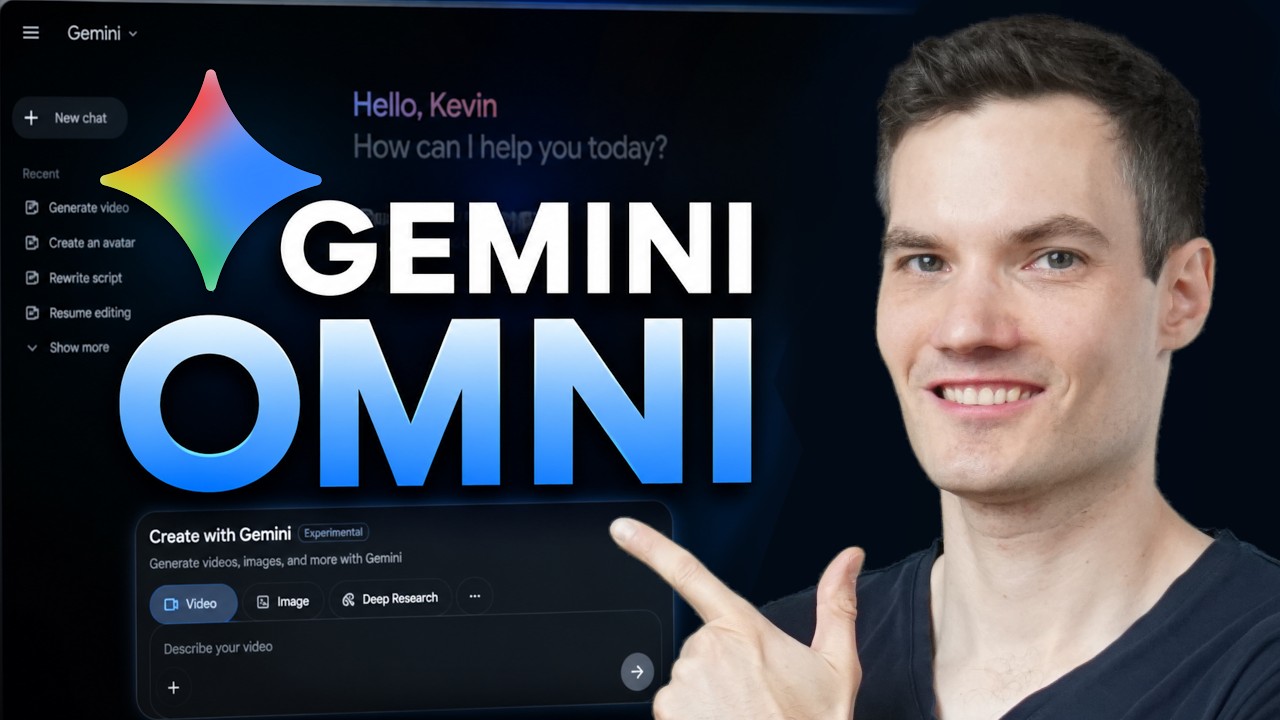
Learn how to use Google's Gemini Omni step by step.
In this tutorial, you'll learn how to create AI-generated videos using Google's latest video generation model. I'll show you how to generate videos from text prompts, edit existing videos with simple instructions, apply visual styles using reference images, create AI avatars, add dialogue and audio, manage your projects, and use Google Flow for larger video productions.
Whether you're new to AI video generation or looking to get more out of Google's latest tools, this guide will walk you through everything you need to know.
In this video:
• Create videos from text prompts
• Edit videos with natural language instructions
• Apply styles using reference images
• Create and use AI avatars
• Generate dialogue and audio
• Organize projects in the library
• Explore Google Flow for advanced workflows
Host: Kevin Stratvert
📚 RESOURCES
- Google Gemini: https://gemini.google.com
- Google Flow: http://flow.google
⌚ TIMESTAMPS
00:00 - How to Use Gemini Omni
00:32 - Access Gemini Omni
00:46 - Generate AI videos from text prompts
01:54 - Edit AI videos with prompts
02:55 - Download and share videos
03:09 - Use reference images for style transfer
03:54 - Create an AI avatar
05:00 - Manage projects in the library
05:21 - Use Google Flow for advanced video creation
05:53 - Final thoughts
📺 RELATED VIDEOS
- Playlist with all my videos on Google Products: https://www.youtube.com/playli....st?list=PLlKpQrBME6x
📩 NEWSLETTER
- Get the latest high-quality tutorial and tips and tricks videos emailed to your inbox each week: https://newsletter.kevinstratvert.com
🔽 CONNECT WITH ME
- Official website: http://www.kevinstratvert.com
- LinkedIn: https://www.linkedin.com/in/kevinstratvert/
- Discord: https://bit.ly/KevinStratvertDiscord
- Twitter: https://twitter.com/kevstrat
- Facebook: https://www.facebook.com/Kevin....-Stratvert-101912218
- TikTok: https://www.tiktok.com/@kevinstratvert
- Instagram: https://www.instagram.com/kevinstratvert/
🎁 PARTNERS & DISCOUNTED OFFERS
💻 Hostinger | https://hostinger.kevinstratvert.com
📋 Notion | https://notion.kevinstratvert.com
💵 Quickbooks Online | https://qbo.kevinstratvert.com
🎙️ Voicemod AI Voice Changer | https://voicemod.kevinstratvert.com
🕵️ VidIQ | http://vidiq.kevinstratvert.com
🎒 MY COURSES
- Go from Excel novice to data analysis ninja in just 2 hours: https://kevinstratvert.thinkific.com/
🎓 TRAINING - Take your skills, or your team’s, to the next level by partnering with us for expert training: https://kevinstratvert.com/training
🙏 REQUEST VIDEOS
https://forms.gle/BDrTNUoxheEoMLGt5
🔔 SUBSCRIBE ON YOUTUBE
https://www.youtube.com/user/k....evlers?sub_confirmat
🙌 SUPPORT THE CHANNEL
- Hit the THANKS button in any video!
- Amazon affiliate link: https://amzn.to/3kCP2yz
⚖ DISCLOSURE
Some links are affiliate links. Purchasing through these links gives me a small commission to support videos on this channel. The price to you is the same.
#stratvert #GeminiOmni #earlyaccess
@GoogleGemini
