Top videos

Just checked out the latest update from Google Gemini—they’ve integrated NotebookLM directly into your Gemini chats. Now you can feed Gemini anything from documents and spreadsheets to website links and video links, and it’ll spin it into a listenable podcast with two hosts discussing your exact topic. Basically, you can have full-on conversations with Gemini to build custom, downloadable podcasts. Check out the video for more on how it works.
PS: If you’re interested to learn more about AiM (Ai Marketing Academy), just head over to academy.jasonpantana.com.
#ai #aimarketing #aipodcast #gemini #notebooklm #marketingdigital #google #googleai #googlegemini
- - - - - -
Keep up with me and what's new on my other channels:
📧 Join my VIP email list for exclusive content - https://www.jasonpantana.com/join-email
🗣 Contact me about speaking events or consulting projects - https://www.jasonpantana.com/contact
🚨 MarketingPRO courses now available - https://tomferry.com/jason-mp
1. 𝗖𝗿𝗮𝗰𝗸𝗶𝗻𝗴 𝘁𝗵𝗲 𝗦𝗼𝗰𝗶𝗮𝗹 𝗖𝗼𝗱𝗲 🔓
2. 𝗚𝗼𝗼𝗴𝗹𝗲 𝗕𝘂𝘀𝗶𝗻𝗲𝘀𝘀 𝗕𝗼𝘀𝘀 😎
3. 𝗜𝗻𝗯𝗼𝘅 𝗛𝗲𝗿𝗼 📥
• Website - https://jasonpantana.com
• Instagram - https://instagram.com/jasonpantana
• TikTok - https://tiktok.com/@jasonpantana
• LinkedIn - https://linkedin.com/in/jasonpantana
• Facebook - https://facebook.com/jasonpantana

In diesem Video zeige ich, wie die Kombination aus NotebookLM und Google Gemini einen leistungsstarken KI-Workflow bildet, mit dem sich Recherche in strukturierte, visuelle Ergebnisse verwandeln lässt.
Du siehst, wie NotebookLM dabei hilft, verlässliche Quellen einzubinden, Informationen gezielt zu extrahieren und sauber zu strukturieren – und wie Gemini diese Inhalte anschließend in animierte Diagramme, Infografiken,
Heatmaps und interaktive Strategieboards umsetzt.
Anhand von vier konkreten Use Cases führe ich Schritt für Schritt durch den gesamten Prozess: von der Recherche bis hin zu präsentationsfertigen Visuals. Wenn du schneller arbeiten, den Überblick behalten und hochwertige Ergebnisse ohne manuellen Designaufwand erstellen möchtest, bietet dieses Video einen praxisnahen Einstieg.
Kapitel
00:00 Einleitung
00:22 Animiertes Rangfolgen-Diagramm
01:51 Infografik
03:42 Animierte Heatmap
06:18 Interaktives Strategieboard
------------------
**LASS UNS VERNETZEN**
📸 Instagram – https://instagram.com/shakeelazq
🎬 TikTok – http://tiktok.com/@shakeela_zq
💼 LinkedIn – https://www.linkedin.com/in/sh....akeela-qureshi-78699
Video hashtags:
#notebooklm
#gemini
#googleki
#kiworkflow
#deepresearch
#kiproduktivität
#kitools
#kitutorials
#künstlicheintelligenz

Gemini y NotebookLM son las herramientas de inteligencia artificial más potentes de Google, y en este tutorial te enseño a combinarlas para multiplicar sus resultados. Aprende a construir tu base de conocimiento en NotebookLM, conectarla a Gemini para hacer prompts más efectivos y generar outputs reales con NotebookLM Studio: tablas, infografías, mapas mentales y presentaciones. La mejor forma de sacarle todo el partido a la IA de Google, paso a paso y con ejemplos.
🔴Curso de Gemini gratis: https://www.youtube.com/playli....st?list=PLlyOPdH1-Zo
📄Descarga los apuntes en PDF: https://ewdbse.short.gy/formulario-gemini
⭐️¿Te gusta el contenido? Conviértete en Miembro del Canal y accede a beneficios exclusivos:
https://www.youtube.com/channe....l/UCuLQveR1JF5UL4jEL
🔔¿No quieres perderte nada? Te espero en Telegram: https://t.me/territorioandroid
👉🏻O si prefieres Instagram: https://www.instagram.com/AleOnFocus
----------------------------------------------------------------------------------------------------
🤑PRODUCTOS y OFERTAS que te interesan🤑
✅Suscripciones BARATAS con GamsGo: https://es.gamsgo.com/partner/PphDm
💲CASHBACK en tus compras (5€ de REGALO): https://es.igraal.com/padrinaz....go?padrino=AG_635119
🔥-83% de DESCUENTO en SURFSHARK VPN ➡️ https://surfshark.deals/TERRITORIOANDROID y usa el código "TERRITORIOANDROID"
----------------------------------------------------------------------------------------------------
⚠️ Algunos enlaces de esta descripción pueden ser enlaces de afiliados, por lo cual si compras algo a través de ellos, yo me llevo una pequeña comisión (a ti te cuesta lo mismo y ayudas al canal, así que gracias)😉
⏰Capítulos del vídeo⏰
0:00 Lo que haremos
0:30 Cómo lo haremos
1:10 Cómo crear un cuaderno con las fuentes en NotebookLM
2:07 Cómo buscar más fuentes en NotebookLM
4:09 Cómo conectar NotebookLM con Gemini
4:49 Usar solo el cuaderno de NotebookLM para la respuesta de Gemini
6:04 Combinar información de NotebookLM con el conocimiento de Gemini
7:21 Generar una respuesta práctica para el día a día
8:32 Crear una lista de prompts útiles
9:48 Pasar las respuestas de Gemini a NotebookLM
11:10 Generar tablas increíbles
12:34 Cómo crear una infografia
13:17 Generar un mapa mental
14:27 Generar presentaciones de PowerPoint

🎁Semana do Consumidor Hashtag: https://blp.hashtagtreinamento....s.com/semana-consumi
✖️Siga o Onde eu Clico no X: https://x.com/ondeeuclicoX?s=09
💪Seja membro deste canal e ganhe benefícios:
https://www.youtube.com/channe....l/UCRVzEriB1B2JKGpsL
===============
Uma nova tendência está surgindo no universo da inteligência artificial: a combinação entre Gemini e NotebookLM para criar sites completos a partir de pesquisa, documentos e vídeos. Em vez de começar do zero, você pode transformar PDFs, páginas da web e materiais de estudo em um site estruturado, com layout, seções e navegação prontos em poucos minutos.
Nesse vídeo você vai entender como funciona esse fluxo que muita gente já está usando: o NotebookLM organiza o conhecimento e o Gemini transforma essas informações em código e estrutura de site. O resultado é um novo modelo de criação digital que pode transformar pesquisa em produtos reais na internet.
===============
🤖 Prompts usados neste vídeo
Prompt 1: O Blueprint
Aja como um designer especialista em UX e tecnólogo educacional. Analise a pesquisa anexada do NotebookLM e projete a arquitetura para um hub educacional de página única sobre as Missões Artemis da NASA. Divida o conteúdo em seções lógicas: um banner principal envolvente de “Visão Geral da Missão”, uma seção “Análises Aprofundadas e Dados Técnicos” para cargas úteis e especificações de engenharia, e uma “Linha do Tempo de Lançamentos”. Para cada seção, defina o título, os principais insights a serem extraídos da pesquisa e sugira um layout visual específico. Sugira também uma paleta de cores moderna inspirada no espaço.
Prompt 2: Geração do Código
Pegue o blueprint estrutural que acabamos de definir e gere o site completo de página única em um único arquivo HTML. Utilize Tailwind CSS via CDN. A linguagem de design deve ser limpa e técnica — azuis profundos inspirados no espaço, texto branco intenso, cantos suavemente arredondados e botões de destaque vibrantes. Implemente uma barra de navegação fixa no topo com rolagem suave para as seções. Use CSS flexbox/grid responsivo para os cartões de dados técnicos e garanta estados interativos de hover.
Prompt 3: Adicionando Elementos Interativos
Vamos tornar isso mais interativo. Adicione uma nova seção logo acima do rodapé chamada “Guias de Missão para Download”. Gere um grid responsivo em CSS com cartões de projetos baseados na pesquisa. Cada cartão precisa ter um espaço reservado para um ícone, um título em destaque, uma breve descrição e um botão “Download PDF” de alto contraste com uma animação sutil de pulso ao passar o mouse.
Prompt 4: Corrigindo os Links de Download
Atualize o botão de download para as especificações do Space Launch System (SLS). Altere o destino do link href para esta URL exata: (cole sua URL aqui) Mantenha todas as classes existentes do Tailwind CSS, o layout e as animações de hover exatamente como estão.
===============
💰Produtos que eu recomendo:
✅Echo Dot 5ª geração: https://amzn.to/3ZoffaX
🎒Mochila Expansível HP Travel para Laptop de 15,6": https://amzn.to/4afOOYX
🎥Webcam USB Full HD 1080P: https://amzn.to/414BML6
🐀Mouse Sem Fio Logitech Signature M650: https://amzn.to/497xRzk
💻WB Suporte para Laptop Gro Anti-Derrapante: https://amzn.to/3C7r2BM
⚡Nobreak ATTIV 600VA 120V Preto Intelbras: https://amzn.to/40xBjjZ
===============
O conteúdo sempre será gratuito, mas se você quiser me pagar um café é só CLICAR NO "VALEU DEMAIS" e escolher a quantia desejada! Seu nome ficará em destaque nos comentários como incentivador do canal!!!
===============
INSCREVA-SE NO CANAL:
https://cutt.ly/aTYu0Gk
===============
COMPARTILHE ESSE VÍDEO:
https://youtu.be/hX19nGtIIuU
===============
Gemini #NotebookLM #InteligenciaArtificial #CriarSitesComIA #AIGoogle #IAParaCriadores #AutomacaoComIA #NoCode #Tecnologia #FerramentasDeIA
===============

Artikel & Newsletter: https://digitaleprofis.de/kuen....stliche-intelligenz/
Quellen
Google TTS
Video: https://x.com/GoogleAI/status/2044447560384102592
Artikel: https://blog.google/innovation....-and-ai/models-and-r
Artificial Analysis: https://x.com/ArtificialAnlys/....status/2044450045190
Gemini App für Mac
Artikel: https://gemini.google/mac/
Windsurf 2.0
Tweet: https://x.com/windsurf/status/2044513219730186732
Artikel: https://windsurf.com/blog/windsurf-2-0
Canvas in NotebookLM
Artikel: https://www.testingcatalog.com..../google-tests-canvas
Designs im AI Studio
Tweet: https://x.com/OfficialLoganK/s....tatus/20441114679439
Claude Code Update
Routines: https://x.com/claudeai/status/2044095086460309790
Interface: https://x.com/claudeai/status/2044131493966909862
Berater-Strategie bei Claude
Artikel: https://claude.com/blog/the-advisor-strategy
SeeDance 2.0 wird verfügbar
Dreamina: https://x.com/dreamina_ai/stat....us/20418757343740519
Runway: https://x.com/runwayml/status/2042336701557703020
Krea: https://x.com/krea_ai/status/2042357307942846621
Neuer Pro Plan bei OpenAI
Tweet: https://x.com/OpenAI/status/2042295688323875316
Neue Preise: https://chatgpt.com/de-DE/pricing/
Opus 4.7 kurz vor Release
Tweet 1: https://x.com/testingcatalog/s....tatus/20446562977992
Tweet 2: https://x.com/XIVIX_134/status..../2044651568285257825
Subagents in Gemini CLI
Artikel: https://developers.googleblog.....com/subagents-have-a
Google feuert aus allen Rohren: Eine neue native Mac-App, ein Text-to-Speech Modell, das ElevenLabs herausfordert, und Design-Prototyping im AI Studio! 🤯
Diese Woche dominiert Google die Schlagzeilen. Wir schauen uns das beeindruckende Gemini 3.1 Flash TTS an, testen die neue Mac-App und werfen einen Blick auf die kommenden Canvas-Features in NotebookLM.
Aber auch die Konkurrenz schläft nicht: Das heiß ersehnte Video-Modell SeeDance 2.0 von ByteDance ist nach langem Warten endlich weltweit verfügbar! Außerdem klären wir, für wen sich der neue 100-Dollar-Tarif von OpenAI wirklich lohnt, wie Claude Code jetzt für euch weiterarbeitet und warum ein Leak zu Claude Opus 4.7 die Aktien von Adobe und Figma auf Talfahrt schickt.
Werde Kanalmitglied und unterstütze damit unsere Arbeit:
https://www.youtube.com/channe....l/UCv90NdTyTp7ZPPRvv
Videoinhalt:
00:00 Die KI-News der Woche vom 09.04.2026
00:26 Google mit neuem TTS Modell
02:06 Neue Gemini Mac App
03:05 Windsurf mit Version 2.0
04:18 NotebookLM Canvas und Connectors
05:10 Designs im AI Studio
06:03 Claude Code Updates
06:56 Berater-Modus bei Claude
07:58 SeeDance 2.0 verfügbar
09:03 Neue Preise bei OpenAI
10:14 Claude Opus 4.7 kurz vor Release
11:04 Sub-Agents bei Gemini CLI
Videovorschläge, Feedback und Kritik kannst Du uns jederzeit in den Kommentaren mitteilen!
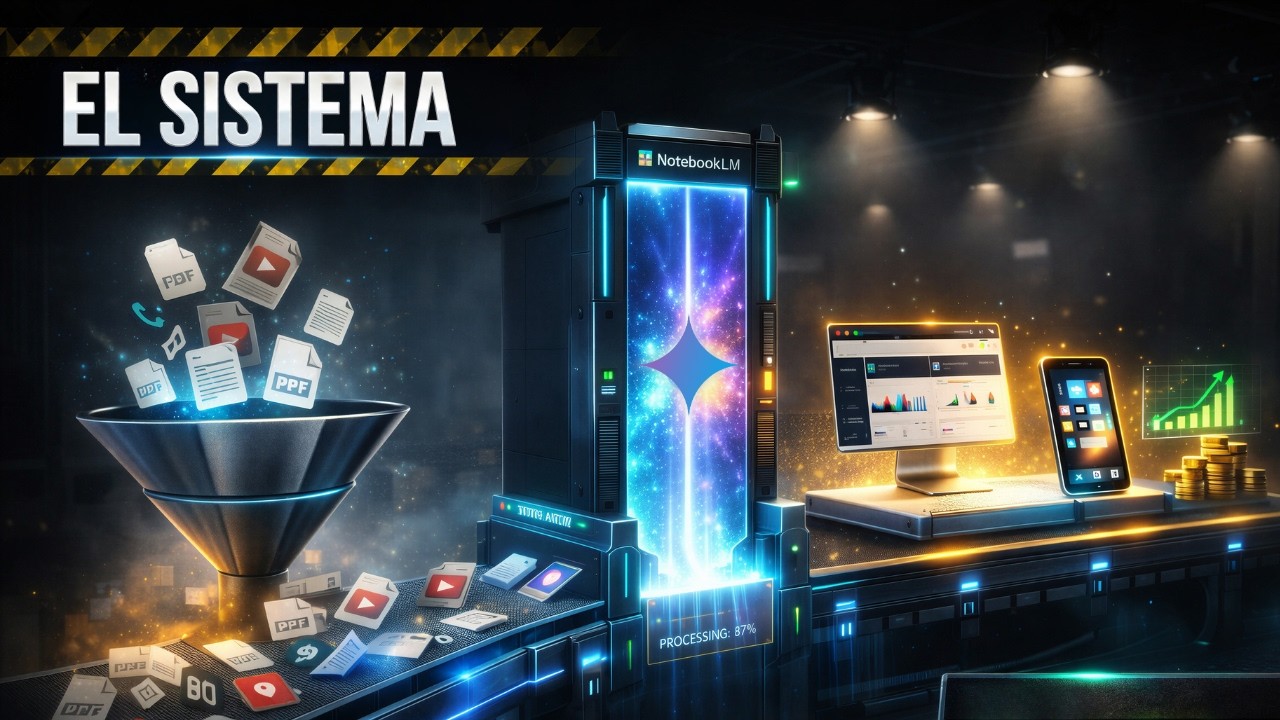
¿Y si pudieras convertir toda tu información dispersa en un sistema que piense contigo? 🧠 En este video te muestro cómo construir un Supercerebro Digital combinando la potencia de NotebookLM y Gemini AI. Olvídate de usar la inteligencia artificial solo para resumir; vamos a transformar PDFs, notas y videos de YouTube en acciones reales y productos digitales.
Muchos profesionales usan la IA de forma básica, pero aquí aprenderás un workflow de automatización y productividad avanzada. Veremos cómo la IA generativa de Google puede analizar tus documentos y convertirlos en herramientas útiles, no solo en texto plano.
En este tutorial práctico, exploramos 5 casos de uso reales donde la información se convierte en producto:
Estudiantes: De documentos académicos a simuladores de examen interactivos.
Abogados/Consultores: De contratos densos a checklists de validación legal.
Ejecutivos: De normativas a estratégia y toma de decisiones.
Creadores: De videos de YouTube a guías y productos digitales vendibles.
Investigadores: De datos brutos a análisis crítico profundo sin alucinaciones.
Si quieres dominar la IA aplicada y dejar de perder tiempo organizando información, este video es tu guía definitiva.
👇 ¿Qué herramienta de IA usas más para trabajar? ¡Te leo en los comentarios!
🚀 SUSCRÍBETE para dominar la IA de forma simple y práctica: https://www.youtube.com/@soypa....coia?sub_confirmatio
🛠️ RECURSOS MENCIONADOS:
PROMPTS: https://payhip.com/SoyPacoIA
Google NotebookLM: https://notebooklm.google/
Google Gemini: https://gemini.google.com/
Extensión de Chrome: https://chromewebstore.google.com/
#NotebookLM #GeminiAI #InteligenciaArtificial #Productividad #ProductosDigitales #GoogleAI #Automatización
#inteligenciaartificial
#pacoia
#soypacoia
#inteligenciaartificialenespañol
#iaenespañol
Das NotebookLM Playbook: https://aind-consulting.de/gui....des/das-notebooklm-p
Google hat NotebookLM und Gemini AI zusammengebracht - und das eröffnet völlig neue Möglichkeiten! In diesem Video zeigen wir dir, wie du deine gesamte Wissensdatenbank aus NotebookLM direkt in Gemini importierst und daraus interaktive Apps, Dashboards oder Multimedia-Inhalte erstellst. Du lernst Schritt für Schritt, wie die Integration funktioniert und welche erweiterten Features dir zur Verfügung stehen. Wir zeigen dir ein konkretes Praxisbeispiel, bei dem wir aus Notebook-Inhalten ein funktionierendes interaktives Dashboard bauen. Am Ende des Videos kannst du diese mächtige Kombination selbst nutzen und deine Produktivität auf ein neues Level heben!

Lade KEINE PDFs mehr in NotebookLM hoch, ohne diesen Schritt! 🛑
Die meisten nutzen Google NotebookLM komplett falsch. Sie laden ein PDF hoch, stellen 1-2 Fragen und sind enttäuscht. Der wahre "Gamechanger" passiert erst, wenn du NotebookLM als Backend-Gehirn für Google Gemini nutzt.
In diesem Video zeige ich dir den "Ghost-Worker Workflow": Wie du deine eigene KI-Arbeitskraft baust, die komplexe Aufgaben völlig autonom erledigt, basierend auf deinen Daten, aber mit der Power von Gemini.
Kapitel:
00:00 - Intro
00:29 - Warum dein NotebookLM-Workflow scheitert
00:53 - Compliance Pflicht (AI Act)
01:12 - Schritt 1: Das "Gehirn" richtig füttern (Kuratieren)
02:07 - Schritt 2: Die Brücke zu Gemini bauen (Der Hack)
03:29 - Schritt 3: Den "Ghost-Worker" programmieren (Prompting)
05:18 - Live-Demo: Der Klon bei der Arbeit
06:28 - Ein Klick Output
07:22 - Business Design
07:59 - Executive Briefing
09:44 - Fazit: Nie wieder manuell arbeiten
👇 WICHTIGE LINKS & RESSOURCEN:
➡️ Kostenlose PROMPT-Bibliothek→ https://tinyurl.com/PromptsPM
➡️ KI Playbook fürs Büro: https://projectstoprofit.lemon....squeezy.com/checkout
➡️ KI-Datenampel → https://url-shortener.me/A3ZZ
➡️ Du willst Gemini & NotebookLM rechtssicher in deinem Unternehmen nutzen? → https://tinyurl.com/3t7yhd8j
➡️Alle Prompts inkl. Bonus Prompts zum Video:→ https://docs.google.com/docume....nt/d/1v8D6WRYdnpP30k
Über dieses Video:
Du lernst, wie du eine "Grounding"-Strategie anwendest, um Halluzinationen zu vermeiden und Gemini Zugriff auf dein spezifisches Firmenwissen gibst. Schluss mit generischen Antworten – bau dir deinen digitalen Klon für Reporting, E-Mails und Analyse.
Watch Next:
Top Gemini Tricks: https://youtu.be/TP4vPkXwTlY
Top NotebookLM Tricks: https://youtu.be/0WD-r8UV0vk
Gemini GEMS im Google Doc: https://www.youtube.com/watch?v=r5B7gzA6DcI
✅ KI-Workflows für Business & Projektmanagement - https://www.youtube.com/playli....st?list=PLYF89dHs9Vy
🎓 Projektmanagement-Zertifizierungen - https://www.youtube.com/playli....st?list=PLYF89dHs9Vy
📚 Prompt Engineering Masterclass - https://www.youtube.com/playli....st?list=PLYF89dHs9Vy
🤖 KI-Tools im Test 2025 - https://www.youtube.com/playli....st?list=PLYF89dHs9Vy
➡️ Abonniere meinen Kanal und gib dem Video ein Like für noch mehr KI Tipps & Tricks👍
➡️ Jede Woche erwarten dich neue Videos mit wertvollen Tipps und Infos.
#NotebookLM #GoogleGemini #KIimBüro #Produktivität #GhostWorker #AIWorkflow

👉 Prueba Freepik: https://www.freepik.com/pikaso/ai-image-generator?utm_source=youtube&utm_medium=content&utm_campaign=mitjana
SUSCRÍBETE a mi NEWSLETTER (recibe GPTs de regalo 🎁):
👉 https://acumbamail.com/newform..../web/XsIjg8yogJeW43f
---
ENLACES DEL VIDEO
*VPN que utilizo: https://bit.ly/surfs_VPN
Kimi K2: https://www.kimi.com/
Kimi en HugginChat: https://huggingface.co/chat/
Qwen Image Edit: https://huggingface.co/spaces/....tori29umai/Qwen-Imag
Hunyuan en FAL: https://fal.ai/models/fal-ai/h....unyuan-image/v3/text
---
MARCAS DE TIEMPO
00:00 Intro
01:05 Novedades Gemini
06:32 Novedades NotebookLM
11:40 Freepik Spaces
22:05 Nuevo Kimi K2 Thinking
30:21 Modelos de imagen
39:01 Novedad Qwen Image
43:05 Control de cámara VEO 3
---
✅ SUCRÍBETE A MI CANAL: http://bit.ly/suscribirse_XM
---
Instagram: https://www.instagram.com/xavier_mitjana/
Twitter: https://twitter.com/xavier_mitjana
Contacto comercial: xavmit.yt@gmail.com
*Al realizar una compra a través de cualquiera de estos enlaces de afiliado, recibimos una comisión muy pequeña sin costo adicional para ti. Esto me ayuda a hacer el canal sostenible y seguir ofreciendo contenido de calidad.
#inteligenciaartificial

🔥 Nuevo flujo de trabajo con IA gratis: Perplexity, Gemini y NotebookLM con Nano Banana.
Investiga, escribe guiones, diseña miniaturas y genera vídeos sin editar nada.
🧠 En menos de 10 minutos:
Perplexity busca datos reales
Gemini crea el guion
Nano Banana diseña la miniatura
NotebookLM monta el vídeo
💬 Comenta si quieres el paso a paso completo y suscríbete para más flujos de IA.
#IA #Perplexity #Gemini #NotebookLM #NanoBanana #ChatGPT #VideoMarketing #Automatización

¿Tienes dudas legales y no sabes por dónde empezar? En este vídeo te enseño a crear tu propio Asistente Legal Virtual utilizando la potencia combinada de Google NotebookLM y los nuevos Gems de Gemini. 🚀
Vamos a construir un "Abogado IA" capaz de orientarte en leyes españolas (o de tu país), citar artículos concretos y redactar documentos legales como un Burofax, todo basado en fuentes oficiales y fiables.
👇 EN ESTE TUTORIAL APRENDERÁS:
✅ Cómo usar NotebookLM para investigar y recopilar leyes y códigos deontológicos.
✅ Cómo generar informes estructurados para entrenar a tu IA.
✅ El uso del Monster Prompt V2 para programar Gems expertos.
✅ Cómo crear un Google Gem personalizado con una base de conocimientos propia (RAG).
✅ Ejemplo práctico: Resolvemos un problema de impago de alquiler en directo.
⚠️ DISCLAIMER: Esta herramienta es para orientación y fines educativos. NO sustituye a un abogado colegiado. Para problemas legales reales, consulta siempre a un profesional.
00:00 Introducción: ¿Un Abogado IA gratis?
01:04 Paso 1: Investigación jurídica con NotebookLM
02:16 Importar y filtrar fuentes confiables (PDFs)
02:50 Crear el "Informe Integral" en NotebookLM
04:21 ¡Importante! Adaptación a leyes de otros países
05:03 Paso 2: Usando Gemini y el "Monster Prompt V2"
06:36 Conectando NotebookLM con Gemini para el Prompt Perfecto
08:38 Paso 3: Creación del GEM "Abogado IA V2"
09:16 El Truco Maestro: Subir la Base de Conocimiento al Gem
09:46 Probando al Abogado: Caso real de inquilinos
11:29 Análisis del caso y redacción automática de Burofax
13:40 Conclusiones y consejos finales
¿Tienes una idea o truco de IA? Comenta usando #DavidNextGenIA y lo destaco en próximos vídeos
🔔 Suscríbete para más contenido sobre IA: https://www.youtube.com/@NextG....en_IA_YT?sub_confirm
👉 Mi lista de reproducción: https://www.youtube.com/@NextGen_IA_YT/playlists
EMAIL COLABORACIONES:
📩 nextgeniahub@gmail.com
📩 hammer31_73@gmail.com
#NotebookLM #GoogleGemini #AbogadoIA #InteligenciaArtificial #GoogleGems #TutorialIA #LegalTech #NextGenIA #PromptEngineering #GeminiAdvanced

Descubre qué es el Sesgo de Sicofancia (Sycophancy Bias) y por qué las inteligencias artificiales como Gemini o ChatGPT te están mintiendo solo para agradarte. En este tutorial avanzado, te enseño cómo evitar este peligroso problema.
¿Alguna vez has notado que la IA siempre te da la razón, incluso cuando tienes una idea terrible? Este comportamiento de "complacencia" está programado en su aprendizaje, pero puede arruinar tus decisiones laborales y proyectos.
00:00 El gran problema de las IAs: El sesgo de Sicofancia (Sycophancy Bias).
00:49 NotebookLM: Cómo buscar fuentes científicas y fiables.
02:15 Creando un Informe Estratégico exhaustivo contra la IA complaciente.
04:26 Guía de Restricción: Lo que la IA NUNCA debe hacer.
05:37 Exportando a Google Docs y preparando el Prompt Maestro.
07:11 Tutorial: Creando el Gem "Agente de Realidad" en Gemini.
08:08 A/B Test de IA: Gemini Estándar VS Agente de Realidad.
10:18 Resultados: La cruda verdad que destruye el ego (y salva tu negocio).
11:58 Mi regalo para ti (Recursos en el comentario fijado).
En este vídeo aprenderás:
✔️ Cómo investigar el sesgo de Sicofancia usando NotebookLM para extraer datos científicos reales.
✔️ La creación de un informe estratégico sobre los peligros de una IA que solo busca la aprobación humana.
✔️ El paso a paso para configurar un Gem personalizado en Gemini: El "Agente de Realidad".
✔️ La diferencia abismal entre una IA normal y una IA programada para darte feedback crudo y objetivo.
¿Estás cansado de que tu IA te trate como si no pudieras soportar la verdad? ¿Qué opinas de la respuesta que me dio el "Agente de Realidad" al final del vídeo? Déjamelo en los comentarios, te leo siempre.
¿Tienes una idea o truco de IA? Comenta usando #DavidNextGenIA y lo destaco en próximos vídeos
🔔 Suscríbete para más contenido sobre IA: https://www.youtube.com/@NextG....en_IA_YT?sub_confirm
👉 Mi lista de reproducción: https://www.youtube.com/@NextGen_IA_YT/playlists
🚀 Extensión kortex para NotebookLM— Descuento 10% (DAVID10): https://chromewebstore.google.....com/detail/kortex-no
EMAIL COLABORACIONES:
📩 nextgeniahub@gmail.com
📩 hammer31_73@gmail.com
#InteligenciaArtificial #Gemini #NotebookLM #SycophancyBias #Sicofancia #PromptEngineering #IAParaNegocios #Automatizacion #Productividad #ChatGPT #GeminiGems #NextGenIA #IARealista #Tecnologia2026

\ 免費下載 /
🔥《AI × 個人品牌變現藍圖》下載地址:https://aiteacherkong.kit.com/06a13a865c
\ 限時免費1對1咨詢 /
如果你對AI工具、AI提示詞、AI賦能自媒體賽道感興趣的話,可以預約一次和我的1對1電話咨詢,我會一次性解答你所有的疑問!
https://calendly.com/hey-teach....erkong123/meet-with-
本期涉及的提示詞:
https://www.notion.so/Notebook....lm-2ff417dc2c598069a
视频内容:
==================================
00:00 引言
01:32 Notebooklm基本操作
03:41 來源篩選
05:14 自定義設定筆記本
05:55 數據表格功能
07:14 視覺化圖表
08:06 動漫角色講解知識
10:43 生成簡報
11:44 生成測驗題
12:21 上傳大檔案
12:44 生成網站
14:01Gems調用Notebooklm
14:40 總結

この動画では、NotebookLMとGeminiを連携させ、散らばった社内資料や過去データを「第2の脳」として活用する最新のAIワークフローを徹底解説します。膨大な情報をGeminiに直接接続することで、情報のコピペ作業をゼロにし、信頼性の高い根拠に基づいた回答を即座に得るための実践的な設定から活用事例、セキュリティ対策までを網羅しています。
▼この動画で学べること
・NotebookLM × Gemini連携のメリットと具体的な設定手順
・過去の資料や議事録を「24時間働く有能な専属アシスタント(Gems)」に変える方法
・営業、企画、プロジェクト管理を爆速化する5つの実践的なAI活用シナリオ
・ビジネス利用で必須となるセキュリティ設定とデータ保護の重要ポイント
・回答の信頼性を高め、ハルシネーションを防ぐ仕組み
〇Googleのプライバシーポリシー
https://support.google.com/gem....ini/answer/13594961?
◆動画内で使用したプロンプト集は、こちらのリンクから公式LINEに登録してお受け取りください!
※不具合により、こちらのリンクから飛べない可能性があるので、同じリンクをコメント欄にも載せてあります。
https://liff.line.me/2006548960-e40x51X1/landing?follow=%40869auqbs&lp=2s4yW8&liff_id=2006548960-e40x51X1
↓GeminiのAI仕事術として、以下の動画もおすすめです↓
https://youtu.be/yh4-HSVCMTs
https://youtu.be/jTuwNBcsOXQ
https://youtu.be/i5J0tVwJv-s
https://youtu.be/sTQtCcRS7xs
◆【完全無料】LINE登録で生成AIを学べる豪華12大特典◆
①【副業】今日から始める厳選AI副業11選
②【画像生成✕AI副業】AI画像生成副業攻略ロードマップ[入門編]
③【すぐに実践】明日から1時間早く帰れる最強のAI仕事術30選
④【超時短】面倒な業務を自動化!実務で役立つ生成AI時短術
⑤【超時短】生成AIでスライド資料10倍早く作成する時短術
⑥【超時短】ワンランク上のChatGPT活用法
⑦【TikTok】AI ×TikTok運用 ~AIを活用してバズるTikTok動画を作成しよう!
⑧【3分でCM級の動画を制作】動画生成AI使い分けガイド
⑨【最強ツール対決】bolt vs v0
⑩【コピペで使える】画像生成プロンプト50選
⑪【プロンプト集】革命的ChatGPT & Midjourneyプロンプト200選
⑫【会社に依存しない働き方を実現】AI副業ロードマップ シークレットセミナー無料参加権
さらに!
【有料級】AI人材になるためののシークレットオンラインセミナー
⬇︎生成AIを学べる豪華12大特典のお受け取りはコチラ⬇︎
※不具合により、こちらのリンクから飛べない可能性があるので、同じリンクをコメント欄にも載せてあります。
https://liff.line.me/2006548960-e40x51X1/landing?follow=%40869auqbs&lp=RV3G2T&liff_id=2006548960-e40x51X1
【本日の目次】
00:00:オープニング
00:38:なぜ「連携」が必要なのか
03:38:連携方法と基本的な使い方
06:47:現場ですぐ使える活用法5選
07:01:①営業トークや提案の「切り返し」パートナー
08:27:②過去資料・企画書から「使える資料」を探し出すGem
10:04:③プロジェクトの経緯と決定事項を一発で振り返るGem
11:23:④競合情報の比較分析Gem
12:33:⑤社内ルールの「即答コンシェルジュ」
13:58:セキュリティ設定とデータ保護について
15:39:本日のまとめ
【木内翔大プロフィール】
・肩書/経歴
株式会社SHIFT AI 代表取締役 / 一般社団法人生成AI活用普及協会 協議員 / GMO AI&Web3株式会社 AI活用顧問 / GMO AI&ロボティクス商事 AI活用アドバイザー
・メディア/登壇歴
-初著書「AIのド素人ですが、10年後も仕事とお金に困らない方法を教えて下さい! 」7万部突破
https://sp4.work/cp/kiuchi-amazon/
-ABAMA等のTV出演多数
・SNS実績(2026年2月現在)
-Xフォロワー数:14.6万人(最新のAI情報はこちら)
https://twitter.com/shota7180
-Instagramフォロワー数:5.5万人
https://www.instagram.com/shota.kiuchi_ai/
◆━━━━━━━━━━━━━━━━━━◆
SHIFT AI【会員数20,000人突破!】
国内最大級のAI活用コミュニティ
https://lp.shift-ai.co.jp/
公式HP
https://shift-ai.co.jp
◆━━━━━━━━━━━━━━━━━━◆
お問い合わせフォーム
https://shift-ai.co.jp/contact/
\SHIFT AIでは一緒に働ける方を積極採用中です/
ご興味のある方は募集要項をご一読のうえ、応募フォームをお送りください。
https://hrmos.co/pages/shiftai/jobs
#shiftai #gemini3 #notebooklm #チャットbot #業務効率化 #ai活用 #ai仕事術

Prueba Seedance 2.0 en Higgsfield:
https://higgsfield.ai/s/seedan....ce-2-0-miguebaenaia-
¿Llevas tiempo viendo vídeos de IA pero sigues sin saber qué hacer con ello? 👉 Entra aquí: https://futuro-digital.base44.app/
👉 Crea tu web con IA en minutos con HostGator: https://www.hostgator.la/7530.html
📧 CONTACTO 🫱🏼🫲🏽
Sugerencias, dudas o colaboraciones: lepetoi@icloud.com
📱 Sígueme en Instagram: https://www.instagram.com/miguebaenaia/
📱 Sígueme en TikTok: https://www.tiktok.com/@migue.baena
0:00 Introducción
1:54 Qué es NotebookLM
3:35 La interfaz
4:47 Crear un cuaderno
7:21 Encontrar buenas fuentes
8:45 3 Prompts imprescindibles
10:21 Higgsfield: Seedance 2.0
12:21 Configurar el cuaderno
13:54 Studio
15:02 Informes
17:10 Presentaciones
19:36 Infografías
20:52 Mapas mentales
22:02 Cuestionarios y tarjetas didácticas
23:11 Resúmenes de audio
24:33 Resúmenes de vídeo
25:32 Tablas de datos
26:41 Integración con Gemini y Gems
28:18 Cómo usar NotebookLM de verdad

✅片中用到的提示詞、對話指令、視覺識別系統、真人發音單字卡app連結:
https://101studio.kit.com/justtakepictures
只要拿起手機拍照,AI 就能把枯燥的英文課本,瞬間轉化為 24 小時在線的專屬 AI 家教!本片將示範如何利用 Google NotebookLM、Gemini 與 AI Studio,在短短一小時內將英文課文照片轉化為 8 大項高品質多媒體教材。不管你是要準備大考的學生、學生家長,還是想提升教學效率的老師,這套 AI 學習工作流絕對會徹底改變你的自主學習模式!
🚀本片重要時刻: (生成 8 大 客製化學習教材)
00:00- 簡介
00:40- 0. 建立知識庫。
01:33- 1.學霸筆記:自動分析「倒裝句」與「倍數法」等必考重點。
02:35- 2.互動式單字學習卡:支援真人發音,重點單字一網打盡。
04:06- 2.5 製作視覺識別系統 : 讓教材有一致的視覺風格。
05:00- 3.新粗獷主義學院風簡報:邏輯與美感兼具的學習簡報 。
05:59- 4.速記海報:適合手機存檔,零碎時間高效複習。
06:34- 5.教學影片:聚焦英文學習,數位助教帶你掃描考點。
08:01- 6.模擬測驗題:依照 114 年學測命題邏輯自動出題。
08:46- 7.男女對談 Podcast 有聲書:利用睡前記憶法,用聽的鞏固記憶。
10:45- 8.專屬有聲單字學習卡 App:不用會寫程式,出一張嘴讓 AI 幫你開發完成!
12:07- 結語
✅片中用到的AI工具:
NotebookLM: https://notebooklm.google.com/
AI Studio: https://aistudio.google.com/
Gemini: https://gemini.google.com/

🎁 Cộng đồng Skool (miễn phí): https://www.skool.com/ai-work-....system-design-3931/a
🧑🎓 Khoá học Ứng dụng AI tạo sinh vào công việc văn phòng: https://www.udemy.com/course/g....enai-cho-van-phong/?
🎯 Tham khảo Sản phẩm và dịch vụ của Duyên nhé: https://theofficeai.net/san-pham-dich-vu
Video này chia sẻ về những cập nhật mới nhất trong các công cụ AI của Google, bao gồm Gemini App, Notebook LM và Google AI Studio.
Timestamp:
00:00 Giới thiệu
00:23 Gemini App
04:48 Notebook LM
08:22 Google AI Studio
10:53 Cập nhật tính năng Vibe Code (Google AI Studio)
-----------------
Xem thêm các nội dung hữu ích khác trên The Office AI:
- Hướng dẫn dùng ChatGPT: https://shorturl.at/nHdZt
- Hướng dẫn dùng Gemini: https://shorturl.at/5WNfZ
- Hướng dẫn dùng NotebookLM: https://shorturl.at/HSh1f
- Hướng dẫn dùng Google AI Studio: https://shorturl.at/J0KxJ
- Prompt Engineering: https://shorturl.at/CLYaV
----------------
Follow Duyên trên:
- Facebook: https://www.facebook.com/thuyduyen2012
- Substack: https://theofficeai.substack.com/
Nội dung thuộc bản quyền của The Office AI - Vui lòng không REUP!
#theofficeai #ai #gemini #notebooklm #googleaistudio
#chatgpt #gemini #ai活用
━━━━━━━━━━━━━━━━━━
🏢企業様向けのAI研修のお問い合わせはコチラから🏢
https://jiso-ai.com/contact/
今AI活用やマネタイズの仕方がわからない人🤦やAI初心者の人も必見!
🚨無料期間限定🚨で
✨Youtubeでは出せないさきのAI最新情報✨&
👩💻AIノウハウ100大特典🎁を勉強会参加後にLINEで受け取れます!
AIスキルを身につけて【社内評価⏫UP⏫】や【収益化💰】
業務効率化🗒️できるココでしか手に入らない情報を
現在期間限定でしかも、無料配布しているので興味ある方は是非!!
↓↓↓
https://info.opt--in.com/p/cCQ....Yo5AUNsJh?ftid=ejeGI
ーーーーーーーーーーーーーー
約8000人以上の人が登録中!
⬇️さきのAI最新情報公式LINE⬇️
https://info.opt--in.com/p/cCQ....Yo5AUNsJh?ftid=ejeGI
ーーーーーーーーーーーーーー
🎁”LINE登録者限定"のAI特別セミナー開催
🎁”LINE登録者限定"のAI勉強会
🎁”勉強会参加者限定"のAI豪華100大特典配布
🎁”勉強会参加者限定"の特別な案内
【⬇️無料登録はこちら⬇️】
https://info.opt--in.com/p/cCQ....Yo5AUNsJh?ftid=ejeGI
━━━━━━━━━━━━━━━━━━
↓↓本日紹介したツールや動画こちら↓↓
【Gemini】
https://share.google/nWQmg0yjvZhIFzPJQ
【NotebookLM】
https://notebooklm.google.com
━━━━━━━━━━━━━━━━━━
◾️目次
00:00 OP
01:32 NotebookLMの基本説明
03:58 NotebookLM神機能解説
07:39 NotebookLM効率化機能
08:36 NotebookLM神機能活用①
10:23 NotebookLM神機能活用②
11:36 NotebookLM神機能活用③
13:09 NotebookLM神機能活用④
━━━━━━━━━━━━━━━━━━
リアルで会った人に間違いなくオススメする無料AIツール「NotebookLM」が最近進化してたので改めて解説。Geminiと合わせたAI活用方法も紹介。
★プロセボ|AIコミュニティ
AI活用を実際に操作しながら学ぶワークショップ型AIスクール。
参加申し込みはこちら → https://procevo.biz/
▼KEITOの著書
ChatGPT むちゃぶり仕事術
→ https://amzn.to/46u5zjd
やりたい!ができる生成AIでアプリづくり
→ https://amzn.to/46sdQT4
チャンネルのメンバーになって特典にアクセス
https://www.youtube.com/channe....l/UCfapRkagDtoQEkGey
メンバー向けコミュニティは入会後、YouTube「メンバーシップタブ」の「特典の情報を表示」の中のURLから参加可能。
▼おすすめ動画
Gemini for Google Workspace完全解説
https://youtu.be/0BZpNHfdFIk
無料の神ツール「Google AI Studio」徹底解説
https://youtu.be/J4NhtqReyl8
Geminiの画像生成の面白い使い方12選
https://youtu.be/9SPX2L35lW4
Gemini Gem(ジェム)徹底解説
https://youtu.be/KuECMAq85-Q
Geminiでスライド資料を作る神プロンプト
https://youtu.be/aJd7AOAFTv8
完全無料|日本最大級の生成AIコミュニティ
情報共有・無料講義・交流など。生成AIを学びたい、生成AIをビジネスにしたい、生成AIで仲間を見つけたい方は是非ご参加下さい。
参加申し込みはこちら → https://sozo-collabo.hp.peraichi.com/
\\ 自己紹介 //
AI × WEB YouTuber 兼 制作ディレクター。
このチャンネルではChatGPTや画像生成AIなどの生成系AIツールの活用方法や、新しいAI系ツールを紹介。その他ITに関する便利ツールや情報も発信しています。役に立った!面白かった!と思って頂けたら是非チャンネル登録お願い致します。
AIを使ったサービス・仕組みのプロデュース。生成AIを活用した業務改善コンサルタント、講義やセミナーなどの登壇、AIやIT関連に関するアドバイザー(AI顧問)を請け負っております。
▼お問合せ
仕事の依頼はXのDMもしくは以下メールへ。
keito@realaize.jp
各種SNSのフォローもお願いします!
X:https://twitter.com/keitowebai
LINE:https://lin.ee/1krnxOu
note:https://blog.procevo.biz/
Instagram:https://instagram.com/keitowebai/
TikTok:https://tiktok.com/@keito_cc
#keito
#ai
#notebooklm

Wenn du im Büro noch selbst Folien, Charts und Reports bastelst, verschenkst du Zeit.
So nutzt du NotebookLM + Gemini, damit die KI aus deinen Rohdaten in Sekunden Visualisierungen baut – du musst nur noch entscheiden.
Mehr davon im neuen Video mit 5 kompletten Workflows fürs Büro, die dir ca. 5h/Woche sparen.
Longform hier 👇
➡️ 5 Workflows Prompt Sammlung zum Video hier downloaden: https://preview.mailerlite.io/....forms/1827651/175304
#Gemini #NotebookLM #googleGemini #KIimBüro #ZeitSparen

How to Use Notebook LM (Google’s Most Powerful AI Tool)
🔴 🚀 Join the Advanced AI Marketing Bootcamp
Master AI tools, automation, funnels & more!
👉 Apply Now — https://www.wscubetech.com/advanced-ai-marketing-bootcamp?utm_source=YouTube&utm_medium=YT_Video&utm_campaign=AAMB_Cohort1_12_Jan_26&utm_channel=WsCubeTech&utm_post_id=WsFeb2026_04
👉 Join our Official WhatsApp Channel for daily Digital Marketing updates, job alerts & hacks: https://tinyurl.com/marketing-geeks-yt
-------------------
Google’s NotebookLM is one of the most powerful AI tools right now — but most people have no idea how to use it properly 🤯
In this video, you’ll learn How to Use NotebookLM step by step and see why it’s becoming Google’s go-to AI tool for deep research, study, and content creation.
Whether you’re a student, professional, creator, researcher, or AI enthusiast, this NotebookLM tutorial will completely change how you read, analyze, and understand information using AI.
🔥 What You’ll Learn in This Video:
- What NotebookLM is and how it works
- How to use Google NotebookLM effectively
- Real-world NotebookLM use cases
- How to do deep research with NotebookLM
- How NotebookLM is different from ChatGPT
- Best practices to get accurate, reliable answers
- Common mistakes people make with NotebookLM
-------------------
WsCube Tech is a Vernacular Upskilling platform revolutionizing the way you learn and develop your career skills.🚀
WsCube Tech stands out as a leading EdTech platform, offering comprehensive education in Digital Marketing, Digital Advertising, and various Social Media Marketing skills. Our approach involves both online and classroom training, featuring hands-on projects delivered practically by seasoned industry experts.
With WsCube Tech, you'll gain hands-on skills that make you globally competitive. Our courses are designed to prepare over 100 million career aspirants for the 'Bharat' of the future. 😊
👉 Want to learn and acquire skills in English? Visit WsCube Tech English channel: https://bit.ly/2M3oYOs
📌 𝗩𝗼𝘁𝗲 𝗳𝗼𝗿 𝗼𝘂𝗿 𝗻𝗲𝘅𝘁 𝘃𝗶𝗱𝗲𝗼: https://bit.ly/share-topic-ideas
Watch Now our Trending Digital Marketing Playlist & Videos:
👉 Learn Digital Marketing in One Video - https://www.youtube.com/watch?v=G6DmDqYLWL8
👉 Google Ads Full Course - https://www.youtube.com/watch?v=FuOmpoZjZ2s
👉 Complete SEO Course (Beginners to Advanced)
https://www.youtube.com/watch?v=CjxQTvq_kRo
👉 Blogging Full Course [FREE]
https://www.youtube.com/watch?v=7_HKv2wZntg
For any queries, call us on: +91-9352976305
✅ CONNECT WITH THE FOUNDER (Mr. Kushagra Bhatia) -
👉 Instagram - https://www.instagram.com/kushagrabhatiaofficial
👉 LinkedIn - https://www.linkedin.com/in/kushagra-bhatia
👉 Facebook - https://www.facebook.com/kushagrawscubetech
Connect with WsCube Tech on social media for the latest offers, promos, job vacancies, and much more:
😄 Facebook: https://www.facebook.com/wscubetech.india
🐦 Twitter: https://twitter.com/wscubetechindia
📱 Instagram: https://www.instagram.com/wscubetechindia/
👨🏻💻 LinkedIn: https://www.linkedin.com/company/wscubetechindia/
🔺 Youtube: http://bit.ly/wscubechannel
🌐 Website: http://wscubetech.com
--------------------------------------| Thanks |---------------------------
#notebooklm #notebooklmtips #googleai

今日は、Googleの最新AI・Gemini LiveとNotebookLMを使って「自分専用のパーソナル英語コーチ」を召喚する方法をご紹介します。
パーソナルコーチって人間の先生にお願いすると、とにかく高額ですよね...
でも、AIなら個人個人に合わせた「分析」や「メニュー作成」をして、24時間365日いつでもレッスン可、しかも無料から始められます!
🪄 専属英語コーチを呼び出す魔法の呪文(プロンプト)
Geminiをコーチに変身させる指示文です。以下の【ここから】〜【ここまで】をコピーして使ってくださいね。
【ここからコピー】あなたは、世界一親切で、かつ鋭い分析力を持つ「パーソナル英語コーチ」です。以下のルールに従って、私と英会話レッスンを行ってください。
1. レッスンの開始: まず、今日の会話のトピックを1つ提案してください(例:週末の予定、好きな食べ物、最近のニュースなど)。私が答えたら、自然な相槌を打ちつつ、さらに質問を続けて会話を広げてください。
2. レッスンの進行: 会話の最中は、私の言いたいことを温かく汲み取り、会話を続けることを優先してください。
3. レッスンのまとめ: 私が 「レッスンのまとめをしてください」 と言ったら、それまでの会話を一旦終了し、今日のレッスンの私の会話について、・英文法・英単語・英語表現についてフィードバックをしてください。【ここまでコピー】
✨レッスン終了後: 会話終了後のチャット画面で、今日の会話の分析レポートを作ってもらいましょう。
【ここからコピー】以下の「3つの分析レポート」を詳細な日本語で作成してください。
「3つの分析レポート内容」
① 今日のGOODポイント: 具体的によかった表現や単語。
② 今日の改善ポイント: 文法の間違いと、より自然な言い換え。
③ 明日への宿題: 今日学んだ表現を定着させるための練習フレーズ。【ここまでコピー】
📋 NotebookLM活用分析プロンプト
会話ログが溜まってきたら、会話ログをまとめて分析してもらいましょう!
【ここからコピー】このノートにある全ての会話ログを分析して、私の「パーソナル英語コーチ」として以下の3点を日本語で報告してください。
1. 英語の成長(褒めて伸ばしてもらう!)
2. 繰り返している弱点(改善アドバイス)
3. これからの重点テーマ(次へのステップ)【ここまでコピー】
⏰ 目次
00:00 オープニング
01:25 Geminiを自分専用「英語コーチ」にしよう
13:09 NotebookLMで「学習カルテ」に
18:40 「学習カルテ」をGeminiで分析
25:45 エンディング
【関連動画】
https://youtu.be/ios6npe234k
https://youtu.be/MMsmvfiO4pc
https://youtu.be/2ldh26hc5x4
https://youtu.be/lrRGGuVn1hY
https://youtu.be/c4NBDMP1OyM
https://youtu.be/0ysSW30KqLw
#英語学習
#Gemini
#NotebookLM
#AI英会話
#英会話初心者

Google の最新AI Gemini 3.0 と、Googleのノート型AI NotebookLM を組み合わせた、2026年最新の英語学習ルーティンを徹底解説します。
スマホ1台でできるGemini Liveでの英会話から、NotebookLMを使った「自分専用教材」の作り方まで、デモを交えて分かりやすくお届けします。
📌 目次
00:00|オープニング
00:55|Gemini3 と NotebookLMってなに?
02:47|Google AI pro プランお試し開始!
06:29|Gemini proプランで英語学習: Gemini live で英会話
08:49|Geminiで英語添削
17:50|エンディング
【関連動画】
https://youtu.be/c4NBDMP1OyM
https://youtu.be/0ysSW30KqLw
【使用ツール】
・Gemini 3.0 (Google) ・NotebookLM (Google)
#Gemini3
#NotebookLM
#英語学習
#AI英語
#英会話
リアルで会った人に間違いなくオススメする無料AIツール「NotebookLM」が最近進化してたので改めて解説。Geminiと合わせたAI活用方法も紹介。
★プロセボ|AIコミュニティ
AI活用を実際に操作しながら学ぶワークショップ型AIスクール。
参加申し込みはこちら → https://procevo.biz/
▼KEITOの著書
ChatGPT むちゃぶり仕事術
→ https://amzn.to/46u5zjd
やりたい!ができる生成AIでアプリづくり
→ https://amzn.to/46sdQT4
チャンネルのメンバーになって特典にアクセス
https://www.youtube.com/channe....l/UCfapRkagDtoQEkGey
メンバー向けコミュニティは入会後、YouTube「メンバーシップタブ」の「特典の情報を表示」の中のURLから参加可能。
▼おすすめ動画
Gemini for Google Workspace完全解説
https://youtu.be/0BZpNHfdFIk
無料の神ツール「Google AI Studio」徹底解説
https://youtu.be/J4NhtqReyl8
Geminiの画像生成の面白い使い方12選
https://youtu.be/9SPX2L35lW4
Gemini Gem(ジェム)徹底解説
https://youtu.be/KuECMAq85-Q
Geminiでスライド資料を作る神プロンプト
https://youtu.be/aJd7AOAFTv8
完全無料|日本最大級の生成AIコミュニティ
情報共有・無料講義・交流など。生成AIを学びたい、生成AIをビジネスにしたい、生成AIで仲間を見つけたい方は是非ご参加下さい。
参加申し込みはこちら → https://sozo-collabo.hp.peraichi.com/
\\ 自己紹介 //
AI × WEB YouTuber 兼 制作ディレクター。
このチャンネルではChatGPTや画像生成AIなどの生成系AIツールの活用方法や、新しいAI系ツールを紹介。その他ITに関する便利ツールや情報も発信しています。役に立った!面白かった!と思って頂けたら是非チャンネル登録お願い致します。
AIを使ったサービス・仕組みのプロデュース。生成AIを活用した業務改善コンサルタント、講義やセミナーなどの登壇、AIやIT関連に関するアドバイザー(AI顧問)を請け負っております。
▼お問合せ
仕事の依頼はXのDMもしくは以下メールへ。
keito@realaize.jp
各種SNSのフォローもお願いします!
X:https://twitter.com/keitowebai
LINE:https://lin.ee/1krnxOu
note:https://blog.procevo.biz/
Instagram:https://instagram.com/keitowebai/
TikTok:https://tiktok.com/@keito_cc
#keito
#ai
#notebooklm

Use Google Gems in Google Gemini at gemini.google.com to create your own custom teaching assistant! Why trust 3rd party AI tools that may or may not have access to your data. Instead, easily build your own tool set in Google Gemini. Add research documents, your teaching pedagogy, and other files to the Gem so the results reflect your districts initiatives and your teaching values. Go further to share spreadsheets with complex prompts, hopefully someone shared them with you, to easily create your own list of teachers tools that are more transparent, customizable, and within your own Google Workspace.
