Top videos
In which John Green teaches you about World War II, aka The Great Patriotic War, aka The Big One. So how did this war happen? And what does it mean? We've all learned the facts about World War II many times over, thanks to repeated classroom coverage, the History channel, and your grandfather (or maybe great-grandfather) showing you that Nazi bayonet he used to keep in his sock drawer and telling you a bunch of age-inappropriate stories about his harrowing war experiences. So, why did the Axis powers think forceful expansion was a good idea? (they were hungry). So why did this thing shake out in favor of the Allies? Hint: it has to do with the fact that it was a world war. Germany and Japan made some pretty serious strategic errors, such as invading Russia and attacking the United States, and those errors meant that pretty much the whole world was against them. So, find out how this worldwide alliance came together to stop the Axis expansion. All this, plus Canada finally gets the respectful treatment it deserves. Oh, and a warning: there are a few graphic images in this episode. Sensitive viewers may want to use caution, especially around the 9:15 mark.
Chapters:
Introduction: WWII 00:00
When did WWII start? 0:36
The European Theater of World War II 1:52
1941 Was Kind of a Bad Year 3:47
The Battle of Stalingrad 5:29
An Open Letter to Canada 6:41
The End of World War II 7:45
The Hunger Plan 8:16
The Casualties of WWII 10:48
Credits 12:21
Interested in learning more about WWII? Check out these other videos from Crash Course:
World War II Part 1: Crash Course US History 35 https://www.youtube.com/watch?v=Objoad6rG6U
World War II Part 2 - The Homefront: Crash Course US History 36 https://www.youtube.com/watch?v=HofnGQwPgqs
World War II, A War for Resources: Crash Course World History 220 https://www.youtube.com/watch?v=H-2q-QMUIgY
World War II: Crash Course European History 38 https://www.youtube.com/watch?v=Hs_JMydrxZM
World War II Civilians and Soldiers: Crash Course European History 39 https://www.youtube.com/watch?v=rlx6ur_D51s
Post-World War II Recovery: Crash Course European History 42 https://www.youtube.com/watch?v=nlp068CmQaE
World War II: Black American History 31 https://www.youtube.com/watch?v=U7wrwPnQVg4
Crash Course is on Patreon! You can support us directly by signing up at http://www.patreon.com/crashcourse
Want to find Crash Course elsewhere on the internet?
Facebook - http://www.facebook.com/YouTubeCrashCourse
Twitter - http://www.twitter.com/TheCrashCourse
Instagram - https://www.instagram.com/thecrashcourse/
CC Kids: http://www.youtube.com/crashcoursekids
In which John Green teaches you about European Imperialism in the 19th century. European powers started to create colonial empires way back in the 16th century, but businesses really took off in the 19th century, especially in Asia and Africa. During the 1800s, European powers carved out spheres of influence in China, India, and pretty much all of Africa. While all of the major (and some minor) powers in Europe participated in this new imperialism, England was by far the most dominant, once able to claim that the "sun never set on the British Empire." Also, they went to war for the right to continue to sell opium to the people of China. Twice. John will teach you how these empires managed to leverage the advances of the Industrial Revolution to build vast, wealth-generating empires. As it turns out, improved medicine, steam engines, and better guns were crucial in the 19th-century conquests. Also, the willingness to exploit and abuse the people and resources of so-called "primitive" nations was very helpful in the whole enterprise.
Chapters:
Introduction 00:00
Opium in China 0:23
The Treaty of Nanjing and British Control of Hong Kong 2:38
The Scramble for Africa 3:22
Why Europeans Previously Failed to Conquer Africa 4:39
How Technology Enabled European Colonization of Africa 5:41
An Open Letter to Hiram Maxim 6:22
African Resistance to European Invasion 7:16
European Domination Through Indirect Rule 8:16
Why Native Rulers Cooperated with Indirect Rule 9:52
Native Resistance to Imperialism Around the World 10:26
Khedive Ismail of Egypt & Business Imperialism 11:21
Credits 12:54
Crash Course is on Patreon! You can support us directly by signing up at http://www.patreon.com/crashcourse
Want to find Crash Course elsewhere on the internet?
Facebook - http://www.facebook.com/YouTubeCrashCourse
Twitter - http://www.twitter.com/TheCrashCourse
Instagram - https://www.instagram.com/thecrashcourse/
CC Kids: http://www.youtube.com/crashcoursekids

Propaganda! Misinformation! Disinformation! Today we’re talking about the dark – or, shall we say, darkER – side of media. Understanding these media bogeymen is essential to being a more media literate citizen.
***
Resources:
The Persistent Mystery: How Many Died in 1989? https://www.nytimes.com/1999/0....6/04/world/the-persi
The Media Was Always Bad at Reporting Breaking News, a Brief History https://www.theatlantic.com/na....tional/archive/2013/
How To Handle Rumors: http://egap.org/content/brief-31-how-handle-rumors
The Macedonian Teens Who Mastered Fake News https://www.wired.com/2017/02/....veles-macedonia-fake
We Tracked Down A Fake-News Creator In The Suburbs. Here's What We Learned https://www.npr.org/sections/a....lltechconsidered/201
Evaluating Information: The Cornerstone of Civic Online Reasoning https://stacks.stanford.edu/fi....le/druid:fv751yt5934
Social Clicks: What and Who Gets Read on Twitter? https://hal.inria.fr/hal-01281190
59 Percent Of You Will Share This Article Without Even Reading It https://www.forbes.com/sites/j....aysondemers/2016/08/
An Exercise to Sift for Sources Amid a Blitz of Fake News https://dotearth.blogs.nytimes.....com/2016/11/24/an-e
***
Crash Course is on Patreon! You can support us directly by signing up at http://www.patreon.com/crashcourse
Thanks to the following Patrons for their generous monthly contributions that help keep Crash Course free for everyone forever:
Mark Brouwer, Glenn Elliott, Justin Zingsheim, Jessica Wode, Eric Prestemon, Kathrin Benoit, Tom Trval, Jason Saslow, Nathan Taylor, Divonne Holmes à Court, Brian Thomas Gossett, Khaled El Shalakany, Indika Siriwardena, SR Foxley, Sam Ferguson, Yasenia Cruz, Eric Koslow, Caleb Weeks, Tim Curwick, Evren Türkmenoğlu, D.A. Noe, Shawn Arnold, mark austin, Ruth Perez, Malcolm Callis, Ken Penttinen, Advait Shinde, Cody Carpenter, Annamaria Herrera, William McGraw, Bader AlGhamdi, Vaso, Melissa Briski, Joey Quek, Andrei Krishkevich, Rachel Bright, Alex S, Mayumi Maeda, Kathy & Tim Philip, Montather, Jirat, Eric Kitchen, Moritz Schmidt, Ian Dundore, Chris Peters, Sandra Aft, Steve Marshall
--
Want to find Crash Course elsewhere on the internet?
Facebook - http://www.facebook.com/YouTubeCrashCourse
Twitter - http://www.twitter.com/TheCrashCourse
Tumblr - http://thecrashcourse.tumblr.com
Support Crash Course on Patreon: http://patreon.com/crashcourse
CC Kids: http://www.youtube.com/crashcoursekids
In which John Green teaches you about American involvement in World War I, which at the time was called the Great War. They didn't know there was going to be a second one, though they probably should have guessed, 'cause this one didn't wrap up very neatly. So, the United States stayed out of World War I at first, because Americans were in an isolationist mood in the early 20th century. That didn't last though, as the affronts piled up and drew the US into the war. Spoiler alert: the Lusitania was sunk two years before we joined the war, so that wasn't the sole cause for our jumping in. It was part of it though, as was the Zimmerman telegram, unrestricted submarine warfare, and our affinity for the Brits. You'll learn the war's effects on the home front, some of Woodrow Wilson's XIV Points, and just how the war ended up expanding the power of the government in Americans' lives.
Hey teachers and students - Check out CommonLit's free collection of reading passages and curriculum resources to learn more about the events of this episode. The complex secret alliances of Europe led to World War I: https://www.commonlit.org/text....s/a-mad-dash-to-disa
It took several years before Americans joined the war: https://www.commonlit.org/text....s/to-the-front-lines
After the war, President Woodrow Wilson wanted to prevent a future World War, and promoted creating a League of Nations, established following the Treaty of Versailles: https://www.commonlit.org/text....s/the-treaty-of-vers
Chapters:
Introduction 00:00
American Involvement in WWI 0:41
The Sinking of the Lusitania 1:53
Why did the U.S. join WWI? 2:42
Mystery Document 3:22
America's Contributions to WWI 5:06
Pro-War Progressives 5:48
How WWI Expanded the U.S. Government's Power 6:08
Propaganda, Public Opinion, and the CPI 7:10
The Espionage Act of 1917 7:57
The Sedition Act 8:34
"Americanization" 9:55
Suppression of Free Speech 10:40
Positive Outcomes of WWI 11:18
The End of WWI 12:17
Credits 13:06
Crash Course is on Patreon! You can support us directly by signing up at http://www.patreon.com/crashcourse
Want to find Crash Course elsewhere on the internet?
Facebook - http://www.facebook.com/YouTubeCrashCourse
Twitter - http://www.twitter.com/TheCrashCourse
Instagram - https://www.instagram.com/thecrashcourse/
CC Kids: http://www.youtube.com/crashcoursekids

Imagine if the only videos on YouTube were people looking for love. That could have been the world we lived in! Before it had 1.9 billion users per day, YouTube started as a video-based dating service, complete with the truly excellent catchphrase: “Tune in, Hook Up.”
The reason they didn’t flop is because they were willing to listen and fundamentally change their business when their original idea didn’t meet the needs of their market. They were clever observers and nimble enough to pivot.
***
Crash Course is on Patreon! You can support us directly by signing up at http://www.patreon.com/crashcourse
Thanks to the following patrons for their generous monthly contributions that help keep Crash Course free for everyone forever:
Eric Prestemon, Sam Buck, Mark Brouwer, Indika Siriwardena, Avi Yashchin, Timothy J Kwist, Brian Thomas Gossett, Haixiang N/A Liu, Jonathan Zbikowski, Siobhan Sabino, Zach Van Stanley, Jennifer Killen, Nathan Catchings, Brandon Westmoreland, dorsey, Kenneth F Penttinen, Trevin Beattie, Erika & Alexa Saur, Justin Zingsheim, Jessica Wode, Tom Trval, Jason Saslow, Nathan Taylor, Khaled El Shalakany, SR Foxley, Yasenia Cruz, Eric Koslow, Caleb Weeks, Tim Curwick, David Noe, Shawn Arnold, Andrei Krishkevich, Rachel Bright, Jirat, Ian Dundore
--
Want to find Crash Course elsewhere on the internet?
Facebook - http://www.facebook.com/YouTubeCrashCourse
Twitter - http://www.twitter.com/TheCrashCourse
Tumblr - http://thecrashcourse.tumblr.com
Support Crash Course on Patreon: http://patreon.com/crashcourse
CC Kids: http://www.youtube.com/crashcoursekids

In this video, we'll learn about the life story of journalist, orator, teacher, suffragette, and anti-lynching activist Ida B. Wells-Barnett. Ida B. Wells made her name writing and speaking and working to improve the lives of Black Americans. She wrote for a number of outlets, and covered a wide array of issues.
Clint's book, How the Word is Passed is available now! https://bookshop.org/a/3859/9780316492935
Watch our videos and review your learning with the Crash Course App!
Download here for Apple Devices: https://apple.co/3d4eyZo
Download here for Android Devices: https://bit.ly/2SrDulJ
Sources and References
Mia Bay, To Tell the Truth Freely: the Life of Ida B. Wells. New York: Hill and Wang, 2010.
Paula Giddings, Ida: A Sword Among Lions. New York: Amistad, 2009.
Crash Course is on Patreon! You can support us directly by signing up at http://www.patreon.com/crashcourse
Thanks to the following patrons for their generous monthly contributions that help keep Crash Course free for everyone forever:
Shannon McCone, Amelia Ryczek, Ken Davidian, Brian Zachariah, Stephen Akuffo, Toni Miles, Oscar Pinto-Reyes, Erin Nicole, Steve Segreto, Michael M. Varughese, Kyle & Katherine Callahan, Laurel A Stevens, Vincent, Michael Wang, Stacey Gillespie, Jaime Willis, Krystle Young, Michael Dowling, Alexis B, Rene Duedam, Burt Humburg, Aziz, DAVID MORTON HUDSON, Perry Joyce, Scott Harrison, Mark & Susan Billian, Junrong Eric Zhu, Alan Bridgeman, Rachel Creager, Jennifer Smith, Matt Curls, Tim Kwist, Jonathan Zbikowski, Jennifer Killen, Sarah & Nathan Catchings, Brandon Westmoreland, team dorsey, Trevin Beattie, Divonne Holmes à Court, Eric Koslow, Jennifer Dineen, Indika Siriwardena, Khaled El Shalakany, Jason Rostoker, Shawn Arnold, Siobhán, Ken Penttinen, Nathan Taylor, William McGraw, Andrei Krishkevich, ThatAmericanClare, Rizwan Kassim, Sam Ferguson, Alex Hackman, Jirat, Katie Dean, neil matatall, TheDaemonCatJr, Wai Jack Sin, Ian Dundore, Matthew, Justin, Jessica Wode, Mark, Caleb Weeks
__
Want to find Crash Course elsewhere on the internet?
Facebook - http://www.facebook.com/YouTubeCrashCourse
Twitter - http://www.twitter.com/TheCrashCourse
Tumblr - http://thecrashcourse.tumblr.com
Support Crash Course on Patreon: http://patreon.com/crashcourse
CC Kids: http://www.youtube.com/crashcoursekids
#crashcourse #BlackHistory #IdaBWells
In which John Green teaches you about the New Deal, which was president Franklin D. Roosevelt's plan to pull the United States out of the Great Depression of the 1930s. Did it work? Maybe. John will teach you about some of the most effective and some of the best-known programs of the New Deal. They weren't always the same thing. John will tell you who supported the New Deal, and who opposed it. He'll also get into how the New Deal changed the relationship between the government and citizens, and will even reveal just how the Depression ended. (hint: it was war spending)
Hey teachers and students - Check out CommonLit's free collection of reading passages and curriculum resources to learn more about the events of this episode. President Roosevelt developed his New Deal policies to ease the economic burdens of the Great Depression, a grim reality he began to tackle with his first fireside chat: https://www.commonlit.org/text....s/president-roosevel
In his Economic Bill of Rights, FDR tried to get the country to trust its banks again: https://www.commonlit.org/text....s/the-economic-bill-
Chapters:
Introduction: The New Deal 00:00
The New Deal 0:53
FDR's Election 1:20
The 3 R's of the New Deal 2:24
The First New Deal 3:30
The National Industrial Recovery Act 4:20
The Tennessee Valley Authority 5:15
The Agricultural Adjustment Act 5:42
Supreme Court Interventions 6:17
FDR's Court Packing Controversy 6:48
The Second New Deal 7:43
The Wagner Act & the National Labor Relations Board 7:56
Mystery Document 8:11
CIO Unions 8:49
The Social Security Act 9:49
The Works Progress Administration 10:33
Political Party Alignments in the New Deal Era 11:18
Did the New Deal end the Great Depression? 12:27
Legacy of the New Deal 13:05
Credits 14:24
Crash Course is on Patreon! You can support us directly by signing up at http://www.patreon.com/crashcourse
Want to find Crash Course elsewhere on the internet?
Facebook - http://www.facebook.com/YouTubeCrashCourse
Twitter - http://www.twitter.com/TheCrashCourse
Instagram - https://www.instagram.com/thecrashcourse/
CC Kids: http://www.youtube.com/crashcoursekids

Many organizations have made it their mission to expand the rights of Black Americans. The NAACP and the Urban League are examples of influential organizations with long histories. But a long history or extensive membership isn't always necessary to have an impact. Today, we'll learn about the Black Panthers. They were a relatively small, relatively short-lived political party that had an outsized impact on US history.
Clint's book, How the Word is Passed is available now! https://bookshop.org/books/how....-the-word-is-passed-
Sources and References
Peniel E. Joseph, Waiting ’ Til the Midnight Hour: A Narrative History of Black Power in America (New York: Henry Holt, 2006).
Malcolm X, The Autobiography of Malcolm X, With the assistance of Alex Haley (New York: Ballantine, 1992).
Manning Marable, Malcolm X: A Life of Reinvention (New York: Viking Press, 2011).
Ilyasah Shabazz, Growing up X: A Memoir by the Mother of Malcolm X (Penguin, 2003).
Robyn Spencer, The Revolution Has Come: Black Power, Gender, and the Black Panther Party in Oakland (Duke University Press, 2016).
Watch our videos and review your learning with the Crash Course App!
Download here for Apple Devices: https://apple.co/3d4eyZo
Download here for Android Devices: https://bit.ly/2SrDulJ
Crash Course is on Patreon! You can support us directly by signing up at http://www.patreon.com/crashcourse
Thanks to the following patrons for their generous monthly contributions that help keep Crash Course free for everyone forever:
Justin Snyder, April Frazier, Dave Freeman, Hasan Jamal, DL Singfield, Jeremy Mysliwiec, Amelia Ryczek, Ken Davidian, Stephen Akuffo, Toni Miles, Steve Segreto, Michael M. Varughese, Kyle & Katherine Callahan, Laurel Stevens, Vincent, Michael Wang, Stacey Gillespie (Stacey J), Burt Humburg, Aziz Y, Shanta, DAVID MORTON HUDSON, Perry Joyce, Scott Harrison, Mark & Susan Billian, Junrong Eric Zhu, Alan Bridgeman, Rachel Creager, Breanna Bosso, Tim Kwist, Jonathan Zbikowski, Jennifer Killen, Sarah & Nathan Catchings, team dorsey, Trevin Beattie, Divonne Holmes à Court, Eric Koslow, Jennifer Dineen, Indika Siriwardena, Khaled El Shalakany, Jason Rostoker, Shawn Arnold, Siobhán, Ken Penttinen, Nathan Taylor, Les Aker, ClareG, Rizwan Kassim, Constance Urist, Alex Hackman, Jirat, Katie Dean, Avi Yashchin, NileMatotle, Wai Jack Sin, Ian Dundore, Justin, Mark, Caleb Weeks
__
Want to find Crash Course elsewhere on the internet?
Facebook - http://www.facebook.com/YouTubeCrashCourse
Twitter - http://www.twitter.com/TheCrashCourse
Instagram - https://www.instagram.com/thecrashcourse/
CC Kids: http://www.youtube.com/crashcoursekids
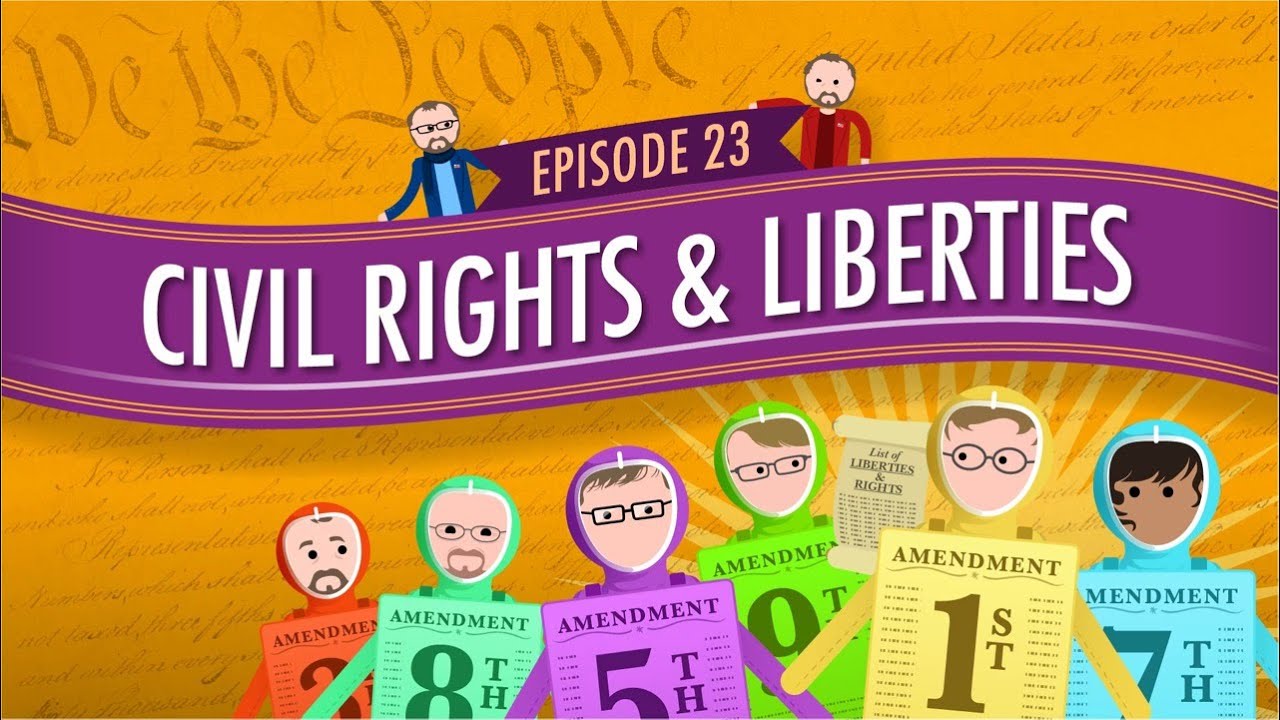
Today, Craig is going to give you an overview of civil rights and civil liberties. Often these terms are used interchangeably, but they are actually very different. Our civil liberties, contained in the Bill of Rights, once only protected us from the federal government, but slowly these liberties have been incorporated to protect us from the states. We’ll take a look at how this has happened and the supreme court cases that got us here.
Produced in collaboration with PBS Digital Studios: http://youtube.com/pbsdigitalstudios
Support is provided by Voqal: http://www.voqal.org
All attributed images are licensed under Creative Commons by Attribution 2.0
https://creativecommons.org/li....censes/by/2.0/legalc
Want to find Crash Course elsewhere on the internet?
Facebook - http://www.facebook.com/YouTubeCrashCourse
Twitter - http://www.twitter.com/TheCrashCourse
Tumblr - http://thecrashcourse.tumblr.com
Support Crash Course on Patreon: http://patreon.com/crashcourse
CC Kids: http://www.youtube.com/crashcoursekids

Chemistry raised to the power of AWESOME! That's what Hank is talking about today with Electrochemistry. Contained within, Hank discusses electrochemical reactions, half-reactions, how batteries work, galvanic cells, voltage, standard reduction potential, cell potential, electrolysis, electroplating, and the things that go into making it possible for you to watch this episode of Crash Course Chemistry!
Pssst... we made flashcards to help you review the content in this episode! Find them on the free Crash Course App!
Download it here for Apple Devices: https://apple.co/3d4eyZo
Download it here for Android Devices: https://bit.ly/2SrDulJ
--
Table of Contents
Electro-Chemical Reactions 0:13
Half Reactions 1:42
How Batteries Work 1:47
Galvanic Cells 3:18
Calculating Voltage 4:12
Standard Reduction Potential 4:42
Standard Cell Potential 6:03
Electrolysis 7:24
Electroplating 7:02
--
Crash Course is on Patreon! You can support us directly by signing up at http://www.patreon.com/crashcourse
Want to find Crash Course elsewhere on the internet?
Facebook - http://www.facebook.com/YouTubeCrashCourse
Twitter - http://www.twitter.com/TheCrashCourse
Instagram - https://www.instagram.com/thecrashcourse/
CC Kids: http://www.youtube.com/crashcoursekids

We make small choices like what to eat for lunch, but we also have to set goals, pick a career, and decide how to invest our hard-earned money. It’s not easy! We don’t want to make a decision out of fear, rather than doing what’s best for us. And we don’t want to regret a big choice and dwell on the “what ifs” either.
So today, we’re going to take a step back, understand how to really look at the decisions we’re making, and learn what not to do when facing a difficult choice.
***
Crash Course is on Patreon! You can support us directly by signing up at http://www.patreon.com/crashcourse
Thanks to the following patrons for their generous monthly contributions that help keep Crash Course free for everyone forever:
Eric Prestemon, Sam Buck, Mark Brouwer, Jonathan Zbikowski, Siobhan Sabino, Zach Van Stanley, Bob Doye, Jennifer Killen, Naman Goel, Nathan Catchings, Brandon Westmoreland, dorsey, Indika Siriwardena, Kenneth F Penttinen, Trevin Beattie, Erika & Alexa Saur, Glenn Elliott, Justin Zingsheim, Jessica Wode, Tom Trval, Jason Saslow, Nathan Taylor, Brian Thomas Gossett, Khaled El Shalakany, SR Foxley, Sam Ferguson, Yasenia Cruz, Eric Koslow, Caleb Weeks, Tim Curwick, D.A. Noe, Shawn Arnold, Malcolm Callis, William McGraw, Andrei Krishkevich, Rachel Bright, Jirat, Ian Dundore
--
Want to find Crash Course elsewhere on the internet?
Facebook - http://www.facebook.com/YouTubeCrashCourse
Twitter - http://www.twitter.com/TheCrashCourse
Tumblr - http://thecrashcourse.tumblr.com
Support Crash Course on Patreon: http://patreon.com/crashcourse
CC Kids: http://www.youtube.com/crashcoursekids

I'm sure you've all heard about Isaac Newton and that apple that fell on his head and how that was a huge deal to our understanding of gravity. Well... let's talk about that. In this episode of Crash Course Physics, Shini sits down to talk about the realities of the apple story and how Newtonian Gravity is more than a little important.
***
Produced in collaboration with PBS Digital Studios: http://youtube.com/pbsdigitalstudios
Crash Course is on Patreon! You can support us directly by signing up at http://www.patreon.com/crashcourse
--
Want to find Crash Course elsewhere on the internet?
Facebook - http://www.facebook.com/YouTubeCrashC...
Twitter - http://www.twitter.com/TheCrashCourse
Tumblr - http://thecrashcourse.tumblr.com
Support CrashCourse on Patreon: http://www.patreon.com/crashcourse
CC Kids: http://www.youtube.com/crashcoursekids

How do astronomers make sense of the vastness of space? How do they study things so far away? Today Phil talks about distances, going back to early astronomy. Ancient Greeks were able to find the size of the Earth and from that the distance to and the sizes of the Moon and Sun. Once the Earth/Sun distance was found, parallax was used to find the distance to nearby stars, and that was bootstrapped using brightness to determine the distances to much farther stars.
Check out the Crash Course Astronomy solar system poster here: http://store.dftba.com/product....s/crashcourse-astron
--
Chapters:
Introduction 00:00
How did we calculate the Earth's Size? 1:07
THE Astronomical Unit (AU) = 149,597,870.7 km 3:12
Depth Perception & Parallax 5:39
Light Years & Parsecs 7:31
Brightness Indicates Distance 9:07
Review 10:30
--
PBS Digital Studios: http://youtube.com/pbsdigitalstudios
Follow Phil on Twitter: https://twitter.com/badastronomer
Want to find Crash Course elsewhere on the internet?
Facebook - http://www.facebook.com/YouTubeCrashCourse
Twitter - http://www.twitter.com/TheCrashCourse
Tumblr - http://thecrashcourse.tumblr.com
Support CrashCourse on Patreon: http://www.patreon.com/crashcourse
--
PHOTOS/VIDEOS
Lunar Ecplise http://www.slate.com/content/d....am/slate/blogs/bad_a [credit: Phil Plait]
Venus & Mercury [credit: Phil Plait]
Venus Transit https://www.youtube.com/watch?v=34mXua1n_FQ [credit: NASA]
Black Drop Venus Transit https://en.wikipedia.org/wiki/....Black_drop_effect#me [credit: Wikimedia Commons, H. Raab, Johannes-Kepler-Observatory]
New Horizons Approaching Pluto and Charon https://en.wikipedia.org/wiki/....New_Horizons#/media/ [credit: NASA/JHU APL/SwRI/Steve Gribben]
Radio Telescopes Diagram http://scitechdaily.com/images..../Radio-Telescopes-Se [credit: Alexandra Angelich, NRAO/AUI/NSF]
61 Cygni https://archive.stsci.edu/cgi-bin/dss_search?v=poss1_red&r=21+06+54.60&d=%2B38+44+44.9&e=J2000&h=30&w=30&f=gif&c=none&fov=NONE&v3= [credit: Caltech / National Geographic Society / STScI]
Proxima Centauri https://www.spacetelescope.org/images/potw1343a/ [credit: ESA/Hubble & NASA]
Dying Star http://www.nasa.gov/images/con....tent/64884main_image [credit: NASA, ESA, HEIC, and The Hubble Heritage Team (STScI/AURA)]
Exploding Star http://www.nasa.gov/multimedia..../imagegallery/image_ [credit: NASA, ESA, J. Hester, A. Loll (ASU)]
Animation of a Variable Star http://www.spacetelescope.org/videos/heic1323j/ [credit: NASA, ESA, M. Kornmesser]
Hubble's High-Definition Panoramic View of the Andromeda Galaxy http://hubblesite.org/newscent....er/archive/releases/ [credit: NASA, ESA, J. Dalcanton, B.F. Williams, and L.C. Johnson (University of Washington), the PHAT team, and R. Gendler]
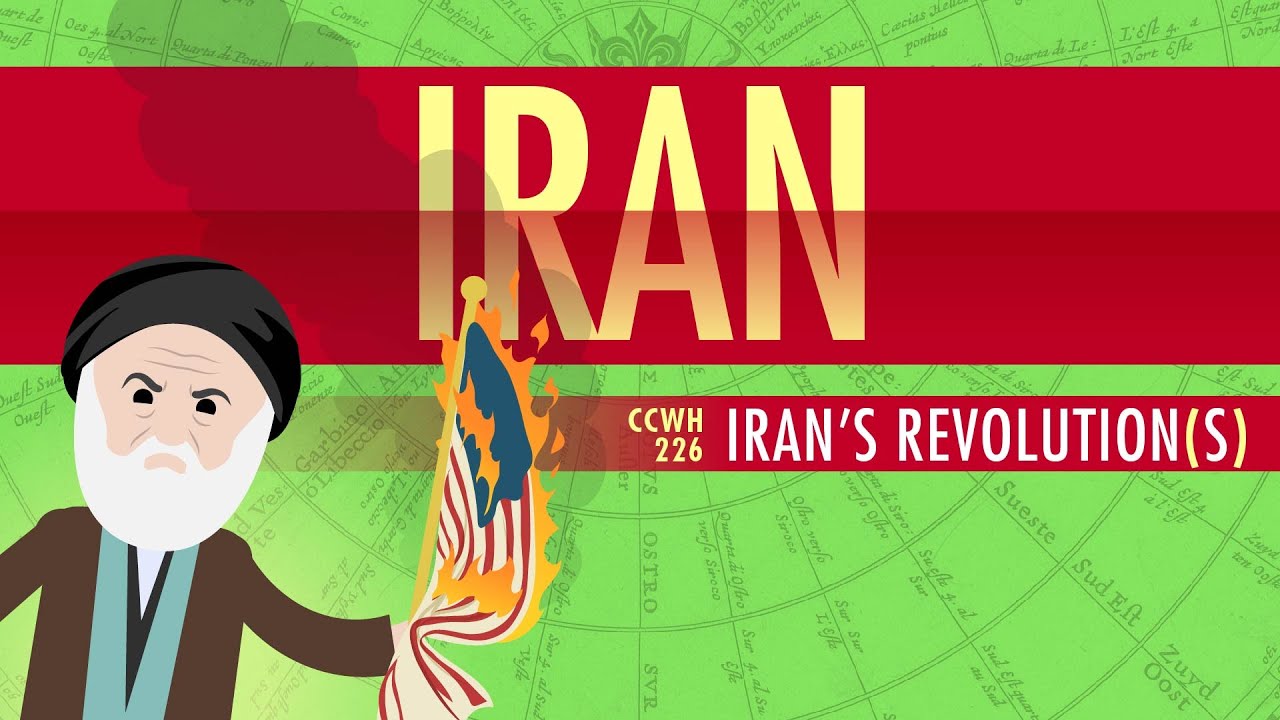
In which John Green teaches you about Iran's Revolutions. Yes, revolutions plural. What was the the1979 Iranian Revolution about? It turns out that Iran has a pretty long history of unrest in order to put power in the hands of the people, and the most recent revolution in 1979 was, at least at first, not necessarily about creating an Islamic state. It certainly turned out to be about that, but it was initially just about people who wanted to get rid of an oppressive regime. Listen up as John teaches you about Iran's long history of revolution.
Citation 1: Caryl, Christian. Strange Rebels: 1979 and the Birth of the 21st Century. New York, Basic Books. 2014, p. 11
Citation 2: Axworthy, Michael, Revolutionary Iran: A History of the Islamic Republic. Oxford U. Press. 2014, p. 62
Citation 3: Quoted in Axworthy, p. 81
Citation 4: Axworthy, p. 114
Citation 5: Axworthy, p. 163
Crash Course is on Patreon! You can support us directly by signing up at http://www.patreon.com/crashcourse
Want to find Crash Course elsewhere on the internet?
Facebook - http://www.facebook.com/YouTubeCrashCourse
Twitter - http://www.twitter.com/TheCrashCourse
Instagram - https://www.instagram.com/thecrashcourse/
CC Kids: http://www.youtube.com/crashcoursekids

World War I was very hard on the Russian Empire. So hard, in fact, that it led to the end of the Russian Empire. As the global conflict ground on, Tsar Nicholas II faced increasing unrest at home. Today we'll learn about the Revolutions of 1917, the rise of Lenin, Trotsky, and the Bolsheviks, and the Reussian Civil War and the creation of the Soviet Union.
Sources
-Engelstein, Laura. Russia in Flames: War, Revolution, and Civil War, 1914-1922. Oxford: Oxford University Press, 2018.
-Kivelson, Valerie A. and Ronald Grigor Suny. Russia’s Empires. New York: Oxford University Press, 2017.
-Sanborn, Joshua A. Imperial Apocalypse: The Great War and the Destruction of the Russian Empire. New York: Oxford University Press, 2014.
-Smith, Bonnie G. Europe in the Contemporary World since 1900. 2nd ed. London: Bloomsbury, 2020.
Crash Course is on Patreon! You can support us directly by signing up at http://www.patreon.com/crashcourse
Thanks to the following patrons for their generous monthly contributions that help keep Crash Course free for everyone forever:
Eric Prestemon, Sam Buck, Mark Brouwer, William McGraw, Siobhan Sabino, Jason Saslow, Jennifer Killen, David Noe, Jonathan Zbikowski, Shawn Arnold, Trevin Beattie, Matthew Curls, Rachel Bright, Khaled El Shalakany, Efrain R. Pedroza, Ian Dundore, Kenneth F Penttinen, Eric Koslow, Timothy J Kwist, Indika Siriwardena, Caleb Weeks, Haixiang N/A Liu, Nathan Taylor, Avi Yashchin, Andrei Krishkevich, Brian Thomas Gossett, SR Foxley, Tom Trval, Justin Zingsheim, Brandon Westmoreland, dorsey, Jessica Wode, Nathan Catchings, Yasenia Cruz, Jirat
--
Want to find Crash Course elsewhere on the internet?
Facebook - http://www.facebook.com/YouTubeCrashCourse
Twitter - http://www.twitter.com/TheCrashCourse
Tumblr - http://thecrashcourse.tumblr.com
Support Crash Course on Patreon: http://patreon.com/crashcourse
CC Kids: http://www.youtube.com/crashcoursekids
#crashcourse #history #russianrevolution

So far in this series, we've covered a lot of war, disease, climate disaster, and some more war. Well, prepare yourself for something a little more positive. This week, we're talking about the Enlightenment. In this video, you'll learn about the ideas of Voltaire, Rousseau, Montesquieu, Kant, Smith, Hume, and a bunch of other people whose ideas have been so impactful, they still influence the way we think about the world today.
Sources
Hunt, Lynn et al. Making of the West: Peoples and Cultures. Boston: Bedford St. Martin’s, 2019.
Smith, Bonnie G. et al. World in the Making: A History. Vol. 2. New York: Oxford University Press, 2019.
Crash Course is on Patreon! You can support us directly by signing up at http://www.patreon.com/crashcourse
Thanks to the following patrons for their generous monthly contributions that help keep Crash Course free for everyone forever:
Eric Prestemon, Sam Buck, Mark Brouwer, Indika Siriwardena, Avi Yashchin, Timothy J Kwist, Brian Thomas Gossett, Haixiang N/A Liu, Jonathan Zbikowski, Siobhan Sabino, Zach Van Stanley, Jennifer Killen, Nathan Catchings, Brandon Westmoreland, dorsey, Kenneth F Penttinen, Trevin Beattie, Erika & Alexa Saur, Justin Zingsheim, Jessica Wode, Tom Trval, Jason Saslow, Nathan Taylor, Khaled El Shalakany, SR Foxley, Yasenia Cruz, Eric Koslow, Caleb Weeks, Tim Curwick, David Noe, Shawn Arnold, Andrei Krishkevich, Rachel Bright, Jirat, Ian Dundore
--
Want to find Crash Course elsewhere on the internet?
Facebook - http://www.facebook.com/YouTubeCrashCourse
Twitter - http://www.twitter.com/TheCrashCourse
Tumblr - http://thecrashcourse.tumblr.com
Support Crash Course on Patreon: http://patreon.com/crashcourse
CC Kids: http://www.youtube.com/crashcoursekids

During economic crises, marginalized communities are more susceptible to the harm and struggle that come with these downturns. Today we'll talk about the Great Depression, which lasted from 1929 until the US entered World War II. This depression profoundly changed the US economy, and we'll focus on how the depression impacted Black Americans.
Clint's book, How the Word is Passed is available now! https://bookshop.org/a/3859/9780316492935
VIDEO SOURCES
● Cheryl Lynn Greenberg, To Ask for an Equal Chance: African Americans in the Great Depression (Lanham, MD: Rowman & Littlefield Publishers, Inc., 2009).
● Keisha N. Blain, Set the World on Fire: Black Nationalist Women and the Global Struggle for Freedom (University of Pennsylvania Press, 2018).
● Robin D.G. Kelley, Hammer and Hoe: Alabama Communist During the Great Depression (Chapel Hill, NC: University of North Carolina Press, 1990).
● Erik McDuffie, Sojourning for Freedom: Black Women, American Communism, and the Making of Black Left Feminism (Durham: Duke University Press, 2011).
Aaron Douglass - http://www.aarondouglasartfair.com/history/
**
Watch our videos and review your learning with the Crash Course App!
Download here for Apple Devices: https://apple.co/3d4eyZo
Download here for Android Devices: https://bit.ly/2SrDulJ
Crash Course is on Patreon! You can support us directly by signing up at http://www.patreon.com/crashcourse
Thanks to the following patrons for their generous monthly contributions that help keep Crash Course free for everyone forever:
Dave Freeman, Hasan Jamal, DL Singfield, Jeremy Mysliwiec, Shannon McCone, Amelia Ryczek, Ken Davidian, Stephen Akuffo, Toni Miles, Erin Switzer, Steve Segreto, Michael M. Varughese, Kyle & Katherine Callahan, Laurel A Stevens, Vincent, Michael Wang, Stacey Gillespie, Jaime Willis, Krystle Young, Michael Dowling, Alexis B, Burt Humburg, Aziz Y, DAVID MORTON HUDSON, Perry Joyce, Scott Harrison, Mark & Susan Billian, Junrong Eric Zhu, Alan Bridgeman, Rachel Creager, Jennifer Smith, Matt Curls, Tim Kwist, Jonathan Zbikowski, Jennifer Killen, Sarah & Nathan Catchings, Brandon Westmoreland, team dorsey, Trevin Beattie, Divonne Holmes à Court, Eric Koslow, Jennifer Dineen, Indika Siriwardena, Khaled El Shalakany, Jason Rostoker, Shawn Arnold, Siobhán, Ken Penttinen, Nathan Taylor, Les Aker, William McGraw, Andrei Krishkevich, ThatAmericanClare, Rizwan Kassim, Sam Ferguson, Alex Hackman, Jirat, Katie Dean, NileMatotle, Wai Jack Sin, Ian Dundore, Justin, Jessica Wode, Mark, Caleb Weeks
__
Want to find Crash Course elsewhere on the internet?
Facebook - http://www.facebook.com/YouTubeCrashCourse
Twitter - http://www.twitter.com/TheCrashCourse
Tumblr - http://thecrashcourse.tumblr.com
Support Crash Course on Patreon: http://patreon.com/crashcourse
CC Kids: http://www.youtube.com/crashcoursekids

Subscribe to Sound Field! https://www.youtube.com/channe....l/UCvMLMyKPomE6kTTL9
Today we’re going to talk about recommender systems which form the backbone of so much of the content we see online from video recommendations on YouTube and Netflix to ads we see on Facebook, Twitter, and well, everywhere else. We’ll talk about their types of systems - content-based, social, and personalized recommendations - and take a closer look at what they're good at, but also why they often fail.
Crash Course is produced in association with PBS Digital Studios: https://www.youtube.com/pbsdigitalstudios
Crash Course is on Patreon! You can support us directly by signing up at http://www.patreon.com/crashcourse
Thanks to the following patrons for their generous monthly contributions that help keep Crash Course free for everyone forever:
Eric Prestemon, Sam Buck, Mark Brouwer, Indika Siriwardena, Avi Yashchin, Timothy J Kwist, Brian Thomas Gossett, Haixiang N/A Liu, Jonathan Zbikowski, Siobhan Sabino, Zach Van Stanley, Jennifer Killen, Nathan Catchings, Brandon Westmoreland, dorsey, Kenneth F Penttinen, Trevin Beattie, Erika & Alexa Saur, Justin Zingsheim, Jessica Wode, Tom Trval, Jason Saslow, Nathan Taylor, Khaled El Shalakany, SR Foxley, Sam Ferguson, Yasenia Cruz, Eric Koslow, Tim Curwick, David Noe, Shawn Arnold, William McGraw, Andrei Krishkevich, Rachel Bright, Jirat, Ian Dundore
--
Want to find Crash Course elsewhere on the internet?
Facebook - http://www.facebook.com/YouTubeCrashCourse
Twitter - http://www.twitter.com/TheCrashCourse
Tumblr - http://thecrashcourse.tumblr.com
Support Crash Course on Patreon: http://patreon.com/crashcourse
CC Kids: http://www.youtube.com/crashcoursekids
#CrashCourse #MachineLearning #ArtificialIntelligence

Pete the Cat: Firefighter Pete
by James Dean
Read by Let's Read Stories
When the fire alarm goes off, it's Pete the Cat to the rescue!
In Pete the Cat: Firefighter Pete from New York Times bestselling author and artist James Dean, Pete and his classmates are excited about their field trip to the firehouse. They get to slide down the pole, meet all the brave firefighters, and even try on their helmets and gear.
But when the alarm goes off, it's time for Pete to jump on the fire truck, grab the hose, and help the firefighters save the day!
Click here to purchase Pete the Cat: Firefighter Pete: https://www.amazon.com/Pete-Ca....t-Firefighter-James-

This Book Will Not Be Fun
by Cirocco Dunlap
Illustrated by Olivier Tallec
Read by Let's Read Stories
*A 2018 Children's and Teen Choice Book Award Finalist!
A mouse who acts as a careful custodian of his book tries to guarantee his reader some peace and order in spite of escalating chaos. For fans of The Book With No Pictures and This Book Just Ate My Dog!
A book is no place for tomfoolery, and this mouse assures us that his book is to be no exception. Just please ignore that Word-Eating Flying Whale, and—oh, no, the lights have gone out. Wait, what is THAT?! Nothing to fear. Everything is under control. . . .
Readers will delight as this charming yet uptight mouse is challenged and subverted by gloriously imaginative creatures that are like nothing you’ve ever seen. Will our little mouse succumb to the attractiveness of their overwhelming exuberance?
Newcomer Cirocco Dunlap delivers an on-point debut picture-book text that dances outside the boundaries of its pages. Olivier Tallec breathes extra lunacy into this nutty little world with his absurdist palette and amusing forms.
Read along with this funny story for beginning readers!
Click here to purchase This Book Will Not Be Fun: https://www.amazon.com/This-Bo....ok-Will-Not-Fun/dp/0
The Luckiest St. Patrick's Day Ever - Children's Stories Read Aloud - St. Patrick's Day Kids Books
by Teddy Slater
Illustrated by Ethan Long
Click here to purchase The Luckiest St. Patrick's Day Ever:https://www.amazon.com/Luckies....t-St-Patricks-Day-Ev
Share in this leprechaun family's charming St. Patrick's Day celebration, complete with a fun parade and an Irish feast!
The St. Patrick's Day parade is off to a very fine start.
The Leprechaun family is marching with lots of heart!
Share in their dancing, share in their fun.
You'll have the luck of the Irish when this day is done!
Top o' the morning! It's March 17th, and the Leprechauns are gathered for their favorite day of the year. Join them as they celebrate St. Patrick's Day with music, dancing, and a parade!
Teddy Slater's delightful rhyming story is accompanied by lively illustrations from Ethan Long.

Pete the Cat: Big Easter Adventure - Easter Stories for Children Read Aloud - Kids Read Along
by James Dean
Click here to purchase Pete the Cat: Big Easter Adventure: https://www.amazon.com/Pete-Ca....t-Big-Easter-Adventu
#1 New York Times bestseller!
Author and artist James Dean brings us along for a hippity-hoppity Easter adventure with the coolest cat around—Pete!
Pete jumps in to help the Easter Bunny in Pete the Cat: Big Easter Adventure—which comes complete with a poster, stickers, and a set of punch-out card.
When Pete wakes up Easter morning, ready to check out his basket of goodies, he discovers the Easter Bunny needs a little extra help. Our favorite groovy blue cat puts on his bunny ears and finds a way to collect, paint, and hide the eggs all in time for Easter!

We're All Wonders - Children's Stories Read Aloud for Kids
Click here to purchase We're All Wonders: https://www.amazon.com/Were-Al....l-Wonders-R-Palacio/
The unforgettable bestseller Wonder, now a major motion picture, has inspired a nationwide movement to Choose Kind. Now parents and educators can introduce the importance of choosing kind to younger readers with this gorgeous picture book, featuring Auggie and Daisy on an original adventure, written and illustrated by R. J. Palacio.
Over 6 million people have fallen in love with Wonder and have joined the movement to Choose Kind. Now younger readers can meet Auggie Pullman, an ordinary boy with an extraordinary face, and his beloved dog, Daisy.
Countless fans have asked R. J. Palacio to write a book for younger readers. With We’re All Wonders, she makes her picture-book debut as both author and artist, with a spare, powerful text and striking, richly imagined illustrations. Palacio shows readers what it’s like to live in Auggie’s world—a world in which he feels like any other kid, but he’s not always seen that way.
We’re All Wonders may be Auggie’s story, but it taps into every child’s longing to belong, and to be seen for who they truly are. It’s the perfect way for families and educators to talk about empathy and kindness with young children.
Praise for Wonder:
A #1 New York Times Bestseller
A USA Today Top 100 Bestseller
An Indie Bestseller
A Time Magazine 100 Best Young Adult Books of All Time Selection
A Washington Post Best Kids’ Book
A New York Times Book Review Notable Book
An NPR Outstanding Backseat Book Club Pick
An Entertainment Weekly 10 Great Kids’ Books Selection
“A beautiful, funny and sometimes sob-making story of quiet transformation.” —The Wall Street Journal
“A crackling page-turner filled with characters you can’t help but root for.” —Entertainment Weekly
“Rich and memorable.” —The New York Times Book Review

When Dads Don't Grow Up
by Marjorie Blain Parker
Illustrated by R.W. Alley
An endearing celebration of dads who are young at heart
Just in time for Father's Day, this playful book follows four father-child pairs as they spend happy, silly times together, popping bubble wrap and watching cartoons and taking part in shoppingcart races. These are dads who aren't worried about looking goofy or getting their hair wet - dads who still remember what it's like to be little. Don't be fooled. They may look like grown-ups on the outside, But underneath they're just like you . . . Kids!
Click here to purchase When Dads Don't Grow Up: https://www.amazon.com/When-Da....ds-Dont-Grow-Up/dp/0

Pete the Cat At the Beach (My First I Can Read)
by James Dean
Read by Let's Read Stories
New York Times bestselling author and artist James Dean brings readers some fun in the sun! Pete the Cat is one groovy cat at finding shells and building sand castles at the beach. But when it gets too hot, there’s only one way to cool off—jump into the ocean! Except Pete might be a scaredy-cat when it comes to the water.
Pete the Cat: Pete at the Beach is a My First I Can Read book, which means it’s perfect for shared reading with a child.
Share the joy of reading with your child this summer with Pete the Cat at the Beach. Reading aloud can help your child with sound and sight words, and hearing other children read or reading along can help them find comfort as their literacy grows. This adorable story is perfect for beginning English speakers and beginning readers! Thanks for watching!
Click here to purchase Pete the Cat at the Beach: https://www.amazon.com/Pete-Ca....t-Beach-First-Read/d
